This is the full developer documentation for Northplane
# Northplane
> Monitoring and alarming in one static binary — from the first ping to the phone call that wakes someone up.
Install in five minutes
One binary, one container, or a Compose stack with automatic TLS. Open `/setup`, create the admin, add a host. [Quickstart →](/docs/getting-started/quickstart/)
Monitor anything
17 built-in checks, Nagios plugins, SNMP polling and traps, the `np-agent`, heartbeats, discovery, business services and SLAs, dashboards and reports. [Monitoring →](/docs/monitoring/hosts-and-services/)
Alarm everyone
Phone, SMS, MQTT, ESPA, e-mail and webhooks in — voice calls with IVR, SMS, push, ntfy, Slack, Teams and tickets out. On-call schedules, escalation chains, durable retries, full audit. [Alarming →](/docs/alarming/overview/)
API-first, AI-ready
Every capability is a REST endpoint with RBAC and tenants; the UI, the `np` CLI, the AI agent chat and the MCP server all use it. [API reference →](/docs/reference/api-overview/)
## Find your way
[Section titled “Find your way”](#find-your-way)
[I operate an instance](/docs/administration/configuration/)Configuration reference, authentication, storage, TLS, upgrades, security hardening.
[I run production](/docs/deployment/overview/)Deployment variants, the CI/CD pipeline, provisioning, operations runbook and the verified environment inventory.
[I integrate with it](/docs/reference/api-overview/)REST conventions, ingest webhooks, SSE stream, the OpenAPI reference, the four CLIs and the MCP server.
[I work on the code](/docs/development/setup/)Dev loop, tests, backend and frontend architecture, release process, and how these docs are built.
[I use the UI](/docs/ui/navigation/)Every page, dialog and Admin tab explained, with keyboard shortcuts and the tenant switcher.
[I want the concepts first](/docs/concepts/architecture/)Architecture, object model, checks and states, events, alerts and incidents, tenancy, federation.
## At a glance
[Section titled “At a glance”](#at-a-glance)
| | |
| ----------------- | ----------------------------------------------------------------------------------------------------------------------------------------------------------------------------------- |
| **Server** | `northplaned` — one static Go binary with the React UI, this manual, Swagger UI and the MCP server embedded |
| **Storage** | SQLite (default, zero-ops) or PostgreSQL; NP-TSDB for metrics; durable outbox; tamper-evident audit chain |
| **Inputs** | built-in checks, Nagios plugins, `np-agent`, SNMP v1/v2c/v3 polling and traps, heartbeats, webhooks, Alertmanager, IMAP, MQTT, ESPA 4.4.4 / ESPA-X, phone (Twilio or Asterisk), SMS |
| **Outputs** | voice with IVR acknowledgement, SMS, e-mail, mobile push (FCM/APNs), Web Push, ntfy, Slack, Teams, webhooks, MQTT, ServiceNow / Jira / Zendesk tickets |
| **Control plane** | REST API with RBAC, tenants, sites (federation), API tokens, OIDC / LDAP, YAML config bundles, `np` CLI |
| **AI** | agent chat over 10 LLM provider types with policy gates and approvals; MCP server for Claude, Cursor, VS Code and friends |
| **Runs as** | binary + systemd, Docker (distroless), Docker Compose with Caddy TLS, or behind your own reverse proxy |
These pages are shipped inside every Northplane binary at `/docs/` and mirror the version they came with. The public showcase instance is [doktrace.com](https://doktrace.com) (its docs: [doktrace.com/docs](https://doktrace.com/docs/)). Machine-readable copies for AI assistants: [`llms.txt`](/docs/llms.txt), [`llms-full.txt`](/docs/llms-full.txt).
# Demo mode
> northplaned serve --demo and NORTHPLANE_DEMO seed a complete, idempotent showcase — hosts, checks, alarm chain, on-call, BPI, dashboard, report, two demo users — guarded against real data and kept in its own data directory.
Demo mode seeds a self-contained showcase environment into the default tenant so you can click through a populated instance: real built-in checks against loopback and public targets, a passive job with a heartbeat, the full notification/escalation/on-call stack, a business-service tree with an SLA, a dashboard, a scheduled report, inbound event sources, a recurring downtime and two demo users. Seeding only writes configuration — the scheduler and executor then run the checks live.
## Enabling it
[Section titled “Enabling it”](#enabling-it)
| How | Behaviour |
| ------------------------------------------------------- | ------------------------------------------------------------------------------------------------------------------------------------------------------------------------------------------------------------------------------------------------------------------------------------ |
| `northplaned serve --demo` | seeds **unconditionally** on every start (idempotent). Optional flags: `--demo-snmp host:161` (target of the SNMP demo checks, default `127.0.0.1:161`) and `--demo-traps udp://:9162` (listen address of the demo SNMP-trap source). This is what `make dev` and the e2e suite use. |
| `demo: true` in `config.yaml` or `NORTHPLANE_DEMO=true` | seeds on start, but only after the **real-data guard** passes (below). This is the demo/real switch of the production stacks. |
Seeding runs before the HTTP listener comes up; a failure is fatal (`demo seed: …`). The log reports what happened:
```text
demo: user ready name=demo-operator email=operator@demo.local password=operator-demo-2026! role=operator
demo: user ready name=demo-viewer email=viewer@demo.local password=viewer-demo-2026! role=viewer
demo: hint msg="passive service demo-batchjob & heartbeat demo-cron have no live feeder — …"
demo: hint msg="channel demo-email points at a mock SMTP sink on 127.0.0.1:2525 and demo-hook at http://127.0.0.1:18081/hook — …"
demo: hint msg="event-source demo-hook-in uses authMode=token with secretRef \"demo-hook-in-token\" — …"
demo: environment seeded counts=map[alert-rule:2 business-service:4 channel:2 …]
```
## Demo users
[Section titled “Demo users”](#demo-users)
| Login | Password | Role | Can |
| -------------------------------------------- | --------------------- | ---------- | ----------------------------------------------------------------------------------------------------------------------------------------------------------------------------------------------------------------------------------------- |
| `operator@demo.local` (name `demo-operator`) | `operator-demo-2026!` | `operator` | read everything, create and edit hosts/services, ack/resolve/raise alerts, incidents, downtimes, silences, on-call, dashboards, reports — but **no** Admin tabs and no config documents (templates, rules, channels need `config:write`). |
| `viewer@demo.local` (name `demo-viewer`) | `viewer-demo-2026!` | `viewer` | read only. |
The demo does **not** create an administrator. The admin is the break-glass account that `northplaned serve` seeds on every start unless `NP_DEFAULT_ADMIN_DISABLED` is set (`admin@localhost` with a generated password in the log, or `NP_DEFAULT_ADMIN_EMAIL` / `NP_DEFAULT_ADMIN_PASSWORD`) — see the [Quickstart](/docs/getting-started/quickstart/#2-create-the-admin-account).
Demo users close /setup
The demo users are local accounts, so after `--demo` the first-run `/setup` page is closed even if you disabled the default-admin seeding. If you run `NP_DEFAULT_ADMIN_DISABLED=1 northplaned serve --demo` you have no admin at all; create one headlessly like the e2e suite does — `northplaned bootstrap-admin` for a `*:*` token, then `POST /api/v1/users` with `roles: ["admin"]` — or keep the default-admin seeding on.
## What is seeded
[Section titled “What is seeded”](#what-is-seeded)
Every artefact is named `demo-…`, labelled `demo=true`, and lives in the default tenant.
| Kind | Names and key settings |
| ---------------------- | ------------------------------------------------------------------------------------------------------------------------------------------------------------------------------------------------------------------------------------------------------------------------------------------------------------------------------------------------------------ |
| Templates | `demo-host-base` (host: interval 30 s, retry 10 s, 2 attempts, timeout 10 s), `demo-web-service` (service: 60 s, timeout 10 s) |
| Hosts (folder `/demo`) | `demo-gateway` (`127.0.0.1`, `builtin:icmp`, 15 s; labels `role=gateway`, `site=demo`); `demo-web` (`builtin:https` against `https://example.org`, parent `demo-gateway`, template `demo-host-base`); `demo-dns` (`builtin:dns -H example.org`, parent `demo-gateway`); `demo-snmp-device` (`builtin:snmp` sysUpTime against the `--demo-snmp` target, 30 s) |
| Services | `demo-snmp-ifwalk` (`snmp-walk` ifOperStatus, 60 s) and `demo-tls` (`tls-cert example.org:443 -w 21 -c 7`, every 6 h) on `demo-snmp-device`; `demo-web-latency` (`https -w 1.0 -c 3.0`, 30 s) on `demo-web`; `demo-batchjob` (passive, `stalenessAfter` 10 m, contact group `demo-ops`, `notifyOn` critical+recovery) on `demo-gateway` |
| Heartbeat | `demo-cron` — expect every 5 m, grace 1 m, severity warning |
| Contacts, group | `demo-alice` (`alice@demo.local`, e-mail), `demo-bob` (`bob@demo.local`, webhook + e-mail), group `demo-ops` |
| Channels | `demo-email` (SMTP `127.0.0.1:2525`, from `northplane@demo.local`, `allowPlaintext`), `demo-hook` (webhook `http://127.0.0.1:18081/hook`) |
| Alert group | `demo-storm` (group by host, 5 m window, min count 3) |
| Escalation policy | `demo-escalation`: step 0 → `demo-ops` by e-mail; +15 m unless acked → `demo-bob` by webhook |
| Alert rules | `demo-critical` (CEL: hard `state_change` to CRITICAL/DOWN; severity critical; title `demo: {{ .event.object }} is {{ .event.state }}`; policy `demo-escalation`; group `demo-storm`; sets label `demo=true`), `demo-heartbeat-rule` (heartbeat rule on `demo-cron`, every 5 m, warning) |
| On-call schedule | `demo-oncall` (Europe/Vienna; layer `primary`, weekly alice → bob, anchored Monday 2026-01-05 08:00) |
| Business services | root `demo-webshop` (rule worst, SLA 99.9 % monthly) with leaves `demo-webshop-web`, `demo-webshop-dns`, `demo-webshop-gateway` bound by selectors such as `role=web,demo=true` |
| Dashboard | `demo-overview` (shared): counters, problems, metric chart of `demo-web-latency` (`time`, 3 h), BPI `demo-webshop`, table with selector `demo=true` |
| Report | `demo-availability`: availability over 30 days for `demo=true`, folder `/demo`, schedule `daily@07:00`, e-mailed to alice, keep 7 |
| Event sources | `demo-hook-in` (webhook, token auth, `secretRef: demo-hook-in-token`), `demo-traps` (SNMP trap listener on the `--demo-traps` address, community `public`, severity warning), `demo-imap` (IMAP `127.0.0.1:3143`, **disabled**) |
| Downtime | `demo-batchjob-nightly`: fixed, next 03:00 Europe/Vienna for 1 h, `RRULE FREQ=DAILY;BYHOUR=3;BYMINUTE=0` |
| Users | `demo-operator`, `demo-viewer` (above) |
What you will see after a minute: `demo-gateway` UP (if ICMP works for the server’s user), `demo-web`, `demo-dns`, `demo-tls` and `demo-web-latency` OK when the host has internet access, the SNMP objects CRITICAL/UNKNOWN unless `--demo-snmp` points at a reachable SNMP agent, `demo-batchjob` turning UNKNOWN (stale) after 10 minutes, and the `demo-cron` heartbeat reported missing right away — which opens a warning alert through `demo-heartbeat-rule`, so the alarm pipeline has something to show.
### Parts that need a helping hand
[Section titled “Parts that need a helping hand”](#parts-that-need-a-helping-hand)
The seeder writes configuration only; a few pieces point at infrastructure it does not start:
* `demo-email` and `demo-hook` deliver to a mock SMTP sink on `127.0.0.1:2525` and a webhook sink on `127.0.0.1:18081`. Nothing listens there by default, so their deliveries fail, retry with backoff and end up under **Admin → Dead letters** — a realistic demonstration of the outbox, but run a sink (any SMTP test server, any HTTP echo) on those ports if you want green deliveries.
* `demo-hook-in` authenticates inbound webhooks with the secret `demo-hook-in-token`, which is not created. Store it (`PUT /api/v1/secrets/demo-hook-in-token`, or **Admin → Secrets**) and then `POST /api/v1/ingest/demo-hook-in` with `Authorization: Bearer `.
* `demo-batchjob` and `demo-cron` have no feeder. Submit a result (`POST /api/v1/results` with `{"results":[{"host":"demo-gateway","service":"demo-batchjob","state":0,"output":"batch ok"}]}`) and beat the heartbeat (`POST /api/v1/heartbeats/demo-cron/beat`), both with a token holding `objects:write`, to watch them recover. (The log hint names `/checks/results`; the real path is `/api/v1/results`.)
* The SNMP demo wants an SNMP agent: `--demo-snmp 10.0.0.1:161` targets a real device with community `public`; traps sent to the `--demo-traps` port (`9162/udp`, publish it in Docker) show up as events.
## Idempotency and the real-data guard
[Section titled “Idempotency and the real-data guard”](#idempotency-and-the-real-data-guard)
* **Idempotent.** Re-running the seed updates in place: configuration resources are upserted by name, objects are matched by kind, host and name, and ids are derived deterministically from the names (SHA-256-based, UUID-shaped), so cross-references such as BPI parents stay valid. Existing demo users are reported again instead of failing. You can leave `--demo` on permanently.
* **Guarded.** With `demo: true` / `NORTHPLANE_DEMO=true` the server first checks whether the default tenant already contains **any host without the label `demo=true`** (up to 5000 hosts; a query error counts as “real data”). If so it logs `NORTHPLANE_DEMO is set but this database already holds real (non-demo) hosts — skipping demo seeding to protect production data; use a dedicated data dir/volume for the demo, or unset NORTHPLANE_DEMO` and starts without seeding. The explicit `--demo` flag bypasses the guard — do not use it on a production data directory.
* **No teardown command.** Demo artefacts are easy to find (label `demo=true`, prefix `demo-`, the Objects page filter `demo=true`), but the clean way to get rid of them is the one the production stacks use: a separate data directory you can delete.
## Demo and real data directories in the production stack
[Section titled “Demo and real data directories in the production stack”](#demo-and-real-data-directories-in-the-production-stack)
The CI-managed stacks under `deploy/` treat `NORTHPLANE_DEMO` as a switch that also selects the data directory inside the same volume:
deploy/.env (rendered by the deploy workflow, excerpt)
```ini
NORTHPLANE_DEMO=true
NORTHPLANE_DATA_DIR=/var/lib/northplane/demo # false → /var/lib/northplane/real
```
Demo mode uses `/var/lib/northplane/demo`, real mode `/var/lib/northplane/real`, so flipping the switch never mixes the datasets and each side keeps its own database, events, TSDB and `secret.key`. The GitHub variable `NORTHPLANE_DEMO` (and the `demo` dropdown of the manual Deploy run: `repo-default` / `true` / `false`) controls it; the public showcase instance has run in real mode since 2026-08-20 with its demo directory kept alongside. Details: [CI/CD](/docs/deployment/ci-cd/) and [Operations](/docs/deployment/operations/).
For a hand-run container the same idea is `-e NORTHPLANE_DEMO=true -e NORTHPLANE_DATA_DIR=/var/lib/northplane/demo`, or simply a second named volume.
## Development and tests use it too
[Section titled “Development and tests use it too”](#development-and-tests-use-it-too)
* `make dev` starts the backend with `-demo` (set `NP_DEV_DEMO=0` to skip) and prints the demo credentials; the generated break-glass admin password appears in the `[api]` log lines.
* The Playwright end-to-end suite (`make e2e`) boots an isolated `northplaned serve --demo` with `NP_DEFAULT_ADMIN_DISABLED=1`, mints a token with `bootstrap-admin`, creates its own admin through `POST /api/v1/users`, and pins the browser locale to `de-DE` — so the demo data is what the e2e tests click through ([Testing](/docs/development/testing/)).
* The CI `e2e` job does the same against every commit.
## Related
[Section titled “Related”](#related)
* [Quickstart](/docs/getting-started/quickstart/) and [First steps](/docs/getting-started/first-steps/)
* [Configuration](/docs/administration/configuration/) — the `demo` key and `NORTHPLANE_DEMO`
* [CLI: northplaned](/docs/reference/cli-northplaned/) — `serve --demo`, `--demo-snmp`, `--demo-traps`
* [Storage](/docs/administration/storage/) — data directory layout and backups
# First steps
> Orientation after the install — the UI in ten minutes, creating objects in the UI and with a bundle, templates, a minimal channel → contact → escalation policy → rule chain, your first API token and the np CLI, and installing np-agent.
You have a running instance and an admin login ([Quickstart](/docs/getting-started/quickstart/)). This page is the guided tour that follows: where things are in the UI, how to create objects properly, how the alarm chain fits together, and how to talk to the API.
## The UI in ten minutes
[Section titled “The UI in ten minutes”](#the-ui-in-ten-minutes)
The sidebar has sixteen entries; labels follow your browser language (German or English — there is no in-app switch). The important stops, in the order you will use them:
| Page | What it is for |
| -------------------------------------------------- | ---------------------------------------------------------------------------------------------------------------------------------------------------------------------------------------------------------------------------------------------------------------------------------------------------------------------------------------------------------------------------------- |
| **Overview (Übersicht)** `/` | Four KPI tiles (hosts up, services OK, active problems, open alerts), the open problem list, a service-status donut, open incidents, who is on call now, the last 20 events. **Wallboard** (`/?wallboard=1`) is the same page without chrome, refreshing every 10 s. |
| **Problems (Probleme)** | Every object in a hard non-OK state, with hover actions **Ack (Quittieren)**, **Downtime** and **Check now (Jetzt prüfen)**; a checkbox includes acknowledged/downtime objects. |
| **Objects (Objekte)** | All hosts and services. Two filter boxes: a **label selector** (`env=prod,role in (db,cache)`) and a **full-text** search over name and output, plus kind and state selects; filters live in the URL so views are linkable. Buttons **New host**, **New service**, **Batch add (Massenanlage)**. Click a row for the detail page with **Overview / History / Configuration** tabs. |
| **Alerts (Alarme)** | Open and acknowledged alerts with **Ack** and **Resolve**; **Trigger alarm (Alarm auslösen)** raises a manual alert through an escalation policy. **Incidents** groups alerts; **Events** is the raw, filterable event log with an NDJSON export. |
| **Alert rules (Alarm-Regeln)** `/alerting` | Tabs **Alert rules** (with a tester), **Groups**, **Escalations** (with a simulator), **IVR menus** — the alarming configuration. |
| **On-Call (Bereitschaft)** | Schedules with layers, 14-day timeline, overrides, ICS export, who is on duty now. |
| **Dashboards**, **Business services**, **Reports** | Grid dashboards with 11 widget types; BPI trees with SLA budgets; scheduled availability/SLA/alert/on-call/audit reports. |
| **Maintenance (Wartung)** | Silences and downtimes (fixed, flexible, recurring RRULE). |
| **Templates** | Tabs **Templates**, **Check commands**, **Time periods**. |
| **Discovery** | CIDR scans and one-click adoption of the suggestions. |
| **AI agent (KI-Agent)** | The agent chat workspace (needs a provider connection). |
| **Admin (Administration)** | 21 tabs: Users, Roles, Contacts, Contact groups, Channels, Event sources, Webhooks, Heartbeats, Tenants, Sites, Secrets, API tokens, MCP, Agents, Dead letters, Config bundles, Audit log, AI approvals, AI providers, System health, Appearance. |
Useful everywhere:
* **Ctrl/⌘ K** opens the command palette: jump to pages, search objects by name, open the Wallboard or the API docs. **Ctrl/⌘ I** toggles the assistant sidebar. Two-key chords `g o`, `g p`, `g h`, `g a`, `g e` go to Overview, Problems, Objects (hosts), Alerts, Events.
* The sidebar’s **Refresh (Aktualisierung)** select (5 s–60 s or off, default 30 s) controls how often the live lists poll. The UI polls; it does not hold an SSE connection.
* **Admin → Appearance (Darstellung)** sets the instance-wide colour theme (31 to choose from) and light/dark mode; every user sees the same branding.
* An admin with `admin:tenants` sees a **tenant switcher** at the top of the sidebar.
The full map of every page and dialog is in the [User interface](/docs/ui/navigation/) section.
## Create objects
[Section titled “Create objects”](#create-objects)
### In the UI
[Section titled “In the UI”](#in-the-ui)
**Objects → New host (Host anlegen)** opens a dialog with four tabs:
1. **Basics (Basis)** — Name (unique per tenant, cannot be renamed later), Folder (`/` by default, e.g. `/prod/web`), Address, Labels (key/value chips). For a service: Host.
2. **Check (Prüfung)** — the check command as *kind + remainder*: `builtin` (e.g. `icmp`, `http`, `tcp`, `dns`, `snmp` — the field suggests all 17), a *named check command* from the catalog, `exec` (a Nagios plugin under `pluginsDir`), `agent:exec` (run by `np-agent`), or `passive`. A new object starts as `passive`, so pick a kind. Then Arguments (one per entry), Templates, and the scheduling box: Interval (60 s), Retry interval (15 s), Max attempts (3), Timeout (30 s), Check period (`24x7`).
3. **Notifications (Benachrichtigungen)** — contact groups and contacts notified directly on hard changes, which states notify (`notifyOn`), notification period.
4. **Advanced (Erweitert)** — parents (host reachability), check/notification/flap-detection overrides, threshold mode, staleness deadline and text for passive objects, zone, custom vars (`$_HOSTKEY$` macros), a Markdown runbook.
**Batch add (Massenanlage)** creates many objects at once, one per line in the grammar `name address [tmpl,tmpl] [k=v,k=v]`, with a shared folder, check command (default `builtin:icmp`) and mode `partial` or `all-or-nothing`; the dialog previews and validates before it posts to `POST /api/v1/objects:batch`.
Field-by-field reference: [Hosts and services](/docs/monitoring/hosts-and-services/).
### With a bundle and `np apply`
[Section titled “With a bundle and np apply”](#with-a-bundle-and-np-apply)
Everything the dialog does is also a YAML document. A **bundle** is a multi-document YAML file (`---` separated) of `kind` / `metadata` / `spec` documents; kinds are applied in dependency order (templates before hosts before services), and re-applying the same bundle is a no-op. This one creates a template, a host and two services:
web-01.yaml
```yaml
kind: Template
metadata: { name: linux-base }
spec:
kind: host
spec:
checkCommand: builtin:icmp
interval: 30s
maxCheckAttempts: 2
---
kind: Host
metadata:
name: web-01
folder: /prod
labels: { env: prod, role: web }
spec:
address: 10.0.0.10
templates: [linux-base]
---
kind: Service
metadata:
name: https
host: web-01
spec:
checkCommand: builtin:http
args: ["-u", "https://10.0.0.10/", "--insecure", "-w", "1", "-c", "3"]
---
kind: Service
metadata:
name: ssh
host: web-01
spec:
checkCommand: builtin:tcp
args: ["-p", "22"]
```
Note the shape of the `Template` document: its `spec` is the template resource itself, so the inheritable object settings sit one level deeper under `spec.spec`. Host and Service documents put the object spec directly under `spec`.
Apply it with the CLI (needs an API token with `config:write`, see [below](#create-an-api-token-and-use-np)):
```bash
np apply -f web-01.yaml --dry-run # would apply create Template/linux-base …
np apply -f web-01.yaml # applied create Host/web-01 …
np export > everything.yaml # canonical bundle of the whole tenant
```
The same YAML can be pasted into **Admin → Config bundles (Config-Bundles)**, which shows the plan (create/update/delete with field diffs) and applies it in a second step. Fields absent from a bundle are left unmanaged; `--prune` deletes what the bundle no longer contains. Full format, kinds and semantics: [Config bundles](/docs/administration/config-bundles/).
### Templates
[Section titled “Templates”](#templates)
A template is an `ObjectSpec` fragment that objects (and other templates) inherit. Resolution is `built-in defaults ⊕ templates in declared order (later wins) ⊕ the object's own spec`; `vars` are merged key by key, list fields are replaced wholesale. The object detail page shows the resolved result under **Configuration → Effective configuration** together with the template chain, and the API returns it from `GET /api/v1/objects/{id}/effective-config`. Manage templates, reusable named check commands (`exec`/`builtin`/`agent`/`passive` with `$ARGn$`) and time periods under **Templates**. Details: [Templates](/docs/monitoring/templates/) and [Object model](/docs/concepts/object-model/).
## A minimal alarm chain
[Section titled “A minimal alarm chain”](#a-minimal-alarm-chain)
State changes alone do not notify anyone. Northplane notifies through a chain of four resources — channel → contact → escalation policy → alert rule. The minimal version, in the UI:
1. **Channel** — **Admin → Channels (Kanäle) → Create (Anlegen)**. Type `ntfy`, name `ntfy`, **Enabled (Aktiv)** on, Server URL `https://ntfy.sh`, a private topic name. Save and click **Send test (Test senden)**. (Any other type works the same; e-mail needs `provider`, `host`, `from`, credentials — see [Channels](/docs/alarming/channels/).)
2. **Contact** — **Admin → Contacts (Kontakte) → Create**. Name `alice`, E-Mail, optional phone (E.164, for SMS/voice), time zone. Preferences (which channel types at which times and severities) are optional when the policy names its channels explicitly, as below.
3. **Escalation policy** — **Alerting → Escalations (Eskalationen) → Create**. Name `default`; one step: after `0s`, notify **Contact** `alice`, Channels `ntfy`. Add a second step `after 15m`, **unless acked**, to a contact group or the on-call schedule with `voice`/`sms` later. Save; **Simulate (Simulieren)** shows who would be paged when.
4. **Alert rule** — **Alerting → Alert rules (Alarm-Regeln) → New rule (Regel anlegen)**. Name `critical`, source **CEL match**:
```text
event.type == "state_change" && event.stateType == "hard" && (event.state == "CRITICAL" || event.state == "DOWN")
```
Severity `critical`, Escalation `default`, optional Title `{{ .event.object }} is {{ .event.state }}`. **Test rule (Regel testen)** replays the last 24 h of events and lists the alerts that would open.
5. **Try it** — **Alerts → Trigger alarm (Alarm auslösen)**: title, severity, escalation policy `default` → the step fires immediately and ntfy shows the alert. Or break the `https` service (point `-u` at a closed port): after `maxCheckAttempts` × `retryInterval` (3 × 15 s by default) the state goes hard CRITICAL, the rule opens an alert, the chain starts. **Ack** stops the chain; the **Events** page shows the `alert_opened`, `escalation` and `notification` records, and **Admin → Dead letters** collects deliveries that failed permanently.
The same chain as a bundle:
alarm-chain.yaml
```yaml
kind: Channel
metadata: { name: ntfy }
spec:
type: ntfy
enabled: true # required — a channel without it is disabled
config: { url: https://ntfy.sh, topic: northplane-7f3a9c2d }
---
kind: Contact
metadata: { name: alice }
spec:
email: alice@example.org
timeZone: Europe/Vienna
---
kind: EscalationPolicy
metadata: { name: default }
spec:
steps:
- after: 0s
notify: { contact: alice }
channels: [ntfy]
- after: 15m
unlessAcked: true
notify: { contact: alice }
channels: [email] # needs an enabled email channel
---
kind: AlertRule
metadata: { name: critical }
spec:
match: 'event.type == "state_change" && event.stateType == "hard" && (event.state == "CRITICAL" || event.state == "DOWN")'
severity: critical
title: "{{ .event.object }} is {{ .event.state }}"
escalationPolicy: default
```
Three things that trip up first-time setups:
* **Channels are selected by type, not by name.** A step or preference says `ntfy` or `email`, and the notifier uses the first *enabled* channel of that type in name order. Keep one enabled channel per type unless you know why not.
* **`enabled` is not defaulted.** Channels and event sources created through the API or a bundle without `enabled: true` are disabled; the UI sets it for you.
* **A step’s `channels` list overrides the contact’s preferences completely**, including their time-period and minimum-severity gating. Leave the list empty to route by preferences.
Suppression (downtimes, silences, flapping, dependencies), incidents, ack paths and the full pipeline: [Alarming overview](/docs/alarming/overview/).
## Create an API token and use `np`
[Section titled “Create an API token and use np”](#create-an-api-token-and-use-np)
Browser sessions use a cookie; everything else — `np`, `np-agent`, scripts, MCP clients, federation edges — authenticates with an API token `np_` + 48 hex characters, sent as `Authorization: Bearer np_…`.
* **Admin → API tokens (API-Tokens)**: Name plus a comma-separated list of scopes (default `objects:read,alerts:read`). The token is shown **once**. Scopes are `resource:action` permissions with wildcards: `objects:read,alerts:read` for a read-only client, `objects:write` for an agent, `config:write` for `np apply`, `*:*` for an admin automation. The table lists prefix, scopes and last use; **Revoke (Widerrufen)** deletes. Via the API: `POST /api/v1/api-tokens` also takes `roles`, `ipBind` CIDRs and `expiresAt` ([API tokens](/docs/administration/api-tokens/)).
* **Headless**: `northplaned bootstrap-admin -config /etc/northplane/config.yaml` (on the server, against the same data directory) mints a token named `bootstrap-admin` with scope `*:*` and prints it once; it refuses if that token already exists. Minting any token closes the `/setup` page.
Then point the CLI at the instance:
```bash
export NP_SERVER=https://monitoring.example.net # default: https://localhost:8443
export NP_TOKEN=np_0123456789abcdef…
np doctor # /system/info + /system/health, works without a token
np get hosts # STATE NAME HOST LABELS
np get problems
np get alerts
np describe # object JSON + effective config
np apply -f web-01.yaml --dry-run
np ack -m "looking into it"
np oncall
```
Global flags (`--server`, `--token`, `--json`, `--insecure`) must come **before** the command. A development server speaks plain HTTP on loopback, so use `--server http://127.0.0.1:8443` there. `np -h` or `np help` prints usage (`np --help` is rejected as an unknown flag). Every command maps to one or two API calls — the table is in [CLI: np](/docs/reference/cli-np/); the raw API is browsable on the instance at `/api/docs` and documented in the [API overview](/docs/reference/api-overview/):
```bash
curl -s -H "Authorization: Bearer $NP_TOKEN" "$NP_SERVER/api/v1/hosts?limit=5"
```
## Install an agent
[Section titled “Install an agent”](#install-an-agent)
`np-agent` runs on the monitored host and **pushes** results to `POST /api/v1/results` every `interval` (60 s): a host heartbeat plus the services `load`, `memory`, `disk /` (one per configured mount), `processes`, `network` on Linux/macOS (`cpu` instead of `load`/`network` on Windows), and any local Nagios plugins you list under `checks:`. No inbound port on the host is needed.
The server **does not create objects from agent results** — results for an unknown host or service are rejected (`unknown host …`, `unknown object …`). The Admin → Agents tab says the host “appears automatically”; it does not. Create the host and the services you want first, as passive objects with a staleness deadline so a silent agent turns them UNKNOWN:
agent-web-01.yaml
```yaml
kind: Host
metadata: { name: web-01, labels: { agent: "true" } }
spec:
address: 10.0.0.10
checkCommand: passive
stalenessAfter: 3m
---
kind: Service
metadata: { name: load, host: web-01 }
spec: { checkCommand: passive, stalenessAfter: 3m }
---
kind: Service
metadata: { name: memory, host: web-01 }
spec: { checkCommand: passive, stalenessAfter: 3m }
---
kind: Service
metadata: { name: "disk /", host: web-01 }
spec: { checkCommand: passive, stalenessAfter: 3m }
---
kind: Service
metadata: { name: processes, host: web-01 }
spec: { checkCommand: passive, stalenessAfter: 3m }
---
kind: Service
metadata: { name: network, host: web-01 }
spec: { checkCommand: passive, stalenessAfter: 3m }
```
Then, on **Admin → Agents**:
1. Install the binary on the host with the tab’s one-liner (`curl … install.sh | sh`; set `NP_BINARIES=np-agent` to skip the server and CLI), or take `np-agent` from the release tarball or your source build and put it in `/usr/local/bin` (Windows: `np-agent.exe` from the zip).
2. **Create token** with the host name filled in — it mints a token with exactly the scope `objects:write` and pastes it into the `agent.yaml` shown below it.
3. Write `/etc/northplane/agent.yaml` (Windows: `C:\ProgramData\northplane\agent.yaml`):
/etc/northplane/agent.yaml
```yaml
server: https://monitoring.example.net
token: np_…
hostname: web-01 # must equal the Host object's name; default: OS hostname
interval: 60s
disk: ["/"]
# insecure: true # only for a self-signed server certificate
```
4. Start it with the unit snippet from the tab (`systemctl enable --now np-agent`, a launchd plist on macOS, `sc.exe create np-agent …` on Windows) or by hand: `np-agent -config /etc/northplane/agent.yaml`. The log line `np-agent: started host=web-01 …` appears, and within a minute the objects leave **PENDING**. A wrong token shows as `submit failed, buffering … err="HTTP 401"` on the agent and nothing on the server.
The agent keeps up to 10 000 results in memory while the server is unreachable and replays them. Pull mode (the server hands out `agent:exec:` checks; needs `objects:read` too and a `pullAllow` list on the agent) and the NCPA-style listener mode are described in [Agent](/docs/monitoring/agent/).
## Where to go next
[Section titled “Where to go next”](#where-to-go-next)
* [Demo mode](/docs/getting-started/demo-mode/) — seed a complete showcase to click through.
* [Hosts and services](/docs/monitoring/hosts-and-services/) and [Built-in checks](/docs/monitoring/builtin-checks/) — every field and every check flag.
* [Alarming overview](/docs/alarming/overview/), then [Event sources](/docs/alarming/event-sources/), [Escalation policies](/docs/alarming/escalation-policies/), [Contacts and on-call](/docs/alarming/contacts-and-oncall/), [Voice and IVR](/docs/alarming/voice-and-ivr/).
* [Users, roles and permissions](/docs/administration/users-roles-permissions/) and [Authentication](/docs/administration/authentication/) — before you invite colleagues.
* [Security](/docs/administration/security/) — the hardening checklist for anything that faces a network.
* [Agent chat](/docs/ai/agent-chat/) and [MCP server](/docs/ai/mcp-server/) — when you want an assistant on top of the API.
# Installation
> Every way to install Northplane in depth — release tarball and install.sh, northplaned init with systemd, the distroless Docker image, Docker Compose with bundled Caddy, building from source — plus the platform matrix, the PostgreSQL option, file locations, upgrading and uninstalling.
Northplane is one static binary (`northplaned`) plus the `np` CLI and the `np-agent` host agent. Pick the variant that matches how you run services; they all produce the same server with the same data layout, so you can start with one and move to another later.
| Variant | Best for | TLS | You get |
| ----------------------------------------------- | ------------------------------------------------- | ------------------------------------------------------------------------- | ---------------------------------------------------------- |
| Release tarball (+ `northplaned init`, systemd) | VMs and bare metal, Linux/macOS | your certificate pair, or a reverse proxy with `trustProxy` | `northplaned`, `np`, `np-agent` in `/usr/local/bin` |
| Docker image | container hosts, Kubernetes, quick trials | your certificate pair, a proxy, or `NORTHPLANE_TLS_INSECURE=true` locally | `northplaned` + `np` in a distroless image (no `np-agent`) |
| Docker Compose with bundled Caddy | a single box that should just have HTTPS | automatic (Let’s Encrypt or an internal CA) | Northplane + Caddy, optional PostgreSQL |
| Build from source | development, unreleased versions, other platforms | as above | `bin/northplaned`, `bin/np`, `bin/np-agent`, `bin/np-gen` |
Releases live on [GitHub](https://github.com/myfoxit/northplane/releases), the container image on GHCR (`ghcr.io/myfoxit/northplane`); both are public — no login, no token.
## Install the binaries or the image
[Section titled “Install the binaries or the image”](#install-the-binaries-or-the-image)
* Release tarball
### Release assets
[Section titled “Release assets”](#release-assets)
Releases are tagged `v*`. Each release carries:
| Asset | Contents |
| ------------------------------------------------------------------------------ | -------------------------------------------------------------------------------------------------------------- |
| `northplane__linux_amd64.tar.gz`, `northplane__linux_arm64.tar.gz` | `northplaned`, `np`, `np-agent`, `LICENSE` |
| `northplane__darwin_amd64.tar.gz`, `northplane__darwin_arm64.tar.gz` | `northplaned`, `np`, `np-agent`, `LICENSE` |
| `northplane__windows_amd64.zip` | `np.exe`, `np-agent.exe`, `LICENSE` — **no** `northplaned` (it needs Unix process groups for plugin execution) |
| `checksums.txt` | `sha256sum` lines for every asset |
The asset name keeps the leading `v` of the tag (`northplane_v1.2.0_linux_amd64.tar.gz`) while the version baked into the binaries strips it (`northplaned version` → `northplaned 1.2.0`). Binaries are static (`CGO_ENABLED=0`), so they run on any glibc or musl distribution.
### `install.sh`
[Section titled “install.sh”](#installsh)
The one-line installer resolves the newest release through the GitHub API, downloads the matching tarball and `checksums.txt`, verifies the SHA-256 and installs `northplaned np np-agent`:
```bash
curl -fsSL https://raw.githubusercontent.com/myfoxit/northplane/main/install.sh | sh
```
What it does, exactly:
* Supports Linux and macOS on `x86_64`/`amd64` and `aarch64`/`arm64`; needs `curl`, `tar` and `sha256sum` or `shasum`.
* Installs into `/usr/local/bin`. If that is not writable it uses `sudo` (the password prompt comes from `/dev/tty`, so this also works in the `curl … | sh` form); without `sudo` it falls back to `~/.local/bin` (created if missing, with a note if it is not on `PATH`).
* Picks the newest release; if only pre-releases exist it takes the newest of those.
* Is safe to re-run: existing binaries are replaced.
* Writes no configuration and no service unit; it ends with the two next steps — `northplaned serve` for a loopback trial and `sudo northplaned init` + `systemctl enable --now northplaned` for a service.
| Variable | Effect |
| ------------------------- | ---------------------------------------------------------------------------- |
| `NP_VERSION=v1.2.3` | install that release instead of the newest (`1.2.3` is accepted too) |
| `NP_INSTALL_DIR=/opt/bin` | install directory (no fallback to `~/.local/bin` when set) |
| `NP_BINARIES="np-agent"` | install a subset — what the **Admin → Agents** tab shows for monitored hosts |
Manual equivalent (any release, any platform from the matrix):
```bash
tag=v1.2.0 os=linux arch=amd64
curl -fsSLO "https://github.com/myfoxit/northplane/releases/download/${tag}/northplane_${tag}_${os}_${arch}.tar.gz"
curl -fsSLO "https://github.com/myfoxit/northplane/releases/download/${tag}/checksums.txt"
grep " northplane_${tag}_${os}_${arch}.tar.gz\$" checksums.txt | sha256sum -c - # macOS: shasum -a 256 -c -
tar -xzf "northplane_${tag}_${os}_${arch}.tar.gz"
sudo install -m 0755 northplaned np np-agent /usr/local/bin/
northplaned version
```
A first trial needs no configuration: `northplaned serve` listens on `127.0.0.1:8443` (plain HTTP is allowed on loopback) and stores data under your user’s data directory. For a permanent install continue with [Set up as a service](#set-up-as-a-service-with-northplaned-init).
* Docker image
### Image facts
[Section titled “Image facts”](#image-facts)
| Item | Value |
| -------- | --------------------------------------------------------------------------------------------------------------------------------------------------------------------------------------------------------- |
| Image | `ghcr.io/myfoxit/northplane` — tags `latest`, `main-<12-char sha>` (pushed for every green CI run of `main`), and for releases `X.Y.Z` and `X.Y`; every tag is multi-arch (`linux/amd64` + `linux/arm64`) |
| Base | `gcr.io/distroless/static-debian12:nonroot` — **no shell**, runs as uid/gid **65532** |
| Contents | `/usr/local/bin/northplaned`, `/usr/local/bin/np` (no `np-agent`) with the UI and this documentation embedded |
| Defaults | `ENV NORTHPLANE_DATA_DIR=/var/lib/northplane`, `ENV NORTHPLANE_LISTEN=:8443`, `VOLUME /var/lib/northplane`, `EXPOSE 8443`, `ENTRYPOINT ["/usr/local/bin/northplaned"]`, `CMD ["serve"]` |
| Health | probe from outside: `GET /healthz` → `ok`, `GET /readyz` → JSON with subsystems (the image has no shell for a `HEALTHCHECK`) |
Because the listener is bound to all interfaces, the container **refuses to start** unless one of these is set: `NORTHPLANE_TLS_CERT_FILE` + `NORTHPLANE_TLS_KEY_FILE` (PEM, readable by uid 65532), `NORTHPLANE_TRUST_PROXY=true` (a TLS-terminating proxy in front that sets `X-Forwarded-Proto`), or `NORTHPLANE_TLS_INSECURE=true` (development only). The error is `no TLS configured on a non-loopback listener — set tls.certFile/keyFile, or trustProxy behind a TLS-terminating proxy, or tls.insecure for dev`.
### Run it
[Section titled “Run it”](#run-it)
```bash
docker run -d --name northplane --restart unless-stopped \
-p 8443:8443 \
-v northplane-data:/var/lib/northplane \
-v /etc/northplane/certs:/certs:ro \
-e NORTHPLANE_TLS_CERT_FILE=/certs/fullchain.pem \
-e NORTHPLANE_TLS_KEY_FILE=/certs/privkey.pem \
-e NORTHPLANE_BASE_URL=https://monitoring.example.net \
ghcr.io/myfoxit/northplane:latest
```
* Any `config.yaml` key can be set through its `NORTHPLANE_*` environment variable (see [Configuration](/docs/administration/configuration/)); a file mounted at `/etc/northplane/config.yaml` is picked up automatically because that path wins whenever it exists.
* A bind-mounted data directory must be writable by uid 65532 (`chown 65532:65532 /srv/northplane`). A named volume inherits the ownership from the image.
* The secrets-at-rest master key defaults to `/var/lib/northplane/secret.key` inside the volume. The production stacks mount a host-side key read-only and point at it with `NORTHPLANE_SECRET_KEY_FILE=/etc/northplane/secret.key`; if that path turns out unusable the server logs `configured secretKeyFile unusable — falling back to the data directory`. Back the key up — without it encrypted secrets are unreadable ([Secrets](/docs/administration/secrets/)).
* Publish additional ports only for listeners you enable: `9162/udp` (SNMP traps), `2023` (ESPA), `8123` (ESPA-X), `4573` (FastAGI) — see the ports table in the [Deployment overview](/docs/deployment/overview/).
* Set `NP_DEFAULT_ADMIN_EMAIL` / `NP_DEFAULT_ADMIN_PASSWORD` to choose the break-glass admin, or `NP_DEFAULT_ADMIN_DISABLED=1` to use `/setup`; otherwise read the generated password from `docker logs northplane` ([Quickstart](/docs/getting-started/quickstart/#2-create-the-admin-account)).
* To run `np` from the image: `docker exec northplane /usr/local/bin/np --server https://127.0.0.1:8443 --insecure --token np_… get hosts` (`http://` when the container runs with `NORTHPLANE_TLS_INSECURE=true`; `--insecure` only skips certificate verification for a certificate that does not match `127.0.0.1`).
Build your own image from a checkout with `make docker` (tags `northplane:`, default `1.0.0-dev`) or `docker build --build-arg VERSION= -t northplane .`. The Dockerfile builds the UI (Node 22), the documentation and the Go binaries in separate stages.
* Docker Compose + Caddy
### The bundled stack
[Section titled “The bundled stack”](#the-bundled-stack)
The repository root ships `docker-compose.yml` and `caddy/Caddyfile`: Northplane on the Compose network only, Caddy publishing 80/443 and terminating TLS.
docker-compose.yml (repository root, abbreviated)
```yaml
services:
northplane:
image: ghcr.io/myfoxit/northplane:latest
# build: . # uncomment to build from source instead of the published image
restart: unless-stopped
environment:
NORTHPLANE_LISTEN: ":8443"
NORTHPLANE_TRUST_PROXY: "true" # Caddy terminates TLS and sets X-Forwarded-*
NORTHPLANE_BASE_URL: "https://${DOMAIN:-localhost}"
# NORTHPLANE_STORAGE_DSN: "postgres://np:np@db:5432/northplane?sslmode=disable"
volumes:
- northplane-data:/var/lib/northplane
expose:
- "8443"
caddy:
image: caddy:2-alpine
restart: unless-stopped
depends_on: [northplane]
ports: ["80:80", "443:443"]
environment:
DOMAIN: "${DOMAIN:-localhost}"
volumes:
- ./caddy/Caddyfile:/etc/caddy/Caddyfile:ro
- caddy-data:/data
- caddy-config:/config
healthcheck:
test: ["CMD", "wget", "-qO-", "http://northplane:8443/healthz"]
interval: 30s
timeout: 5s
retries: 3
volumes:
northplane-data:
caddy-data:
caddy-config:
```
caddy/Caddyfile
```text
# DOMAIN=localhost (default) → Caddy issues an internal self-signed cert.
# DOMAIN=monitoring.example.net (public DNS → this host) → automatic Let's Encrypt.
{$DOMAIN:localhost} {
reverse_proxy northplane:8443
}
```
1. Get the two files (clone the repository or copy them) and log in to GHCR — or uncomment `build: .` to build the image from the checkout.
2. Local trial: `docker compose up -d` → `https://localhost` with Caddy’s internal CA (accept the browser warning once). Production: `DOMAIN=monitoring.example.net docker compose up -d` with an A record pointing at the host and ports 80/443 reachable — Caddy obtains and renews a Let’s Encrypt certificate. `NORTHPLANE_BASE_URL` follows `DOMAIN` automatically.
3. First login: the stack sets `NP_DEFAULT_ADMIN_DISABLED: "1"`, so `/setup` is open — create the admin there. For unattended installs replace that line with `NP_DEFAULT_ADMIN_EMAIL` / `NP_DEFAULT_ADMIN_PASSWORD` before the first start (or drop it to get a seeded `admin@localhost` whose generated password appears once in `docker compose logs northplane`).
4. Watch it: `docker compose ps`, `docker compose logs -f northplane`, `docker compose logs -f caddy` (ACME activity). Caddy’s healthcheck probes `http://northplane:8443/healthz` every 30 s because the distroless Northplane container cannot probe itself.
Optional PostgreSQL: uncomment the `db` service (`postgres:16`, volume `pg-data`), set `NORTHPLANE_STORAGE_DSN` and add `db` to `depends_on` — see [PostgreSQL](#postgresql-instead-of-sqlite).
The `deploy/` directory holds the CI-managed production variants of the same idea: `deploy/docker-compose.yml` + `deploy/Caddyfile` (bundled Caddy with `DOMAIN`, a bare-IP `https://{$SERVER_IP}` site with an internal certificate, `ACME_EMAIL`, a host-side `secret.key` bind mount, separate data directories for demo and real mode) and `deploy/docker-compose.vm.yml` (no Caddy — an external proxy terminates TLS). They are documented in [Docker Compose deployment](/docs/deployment/docker-compose/) and [Proxmox VM](/docs/deployment/proxmox-vm/).
## Set up as a service with `northplaned init`
[Section titled “Set up as a service with northplaned init”](#set-up-as-a-service-with-northplaned-init)
`northplaned init` turns a bare binary into a permanent install. Run it as root on the target host:
```bash
sudo northplaned init # --dir /etc/northplane --data /var/lib/northplane --user northplane
sudo systemctl enable --now northplaned
```
| Flag | Default | Meaning |
| -------- | ------------------------------------------------------------------------------------------------------------------------------------------------------ | ------------------------------------------------------------------------------ |
| `--dir` | `/etc/northplane` as root; `~/.config/northplane` (macOS: `~/Library/Application Support/northplane`) otherwise | configuration directory |
| `--data` | `/var/lib/northplane` as root; `~/.local/share/northplane` / `$XDG_DATA_HOME/northplane` (macOS: `~/Library/Application Support/northplane`) otherwise | data directory written into the config |
| `--user` | `northplane` | system account the service runs as (created when missing — root on Linux only) |
It creates both directories (0750) and writes three files; it **refuses to overwrite** an existing `config.yaml` (` exists — refusing to overwrite`):
| File | Mode | Content |
| --------------------- | ---- | ----------------------------------------------------------------------------------------------------------------------------------------------------------------------------------------------------------------------------------------------------------------------------------------------------- |
| `/config.yaml` | 0640 | the commented bootstrap template: `listen: "127.0.0.1:8443"`, `dataDir`, `secretKeyFile`, empty `storage.dsn` (= SQLite), empty `tls`, commented `oidc`/`ldap`/`federation` blocks, `ai.provider: none`, `backup.target: ""`. Shown verbatim in [Configuration](/docs/administration/configuration/). |
| `/secret.key` | 0600 | 32 random bytes as 64 hex characters — the AES-256-GCM master key for secrets at rest. **Back it up.** |
| `northplaned.service` | 0644 | the systemd unit below — written straight to `/etc/systemd/system/` when `init` runs as root on a Linux host with systemd, otherwise next to the config for manual use |
As root on Linux, `init` additionally creates the locked system user (`useradd --system --no-create-home --shell nologin`), hands it the configuration directory, `config.yaml`, `secret.key` and the data directory, and installs the unit — so the printed next step is literally `systemctl enable --now northplaned`. On other systems (or without `useradd`) it prints what is left to do by hand.
/etc/systemd/system/northplaned.service (generated)
```ini
[Unit]
Description=Northplane monitoring server
Documentation=https://github.com/myfoxit/northplane
After=network-online.target
Wants=network-online.target
[Service]
ExecStart=/usr/local/bin/northplaned serve -config /etc/northplane/config.yaml
Restart=on-failure
RestartSec=2
User=northplane
Group=northplane
StateDirectory=northplane
NoNewPrivileges=yes
ProtectSystem=strict
ProtectHome=yes
PrivateTmp=yes
ReadWritePaths=/var/lib/northplane
[Install]
WantedBy=multi-user.target
```
`ExecStart` uses the path of the binary that ran `init`. There is deliberately no `WatchdogSec`: `northplaned` does not speak `sd_notify`, and a watchdog without keep-alives would restart the service every interval.
The command ends with:
```text
next steps:
1. review /etc/northplane/config.yaml (listen/TLS, storage backend, OIDC)
2. systemctl enable --now northplaned
3. open http://127.0.0.1:8443/setup in the browser to create the admin account
(or headless: northplaned bootstrap-admin -config /etc/northplane/config.yaml)
```
A complete first start on a systemd host:
1. Install the binaries (installer, tarball or source build) and run `sudo northplaned init`.
2. Review `/etc/northplane/config.yaml`. To serve the network set `listen: ":8443"` **and** either `tls.certFile`/`tls.keyFile` or `trustProxy: true` behind a TLS-terminating proxy; the loopback default exists so that plaintext is never exposed by accident. Set `baseUrl` to the public URL (used in notification links, ack links and OIDC redirects). Keys and defaults: [Configuration](/docs/administration/configuration/), TLS options: [TLS and proxy](/docs/administration/tls-and-proxy/).
3. Start it and watch the log:
```bash
sudo systemctl enable --now northplaned
journalctl -u northplaned -f
```
Environment variables such as `NP_DEFAULT_ADMIN_DISABLED=1` or `NP_DEFAULT_ADMIN_PASSWORD=…` go into a drop-in (`sudo systemctl edit northplaned` → `[Service]` / `Environment=…`).
4. Create the admin: open `/setup` (only open while no local user and no API token exist and the default-admin seeding is disabled — see [Quickstart](/docs/getting-started/quickstart/#2-create-the-admin-account)), or run `sudo -u northplane northplaned bootstrap-admin -config /etc/northplane/config.yaml` for a headless `*:*` token.
If `secret.key` is not readable by the service user (for example after moving files by hand), the server warns `configured secretKeyFile unusable — falling back to the data directory` and generates a second key under `/var/lib/northplane/secret.key` — workable, but then the key in `/etc/northplane` is not the one in use. No SIGHUP reload exists: configuration changes need `systemctl restart northplaned`. Shutdown is graceful (SIGTERM, 30 s budget for in-flight requests and workers).
## Build from source
[Section titled “Build from source”](#build-from-source)
Prerequisites: **Go 1.25** and **Node.js 22** (npm). The Go build is CGO-free (pure-Go SQLite), so no C toolchain is needed.
```bash
git clone https://github.com/myfoxit/northplane.git && cd northplane
make all # = make web (UI) + make docs (this manual) + make build
./bin/northplaned version
```
| Target | What it does |
| ------------------------- | ----------------------------------------------------------------------------------------------------------------------------------------------- |
| `make web` | `npm ci` + Vite build in `web/`, copies `web/dist` to `internal/web/dist` (embedded via `go:embed`) |
| `make docs` | `npm ci` + Astro/Starlight build in `docs/` (fails on broken links), stages `docs/dist` into `internal/docs/dist` |
| `make build` | `go build -ldflags "-X main.version=$(VERSION)"` → `bin/northplaned`, `bin/np`, `bin/np-agent`, `bin/np-gen`; `VERSION` defaults to `1.0.0-dev` |
| `make docker` | builds the container image `northplane:$(VERSION)` |
| `make test` / `make race` | `go vet` + `go test` (CI runs the race detector) |
| `make dev` | hot-reload development loop: Vite on `:5173`, auto-rebuilt backend on `127.0.0.1:8443`, demo data seeded (`NP_DEV_DEMO=0` to skip) |
A plain `go build ./cmd/northplaned` also works, but it embeds whatever `internal/web/dist` is committed (which may be stale) and no documentation — `/docs/` then answers `501 documentation not embedded in this build — run make docs`. Release-style static cross builds:
```bash
CGO_ENABLED=0 GOOS=linux GOARCH=arm64 go build -trimpath \
-ldflags "-s -w -X main.version=1.2.0" -o northplaned ./cmd/northplaned
```
Cross-compiling `northplaned` for Windows is not supported (CI skips it); `np` and `np-agent` build for `windows/amd64`. The development workflow (worktrees, lint, tests, e2e) is described in [Development setup](/docs/development/setup/).
## Platform matrix
[Section titled “Platform matrix”](#platform-matrix)
| | Linux amd64 / arm64 | macOS amd64 / arm64 | Windows amd64 |
| --------------- | ------------------------------------------------------------------------------ | --------------------------------------------------------- | ------------------------------------------------------------------------------------------------------------------------------------- |
| `northplaned` | yes — tarball, container image, source | yes — tarball, source | **no** (not built: plugin execution needs Unix process groups) |
| `np` | yes | yes | yes (`np.exe` in the release zip) |
| `np-agent` | yes — load, memory, disk, processes, network, plugins | yes — same as Linux | yes (`np-agent.exe`) — memory, disk, CPU, processes, plugins; no load or network collectors; runs as a console process under `sc.exe` |
| `install.sh` | yes | yes | no — use the release zip |
| Service manager | systemd unit from `northplaned init`; agent unit snippet in **Admin → Agents** | launchd plist snippet for the agent in **Admin → Agents** | `sc.exe create` snippet for the agent |
| Container | `linux/amd64`, `linux/arm64` | via Docker Desktop (Linux image) | via Docker Desktop (Linux image) |
`builtin:icmp` uses unprivileged datagram ICMP first and falls back to a raw socket; on Linux without root or `cap_net_raw` it reports `UNKNOWN - icmp socket: …`. Nagios plugins for `exec:` checks are looked up under `pluginsDir`, auto-detected from `/usr/lib/nagios/plugins`, `/usr/lib64/nagios/plugins`, `/usr/local/libexec/nagios`, `/opt/homebrew/libexec`, then `/plugins`.
## PostgreSQL instead of SQLite
[Section titled “PostgreSQL instead of SQLite”](#postgresql-instead-of-sqlite)
SQLite (default, `storage.dsn: ""`) is the fully supported and CI-green backend and needs nothing else. PostgreSQL is selected by a DSN:
config.yaml
```yaml
storage:
dsn: "postgres://np:secret@db:5432/northplane?sslmode=require"
eventRetentionMonths: 12
```
or `NORTHPLANE_STORAGE_DSN=postgres://…`. Facts to know before you choose it:
* Driver `pgx`; schema migrations run automatically on every start (also by `northplaned migrate`). Pool: 16 open / 8 idle connections. Events are stored in monthly partitions; the `janitor` enforces `eventRetentionMonths` nightly.
* The **NP-TSDB stays on local disk** under `/tsdb` regardless of the relational backend — the data directory (and its `secret.key`) is still required and still needs backups.
* `northplaned backup` does not dump PostgreSQL; the manifest records the schema version and a note that relational backup is the operator’s job (`pg_dump`/PITR). The TSDB is still copied.
* Known caveat: the audit-log chain verification (`POST /api/v1/audit:verify`, `np audit verify`) fails on PostgreSQL because `jsonb` normalises the stored JSON that the row hash was computed over. The CI job for PostgreSQL is non-blocking for this reason.
* Moving an existing SQLite install: stop the server, run `northplaned storage migrate --to "postgres://…" -config /etc/northplane/config.yaml`, point `storage.dsn` at the target, start again (offline copy; the TSDB is untouched).
The Compose file has a commented `postgres:16` service ready to uncomment. Details, table layout and sizing: [Storage](/docs/administration/storage/).
## Where files live
[Section titled “Where files live”](#where-files-live)
| What | Location |
| -------------------------- | ------------------------------------------------------------------------------------------------------------------------------------------------------------------------------------------------------------------------------------------------------------------------------------------------------------------------------------------ |
| Config file | `-config `; default `/etc/northplane/config.yaml` as root; for other users `/etc/northplane/config.yaml` **if it exists**, else `~/.config/northplane/config.yaml` (Linux) / `~/Library/Application Support/northplane/config.yaml` (macOS). A missing file is fine — defaults and `NORTHPLANE_*` variables apply. |
| Data directory (`dataDir`) | `/var/lib/northplane` as root; `$XDG_DATA_HOME/northplane` or `~/.local/share/northplane` (Linux); `~/Library/Application Support/northplane` (macOS); `/var/lib/northplane` in the container. Holds `core.db` (+ `-wal`/`-shm`), `events-YYYYMM.db` segments, `tsdb/`, `artifacts/`, optionally `plugins/` and the fallback `secret.key`. |
| Secret key | `secretKeyFile` from the config (`northplaned init` writes `/secret.key`); fallback `/secret.key`, generated on first start. |
| Binaries | `/usr/local/bin/{northplaned,np,np-agent}` (tarball/installer), `bin/` (source build), `/usr/local/bin/{northplaned,np}` in the image. |
| Agent config | `/etc/northplane/agent.yaml` (root or if it exists), else `~/.config/northplane/agent.yaml`; Windows `C:\ProgramData\northplane\agent.yaml` — see [Agent](/docs/monitoring/agent/). |
## Upgrading
[Section titled “Upgrading”](#upgrading)
Upgrades are in-place: replace the binary (or pull the new image tag) and restart; pending schema migrations are applied automatically on start and the embedded UI and docs are always the matching version. Back up `secret.key` and the data directory (or run `northplaned backup`) first, and read [Upgrades](/docs/administration/upgrades/) for rollback notes per variant.
## Uninstalling
[Section titled “Uninstalling”](#uninstalling)
There is no uninstall script. Remove what the variant created:
```bash
# systemd install
sudo systemctl disable --now northplaned
sudo rm /etc/systemd/system/northplaned.service && sudo systemctl daemon-reload
sudo rm /usr/local/bin/northplaned /usr/local/bin/np /usr/local/bin/np-agent
sudo rm -r /etc/northplane /var/lib/northplane # config, secret.key, database, TSDB
sudo userdel northplane
# docker run
docker rm -f northplane && docker volume rm northplane-data
# docker compose (also removes the Caddy volumes)
docker compose down -v
```
Agents are removed on their hosts the same way (`systemctl disable --now np-agent`, `/etc/northplane/agent.yaml`, the binary); revoke their API tokens under **Admin → API tokens**.
# What is Northplane?
> Northplane is a single-binary monitoring and alarm server — checks, SNMP, agents, escalation, voice/SMS/push, an AI agent and an MCP server — with the UI, the API and the documentation embedded in one static executable.
Northplane is a monitoring **and** alarming server in one static binary. It polls hosts and services (built-in checks, Nagios plugins, SNMP, an optional host agent), turns state changes and external events into alerts, escalates those alerts to the people on call over phone, SMS, push, e-mail, chat and ticket systems, and records everything in an append-only event log with a hash-chained audit trail. Everything is driven through one REST API; the web UI, the `np` CLI, the AI agent chat and the MCP server are all clients of that API and share the same roles and permissions.
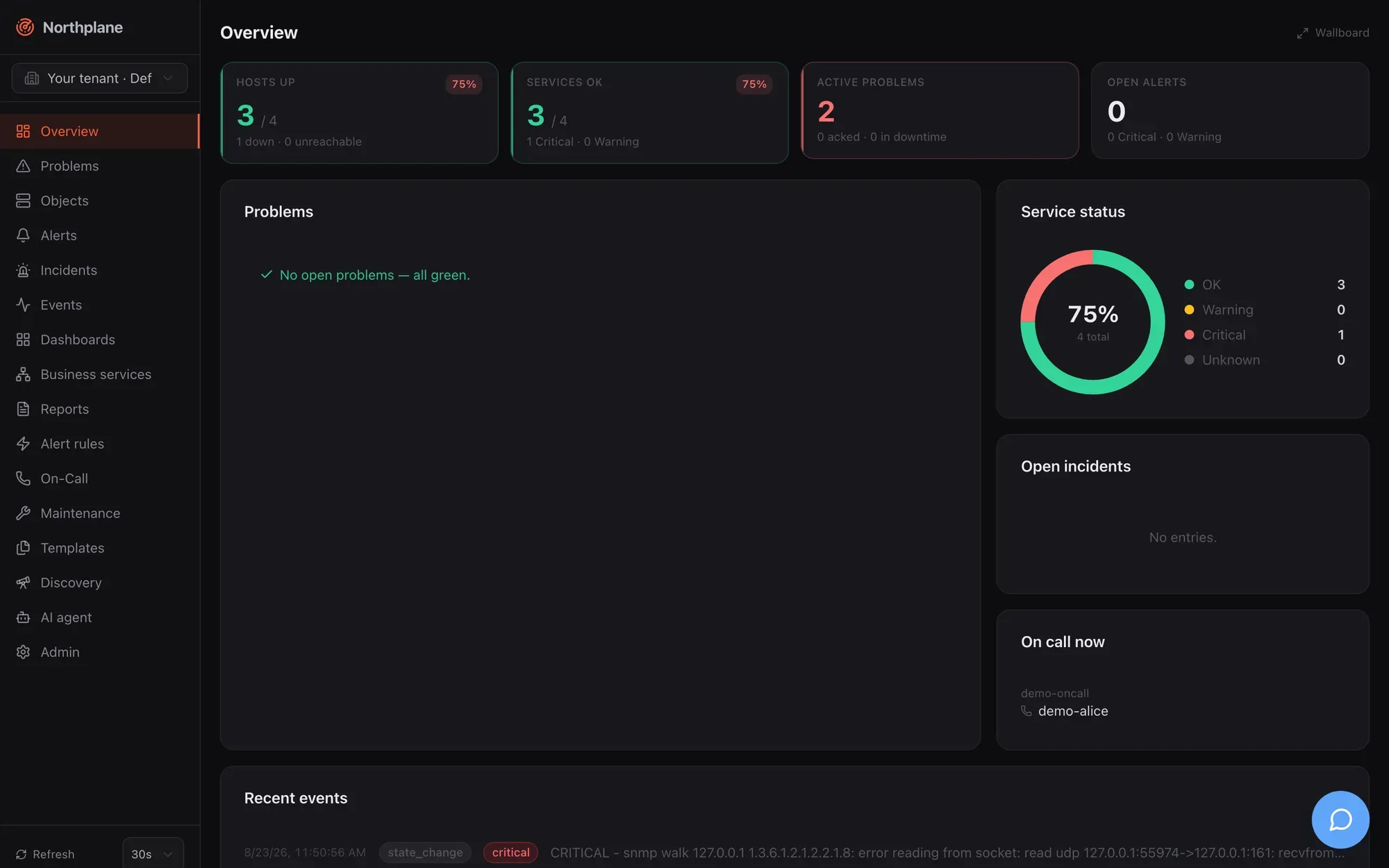
The server binary is called `northplaned`. It ships with the React UI, the Swagger UI and this documentation embedded, uses SQLite and its own time-series store (NP-TSDB) by default, and needs no external services to run. PostgreSQL, a TLS-terminating proxy, OIDC/LDAP and AI providers are optional additions, not prerequisites.
## Who it is for
[Section titled “Who it is for”](#who-it-is-for)
* **Operators and sysadmins** who want Nagios-style monitoring (active checks, plugins, SNMP, dependencies, soft/hard states, downtimes) without an external database, web server or message broker to look after.
* **On-call engineers** who need reliable alarming: escalation policies, on-call schedules, voice calls with IVR, SMS, push to the Northplane alarm app, acknowledgement from the phone, and an outbox with retries and dead letters so a notification is never silently lost.
* **Integrators and developers** who want an API-first system: OpenAPI 3.1 spec, RFC 9457 errors, declarative YAML config bundles, webhooks in and out, a typed CLI, MCP for AI assistants.
* **Control rooms and factories**: inbound alarms over ESPA 4.4.4, ESPA-X, MQTT, IMAP and Asterisk/FastAGI; outbound MQTT; wallboards; business-service trees with SLAs.
Northplane assumes Linux fluency but no prior knowledge of the product — this section takes you from zero to a monitored host with a working alarm chain.
## The one-binary idea
[Section titled “The one-binary idea”](#the-one-binary-idea)
`northplaned` contains the scheduler, the check executor, the result pipeline and state machine, the alerting engine, the escalation engine, the notifier with its outbox, every inbound listener (SNMP traps, IMAP, MQTT, ESPA, FastAGI), the report scheduler, the MCP server, the UI and the docs. A fresh install looks like this:
```bash
northplaned serve
# northplane: listening addr=127.0.0.1:8443 scheme=http storage=sqlite objects=0 ai=false
```
Configuration is deliberately minimal: `config.yaml` (or `NORTHPLANE_*` environment variables) holds only what must exist before the API is reachable — listen address, data directory, TLS, storage DSN, OIDC/LDAP, federation. Every other object — hosts, services, templates, channels, rules, policies, schedules, dashboards — is managed through the API, the UI or YAML bundles, and can be exported again as a bundle.
Three more binaries come with it:
| Binary | Role |
| ---------- | -------------------------------------------------------------------------------------------------------------------------------------------------------------------------------------------------------------- |
| `np` | CLI — a thin client of the public API (`np get hosts`, `np apply -f bundle.yaml`, `np ack …`). |
| `np-agent` | Host agent for Linux, macOS and Windows: pushes load/memory/disk/process/network results and local plugin output over HTTPS (no inbound ports), optionally pulls checks from the server or listens NCPA-style. |
| `np-gen` | Developer scaffolding for new resource kinds; not needed to run Northplane. |
## At a glance
[Section titled “At a glance”](#at-a-glance)
| Aspect | What you get |
| ---------- | ---------------------------------------------------------------------------------------------------------------------------------------------------------------------------------------------------------------------------------------------------------------------------------------------------------------------------------------------------------------------- |
| Server | `northplaned`, static Go binary (CGO-free), Linux/macOS amd64+arm64; also a distroless container image. Default listen `127.0.0.1:8443`; plaintext is refused on non-loopback listeners unless TLS is configured, a trusted proxy terminates TLS, or `tls.insecure` is set for development. |
| UI | Embedded React SPA at `/`; German or English from the browser language; 31 colour themes; wallboard mode; command palette (Ctrl/⌘ K). |
| Storage | SQLite by default (`core.db` in the data directory, WAL mode, monthly event segments) or PostgreSQL via `storage.dsn`. Schema migrations run automatically. |
| Metrics | NP-TSDB, embedded under `/tsdb`: perfdata of every check, raw samples 30 days, 5-minute aggregates 400 days, 1-hour aggregates 5 years. |
| Checks | 17 built-in checks (ICMP, TCP, HTTP/HTTPS, TLS certificate, DNS, SMTP, IMAP, NTP, SSH banner, SNMP get/walk, NRPE, agent, HTTP flow …), any Nagios plugin via `exec:`, passive results, `np-agent`, SNMP traps, heartbeats, network discovery. |
| Alarming | Event sources (webhook, Alertmanager, e-mail, SNMP trap, MQTT, ESPA/ESPA-X, Twilio voice and SMS, Asterisk), CEL alert rules, incidents, escalation policies, on-call schedules, contacts, IVR menus, 13 channel types (e-mail, SMS, voice, push, ntfy, Slack, Teams, webhook, MQTT, ServiceNow, Zendesk, Jira, generic ticket), outbox with retries and dead letters. |
| API | REST under `/api/v1`, OpenAPI 3.1 at `/api/openapi.json`, Swagger UI at `/api/docs`, RFC 9457 problem details, ETag/If-Match versioning, SSE event stream, NDJSON exports, YAML config bundles. |
| CLI | `np` (uses `NP_SERVER` / `NP_TOKEN`). |
| Agent | `np-agent` (push, pull and listener modes; token-authenticated HTTPS). |
| AI | Agent chat page (`/agent`) and sidebar with 10 provider types (Anthropic, OpenAI, Google, xAI, Mistral, DeepSeek, Groq, OpenRouter, Ollama, OpenAI-compatible), tool policy with approvals, incident summaries. |
| MCP | Streamable HTTP at `/mcp` and stdio via `northplaned mcp`; 22 tools, 3 prompts; same RBAC as the API. |
| Identity | Local users (argon2id), OIDC (code + PKCE), LDAP/AD sync, API tokens (`np_…`), roles and permissions, tenants, federation sites (edge instances pulling config from a main instance). |
| Operations | `/healthz`, `/readyz`, `/metrics` (OpenMetrics self-metrics), structured JSON logs, hash-chained audit log, `northplaned backup`, dead-man URL. |
| Licence | MIT. |
## Feature tour
[Section titled “Feature tour”](#feature-tour)
### Monitoring
[Section titled “Monitoring”](#monitoring)
* **Objects** — hosts and services with folders, labels and label selectors; templates with multi-inheritance and an “effective config” view; UUIDv7 ids; optimistic locking with `If-Match`.
* **Checks** — `builtin:` in-process checks, `exec:` for Nagios/Monitoring plugins with full perfdata parsing, `agent:exec:` executed by `np-agent`, `passive` for results pushed through the API, named check commands with `$ARGn$` and custom-variable macros.
* **State machine** — interval/retry scheduling with deterministic splay, soft and hard states, host UP/DOWN/UNREACHABLE with parent reachability, flapping detection, freshness/staleness for passive objects, acknowledgements, check-now.
* **SNMP** — `snmp` and `snmp-walk` checks (v1/v2c/v3) plus an SNMP trap receiver that turns traps into events and alerts.
* **Nagios compatibility** — `northplaned import nagios` converts an existing Nagios/Icinga configuration into a bundle with a deviation report; NRPE client built in.
* **Heartbeats, discovery, maintenance** — dead-man inputs with grace periods, CIDR scans with suggestions, downtimes (fixed, flexible, recurring via RRULE), silences, time periods.
* **Metrics, dashboards, business services, reports** — NP-TSDB charts on every object, dashboards with 11 widget types and a wallboard mode, BPI trees with worst/best/quorum/weighted rules and SLA budgets, scheduled availability/SLA/alert/on-call/audit reports delivered by e-mail.
### Alarming
[Section titled “Alarming”](#alarming)
* **Inputs** — event sources for webhooks, Prometheus Alertmanager, e-mail (IMAP), SNMP traps, MQTT, ESPA 4.4.4 and ESPA-X, inbound Twilio voice and SMS, Asterisk FastAGI; manual alarms from the UI, the API, the alarm app or an IVR menu.
* **Rules** — CEL expressions over the event (`event.type`, `event.state`, `event.labels.*`, `event.payload.*`), Go templates for titles and dedup keys, pending-for, auto-close, label injection (`np.sound`, `np.volume` for the alarm app), heartbeat rules.
* **Escalation** — policies with timed steps, “unless acked”, repeats, on-call schedules with layers and overrides (and a backup person), contact groups, ticket and webhook actions; timers are persisted and survive restarts.
* **Outputs** — e-mail (SMTP/sendmail/Resend/SES), SMS and voice (Twilio, Asterisk AMI, generic HTTP gateways) with DTMF acknowledgement, push (Web Push, FCM, APNs) for the Northplane alarm app, ntfy, Slack, Teams, webhooks with HMAC signatures, MQTT, ServiceNow/Zendesk/Jira/generic tickets with auto-close.
* **Acknowledge from anywhere** — UI, `np ack`, API, signed ack links, SMS keyword, IVR digit, DTMF during a call, the app. Snooze re-arms the chain later.
* **Reliability** — outbox with exponential backoff, dead-letter queue with replay, supervised workers, suppression by downtime/silence/flapping/dependencies with re-arm, every delivery attempt recorded as an event.
### Platform
[Section titled “Platform”](#platform)
* **API-first** — every capability is a documented endpoint; the UI never does anything the API cannot. Tenants (`X-Northplane-Tenant`), roles with `resource:action` permissions, API tokens with scopes, expiry and IP binding, secrets at rest (AES-256-GCM) referenced as `$SECRET:name$`.
* **Config as code** — multi-document YAML bundles with plan/apply/export/prune, applied through the API, `np apply` or the Admin UI; the same mechanism distributes configuration to federated edge sites.
* **Deployment** — one binary with systemd, a distroless container, or a Compose stack with a bundled Caddy for automatic TLS; SQLite or PostgreSQL; backups with `northplaned backup`.
* **Observability of the monitor itself** — health and readiness endpoints, OpenMetrics, structured logs, audit chain verification, outbound dead-man pings.
### AI and API
[Section titled “AI and API”](#ai-and-api)
* **Agent chat** — a chat workspace with tool use against the live instance, per-user or shared provider connections, approval flow for mutating tools, budget and redaction settings.
* **MCP server** — connect Claude Code, Claude Desktop, Cursor, VS Code, Windsurf, Codex or Gemini CLI to your instance over HTTP or stdio with a scoped token; tools respect the token’s RBAC.
* **Typed clients** — the UI’s TypeScript types are generated from the OpenAPI spec (`openapi-typescript`); you can do the same for your own integrations.
## How the documentation is organised
[Section titled “How the documentation is organised”](#how-the-documentation-is-organised)
| Section | Read it when you want to … |
| ---------------------------------- | --------------------------------------------------------------------------------------------------------------------------------------------------------------------------- |
| **Getting started** (this section) | install Northplane, log in, add the first objects, try the demo. |
| **Concepts** | understand the architecture, the object model, checks and states, events, alerts and incidents, tenancy and federation. |
| **Monitoring** | configure hosts and services, built-in checks, plugins, the agent, SNMP, discovery, heartbeats, metrics, dashboards, business services, reports, maintenance and templates. |
| **Alarming** | build the alarm pipeline: event sources, rules, channels, voice/IVR, mobile push, contacts and on-call, escalation, acknowledgement, reliability, outgoing webhooks. |
| **AI & MCP** | use the agent chat and connect MCP clients. |
| **User interface** | find your way around every page, dialog and Admin tab. |
| **Administration** | configure the server, authentication, users and roles, tenants, tokens, secrets, TLS, storage, bundles, branding, observability, upgrades and security. |
| **Deployment** | choose and run a deployment variant, Compose, Proxmox, CI/CD, provisioning, operations, environments. |
| **Reference** | look up every subcommand of `northplaned`, `np`, `np-agent`, `np-gen`, the API conventions and the generated REST reference. |
| **Development** | build, test and extend Northplane, and edit these docs. |
| **Project** | see the roadmap and known issues. |
Every running instance serves this manual at `/docs/` and the interactive API reference at `/api/docs`, so the documentation always matches the version you run.
## Where to go next
[Section titled “Where to go next”](#where-to-go-next)
[Quickstart](/docs/getting-started/quickstart/)Docker, Compose or a single binary — running with a monitored host in five minutes.
[Installation](/docs/getting-started/installation/)Every install variant in depth: tarball, systemd, Docker, Compose with Caddy, build from source.
[First steps](/docs/getting-started/first-steps/)The UI in ten minutes, your first bundle, a minimal alarm chain, an API token, an agent.
[Demo mode](/docs/getting-started/demo-mode/)Seed a complete showcase environment with one flag — and keep it away from real data.
[Architecture](/docs/concepts/architecture/)Components, request path, workers, storage and the event bus.
[Alarming overview](/docs/alarming/overview/)The pipeline from inputs to phone calls, with worked examples.
[Configuration reference](/docs/administration/configuration/)Every config.yaml key, environment variable and default.
[API overview](/docs/reference/api-overview/)Conventions, authentication, errors, pagination, SSE, curl examples.
# Quickstart
> Run Northplane with Docker, Docker Compose or the single binary, create the admin account, monitor your first host and HTTPS service, and send a test notification — in about five minutes.
This page gets you from nothing to a running instance with one monitored host, one HTTPS service and a working notification channel. It deliberately takes shortcuts (plain HTTP on your own machine, a public ntfy topic); [Installation](/docs/getting-started/installation/) covers the production variants and [First steps](/docs/getting-started/first-steps/) continues with templates, the alarm chain, API tokens and the agent.
You need one of: Docker, Docker Compose, or a `northplaned` binary for Linux/macOS (amd64/arm64). The one-line installer fetches the newest release tarball; the container image is `ghcr.io/myfoxit/northplane` — both public, no login needed. Building from source (`make all`) is the third option ([Installation](/docs/getting-started/installation/#build-from-source)).
## 1. Start the server
[Section titled “1. Start the server”](#1-start-the-server)
* Docker
The image runs `northplaned serve` as the distroless `nonroot` user (uid 65532) with `NORTHPLANE_LISTEN=:8443` and `NORTHPLANE_DATA_DIR=/var/lib/northplane`. Because `:8443` is a non-loopback listener, the server **refuses to start** without TLS unless you explicitly allow plaintext for a local trial:
```bash
docker run -d --name northplane \
-p 8443:8443 \
-v northplane-data:/var/lib/northplane \
-e NORTHPLANE_TLS_INSECURE=true \
-e NP_DEFAULT_ADMIN_DISABLED=1 \
ghcr.io/myfoxit/northplane:latest
docker logs -f northplane
```
Open ****. The log shows `northplane: listening addr=:8443 scheme=http storage=sqlite` followed by `first run: open http://127.0.0.1:8443/setup to create your admin account`.
* `NORTHPLANE_TLS_INSECURE=true` allows plain HTTP on the non-loopback listener. Without it the container exits with `no TLS configured on a non-loopback listener — set tls.certFile/keyFile, or trustProxy behind a TLS-terminating proxy, or tls.insecure for dev`. Never publish such a port beyond your machine — use the Compose stack or real certificates instead.
* `NP_DEFAULT_ADMIN_DISABLED=1` keeps the interactive `/setup` page open (see [step 2](#2-create-the-admin-account) for why).
* The named volume `northplane-data` holds the SQLite database, the event segments, the NP-TSDB and the auto-generated `secret.key`. A bind mount must be writable by uid 65532.
* Docker Compose
The repository root ships a `docker-compose.yml` with Northplane behind a bundled **Caddy** that terminates TLS, plus `caddy/Caddyfile`. Northplane itself runs with `NORTHPLANE_TRUST_PROXY=true` on the Compose network only; Caddy publishes 80/443.
```bash
git clone https://github.com/myfoxit/northplane.git && cd northplane
docker compose up -d
docker compose logs -f northplane
```
Open ****. With `DOMAIN` unset, Caddy issues an internal self-signed certificate (your browser warns once); with `DOMAIN=monitoring.example.net docker compose up -d` and public DNS pointing at the host, Caddy fetches a Let’s Encrypt certificate automatically.
The Compose file sets `NP_DEFAULT_ADMIN_DISABLED: "1"`, so the interactive **`/setup`** page is open on first start — create your admin account there. For unattended installs replace that line with a chosen `NP_DEFAULT_ADMIN_EMAIL` / `NP_DEFAULT_ADMIN_PASSWORD` pair **before** the first `up` (or remove it to get a seeded `admin@localhost` with a generated password in the logs).
* Single binary
Install the binaries with the one-line installer (or unpack the release tarball — it contains `northplaned`, `np`, `np-agent` and `LICENSE`) and start the server. No config file is needed for a trial: the defaults listen on the loopback interface in plain HTTP and put all data under your user’s data directory.
```bash
curl -fsSL https://raw.githubusercontent.com/myfoxit/northplane/main/install.sh | sh
NP_DEFAULT_ADMIN_DISABLED=1 NORTHPLANE_LOG_FORMAT=text northplaned serve
```
```text
northplane: listening addr=127.0.0.1:8443 scheme=http storage=sqlite objects=0 ai=false
first run: open http://127.0.0.1:8443/setup to create your admin account
```
Open ****.
* Default listen address is `127.0.0.1:8443`. Plaintext is allowed there because it is loopback; to serve the network you need `listen: ":8443"` **and** `tls.certFile`/`tls.keyFile` (or a TLS-terminating proxy with `trustProxy: true`) — see [TLS and proxy](/docs/administration/tls-and-proxy/).
* Data directory: `/var/lib/northplane` as root, `~/.local/share/northplane` (or `$XDG_DATA_HOME/northplane`) as a normal Linux user, `~/Library/Application Support/northplane` on macOS. A `secret.key` for secrets-at-rest is generated there on first start.
* Logs go to **stderr**, JSON by default; `NORTHPLANE_LOG_FORMAT=text` makes them readable.
* The macOS/Linux tarballs are the only ones with `northplaned`; the Windows zip contains `np` and `np-agent` only.
## 2. Create the admin account
[Section titled “2. Create the admin account”](#2-create-the-admin-account)
There are two ways to get the first administrator, and which one you get depends on one environment variable:
* **Interactive `/setup`** — the page is open only while the instance has **no local user and no API token**. On every start, `northplaned serve` also runs the *default-admin seeding*: unless `NP_DEFAULT_ADMIN_DISABLED` is set to any non-empty value (or `NP_DEFAULT_ADMIN_PASSWORD` is set to an empty string), it creates a local admin `admin@localhost` when no enabled local admin exists. That local user closes `/setup` before you ever see it — which is why the commands above set `NP_DEFAULT_ADMIN_DISABLED=1`. Fill in name, e-mail, a password of at least 12 characters and the confirmation; you are logged in as `admin` immediately.
* **Seeded break-glass admin** — leave the seeding enabled and read the one-time log line `seeded default admin with a GENERATED password — save it now, it is not recoverable` (fields `email=admin@localhost`, `password=<32 hex chars>`), or choose your own credentials with `NP_DEFAULT_ADMIN_EMAIL`, `NP_DEFAULT_ADMIN_PASSWORD` and optionally `NP_DEFAULT_ADMIN_NAME`. Then log in at `/login`. The login page is German: **E-Mail**, **Passwort**, **Anmelden**.
Headless alternative: `northplaned bootstrap-admin -config ` mints an API token with scope `*:*` (printed once) — creating any token also closes `/setup`. Details: [Authentication](/docs/administration/authentication/).
## 3. Add a host and an HTTPS service
[Section titled “3. Add a host and an HTTPS service”](#3-add-a-host-and-an-https-service)
1. In the sidebar open **Objects (Objekte)** and click **New host (Host anlegen)**. On the **Basics (Basis)** tab enter Name `example-web` and Address `example.org`.
2. Switch to the **Check (Prüfung)** tab. A new object starts as `passive` (no active check), so set the check command kind to `builtin` and type `icmp` in the builtin-check field. Leave the interval and retry settings at their defaults (60 s, 15 s, 3 attempts, 30 s timeout) and **Save (Speichern)**.
3. Click **New service (Service anlegen)**: Name `https`, Host `example-web`. On the **Check** tab choose `builtin` / `http` and add the arguments one per entry: `-u`, `https://example.org/`, `-w`, `1`, `-c`, `3`. The built-in `http`/`https` check only uses TLS when `-S` is given or `-u` is a full `https://` URL, so pass the full URL. Save.
4. Both rows show **PENDING (AUSSTEHEND)** until the first result. The scheduler runs a new object within one interval; hover a row and click **Check now (Jetzt prüfen)** to force it. The host turns **UP** and the service **OK** with an output like `HTTP OK - 200 OK https://example.org/ in 0.123s, 1234 bytes, cert expires in 80d`.
5. Click the service row: the detail page shows state, last/next check, perfdata meters (`time`, `size`, `cert_days`) and, after a few results, a chart from the NP-TSDB. The **Configuration (Konfiguration)** tab shows the effective spec with every default resolved.
ICMP needs privileges on Linux
As an unprivileged Linux user `builtin:icmp` may report `UNKNOWN - icmp socket: … (unprivileged ICMP unavailable — run as root, grant cap_net_raw, or use builtin:tcp)`. Either grant the capability (`sudo setcap cap_net_raw+ep /usr/local/bin/northplaned`) or switch the host check to `builtin:tcp` with arguments `-p`, `443`. The container and a root-run binary are fine.
The same two objects as a YAML bundle, for `np apply` or **Admin → Config bundles**:
quickstart.yaml
```yaml
kind: Host
metadata:
name: example-web
spec:
address: example.org
checkCommand: builtin:icmp
---
kind: Service
metadata:
name: https
host: example-web
spec:
checkCommand: builtin:http
args: ["-u", "https://example.org/", "-w", "1", "-c", "3"]
```
## 4. Send a test notification
[Section titled “4. Send a test notification”](#4-send-a-test-notification)
1. Open **Admin → Channels (Kanäle)** and click **Create (Anlegen)**. Choose Type `ntfy`, Name `ntfy`, keep **Enabled (Aktiv)** on, set Server URL `https://ntfy.sh` and a Topic nobody will guess, e.g. `northplane-7f3a9c2d`. Save.
2. In the channel row click **Send test (Test senden)**. The server posts a synthetic `info` alert titled `Test notification from Northplane ()` to the topic and the row shows `✓ sent`; a failure shows the transport error instead.
3. Open `https://ntfy.sh/northplane-7f3a9c2d` in another tab (or the ntfy app) — the message is there. ntfy.sh topics are public, so treat the topic name as a secret or run your own ntfy server.
Any channel type can be tested the same way; for types that deliver to a *contact target* (e-mail, SMS, voice, push) the UI button sends without a target, so use the API with one:
```bash
curl -X POST http://127.0.0.1:8443/api/v1/channels/ntfy:test-notification \
-H "Authorization: Bearer $NP_TOKEN" \
-H 'Content-Type: application/json' \
-d '{"target": "you@example.com"}'
```
(`$NP_TOKEN` is an API token from **Admin → API tokens** or `northplaned bootstrap-admin`; the endpoint needs `config:write`.) Channel reference: [Channels](/docs/alarming/channels/).
## 5. Where to go next
[Section titled “5. Where to go next”](#5-where-to-go-next)
* [First steps](/docs/getting-started/first-steps/) — the UI tour, templates, a complete channel → contact → escalation policy → rule chain, API tokens and `np`, installing `np-agent`.
* [Demo mode](/docs/getting-started/demo-mode/) — `northplaned serve --demo` seeds a full showcase (hosts, checks, alerts, on-call, dashboard, report, two demo users) in a separate data directory.
* [Installation](/docs/getting-started/installation/) — `northplaned init` with a systemd unit, TLS, PostgreSQL, Compose with Let’s Encrypt, building from source.
* [Deployment overview](/docs/deployment/overview/) — which variant fits which environment, and the ports you may need to open.
# Alerts and incidents
> The alert entity and its life cycle (open, acked, snoozed, resolved, expired), deduplication keys, manual alarms, suppression order and re-arm, every acknowledgement path, incidents from rules and the correlator, and the np.* labels.
An **alert** is the thing people get paged for. Rules turn events into alerts; escalation policies decide who is notified; acknowledging an alert stops the chain. An **incident** groups alerts that belong together — created by a rule, by the alarm-storm correlator, or by a human or the AI agent. This page is the mental model; the how-to pages are under [Alarming](/docs/alarming/overview/).
## From event to alert
[Section titled “From event to alert”](#from-event-to-alert)
```text
event (ingress | state_change | heartbeat_missed | incident_update)
└─► alert rule matches (CEL `match`) ── or: heartbeat rule, manual POST /alerts
└─► [pendingFor] condition must hold N seconds
└─► UpsertAlert(dedupKey) ── existing open/acked alert? fold in, no new chain
└─► alert_opened event
├─► rule.incident → own incident
├─► suppressed? (downtime / flapping / host down / silence) → wait, re-arm later
└─► StartChain(escalationPolicy) → steps → notifications
```
A matching event is a **clear** rather than an open when `event.severity == "ok"`, `event.state` is `OK`/`UP`, or the payload carries `resolve: true`; a clear resolves the open/acked alert with the same dedup key. With `resolveOnOk` (default `true`) even a *non-matching* clear event resolves — so a rule that only matches `CRITICAL` still closes its alert on the next `OK` of the same object. Rule fields, CEL and templates are on [Alert rules](/docs/alarming/alert-rules/).
## The alert entity
[Section titled “The alert entity”](#the-alert-entity)
| Field | Meaning |
| -------------------------------------------------------------- | ---------------------------------------------------------------------------------------------------- |
| `id`, `tenantId` | |
| `ruleId` | id of the rule that opened it; `"manual"` for API/phone/SMS/app alarms |
| `objectId`, `incidentId` | optional links |
| `status` | `open` → `acked` → `resolved`; `expired` when `autoCloseAfter` hit |
| `severity` | `critical` \| `warning` \| `info` \| `ok` — from the rule, else the event |
| `title` | rendered from the rule’s `title` template (default: event summary, else ` is `) |
| `dedupKey` | see below |
| `openedAt`, `ackedAt`, `ackedBy`, `resolvedAt`, `snoozedUntil` | life-cycle timestamps |
| `payload` | the triggering event payload; for manual alarms `{summary, manual: true, by, via, escalationPolicy}` |
| `labels` | event labels ⊕ the rule’s `setLabels` (⊕ later merges such as `recordingUrl`, `transcript`) |
| `eventIds` | the last 50 triggering event ids |
| `ticket` | `{channel, type, ref, url, autoClose}` once an escalation ticket action created one |
API: `GET /api/v1/alerts` (filters `status`, `severity`, `objectId`, `ruleId`, `incidentId`, `since`; newest first; default 100, max 1000), `GET /api/v1/alerts/{id}`, `POST /api/v1/alerts` (manual), `POST /api/v1/alerts/{id}:ack|:resolve|:snooze`. Permissions: `alerts:read`, `alerts:write` (raise), `alerts:ack` (ack/resolve/snooze).
## Life cycle
[Section titled “Life cycle”](#life-cycle)
```text
┌──────────── clear event / :resolve / DTMF 6 / incident :resolve ────────────┐
│ ▼
open ──ack──► acked ──────────────────────────────────────────────────────────────► resolved
▲ │ │ ▲ (final)
│ │ │ └── :snooze {until}: acked + snoozedUntil, chain stopped
│ └─────────┼───── autoCloseAfter (rule) ───────────────────────────────────────► expired
│ │ (final)
└────────────┘ snooze expires: back to open, chain restarts from step 0
```
| Transition | Trigger | Effects |
| ---------------------- | --------------------------------------------------------------------------------------- | ------------------------------------------------------------------------------------------------------------------------------------------------------------- |
| open → acked | any [ack path](#acknowledging-snoozing-and-resolving) | `ackedAt/ackedBy` set, escalation chain cancelled, sticky ack mirrored onto the object’s `check_state`, `ack` event, audit `alert.ack` |
| open → acked (snoozed) | `POST :snooze {until}` | as ack plus `snoozedUntil`; object ack comment `snoozed until …` |
| acked (snoozed) → open | every 5 s the engine re-opens alerts whose `snoozedUntil` has passed | acked fields cleared, sticky ack cleared, `escalation` event `snooze expired — alarm re-armed`, chain restarts **from step 0 with `openedAt` rebased to now** |
| open/acked → resolved | clear event, `POST :resolve`, DTMF `6`, IVR/AGI resolve, `POST /incidents/{id}:resolve` | chain cancelled, `alert_resolved` event, rule-created incident auto-resolved when it was the last active alert, ticket auto-close job if `ticket.autoClose` |
| open/acked → expired | rule `autoCloseAfter` elapsed since `openedAt` (checked every 5 s) | like resolve, status `expired` |
Re-firing events for an already open or acked alert **fold in** (see dedup) and never restart the chain; only a snooze wake-up does.
## Deduplication keys
[Section titled “Deduplication keys”](#deduplication-keys)
The dedup key decides whether an event opens a new alert or updates an existing one. Default when the rule has no `dedupKey` template:
1. `/` when the event has an object;
2. else `/` when the normalised event carries one (Alertmanager fingerprints, SNMP `source/agent/trapOid`, mail Message-ID, ESPA-X call id, …);
3. else `/`.
A custom `dedupKey` is a Go template over `{{ .event.* }}`, `{{ .object.id }}` and `{{ .rule.name }}`. Storage enforces a partial unique index on `(tenant, dedupKey)` for status `open`/`acked`; a re-fire raises the severity if the new one is higher (never lowers it), replaces title and payload with the newest event, appends the event id (last 50), and emits **no** new `alert_opened`. Heartbeat rules use `heartbeat/`; manual alarms use whatever `dedupKey` the caller sends (phone: `call/`, SMS: `sms/`, AGI: `agi/`).
## Manual alerts
[Section titled “Manual alerts”](#manual-alerts)
`POST /api/v1/alerts {title, message?, severity?, escalationPolicy?, labels?, objectId?, dedupKey?}` (permission `alerts:write`) creates an alert directly — the web **Trigger alarm** dialog, the alarm app, phone/IVR (`via: voice`, `asterisk-agi`) and SMS (`action: alert`) all use it. Manual alarms have `ruleId: "manual"`, default severity `critical`, must name an existing policy if they name one, emit `alert_opened` (fan-out only, never through rules) and start the chain at once. They **ignore suppression** by design: downtimes, silences and flapping do not hold a manual alarm back. A repeated trigger with the same `dedupKey` folds into the existing open/acked alarm and returns 200 instead of 201.
## Suppression and re-arm
[Section titled “Suppression and re-arm”](#suppression-and-re-arm)
Suppression is evaluated for **rule-created** alerts when they open and again every 5 s while they stay open and unacked. The checks run in this order; the first hit wins and its reason is recorded in a `notification` event with `status: "suppressed"`:
| # | Condition | Reason string |
| - | ---------------------------------------------------------------------------------------------------------------------------------- | -------------------------------- |
| 1 | the alert’s object has `downtimeDepth > 0` | `object in downtime` |
| 2 | the object is flapping | `object flapping` |
| 3 | the object is a host in state UNREACHABLE | `host unreachable (parent down)` |
| 4 | the object is a service whose host is hard non-UP | `host down` |
| 5 | the object is a service whose host has `downtimeDepth > 0` | `host in downtime` |
| 6 | an active downtime lists the object, or its selector matches the **alert labels** | `downtime ` |
| 7 | an active silence whose selector (empty = all) matches the alert labels and whose `textRegex` (if set) matches the alert **title** | `silence ` |
While suppressed the alert **exists** and is visible as open; only the escalation chain is withheld. If the rule has an escalation policy the alert is remembered and re-checked every 5 s: once nothing suppresses it any more (downtime deleted or expired, silence expired, flapping stopped, host back UP) the chain starts — an already elapsed `after` offset fires at the next 2 s escalation poll. Acked, resolved or expired alerts are forgotten.
In-memory state
The re-arm set and `pendingFor` drafts live in memory. After a restart, alerts that opened while suppressed are not re-armed automatically, and a pending condition starts counting again.
Not part of suppression: object acknowledgements (a sticky ack on an object does not hold back new rule alerts; it only mutes direct object notifications) and notification periods. Downtimes and silences themselves are described on [Maintenance](/docs/monitoring/maintenance/); flapping and reachability on [Checks and states](/docs/concepts/checks-and-states/).
## Acknowledging, snoozing and resolving
[Section titled “Acknowledging, snoozing and resolving”](#acknowledging-snoozing-and-resolving)
| Path | How | Notes |
| ------------------- | ------------------------------------------------------------------------------------------- | --------------------------------------------------------------------------------------------------------------------------------------------- |
| Web UI | Alerts page / Problems page ack dialog | `POST /alerts/{id}:ack {comment}` |
| API / CLI | `POST /api/v1/alerts/{id}:ack`, `np ack` | permission `alerts:ack`; only from `open` (otherwise 404) |
| Ack link | `GET /api/v1/ack/{token}` from e-mails/pushes | HMAC-signed token `...`, valid 24 h, needs `baseUrl`; answers an HTML “Quittiert” page, acks only `open` alerts |
| Alarm app | ack/snooze/resolve from the app | the app authenticates with its own API token (`alerts:ack`) and calls the same `:ack` / `:snooze` / `:resolve` routes |
| SMS | reply starting with the source’s `ackKeyword` (default `ACK`) from a contact’s phone number | acks the newest open alert |
| IVR (inbound call) | menu option `ack-alert` (default menu digit `3`) | Twilio `voice-inbound` or Asterisk FastAGI |
| Outbound voice DTMF | press `4` during a Twilio/Asterisk alarm call (`6` = resolve) | `POST /api/v1/voice/gather/{token}` |
| Snooze | `POST /alerts/{id}:snooze {until}` (future RFC 3339) | alert becomes `acked` with `snoozedUntil`; wake-up restarts the chain from step 0 |
| Resolve | `POST /alerts/{id}:resolve`, DTMF `6`, IVR `resolve-alert`, incident resolve, clear event | final |
Every path writes an `ack`/`alert_resolved` event and an audit entry (`alert.ack`, `alert.snooze`, `alert.resolve`). Note that `POST /alerts/{id}:ack` uses the caller’s **home** tenant and ignores `X-Northplane-Tenant` (the `:resolve` and `:snooze` routes honour the header). Walk-throughs for every path are on [Acknowledge and snooze](/docs/alarming/acknowledge-and-snooze/).
## Incidents
[Section titled “Incidents”](#incidents)
| Field | Meaning |
| ----------------------------------------------------- | --------------------------------------------------------------------------- |
| `id`, `tenantId`, `version` | `PUT /incidents/{id}` needs `If-Match` |
| `status` | `open` \| `resolved` |
| `severity`, `title`, `summary`, `impact`, `ticketUrl` | `summary` is written by humans or the AI (`POST /incidents/{id}:summarize`) |
| `createdBy` | a user name, `correlation`, `rule:` or the AI agent |
| `openedAt`, `resolvedAt` | |
Three ways an incident comes into being:
* **Rule-driven** — `incident: true` on a rule gives every alert it opens its own incident (`createdBy: rule:`); when the incident’s last open/acked alert resolves, the incident auto-resolves (`incident_update` with `status: resolved`). Only `rule:`-created incidents auto-resolve.
* **Correlator (alarm storms)** — a bus subscriber sweeps every 10 s over `alert_opened` events of the last **120 s**; if at least **5** fresh alerts share one dominant `key=value` label pair, they are attached to an incident `Alarm storm: alerts sharing =` (severity critical, `createdBy: correlation`; an existing incident of a clustered alert is reused) and an AI summary job is queued when a provider is configured. Manual alarms participate because they emit `alert_opened` too.
* **Manual / API / AI** — `POST /api/v1/incidents {title, severity?, summary?, impact?, ticketUrl?, alertIds?}`; this one publishes `incident_update {action: "created"}` **through the rules**, so a rule such as `event.type == "incident_update" && event.payload.action == "created"` can alarm on app-created incidents.
`POST /incidents/{id}:resolve` resolves the incident and all its open/acked alerts (chains stopped, no event emitted); `:merge {sourceIds}` moves alerts into the target and resolves the sources. The [Incidents page](/docs/ui/alerts-incidents-events/) shows cards with AI summary and resolve actions; the AI side is on [Agent chat](/docs/ai/agent-chat/).
## Alerts vs. direct object notifications
[Section titled “Alerts vs. direct object notifications”](#alerts-vs-direct-object-notifications)
Objects can also notify **without** a rule: `spec.contacts` / `spec.contactGroups` are notified on hard state changes (gated by `enableNotifications`, `notifyOn`, `notificationPeriod`, object downtime and a sticky ack). Those deliveries go through the same outbox and produce `notification` events with an empty `alertId`, but they create no alert and have no escalation chain. Use rules + policies for anything that must be acknowledged or escalated; see [Contacts and on-call](/docs/alarming/contacts-and-oncall/).
## The `np.*` labels
[Section titled “The np.\* labels”](#the-np-labels)
A few labels on an alert are interpreted by outputs. They can come from a rule’s `setLabels`, the manual trigger dialog, an IVR option’s `labels` or the event itself.
| Label | Consumer | Effect |
| ------------------- | ---------------------- | -------------------------------------------------------------------------- |
| `np.sound` | mobile push (FCM/APNs) | tone name (`np_klaxon`, `np_sirene`, `np_puls`); APNs `sound = .caf` |
| `np.volume` | mobile push | `0.0`–`1.0` critical-alert volume (APNs, with overrideSilent) |
| `np.overrideSilent` | mobile push | `"true"` → APNs critical interruption level, FCM high priority |
| `np.tts` | voice channel | spoken text override for the alarm call |
Details: [Mobile push](/docs/alarming/mobile-push/) and [Voice and IVR](/docs/alarming/voice-and-ivr/).
## Where to go next
[Section titled “Where to go next”](#where-to-go-next)
* [Alarming overview](/docs/alarming/overview/) — the end-to-end picture and recipes.
* [Escalation policies](/docs/alarming/escalation-policies/) — steps, repeats, `unlessAcked`, persisted timers.
* [Reliability](/docs/alarming/reliability/) — outbox retries, dead letters, what is in memory.
* [Events](/docs/concepts/events/) — the event types referenced above.
# Architecture
> How the single northplaned process is built — request path, monitoring and alarming pipelines, background workers, storage, NP-TSDB, event bus, API-first design and security posture.
Northplane is one Go binary, `northplaned`, that runs everything: the HTTP API, the embedded React UI and this documentation, the check scheduler and executor, the alarming engine, notification delivery, the SNMP-trap/MQTT/ESPA/FastAGI listeners, the MCP server, the federation edge worker and the housekeeping jobs. There is no message broker, no separate worker process and no external time-series database. State lives in one SQLite file (or a PostgreSQL database), monthly event segments and the bundled NP-TSDB under a single data directory.
This page explains how the pieces fit together. The pages that follow in this section explain the data model ([Object model](/docs/concepts/object-model/)), the check life cycle ([Checks and states](/docs/concepts/checks-and-states/)), the [event stream](/docs/concepts/events/), the [alert and incident model](/docs/concepts/alerts-incidents/), [tenancy and RBAC](/docs/concepts/tenancy-rbac/) and [federation](/docs/concepts/federation/).
## Overview
[Section titled “Overview”](#overview)
One northplaned process: HTTP front door, worker pipeline, embedded storage. Every client speaks the same REST API.
## Detailed block diagram
[Section titled “Detailed block diagram”](#detailed-block-diagram)
```text
browser (React SPA) np CLI np-agent MCP clients (HTTP) webhooks · Alertmanager · Twilio · cron beats
│ │ │ │ │
└────────────────┴─────────┴─────────────┴───────────────────────────┘
│ HTTPS 443
┌─────────▼─────────┐
│ reverse proxy │ Caddy / nginx terminates TLS
│ (optional) │ → trustProxy: true, listen :8443
└─────────┬─────────┘
│ http(s) :8443
┌─────────────────────────────────────────▼──────────────────────────────────────────────────┐
│ northplaned — one Go process │
│ │
│ root mux /api/ /metrics /healthz /readyz /auth/ /login /setup /register /status/ │
│ /mcp /docs/ / (SPA + assets) │
│ wrapping securityHeaders → 30 s request deadline (streams exempt) → API middleware │
│ (X-Request-Id, panic recovery, metrics, auth np_… | np_session) │
│ → per route: CSRF → login required → RBAC permission → handler │
│ │
│ ┌─ monitoring ─────────────────────────────┐ ┌─ alarming ───────────────────────────────┐ │
│ │ catalog (in-memory effective config) │ │ ingress adapters: webhook, alertmanager, │ │
│ │ → scheduler (timing wheel, 1 s slots) │ │ traps (UDP), mailin (IMAP), mqttin, │ │
│ │ → executor (builtin pool / exec pool) │ │ espa (TCP), agi, telephony, beats │ │
│ │ → results → pipeline → state machine │ │ → events → alerting engine (CEL rules, │ │
│ │ → state_change events, NP-TSDB │ │ dedup, pendingFor, suppression) │ │
│ │ passive results: POST /api/v1/results, │ │ → alerts → escalation (persisted │ │
│ │ np-agent push, freshness probes │ │ timers) → notify → outbox → channels │ │
│ └──────────────────────────────────────────┘ │ correlator · webhook-dispatcher │ │
│ └──────────────────────────────────────────┘ │
│ │
│ event bus (in-memory channels) results 8192 · events 16384 · notifications 4096 │
│ subscribers: SSE hub, correlator, webhook dispatcher │
│ │
│ workers scheduler executor pipeline alerting correlator escalation notify traps mailin │
│ mqttin espa agi api-janitor webhook-dispatcher report-scheduler dead-man │
│ [ldap-sync] [federation-edge] [ai] — all supervised, restart after 1 s │
│ │
│ storage core.db (SQLite WAL) or PostgreSQL · events-YYYYMM.db segments / partitions │
│ NP-TSDB dataDir/tsdb · secret.key (AES-256-GCM secret store) · audit chain │
└────────────────────────────────────────────────────────────────────────────────────────────┘
```
## The process at a glance
[Section titled “The process at a glance”](#the-process-at-a-glance)
| Part | What it does | Where to read more |
| ------------------------ | ------------------------------------------------------------------------------------------------------------------------------------------------------------------------------------------------ | -------------------------------------------------------------------------------------------------------------- |
| HTTP server | One listener (`listen`, default `127.0.0.1:8443`); TLS from `tls.certFile`/`tls.keyFile`, or plaintext behind a trusted proxy (`trustProxy`) or on loopback. | [TLS and proxy](/docs/administration/tls-and-proxy/) |
| REST API | `/api/v1/...`, RFC 9457 errors, cursor pagination, `If-Match` versioning, OpenAPI 3.1 generated from the route registry. | [API overview](/docs/reference/api-overview/) |
| Embedded UI | React single-page app compiled into the binary (`//go:embed`), served at `/`. | [Navigation](/docs/ui/navigation/) |
| Embedded docs | This Starlight site, served at `/docs/` without login. | [Documentation](/docs/development/documentation/) |
| Catalog | In-memory cache of every object with its resolved (effective) spec, template chain, command class and argv — the scheduler and pipeline never touch SQL on the hot path. | [Object model](/docs/concepts/object-model/) |
| Scheduler | 86 400-slot timing wheel (1 s granularity, 250 ms tick), deterministic splay, priority lane for check-now and retries. | [Checks and states](/docs/concepts/checks-and-states/) |
| Executor | Runs `builtin:` checks in-process (pool 1024) and `exec:` Nagios plugins as child processes (pool `execPoolSize`, default `min(256, 32×CPU)`); sends freshness probes for passive/agent objects. | [Builtin checks](/docs/monitoring/builtin-checks/), [Plugins and Nagios](/docs/monitoring/plugins-and-nagios/) |
| Pipeline + state machine | Turns results into soft/hard states, host UP/DOWN/UNREACHABLE, flapping, events and TSDB samples; batches writes every 250 ms or 500 results. | [Checks and states](/docs/concepts/checks-and-states/) |
| Alerting engine | Single goroutine consuming the event queue; CEL rules, dedup, `pendingFor`, suppression, heartbeats, auto-close, snooze wake-up on a 5 s tick. | [Alerts and incidents](/docs/concepts/alerts-incidents/), [Alert rules](/docs/alarming/alert-rules/) |
| Escalation + notify | Persisted escalation timers (2 s poll), outbox with retries/DLQ (3 s poll), channel drivers. | [Escalation policies](/docs/alarming/escalation-policies/), [Reliability](/docs/alarming/reliability/) |
| Listeners | SNMP trap receiver (UDP), IMAP poller, MQTT subscriber, ESPA/ESPA-X TCP, FastAGI for Asterisk, Twilio webhooks. | [Event sources](/docs/alarming/event-sources/) |
| AI / MCP | Agent chat, approvals and the MCP server (stdio and `/mcp`) share one tool registry that re-checks REST permissions. | [Agent chat](/docs/ai/agent-chat/), [MCP server](/docs/ai/mcp-server/) |
| Federation edge | Optional worker that pulls a config bundle from a main instance and reports status. | [Federation](/docs/concepts/federation/) |
## Request path
[Section titled “Request path”](#request-path)
1. **Proxy (optional).** In the reference deployments Caddy terminates TLS on 443 and forwards to `northplane:8443` over plain HTTP; the server runs with `NORTHPLANE_TRUST_PROXY=true`, `NORTHPLANE_LISTEN=:8443` and `NORTHPLANE_BASE_URL=https://`. Without a proxy, give `northplaned` its own certificate pair. A non-loopback listener with neither TLS nor `trustProxy` nor `tls.insecure` refuses to start. See [TLS and proxy](/docs/administration/tls-and-proxy/).
2. **Root mux.** The server mounts the API handler at `/api/`, `/metrics`, `/healthz`, `/readyz`; the server-rendered auth pages at `/auth/`, `/login`, `/setup`, `/register`, `/status/`; the MCP Streamable-HTTP endpoint at `/mcp`; the documentation at `/docs/`; and the SPA at `/`. Every response passes through `securityHeaders` (nosniff, `X-Frame-Options: DENY`, CSP for non-API paths, HSTS on HTTPS) and a 30 s `http.TimeoutHandler`; the streaming paths `/api/v1/stream`, `/api/v1/events:export`, `/api/v1/ai/chat` and `/mcp` are exempt from the deadline.
3. **API middleware.** Assigns `X-Request-Id` (UUIDv7), recovers panics into `np:internal`, records `np_http_*` metrics and authenticates: `Authorization: Bearer np_…` resolves an API token (prefix lookup + argon2id verify, expiry, IP bind); otherwise the `np_session` cookie resolves a DB-backed session; otherwise the request is anonymous.
4. **Per route.** Cookie sessions with `Sec-Fetch-Site: cross-site` are rejected (`np:auth/csrf`); routes with a permission require a principal (`np:auth/required`) holding that permission (`np:auth/forbidden`); then the handler runs with the tenant from `X-Northplane-Tenant` (only for `admin:tenants` holders) or the principal’s own tenant.
5. **SPA gate.** An unauthenticated *document* navigation to `/` is redirected to `/login`; API calls are never redirected, they get a 401 problem document. The UI polls the API (no SSE) at the user’s refresh interval.
Details and the full error catalog are in the [API overview](/docs/reference/api-overview/); the authentication flows are in [Authentication](/docs/administration/authentication/).
## The monitoring pipeline
[Section titled “The monitoring pipeline”](#the-monitoring-pipeline)
```text
catalog.Entry ──► scheduler (due) ──► executor ──► CheckResult ──► pipeline
├─ host mapping (UP/DOWN/UNREACHABLE)
├─ state machine (soft/hard, flapping)
├─ check_state upsert (batched)
├─ state_change / flapping events ──► event bus
├─ retry timer (soft) / parent cascade
└─ perfdata ──► NP-TSDB
```
* Object create/update pushes the entry into the catalog and the scheduler; template, check-command and time-period changes reload the whole tenant catalog and re-schedule.
* Active checks (`builtin:`/`exec:`) are dispatched from the wheel; passive and agent objects only get freshness probes when `stalenessAfter` is set; results for them arrive via `POST /api/v1/results`.
* The pipeline keeps `check_state` rows in memory and flushes them in batches; failed flushes are re-queued.
[Checks and states](/docs/concepts/checks-and-states/) explains the timing and state rules; [Metrics and NP-TSDB](/docs/monitoring/metrics-and-tsdb/) the perfdata path.
## The alarming pipeline
[Section titled “The alarming pipeline”](#the-alarming-pipeline)
```text
event sources ─┐
state_change ─┼─► event bus ─► alerting engine ─► alert (dedup, pendingFor, suppression)
heartbeats ─┘ ├─► alert_opened event ─► correlator (storms → incident)
incident_update (API) ├─► escalation chain (persisted timers)
│ └─► notify ─► outbox ─► channels (email, SMS, voice, push, …)
└─► webhook subscriptions (outgoing)
```
Every input becomes an `Event`; alert rules (CEL) decide what becomes an alert; escalation policies decide who is notified and when; channels deliver through the outbox with retries and a dead-letter queue. Manual alarms (API, phone, SMS, app) create alerts directly and bypass rules and suppression. Read [Alerts and incidents](/docs/concepts/alerts-incidents/) for the model and the [Alarming overview](/docs/alarming/overview/) for the end-to-end walk-through.
## Background workers
[Section titled “Background workers”](#background-workers)
`serve` starts every worker under a supervisor: a panic is logged as `server: background worker panicked; restarting` and the worker restarts after 1 s. On SIGINT/SIGTERM the HTTP server drains and workers get a 30 s shutdown budget.
| Worker | Cadence | Job |
| ------------------------------------------ | ---------------------------- | --------------------------------------------------------------------------------------------------------------------------------------------------------------- |
| `scheduler` | 250 ms tick | timing wheel, due objects → queue |
| `executor` | continuous | runs builtin/exec checks, freshness probes |
| `pipeline` | batch 250 ms / 500 results | results → state machine → events → TSDB |
| `alerting` | event-driven + 5 s tick | rules, pending alerts, heartbeats, auto-close, suppression re-arm, snooze wake |
| `correlator` | 10 s sweep | alarm storms → incident |
| `escalation` | 2 s poll | due escalation steps (table `escalations`) |
| `notify` | 3 s poll or bus wake-up | outbox delivery, retries, dead letters |
| `traps`, `mailin`, `mqttin`, `espa`, `agi` | 30 s reconcile | listeners/pollers for the matching event-source types |
| `api-janitor` | 30 s / 10 min / hourly | downtime depths + flexible downtimes; expired sessions + idempotency rows; nightly (02:00–03:59 local) TSDB maintenance + event retention, otherwise TSDB flush |
| `webhook-dispatcher` | bus subscriber | outgoing webhook subscriptions → outbox |
| `report-scheduler` | 10 s after start, then 1 min | scheduled reports |
| `dead-man` | `deadManInterval` (1 m) | GET `deadManUrl`; skipped when the results queue exceeds 7000 |
| `ldap-sync` | `ldap.syncInterval` (15 m) | only with `ldap.url` |
| `federation-edge` | `federation.interval` (1 m) | only in `federation.mode: edge` |
| `ai` | — | only when the AI service exposes a run loop |
See [Observability](/docs/administration/observability/) for health endpoints, `/metrics` and logs.
## Storage
[Section titled “Storage”](#storage)
| Store | Default | Notes |
| ---------------- | --------------------------------------------------------------------------------------------------------------------------------------------------------------------------------------------------------------------------------------------------------------------------- | --------------------------------------------------------------------------------------------------------------------------------------------------------------------------------------------------------- |
| Relational core | SQLite `/core.db`, WAL, pool 16, writes serialised in-process | `storage.dsn: postgres://…` switches to PostgreSQL (pgx, pool 16/8). Schema migrations (currently 9) run automatically on every open; `northplaned storage migrate --to` copies between backends offline. |
| Events | `/events-YYYYMM.db` monthly segment files (SQLite) or `events_YYYYMM` range partitions (PostgreSQL) | Append-only; `storage.eventRetentionMonths` (default 12, `0` = forever) drops whole months nightly. |
| Config documents | table `resources` (`tenant_id, kind, name, doc JSON, version`) | Templates, rules, channels, policies, schedules, dashboards, roles, sites, … — the same documents that YAML [config bundles](/docs/administration/config-bundles/) carry. |
| Dedicated tables | `objects`, `object_labels`, `check_state`, `alerts`, `incidents`, `downtimes`, `silences`, `heartbeats`, `users`, `tenants`, `sessions`, `api_tokens`, `secrets`, `audit_log`, `outbox`, `escalations`, `idempotency`, `kv`, `push_subscriptions`, `report_archive`, `ai_*` | Hot-path and security-relevant data. |
| Secrets | table `secrets`, AES-256-GCM, master key in `secret.key` | Referenced as `$SECRET:name$`; see [Secrets](/docs/administration/secrets/). |
| Audit | `audit_log` with a SHA-256 hash chain | `POST /api/v1/audit:verify`, `np audit verify`; no purge. |
| NP-TSDB | `/tsdb` | see below |
| Backup | `northplaned backup` → `backup.target` | `VACUUM INTO` copy of `core.db`, event segments, TSDB tree, manifest; no periodic loop. |
Everything about files, DSNs, retention and restore is on the [Storage](/docs/administration/storage/) page.
## NP-TSDB
[Section titled “NP-TSDB”](#np-tsdb)
Every check result’s perfdata (`'label'=value[UOM];warn;crit;min;max`) becomes samples in the embedded time-series store: one series per `(objectId, metric, unit)` plus `np_exec_time` per result. Raw samples are kept in a WAL and flushed into immutable two-hour blocks (Gorilla compression); 5-minute and 1-hour aggregates are built nightly; retention is hard-coded at **30 days raw, 400 days 5-minute, 5 years 1-hour**, with a cap of 100 000 series. `POST /api/v1/metrics/query` picks the finest tier with data for the requested range. The TSDB is backend-independent — it is not touched by `storage migrate` and is copied as a directory by `backup`. Details: [Metrics and NP-TSDB](/docs/monitoring/metrics-and-tsdb/).
## Event bus
[Section titled “Event bus”](#event-bus)
The bus is in-memory only (Go channels): `Results` (executor → pipeline, 8192), `Events` (ingress and pipeline → alerting engine, 16384, blocking — never dropped), `Notifications` (outbox wake-ups, 4096) and `AI` (256, dropped under load). Subscribers — the SSE hub (buffer 512), the correlator (1024) and the webhook dispatcher (1024) — see every event of every tenant and filter themselves; a slow subscriber loses messages and is flagged for resync. Persistence is *not* a bus feature: producers insert events into the event store before or while publishing, so the stored history is complete even when a live subscriber overflows. Engine and API lifecycle events (`alert_opened`, `ack`, `config`, …) are published *fan-out only*, i.e. they reach SSE, webhooks and the correlator but do not re-enter the alert rules. See [Events](/docs/concepts/events/).
## API-first
[Section titled “API-first”](#api-first)
There is exactly one way to read or change anything: the REST API under `/api/v1`.
* The React UI and the `np` CLI are ordinary REST clients. The `np-agent` pushes results to `POST /api/v1/results` and pulls central checks from `GET /api/v1/agent/checks`.
* Every route is registered through one helper that records method, path, summary, permission and request/response types; the OpenAPI 3.1 document (`GET /api/openapi.json`, `northplaned openapi`) and the TypeScript types of the UI are generated from that registry, and each operation carries `x-required-permission`. Swagger UI is served at `/api/docs`.
* The AI tools and the MCP server (Streamable HTTP at `/mcp`, stdio via `northplaned mcp`) do not go through HTTP handlers — they call the store and services directly — but every tool checks the same permission name as the equivalent REST route and mutating tools go through a propose/approve gate; nothing is reachable through AI that the same principal could not do over the REST API.
* YAML [config bundles](/docs/administration/config-bundles/) are the declarative form of the same documents: `np apply`, the Admin tab, the Nagios importer, the AI config tools and the federation edge all call one applier.
## Embedding
[Section titled “Embedding”](#embedding)
The binary embeds the UI build (`internal/web/dist`, `Cache-Control: immutable` for `/assets/*`), this documentation (`/docs/`, public, own CSP, pre-compressed) and the vendored Swagger UI. A build without the UI answers `501 UI not embedded in this build`; a build without the docs answers 501 at `/docs/`. Because the UI is part of the binary, server and UI can never be out of sync; the CI type-drift gate (`make types-check`) enforces that the generated TypeScript types match the OpenAPI document.
## Security posture (summary)
[Section titled “Security posture (summary)”](#security-posture-summary)
| Area | Behaviour |
| ------------------------- | ------------------------------------------------------------------------------------------------------------------------------------------------------------------------------------------------------------------------------------- |
| Transport | TLS 1.2+ with a configured cert/key; plaintext only on loopback, with `tls.insecure` (dev) or behind a proxy with `trustProxy`. No ACME — terminate at Caddy/nginx. HSTS when HTTPS. |
| Authentication | Local accounts (argon2id, passwords ≥ 12 chars, per-IP login throttle), OIDC (code + PKCE), LDAP/AD (sync + search-then-bind), API tokens (`np_` + 48 hex, hashed, scopes/roles, expiry, IP bind, shown once). |
| Sessions | `np_session` cookie: HttpOnly, SameSite=Lax, Secure on HTTPS; 12 h or 30 d with “remember me”; DB-backed. Cross-site cookie requests to the API are rejected (`np:auth/csrf`); no CORS. |
| Authorization | Permission strings `resource:action` with wildcards, per-route checks, built-in roles `admin`/`operator`/`viewer`/`ai-agent`, custom roles with includes and IdP group mapping. See [Tenancy and RBAC](/docs/concepts/tenancy-rbac/). |
| Isolation | Every row is tenant-scoped; cross-tenant reads return 404; only `admin:tenants` may switch tenants with `X-Northplane-Tenant`. |
| Secrets | AES-256-GCM secret store keyed by `secret.key` (0600); values are write-only through the API; `$SECRET:name$` references in channel/source/check config. |
| Audit | Hash-chained audit log for every mutation and login; NDJSON export; integrity verification. |
| Headers | `X-Content-Type-Options: nosniff`, `X-Frame-Options: DENY`, `Referrer-Policy: same-origin`, CSP with `frame-ancestors 'none'` on non-API paths. |
| Ingest | Per-source auth (`token`/`hmac`/`basic`/`none`), per-source rate limits (50 ev/s, burst 200), optional Twilio signature verification, SSRF guards in HTTP checks, discovery and webhooks. |
| Unauthenticated by design | `/healthz`, `/readyz`, `/metrics`, `/api/openapi.json`, `/api/docs`, `/docs/`, `GET /api/v1/system/health`, `GET /api/v1/system/info`, public status pages — restrict at the proxy where needed. |
| Be aware | `X-Forwarded-For` is not used (source IPs behind a proxy are the proxy’s address); role folder/selector scopes are stored but not enforced; system roles are editable through the API. |
The hardening checklist lives on the [Security](/docs/administration/security/) page.
## Where to go next
[Section titled “Where to go next”](#where-to-go-next)
* [Installation](/docs/getting-started/installation/) and the [Deployment overview](/docs/deployment/overview/) for how the process is run in practice.
* [Configuration](/docs/administration/configuration/) for every `config.yaml` key and environment variable mentioned here.
* [Backend](/docs/development/backend/) for the Go package map behind these components.
# Checks and states
> Active, passive and agent checks; scheduling with interval, retry, attempts and splay; soft and hard states; host UP/DOWN/UNREACHABLE and reachability; the flapping algorithm; freshness; acknowledgements; dependencies; check-now; and the events a check emits.
A check produces a **result** (state 0–3, output text, optional perfdata). The pipeline folds results into the object’s saved state using Nagios-style rules: a problem is *soft* until it has been confirmed `maxCheckAttempts` times, then *hard*; hosts map to UP/DOWN/UNREACHABLE; repeated state changes mark an object as *flapping*. This page explains those rules exactly. The check types themselves are documented on [Builtin checks](/docs/monitoring/builtin-checks/), [Plugins and Nagios](/docs/monitoring/plugins-and-nagios/), [Agent](/docs/monitoring/agent/) and [SNMP](/docs/monitoring/snmp/).
## Active, passive and agent checks
[Section titled “Active, passive and agent checks”](#active-passive-and-agent-checks)
| Class | `checkCommand` | Who runs it | Result source |
| -------------- | ------------------------------------------------------------- | ------------------------------------------------------------------------------------------- | ------------- |
| active builtin | `builtin:` | `northplaned`, in-process (pool 1024) | `scheduler` |
| active exec | `exec:` or a named CheckCommand of type `exec` | `northplaned`, child process (pool `execPoolSize`) | `scheduler` |
| agent | `agent:exec:` or a named CheckCommand of type `agent` | `np-agent` on the host (pulled from `GET /api/v1/agent/checks`), pushed back as results | `agent` |
| passive | `passive` or empty | anything that can `POST /api/v1/results` (scripts, np-agent collectors, NSCA-style bridges) | `passive` |
Only the two active classes are dispatched by the scheduler. Passive and agent objects are never executed by the server; if they have `stalenessAfter` set, the server sends a periodic **freshness probe** instead (see [Freshness and staleness](#freshness-and-staleness)). Results with source `passive` or `agent` are treated as **hard immediately** (`maxCheckAttempts` is forced to 1 for them — the classic `passive_*_checks_are_soft=0`).
Passive results are posted as `{"results":[{"host":"web01","service":"http","state":2,"output":"CRITICAL - … | t=1s"}]}`; omit `service` for a host result; `state` may be numeric (0–3) or symbolic (`OK`, `WARNING`, `CRITICAL`, `UNKNOWN`, `UP`, `DOWN`, `UNREACHABLE`). The first output line is split at the first `|` into text and perfdata; further lines become long output. Unknown objects are listed under `rejected`; the call returns 202.
Passive host results: use 2 / CRITICAL for DOWN
`DOWN` parses to the numeric value 1 and `UNREACHABLE` to 2. Host results are mapped with the same table as active checks (see below), where 1 (WARNING) counts as **UP**. Submit `2` or `CRITICAL` for a down host.
## Scheduling
[Section titled “Scheduling”](#scheduling)
The scheduler is a timing wheel with 86 400 one-second slots (a 24 h ring) ticked every 250 ms.
| Parameter | Default | Rule |
| --------------------- | ------- | --------------------------------------------------------------------------------------------------------------------------------------------------------------------------------------------- |
| `interval` | `60s` | cadence of an active object; truncated to whole seconds and clamped to **1 s … 24 h** |
| splay | — | deterministic offset `FNV-64a(objectId) mod interval`; the first due time is the next grid point `now.Truncate(interval) + splay`. No random jitter, stable across restarts |
| `retryInterval` | `15s` | after a **soft** result from the scheduler, a one-shot timer triggers a recheck after `retryInterval` (the wheel cadence is unchanged). Passive/agent/freshness results never trigger retries |
| `maxCheckAttempts` | `3` | attempts before a problem becomes hard (see next section) |
| `timeout` | `30s` | context deadline for builtin checks; process-group kill for plugins (`UNKNOWN - plugin timed out after … (killed)`) |
| `enableChecks: false` | — | object removed from the wheel; with `stalenessAfter` it becomes a freshness-probe entry |
| check-now | — | `POST /api/v1/objects/{id}/check-now` (permission `checks:run`) puts the object on a priority lane (cap 256); it does **not** reset the regular cadence |
Due times are drift-free (next = planned + interval, catching up after stalls). The output queue holds 4096 jobs; when it is full the entry is postponed by one second instead of blocking the wheel. `check_state.nextCheck` shows the next planned run.
Every catalog change (object create/update/delete, template/check-command/time-period change) is pushed into the scheduler immediately; there is no reload command.
## Soft and hard states
[Section titled “Soft and hard states”](#soft-and-hard-states)
The state machine runs per result with `maxCheckAttempts` (≤ 0 → 3) and the flap thresholds from the effective spec.
| Situation | Outcome |
| --------------------------------------------------------------------- | --------------------------------------------------------------------------------------------------------------------------------------------------------------------------------------------------------------------------------------------------------------- |
| result OK | state OK, **hard**, `attempt = 1`, `lastOk` set. If the previous state was a *hard* problem: **recovery** (hard change, `lastHardChange` set, sticky acknowledgement cleared). Recovery from a *soft* problem is silent — no hard change, hence no notification |
| OK → problem | `maxCheckAttempts == 1` → hard immediately; otherwise **soft**, `attempt = 1` |
| soft problem continues (same or other severity) | `attempt++`; when `attempt >= maxCheckAttempts` → **hard**, `attempt = maxCheckAttempts`, `lastHardChange` set |
| hard problem → *different* problem severity (e.g. WARNING → CRITICAL) | immediate hard change, `attempt = 1`, `lastHardChange` set |
| same hard problem continues | stays hard, `attempt = maxCheckAttempts` |
Every result updates `output`, `longOutput`, `perfdata`, `latencyMs`, `execMs` and `lastCheck`. Only **hard** transitions drive direct object notifications and — through the `stateType == "hard"` condition you put in alert rules — alerts. `GET /api/v1/problems` lists hard non-OK states.
## Host states and reachability
[Section titled “Host states and reachability”](#host-states-and-reachability)
Hosts reuse the numeric state space as `UP=0`, `DOWN=1`, `UNREACHABLE=2`. A host check result is mapped before it enters the state machine:
1. result **OK or WARNING → UP**; **CRITICAL or UNKNOWN → DOWN** (the classic Nagios default: a slow ping is still up).
2. a DOWN host that lists `spec.parents` (host names) and whose parents are **all** non-UP in a **hard** state → **UNREACHABLE** (`allParentsDown`: at least one parent, none UP, none soft).
3. a hard host transition immediately schedules a check-now for every host that lists it as a parent, so dependents flip to DOWN/UNREACHABLE quickly.
UNREACHABLE is deliberately quiet: the `state_change` event it emits carries severity `warning` instead of `critical`, rule-created alerts on an UNREACHABLE host are suppressed with reason `host unreachable (parent down)`, and service alerts are suppressed while the host is hard non-UP (`host down`) — see [Alerts and incidents](/docs/concepts/alerts-incidents/). There is no separate dependency resource; `parents` is the dependency graph.
Severity mapping used for events: host UP → `ok`, DOWN → `critical`, UNREACHABLE → `warning`; service OK → `ok`, WARNING → `warning`, CRITICAL → `critical`, UNKNOWN → `warning`.
## Flapping
[Section titled “Flapping”](#flapping)
The detector keeps a 21-bit history per object; a bit is set when a result’s **raw** state differs from the previous raw state (soft/hard does not matter). The flap percentage is a weighted change rate with newer checks weighing more:
```text
weight(i) = 0.8 + 0.4 · i / 20 i = 0 (oldest) … 20 (newest)
flapPct = 100 · Σ weight(i)·changed(i) / Σ weight(i)
```
* flapping **starts** when `flapPct >= flapThresholdHigh` (default **50 %**),
* flapping **stops** when `flapPct < flapThresholdLow` (default **25 %**),
* `enableFlapDetection: false` (per object or template) disables it; turning it off while flapping emits a stop.
Strict alternation gives \~100 %; 21 stable checks bring it back to 0. The pipeline emits `flapping_start` / `flapping_end` events (severity `info`); while `check_state.flapping` is set, rule-created alerts for the object are suppressed (`object flapping`) and direct object notifications are withheld. See [Maintenance](/docs/monitoring/maintenance/) for how suppression interacts with downtimes.
## Freshness and staleness
[Section titled “Freshness and staleness”](#freshness-and-staleness)
Passive and agent objects can declare `stalenessAfter`. The wheel then fires a **freshness probe** every `stalenessAfter`; the pipeline ignores it if `lastCheck` is younger than `stalenessAfter`, otherwise it applies a synthetic `UNKNOWN` result with `stalenessText` (default `UNKNOWN - check result is stale (freshness threshold exceeded)`).
Implications, read straight from the implementation:
* Detection latency lies between 1× and 2× `stalenessAfter` because the probe cadence is not re-armed from the last real result.
* The synthetic result carries source `freshness`, which is **not** forced hard: with the default `maxCheckAttempts: 3` a stale object goes soft first and becomes hard after further probes. Set `maxCheckAttempts: 1` on passive objects if staleness should be hard at once.
* The probe updates `lastCheck`, and no retry timer applies (retries are scheduler-sourced only).
* A real result clears the condition on arrival (passive results are hard immediately).
`heartbeat` resources are the simpler tool for “something should call in every N minutes” without an object — see [Heartbeats](/docs/monitoring/heartbeats/).
## Acknowledgements
[Section titled “Acknowledgements”](#acknowledgements)
There is no object-level ack endpoint. You acknowledge an **alert** (UI, `POST /api/v1/alerts/{id}:ack`, `:snooze`, ack link, SMS keyword, IVR digit, DTMF, app), and the API mirrors `ackedBy`/`ackComment` onto the object’s `check_state` when the alert has an `objectId`. The ack is **sticky**: it is cleared only on a hard recovery (or when a snooze wakes up). Effects on the object side:
* acknowledged problems disappear from `GET /api/v1/problems` unless `includeHandled=true`;
* direct object notifications for problems are skipped while acked (recoveries still go out);
* on the alert side an ack ends the escalation chain.
`Acknowledgement{sticky, expiresAt}` exists in the model but expiring acks are not implemented. All ack paths are listed on [Acknowledge and snooze](/docs/alarming/acknowledge-and-snooze/).
## Events emitted by a check
[Section titled “Events emitted by a check”](#events-emitted-by-a-check)
| Event | When | Payload (gist) | Severity |
| --------------------------------- | -------------------------------------------------------------------------------------------------------------- | ------------------------------------------------------------------------------------------------- | ------------------------------------------------- |
| `state_change` | raw state changed **or** a hard state was entered — soft transitions are emitted too, with `stateType: "soft"` | `{object, host?, kind, fromState, toState, from, to, stateType, attempt, output, labels, metric}` | from the new state (host UNREACHABLE → `warning`) |
| `flapping_start` / `flapping_end` | flap edges | `{object, flapPct, labels}` | `info` |
That is why rules for “page me” conditions should test `event.stateType == "hard"`. The event catalogue is on [Events](/docs/concepts/events/).
## Timing and limits quick reference
[Section titled “Timing and limits quick reference”](#timing-and-limits-quick-reference)
| Item | Value |
| ---------------------------------------------------------------------- | ----------------------------------------------------------------------------- |
| `interval` / `retryInterval` / `maxCheckAttempts` / `timeout` defaults | 60 s / 15 s / 3 / 30 s |
| interval clamp | 1 s … 24 h, whole seconds |
| wheel tick / slots | 250 ms / 86 400 |
| queues | scheduler out 4096, priority 256, results 8192 |
| pipeline batch | every 250 ms or 500 results |
| exec pool / builtin pool | `min(256, 32 × CPU)` (config `execPoolSize`) / 1024 |
| plugin stdout / stderr cap | 64 KiB / 16 KiB |
| flap window / thresholds | 21 checks / 25 % low, 50 % high |
| passive results | 202, unknown objects reported in `rejected`; 503 when the pipeline is stalled |
# Events
> The event model, the complete event type table with emitters and payloads, how events flow through the in-memory bus, persistence and retention in monthly segments, querying, the SSE stream, NDJSON export and the Events page.
An **event** is the unit of history in Northplane. Every state change, every inbound alarm, every notification attempt, every ack, downtime, silence, escalation step and configuration change is appended to the event store and fanned out live. Alert rules read events; the SSE stream, outgoing webhooks and the correlator subscribe to them; the UI and reports query them.
## The event model
[Section titled “The event model”](#the-event-model)
```json
{
"id": "0199a8c4-5e21-7b3c-9a0e-2f1d7c8b4e55",
"tenantId": "00000000-0000-7000-8000-000000000001",
"ts": "2026-08-23T10:15:00.123Z",
"type": "state_change",
"objectId": "0199a8c0-…",
"severity": "critical",
"payload": { "object": "db-01", "kind": "host", "from": "UP", "to": "DOWN", "stateType": "hard", "attempt": 3, "output": "CRITICAL - no reply from 10.0.0.5 within 5s", "labels": { "env": "prod" } }
}
```
| Field | Type | Meaning |
| ---------- | ----------------------------------------- | ----------------------------------------------------------------------------------------- |
| `id` | string | UUIDv7 — time-ordered; used as pagination cursor and as the SSE `id:` / `Last-Event-ID` |
| `tenantId` | string | every event belongs to exactly one tenant |
| `ts` | RFC 3339 | event time (UTC) |
| `type` | string | one of the types below |
| `objectId` | string, optional | the monitored host/service, when the event concerns one |
| `sourceId` | string, optional | the **event source id** for `ingress` events; the **heartbeat id** for `heartbeat_missed` |
| `severity` | `critical` \| `warning` \| `info` \| `ok` | optional |
| `payload` | JSON object | type-specific, see the table |
Events are append-only: there is no update or delete endpoint, only retention.
## Event types
[Section titled “Event types”](#event-types)
| Type | Emitted by | Payload (gist) | Severity |
| --------------------------------------------- | ----------------------------------------------------------------------------------------------------------------------------------------------------------------------------- | ------------------------------------------------------------------------------------------------------------------------------------------------------------------------------------------------------------------------------------------------------------------ | ----------------------------------------------------------- |
| `state_change` | pipeline — on every raw state change and whenever a hard state is entered (soft transitions included, with `stateType: "soft"`) | `{object, host?, kind, fromState, toState, from, to, stateType, attempt, output, labels, metric}` — `from`/`to` are labels such as `UP`, `CRITICAL`; `metric` is the first perfdata label | from the new state; host UNREACHABLE is forced to `warning` |
| `flapping_start` / `flapping_end` | pipeline | `{object, flapPct, labels}` | `info` |
| `ingress` | every event-source adapter: webhook, Alertmanager receiver, email/IMAP poller, SNMP-trap receiver, MQTT subscriber, ESPA / ESPA-X listeners, SMS inbound with `action: event` | the normalised event (`NormEvent`): `{source, receivedAt, dedupKey?, severity, summary, labels?, payload?, resolve?}`; `payload` archives the original body | set by the adapter mapping or the source’s default severity |
| `heartbeat_missed` | alerting engine heartbeat sweep (every 5 s); the beat endpoint on recovery | `{heartbeat, labels, summary}`; on recovery additionally `resolve: true` | the heartbeat’s severity; `ok` on recovery |
| `alert_opened` | alerting engine when a rule opens a new alert; `POST /api/v1/alerts` and the phone/SMS/AGI paths for manual alarms | `{alertId, title, severity, rule, labels}`; manual alarms add `via` and use `rule: "manual"` | the alert’s severity |
| `alert_resolved` | alerting engine on a clear event; `POST /api/v1/alerts/{id}:resolve`, DTMF `6`, IVR/AGI resolve | `{alertId, title, rule}` or `{alertId, title}` (+ `by`, `via` for AGI) | `ok` |
| `ack` | `POST /api/v1/alerts/{id}:ack` and `:snooze`, ack link, SMS keyword, IVR digit, DTMF `4`, AGI | `{alertId, by, comment}`; snooze: `comment: "snoozed until "`; link/SMS/IVR/DTMF: `{alertId, via: "ack-link"}`; AGI: `{alertId, by, via}` | `info` |
| `escalation` | escalation engine per step firing, including repeats; alerting engine when a snooze expires | `{alertId, step, repeat, contacts: [names], channels}` (channels = the step’s override list, empty when contact preferences were used); wake-up: `{alertId, title, comment: "snooze expired — alarm re-armed", policy}` | `info` |
| `notification` | notifier per delivery attempt (alerts and direct object notifications); alerting engine for alerts opened while suppressed | `NotificationRecord{alertId, stepIndex, repeat?, contactId?, contact?, channel, channelId?, target? (masked), status, attempt, error?, providerId?, latencyMs?}`; `status` ∈ `pending`, `sent`, `failed`, `dead`, `suppressed` (with `error` = suppression reason) | `info` |
| `incident_update` | alerting engine (rule-created incident opened / auto-resolved), correlator (alarm storm), `POST /api/v1/incidents` | `{incidentId, alertId?, title, createdBy?, status}`; correlator: `{incidentId, title, alerts, cluster: "k=v"}`; API create: `{incidentId, title, summary, createdBy, status, action: "created", labels}` | incident severity; auto-resolve `ok`; correlator `critical` |
| `downtime` | `POST /api/v1/downtimes` | `{downtimeId, comment, start, end}` | `info` |
| `silence` | `POST /api/v1/silences` | `{silenceId, comment, expiresAt}` | `info` |
| `config` | API on any configuration mutation (objects, templates, rules, channels, bundles, …) | `{kinds: ["host"]}`, `{kinds: ["alert-rule"]}`, … | `info` |
| `system` | AI service when the monthly token budget warning fires | `{summary}` | `warning` |
| `ai_action`, `comment`, `anomaly`, `forecast` | defined in the taxonomy but **not emitted** by any code path in this version | — | — |
Two things to remember when writing rules: the alert engine receives only what is published *to* it (`ingress`, `state_change`, `flapping_*`, `heartbeat_missed`, and `incident_update` from `POST /api/v1/incidents`); engine- and API-generated lifecycle events (`alert_opened`, `ack`, `escalation`, `notification`, `config`, `downtime`, `silence`, …) are *fan-out only* so that they never re-enter the rules. And for `ingress` events the inner `payload` keys are hoisted to `event.payload.` in CEL (`event.payload.subject`, `event.payload.body`, …). See [Alert rules](/docs/alarming/alert-rules/).
## How events flow
[Section titled “How events flow”](#how-events-flow)
```text
producers bus (in-memory) consumers
───────────────────────────────────── ────────────────────── ───────────────────────────
pipeline (state_change, flapping) ──► Events queue (16384) ──► alerting engine (rules)
ingress adapters (ingress) ──► │
heartbeat sweep (heartbeat_missed) ──► │
POST /incidents (incident_update) ──► │
▼ fan-out
engine/API lifecycle events ──────────► subscribers only ───────► SSE hub (512)
(alert_opened, ack, notification, …) "FanoutOnly" correlator (1024)
webhook dispatcher (1024)
every producer also ──────────────────► event store (segments) — persisted before/while publishing
```
* The bus does not persist anything; producers insert into the event store themselves (best-effort, failures are counted in `np_events_dropped_total`), so a slow live subscriber never loses history.
* The `Events` queue blocks producers when full rather than dropping; subscriber buffers drop and mark the subscriber for resync (the SSE stream then sends a `resync` frame).
* There are no topics: every subscriber sees every event of every tenant and filters by tenant, type and selector itself.
## Persistence and retention
[Section titled “Persistence and retention”](#persistence-and-retention)
| Backend | Layout |
| ---------------- | --------------------------------------------------------------------------------------------------------------------------------------------------------------------------------------------------------- |
| SQLite (default) | one file per month in the data directory: `events-YYYYMM.db` (+ `-wal`, `-shm`), own connection pool (4), indexes on `(tenant_id, ts)` and `(object_id, ts)`; cross-month queries fan out and merge in Go |
| PostgreSQL | parent table `events … PARTITION BY RANGE (ts)`, child partitions `events_YYYYMM` created on demand with the same indexes |
Retention is `storage.eventRetentionMonths` (default **12**, `0` = keep forever; file-only, no environment variable). The janitor enforces it once a night (between 02:00 and 03:59 local time) by deleting whole segment files or dropping whole partitions whose month is older than the cutoff. There is also a storage-level `PurgeEventPayloads(tenant, type, before)` that blanks payloads to `{}` for GDPR retention classes; it is not wired to any API route or scheduled job in this version. Events are included in `northplaned backup` (every `events-*.db` is copied, the current month last). See [Storage](/docs/administration/storage/).
## Querying events
[Section titled “Querying events”](#querying-events)
`GET /api/v1/events` (permission `events:read`) returns `{items, nextCursor}` newest first.
| Query parameter | Meaning |
| ---------------------- | ------------------------------------------------ |
| `types` | comma-separated list of event types |
| `objectId`, `sourceId` | exact match |
| `severity` | exact match |
| `from`, `to` | RFC 3339 window (unparseable values are ignored) |
| `cursor` | the `id` of the last item of the previous page |
| `limit` | default 200, max 1000 |
Example:
```bash
curl -s "https://np.example.com/api/v1/events?types=state_change,alert_opened&from=2026-08-23T00:00:00Z&limit=50" \
-H "Authorization: Bearer np_…"
```
`GET /api/v1/alerts/{id}` lists the triggering event ids of an alert (`eventIds`, last 50); reports and the Overview page’s “Recent events” card are built on the same query.
## Live stream (SSE)
[Section titled “Live stream (SSE)”](#live-stream-sse)
`GET /api/v1/stream` (permission `events:read`) is a Server-Sent-Events feed of everything fanned out on the bus for the caller’s tenant. Filter with `?types=a,b` and `?selector=` (matched against `payload.labels`); resume with `Last-Event-ID: ` (replays persisted events from one second before that id, up to 500). Each frame is `event: `, `id: `, `data: `; a `: ping` comment arrives every 15 s, or `event: resync` when the server had to drop frames for this client. Authentication is the normal bearer token or session cookie — there is no `?token=` query parameter, and the embedded UI does **not** use the stream (it polls). The full wire reference is in the [API overview](/docs/reference/api-overview/).
```bash
curl -N "https://np.example.com/api/v1/stream?types=alert_opened,alert_resolved" -H "Authorization: Bearer np_…"
```
## NDJSON export
[Section titled “NDJSON export”](#ndjson-export)
`GET /api/v1/events:export` (permission `events:read`) streams `application/x-ndjson`, one event per line, **ascending** by time, with the same filters as the list endpoint (`objectId`, `sourceId`, `severity`, `types`, `from`, `to`); `cursor`/`limit` are ignored, pages of 1000 are read internally and the export stops after **100 000** events. The endpoint is exempt from the 30 s request deadline. Use `from`/`to` windows for SIEM shipping of large histories. (The audit log has its own export, `GET /api/v1/audit:export` — see [Observability](/docs/administration/observability/).)
```bash
curl -s "https://np.example.com/api/v1/events:export?types=notification&from=2026-08-01T00:00:00Z" \
-H "Authorization: Bearer np_…" > notifications-august.ndjson
```
## Events in the UI
[Section titled “Events in the UI”](#events-in-the-ui)
The **Events (Ereignisse)** page lists the newest 200 events with a type filter (`state_change`, `alert_opened`, `alert_resolved`, `notification`, `escalation`, `ack`, `ingress`, `config`, `downtime`, `silence`, `heartbeat_missed`, `ai_action`) and an object-id filter; each row expands to the pretty-printed payload, and the “NDJSON Export” link downloads the current type filter. The Overview page shows the 20 most recent events, and the object detail’s **History (Historie)** tab shows the last 30 events of that object. See [Alerts, incidents and events (UI)](/docs/ui/alerts-incidents-events/).
## Related
[Section titled “Related”](#related)
* [Alerts and incidents](/docs/concepts/alerts-incidents/) — how events become alerts.
* [Event sources](/docs/alarming/event-sources/) — every adapter that produces `ingress` events, with its labels and dedup keys.
* [Outgoing webhooks](/docs/alarming/webhooks-out/) — subscribe an HTTP endpoint to event types and selectors.
* [Metrics and NP-TSDB](/docs/monitoring/metrics-and-tsdb/) — numeric history lives there, not in events.
# Federation
> The main/edge model — a customer-site northplaned that dials out to a main instance, pulls its configuration bundle with ETag-conditional requests and reports heartbeats; the Site resource, what flows in which direction, limits, config keys and the VM104 example.
Federation lets one **main** instance manage the configuration of remote **edge** instances without any inbound connectivity to the customer site. An edge is a complete `northplaned` — its own scheduler, plugins, agents, channels, users and data directory — that additionally runs a `federation-edge` worker: every minute it pulls its configuration bundle from the main instance and posts a status heartbeat. Monitoring itself stays local; only configuration goes down and only status comes up.
## Main and edge
[Section titled “Main and edge”](#main-and-edge)
| Role | What it is | How it is configured |
| -------- | ------------------------------------------------------------------------------------------------------------------------------------------------------------------ | -------------------------------------------------------------------------------------------------- |
| **Main** | a normal instance (no special mode) that holds one **Site** document per edge, in the tenant that owns that customer, plus an API token with scope `sites:connect` | `POST /api/v1/sites` / Admin → Sites, [Tenants and sites](/docs/administration/tenants-and-sites/) |
| **Edge** | a normal instance started with `federation.mode: edge` pointing at the main | `federation:` block in `config.yaml` or `NORTHPLANE_FEDERATION_*` |
There is no `main` mode value — `federation.mode` is either empty (standalone, which includes the main) or `edge`. The edge keeps working when the main is unreachable; it simply logs a warning per tick and continues with the last applied configuration.
## The Site resource
[Section titled “The Site resource”](#the-site-resource)
`kind: site`, `/api/v1/sites` (read `objects:read`, write `config:write`), tenant-scoped like every configuration document.
| Field | Meaning |
| ----------------------- | --------------------------------------------------------------------------------------------------------------------------------------------------------------------------------------------------------------------------------- |
| `name` | the site name the edge puts into `federation.site` |
| `description`, `labels` | free |
| `bundle` | a multi-document YAML **config bundle** as a string — exactly the format of `np apply` / `bundles:apply`. It is parsed and validated on save (422 `np:validation/site` when invalid). Empty means “nothing managed centrally yet” |
| `disabled` | `true` → the edge gets 403 `np:sites/disabled` on pull and heartbeat |
| `version` | `PUT` needs `If-Match` |
Runtime status is kept separately (KV key `site_status::`, not versioned) and merged into `GET /api/v1/sites:overview` as `SiteView = Site + connected + status`, where `status = {lastSeenAt, version, bundleEtag, applyError, stats{hosts, services, alertsOpen}, sourceIp}` and `connected` means the last heartbeat is younger than **5 minutes**. The Admin → Sites (Standorte) tab shows that table.
## The pull / heartbeat loop
[Section titled “The pull / heartbeat loop”](#the-pull--heartbeat-loop)
```text
edge (federation-edge worker, every federation.interval, default 1m)
1. GET {mainUrl}/api/v1/sites/{site}:pull
Authorization: Bearer
If-None-Match: ""
304 → nothing to do
200 → body = bundle YAML (≤ 8 MiB), ETag = ""
empty bundle → remember the tag, apply nothing
else ApplyBundleYAML(DefaultTenant) — same applier as `np apply`, no prune
success → ETag advances, audit entry federation.apply (actor system/federation)
failure → ETag kept (retry next tick), error reported in the heartbeat
2. POST {mainUrl}/api/v1/sites/{site}:heartbeat
{version, bundleEtag, applyError, stats: {hosts, services, alertsOpen}} → 204
```
Pull runs before the heartbeat so that the heartbeat always reports the post-apply state. The HTTP client timeout is 30 s. On the main, `:heartbeat` requires that the site exists in the **token’s** tenant and is not disabled, stores the status with `sourceIp = RemoteAddr`, and answers 204; `:pull` answers 304/200 as above. Both routes require the permission `sites:connect` and nothing else — a `sites:connect` token can heartbeat or pull **any** site in its tenant (there is no per-site binding).
To roll out a change: edit the Site’s `bundle` on the main (`PUT /api/v1/sites/{name}` with `If-Match`, or the Admin tab); within one interval the edge fetches the new revision and applies it. A bundle that fails to apply is retried every tick and shows up as `applyError` in the overview until a new revision applies.
## What flows where
[Section titled “What flows where”](#what-flows-where)
| Direction | Content | Not included |
| ----------- | ------------------------------------------------------------------------------------------------------------------------------------------------------------------------------------------------------------------------------------------------------------------------------------------------------------- | ------------------------------------------------------------------------------------------------------------------------- |
| main → edge | the bundle: hosts, services, templates, check commands, time periods, rules, alert groups, policies, schedules, contacts, contact groups, channels, event sources, IVR menus, business services, dashboards, reports, webhook subscriptions, saved filters, static groups, roles (`Role` is allowed in apply) | `Tenant` and `Heartbeat` kinds (applier warns `unsupported kind`), secrets, users, API tokens, sites, branding, overrides |
| edge → main | status only: edge version, applied bundle ETag, apply error, counters `hosts`/`services`/`alertsOpen` (counted in the edge’s Default tenant), source IP | **no** check results, alerts, events, metrics or notifications — the main does not see the edge’s monitoring data |
Consequences:
* Bundles are applied into the edge’s **Default tenant** only.
* Channels referenced by the bundle need their secrets on the edge: `$SECRET:name$` values, SMTP passwords, tokens and the like must be created on the edge (`PUT /api/v1/secrets/{name}` there), because secrets are not bundle kinds.
* Agents at the customer site talk to the **edge** (`server: https://`) with a token minted **on the edge**; nothing in federation provisions edge credentials.
* Applying is not transactional: a bundle that fails halfway leaves earlier documents applied (the same rule as `np apply`), and prune is never used by the edge, so documents removed from the bundle stay on the edge until deleted there.
* `applyConfig: false` turns the edge into a heartbeat-only reporter (useful to show “connected” without central configuration).
## Edge configuration
[Section titled “Edge configuration”](#edge-configuration)
| Key | Env | Default | Meaning |
| ------------------------------- | -------------------------------- | ------- | --------------------------------------------------------------------------------------------- |
| `federation.mode` | `NORTHPLANE_FEDERATION_MODE` | `""` | `""` (standalone/main) or `edge`; anything else fails validation |
| `federation.mainUrl` | `NORTHPLANE_FEDERATION_MAIN_URL` | — | `https://…` (or `http://…`) of the main; required in edge mode |
| `federation.token` | `NORTHPLANE_FEDERATION_TOKEN` | — | `np_…` token minted on the main **in the site’s tenant** with scope `sites:connect`; required |
| `federation.site` | `NORTHPLANE_FEDERATION_SITE` | — | the Site name on the main; required |
| `federation.interval` | — (file only) | `1m` | tick interval; values ≤ 0 fall back to 1 m |
| `federation.insecureSkipVerify` | — | `false` | skip TLS verification towards the main |
| `federation.applyConfig` | — | `true` | `false` = heartbeat only |
config.yaml (edge)
```yaml
federation:
mode: edge
mainUrl: "https://main.example.net"
token: "np_…" # minted on main, scope sites:connect
site: "customer-a"
interval: 60s
```
The start-up log shows `federation: edge mode`; the worker is listed as `federation-edge`. Validation messages are listed on [Configuration](/docs/administration/configuration/).
## Limits and caveats
[Section titled “Limits and caveats”](#limits-and-caveats)
* One tenant on the main ↔ many sites; each edge serves exactly one site name. There is no multi-level topology: an edge is a standalone instance with the edge worker enabled, and because `Site` documents are not a bundle kind a main cannot configure an edge’s own sites — nothing propagates across more than one hop.
* Bundle size limit 8 MiB; export on the main lists at most 5000 objects / 2000 documents per kind, so very large central bundles should be authored rather than exported.
* The edge is an independent security domain: its admin users, `secret.key`, tokens and audit log are its own. Back them up separately.
* A disabled site stops both pull and heartbeat; the edge keeps its last configuration.
* Status is only as fresh as the last heartbeat; `connected` flips to false 5 minutes after the edge stops calling in.
## Worked example: VM104 as an edge of doktrace.com
[Section titled “Worked example: VM104 as an edge of doktrace.com”](#worked-example-vm104-as-an-edge-of-doktracecom)
The reference setup (see [Environments](/docs/deployment/environments/)): the production main runs on VM101 behind Caddy as `https://doktrace.com`; a second instance, `np-staging`, runs on VM104 (`10.10.10.14`) in the same Proxmox host and is configured as the edge of the tenant **MyFoxIT**.
1. On the main, in the MyFoxIT tenant (central admin with `X-Northplane-Tenant: `): create the Site `vm104-edge` whose `bundle` declares the hosts to monitor at the site (`np-staging`, `lab-web`), the passive services the local np-agent fills, a notification channel, a contact and an escalation policy; mint a token with scope `sites:connect` in the same tenant.
2. On VM104, put the `federation:` block into `/opt/northplane/config.yaml` (`mode: edge`, `mainUrl: https://doktrace.com`, `site: vm104-edge`, the token, `interval: 60s`). Because the container runs as uid 65532, a bind-mounted config file must be readable by that uid (`chown 65532 config.yaml && chmod 640 config.yaml`); a `0600 root:root` file fails with *permission denied*.
3. The edge pulls the bundle on its first tick, applies it into its Default tenant and starts heartbeating; `GET /api/v1/sites:overview` with the tenant header on the main shows `connected: true`, the edge version and `stats`.
4. An np-agent on VM104 pushes to the **edge** (`server: https://localhost:8443`, a token minted on the edge, hostname `np-staging`) and turns the bundle’s passive services green.
5. Changing the monitoring at the site = `PUT` the Site document on the main; the edge picks it up within 60 s.
## Where to go next
[Section titled “Where to go next”](#where-to-go-next)
* [Tenants and sites](/docs/administration/tenants-and-sites/) — creating sites, tokens and the Admin tab.
* [Config bundles](/docs/administration/config-bundles/) — the bundle format carried in `Site.bundle`.
* [Configuration](/docs/administration/configuration/) — the `federation:` keys in context.
* [Deployment overview](/docs/deployment/overview/) — the edge-proxied VM variant used for VM104.
# Object model
> Hosts and services, folders, labels and selectors, templates and effective configuration, check-command references and macros, the ObjectSpec fields with their defaults, saved state, IDs and If-Match versioning.
Everything Northplane monitors is an **object**: a **host** or a **service** that belongs to a host. Objects carry a small, Nagios-inspired spec (what to check, how often, how many attempts), are grouped by **folders** and **labels**, inherit settings from **templates**, and reference a **check command**. This page defines those terms precisely; the how-to for creating and editing objects is on [Hosts and services](/docs/monitoring/hosts-and-services/).
## Hosts and services
[Section titled “Hosts and services”](#hosts-and-services)
Hosts and services share one table and one JSON shape; `kind` tells them apart.
| Field | Type | Meaning |
| ------------------------ | ------------------- | --------------------------------------------------------------------------------------------- |
| `id` | string | UUIDv7, assigned by the server (see [IDs, versions and If-Match](#ids-versions-and-if-match)) |
| `tenantId` | string | owning tenant |
| `kind` | `host` \| `service` | |
| `name` | string | required; **cannot be renamed** through `PUT` (recreate the object instead) |
| `hostId` | string | services only; the parent host. Deleting a host cascades to its services. |
| `folder` | string | default `/`; a path with subtree semantics |
| `labels` | map | free key/value pairs, indexed for selectors |
| `spec` | ObjectSpec | see [ObjectSpec reference](#objectspec-reference) |
| `version` | int64 | optimistic-locking version, starts at 1 |
| `createdAt`, `updatedAt` | RFC 3339 | |
Identity is `(tenant, kind, host, name)`: host names are unique per tenant, service names are unique per host. When you create a service you reference the host by **name or id** (`host` in the request body, `metadata.host` in a bundle). A service check runs against the **host’s** `address`; a service’s own `address` is not used as the target.
Objects are reached through `GET /api/v1/objects`, `/hosts`, `/services`, `GET|PUT|DELETE /api/v1/objects/{id}`, created with `POST /api/v1/hosts` and `POST /api/v1/services`, or in bulk with `POST /api/v1/objects:batch` (`mode: all-or-nothing` (default) or `partial`). Every create/update/delete is audited (`host.create`, `service.update`, …), emits a `config` event and updates the scheduler immediately.
## Folders
[Section titled “Folders”](#folders)
A folder is a `/`-separated path (`/`, `/prod`, `/prod/db`). Folders are purely organisational today: the object list filters by folder prefix (`GET /api/v1/objects?folder=/prod`), bundle export can be restricted to a subtree (`GET /api/v1/config/bundles:export?folder=/prod`), and the UI groups by them. Role scopes have a `folder` field, but it is **not enforced** in this version (see [Tenancy and RBAC](/docs/concepts/tenancy-rbac/)).
## Labels and selectors
[Section titled “Labels and selectors”](#labels-and-selectors)
Labels are the primary grouping mechanism. Everything that needs “a set of objects” — downtimes, silences, business-service leaves, dashboard widgets, metric queries, webhook subscriptions, bundle prune, the Objects list filter — takes a **label selector** instead of a static group.
```text
selector = requirement *("," requirement) ; comma = AND
requirement = KEY "=" VALUE | KEY "==" VALUE | KEY "!=" VALUE
| KEY "in" "(" VALUE *("," VALUE) ")"
| KEY "notin" "(" VALUE *("," VALUE) ")"
| KEY ; key exists
| "!" KEY ; key does not exist
KEY = [A-Za-z0-9_.\-/]+
VALUE = unquoted text up to the next "," or ")" (trimmed)
```
Example: `env=prod,role in (db,cache),!legacy,site!=wien`.
Semantics worth knowing:
* `!=` and `notin` also match objects that do **not** have the key at all.
* `=`, `in`, *exists* and *not-exists* are pushed down into SQL via the `object_labels` index; negations are evaluated in Go afterwards.
* Values cannot contain commas or parentheses; there is no quoting.
* The empty selector matches everything; an unparseable selector is a 422 (`np:validation/selector`) on the API and matches nothing in a webhook subscription.
Labels also travel with events and alerts: a `state_change` event carries the object’s labels, alert rules can add labels (`setLabels`), and silences/downtimes with a selector are matched against an alert’s labels. Event sources merge their own `labels` into every event they emit. The Objects page offers both the selector filter and a full-text filter; see [Objects (UI)](/docs/ui/objects/).
## Templates and effective configuration
[Section titled “Templates and effective configuration”](#templates-and-effective-configuration)
A **template** (`/api/v1/templates`, bundle kind `Template`) is a reusable `ObjectSpec` fragment. An object lists templates in `spec.templates`; templates may list templates themselves.
Resolution (`EffectiveSpec`) is: **built-in defaults ⊕ templates (in declared order, later wins, recursively) ⊕ the object’s own spec**. Rules:
* Scalar fields are replaced when the overlay sets them; `vars` are merged key-wise; `templates`, `parents`, `args`, `contacts`, `contactGroups` and `notifyOn` are replaced wholesale (Nagios `use` semantics).
* Unknown template names and cycles/duplicates are rejected with 422 at write time. An object whose chain breaks later (for example because a template was deleted) is still indexed with defaults and shows as a configuration error.
* `GET /api/v1/objects/{id}/effective-config` returns `{spec, templateChain}` — the fully resolved spec and the ordered template names; the object detail view shows the same ([Objects (UI)](/docs/ui/objects/)).
* Template, check-command and time-period changes trigger a full tenant catalog reload and re-schedule of all objects.
Template fields that are stored but not applied
A template has a `kind` (`host`, `service` or `command`) and `labels`. Neither is enforced or merged anywhere in this version: a template of kind `service` can be attached to a host, and template labels are **not** copied onto objects. Put labels on the objects (or in the bundle’s `metadata.labels`).
The [Templates](/docs/monitoring/templates/) page shows how to build a template hierarchy; [Config bundles](/docs/administration/config-bundles/) how to ship it as YAML.
## Check commands
[Section titled “Check commands”](#check-commands)
`spec.checkCommand` is a string whose prefix selects the execution class:
| Value | Class | Meaning |
| --------------------- | ------- | ------------------------------------------------------------------------------------------------------------------------------------------------------------------ |
| `passive` or empty | passive | Never executed actively; results arrive via `POST /api/v1/results` (scripts, np-agent, NSCA replacements). Only freshness probes run when `stalenessAfter` is set. |
| `builtin:` | builtin | In-process Go check (`icmp`, `http`, `tcp`, `dns`, `snmp`, `tls-cert`, `agent`, … — 17 in total). `spec.args` are the check’s flags. |
| `exec:` | exec | Nagios plugin executed by the server (`` resolved under `pluginsDir` unless absolute). `spec.args` are appended to argv. |
| `agent:exec:` | agent | Executed by np-agent on the host; pulled via `GET /api/v1/agent/checks`. argv = `[] + args`. |
| any other bare name | named | Looks up a stored **CheckCommand** resource of that name (what the Nagios importer produces). Unknown name → configuration error. |
A `CheckCommand` resource (`/api/v1/check-commands`, bundle kind `CheckCommand`) has `name`, `type` (`exec` | `builtin` | `agent` | `passive`), `line` (argv; for `builtin` the first element is the check name, the rest are flags), `env` (export `NAGIOS_*`/`NORTHPLANE_*` environment macros to exec plugins) and `timeout`. For named `exec`/`agent` commands the object’s `args` are **not** appended to `line`; they are only available as `$ARG1$…$ARG32$` inside it. Environment macro export happens only for named commands with `env: true`, never for inline `builtin:`/`exec:` references.
Caution
`CheckCommand.timeout` is stored but the executor uses only the object’s effective `spec.timeout`. `checkPeriod` is enforced: scheduled runs and freshness probes outside the period are skipped (manual check-now always runs). `zone` is resolved into the catalog but not consulted.
### Macros
[Section titled “Macros”](#macros)
Arguments (inline `args` and `CheckCommand.line`) are expanded element by element — never through a shell — before execution. Unknown macros stay verbatim; `$$` is a literal `$`.
| Macro | Value |
| --------------------------------------------------------------------------------------------- | ----------------------------------------------------------------------------------------------------------------------------------------------------------------- |
| `$ARG1$` … `$ARG32$` | the object’s `spec.args[n-1]`, empty when unset |
| `$SECRET:name$` | a value from the tenant’s secret store (left verbatim if unresolvable; never expanded in the agent pull endpoint) |
| `$USER1$` | the plugins directory (`pluginsDir`); other `$USERn$` are not defined |
| `$_HOSTFOO$` / `$_SERVICEFOO$` | `spec.vars["foo"]` of the host / service (case-insensitive key) |
| `$HOSTNAME$`, `$HOSTALIAS$`, `$HOSTDISPLAYNAME$` | host name |
| `$HOSTADDRESS$` | effective host `address`, falling back to the host name |
| `$SERVICEDESC$`, `$SERVICEDISPLAYNAME$` | service name |
| `$MAXHOSTATTEMPTS$`, `$MAXSERVICEATTEMPTS$` | effective `maxCheckAttempts` |
| `$TIMET$`, `$LONGDATETIME$`, `$SHORTDATETIME$`, `$DATE$`, `$TIME$` | current time in the classic Nagios formats |
| `$HOSTSTATE$`, `$SERVICESTATE$`, `$HOSTOUTPUT$`, `$SERVICEPERFDATA$`, `$LASTSERVICECHECK$`, … | state-based macros; defined for contexts that carry check state, but the executor supplies none while running a check, so in check arguments they stay unexpanded |
| `$NOTIFICATIONTYPE$`, `$NOTIFICATIONNUMBER$`, `$CONTACTNAME$`, `$CONTACTEMAIL$` | notification context only |
The complete flag reference of every builtin check is on [Builtin checks](/docs/monitoring/builtin-checks/); plugin execution, exit codes and output grammar on [Plugins and Nagios](/docs/monitoring/plugins-and-nagios/); agent checks on [Agent](/docs/monitoring/agent/).
## ObjectSpec reference
[Section titled “ObjectSpec reference”](#objectspec-reference)
All fields are optional at rest; the table lists the value after template resolution and defaults.
| Field | Type | Default | Meaning |
| --------------------------- | ---------------------- | ---------------------------------------------------------------- | -------------------------------------------------------------------------------------------------------- |
| `address` | string | — | check target (hosts); services use their host’s address |
| `templates` | \[]string | — | template names, applied in order, later wins |
| `parents` | \[]string | — | parent **host names** for reachability (hosts only) |
| `checkCommand` | string | `""` = passive | see [Check commands](#check-commands) |
| `args` | \[]string | — | builtin flags / plugin args / `$ARGn$` values |
| `interval` | duration | `60s` | normal check cadence; clamped to 1 s … 24 h |
| `retryInterval` | duration | `15s` | recheck cadence while in a soft state |
| `maxCheckAttempts` | int | `3` | attempts before a problem becomes hard |
| `timeout` | duration | `30s` | per-execution timeout (builtin and exec) |
| `checkPeriod` | string | `24x7` | time-period name (stored, not enforced) |
| `notificationPeriod` | string | — | time-period name for direct object notifications (evaluated in UTC) |
| `enableNotifications` | bool | `true` | direct object notifications on/off |
| `contacts`, `contactGroups` | \[]string | — | contacts/groups notified directly on hard changes (validated to exist) |
| `notifyOn` | \[]string | all + recovery | subset of `warning`, `critical`, `unknown`, `down`, `unreachable`, `recovery` |
| `enableChecks` | bool | `true` | `false` removes the object from the wheel (freshness probe only if `stalenessAfter`) |
| `enableFlapDetection` | bool | `true` | |
| `flapThresholdLow` | float | `25` | % — flapping stops below |
| `flapThresholdHigh` | float | `50` | % — flapping starts at or above |
| `stalenessAfter` | duration | — | passive/agent freshness: synthetic UNKNOWN when no result arrives within this window |
| `stalenessText` | string | `UNKNOWN - check result is stale (freshness threshold exceeded)` | output text of the synthetic result |
| `thresholdMode` | `static` \| `adaptive` | `static` | reserved for AI baselines; checks use static thresholds |
| `zone` | string | — | satellite zone (stored only) |
| `runbook` | string | — | Markdown shown in the object detail |
| `vars` | map | — | custom variables (`$_HOSTFOO$`), merged key-wise across the chain; `vars.flow` feeds `builtin:http-flow` |
Durations are Go strings (`30s`, `5m`, `24h`); a bare integer in JSON means seconds.
## Saved state
[Section titled “Saved state”](#saved-state)
Each object has exactly one `check_state` row (the `state` member of an object read with `withState=true`, the default):
| Field | Meaning |
| ---------------------------------------------------- | ------------------------------------------------------------------------------------------------ |
| `state` | services `OK=0`, `WARNING=1`, `CRITICAL=2`, `UNKNOWN=3`; hosts `UP=0`, `DOWN=1`, `UNREACHABLE=2` |
| `stateType` | `soft` or `hard` |
| `attempt` | current attempt counter (1 … `maxCheckAttempts`) |
| `output`, `longOutput`, `perfdata` | raw plugin output of the last result |
| `latencyMs`, `execMs` | planned→started delay and execution time |
| `lastCheck`, `nextCheck`, `lastHardChange`, `lastOk` | timestamps; `lastCheck` null = PENDING (never checked) |
| `flapping`, `flapPct` | flap detector output |
| `ackedBy`, `ackComment` | sticky acknowledgement mirrored from the alert that was acked |
| `downtimeDepth` | number of active downtimes covering the object (recomputed every 30 s and on downtime changes) |
A **problem** is a hard non-OK state; `GET /api/v1/problems` lists problems and hides acknowledged or in-downtime ones unless `includeHandled=true`. The rules that drive these fields are on [Checks and states](/docs/concepts/checks-and-states/).
## IDs, versions and If-Match
[Section titled “IDs, versions and If-Match”](#ids-versions-and-if-match)
* All persistent entities use **UUIDv7** ids (time-ordered, canonical lowercase `8-4-4-4-12`), minted by the server. Because ids are time-sortable they double as pagination cursors and SSE resume points.
* Objects are addressed by id (`/api/v1/objects/{id}`); config documents by **name** (`/api/v1/templates/{name}`), and every `{name}` path also accepts the document’s id.
* Every object and config document has an integer `version` that starts at 1 and increases on each write. Reads return `ETag: ""`.
* `PUT` on an object or config document must send `If-Match: ""` (also accepted: `3`, `W/"3"`). Missing header → **428** `np:precondition/if-match`; stale version → **409** `np:conflict/version`; creating a name that exists → **409** `np:conflict/duplicate`.
* A `PUT` on an object replaces `spec` wholesale (send the full spec), replaces `labels` when present and `folder` when non-empty. Bundle apply bypasses the version check (unconditional upsert) and preserves ids.
Read the [API overview](/docs/reference/api-overview/) for the full convention set (errors, pagination, idempotency) and [Hosts and services](/docs/monitoring/hosts-and-services/) for worked examples.
# Tenancy and RBAC
> Tenants and the default tenant, acting on another tenant with X-Northplane-Tenant, principals, the permission grammar, built-in and custom roles, tenant-scoped tokens and roles, what is instance-wide, and the known gaps.
Northplane is multi-tenant from the first row: every object, alert, event, configuration document, token and secret belongs to exactly one **tenant**, and every request runs as a **principal** with a tenant and a set of **permissions**. A single-company installation simply never leaves the default tenant. This page defines the model; the administrative how-to (creating users, roles, tokens, tenants) is in [Users, roles and permissions](/docs/administration/users-roles-permissions/) and [Tenants and sites](/docs/administration/tenants-and-sites/).
## Tenants
[Section titled “Tenants”](#tenants)
| Fact | Detail |
| --------------- | ------------------------------------------------------------------------------------------------------------------------------------------------------------- |
| Resource | `{id, name, slug, disabled, version, createdAt, updatedAt}`; `slug` is unique |
| Default tenant | id `00000000-0000-7000-8000-000000000001`, name `Default`, slug `default`; created by the schema migrations |
| Create | `POST /api/v1/tenants {name, slug}` → `201 {id}` (permission `admin:tenants`); the four built-in roles are seeded into the new tenant in the same transaction |
| List | `GET /api/v1/tenants` (`admin:tenants`) |
| Update / delete | **not available** — there are no `PUT`/`DELETE` routes and `disabled` is not evaluated anywhere; the Admin → Tenants (Mandanten) tab says so |
| Bundles | `Tenant` is in the bundle vocabulary but the applier skips it with a warning |
Data is isolated by a `tenant_id` column on every table that holds tenant data; reads of another tenant’s object return **404**, never 403, and listings never leak. Users have a **home tenant** (`users.tenantId`, default = Default): local and LDAP logins land there, OIDC logins always land in the Default tenant.
## Acting on another tenant
[Section titled “Acting on another tenant”](#acting-on-another-tenant)
Every handler resolves the request tenant like this:
```go
if t := r.Header.Get("X-Northplane-Tenant"); t != "" && p.Allow("admin:tenants") {
return t // the tenant *id* (UUID), not the slug
}
return p.TenantID // the principal's own tenant
```
So a principal holding `admin:tenants` (or a wildcard such as `*:*` or `admin:*`) may act on any tenant by sending the header; everyone else is pinned to their own tenant and the header is silently ignored. Mutations done through the header are audited under the **acted-on** tenant with the operator’s actor id. The UI’s tenant switcher (visible only when `whoami.permissions` implies `admin:tenants`) stores the selection in `localStorage` (`np.activeTenant`) and adds the header to every call. `GET /api/v1/whoami` always reports the **home** tenant.
Known exception: `POST /api/v1/alerts/{id}:ack` uses the home tenant and ignores the header, so a central operator cannot ack a customer’s alert through the switcher (`:resolve` and `:snooze` work). See [Project → Roadmap and known issues](/docs/project/roadmap-and-known-issues/).
## Principals
[Section titled “Principals”](#principals)
| Actor type | Comes from | Tenant | Permissions |
| ---------- | ----------------------------------------------------------------------------------------------------- | ------------------------------------------------------- | ----------------------------------------------------------------------------------------------------------------------------------------------------------- |
| `user` | `np_session` cookie (local password, LDAP or OIDC login) | session tenant = the user’s home tenant (OIDC: Default) | the user’s role names, expanded on **every request** — changing a role’s permissions applies immediately; changing a user’s role list applies at next login |
| `token` | `Authorization: Bearer np_…` | the tenant the token was minted in | `scopes` ∪ permissions of the token’s `roles` (resolved in the token’s tenant) |
| `ai_agent` | a token created with `aiAgent: true`; the AI tool runner | as token | as token — used for audit attribution |
| `system` | internal actions, for example the federation edge applying a pulled bundle (audit actor `federation`) | — | — |
Anonymous requests reach only routes without a permission (`/healthz`, `/readyz`, `/metrics`, `GET /api/v1/system/info|health`, OpenAPI, the docs, ingest endpoints with their own auth). The details of logins, sessions and tokens are on [Authentication](/docs/administration/authentication/) and [API tokens](/docs/administration/api-tokens/).
## Permissions
[Section titled “Permissions”](#permissions)
A permission is a string `resource:action`. A held permission *implies* a wanted one when:
* they are equal, or the held one is `*:*` or `*`;
* otherwise both contain `:` and `(heldResource == "*" || heldResource == wantResource) && (heldAction == "*" || heldAction == wantAction)`.
Hence `admin:*` covers `admin:users`, `*:read` covers `objects:read`, and a malformed value without a colon matches only itself. Every REST route declares at most one permission (visible as `x-required-permission` in the OpenAPI document; routes without one are either anonymous or merely require a login); the AI/MCP tools check the same names.
The families in use:
| Family | Permissions |
| -------------------------------------------------------------------- | ------------------------------------------------------------------------------------------------------------------------------------------------------------------- |
| Monitoring | `objects:read`, `objects:write`, `checks:run`, `metrics:read` |
| Alarming | `alerts:read`, `alerts:ack`, `alerts:write`, `incidents:read`, `incidents:write`, `downtimes:write`, `silences:write`, `events:read`, `oncall:read`, `oncall:write` |
| Configuration | `config:write` (all configuration documents, bundles, heartbeat definitions, branding) — reads of configuration use `objects:read` |
| Reports | `reports:render` |
| Administration | `admin:read`/`admin:write` (roles), `admin:users`, `admin:tokens`, `admin:secrets`, `admin:audit`, `admin:tenants`, `admin:ai` |
| Federation | `sites:connect` (edge heartbeat + bundle pull) |
| Present in built-in roles or UI presets but not checked by any route | `dashboards:read`, `dashboards:write`, `reports:read`, `config:propose` (roles); `maintenance:write` (MCP token preset) — harmless but inert |
The complete permission → route table is on [Users, roles and permissions](/docs/administration/users-roles-permissions/).
## Roles
[Section titled “Roles”](#roles)
A **role** is a configuration document (`kind: role`, `/api/v1/roles`, permissions `admin:read`/`admin:write`) with `name`, `permissions[]`, `includes[]` (nested role names, expanded recursively up to depth 8), `idpGroups[]` (OIDC / LDAP group identifiers mapped onto this role at login or sync), `scope {tenantId, folder, selector}` and `system`. Roles are **per tenant** and resolved in the principal’s tenant.
Built-in roles, seeded into every tenant with `system: true`:
| Role | Summary |
| ---------- | --------------------------------------------------------------------------------------------------------------------------------------------------------------------------------------------------------------------------------------------------------------------------------------------------------------- |
| `admin` | `*:*` — everything, including tenant switching |
| `operator` | day-to-day operations: objects read/write, checks, alerts (read/ack/write), incidents, downtimes, silences, events, metrics, on-call read/write, dashboards, reports (read/render). **No** `config:write` and no `admin:*` — an operator manages hosts and services but not templates, rules, channels or users |
| `viewer` | read-only: objects, alerts, incidents, events, metrics, on-call, dashboards, reports |
| `ai-agent` | what the AI tool runner needs: reads plus `alerts:ack`, `incidents:write`, `checks:run`, `downtimes:write`, `silences:write`, `config:propose`, `reports:render` |
On every start the server reconciles the system role `operator` to include `alerts:write`. Custom roles (for example a tenant-administrator role that adds `admin:users`, `admin:tokens`, `config:write`) are ordinary documents, also deliverable through bundles (`kind: Role`; bundle export omits roles).
Stored but not enforced
`scope.folder`, `scope.selector` and `scope.tenantId` on a role are persisted and editable, but the authenticator never populates a folder scope and no code evaluates the selector — treat them as reserved. Likewise `system: true` is honoured by the UI (no edit/delete buttons) but not by the API: `PUT`/`DELETE /api/v1/roles/{name}` with `admin:write` will change a built-in role.
## Tenant-scoped tokens and roles
[Section titled “Tenant-scoped tokens and roles”](#tenant-scoped-tokens-and-roles)
* An API token is minted in the tenant of its creator (or the `X-Northplane-Tenant` target) and stays bound to it; its `roles` are resolved **in that tenant**. A token with `admin:tenants` can still switch via the header.
* Roles exist per tenant. A central administrator sees a customer tenant’s roles only through the header; creating a tenant seeds the four built-ins, nothing else.
* `POST /api/v1/users` creates the user in the request tenant, which is how a central admin provisions a customer login (send the header).
* Secrets (`$SECRET:name$`), event sources, channels, policies and every other document are per tenant; secrets are keyed `(tenant, name)`.
* Ingest URLs carry no tenant: `POST /api/v1/ingest/{source}` resolves the source by name or id **across all tenants** (first match by tenant slug order), so event-source names are effectively global for ingest purposes. Ack links likewise search all tenants for the alert id.
## What is tenant-scoped and what is instance-wide
[Section titled “What is tenant-scoped and what is instance-wide”](#what-is-tenant-scoped-and-what-is-instance-wide)
| Tenant-scoped | Instance-wide |
| ---------------------------------------------------------------------------------------------------------------------------------------------------------------------------------------------------------- | ---------------------------------------------------------------------------------------------------------------------------------------------------------------------------------------------------------------------- |
| objects, check state, alerts, incidents, events, downtimes, silences, heartbeats | the process configuration (`config.yaml`, `NORTHPLANE_*`: TLS, listen, OIDC/LDAP, federation, AI provider, `allowSignup`, demo mode) |
| all configuration documents: templates, check commands, time periods, rules, policies, schedules, contacts, channels, event sources, dashboards, reports, sites, IVR menus, webhooks, saved filters, roles | **branding** (theme + mode): one document under the Default tenant; the tenant header is ignored on `GET`/`PUT /api/v1/branding` |
| API tokens, secrets, idempotency keys, user preferences (per tenant and actor) | **users**: `GET /api/v1/users` lists every account of the installation (no tenant filter), e-mail addresses are unique globally, and the Admin → Users tab shows them all even to a tenant-scoped `admin:users` holder |
| audit search and export (`GET /api/v1/audit`, `:export`) | audit **verify** (walks the whole chain); `secret.key`; push subscriptions (keyed by actor id); the SSE hub and bus (filtered per connection) |
## Known gaps
[Section titled “Known gaps”](#known-gaps)
* The Admin page renders all 21 tabs regardless of permissions; a tenant user without `admin:tenants` sees a Tenants tab whose actions 403, and the page fires a few requests (`/roles`, `/tenants`, `/ai/policy`) that 403. Only the tenant switcher and the Appearance controls are permission-gated client-side.
* `POST /alerts/{id}:ack` ignores the tenant header (above).
* Tenants cannot be renamed, disabled or deleted through the API.
* Role folder/selector scopes are not enforced; system roles are editable through the API.
All of these are tracked on [Roadmap and known issues](/docs/project/roadmap-and-known-issues/).
## Where to go next
[Section titled “Where to go next”](#where-to-go-next)
* [Users, roles and permissions](/docs/administration/users-roles-permissions/) — the full permission list, route table and role JSON.
* [Tenants and sites](/docs/administration/tenants-and-sites/) — creating tenants, provisioning customer logins and tokens.
* [Authentication](/docs/administration/authentication/) — local login, OIDC, LDAP, sessions.
* [Federation](/docs/concepts/federation/) — when one tenant owns a remote edge instance.
# API tokens
> Creating, scoping, rotating and revoking Northplane API tokens — token format, scopes versus roles, expiry and IP binding, the aiAgent flag, the Admin tab, and how np, np-agent, MCP and federation use them.
API tokens are the credential for everything that is not a browser: `curl`, the `np` CLI, `np-agent`, MCP clients, CI pipelines and federation edges. A token is a bearer secret (`Authorization: Bearer np_…`) that carries its own permissions; the server never hands out JSON logins. Browser sessions are described in [Authentication](/docs/administration/authentication/).
## Token format and storage
[Section titled “Token format and storage”](#token-format-and-storage)
* Cleartext: `np_` + 48 hexadecimal characters (24 random bytes), 51 characters in total. It is **shown exactly once** — on creation and on rotation — and cannot be retrieved later.
* Stored: the first 8 hex characters after `np_` as an indexed lookup `prefix`, and an **argon2id** hash of the 48-character body (same parameters as passwords). Authentication loads all tokens with the prefix and verifies the hash constant-time.
* Metadata: `name`, `scopes[]`, `roles[]`, `ipBind[]`, `aiAgent`, `expiresAt`, `lastUsedAt`, `createdBy`, `tenantId`, `version`, `createdAt`. `lastUsedAt` is touched at most once per minute.
* A token principal has `actorType: token` (or `ai_agent`), `actorId` = the token id, `name` = the token name, `tenantId` = the token’s tenant. Audit entries written under a token show that actor.
## Scopes and roles
[Section titled “Scopes and roles”](#scopes-and-roles)
A token’s effective permissions are its **scopes** ∪ the permissions of its **roles** (roles resolved in the token’s tenant, nested `includes` expanded). Scopes use the same `resource:action` strings and wildcard rules as role permissions — `*:*`, `*`, `resource:*`, `*:action` — see the [permission reference](/docs/administration/users-roles-permissions/#permission-reference).
Prefer scopes for machines (least privilege, self-describing) and roles when a token should track a role that administrators maintain. Typical scope sets:
| Purpose | Scopes |
| ----------------------------- | ----------------------------------------------------------------------------------------------------------------------------------------------------------------------------------------------------------------------------------------------------------------------------------------------------------------------------------------- |
| `np-agent` pushing results | `objects:write` (+ `objects:read` when `pull: true`) |
| Heartbeat beat URL (cron job) | `objects:write` |
| Federation edge | `sites:connect` |
| Read-only dashboard / export | `objects:read`, `alerts:read`, `incidents:read`, `events:read`, `metrics:read` |
| MCP “Read only” preset | `objects:read,alerts:read,incidents:read,events:read,oncall:read,metrics:read,reports:render` |
| MCP “Read + operate” preset | read set + `alerts:ack,objects:write,maintenance:write` — note that `maintenance:write` is inert (no route or tool checks it), so with this preset only acknowledging works among the mutating tools; add `downtimes:write`, `silences:write` and `checks:run` yourself (or use the `ai-agent` role) for downtimes, silences and rechecks |
| MCP “Read + configure” preset | read set + `config:write,oncall:write` |
| CI applying bundles | `objects:read`, `config:write` (bundle plan needs read, apply needs write) |
| Break-glass | `*:*` (what `northplaned bootstrap-admin` mints) |
## Create a token
[Section titled “Create a token”](#create-a-token)
**UI:** **Admin → API tokens (API-Tokens)** has a **Token erstellen / Create token** card with Name and a comma-separated scopes field (default `objects:read,alerts:read`). After creation the token is displayed once in an amber box (“Einmalig sichtbar — jetzt sichern” / “Shown once — save it now”). The UI supports only name and scopes; roles, IP binding, expiry and rotation are API-only. Two other tabs mint tokens for you: **Admin → Agents** (scope `objects:write`, prefilled into an `agent.yaml`) and **Admin → MCP** (a scope preset with `aiAgent: true`).
**API:** [`POST /api/v1/api-tokens`](/docs/reference/api/operations/post_api_tokens/) (`admin:tokens`):
```bash
curl -s -X POST https://monitoring.example.net/api/v1/api-tokens \
-H "Authorization: Bearer np_" -H "Content-Type: application/json" \
-d '{"name":"ci-deploy","scopes":["objects:read","objects:write"],"ipBind":["10.0.0.0/8"],"expiresAt":"2027-01-01T00:00:00Z"}'
```
```json
{"token":"np_<48 hex>",
"meta":{"id":"0199…","tenantId":"00000000-0000-7000-8000-000000000001","name":"ci-deploy","prefix":"<8 hex>",
"scopes":["objects:read","objects:write"],"ipBind":["10.0.0.0/8"],"expiresAt":"2027-01-01T00:00:00Z",
"createdBy":"Administrator","version":1,"createdAt":"…"}}
```
| Field | Required | Meaning |
| ----------- | ------------------- | -------------------------------------------------------------------------------------------------------------------------------------------------------- |
| `name` | yes | Label shown in the list and used as the principal’s name; `northplaned bootstrap-admin` refuses to run if a token named `bootstrap-admin` already exists |
| `scopes` | `scopes` or `roles` | Permission strings |
| `roles` | `scopes` or `roles` | Role names, resolved in the token’s tenant |
| `ipBind` | no | List of IPs or CIDRs the token may be used from (see below) |
| `aiAgent` | no | Marks the token as an AI agent credential (see below) |
| `expiresAt` | no | RFC 3339 timestamp after which the token is rejected |
A missing `name`, or neither `scopes` nor `roles`, yields `422 np:validation/token`. The response is `201` with `token` (cleartext) and `meta` (what `GET` will show later). Audit action `token.create` (name, scopes, roles, aiAgent).
## Use a token
[Section titled “Use a token”](#use-a-token)
```bash
# REST
curl -s https://monitoring.example.net/api/v1/hosts -H "Authorization: Bearer np_<48 hex>"
# np CLI — flag or environment
np --server https://monitoring.example.net --token np_<48 hex> get hosts
export NP_SERVER=https://monitoring.example.net NP_TOKEN=np_<48 hex>
np get problems
# np-agent — agent.yaml `token:` or environment
NORTHPLANE_TOKEN=np_<48 hex> np-agent
# MCP over stdio
NORTHPLANE_TOKEN=np_<48 hex> northplaned mcp
```
| Consumer | Where the token goes | Notes |
| ---------------------- | ------------------------------------------------- | --------------------------------------------------------------------------------------------------------- |
| `np` | `--token` / `NP_TOKEN` | [np CLI](/docs/reference/cli-np/) |
| `np-agent` | `token` in `agent.yaml` or `NORTHPLANE_TOKEN` | needs `objects:write`; [Agent](/docs/monitoring/agent/) |
| MCP over HTTP (`/mcp`) | `Authorization: Bearer` on every request | MCP sessions are bound to the token’s actor; [MCP server](/docs/ai/mcp-server/) |
| MCP over stdio | `NORTHPLANE_TOKEN` | the session inherits exactly the token’s scopes; **`ipBind` is not evaluated** on this path (only expiry) |
| Federation edge | `federation.token` in `config.yaml` | scope `sites:connect`; [Tenants and sites](/docs/administration/tenants-and-sites/) |
| Heartbeats | `curl -H "Authorization: Bearer np_…" ` | [Heartbeats](/docs/monitoring/heartbeats/) |
| Swagger UI `/api/docs` | “Authorize” | or the logged-in session cookie |
Inbound webhooks do **not** use platform tokens; an event source has its own `authMode` and secret — see [Event sources](/docs/alarming/event-sources/).
## List, rotate, revoke
[Section titled “List, rotate, revoke”](#list-rotate-revoke)
| Endpoint | Behaviour |
| -------------------------------------------------------------------------------------------------- | --------------------------------------------------------------------------------------------------------------------------------------------------------------------------------------------------------------------------------------------- |
| [`GET /api/v1/api-tokens`](/docs/reference/api/operations/get_api_tokens/) | Metadata of the tokens in the request’s tenant (never the secret or hash) |
| [`POST /api/v1/api-tokens/{id}:rotate`](/docs/reference/api/operations/post_api_tokens_id_rotate/) | Mints a **new** token with the same name, scopes, roles, `ipBind`, `aiAgent` and `expiresAt` (`createdBy` = the caller), deletes the old one immediately and returns `200 {"token": "np_…", "meta": {…}}`. Audit `token.rotate` with `newId`. |
| [`DELETE /api/v1/api-tokens/{id}`](/docs/reference/api/operations/delete_api_tokens_id/) | Revokes: `204`; the token stops working on the next request. Audit `token.revoke`. |
All need `admin:tokens`. The Admin tab lists Name (with a sparkle marker for AI agent tokens), Prefix (`np_…`), Scopes and “Zuletzt / Last used”, with a **Widerrufen / Revoke** button per row.
```bash
# rotate: the new cleartext is in .token, the old token is gone at once
curl -s -X POST https://monitoring.example.net/api/v1/api-tokens/:rotate \
-H "Authorization: Bearer np_"
```
Rotation is atomic from the API’s point of view, but the consumer must be updated immediately — plan it like any credential rollover (mint → deploy → verify → revoke is the alternative when you need an overlap window: create a second token, switch consumers, then delete the first).
## Expiry and IP binding
[Section titled “Expiry and IP binding”](#expiry-and-ip-binding)
* `expiresAt` in the past → `401 np:auth/invalid` with detail `token expired`. There is no grace period and no notification before expiry; the `lastUsedAt` column tells you which tokens are still in use.
* `ipBind` is a list of IPs or CIDRs. A request from an address outside the list → `401` with detail `token not valid from this address`. The address compared is the **TCP peer address** (`RemoteAddr`) — `X-Forwarded-For` is never consulted — so behind a reverse proxy every client appears as the proxy: either bind to the proxy’s address or do not bind at all. See [TLS and reverse proxies](/docs/administration/tls-and-proxy/).
* `ipBind` is ignored on the bare-token path used by `northplaned mcp` (stdio), where there is no TCP peer.
## AI agent tokens
[Section titled “AI agent tokens”](#ai-agent-tokens)
`"aiAgent": true` makes requests with the token authenticate as actor type **`ai_agent`** instead of `token`. Nothing else changes (permissions still come from scopes and roles), but audit entries, the **Audit log** tab (purple badge) and the API tokens list (sparkle) single these tokens out, and AI tools check the same permission names. The **Admin → MCP** tab always mints with `aiAgent: true`. See [Agent chat](/docs/ai/agent-chat/) and [MCP server](/docs/ai/mcp-server/).
## Tokens and tenants
[Section titled “Tokens and tenants”](#tokens-and-tenants)
A token belongs to the tenant it was minted in — the creator’s active tenant, so a central admin mints a customer’s token by sending `X-Northplane-Tenant: ` with the `POST`. The token then reads and writes that tenant, resolves its `roles` there, and `GET /api/v1/api-tokens` lists it only under that tenant. A token with `admin:tenants` (for example `*:*`) can itself switch tenants with the header. See [Tenants and sites](/docs/administration/tenants-and-sites/).
## The bootstrap token
[Section titled “The bootstrap token”](#the-bootstrap-token)
`northplaned bootstrap-admin -config ` is the headless way to get a first credential without the browser `/setup` page: it mints a token named `bootstrap-admin` with scope `*:*` in the Default tenant (`createdBy: "northplaned init"`), prints it once together with `export NP_TOKEN=np_…`, and refuses to run if a token with that name exists (“revoke it first via API”). Creating any token closes the `/setup` first-run gate. See [northplaned CLI](/docs/reference/cli-northplaned/) and [Authentication](/docs/administration/authentication/).
## Security advice
[Section titled “Security advice”](#security-advice)
* One token per consumer, named after it (`np-agent-`, `site-`, `ci-deploy`), with the smallest scope set that works. Revoke instead of sharing.
* Set `expiresAt` on everything that is not a long-lived agent, and review `lastUsedAt` periodically; unused tokens are the ones to delete.
* Use `ipBind` only when the server sees real client addresses (no proxy in front, or the proxy is the only allowed source).
* Treat `*:*` tokens (`bootstrap-admin`) as break-glass: use them to create scoped tokens, then revoke them.
* Token use is not rate-limited and not CSRF-checked (that protection is for cookies) — keep tokens out of browsers and query strings; the `?token=` form exists only for inbound event-source webhooks.
* Every create/rotate/revoke is in the audit log (`token.create`, `token.rotate`, `token.revoke`) — see [Observability](/docs/administration/observability/). The hardening checklist is in [Security](/docs/administration/security/).
# Authentication
> How people and machines authenticate to Northplane — local login, sessions and cookies, the first-run setup page and default admin, self-registration, OIDC single sign-on, LDAP directory login and sync, and where API tokens fit in.
Northplane has exactly two credential types: an **API token** (`Authorization: Bearer np_…`) for machines and a **session cookie** (`np_session`) for browsers. Everything else on this page — the login form, the first-run page, OIDC and LDAP — is a way to obtain one of the two. Authorization (what a principal may do) is covered in [Users, roles and permissions](/docs/administration/users-roles-permissions/).
## How a request is authenticated
[Section titled “How a request is authenticated”](#how-a-request-is-authenticated)
For every request under `/api/` (and for `/mcp`) the server resolves a *principal* in this order:
1. If the `Authorization` header starts with `Bearer np_`, the value is looked up as an [API token](/docs/administration/api-tokens/). The principal’s tenant is the token’s tenant; its permissions are the token’s scopes plus the permissions of the token’s roles.
2. Otherwise, if the request carries the `np_session` cookie, the session is loaded, the user row is re-read, and the session’s role names are expanded into permissions.
3. Otherwise the request is **anonymous** (no principal).
What you get back:
| Situation | Response |
| ---------------------------------------------------------------------------------------------------------------------------------------------------- | ---------------------------------------------------------------------------------------------------------------------------------------------------------------------------------------------------------------------------------------------------------------- |
| The bearer token or the cookie is present but invalid (unknown token, expired token, token used from a non-bound IP, expired session, disabled user) | `401 np:auth/invalid` — the `detail` says why (`invalid token`, `token expired`, `token not valid from this address`, `session invalid`, `user invalid`). This is decided in the middleware, so it applies to every API path, including ones that need no login. |
| Anonymous request to a route that requires a permission (or a login) | `401 np:auth/required` |
| Authenticated, but the route’s permission is not held | `403 np:auth/forbidden` — `detail` is the missing permission name |
Only bearer values that start with `np_` are inspected; a `Bearer abc123` sent to an inbound webhook (`/api/v1/ingest/{source}`) is left alone for the event source’s own auth mode (see [Event sources](/docs/alarming/event-sources/)).
`GET /api/v1/whoami` requires no permission (401 when anonymous) and returns `{actorType, actorId, name, tenantId, permissions[]}`. `actorType` is `user`, `token`, `ai_agent` or `system`; `tenantId` is the principal’s **home** tenant, even when the request carries an `X-Northplane-Tenant` header (see [Tenants and sites](/docs/administration/tenants-and-sites/)).
```bash
curl -s https://monitoring.example.net/api/v1/whoami -H "Authorization: Bearer np_<48 hex>"
```
```json
{"actorType":"token","actorId":"0199…","name":"ci-deploy","tenantId":"00000000-0000-7000-8000-000000000001","permissions":["objects:read","objects:write"]}
```
## Local login (`/login`)
[Section titled “Local login (/login)”](#local-login-login)
Local login is a plain HTML form, not a JSON endpoint: `GET /login` renders it, `POST /login` with the form fields `email`, `password` and optionally `remember=1` consumes it. There is no `/api/v1/login`; scripts and integrations use API tokens instead.
What `POST /login` does, in order:
1. **Rate limit** per client IP (see below). When throttled the page re-renders with the message “Zu viele Anmeldeversuche. Bitte kurz warten.” and a `Retry-After: 30` header.
2. **Look up the user by e-mail.** Disabled accounts are excluded from the lookup, so they fail exactly like unknown accounts.
3. **Directory accounts** (non-local users whose subject starts with `ldap|`, when LDAP is configured) are verified against the directory with a search-then-bind (see [LDAP](#ldap-and-active-directory)). Their session roles are the roles from the last sync (fallback `viewer`); the audit action is `login.ldap`.
4. **Everyone else** goes through an argon2id verification — against the real hash for local users, against a fixed dummy hash for unknown or non-local (OIDC) accounts, so timing does not reveal whether an e-mail exists. Any failure (unknown, disabled, non-local, wrong password) produces the same “Anmeldung fehlgeschlagen.” with HTTP 401.
5. **Session roles** are the user’s role names (legacy rows with an empty role list fall back to `["admin"]`). The audit action is `login.local`.
6. A session is minted — 12 h, or 30 days with “remember me” — in the user’s **home tenant** (empty means the Default tenant), the `np_session` cookie is set and the browser is redirected to `/`.
The login page is German
`/login`, `/setup` and `/register` are server-rendered, JavaScript-free pages with hard-coded German labels (E-Mail, Passwort, “Angemeldet bleiben”, “Anmelden”). They are not branded by [Branding and themes](/docs/administration/branding-and-themes/). The page shows a **Single Sign-On** button when OIDC is configured and a “Neu hier? Konto erstellen” link when self-registration is enabled. While the first-run gate is open, `GET /login` redirects to `/setup`.
### Login rate limiter
[Section titled “Login rate limiter”](#login-rate-limiter)
A per-client-IP token bucket shared by `/login`, `/setup` and `/register`: burst **8**, refill **1 token every 15 s** (about 4 attempts per minute sustained). The bucket map is garbage-collected when it grows past 4096 entries (buckets idle for more than 1 h are dropped). The client IP is the host part of the TCP peer address — `X-Forwarded-For` is **not** consulted — so behind a reverse proxy all users share the proxy’s bucket (see [TLS and reverse proxies](/docs/administration/tls-and-proxy/)). The limits are hard-coded.
### Password policy and hashing
[Section titled “Password policy and hashing”](#password-policy-and-hashing)
* Minimum length **12 characters** (counted in Unicode runes), enforced everywhere a local password is set: `/setup`, `/register`, `POST /api/v1/users` with a password, `POST /api/v1/users/{id}:set-password`, `POST /api/v1/users/me:change-password`. There is no other complexity rule.
* Hash: **argon2id** with `time=1`, `memory=64 MiB`, `threads=4`, `keyLen=32` and a 16-byte random salt, stored as `hex(salt)$hex(hash)`; verification is constant-time. API token bodies are hashed with the same function.
* The hash is never serialised by the API (`passHash` is excluded from every user representation).
## Sessions and cookies
[Section titled “Sessions and cookies”](#sessions-and-cookies)
| Property | Value |
| ------------------ | ----------------------------------------------------------------------------------------------------------------------------------------------------------------------------------------------------------------- |
| Session id | `base64url(hex(24 random bytes))`, stored server-side in the `sessions` table (`id, user_id, tenant_id, data{roles,groups}, created_at, expires_at`) — sessions survive restarts |
| Cookie | `np_session`; `Path=/`; `HttpOnly`; `SameSite=Lax`; `Secure` when the request is HTTPS (direct TLS, or `X-Forwarded-Proto: https` with `trustProxy: true`); `Max-Age` = TTL |
| TTL | 12 h by default; 30 days when “Angemeldet bleiben” (remember me) is ticked; OIDC sessions are always 12 h. Not configurable. |
| Per-request checks | The user row is reloaded on every request: a **disabled** user is rejected immediately (`user invalid`), an expired session answers `session invalid` |
| Permission changes | Role **names** are stored in the session and expanded into permissions on every request — editing a role’s permission list takes effect immediately; changing a *user’s* role list takes effect at the next login |
| Last seen | `users.last_seen_at` is stamped at most once per minute (shown in **Admin → Users (Benutzer)**) |
| Cleanup | Expired sessions are purged every 10 minutes by the janitor |
| Password change | Changing or resetting a password does **not** invalidate existing sessions |
| Logout | `GET /auth/logout` deletes the server-side session, clears the cookie (`Max-Age=-1`) and redirects to `/login`. There is no IdP (RP-initiated) logout for OIDC sessions. |
## Cross-site request protection
[Section titled “Cross-site request protection”](#cross-site-request-protection)
* A **cookie-authenticated** API request whose browser sets `Sec-Fetch-Site: cross-site` is rejected with `403 np:auth/csrf` (“cross-site request blocked”). Token-authenticated requests are unaffected. The check is applied to routes registered in the API route table; raw routes such as `/api/v1/ingest/{source}`, `/api/v1/ack/{token}` and `/mcp` are not wrapped (they have their own authentication).
* The cookie is `SameSite=Lax`. The login, setup and register forms carry no CSRF token; they rely on `SameSite=Lax` by design.
* There are no CORS headers anywhere: the API cannot be called from another origin in a browser. Server-side integrations use tokens.
* The SPA shell is gated server-side: an unauthenticated *document* navigation (GET/HEAD with `Accept: text/html`, not under `/assets/`) is redirected `302 /login`; API calls are never redirected (they get a 401 problem document, on which the SPA itself navigates to `/login`).
## First run: `/setup` and the default admin
[Section titled “First run: /setup and the default admin”](#first-run-setup-and-the-default-admin)
A fresh database has no accounts. Two mechanisms can create the first administrator, and they interact:
**The `/setup` page.** Its gate (`FirstRunOpen`) is open only while **no local user exists and no API token exists in the Default tenant**. SSO-provisioned (non-local) users do not close it; a storage error fails closed. `GET /setup` shows a form (Name, E-Mail, Passwort ≥ 12 characters, Bestätigen); `POST /setup` is rate-limited, re-checks the gate under a mutex (a racing second POST gets `409 setup already completed`), creates a **local user with role `admin`**, mints a 12 h session in the Default tenant, writes the audit action `setup.admin` and redirects to `/`. When the gate is closed, `/setup` redirects to `/login`.
**Default admin seeding.** `northplaned serve` runs `seedDefaultAdmin` on **every** start. It creates a local admin when all of the following hold: `NP_DEFAULT_ADMIN_DISABLED` is unset, `NP_DEFAULT_ADMIN_PASSWORD` is not set-to-empty, no *enabled local* user with role `admin` exists, and the chosen e-mail is free.
| Variable | Default | Effect |
| --------------------------- | ----------------- | ------------------------------------------------------------------------------------------------------------------------------------------------------------------------------------------------------------------------------------------------------------------------------------------------------------------- |
| `NP_DEFAULT_ADMIN_DISABLED` | unset | Any non-empty value skips the seeding entirely |
| `NP_DEFAULT_ADMIN_EMAIL` | `admin@localhost` | E-mail of the seeded account |
| `NP_DEFAULT_ADMIN_NAME` | `Administrator` | Display name |
| `NP_DEFAULT_ADMIN_PASSWORD` | unset | Password to use. **Unset** → a random 32-hex-character password is generated and logged **once** at WARN level (“seeded default admin with a GENERATED password — save it now, it is not recoverable”). **Set but empty** → seeding is skipped. Set → used, logged as “seeded default admin — CHANGE THE PASSWORD”. |
There is no hard-coded default password. These are process environment variables, not `config.yaml` keys — see [Configuration](/docs/administration/configuration/).
On a default install `/setup` is closed
Because the default admin is seeded before the HTTP listener starts, a default install already has a local user when you first open the browser — `/setup` redirects to `/login`, and the “first run: open …/setup” log line is printed only when the gate really is open. Log in with `NP_DEFAULT_ADMIN_EMAIL` and the logged or configured password. If you want the interactive `/setup` flow instead, start with `NP_DEFAULT_ADMIN_DISABLED=1` (or `NP_DEFAULT_ADMIN_PASSWORD=` empty) — this is what the E2E harness and `deploy/.env.example` do.
Other things that close the gate:
* **Any API token** in the Default tenant. `northplaned bootstrap-admin` is the headless alternative to `/setup`: it mints a token named `bootstrap-admin` with scope `*:*` (see [API tokens](/docs/administration/api-tokens/)).
* **Demo mode** (`serve --demo` / `NORTHPLANE_DEMO=true`) seeds the local users `operator@demo.local` (role `operator`) and `viewer@demo.local` (role `viewer`), which are local users — see [Demo mode](/docs/getting-started/demo-mode/).
## Self-registration (`/register`)
[Section titled “Self-registration (/register)”](#self-registration-register)
* Enabled by `allowSignup: true` in `config.yaml` or `NORTHPLANE_ALLOW_SIGNUP=true`; otherwise `GET`/`POST /register` answer 404.
* While the first-run gate is open, `/register` redirects to `/setup` so the first visitor cannot sign up as a viewer and silently close the gate.
* A successful registration creates a **local** user with roles `["viewer"]` in the Default tenant, mints a 12 h session and writes the audit action `user.register`. E-mail addresses are unique across the instance (duplicate → “Diese E-Mail ist bereits registriert.”).
* The login page shows the “Konto erstellen” link only when signup is enabled.
Registered users can only read (see the `viewer` role in [Users, roles and permissions](/docs/administration/users-roles-permissions/)); an administrator promotes them in **Admin → Users (Benutzer)**. Leave signup off unless you want a public read-only console — see [Security](/docs/administration/security/).
## OIDC single sign-on
[Section titled “OIDC single sign-on”](#oidc-single-sign-on)
OIDC (Authorization Code + PKCE, S256) is configured in the `oidc:` section of `config.yaml`. Microsoft Entra ID and Keycloak are the providers the code was written against.
| Key | Type | Default | Env override | Meaning |
| ------------------- | ------ | ---------------------------------- | ------------------------------- | ------------------------------------------------------------- |
| `oidc.issuer` | string | `""` (= OIDC off) | `NORTHPLANE_OIDC_ISSUER` | Discovery URL. Empty disables SSO entirely. |
| `oidc.clientId` | string | — | `NORTHPLANE_OIDC_CLIENT_ID` | Required as soon as any `oidc.*` key is set |
| `oidc.clientSecret` | string | — | `NORTHPLANE_OIDC_CLIENT_SECRET` | |
| `oidc.scopes` | list | `[openid, profile, email, groups]` | — | Scopes requested; explicitly emptied → `openid profile email` |
| `oidc.groupsClaim` | string | `groups` | — | ID-token claim that holds the group list |
| `oidc.adminGroup` | string | — | — | Any user carrying this group value also gets role `admin` |
config.yaml
```yaml
baseUrl: "https://monitoring.example.net" # required: the redirect URL is baseUrl + /auth/callback
oidc:
issuer: "https://login.microsoftonline.com//v2.0"
clientId: "…"
clientSecret: "…"
adminGroup: ""
```
Register `https://monitoring.example.net/auth/callback` as the redirect URI at the provider.
**Flow.** `GET /auth/oidc` (the **Single Sign-On** button) stores a random `state` and PKCE verifier in the cookies `np_oidc_state` / `np_oidc_verifier` (`Path=/auth`, HttpOnly, `Secure` on HTTPS, 600 s) and redirects to the provider. `GET /auth/callback` checks the state, exchanges the code with the verifier, requires an `id_token`, verifies it against `clientId`, and reads the claims `name` (fallback `email`) and `email`. The user is provisioned or updated by **subject** = `issuer + "|" + sub` (name, e-mail, last seen). Then a 12 h session is minted and the browser lands on `/`. Any failure re-renders the login page with “SSO-Anmeldung fehlgeschlagen: …”. Calling `/auth/oidc` without OIDC configured answers `501 SSO not configured`.
**Group → role mapping.** The groups in `groupsClaim` are matched (exact string) against the `idpGroups` of the roles in the **Default tenant**; every matching role is granted. A user in `adminGroup` additionally gets `admin`. With no match the user gets `["viewer"]`. Roles are recomputed at every login from the IdP groups; the user row usually keeps an empty role list. See [Roles](/docs/administration/users-roles-permissions/) for `idpGroups`.
OIDC behaviour to know
* `baseUrl` must be set — the redirect URL is derived from it.
* OIDC sessions are always in the **Default tenant** and always 12 h (no “remember me”).
* OIDC users are rows with `local: false` and no password; they cannot use the password form. A **disabled** account is never resurrected by SSO (“account disabled”).
* OIDC logins and logouts are **not** written to the audit log, and there is no RP-initiated logout at the IdP.
* If discovery fails at boot, SSO is disabled with a warning and the server still starts.
* The `Secure` flag on the OIDC cookies follows `trustProxy` like the session cookie.
## LDAP and Active Directory
[Section titled “LDAP and Active Directory”](#ldap-and-active-directory)
The `ldap:` section enables two things: a background **directory sync** that provisions and disables users, and **password verification** on `/login` for synced users. LDAP is on when `ldap.url` is set.
| Key | Default | Env override | Meaning |
| ------------------------- | --------------------------------- | ------------------------------- | ------------------------------------------------------------------------------ |
| `ldap.url` | `""` (= off) | `NORTHPLANE_LDAP_URL` | `ldap://host:389` or `ldaps://host:636` (must start with one of the two) |
| `ldap.startTls` | `false` | — | Upgrade `ldap://` with StartTLS before any bind |
| `ldap.insecureSkipVerify` | `false` | — | Skip TLS verification (TLS 1.2 minimum, `ServerName` = host of `url`) |
| `ldap.bindDn` | — | `NORTHPLANE_LDAP_BIND_DN` | Service account; when set, `bindPassword` is required |
| `ldap.bindPassword` | — | `NORTHPLANE_LDAP_BIND_PASSWORD` | |
| `ldap.baseDn` | — | `NORTHPLANE_LDAP_BASE_DN` | Required when LDAP is configured |
| `ldap.userFilter` | `(&(objectClass=person)(mail=*))` | — | User search filter |
| `ldap.userAttr` | `mail` | — | Login / e-mail attribute (AD: `userPrincipalName`) |
| `ldap.nameAttr` | `cn` | — | Display name; empty → e-mail |
| `ldap.idAttr` | `""` (= DN) | — | Stable id attribute (`entryUUID`, `objectGUID`); binary values are hex-encoded |
| `ldap.groupAttr` | `memberOf` | — | Membership attribute read from the user entry |
| `ldap.groupFilter` | — | — | Optional member search with `{dn}` / `{user}` placeholders (escaped) |
| `ldap.groupBaseDn` | = `baseDn` | — | Base for `groupFilter` |
| `ldap.syncInterval` | `15m` | — | Sync period (≤ 0 → 15 m) |
| `ldap.defaultRoles` | `[viewer]` | — | Roles when no group maps |
| `ldap.adminGroup` | — | — | Group DN or CN mapped to `admin` (lower-cased compare) |
| `ldap.disableMissing` | `true` | — | Disable `ldap\|` users that vanished from the directory |
config.yaml
```yaml
ldap:
url: "ldaps://dc1.example.net:636"
bindDn: "cn=svc-northplane,ou=service,dc=example,dc=net"
bindPassword: "…" # or NORTHPLANE_LDAP_BIND_PASSWORD
baseDn: "dc=example,dc=net"
userFilter: "(&(objectClass=person)(mail=*))"
userAttr: mail # AD: userPrincipalName
idAttr: "" # AD: objectGUID, OpenLDAP: entryUUID (stable across DN moves)
groupAttr: memberOf
adminGroup: "cn=northplane-admins,ou=groups,dc=example,dc=net"
syncInterval: 15m
defaultRoles: [viewer]
disableMissing: true
```
**Sync pass.** The `ldap-sync` worker runs once at boot and then every `syncInterval` (concurrent runs coalesce). It searches the whole subtree under `baseDn` (paged, 500 per page) for `dn`, `userAttr`, `nameAttr`, `groupAttr` and `idAttr`. Per entry: subject = `ldap|` + lower-cased DN (or `ldap|` + the `idAttr` value), e-mail lower-cased, roles from the `idpGroups` of the roles in the Default tenant (matching is lower-cased and accepts the full group DN **or** the first RDN value, i.e. the `cn`), plus `adminGroup`, plus `defaultRoles` when nothing matched. Then it reconciles:
* creates missing users as `local: false` without a password, home tenant Default;
* updates name, e-mail and roles when they changed;
* skips a **locally disabled** account (never resurrects it) and skips an entry whose e-mail is already taken by another account (warning);
* with `disableMissing: true`, disables `ldap|` users that were not seen;
* never touches **local** (break-glass) users.
The result `{created, updated, unchanged, disabled, skipped, warnings[]}` is shown in the **Verzeichnis-Sync (LDAP)** card at the bottom of **Admin → Users (Benutzer)** (URL, interval, last run, counts, warnings, **Jetzt synchronisieren**) and returned by the API.
**Login verification.** For a user whose subject starts with `ldap|`, `POST /login` performs a search-then-bind: optional service bind, search `(&(=))` which must return exactly one entry, then bind as that DN with the submitted password. An empty password is rejected before any network call. Session roles are the roles from the last sync (fallback `viewer`); audit action `login.ldap`.
**Endpoints** (both need `admin:users`):
| Endpoint | Behaviour |
| -------------------------------------------------------------------------------------- | ------------------------------------------------------------------------------------------------------------------------------------------------ |
| [`GET /api/v1/directory/status`](/docs/reference/api/operations/get_directory_status/) | `{configured, url, syncInterval, lastSyncAt, lastError, lastResult}`; `{configured:false}` when LDAP is off |
| [`POST /api/v1/directory:sync`](/docs/reference/api/operations/post_directory_sync/) | Runs a pass now and returns the result; `501 np:directory/unconfigured` without LDAP, `502 np:directory/sync` on failure; audit `directory.sync` |
Note
LDAP-synced users always get the Default tenant as home tenant, and group mapping only looks at roles in the Default tenant. The Users tab marks them with an “ldap” badge.
## Machine authentication
[Section titled “Machine authentication”](#machine-authentication)
Everything that is not a browser authenticates with an API token. The token is created in **Admin → API tokens (API-Tokens)** or via the API and is shown once — see [API tokens](/docs/administration/api-tokens/) for scopes, expiry and IP binding.
| Client | How the token is supplied | Minimum permissions |
| ---------------------------------- | ------------------------------------------------------------------------------------------------------------------------------------------------------------------------------------------------------------------------------------------------ | ------------------------------------------------------------------------------------------ |
| REST / curl | `Authorization: Bearer np_…` | whatever the routes require |
| `np` CLI | `--token np_…` or env `NP_TOKEN` (server: `--server` / `NP_SERVER`, default `https://localhost:8443`) | per command, see [np CLI](/docs/reference/cli-np/) |
| `np-agent` | `token:` in `agent.yaml` or env `NORTHPLANE_TOKEN` | `objects:write` (+ `objects:read` when `pull: true`), see [Agent](/docs/monitoring/agent/) |
| MCP over HTTP (`/mcp`) | `Authorization: Bearer np_…` on every request; an anonymous request gets `401` with `WWW-Authenticate: Bearer resource_metadata="/api/v1/whoami"`; MCP sessions are bound to the token’s actor (another token reusing an `Mcp-Session-Id` → 403) | see [MCP server](/docs/ai/mcp-server/) |
| MCP over stdio (`northplaned mcp`) | env `NORTHPLANE_TOKEN`; the session inherits exactly the token’s scopes; `ipBind` is **not** evaluated on this path | see [MCP server](/docs/ai/mcp-server/) |
| Federation edge | `federation.token` in the edge’s `config.yaml`, minted on the main instance | `sites:connect`, see [Tenants and sites](/docs/administration/tenants-and-sites/) |
| Heartbeat beats | `GET`/`POST /api/v1/heartbeats/{name}/beat` with a bearer token | `objects:write` |
| Swagger UI (`/api/docs`) | “Authorize” with an `np_…` token, or the logged-in cookie (`withCredentials`) | — |
Inbound webhooks, telephony callbacks and ack links do **not** use platform credentials: event sources have their own `authMode` (`token` / `hmac` / `basic` / `none`), ack links are HMAC-signed one-time URLs. See [Event sources](/docs/alarming/event-sources/) and [Acknowledge and snooze](/docs/alarming/acknowledge-and-snooze/).
## Error codes
[Section titled “Error codes”](#error-codes)
| Code | HTTP | When |
| --------------------------- | ---- | ---------------------------------------------------------------------------------------------- |
| `np:auth/required` | 401 | No principal on a protected route (also `whoami`, `branding`, preferences, push subscriptions) |
| `np:auth/invalid` | 401 | Bad, expired or IP-bound token; invalid session; disabled user |
| `np:auth/forbidden` | 403 | Missing permission (`detail` names it) |
| `np:auth/csrf` | 403 | Cookie-authenticated request with `Sec-Fetch-Site: cross-site` |
| `np:auth/bad-password` | 403 | Wrong current password on `POST /api/v1/users/me:change-password` |
| `np:directory/unconfigured` | 501 | `directory:sync` without LDAP |
| `np:directory/sync` | 502 | LDAP sync failed |
All errors are RFC 9457 problem documents — see [API overview](/docs/reference/api-overview/).
# Branding and themes
> Instance-wide appearance of the Northplane console — colour theme and light/dark mode, the 31 themes, how the browser caches and adopts the setting, the favicon and logo, which pages are not branded, and the GET/PUT /api/v1/branding API.
Branding in Northplane is the **look of the console for this installation**: one colour theme and one light/dark mode, chosen by an administrator and seen by everyone who signs in. It is deliberately not per user and not per tenant. There is no logo, name or CSS upload.
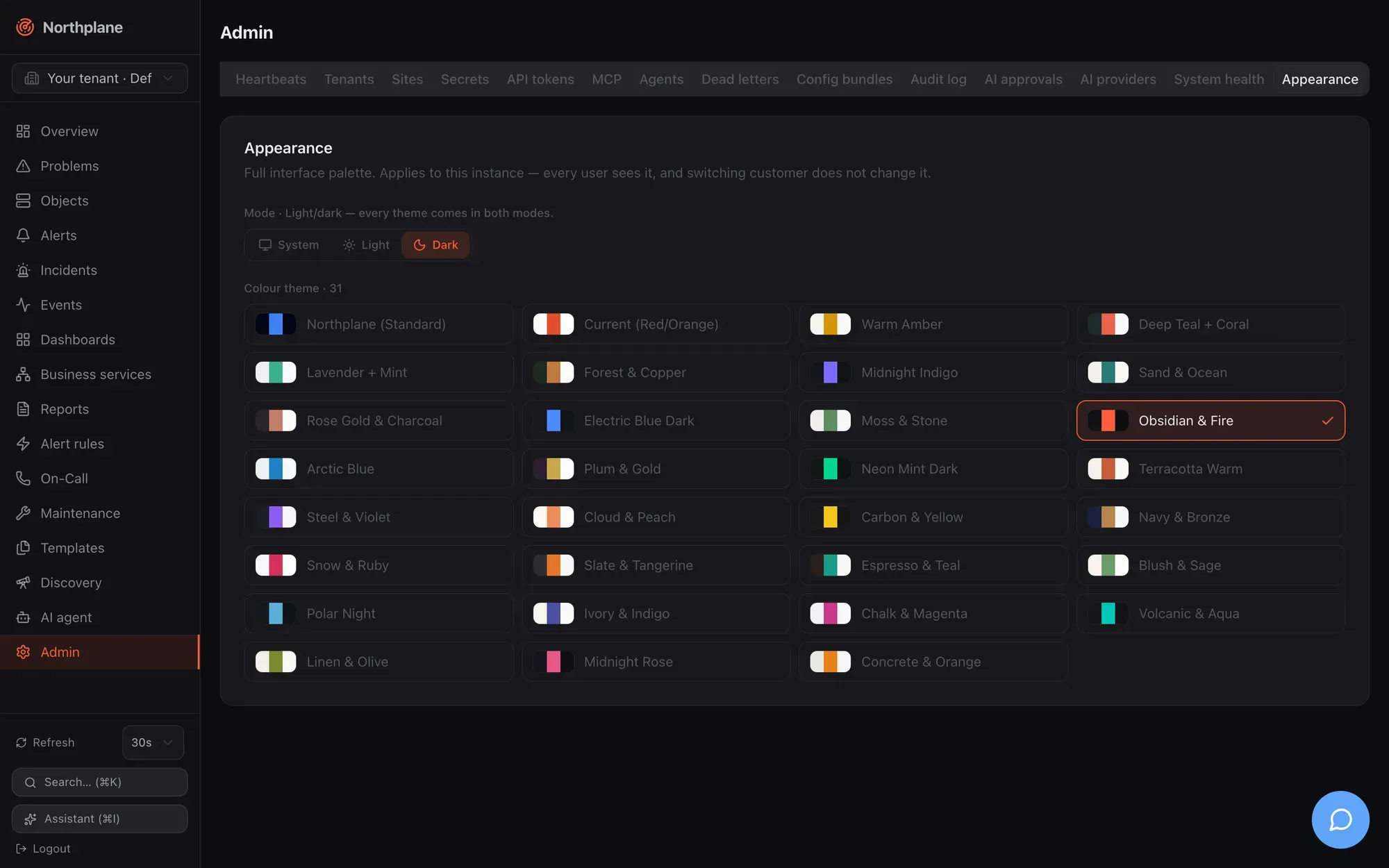
## What can be branded
[Section titled “What can be branded”](#what-can-be-branded)
| Axis | Values | Default |
| ---------------------- | ------------------------------------------------------------------------------------------------------------ | ---------------------------------------------------------------------- |
| Colour theme (`theme`) | One of the 31 theme ids below (``) | `obsidianFire` (“Obsidian & Fire”) for a browser with no cached choice |
| Mode (`mode`) | `dark`, `light`, `system` (`system` follows the operating-system preference live via `prefers-color-scheme`) | `dark` |
Every theme exists in both modes (30 dark and 30 light CSS blocks plus the built-in `northplane` palette on `:root`). The sidebar logo, the tenant-switcher chip and the favicon are tinted with the active theme’s accent.
## Set the instance appearance
[Section titled “Set the instance appearance”](#set-the-instance-appearance)
Open **Admin → Appearance (Darstellung)**. The card shows a **Mode** row (System / Hell / Dunkel — “Light/dark — every theme comes in both modes”) and a **Farbschema / Colour theme** radio grid with a swatch and label per theme. Picking a value applies it in your browser immediately and writes it to the server as the instance branding.
The controls are enabled only for principals whose permissions imply `config:write` (the built-in `admin` role; `operator` and `viewer` see a read-only banner: “Only administrators with config:write can change this instance’s appearance”). The hint under the title states the scope: “Applies to this instance — every user sees it, and switching customer does not change it.”
## Themes
[Section titled “Themes”](#themes)
| Id | Label | Id | Label |
| ---------------- | --------------------------------- | ---------------- | ----------------- |
| `northplane` | Northplane (Standard) | `terracotta` | Terracotta Warm |
| `currentRed` | Current (Red/Orange) | `steelViolet` | Steel & Violet |
| `warmAmber` | Warm Amber | `cloudPeach` | Cloud & Peach |
| `deepTeal` | Deep Teal + Coral | `carbonYellow` | Carbon & Yellow |
| `lavenderMint` | Lavender + Mint | `navyBronze` | Navy & Bronze |
| `forest` | Forest & Copper | `snowRuby` | Snow & Ruby |
| `midnightIndigo` | Midnight Indigo | `slateTangerine` | Slate & Tangerine |
| `sandOcean` | Sand & Ocean | `espressoTeal` | Espresso & Teal |
| `roseGold` | Rose Gold & Charcoal | `blushSage` | Blush & Sage |
| `electricDark` | Electric Blue Dark | `polarNight` | Polar Night |
| `mossStone` | Moss & Stone | `ivoryIndigo` | Ivory & Indigo |
| `obsidianFire` | Obsidian & Fire (product default) | `chalkMagenta` | Chalk & Magenta |
| `arcticBlue` | Arctic Blue | `volcanicAqua` | Volcanic & Aqua |
| `plumGold` | Plum & Gold | `linenOlive` | Linen & Olive |
| `neonMint` | Neon Mint Dark | `midnightRose` | Midnight Rose |
| | | `concreteOrange` | Concrete & Orange |
`northplane` is the base palette defined on `:root` (slate surfaces, blue accent); selecting it clears the `data-theme` attribute instead of applying an override block. The registry lives in `web/src/theme-data.ts`; unknown ids sent through the API are accepted by the server but ignored by the client.
## How the browser applies it
[Section titled “How the browser applies it”](#how-the-browser-applies-it)
The SPA keeps the two axes as synchronous local stores so the first paint never flashes the wrong palette, and a separate module talks to the server:
1. On boot the SPA reads `localStorage` keys `np.theme` and `np.mode` and applies them to `` before React renders (defaults `obsidianFire` / `dark` when nothing is cached). Other tabs pick up changes through the `storage` event.
2. Once the authenticated shell mounts, it fetches `GET /api/v1/branding` **once** and adopts `theme` and `mode` from the document — the server value wins over the local cache. A fetch failure (offline, 401) leaves the cached look in place. The document is **not** re-fetched when you switch tenants.
3. A user-driven change in the Appearance tab updates the local store and `PUT`s the whole document `{theme, mode}` back. A caller without `config:write` gets a 403 that the UI swallows — which is why the controls are locked for them in the first place.
There is no real per-user theme
What looks like a per-user override is only the per-browser `localStorage` cache: a value that differs from the instance document survives until the next shell mount, when the server document is adopted again. If the instance document is empty (`{}` — nobody has ever set branding), every browser simply keeps its own cached choice or the defaults. Language is likewise not a preference (it follows `navigator.language`). The only stored per-user setting is the refresh interval — see [Users, roles and permissions](/docs/administration/users-roles-permissions/).
## Favicon and logo
[Section titled “Favicon and logo”](#favicon-and-logo)
* The sidebar shows the lucide `radar` glyph next to the “Northplane” wordmark.
* Inside the SPA the browser-tab icon is the same glyph drawn at runtime into a data-URI SVG, tinted with the live `--sidebar-primary` colour (fallback `--primary`, then `#FF5C3A`) and re-rendered whenever theme or mode changes — so switching branding recolours the tab too.
* `public/favicon.svg` carries the same glyph in the default accent (`#FF5C3A`, the Obsidian & Fire accent) for the server-rendered pages that never boot the SPA.
* `meta name="theme-color"` is fixed to `#020617`.
None of these can be replaced through configuration in this version.
## Where branding does not apply
[Section titled “Where branding does not apply”](#where-branding-does-not-apply)
* `/login`, `/setup`, `/register` and the public status pages `/status/{slug}` are server-rendered static dark HTML with a “▲ Northplane” heading and the static favicon — they ignore theme and mode (and are German-only, see [Authentication](/docs/administration/authentication/)).
* The documentation under `/docs/` has its own Starlight theme.
* The REST API (`/api/…`) is unaffected, and the tenant header is ignored by the branding endpoints (below).
## API
[Section titled “API”](#api)
Branding is a single document (`kind: branding`, name `instance`) stored **under the Default tenant**; `X-Northplane-Tenant` is ignored on both calls.
| Endpoint | Permission | Behaviour |
| ---------------------------------------------------------------------- | -------------------------------------------------- | ------------------------------------------------------------------------------------------------------------------------------------------------------------------------------------------------------ |
| [`GET /api/v1/branding`](/docs/reference/api/operations/get_branding/) | none, but a login is required (401 when anonymous) | `{"theme": "…", "mode": "…"}` — `{}` when never set |
| [`PUT /api/v1/branding`](/docs/reference/api/operations/put_branding/) | `config:write` | Body `{"theme": "", "mode": "light\|dark\|system"}`; `mode` is validated (`422 mode must be one of light, dark, system`), `theme` is stored unvalidated; audit `branding.update` with before/after |
```bash
curl -s -X PUT https://monitoring.example.net/api/v1/branding \
-H "Authorization: Bearer np_<48 hex>" -H "Content-Type: application/json" \
-d '{"theme":"deepTeal","mode":"system"}'
```
The `PUT` replaces the whole document, so always send both fields. Setting branding in a [config bundle](/docs/administration/config-bundles/) is not possible (branding is not a bundle kind); use the API or the Appearance tab. For the UI side of theming (tokens, Tailwind variant, adding a theme) see [Frontend](/docs/development/frontend/).
# Config bundles
> The declarative YAML bundle format, supported kinds and apply order, plan/apply/export/prune semantics, the np CLI and Admin tab, a complete example and the GitOps workflow.
A **bundle** is a multi-document YAML file that describes configuration declaratively: hosts, services, templates, check commands, contacts, channels, escalation policies, alert rules, dashboards, reports and more. The server diffs a bundle against its current state (**plan**), applies it idempotently (**apply**) and can render its whole configuration back as a bundle (**export**). The same format and the same applier are used by `np apply`, the **Admin → Config bundles (Config-Bundles)** tab, the AI config tools, the Nagios importer and [federation](/docs/concepts/federation/).
Bundles are the GitOps vehicle of Northplane: keep them in a repository, review plans, apply on merge.
## Format
[Section titled “Format”](#format)
```yaml
kind: # required; one of the kinds below
metadata:
name: # required; must not contain newline or tab characters
host: # Service only (required for Service)
folder: /path # Host/Service only
labels: {k: v} # Host/Service: object labels; other kinds: the document's "labels" field
spec: {...} # the body (ObjectSpec for Host/Service; the resource document fields otherwise)
data: {...} # optional non-spec payload (dashboard layouts, report params); merged with spec
---
kind:
```
* Documents are separated by `---`; empty documents (only separators/comments) are skipped. There is **no `apiVersion`** field.
* Parse errors name the document: `bundle: document 3: unknown kind "Hosts"`, `bundle: document 2 (Service): missing metadata.name`.
* Identity inside a bundle is `Kind/name`, or `Service//` for services; duplicates are rejected (`duplicate Host/web-01`). A Service without `metadata.host` is rejected (`service requires metadata.host`).
* Structural errors come back as `422 np:validation/bundle` with all messages joined by `; `.
* The body may be JSON — JSON is valid YAML.
metadata.name is the name
For every kind the document’s name is taken from `metadata.name`. A `name` field inside `spec` is ignored and overwritten on apply; `metadata.labels` becomes the `labels` field of resource documents (and the object labels of hosts/services). `spec` and `data` are merged into one document — `data` exists only to keep non-spec payloads visually apart.
## Kinds and apply order
[Section titled “Kinds and apply order”](#kinds-and-apply-order)
Documents are applied in this fixed order (dependencies before dependents); export sorts the same way, then by host, then by name:
```text
Tenant, Role, TimePeriod, CheckCommand, Template, Contact, ContactGroup, Channel,
Schedule, IVRMenu, EscalationPolicy, EventSource, AlertGroup, AlertRule,
Host, Service, BusinessService, Heartbeat, Dashboard, Report, StaticGroup,
WebhookSubscription, SavedFilter
```
| Kind | Stored as | Applied | Exported | Notes |
| --------------------------------------------------------------------------------------------- | ------------------ | ------- | -------- | ------------------------------------------------------------------------------------------------------------------------------------------------------------ |
| `Host`, `Service` | objects table | yes | yes | `metadata.folder`, `metadata.labels`, `spec` = [ObjectSpec](/docs/concepts/object-model/); services resolve `metadata.host` by host **name** |
| `Template`, `CheckCommand`, `TimePeriod` | resource documents | yes | yes | see [Templates](/docs/monitoring/templates/) |
| `Contact`, `ContactGroup`, `Schedule` | resource documents | yes | yes | `ContactGroup.members` and schedule participants are contact **ids** |
| `Channel`, `EscalationPolicy`, `AlertRule`, `AlertGroup`, `EventSource`, `IVRMenu` | resource documents | yes | yes | validated like the REST API (channel `type` required, rule compiles, policy has ≥ 1 step) |
| `BusinessService`, `Dashboard`, `Report`, `WebhookSubscription`, `SavedFilter`, `StaticGroup` | resource documents | yes | yes | `Dashboard.spec` is the opaque UI widget document |
| `Role` | resource documents | yes | **no** | roles export via admin tooling only; apply works |
| `Tenant` | — | **no** | no | in the vocabulary, but the applier has no handler: plan warns `unsupported kind Tenant`, apply skips it silently. Create tenants via `POST /api/v1/tenants`. |
| `Heartbeat` | — | **no** | no | same — plan warns `unsupported kind Heartbeat`; manage heartbeats via the [heartbeats API](/docs/monitoring/heartbeats/) |
Not bundle kinds at all: sites, schedule overrides, users, API tokens, secrets, preferences, branding, downtimes, silences. Secrets are referenced from bundles as `$SECRET:name$` and created separately ([Secrets](/docs/administration/secrets/)).
## Plan, apply, export
[Section titled “Plan, apply, export”](#plan-apply-export)
All endpoints act on the request tenant (`X-Northplane-Tenant` for holders of `admin:tenants`, otherwise the caller’s tenant). The request body is read raw — the server does not inspect `Content-Type` — up to **8 MiB** (`413 np:bundle/size`).
| Endpoint | Permission | Behaviour |
| ------------------------------------------------------------------------------------------------------------------------- | -------------- | ------------------------------------------------------------------------------------------------------------------------------------------------------------------------------------------------------------------------------- |
| [`POST /api/v1/config/bundles:plan`](/docs/reference/api/operations/post_config_bundles_plan/) `[?prune=true&selector=…]` | `objects:read` | Dry run. Returns `{plan:[{action, kind, name, host?, diff?}], warnings:[…], applyToken?}`. When the plan is non-empty an `applyToken` (`ap_` + 32 hex) is cached **in memory for 10 minutes**, bound to the tenant, single use. |
| [`POST /api/v1/config/bundles:apply?dryRun=true`](/docs/reference/api/operations/post_config_bundles_apply/) | `config:write` | Same as plan. |
| `POST /api/v1/config/bundles:apply?applyToken=ap_…` | `config:write` | Applies exactly the planned documents (the cached plan). Unknown, expired or foreign-tenant token → `409 np:bundle/token` (“re-plan”). |
| `POST /api/v1/config/bundles:apply` `[?prune=true&selector=…]` | `config:write` | Direct apply of the posted bundle (plan + apply in one call). |
| [`GET /api/v1/config/bundles:export`](/docs/reference/api/operations/get_config_bundles_export/) `[?folder=/x]` | `objects:read` | Canonical YAML (`Content-Type: application/yaml`). With `folder`, only Host/Service documents of that subtree are rendered (global resources are skipped). |
`prune=true` deletes every currently exported document whose identity is not in the bundle; `selector` restricts pruning to documents whose `metadata.labels` match the [label selector](/docs/concepts/object-model/). Prune failures do not abort the apply — they are reported as warnings.
The response of an apply is a `PlanResult` whose `plan` lists what was actually applied (`create`/`update`/`delete`), plus warnings.
### How the plan is computed
[Section titled “How the plan is computed”](#how-the-plan-is-computed)
* **Host/Service**: an object that does not exist is `create`. Otherwise `folder`, `labels` and every `spec.` are compared (JSON projection); differing fields appear in `diff` as `{"field": [old, new]}`. A Service whose host does not exist yet is planned as `create` — the host may be created earlier in the same bundle.
* **Resource documents**: missing → `create`; otherwise a field-wise diff of `spec ∪ data ∪ {labels}` against the stored document (envelope fields `id`, `tenantId`, `version`, `createdAt`, `updatedAt`, `name` ignored). **Fields absent from the bundle are unmanaged** — they are never diffed.
* The plan is sorted create → update → delete. Unsupported kinds produce a warning and no action.
An update writes the document as given in the bundle
The plan ignores fields your bundle does not mention, but when any field differs the applier **replaces** the stored document with the bundle’s `spec ∪ data ∪ labels` — fields you omitted are gone after that write. Keep resource documents complete: start from `np export`, edit, then plan/apply. (Host/Service specs are replaced wholesale too, exactly like a REST `PUT`.)
### How apply works
[Section titled “How apply works”](#how-apply-works)
1. The bundle is parsed and validated, and a plan is computed (`422 np:validation/bundle` on errors).
2. Documents are sorted by kind order and applied one by one: objects through the same `validateSpec` as the REST API (templates must resolve, `notifyOn` tokens valid, contacts/contact groups must exist); resource documents through `validateResourceDoc`. Creates use create-only semantics, updates are unconditional (no `If-Match`). Ids are preserved on update; a new document gets a fresh UUIDv7 unless its body carries an `id`.
3. Apply is **not transactional**: the first failure stops the run with `422 np:bundle/apply` (“apply failed at Kind/name”, the cause in `detail`) and an audit entry `bundle.apply` listing what was already applied. Earlier documents stay applied; fix the bundle and re-run — the re-run is idempotent.
4. Prune deletions run after all documents.
5. An audit entry `bundle.apply` is written, the catalog is reloaded and alert rules are recompiled, and the response lists the applied actions.
Re-applying an unchanged bundle yields an empty plan (`np apply` prints `no changes`) — bundles are safe to apply on every CI run.
## Using the np CLI
[Section titled “Using the np CLI”](#using-the-np-cli)
```bash
export NP_SERVER=https://monitoring.example.net NP_TOKEN=np_…
np apply -f bundle.yaml --dry-run # plan only
np apply -f bundle.yaml # apply
np apply -f bundle.yaml --prune # apply and delete everything not in the bundle
cat bundle.yaml | np apply -f - # read the bundle from stdin
np export > bundle.yaml # canonical export of the tenant
```
`np apply` posts to `…/bundles:apply` (with `dryRun=true` and/or `prune=true`) as `application/yaml` and prints one line per action — `applied create Host/web-01`, `would apply update Service/web-01/http`, `warning: unsupported kind Heartbeat` — or `no changes`. With `--json` the raw `PlanResult` is printed. The CLI has **no** `--selector` option for selective pruning; use the HTTP API for that. Permissions: `config:write` for apply, `objects:read` for dry-run and export. Full reference: [np CLI](/docs/reference/cli-np/).
## Admin → Config bundles tab
[Section titled “Admin → Config bundles tab”](#admin--config-bundles-tab)
**Admin → Config bundles (Config-Bundles)** offers the two operations without a CLI:
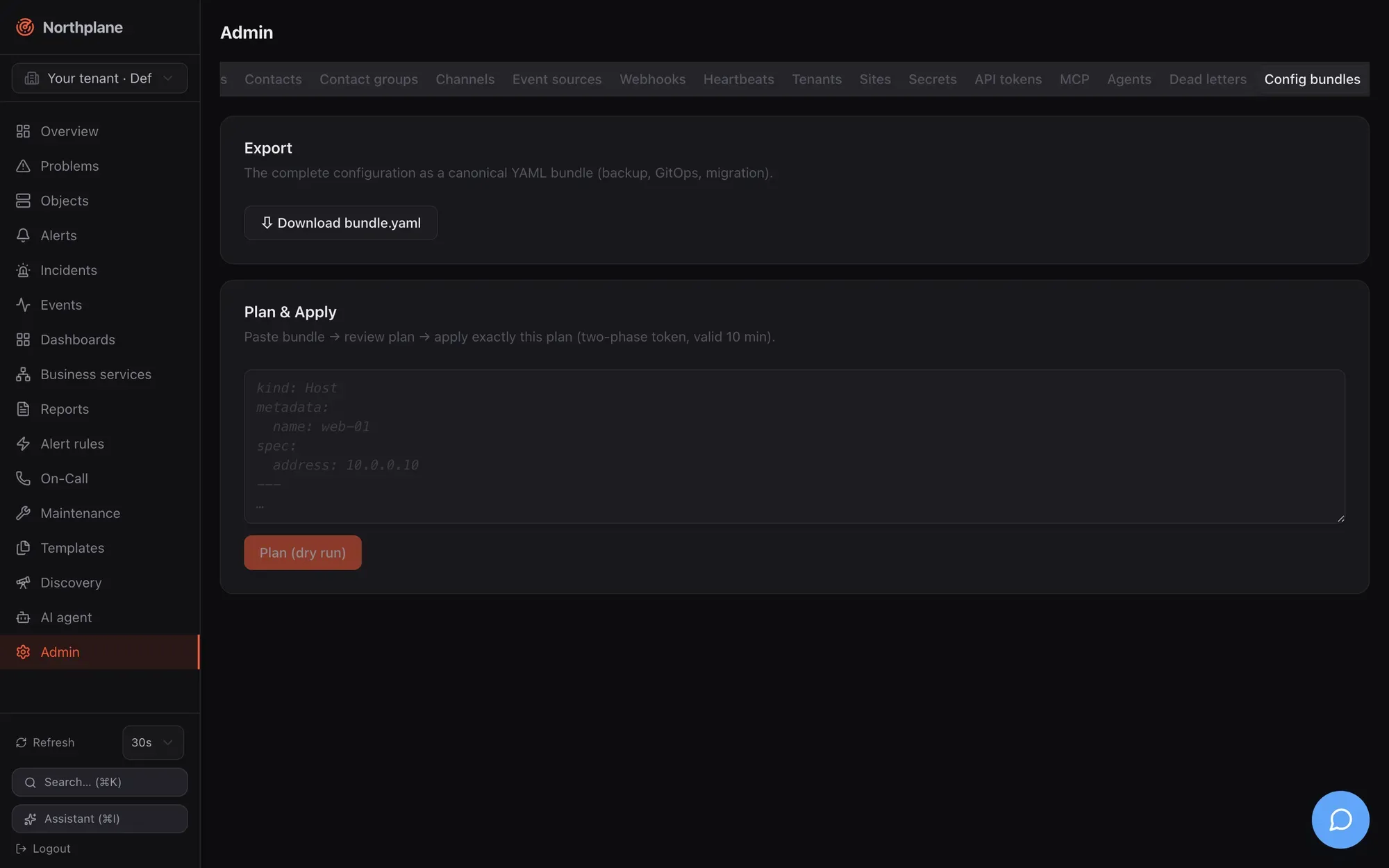
* **Export** — a download link for `northplane-bundle.yaml` (`GET /api/v1/config/bundles:export`): the complete configuration for backup, GitOps or migration.
* **Plan & Apply** — paste a bundle, click **Plan (dry run)**, review the table of actions (badges `create`/`update`/`delete`, kind, name, diff), then **Apply** — which sends the `applyToken` from the plan, so exactly the reviewed plan is executed (two-phase token, valid 10 minutes). “No changes — configuration is identical” means the bundle matches. The tab does not expose `prune`.
## A complete example
[Section titled “A complete example”](#a-complete-example)
bundle.yaml
```yaml
kind: TimePeriod
metadata: {name: business-hours}
spec:
days:
monday: ["09:00-17:00"]
tuesday: ["09:00-17:00"]
wednesday: ["09:00-17:00"]
thursday: ["09:00-17:00"]
friday: ["09:00-17:00"]
---
kind: Template
metadata: {name: linux-base}
spec:
kind: host
interval: 30s
maxCheckAttempts: 2
---
kind: Contact
metadata: {name: ops-alice}
spec:
email: alice@example.org
phone: "+431234567"
timeZone: Europe/Vienna
preferences:
- {profile: default, channels: [email]}
---
kind: ContactGroup
metadata: {name: ops}
spec:
members: [""]
---
kind: Channel
metadata: {name: ops-mail}
spec:
type: email
enabled: true
config:
provider: smtp
host: mail.internal
port: "587"
from: northplane@example.org
username: northplane
password: "$SECRET:smtp-pass$"
---
kind: EscalationPolicy
metadata: {name: default}
spec:
steps:
- {after: 0s, notify: {contactGroup: ops}, channels: [email]}
- {after: 15m, unlessAcked: true, notify: {contact: ops-alice}, channels: [sms]}
---
kind: AlertRule
metadata: {name: critical}
spec:
match: 'event.type == "state_change" && event.stateType == "hard" && (event.state == "CRITICAL" || event.state == "DOWN")'
severity: critical
escalationPolicy: default
---
kind: Host
metadata:
name: db-01
folder: /prod
labels: {env: prod, role: db}
spec:
address: 10.0.0.5
checkCommand: builtin:icmp
templates: [linux-base]
---
kind: Service
metadata:
name: postgres
host: db-01
labels: {env: prod}
spec:
checkCommand: builtin:tcp
args: ["5432"]
interval: 30s
contactGroups: [ops]
---
kind: Dashboard
metadata: {name: wallboard}
spec:
shared: true
data:
spec:
time: 24h
refresh: 30s
widgets:
- {type: counters, w: 12, h: 2}
- {type: problems, title: Open problems, selector: "env=prod", limit: 20, w: 12, h: 6}
```
Apply it, then verify:
```bash
np apply -f bundle.yaml --dry-run
np apply -f bundle.yaml
np apply -f bundle.yaml # → no changes
```
The channel’s `$SECRET:smtp-pass$` reference requires `PUT /api/v1/secrets/smtp-pass` beforehand ([Secrets](/docs/administration/secrets/)); channel config keys per type are in [Channels](/docs/alarming/channels/).
## GitOps workflow
[Section titled “GitOps workflow”](#gitops-workflow)
1. `np export > bundle.yaml` once to capture the current state (includes the demo data if the instance was seeded — remove what you do not want to manage).
2. Commit; edit in pull requests.
3. CI: `np apply -f bundle.yaml --dry-run` on pull requests (token with `objects:read`), `np apply -f bundle.yaml` on merge (token with `config:write`). Add `--prune` only when the repository is the complete source of truth for the tenant — prune deletes every exported document not in the bundle, including dashboards and reports users created in the UI.
4. Use a tenant-scoped token and the `X-Northplane-Tenant` header (or one token per tenant) for multi-tenant set-ups — a bundle is always applied into one tenant.
Export pages through the full inventory (5 000 objects / 2 000 resource documents per page) — exports are complete regardless of tenant size.
## Federation
[Section titled “Federation”](#federation)
A Site document’s `bundle` field **is** a bundle: the main instance validates it on save, and each edge pulls it (`GET /api/v1/sites/{name}:pull`, conditional on the ETag) and applies it into its own default tenant with the same applier — without prune, retrying every tick until a revision applies. An empty bundle means “nothing managed centrally yet”. See [Federation](/docs/concepts/federation/) and [Tenants and sites](/docs/administration/tenants-and-sites/).
## Other consumers of the format
[Section titled “Other consumers of the format”](#other-consumers-of-the-format)
* `northplaned import nagios --path /etc/nagios [--out northplane-import.yaml]` converts a Nagios/Icinga 1 configuration into a bundle (hosts, services, templates, commands, time periods, contacts, static groups) plus a deviation report; review, then `np apply -f northplane-import.yaml`. See [Plugins and Nagios](/docs/monitoring/plugins-and-nagios/).
* The AI tools `propose_config_change` / `apply_config_change` plan and apply bundles through the approval flow. See [Agent chat](/docs/ai/agent-chat/).
# Configuration reference
> Every config.yaml key, environment variable, default, validation rule and hard-coded constant of the northplaned server.
`northplaned` reads one small YAML file plus `NORTHPLANE_*` environment variables. The file is deliberately minimal: it holds only what must exist **before the API is reachable** (listen address, storage, TLS, identity providers, the secret-store key). Everything else — hosts, checks, channels, rules, users, tokens, secrets, dashboards — is managed through the API, the UI or [config bundles](/docs/administration/config-bundles/) and never lives in `config.yaml`.
This page is the complete reference. For task-oriented guides see [TLS and reverse proxies](/docs/administration/tls-and-proxy/), [Storage](/docs/administration/storage/), [Authentication](/docs/administration/authentication/) and [Secrets](/docs/administration/secrets/).
## Load order and precedence
[Section titled “Load order and precedence”](#load-order-and-precedence)
On every start (and for every subcommand that opens the store) `northplaned` builds its configuration in this order:
1. **Built-in defaults** (listed per key below).
2. **The config file** named by `-config ` (default: see [File locations](#file-locations)). The file is decoded strictly: **unknown keys are a hard error** (`config : … field not found`). An empty or comment-only file keeps the defaults; a missing file is fine (environment and defaults only); any other read error aborts.
3. **Environment overrides** `NORTHPLANE_*` — applied after the file, so they always win.
4. **Plugin directory auto-detection** if `pluginsDir` is still empty: the first existing directory among `/usr/lib/nagios/plugins`, `/usr/lib64/nagios/plugins`, `/usr/local/libexec/nagios`, `/opt/homebrew/libexec`, `/plugins`; when none exists, `/plugins` is used anyway.
5. **Validation** — an incoherent configuration refuses to start with `northplaned: config: config invalid: ` (exit code 1). See [Validation errors](#validation-errors).
**Precedence, highest first: environment variable → config file → built-in default.**
Things to know about the environment layer:
* There are **no CLI flags for individual keys**. The only config-related flag is `-config `; `serve --demo`, `--demo-snmp` and `--demo-traps` are behaviour flags, not config overrides.
* Variables are read with “is set” semantics: a variable that is set to an **empty string** overrides the file value with an empty value.
* Boolean variables (`NORTHPLANE_TLS_INSECURE`, `NORTHPLANE_TRUST_PROXY`, `NORTHPLANE_DEMO`, `NORTHPLANE_ALLOW_SIGNUP`) are parsed like Go’s `strconv.ParseBool` (`1`, `t`, `true`, `0`, `f`, `false`, any case); an unparsable value silently becomes `false`.
* `NORTHPLANE_EXEC_POOL_SIZE` must be an integer; a non-numeric value is ignored.
* Only a subset of keys has an environment equivalent (see [Environment variables](#environment-variables)); the rest are file-only.
* There is **no reload on SIGHUP**. Any configuration change requires a restart of `northplaned`.
## File locations
[Section titled “File locations”](#file-locations)
| What | Running as root (euid 0) | Running as a normal user |
| --------------------------------------------------- | ----------------------------- | ---------------------------------------------------------------------------------------------------------------- |
| Config directory (`northplaned init --dir` default) | `/etc/northplane` | `os.UserConfigDir()/northplane` — Linux `~/.config/northplane`, macOS `~/Library/Application Support/northplane` |
| Config file (`-config` default) | `/etc/northplane/config.yaml` | `/etc/northplane/config.yaml` **if that file exists**, otherwise `/config.yaml` |
| Agent config (`np-agent`) | `/etc/northplane/agent.yaml` | same rule, `agent.yaml` |
| `secret.key` written by `init` | `/etc/northplane/secret.key` | `/secret.key` |
`-config` accepts any path; the default shown above applies to every subcommand (`serve`, `migrate`, `backup`, `mcp`, `bootstrap-admin`, `storage migrate`). `northplaned init` does not take `-config` — it takes `--dir` and `--data` instead (see [northplaned CLI](/docs/reference/cli-northplaned/)).
## Data directory defaults
[Section titled “Data directory defaults”](#data-directory-defaults)
`dataDir` is resolved at start-up when not set in the file or via `NORTHPLANE_DATA_DIR`:
| Situation | Default `dataDir` |
| ---------------------------------------------------------- | -------------------------------------------------------------------- |
| running as root | `/var/lib/northplane` |
| non-root, Linux (any non-macOS OS), `$XDG_DATA_HOME` set | `$XDG_DATA_HOME/northplane` |
| non-root, Linux (any non-macOS OS), `$XDG_DATA_HOME` unset | `~/.local/share/northplane` |
| non-root, macOS | `~/Library/Application Support/northplane` |
| everything above failed | `/var/lib/northplane` |
| Docker image | `/var/lib/northplane` (`ENV NORTHPLANE_DATA_DIR`, declared `VOLUME`) |
Paths derived from `dataDir` (not configurable individually): `/core.db` (SQLite core database), `/events-YYYYMM.db` (monthly event segments, SQLite mode), `/tsdb/` (NP-TSDB), `/artifacts/`, `/plugins/` (plugin fallback candidate) and `/secret.key` (fallback master key location). The full layout is documented in [Storage](/docs/administration/storage/#data-directory-layout).
## Complete key reference
[Section titled “Complete key reference”](#complete-key-reference)
Types: `string`, `bool`, `int`, `int64`, `[]string`, `duration` (a Go duration string such as `60s`, `15m`, `1h`). Keys are written in YAML nesting; `storage.dsn` means:
```yaml
storage:
dsn: ""
```
### Top level
[Section titled “Top level”](#top-level)
| Key | Type | Default | Env | Notes |
| ----------------- | --------- | ----------------------------- | ---------------------------- | ---------------------------------------------------------------------------------------------------------------------------------------------------------------------------------------------------------------------------------------------------------------------------------------------------------------------------------- |
| `listen` | string | `127.0.0.1:8443` | `NORTHPLANE_LISTEN` | Bind address, `host:port`. Loopback on purpose: exposing the server requires an explicit listen **and** TLS decision ([TLS and reverse proxies](/docs/administration/tls-and-proxy/)). `:8443` (all interfaces), `[::1]:8443`, named ports (`:https`) and port `0` (kernel-assigned) are accepted. |
| `baseUrl` | string | `""` | `NORTHPLANE_BASE_URL` | External URL of the instance, without trailing slash. Used for OIDC redirect (`baseUrl + /auth/callback`), links in notifications and ack links, the Web Push VAPID subject, Twilio signature verification, the first-run `/setup` hint, and AI/MCP. Required for SSO and for correct links behind a proxy. |
| `dataDir` | string | platform default (see above) | `NORTHPLANE_DATA_DIR` | Root of all persistent state. |
| `trustProxy` | bool | `false` | `NORTHPLANE_TRUST_PROXY` | Honour `X-Forwarded-Proto` (first comma-separated value, case-insensitive `https`) from a TLS-terminating reverse proxy: sets `Secure` cookies and HSTS, and allows a plaintext listener on a non-loopback address. `X-Forwarded-For` is **not** used. Enable only when the proxy is trusted and strips inbound forwarded headers. |
| `deadManUrl` | string | `""` (disabled) | `NORTHPLANE_DEADMAN_URL` | Outgoing dead-man heartbeat: the server issues `GET` to this URL every `deadManInterval` (healthchecks.io-compatible). Skipped while the results queue is saturated, so a stalled pipeline stops the pings. See [Observability](/docs/administration/observability/#dead-man-switch). |
| `deadManInterval` | duration | `1m` | — | `<= 0` is treated as `1m` at runtime. |
| `pluginsDir` | string | auto-detected | `NORTHPLANE_PLUGINS_DIR` | Root directory of Nagios-compatible plugins for `exec:` check commands; relative plugin names are resolved under it. See [Plugins and Nagios](/docs/monitoring/plugins-and-nagios/). |
| `pluginsAllow` | \[]string | `nil` (no allowlist) | — | Optional allowlist of plugin **basenames** (`check_http`, not a path). When set, any `exec:` plugin whose basename is not listed is refused (permission error), including absolute paths. Paths containing `..` are always refused. |
| `execPoolSize` | int | `0` → `min(256, 32 × NumCPU)` | `NORTHPLANE_EXEC_POOL_SIZE` | Maximum concurrently running external plugin processes. Builtin checks use a separate pool of 1024. |
| `logLevel` | string | `info` | `NORTHPLANE_LOG_LEVEL` | `debug`, `info`, `warn`, `error`; anything else falls back to `info`. |
| `logFormat` | string | `json` | `NORTHPLANE_LOG_FORMAT` | `json` (slog JSON handler) or `text`; anything else means `json`. Logs always go to **stderr**. `northplaned mcp` forces `text`. |
| `secretKeyFile` | string | `""` | `NORTHPLANE_SECRET_KEY_FILE` | Path of the 32-byte master key (64 hex characters) for AES-256-GCM secrets at rest. Self-provisioning: generated if the file does not exist; if the path is unusable the server falls back to `/secret.key` with a loud warning. See [Secrets](/docs/administration/secrets/). |
| `demo` | bool | `false` | `NORTHPLANE_DEMO` | Seed the idempotent showcase environment at start-up (same data as `serve --demo`). Guarded: never seeds on top of a database that already holds real (non-demo) hosts. See [Demo mode](/docs/getting-started/demo-mode/). |
| `allowSignup` | bool | `false` | `NORTHPLANE_ALLOW_SIGNUP` | Expose the public `/register` page. Self-registered accounts always get the `viewer` role only. See [Authentication](/docs/administration/authentication/). |
| `storage` | section | | | see [storage](#storage) |
| `tls` | section | | | see [tls](#tls) |
| `oidc` | section | | | see [oidc](#oidc) |
| `ldap` | section | | | see [ldap](#ldap) |
| `ai` | section | | | see [ai](#ai) |
| `backup` | section | | | see [backup](#backup) |
| `federation` | section | | | see [federation](#federation) |
### storage
[Section titled “storage”](#storage)
| Key | Type | Default | Env | Notes |
| ------------------------------ | ------ | ------- | ------------------------ | ---------------------------------------------------------------------------------------------------------------------------------------------------------------------- |
| `storage.dsn` | string | `""` | `NORTHPLANE_STORAGE_DSN` | Empty ⇒ embedded SQLite at `/core.db`. `postgres://…` or `postgresql://…` ⇒ PostgreSQL (pgx). Any other non-empty value is treated as a **SQLite file path**. |
| `storage.eventRetentionMonths` | int | `12` | — | Months of event segments (SQLite files) or partitions (PostgreSQL) to keep; `0` keeps everything. Enforced nightly by the janitor. |
Connection pools, pragmas and partitioning are described in [Storage](/docs/administration/storage/).
### tls
[Section titled “tls”](#tls)
| Key | Type | Default | Env | Notes |
| -------------- | ------ | ------- | -------------------------- | ------------------------------------------------------------------------------------------------------------------------------------------- |
| `tls.certFile` | string | `""` | `NORTHPLANE_TLS_CERT_FILE` | PEM certificate chain. Must be set together with `tls.keyFile`. |
| `tls.keyFile` | string | `""` | `NORTHPLANE_TLS_KEY_FILE` | PEM private key. |
| `tls.insecure` | bool | `false` | `NORTHPLANE_TLS_INSECURE` | Allow plaintext HTTP on a non-loopback listener (development only). Without it, plaintext is only allowed on loopback or with `trustProxy`. |
There is **no ACME/autocert option**; for public certificates put Caddy (or another terminating proxy) in front — see [TLS and reverse proxies](/docs/administration/tls-and-proxy/). Certificates are loaded once at start (no hot reload).
### oidc
[Section titled “oidc”](#oidc)
| Key | Type | Default | Env | Notes |
| ------------------- | --------- | ---------------------------------- | ------------------------------- | --------------------------------------------------------------------------------------------------------------------------------------------------- |
| `oidc.issuer` | string | `""` (SSO off) | `NORTHPLANE_OIDC_ISSUER` | OIDC discovery issuer URL. SSO is only constructed when set; a discovery failure at boot logs a warning and disables SSO (the server still starts). |
| `oidc.clientId` | string | `""` | `NORTHPLANE_OIDC_CLIENT_ID` | Required as soon as any `oidc.*` key is set. |
| `oidc.clientSecret` | string | `""` | `NORTHPLANE_OIDC_CLIENT_SECRET` | |
| `oidc.scopes` | \[]string | `[openid, profile, email, groups]` | — | Scopes requested; if explicitly emptied the code falls back to `openid profile email`. |
| `oidc.groupsClaim` | string | `groups` | — | ID-token claim read for the group → role mapping. |
| `oidc.adminGroup` | string | `""` | — | Group value whose members additionally receive the `admin` role. |
The flow (Authorization Code + PKCE), cookie names, role mapping and caveats are documented in [Authentication](/docs/administration/authentication/). `baseUrl` must be set: the redirect URL is `baseUrl + /auth/callback`.
### ldap
[Section titled “ldap”](#ldap)
| Key | Type | Default | Env | Notes |
| ------------------------- | --------- | --------------------------------- | ------------------------------- | ---------------------------------------------------------------------------------------------- |
| `ldap.url` | string | `""` (LDAP off) | `NORTHPLANE_LDAP_URL` | `ldap://host:389` or `ldaps://host:636`; must start with one of those prefixes. |
| `ldap.startTls` | bool | `false` | — | Upgrade an `ldap://` connection with StartTLS before any bind. |
| `ldap.insecureSkipVerify` | bool | `false` | — | Skip TLS certificate verification (TLS 1.2 minimum is always enforced). |
| `ldap.bindDn` | string | `""` | `NORTHPLANE_LDAP_BIND_DN` | Service account for sync/search. If set, `bindPassword` is required. |
| `ldap.bindPassword` | string | `""` | `NORTHPLANE_LDAP_BIND_PASSWORD` | |
| `ldap.baseDn` | string | `""` | `NORTHPLANE_LDAP_BASE_DN` | Search base; required when the block is used. |
| `ldap.userFilter` | string | `(&(objectClass=person)(mail=*))` | — | User search filter. |
| `ldap.userAttr` | string | `mail` | — | Login / e-mail attribute (Active Directory: `userPrincipalName`). |
| `ldap.nameAttr` | string | `cn` | — | Display-name attribute; empty falls back to the e-mail. |
| `ldap.idAttr` | string | `""` (= DN) | — | Stable identifier attribute (`entryUUID`, `objectGUID`); binary values are hex-encoded. |
| `ldap.groupAttr` | string | `memberOf` | — | Membership attribute read from the user entry. |
| `ldap.groupFilter` | string | `""` | — | Optional member search; `{dn}` and `{user}` placeholders are substituted (escaped). |
| `ldap.groupBaseDn` | string | `""` (= `baseDn`) | — | Base for the `groupFilter` search. |
| `ldap.syncInterval` | duration | `15m` | — | Values `<= 0` also mean `15m`. |
| `ldap.defaultRoles` | \[]string | `[viewer]` | — | Roles given when no group maps to a role. |
| `ldap.adminGroup` | string | `""` | — | Group DN or CN (compared lower-cased) mapped to `admin`. |
| `ldap.disableMissing` | bool | `true` | — | Disable directory users that disappeared from the directory. Local accounts are never touched. |
Sync behaviour, login verification and the directory endpoints are in [Authentication](/docs/administration/authentication/).
### ai
[Section titled “ai”](#ai)
| Key | Type | Default | Env | Notes |
| ----------------------------- | --------- | ------------------- | --------------------------- | ------------------------------------------------------------------------------------------------------------------------------------------------- |
| `ai.provider` | string | `none` | `NORTHPLANE_AI_PROVIDER` | One of `none` (or empty), `anthropic`, `azure-openai`, `openai-compat`. Anything else fails validation. |
| `ai.endpoint` | string | `""` | `NORTHPLANE_AI_ENDPOINT` | Provider endpoint; `anthropic` defaults to `https://api.anthropic.com`. |
| `ai.apiKeyEnv` | string | `""` | `NORTHPLANE_AI_API_KEY_ENV` | The **name** of the environment variable that holds the API key (the key itself never goes into the file). Read when the provider is constructed. |
| `ai.apiKey` | string | `""` | — | Static key — discouraged; intended for gateways with static keys. |
| `ai.model` | string | `claude-sonnet-4-6` | `NORTHPLANE_AI_MODEL` | Default model; `openai-compat` defaults to `gpt-4o`. |
| `ai.modelDeep` | string | `""` (= `model`) | — | Model for deeper analysis tasks. |
| `ai.maxMonthlyTokens` | int64 | `0` (unlimited) | — | Monthly token budget. |
| `ai.redaction.hostnames` | string | `""` | — | `""` or `pseudonymize`. |
| `ai.redaction.customPatterns` | \[]string | `nil` | — | Additional redaction patterns. |
Provider connections can also be created at runtime in **Admin → AI providers**; see [Agent chat](/docs/ai/agent-chat/).
### backup
[Section titled “backup”](#backup)
| Key | Type | Default | Env | Notes |
| ----------------- | -------- | --------------- | -------------------------- | ------------------------------------------------------------------------------------------------------------------------------------------------------------------------------------- |
| `backup.target` | string | `""` (disabled) | `NORTHPLANE_BACKUP_TARGET` | Directory that receives `northplane-/` snapshots written by `northplaned backup`. Only directories are implemented (the code comment mentions `s3://` as a future option). |
| `backup.interval` | duration | `5m` | — | **Parsed but unused.** There is no periodic backup loop in the server; backups run only when you call `northplaned backup`. Treat this key as reserved. |
See [Storage → Backup](/docs/administration/storage/#backup).
### federation
[Section titled “federation”](#federation)
| Key | Type | Default | Env | Notes |
| ------------------------------- | --------------- | ----------------- | -------------------------------- | ----------------------------------------------------------------------------------------------------------------------------------------------------------- |
| `federation.mode` | string | `""` (standalone) | `NORTHPLANE_FEDERATION_MODE` | Only `""` or `edge`. There is no `main` value — a main instance is simply a standalone instance that holds Site documents and mints `sites:connect` tokens. |
| `federation.mainUrl` | string | `""` | `NORTHPLANE_FEDERATION_MAIN_URL` | URL of the main instance; must start with `http://` or `https://` in edge mode. |
| `federation.token` | string | `""` | `NORTHPLANE_FEDERATION_TOKEN` | API token (`np_…`) minted on the main instance with scope `sites:connect`. Required in edge mode. |
| `federation.site` | string | `""` | `NORTHPLANE_FEDERATION_SITE` | Name of the Site registered on the main instance. Required in edge mode. |
| `federation.interval` | duration | `1m` | — | Pull/heartbeat tick; `<= 0` means `1m`. |
| `federation.insecureSkipVerify` | bool | `false` | — | Skip TLS verification towards the main instance. |
| `federation.applyConfig` | bool (nullable) | unset ⇒ `true` | — | Pull the site bundle from main and apply it locally. `false` gives a heartbeat-only edge. |
The edge loop, what flows in which direction and the Site resource are described in [Federation](/docs/concepts/federation/) and [Tenants and sites](/docs/administration/tenants-and-sites/).
## Environment variables
[Section titled “Environment variables”](#environment-variables)
Every variable that `northplaned` maps onto a config key (naming scheme: `NORTHPLANE_` + section + `_` + field in SCREAMING\_SNAKE\_CASE of the YAML key):
| Variable | Key | Type |
| -------------------------------- | -------------------- | ------ |
| `NORTHPLANE_LISTEN` | `listen` | string |
| `NORTHPLANE_BASE_URL` | `baseUrl` | string |
| `NORTHPLANE_DATA_DIR` | `dataDir` | string |
| `NORTHPLANE_STORAGE_DSN` | `storage.dsn` | string |
| `NORTHPLANE_TLS_CERT_FILE` | `tls.certFile` | string |
| `NORTHPLANE_TLS_KEY_FILE` | `tls.keyFile` | string |
| `NORTHPLANE_TLS_INSECURE` | `tls.insecure` | bool |
| `NORTHPLANE_TRUST_PROXY` | `trustProxy` | bool |
| `NORTHPLANE_DEMO` | `demo` | bool |
| `NORTHPLANE_ALLOW_SIGNUP` | `allowSignup` | bool |
| `NORTHPLANE_OIDC_ISSUER` | `oidc.issuer` | string |
| `NORTHPLANE_OIDC_CLIENT_ID` | `oidc.clientId` | string |
| `NORTHPLANE_OIDC_CLIENT_SECRET` | `oidc.clientSecret` | string |
| `NORTHPLANE_LDAP_URL` | `ldap.url` | string |
| `NORTHPLANE_LDAP_BIND_DN` | `ldap.bindDn` | string |
| `NORTHPLANE_LDAP_BIND_PASSWORD` | `ldap.bindPassword` | string |
| `NORTHPLANE_LDAP_BASE_DN` | `ldap.baseDn` | string |
| `NORTHPLANE_FEDERATION_MODE` | `federation.mode` | string |
| `NORTHPLANE_FEDERATION_MAIN_URL` | `federation.mainUrl` | string |
| `NORTHPLANE_FEDERATION_TOKEN` | `federation.token` | string |
| `NORTHPLANE_FEDERATION_SITE` | `federation.site` | string |
| `NORTHPLANE_AI_PROVIDER` | `ai.provider` | string |
| `NORTHPLANE_AI_ENDPOINT` | `ai.endpoint` | string |
| `NORTHPLANE_AI_MODEL` | `ai.model` | string |
| `NORTHPLANE_AI_API_KEY_ENV` | `ai.apiKeyEnv` | string |
| `NORTHPLANE_PLUGINS_DIR` | `pluginsDir` | string |
| `NORTHPLANE_LOG_LEVEL` | `logLevel` | string |
| `NORTHPLANE_LOG_FORMAT` | `logFormat` | string |
| `NORTHPLANE_SECRET_KEY_FILE` | `secretKeyFile` | string |
| `NORTHPLANE_BACKUP_TARGET` | `backup.target` | string |
| `NORTHPLANE_DEADMAN_URL` | `deadManUrl` | string |
| `NORTHPLANE_EXEC_POOL_SIZE` | `execPoolSize` | int |
**File-only keys** (no environment equivalent): `deadManInterval`, `pluginsAllow`, `storage.eventRetentionMonths`, `oidc.scopes`, `oidc.groupsClaim`, `oidc.adminGroup`, all `ldap.*` keys except `url`/`bindDn`/`bindPassword`/`baseDn`, `ai.apiKey`, `ai.modelDeep`, `ai.maxMonthlyTokens`, `ai.redaction.*`, `backup.interval`, `federation.interval`, `federation.insecureSkipVerify`, `federation.applyConfig`.
### Non-config environment variables
[Section titled “Non-config environment variables”](#non-config-environment-variables)
These are read by the binaries directly and do not correspond to a config key:
| Variable | Read by | Effect |
| ---------------------------------------------------------------------------------------- | ----------------------------- | ------------------------------------------------------------------------------------------------------------------------------------------------------------ |
| `NP_DEFAULT_ADMIN_DISABLED` | `northplaned serve` | Any non-empty value skips the break-glass admin seeding at start-up. |
| `NP_DEFAULT_ADMIN_EMAIL` | `northplaned serve` | E-mail of the seeded admin; default `admin@localhost`. |
| `NP_DEFAULT_ADMIN_NAME` | `northplaned serve` | Display name of the seeded admin; default `Administrator`. |
| `NP_DEFAULT_ADMIN_PASSWORD` | `northplaned serve` | Password of the seeded admin. **Set but empty = opt out of seeding**; unset = a random 32-hex-character password is generated and logged once at WARN level. |
| `NORTHPLANE_TOKEN` | `northplaned mcp` | The `np_…` API token that authenticates the stdio MCP session (required). Also read by `np-agent` to override `token` in `agent.yaml`. |
| `XDG_DATA_HOME` | `northplaned` | Data-directory resolution for non-root users on Linux. |
| the variable named in `ai.apiKeyEnv` | `northplaned` | Holds the AI provider API key. |
| `NP_SERVER`, `NP_TOKEN` | `np` CLI | Server URL (default `https://localhost:8443`) and token; see [np CLI](/docs/reference/cli-np/). |
| `NP_DEV_DIR`, `NP_DEV_LISTEN`, `NP_DEV_WEB_PORT`, `NP_DEV_DEMO`, `NP_DEV_POLL`, `NP_API` | `scripts/dev.sh` (`make dev`) | Development workflow knobs; see [Development setup](/docs/development/setup/). |
| `NORTHPLANE_TEST_PG_DSN` | Go test suite | Runs the storage tests against PostgreSQL (CI only). |
The default admin closes /setup
`serve` runs the default-admin seeding on **every** start: unless `NP_DEFAULT_ADMIN_DISABLED` is set (or `NP_DEFAULT_ADMIN_PASSWORD` is set to an empty string), and as long as no enabled local admin exists, it creates a local admin account before the HTTP listener opens. Because a local user then exists, the interactive first-run page `/setup` is closed on a default install. Set `NP_DEFAULT_ADMIN_DISABLED=1` if you want to create the first admin through `/setup`. Details: [Authentication](/docs/administration/authentication/).
## Validation errors
[Section titled “Validation errors”](#validation-errors)
`Load` validates the merged configuration (after environment overrides). Each of these conditions refuses to start with `northplaned: config: config invalid: `:
| Condition | Message |
| ------------------------------------------------------------------------------------- | ------------------------------------------------------------------------------------------------- |
| `listen` empty | `listen: must be set (host:port, e.g. "127.0.0.1:8443")` |
| `listen` not `host:port` | `listen "": not a valid host:port: …` |
| `listen` has an empty port (`127.0.0.1:`) | `listen "": missing port` |
| port is neither numeric nor a known service name (port `0` is exempt) | `listen "": invalid port: …` |
| `tls.certFile` without `tls.keyFile` | `tls.certFile set without tls.keyFile` |
| `tls.keyFile` without `tls.certFile` | `tls.keyFile set without tls.certFile` |
| any of `oidc.issuer`, `clientId`, `clientSecret`, `adminGroup` set but `issuer` empty | `oidc configured but oidc.issuer is empty` |
| OIDC block used but `clientId` empty | `oidc configured but oidc.clientId is empty` |
| `ai.provider` not one of `none`, `anthropic`, `azure-openai`, `openai-compat` | `ai.provider "": must be one of none\|anthropic\|azure-openai\|openai-compat` |
| `ldap.url`, `bindDn` or `baseDn` set but `url` empty | `ldap configured but ldap.url is empty` |
| `ldap.url` without `ldap://` or `ldaps://` | `ldap.url "": must start with ldap:// or ldaps://` |
| LDAP block used but `baseDn` empty | `ldap configured but ldap.baseDn is empty` |
| `ldap.bindDn` set but `bindPassword` empty | `ldap.bindDn set without ldap.bindPassword (set it or NORTHPLANE_LDAP_BIND_PASSWORD)` |
| `federation.mode` not `""` or `edge` | `federation.mode "": must be empty or "edge"` |
| edge mode, `mainUrl` not `http(s)://` | `federation.mainUrl "": must be an http(s) URL` |
| edge mode, `token` empty | `federation.mode edge requires federation.token (mint on the main instance, scope sites:connect)` |
| edge mode, `site` empty | `federation.mode edge requires federation.site (the site name registered on the main instance)` |
Validation is deliberately conservative — it never rejects the development/demo defaults. Some problems are only detected later, when `serve` starts:
* **Fatal at start-up** (`northplaned: serve: …` / `storage: …` / `tsdb: …`): plaintext on a non-loopback listener without `trustProxy` or `tls.insecure`; a certificate/key pair that cannot be loaded (never falls back to plaintext); the listen address cannot be bound; the store or the TSDB cannot be opened (including failed migrations).
* **Warning only**: an unusable `secretKeyFile` (falls back to `/secret.key`, or disables the secret store); OIDC discovery failure (SSO disabled); VAPID key generation failure (web push disabled).
## Not configurable
[Section titled “Not configurable”](#not-configurable)
Operators often look for the following knobs in `config.yaml`. They are hard-coded in this version:
| Topic | Value |
| ---------------------------------- | ------------------------------------------------------------------------------------------------------------------------------------------------------------- |
| NP-TSDB retention | raw samples 30 days, 5-minute aggregates 400 days, 1-hour aggregates 5 years; series cap 100 000 |
| Session lifetime | 12 h for local/LDAP/OIDC logins, 30 days with “remember me” |
| Login rate limit | per client IP, burst 8, refill 1 attempt per 15 s (about 4/min); applies to `POST /login`, `/setup`, `/register`; throttled responses carry `Retry-After: 30` |
| Minimum password length | 12 characters (everywhere a local password is set) |
| HTTP server timeouts | `ReadHeaderTimeout` 10 s, `ReadTimeout` 60 s, `IdleTimeout` 120 s, `MaxHeaderBytes` 1 MiB, no global write timeout |
| Per-request response deadline | 30 s (`503 request timeout`), except `/api/v1/stream`, `/api/v1/events:export`, `/api/v1/ai/chat`, `/mcp` and `/mcp/*` |
| Body limits | JSON bodies 1 MiB, bundle bodies 8 MiB, ingest bodies 1 MiB |
| Graceful shutdown budget | 30 s (workers drained, then the process exits) |
| Ingest rate limits | per event source (`rateLimit` / `burst` fields of the EventSource resource, defaults 50/s and 200) — API-managed, not config |
| Notification retry policy | per channel (`retryMaxAttempts`, `retryBackoffSeconds`, `retryBackoffCapSeconds` in the channel config) — API-managed |
| Outgoing e-mail / SMTP | a notification channel, not config — see [Channels](/docs/alarming/channels/) |
| Metrics endpoint | always on at `/metrics`, unauthenticated, no key to disable it |
| Security headers and CSP | fixed, see [TLS and reverse proxies](/docs/administration/tls-and-proxy/#security-headers) |
| Background worker restart back-off | 1 s after a panic |
| Janitor cadence | downtime depths every 30 s, cleanup every 10 min, nightly maintenance between 02:00 and 03:59 local time |
| Audit log retention | none — the audit log is never purged |
| Event API page sizes | default 200, max 1000; NDJSON export cap 100 000 rows |
| Default admin seeding | controlled by `NP_DEFAULT_ADMIN_*` environment variables only |
## Example config.yaml
[Section titled “Example config.yaml”](#example-configyaml)
`northplaned init` writes this file (shown as generated for root: `--dir /etc/northplane`, `--data /var/lib/northplane`; the `dataDir` and `secretKeyFile` values are interpolated from the flags). It parses with the strict decoder and is a good starting point for any install:
/etc/northplane/config.yaml
```yaml
# Northplane bootstrap configuration (SPEC §15.2).
# Only pre-API settings live here — everything else is managed via API,
# UI or config bundles. Environment overrides: NORTHPLANE_*.
# Loopback default. To serve the network, set listen: ":8443" AND
# configure TLS below (plaintext on non-loopback refuses to start).
listen: "127.0.0.1:8443"
#baseUrl: "https://monitoring.example.net"
dataDir: "/var/lib/northplane"
secretKeyFile: "/etc/northplane/secret.key"
storage:
# Empty dsn = embedded SQLite under dataDir (default).
# PostgreSQL server mode: "postgres://np:secret@db:5432/northplane"
dsn: ""
eventRetentionMonths: 12
tls:
certFile: ""
keyFile: ""
# insecure: true # dev only; refused on non-loopback listeners
#oidc:
# issuer: "https://login.microsoftonline.com//v2.0"
# clientId: "…"
# clientSecret: "…"
# adminGroup: ""
# Directory user sync + login (LDAP / Active Directory).
#ldap:
# url: "ldaps://dc1.example.net:636"
# bindDn: "cn=svc-northplane,ou=service,dc=example,dc=net"
# bindPassword: "…" # or NORTHPLANE_LDAP_BIND_PASSWORD
# baseDn: "dc=example,dc=net"
# userFilter: "(&(objectClass=person)(mail=*))"
# userAttr: mail # AD: userPrincipalName
# idAttr: "" # AD: objectGUID, OpenLDAP: entryUUID (stable across DN moves)
# groupAttr: memberOf
# adminGroup: "cn=northplane-admins,ou=groups,dc=example,dc=net"
# syncInterval: 15m
# defaultRoles: [viewer]
# disableMissing: true
# Connect this instance to a main instance (customer-site edge mode).
#federation:
# mode: edge
# mainUrl: "https://main.example.net"
# token: "np_…" # minted on main, scope sites:connect
# site: "customer-a"
# interval: 60s
ai:
provider: none # anthropic | azure-openai | openai-compat | none
#endpoint: "https://api.anthropic.com"
#apiKeyEnv: ANTHROPIC_API_KEY
#model: claude-sonnet-4-6
#modelDeep: claude-opus-4-8
#maxMonthlyTokens: 50000000
backup:
target: "" # directory for continuous backup; empty = disabled
interval: 5m
#deadManUrl: "https://hc-ping.com/" # SPEC §14.2 dead-man switch
```
Note
The comment `directory for continuous backup` on `backup.target` is aspirational: no continuous backup runs. Schedule `northplaned backup` yourself (see [Storage → Backup](/docs/administration/storage/#backup)). The `keyLine` is omitted when `init` is given an empty key path; `serve` then self-provisions `/secret.key`.
## Typical configurations
[Section titled “Typical configurations”](#typical-configurations)
Three minimal, complete variants. Each is valid on its own; combine with the template above as needed.
**Direct TLS on all interfaces** (the server terminates TLS itself):
config.yaml
```yaml
listen: ":8443"
baseUrl: "https://monitoring.example.net:8443"
dataDir: "/var/lib/northplane"
secretKeyFile: "/etc/northplane/secret.key"
tls:
certFile: "/etc/northplane/tls/fullchain.pem"
keyFile: "/etc/northplane/tls/privkey.pem"
```
**Behind a TLS-terminating reverse proxy** (container style, environment only — this is what the Compose stacks set):
```bash
NORTHPLANE_LISTEN=:8443
NORTHPLANE_TRUST_PROXY=true
NORTHPLANE_BASE_URL=https://monitoring.example.net
NORTHPLANE_DATA_DIR=/var/lib/northplane
NORTHPLANE_SECRET_KEY_FILE=/etc/northplane/secret.key
```
**PostgreSQL instead of SQLite** (the NP-TSDB and event segments still live under `dataDir`):
config.yaml
```yaml
storage:
dsn: "postgres://np:@db.internal:5432/northplane?sslmode=require"
eventRetentionMonths: 24
```
Restart `northplaned` after any change — there is no configuration reload.
# Observability
> Health and readiness endpoints, system health and info, the Prometheus /metrics families, logging, the audit log, the dead-man switch, the Admin → System health tab, background workers and the request timeout.
Northplane exposes its own health through a handful of HTTP endpoints, an OpenMetrics exposition, structured logs on stderr and a hash-chained audit log. This page covers all of them, plus the background workers you will see in those logs and the one request deadline that affects every API client.
## Endpoints at a glance
[Section titled “Endpoints at a glance”](#endpoints-at-a-glance)
| Endpoint | Auth | Purpose |
| -------------------------------------------------------------------------------- | ---------------- | -------------------------------------------------------------------------- |
| `GET /healthz` | none | liveness: `200` with body `ok` as soon as the listener is up |
| `GET /readyz` | none | readiness: JSON per subsystem, `503` when any is not ok |
| [`GET /api/v1/system/health`](/docs/reference/api/operations/get_system_health/) | none (anonymous) | queue depths, scheduler/pipeline/alerting/notify/TSDB counters |
| [`GET /api/v1/system/info`](/docs/reference/api/operations/get_system_info/) | none (anonymous) | version, Go version, goroutines, heap, uptime, storage dialect, AI enabled |
| `GET /metrics` | none | OpenMetrics text for Prometheus |
| `GET /api/v1/overview` | `objects:read` | the UI’s overview numbers (state summary, open alerts, incidents, queues) |
| `GET /api/docs`, `GET /api/openapi.json` | none | Swagger UI and the OpenAPI 3.1 document |
Anonymous by design
`/metrics`, `/api/v1/system/health` and `/api/v1/system/info` need no credentials so that scrapers and probes work without an API token; they reveal the version, goroutine/heap numbers and queue depths. Restrict them at the proxy or firewall if that matters to you — see [Security](/docs/administration/security/#unauthenticated-endpoints). Do not send an `Authorization: Bearer np_…` header from probes: an invalid `np_` token is answered `401` on every path served by the API handler, including `/healthz`.
## Liveness and readiness
[Section titled “Liveness and readiness”](#liveness-and-readiness)
`/healthz` performs no checks — it answers `ok` as soon as the HTTP server accepts connections, which makes it the right probe for a proxy health check (Caddy: `health_uri /healthz`) and for the CI deploy verification.
`/readyz` aggregates subsystems:
```json
{"ready":true,"subsystems":[{"name":"storage","ok":true,"info":"sqlite"},{"name":"eventbus","ok":true},{"name":"scheduler","ok":true}]}
```
| Subsystem | Criterion |
| ----------- | ---------------------------------------------------------------------------------- |
| `storage` | database ping succeeds; `info` is `sqlite` or `postgres` |
| `eventbus` | results queue depth below 8000 (a saturated pipeline makes the instance not-ready) |
| `scheduler` | always `true` in this version |
Any `false` turns the response into HTTP `503`. Use `/readyz` for orchestrator readiness gates and for `make dev`, which waits for it after each rebuild.
## System health and info
[Section titled “System health and info”](#system-health-and-info)
`GET /api/v1/system/health` returns the live counters of every subsystem:
```json
{
"queues": {"resultsDepth":0,"eventsDepth":0,"notifyDepth":0,"aiDepth":0,"subscribers":3,"droppedAi":0,"droppedSubscriberMessages":0},
"scheduler": {"scheduled":142,"queueDepth":0,"dispatched":8841,"maxLagMs":12},
"pipeline": {"processed":8830,"workingSet":142},
"alerting": {"rules":6,"pending":0,"matched":19,"opened":4},
"notify": {"sent":12,"failed":1,"dead":0,"dropped":0},
"tsdb": {"series":318,"samplesIngested":105220,"samplesDropped":0,"seriesDropped":0,"blocks":36,"walBytes":41250},
"catalog": 142,
"sse": 3
}
```
`GET /api/v1/system/info`:
```json
{"version":"main-daa6dc518a2b","goVersion":"go1.25.14","goroutines":44,"heapMB":134,"startedAt":"2026-08-23T08:50:57Z","uptime":"22m57s","storage":"sqlite","aiEnabled":false}
```
`np doctor` prints both documents (`--- system/info ---`, `--- system/health ---`) and fails with `server unreachable` when the server does not answer — a quick first check from any machine with `NP_SERVER`/`NP_TOKEN` set ([np CLI](/docs/reference/cli-np/)). The version string is also returned by `northplaned version`, in the OpenAPI `info.version`, in the MCP server implementation, in the footer of the login/setup/register pages and in every federation heartbeat (see [Upgrades](/docs/administration/upgrades/#how-versions-are-identified)).
## Prometheus metrics
[Section titled “Prometheus metrics”](#prometheus-metrics)
`GET /metrics` serves `application/openmetrics-text; version=1.0.0; charset=utf-8`, terminated by `# EOF`, from a dependency-free in-process registry. It exports **server self-metrics only** — no per-object perfdata; monitored metrics live in the NP-TSDB and are queried through `POST /api/v1/metrics/query` (see [Metrics and NP-TSDB](/docs/monitoring/metrics-and-tsdb/)).
| Family | Type | Labels | Meaning |
| ---------------------------------- | --------------------------------------- | --------------------------------------------- | ---------------------------------------------------------------------------------------------------------------------------------------------------------------- |
| `np_http_requests_total` | counter | `method`, `status`, `route` | API requests under `/api/`; `route` is the matched mux pattern (custom-verb routes appear in their internal form, e.g. `/api/v1/alerts/{__seg}`; empty for 404s) |
| `np_http_request_duration_seconds` | histogram (`_bucket`, `_sum`, `_count`) | `method`, `status`, `route` | Prometheus default buckets 0.005 … 10 s + `+Inf` |
| `np_queue_results_depth` | gauge | — | check results waiting for the pipeline |
| `np_queue_events_depth` | gauge | — | events waiting on the bus |
| `np_queue_notifications_depth` | gauge | — | notifications waiting for the outbox worker |
| `np_sse_clients` | gauge | — | connected SSE subscribers |
| `np_scheduler_objects` | gauge | — | objects currently scheduled |
| `np_scheduler_lag_ms_max` | gauge | — | worst scheduling lag in the last window |
| `np_checks_dispatched_total` | gauge (see note) | — | checks handed to the executor since start |
| `np_results_processed_total` | gauge (see note) | — | results processed by the pipeline since start |
| `np_alert_rules` | gauge | — | compiled alert rules |
| `np_alerts_opened_total` | gauge (see note) | — | alerts opened since start |
| `np_notifications_total` | gauge (see note) | `result` = `sent` \| `failed` \| `dead` | notification outcomes since start |
| `np_events_dropped_total` | gauge / counter | `source` = `notify` \| `api` | events that could not be persisted |
| `np_tsdb_series` | gauge | — | series in the NP-TSDB registry |
| `np_tsdb_samples_total` | gauge (see note) | — | samples ingested since start |
| `np_tsdb_wal_bytes` | gauge | — | size of the TSDB WAL |
| `np_catalog_objects` | gauge | — | objects in the in-memory catalog |
| `np_ingress_events_total` | counter | `type` = `webhook` \| `alertmanager` \| `sms` | accepted ingest events |
| `np_ingress_dropped_total` | counter | `reason` = `rate` | ingest requests rejected by the per-source rate limit |
Note
The `*_total` families that are collected at scrape time from subsystem statistics (`np_checks_dispatched_total`, `np_results_processed_total`, `np_alerts_opened_total`, `np_notifications_total`, `np_tsdb_samples_total`, `np_events_dropped_total{source="notify"}`) are exposed with `# TYPE … gauge` although they are monotonically increasing. `rate()` still works on them; strict OpenMetrics parsers may warn. Counters reset when the process restarts.
A minimal scrape job:
prometheus.yml
```yaml
scrape_configs:
- job_name: northplane
scheme: https
metrics_path: /metrics
static_configs:
- targets: ["monitoring.example.net:443"]
```
Useful alerts: `np_queue_results_depth` growing (pipeline stalled — the same condition that turns `/readyz` red at 8000 and pauses the dead-man ping at 7000), `rate(np_notifications_total{result="failed"}[10m])`, `np_ingress_dropped_total` increasing (a source needs a higher `rateLimit`/`burst`), `np_tsdb_series` approaching the 100 000 cap.
## Logs
[Section titled “Logs”](#logs)
* Structured logging via Go `slog`, always to **stderr**. Format `json` (default) or `text` (`logFormat` / `NORTHPLANE_LOG_FORMAT`); level `debug`/`info`/`warn`/`error` (`logLevel` / `NORTHPLANE_LOG_LEVEL`, default `info`). `northplaned mcp` forces text because stdout belongs to the MCP transport.
* There is no log file and no rotation inside Northplane: under systemd read them with `journalctl -u northplaned -f`; in containers with `docker compose logs -f northplane`.
* Lines worth knowing (message field):
| Message | Meaning |
| --------------------------------------------------------------------------------------------------------------------------------------------------------------------------------------- | ---------------------------------------------------------------------------------------------- |
| `storage: applying migration` (`version`, `name`) | a schema migration is running at start |
| `server: generated secret-store master key` / `server: configured secretKeyFile unusable — falling back to the data directory` / `server: secret store disabled (no usable master key)` | secret-store key provisioning; see [Secrets](/docs/administration/secrets/) |
| `seeded default admin with a GENERATED password — save it now, it is not recoverable` (WARN, with `email`, `password`) / `seeded default admin — CHANGE THE PASSWORD` | break-glass admin created at start; see [Authentication](/docs/administration/authentication/) |
| `server: serving plaintext HTTP (loopback/dev or behind a TLS-terminating proxy — A-15.10 requires TLS in production)` | no certificate configured; expected behind Caddy |
| `northplane: listening` (`addr`, `scheme`, `storage`, `objects`, `ai`) | the server is up |
| `first run: open /setup to create your admin account` (WARN) | the `/setup` gate is open (only when no local user and no API token exist) |
| `federation: edge mode` | edge federation active |
| `demo: user ready`, `demo: hint`, `demo: environment seeded` | demo seeding; see [Demo mode](/docs/getting-started/demo-mode/) |
| `NORTHPLANE_DEMO is set but this database already holds real (non-demo) hosts — skipping demo seeding …` (WARN) | the real-data guard refused to seed |
| `server: background worker panicked; restarting` (`worker`, `panic`, `stack`) | a supervised worker crashed and will restart after 1 s |
| `deadman: skipping ping, results queue saturated` (WARN) | dead-man ping withheld because the pipeline is stalled |
| `janitor: event segments dropped` (`segments`) | nightly retention removed old event months |
| `northplane: shutting down` → `northplane: background workers drained` or `northplane: shutdown budget elapsed, workers still running` | graceful stop (30 s budget) |
Every API response also carries an `X-Request-Id` (UUIDv7); the same id is stored in audit entries, which lets you correlate a client-side error with the server-side record.
## Audit log
[Section titled “Audit log”](#audit-log)
Every mutation performed through the API is recorded in an append-only, hash-chained audit log — object and config document changes (`host.create`, `service.update`, `template.delete`, `alert-rule.create`, …), alert operations (`alert.ack`, `alert.resolve`, `alert.snooze`, `alert.raise`), maintenance (`downtime.create`, `silence.delete`), administration (`user.create`, `token.create`, `token.rotate`, `secret.put` — without the value, `role.update`, `tenant.create`, `bundle.apply`, `branding.update`), logins (`login.local`, `login.ldap`, `setup.admin`, `user.register`), federation (`federation.apply`) and all AI actions (`ai.*`). Reads are not audited; neither are OIDC logins, failed logins or logouts.
Each entry: `seq`, `ts` (RFC 3339 UTC), `tenantId`, `actorType` (`user` | `token` | `ai_agent` | `system`), `actorId`, `action`, `resource`, `sourceIp` (TCP peer — the proxy’s address behind a reverse proxy), `requestId`, `before`, `after` (JSON snapshots), `prevHash`, `hash`. The hash is SHA-256 over the previous hash and the fields in fixed order; the genesis `prevHash` is 64 zeros. Verification re-walks the whole table and reports the first break.
| Operation | How |
| ---------------- | ------------------------------------------------------------------------------------------------------------------------------------------------------------------------------------------------------------------------------------------------------------------------------------------------------------------------------------ |
| Browse | **Admin → Audit log (Audit-Log)**; [`GET /api/v1/audit`](/docs/reference/api/operations/get_audit/) (`admin:audit`) with filters `actorId`, `actorType`, `action` (prefix), `resource`, `limit` (default 200, max 5000), `afterSeq` (newest first) |
| Export to a SIEM | [`GET /api/v1/audit:export`](/docs/reference/api/operations/get_audit_export/) — NDJSON, ascending, the whole tenant; UI link “NDJSON (SIEM)” |
| Verify the chain | [`POST /api/v1/audit:verify`](/docs/reference/api/operations/post_audit_verify/) → `{"intact":true,"verified":N}` or `{"intact":false,"verified":N,"error":"audit chain broken at seq N: …"}`; CLI `np audit verify` prints `audit chain intact (N entries verified)` or exits non-zero with `AUDIT CHAIN BROKEN after N entries: …` |
| Tail | `np audit tail` — the last 30 entries as a table |
Things to be aware of: the audit log is **never purged** (plan disk accordingly or export and truncate manually); `audit:export` is **not** on the list of streaming paths, so a very large export can hit the 30 s request deadline — page with `GET /api/v1/audit?afterSeq=…` in that case; on PostgreSQL the `jsonb` normalisation can make verification report a false break (see [Storage](/docs/administration/storage/#known-postgresql-caveat)). Verification walks **all** tenants; search and export are per tenant.
## Dead-man switch
[Section titled “Dead-man switch”](#dead-man-switch)
Northplane can prove that it is alive to an external monitor: set `deadManUrl` (env `NORTHPLANE_DEADMAN_URL`) to a healthchecks.io-compatible ping URL and the `dead-man` worker issues a `GET` every `deadManInterval` (default `1m`, values `<= 0` mean `1m`) with a 10 s client timeout. The ping is **skipped** (with the warning above) while the results queue holds more than 7000 items, so a stalled check pipeline makes the external monitor fire even though the process is running.
config.yaml
```yaml
deadManUrl: "https://hc-ping.com/"
deadManInterval: 1m
```
Do not confuse this outgoing ping with the **Heartbeat resource**, which is the inbound dead-man input for your own cron jobs and integrations (`POST /api/v1/heartbeats/{name}/beat`, `heartbeat_missed` events). That one is documented in [Heartbeats](/docs/monitoring/heartbeats/).
## Admin → System health tab
[Section titled “Admin → System health tab”](#admin--system-health-tab)
**Admin → System health (System-Health)** shows two cards: the raw JSON of `system/info` (version, runtime) and `system/health` (refreshed every 10 s), with an **OpenMetrics** link that opens `/metrics`. It is the place to look when the Overview feels stale: growing `queues.resultsDepth` or `scheduler.maxLagMs`, `notify.failed`/`dead` counters, `tsdb.seriesDropped`. Dead letters themselves live in **Admin → Dead letters (Dead-Letters)** ([Reliability](/docs/alarming/reliability/)).
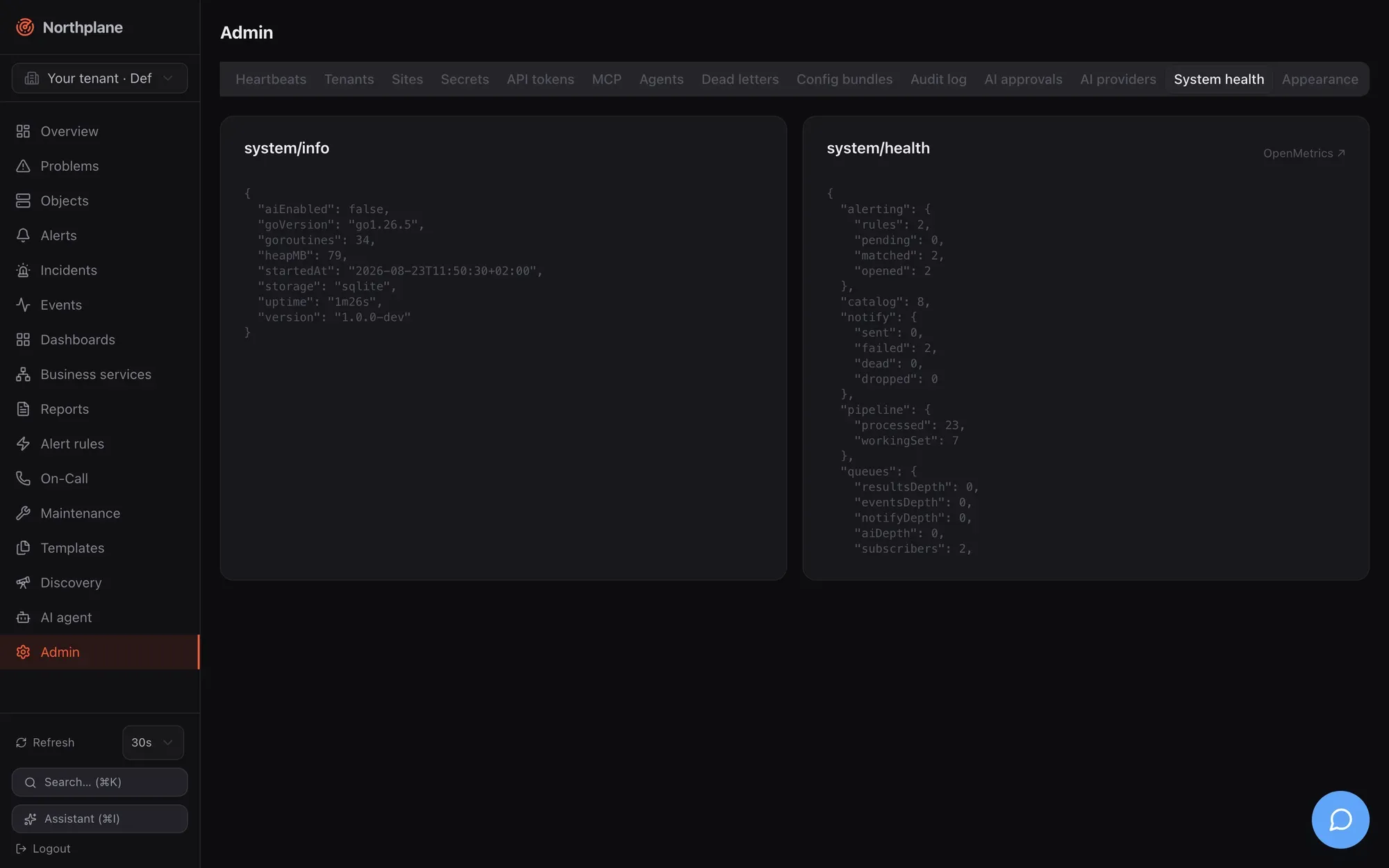
## Background workers and supervision
[Section titled “Background workers and supervision”](#background-workers-and-supervision)
`serve` runs every subsystem as a supervised goroutine: a panic is recovered, logged with its stack, and the worker restarts after 1 s (`workerRestartBackoff`), so one misbehaving integration cannot take the process down. Worker names as they appear in logs:
| Worker | Role |
| --------------------------------------------------------------------------------------- | ----------------------------------------------------------------------------------------- |
| `scheduler`, `executor`, `pipeline` | schedule checks, run them, turn results into state and events |
| `alerting`, `correlator`, `escalation`, `notify` | rules → alerts, incident correlation, escalation timers, outbox delivery |
| `traps`, `mailin`, `mqttin`, `espa`, `agi` | SNMP trap receiver, IMAP poller, MQTT subscriber, ESPA/ESPA-X listeners, FastAGI listener |
| `api-janitor` | periodic maintenance (table below) |
| `webhook-dispatcher` | outgoing webhook subscriptions |
| `report-scheduler` | scheduled reports (first tick 10 s after start, then every minute) |
| `dead-man` | the outgoing ping above |
| `ldap-sync` (when LDAP is configured), `federation-edge` (edge mode), `ai` (AI service) | conditional workers |
The janitor’s schedule:
| Cadence | Work |
| ------------ | ------------------------------------------------------------------------------------------------------------------------------------------------------------ |
| every 30 s | recompute downtime depths and trigger flexible downtimes for every tenant |
| every 10 min | delete expired sessions and idempotency rows older than 24 h |
| hourly | flush closed TSDB windows; between 02:00 and 03:59 local time (at most once per 20 h) run full TSDB maintenance (downsample + retention) and event retention |
Alert auto-close (`autoCloseAfter`) and snooze wake-ups run inside the alerting engine loop; heartbeat misses are swept every 5 s.
On SIGINT/SIGTERM the HTTP server stops accepting connections and all workers get a shared 30 s budget to drain; the store and TSDB are closed afterwards (`close failed` is logged if that fails).
## The 30 s request timeout
[Section titled “The 30 s request timeout”](#the-30-s-request-timeout)
Every ordinary request is wrapped in a 30 s response deadline (`http.TimeoutHandler`): when the handler has not finished, the client receives HTTP `503` with the plain-text body `request timeout` (not a problem+json document). Exempt — and therefore unbounded — are the streaming paths `/api/v1/stream` (SSE), `/api/v1/events:export` (NDJSON), `/api/v1/ai/chat` (agent chat) and `/mcp`, `/mcp/*`. Long synchronous operations that can approach the limit on large tenants: `audit:export`, `config/bundles:export`, large `objects:batch` calls and report rendering. The other server timeouts (`ReadHeaderTimeout` 10 s, `ReadTimeout` 60 s, `IdleTimeout` 120 s) are listed in [Configuration → Not configurable](/docs/administration/configuration/#not-configurable); proxy settings that match them are in [TLS and reverse proxies](/docs/administration/tls-and-proxy/#timeouts-a-proxy-should-respect).
# Secrets
> The encrypted secret store — AES-256-GCM SecretBox, the secret.key master key and its provisioning, the $SECRET:name$ reference syntax and where it is accepted, the secrets API and Admin tab, backup and rotation advice, and what happens when the key is lost.
Northplane keeps credentials that its own configuration needs — SMTP passwords, Twilio auth tokens, ticket-system API keys, webhook HMAC secrets, agent bearer tokens — in a **write-only secret store**. Values are encrypted at rest with a master key, are never returned by the API, and are referenced from configuration by name. Do not confuse this with [API tokens](/docs/administration/api-tokens/), which are credentials *for* Northplane; secrets are credentials Northplane uses *towards* other systems.
## How the store works
[Section titled “How the store works”](#how-the-store-works)
| Property | Value |
| ---------- | -------------------------------------------------------------------------------------------------------------------------------------------------------------------- |
| Cipher | **AES-256-GCM**; each value is sealed as `nonce ‖ ciphertext` with a fresh random nonce |
| Master key | 32 bytes, stored **hex-encoded (64 characters)** in a key file with mode `0600` |
| Storage | Table `secrets(tenant_id, name, ciphertext, updated_by, updated_at)`, primary key `(tenant_id, name)` — secrets are **tenant-scoped** by name |
| Visibility | Write-only: `GET /api/v1/secrets` returns names only; audit entries for `secret.put` carry no value; the agent check pull does not expand references |
| Consumers | Notification channels, event sources (ingest auth, IMAP and MQTT passwords), telephony, outgoing webhooks, check-command macros, AI provider connections (see below) |
A wrong master key makes decryption fail with `secret decryption failed (wrong master key?)` — the value is then treated as missing.
## The master key (`secret.key`)
[Section titled “The master key (secret.key)”](#the-master-key-secretkey)
The key file location is `secretKeyFile` in `config.yaml` (env `NORTHPLANE_SECRET_KEY_FILE`). `northplaned init` writes `/secret.key` (as root: `/etc/northplane/secret.key`) with mode `0600` and references it from the generated `config.yaml`; its summary prints “secret key: … (0600 — back this up!)”.
At start the server resolves the key (**self-provisioning**):
1. If `secretKeyFile` is set and the file does **not exist**, a fresh key is generated there (log `server: generated secret-store master key`); then the file is loaded.
2. If the configured path is **unusable** — read-only mount, a directory left behind by a missing Docker bind-mount source, bad contents — the server logs `server: configured secretKeyFile unusable — falling back to the data directory` and uses `/secret.key` (generated if missing). A file with garbage content is never overwritten.
3. If no path is configured, `/secret.key` is used directly (generated if missing).
4. If even that fails: `server: secret store disabled (no usable master key)` — the server still starts, but `PUT /api/v1/secrets/{name}` answers `503 np:secrets/nokey` and everything that needs a sealed value (secrets, AI provider keys, MQTT credentials) is unavailable.
The file must hold exactly 64 hex characters (plus optional whitespace); anything else is `secret key file must hold 64 hex chars (32 bytes)`.
The fallback is loud for a reason
If a deployment silently falls back to `/secret.key`, values sealed afterwards are bound to *that* key. Later “fixing” the bind mount swaps the key and makes those values unreadable. Watch the start-up log for the fallback warning and keep exactly one key per data set.
**Where the key lives per deployment variant:**
| Variant | Key file |
| -------------------------------------------------------------- | ---------------------------------------------------------------------------------------------------------------------------------------------------------------------------------------------------------------------------------------------------------------------------------------------------------- |
| Binary + `northplaned init` | `/etc/northplane/secret.key` (root) or `/secret.key`; referenced by `secretKeyFile` |
| Root `docker-compose.yml` (Caddy bundle) | No explicit key: self-provisioned at `/var/lib/northplane/secret.key` inside the `northplane-data` volume |
| `deploy/docker-compose.yml` and `deploy/docker-compose.vm.yml` | `./secret.key` on the host, bind-mounted read-only at `/etc/northplane/secret.key` and set via `NORTHPLANE_SECRET_KEY_FILE`. The provisioning script creates it with `openssl rand -hex 32`, owned by uid/gid **65532** (the container user), mode `0600`. It survives image swaps and demo/real switches. |
A key you create yourself is just `openssl rand -hex 32 > secret.key && chmod 600 secret.key` (owned by the user the server runs as — uid 65532 in the container images).
## Store a secret
[Section titled “Store a secret”](#store-a-secret)
**UI:** **Admin → Secrets** shows Name and Referenz (`$SECRET:name$`) for every secret of the active tenant, with a delete action per row. **Anlegen / Create** asks for Name (e.g. `smtp-password`) and Wert (Value); the dialog warns “Wird nie wieder angezeigt / Never shown again”. There is no edit — to change a value, create it again under the same name (upsert).
**API** (all `admin:secrets`, tenant = the request’s tenant):
| Endpoint | Behaviour |
| -------------------------------------------------------------------------------------- | ------------------------------------------------------------------------------------------------------------------------------- |
| [`PUT /api/v1/secrets/{name}`](/docs/reference/api/operations/put_secrets_name/) | Body `{"value":"…"}` → `204` (create or overwrite). `503 np:secrets/nokey` without a master key. Audit `secret.put` (no value). |
| [`GET /api/v1/secrets`](/docs/reference/api/operations/get_secrets/) | `["smtp-password","twilio-auth"]` — a plain JSON array of **names** |
| [`DELETE /api/v1/secrets/{name}`](/docs/reference/api/operations/delete_secrets_name/) | `204`. Audit `secret.delete`. |
```bash
curl -s -X PUT https://monitoring.example.net/api/v1/secrets/smtp-password \
-H "Authorization: Bearer np_<48 hex>" -H "Content-Type: application/json" \
-d '{"value":""}'
```
Names are free-form strings; keep them URL-safe (they are path segments) and descriptive. A name is unique per tenant — two tenants may both have `smtp-password` with different values.
## Reference a secret: `$SECRET:name$`
[Section titled “Reference a secret: $SECRET:name$”](#reference-a-secret-secretname)
Wherever a configuration field would otherwise hold a credential, write `$SECRET:name$` instead. The value is resolved at use time, in the **tenant of the document** that holds the reference, and never written back into the document or returned by the API.
| Where | How the reference is resolved |
| --------------------------------------------------------------------------------------------------------------------------------------------------------------------------------------------------------------------------------------- | -------------------------------------------------------------------------------------------------------------------------------------------------------------------------------------------------------------------------------------------------------------------------------------------------------------------------------------------------------------------------------------------------------------------------------------------------------------------------------------------------------------------------- |
| **Notification channel** config fields (`password`, `apiKey`, `secretAccessKey`, `sessionToken`, `authToken`, `apiKeySecret`, `token`, `secret`, `apiToken`, `fcmServiceAccount`, `apnsKey`, Asterisk AMI `secret`, MQTT `password`, …) | **Whole-value**: the field must be exactly `$SECRET:name$`. An unresolvable reference becomes the empty string (the delivery then fails with an auth error). The Channels dialog shows the hint “Value or `$SECRET:name$` reference”. See [Channels](/docs/alarming/channels/). |
| **Check commands** (named check commands, `exec:` plugins, `agent:exec:` commands, builtin args) | As a **macro** like `$ARG1$`: `$SECRET:name$` may appear anywhere inside an argument, e.g. `--token $SECRET:agent-token$` for the builtin `agent` check. Resolved by the executor at run time in the object’s tenant; an unresolvable reference is left **verbatim** in the argument and reported as an unknown macro by `POST /api/v1/check-commands:test`. **Not** expanded in `GET /api/v1/agent/checks` (the pulled args keep `$SECRET:…$` literally). See [Plugins and Nagios](/docs/monitoring/plugins-and-nagios/). |
| **Telephony event sources** (`twilioAuthToken` and similar config keys of `voice-inbound` / `sms-inbound`) | Whole-value, placeholder `$SECRET:twilio-auth$` in the dialog. See [Voice and IVR](/docs/alarming/voice-and-ivr/). |
| **Outgoing webhook subscriptions** (`secret`) | `$SECRET:name$` **or** a literal; resolved at delivery to compute `X-Northplane-Signature: sha256=`. See [Outgoing webhooks](/docs/alarming/webhooks-out/). |
Some resources reference secrets **by name without the `$SECRET:` wrapper** (the field is a secret *name*):
| Field | Resource |
| --------------------------- | ----------------------------------------------------------------------------------------------------------------------------------- |
| `secretRef` | Event sources — the token / HMAC key / basic-auth password for `authMode: token`, `hmac`, `basic` on `POST /api/v1/ingest/{source}` |
| `passwordSecretRef` | IMAP (`email`/`imap`) event sources and MQTT event sources — re-read from the store on every (re)connect |
| AI provider connection keys | Sealed with the same box when you save a connection in **Admin → AI providers** ([Agent chat](/docs/ai/agent-chat/)) |
The Event sources dialog has a “secret ref” field next to the auth mode — see [Event sources](/docs/alarming/event-sources/).
SNMPv3 trap passphrases are not secret references
The Event sources dialog writes `v3AuthSecretRef` / `v3PrivSecretRef` for `snmp-trap` sources, but the trap listener only reads the inline keys `v3AuthPass` / `v3PrivPass` and never consults the secret store. Provide SNMPv3 passphrases inline (API, or the “Weitere Einstellungen” key/value editor) — see [SNMP](/docs/monitoring/snmp/).
bundle excerpt — channel and event source using secrets
```yaml
kind: Channel
metadata: {name: ops-mail}
spec:
type: email
config:
provider: smtp
host: smtp.example.net
port: "587"
username: northplane@example.net
password: $SECRET:smtp-password$
---
kind: EventSource
metadata: {name: grafana}
spec:
type: webhook
authMode: token
secretRef: grafana-ingest # name of a secret, no $SECRET:…$ wrapper
```
Secrets themselves are **not** a bundle kind: create them on every instance (main and each edge) with the API or the UI before applying a bundle that references them. A federation edge resolves references against its **own** store.
## Tenancy
[Section titled “Tenancy”](#tenancy)
Secrets are stored per tenant. A channel in tenant *A* can only resolve `$SECRET:x$` from tenant *A*’s store; a central admin creates a customer’s secrets by sending `X-Northplane-Tenant: ` with the `PUT` (see [Tenants and sites](/docs/administration/tenants-and-sites/)). The master key, however, is one per instance.
## Backup and rotation
[Section titled “Backup and rotation”](#backup-and-rotation)
* **Back up `secret.key`** together with the database. `northplaned backup` copies `core.db`, the event segments and the TSDB — **not** the key file, even when it lives in the data directory — yet the key is what makes the `secrets` table readable. The deployment scripts keep it outside the data volume (`/opt/northplane/secret.key`) precisely so that it is backed up as a separate file; see [Storage](/docs/administration/storage/) and [Operations](/docs/deployment/operations/).
* File permissions: `0600`, owned by the service user (uid 65532 in containers). Never commit it, never put it in an image.
* **There is no key-rotation command.** Rotating the master key means: generate a new key file, point `secretKeyFile` at it (or replace the file), restart, and **re-enter every secret** (`PUT` each name again) plus re-save AI provider connections. Until you do, the old values cannot be decrypted. Keep an inventory of secret names (`GET /api/v1/secrets` per tenant) before you start.
* Rotating an individual *secret value* is just another `PUT` under the same name; the next delivery picks it up.
## If the key is lost
[Section titled “If the key is lost”](#if-the-key-is-lost)
With the key gone (or replaced by a different one) every sealed value is unrecoverable: `secret decryption failed (wrong master key?)`. Symptoms are notification failures (empty password / token → provider rejects), inbound webhooks rejected (`401`, because the source’s `secretRef` resolves to nothing), agent checks with `$SECRET:…$` macros failing, and AI connections that no longer authenticate. Recovery is the rotation procedure above: provide a key, restart, re-create every secret and AI connection. Names survive (they are stored in clear), so `GET /api/v1/secrets` gives you the checklist.
## Errors
[Section titled “Errors”](#errors)
| Code | HTTP | When |
| ------------------- | ---- | --------------------------------------------------------------------- |
| `np:secrets/nokey` | 503 | `PUT /api/v1/secrets/{name}` while the store has no usable master key |
| `np:auth/forbidden` | 403 | Caller lacks `admin:secrets` |
The hardening checklist in [Security](/docs/administration/security/) covers key handling as well.
# Security
> Hardening checklist for a Northplane instance — transport, accounts and tokens, secrets, ingest authentication, browser protections, audit — plus the list of unauthenticated endpoints and the known gaps to be aware of.
Northplane ships with safe defaults — loopback listener, no plaintext on the network without an explicit decision, argon2id everywhere, encrypted secrets, a hash-chained audit log, strict CSP — but a production instance still needs a few deliberate choices. This page is the checklist; each item links to the page that explains the mechanism.
## Hardening checklist
[Section titled “Hardening checklist”](#hardening-checklist)
1. **Terminate TLS** — either a certificate pair in `tls.*` or a trusted reverse proxy with `trustProxy: true`; never `tls.insecure` outside development. Set `baseUrl` to the public `https://` URL. → [TLS and reverse proxies](/docs/administration/tls-and-proxy/)
2. **Harden host SSH by identity, not source IP** — `deploy/harden-access.sh` (key-only auth, rescue sshd on 2222, opt-in port-based firewall with auto-rollback) is described in [Provisioning](/docs/deployment/provisioning/#host-ssh-hardening-anti-lockout).
3. **Expose only 443** — keep 8443 (the listener) reachable from the proxy only; open 9162/udp, 2023, 8123 or 4573 only when you actually run the trap receiver, ESPA, ESPA-X or FastAGI listeners, and only towards the devices that need them. → [Deployment overview](/docs/deployment/overview/)
4. **Decide how the first admin is created** — default-admin seeding with `NP_DEFAULT_ADMIN_EMAIL`/`NP_DEFAULT_ADMIN_PASSWORD` (and rotate that password after first login), or `NP_DEFAULT_ADMIN_DISABLED=1` and the interactive `/setup`, or `northplaned bootstrap-admin` headless. Never leave a generated password only in the logs. → [Authentication](/docs/administration/authentication/)
5. **Keep self-service signup off** unless you want it: `allowSignup: false` is the default; the production instance in [Environments](/docs/deployment/environments/) follows the repo variable `NORTHPLANE_ALLOW_SIGNUP` (default off). Self-registered users only get `viewer`.
6. **Use SSO or directory login** for people (OIDC with `adminGroup`/`idpGroups` mapping, or LDAP with `disableMissing: true`) and keep one local break-glass admin. → [Authentication](/docs/administration/authentication/), [Users, roles and permissions](/docs/administration/users-roles-permissions/)
7. **Scope API tokens** to the permissions they need, set `expiresAt`, use `ipBind` where the caller address is stable (remember it is the TCP peer, i.e. the proxy’s address behind a proxy), rotate with `:rotate`, and never reuse the `*:*` bootstrap token for integrations. Agents need `objects:write` only; MCP tokens get the `aiAgent` flag. → [API tokens](/docs/administration/api-tokens/)
8. **Protect and back up `secret.key`** — mode `0600`, owned by the service user (uid 65532 in containers), copied to a safe place; without it every sealed secret is lost. Put credentials into the secret store and reference them as `$SECRET:name$` instead of pasting them into channel or source configs. → [Secrets](/docs/administration/secrets/)
9. **Authenticate every event source** — `authMode: token` (header, not query string) or `hmac`; `none` only for sources that are reachable from trusted networks alone. Set the Twilio auth token for inbound telephony so signatures are verified, and `allowFrom` for caller allow-lists. → [Event sources](/docs/alarming/event-sources/), [Voice and IVR](/docs/alarming/voice-and-ivr/)
10. **Sign outgoing webhooks** — give webhook subscriptions a `secret` and verify `X-Northplane-Signature` on the receiving side. → [Outgoing webhooks](/docs/alarming/webhooks-out/)
11. **Restrict the anonymous endpoints** at the proxy if your threat model requires it — `/metrics`, `/api/v1/system/health`, `/api/v1/system/info`, `/api/docs`, `/status/default`. See [Unauthenticated endpoints](#unauthenticated-endpoints).
12. **Keep the audit chain verifiable** — run `np audit verify` (or `POST /api/v1/audit:verify`) on a schedule and export the log to your SIEM with `GET /api/v1/audit:export`. → [Observability](/docs/administration/observability/#audit-log)
13. **Back up regularly** — `northplaned backup` plus `secret.key` and `config.yaml`; there is no built-in schedule. → [Storage → Backup](/docs/administration/storage/#backup)
14. **Upgrade deliberately** — pin image tags, read release notes, back up first. → [Upgrades](/docs/administration/upgrades/)
15. **Review the known gaps** below and decide whether they matter for your deployment.
## Transport
[Section titled “Transport”](#transport)
* Plaintext on a non-loopback listener is refused unless `trustProxy` or `tls.insecure` is set; with a certificate pair the minimum protocol is TLS 1.2 and an unloadable pair is fatal (no silent fallback).
* `trustProxy` trusts **only** `X-Forwarded-Proto` (first value). It must be enabled only when the proxy is the sole path to the listener and overwrites inbound forwarded headers — otherwise a client could obtain `Secure` cookies and HSTS over plaintext by sending the header itself.
* HSTS (`max-age=31536000; includeSubDomains`) is sent on HTTPS responses; `X-Frame-Options: DENY`, `X-Content-Type-Options: nosniff`, `Referrer-Policy: same-origin` always; a strict CSP on the UI and pages; `/api/*` carries no CSP. Details and the verbatim policies: [Security headers](/docs/administration/tls-and-proxy/#security-headers).
* Cloudflare or another CDN in front is fine: Caddy should declare it as a trusted proxy for its own logs; Northplane does not read client IPs from headers at all.
## Accounts and credentials
[Section titled “Accounts and credentials”](#accounts-and-credentials)
* Passwords: argon2id (`time=1`, 64 MiB, 4 threads, 32-byte key, 16-byte salt), minimum 12 characters, constant-time verification against a dummy hash for unknown accounts; login attempts are rate-limited per client IP (burst 8, one per 15 s). A disabled account cannot log in or keep using a session.
* Sessions: server-side rows, `np_session` cookie `HttpOnly` + `SameSite=Lax` + `Secure` (on HTTPS), 12 h or 30 days with “remember me”; logout deletes the row. Password changes do **not** invalidate other sessions — disable the user or wait for expiry if a session must die now.
* The break-glass admin is re-seeded on every start when no enabled local admin exists; the last enabled local admin cannot be disabled or deleted (`409 np:users/last-admin`).
* Roles: `operator` and `viewer` hold no `admin:*`; `config:write` (templates, rules, channels, bundles) is admin-only among the built-ins; custom roles can nest (`includes`) and map IdP groups (`idpGroups`). Token permissions = scopes ∪ role permissions.
* API tokens: `np_` + 48 hex characters, stored as prefix + argon2id hash, shown once; `expiresAt`, `ipBind`, `aiAgent`, `lastUsedAt`; `:rotate` issues a new secret and deletes the old one immediately. MCP over HTTP and stdio both authenticate with these tokens and inherit exactly their permissions.
* Secrets: AES-256-GCM under the 32-byte master key, write-only through the API (`GET /api/v1/secrets` returns names only), tenant-scoped, never logged (audit `secret.put` carries no value). The agent check pull (`GET /api/v1/agent/checks`) does not expand `$SECRET` references.
## Ingest and integrations
[Section titled “Ingest and integrations”](#ingest-and-integrations)
* Generic webhook ingest (`POST /api/v1/ingest/{source}`) authenticates per source: `token` (default — `Authorization: Bearer ` **or** `?token=`; the query form leaks into access logs, prefer the header or HMAC), `hmac` (`X-Northplane-Signature` or `X-Hub-Signature-256`, HMAC-SHA256 over the raw body, hex, optional `sha256=` prefix), `basic` (password compared, username ignored), `none`. An empty secret makes `token`/`hmac`/`basic` fail closed; a disabled secret store (no master key) has the same effect. Rate limits are per source (`rateLimit` default 50/s, `burst` 200).
* Avoid ingest secrets starting with `np_` — the API middleware would treat them as API tokens and answer `401`.
* Source names are resolved across all tenants for ingest URLs (first match by slug order), so treat event-source names as globally unique.
* The Alertmanager receiver (`…/alertmanager`) does **not** check the source’s `enabled` flag (only its auth) — disable by removing the secret or the source if you need to stop it.
* Inbound telephony: Twilio signatures are verified only when `config.twilioAuthToken` is set (as `$SECRET:…$`); `allowFrom` restricts callers (`403 np:ingress/caller`). `baseUrl` must match the public URL or signatures fail.
* Ack links (`GET /api/v1/ack/{token}`) are HMAC-signed with a server secret, valid 24 h, act only on open alerts and remain valid until expiry (re-clicking shows the same confirmation); the DTMF callback uses the same token. Do not forward notification e-mails containing ack links to untrusted recipients.
* Outgoing webhooks are signed with `X-Northplane-Signature: sha256=` when the subscription has a `secret`; deliveries go through the outbox with retries and a dead-letter queue ([Reliability](/docs/alarming/reliability/)).
* Bundle apply tokens (`ap_…`) expire after 10 minutes and are single-use; bundle bodies are capped at 8 MiB.
* Discovery scans refuse loopback, link-local and multicast ranges and anything larger than a /20.
## Browser protections
[Section titled “Browser protections”](#browser-protections)
* The SPA is gated server-side: unauthenticated document navigations redirect to `/login`; API calls never redirect (they get `401` problem documents).
* CSRF: session-cookie requests whose browser sends `Sec-Fetch-Site: cross-site` are rejected (`403 np:auth/csrf`); cookies are `SameSite=Lax`; there is **no CORS** — the API cannot be called from another origin with the user’s cookie, and token clients are expected to be server-side. Raw routes (ingest, ack link, health) are not CSRF-checked because they do not use sessions.
* `frame-ancestors 'none'` / `X-Frame-Options: DENY` prevent clickjacking; the only third-party origin in the CSP is `app.stepped.ai` (the embedded assistant widget).
* Every API response carries `X-Request-Id`, also stored in audit entries — useful for incident forensics.
## Unauthenticated endpoints
[Section titled “Unauthenticated endpoints”](#unauthenticated-endpoints)
Reachable without any credential (restrict at the proxy if needed):
| Endpoint | What it exposes |
| ------------------------------------------------------------------------------------------------------------------------------------------------------------------------------ | ------------------------------------------------------------------------------------------------------------------------------------------------------------------------------------------------------------------------------------------------------------------------------------------------------------------------------------------------------------------------ |
| `GET /healthz`, `GET /readyz` | liveness/readiness; `/readyz` names the storage dialect |
| `GET /metrics` | server self-metrics (request counts, queue depths, TSDB stats) |
| `GET /api/v1/system/health` | queue depths and subsystem counters |
| `GET /api/v1/system/info` | **version**, Go version, goroutines, heap, uptime, storage dialect, `aiEnabled` |
| `GET /api/openapi.json`, `GET /api/docs`, `GET /api/docs/{asset}` | the API specification and Swagger UI |
| `GET /docs/` | this documentation |
| `GET /status/default` (and any `/status/{slug}` configured as public) | a public status page for the default tenant: business-service root names with a coarse state, or an aggregate “Infrastruktur” row; German text, `Cache-Control: max-age=30`. Non-public pages require `?token=`; there is no API or UI to configure status pages in this version, so only `default` exists unless the `kv` entry `statuspage/` is written directly |
| `GET/POST /login`, `/setup` (while open), `/register` (when `allowSignup`), `/auth/oidc`, `/auth/callback`, `/auth/logout` | authentication pages |
| `POST /api/v1/ingest/{source}`, `POST /api/v1/ingest/{source}/alertmanager`, `POST /api/v1/voice/inbound/{source}[/menu\|/transcription]`, `POST /api/v1/sms/inbound/{source}` | per-source authentication (see above), not platform RBAC |
| `GET /api/v1/ack/{token}`, `POST /api/v1/voice/gather/{token}` | signed tokens |
Requires a token but no session: `/mcp` (Bearer `np_…`, 401 with `WWW-Authenticate: Bearer resource_metadata="/api/v1/whoami"` otherwise).
A Caddy snippet that keeps the operational endpoints internal:
Caddyfile (excerpt)
```text
monitoring.example.net {
@internal {
path /metrics /api/v1/system/* /api/docs* /api/openapi.json /status/*
not remote_ip 10.0.0.0/8 192.168.0.0/16
}
respond @internal 403
reverse_proxy 10.10.10.11:8443
}
```
Do not block `/healthz` if the proxy (or CI) probes it; the deploy workflow probes `http://localhost:8443/healthz` on the VM directly.
## Audit
[Section titled “Audit”](#audit)
Mutations, logins (`login.local`, `login.ldap`, `setup.admin`, `user.register`), token and secret operations, bundle applies, AI actions and federation applies are recorded with actor, tenant, source IP (TCP peer), request id and before/after snapshots in a SHA-256 hash chain. Verify with `np audit verify`; export NDJSON for long-term retention — the table itself is never purged. Not audited: reads, OIDC logins, failed logins, logouts. Full description: [Observability → Audit log](/docs/administration/observability/#audit-log).
## Known gaps — be aware
[Section titled “Known gaps — be aware”](#known-gaps--be-aware)
These are real behaviours of this version, documented so you can compensate; they are tracked in [Roadmap and known issues](/docs/project/roadmap-and-known-issues/).
| Area | Gap | Mitigation |
| ----------- | ---------------------------------------------------------------------------------------------------------------------------------------------------------------------------------------------------------------------------------------- | -------------------------------------------------------------------------------- |
| RBAC | Role `scope.folder` / `scope.selector` / `scope.tenantId` are stored and editable but **not enforced** — a role’s permissions apply to the whole tenant. | Use separate tenants for isolation; do not rely on folder scopes. |
| RBAC | System roles (`admin`, `operator`, `viewer`, `ai-agent`) are marked immutable in the UI but can be modified or deleted via `PUT`/`DELETE /api/v1/roles/{name}` with `admin:write`. | Restrict `admin:write`; watch `role.update`/`role.delete` audit entries. |
| Tenancy | `GET /api/v1/users` lists users of **all** tenants; e-mail addresses are globally unique. | Grant `admin:users` only to instance administrators. |
| Tenancy | `POST /api/v1/alerts/{id}:ack` ignores `X-Northplane-Tenant` (uses the caller’s home tenant); `:resolve`/`:snooze` honour it. | Cross-tenant operators ack from a token/user in the customer tenant. |
| Proxy | `X-Forwarded-For` is not used: audit `sourceIp`, token `ipBind`, the login rate limiter and site heartbeat `sourceIp` see the proxy address. | Keep client-IP logs at the proxy; bind tokens to the proxy or omit `ipBind`. |
| Audit | No retention/purge; failed logins are not audited (OIDC logins and logouts are, as `login.oidc`/`logout`); on PostgreSQL chain verification can report false breaks (`jsonb`). `audit:export` streams without the 30 s request deadline. | Export regularly and page with `afterSeq`. |
| Sessions | Password change or admin reset does not invalidate existing sessions; no IdP (RP-initiated) logout. | Disable the user to cut access immediately. |
| Setup | Default-admin seeding closes `/setup` on default installs; the generated password is printed to the logs once. | Set `NP_DEFAULT_ADMIN_PASSWORD` or `NP_DEFAULT_ADMIN_DISABLED=1` explicitly. |
| Ingest | Alertmanager receiver ignores `enabled`; `?token=` accepted for `token` sources; ingest source names are global. | Remove the source/secret to stop a receiver; use headers or HMAC. |
| Tokens | `ipBind` is not evaluated for `northplaned mcp` (stdio) — only expiry. | Give MCP tokens narrow scopes and short expiry. |
| UI | The Admin page renders all 21 tabs regardless of permissions (non-admins see tabs whose calls return 403); the login/setup/register pages and the status page are German-only and unbranded. | Cosmetic; permissions are enforced server-side. |
| Status page | `/status/default` is public by default and cannot be configured or disabled through the API/UI. | Block `/status/*` at the proxy if you do not want a public page. |
| Web push | Web push subscription flow is incomplete in the UI (server side is ready). | Use FCM/APNs through the alarm app ([Mobile push](/docs/alarming/mobile-push/)). |
# Storage
> SQLite versus PostgreSQL, the data directory layout, schema migrations, moving between backends, backup and restore, retention and sizing.
Northplane keeps three kinds of state: the **relational core** (objects, state, alerts, config documents, users, tokens, secrets, audit log, outbox), the **event log** (append-only, partitioned by month) and the **NP-TSDB** (perfdata time series, plain files). The relational core and the event log live in SQLite by default or in PostgreSQL; the TSDB always lives as files under `dataDir`, regardless of backend.
Configuration keys: `storage.dsn`, `storage.eventRetentionMonths`, `dataDir` — see the [Configuration reference](/docs/administration/configuration/#storage).
## Backends at a glance
[Section titled “Backends at a glance”](#backends-at-a-glance)
| Aspect | SQLite (default) | PostgreSQL |
| -------------------- | ------------------------------------------------------------------------------------------------------------------------------ | ----------------------------------------------------------------------------------------------------------------- |
| Selected by | `storage.dsn` empty (⇒ `/core.db`) or a file path | `storage.dsn` starting with `postgres://` or `postgresql://` |
| Driver | `modernc.org/sqlite` (pure Go, no CGO) | `github.com/jackc/pgx/v5` (`pgx` stdlib driver) |
| Core database | one file `core.db` (+ `core.db-wal`, `core.db-shm`) | one database, tables created by migrations |
| Events | monthly segment files `events-YYYYMM.db` in `dataDir` | parent table `events` partitioned by range on `ts`, child partitions `events_YYYYMM` created on demand |
| Journal / durability | `PRAGMA journal_mode=WAL` set once on the file; per connection `synchronous(NORMAL)`, `busy_timeout(5000)`, `foreign_keys(ON)` | server-side |
| Connection pool | 16 open, 16 idle, no idle/lifetime expiry (so the per-connection pragmas are not re-run under load) | 16 open, 8 idle, `ConnMaxLifetime` 30 min, `ConnMaxIdleTime` 5 min |
| Write concurrency | all writes serialised through one in-process mutex + `BEGIN`/`COMMIT`; WAL lets readers run concurrently | server-side MVCC |
| Types | timestamps as RFC 3339 text (UTC), JSON as text, booleans as integers | `timestamptz`, `jsonb`, `boolean`, `bytea`, `bigint` identity columns |
| Backup | `northplaned backup` (`VACUUM INTO` + segment copies + TSDB) | your PITR/`pg_dump` job for the relational part; `northplaned backup` still copies the TSDB and writes a manifest |
| Test status | the shipped default, fully green in CI | storage test suite runs against PostgreSQL 16 in CI, non-blocking (see caveat below) |
Which to choose: SQLite is the tested, zero-dependency default and is what the production instance in [Environments](/docs/deployment/environments/) runs. Choose PostgreSQL when you already operate it, need its backup/replication tooling, or want the relational data off the local disk. Northplane has no multi-node/HA mode; a PostgreSQL backend does not change that.
## SQLite
[Section titled “SQLite”](#sqlite)
* The core database path is always `/core.db` when `storage.dsn` is empty. A non-URL, non-empty `storage.dsn` is treated as a SQLite **file path** — useful for tests or for placing `core.db` on a different filesystem than the TSDB.
* The directory of the database file is created (`0750`) if missing.
* WAL mode is persistent in the file header; you will always see `core.db-wal` and `core.db-shm` next to the database while the server runs. Do not delete them.
* `busy_timeout` is 5 s: a second process holding a long write lock (for example a manual `sqlite3` session in a write transaction) makes requests wait up to 5 s and then fail. Use read-only tools while the server runs, or stop it first.
* Event segments are separate databases (own handle, 4 connections each, same pragmas) so that dropping a month is a file deletion, not a `DELETE`.
### Known PostgreSQL caveat
[Section titled “Known PostgreSQL caveat”](#known-postgresql-caveat)
Audit chain verification on PostgreSQL
`before`/`after` snapshots of audit entries are stored as `jsonb` on PostgreSQL, which normalises JSON text, while the row hash is computed over the original text; timestamps also round-trip at microsecond precision. As a result `POST /api/v1/audit:verify` (and `np audit verify`) can report a broken chain on PostgreSQL even though nothing was tampered with. This is a known, pre-existing failure (`TestAuditChain`) and the reason the PostgreSQL CI job is non-blocking. SQLite is unaffected.
## PostgreSQL
[Section titled “PostgreSQL”](#postgresql)
config.yaml
```yaml
storage:
dsn: "postgres://np:@db.internal:5432/northplane?sslmode=require"
```
or `NORTHPLANE_STORAGE_DSN=postgres://…` in a container (the Compose files carry a commented `postgres:16` service and DSN for exactly this).
* The database and the role must exist; migrations create all tables on first open (including the `events` parent table and its monthly partitions).
* The pool is bounded to 16 connections and actively recycles idle ones, which keeps it healthy behind pgbouncer or a load balancer with idle timeouts.
* Event partitions `events_YYYYMM` are created on demand by the event store and dropped by retention (`DROP TABLE`), discovered via `pg_tables LIKE 'events_2%'`.
* `dataDir` is still required: the NP-TSDB (`/tsdb/`), the fallback `secret.key`, artifacts and plugins live there.
## Data directory layout
[Section titled “Data directory layout”](#data-directory-layout)
`dataDir` defaults to `/var/lib/northplane` as root (and in the container), `~/.local/share/northplane` / `$XDG_DATA_HOME/northplane` on Linux as a user, `~/Library/Application Support/northplane` on macOS.
| Path | Content |
| ------------------------------------------------------ | ----------------------------------------------------------------------------------------------------------------------------------------------------------------------------------------------------------- |
| `core.db`, `core.db-wal`, `core.db-shm` | SQLite core database (SQLite mode only) |
| `events-YYYYMM.db` (+ `-wal`, `-shm`) | one event segment per month (SQLite mode only); the current month’s segment is created at open |
| `tsdb/series.jsonl` | NP-TSDB series registry (append-only JSONL with in-place threshold updates and `deleted` tombstones) |
| `tsdb/wal.log` | NP-TSDB write-ahead log (25-byte records, fsync batched every 1 s, rewritten after each flush) |
| `tsdb/blocks/block-.npb` | immutable 2-hour raw blocks (Gorilla-compressed) |
| `tsdb/agg/agg--5m.npa`, `tsdb/agg/agg--1h.npa` | daily 5-minute and 1-hour downsampled tiers |
| `secret.key` | AES master key (64 hex characters) — **fallback location** used when `secretKeyFile` is unset or unusable; `northplaned init` writes the key to the config directory instead (`/etc/northplane/secret.key`) |
| `artifacts/` | check artifacts directory (reserved for E2E check artefacts) |
| `plugins/` | last candidate of the plugin-directory auto-detection (see [Configuration](/docs/administration/configuration/#load-order-and-precedence)) |
Not files: the Web Push VAPID key pair and the ack-link signing secret are stored in the `kv` table of the core database (keys `vapid`, `ack_secret`), as are site status records and the AI tool policy.
Ownership: the systemd unit written by `init` uses `StateDirectory=northplane` and `ReadWritePaths=`; the container runs as uid 65532 (distroless `nonroot`) and expects the volume at `/var/lib/northplane` to be writable by that uid.
## Schema migrations
[Section titled “Schema migrations”](#schema-migrations)
Migrations are embedded in the binary, forward-only, and applied automatically by **every** command that opens the store — `serve`, `migrate`, `storage migrate`, `backup`, `mcp`, `bootstrap-admin`. Each migration runs in its own transaction and is recorded in `schema_version (version, name, applied_at)`; pending ones are logged as `storage: applying migration version=N name=…`. A failing migration aborts the command (`storage: migration N "name": …`) and the server does not start.
| # | Name | Content |
| - | --------------------- | --------------------------------------------------------------------------------------------------- |
| 1 | `core` | all base tables |
| 2 | `seed` | default tenant `Default`/`default` and the built-in roles `admin`, `operator`, `viewer`, `ai-agent` |
| 3 | `user_roles` | `users.roles` JSON column |
| 4 | `report_archive_slot` | `report_archive` recreated with a `slot` column |
| 5 | `alert_ticket` | `alerts.ticket_url`, `alerts.ticket_meta` |
| 6 | `hotpath_indices` | partial index on problem states, alert indexes by object and rule |
| 7 | `user_tenant` | `users.tenant_id` (home tenant, defaults to the Default tenant) |
| 8 | `ai_agent_chat` | `ai_provider_connections`, `ai_chats`, `ai_chat_messages` |
| 9 | `alert_snooze` | `alerts.snoozed_until` + partial index |
`northplaned migrate -config ` opens the store, applies whatever is pending and prints `migrations applied — schema is current`. Use it as a pre-flight step during [upgrades](/docs/administration/upgrades/) when you want the schema change to happen before the service restarts. There are no down-migrations; the migration runner simply skips versions it already sees in `schema_version`, so an **older** binary started against a newer database does not fail the migration step — whether it runs correctly depends on the change. Restore from backup for a clean rollback.
## Moving between backends
[Section titled “Moving between backends”](#moving-between-backends)
`northplaned storage migrate --to ` copies the relational data from the backend named in your config to another one. It is an **offline** operation: the downtime equals the copy time.
1. Stop `northplaned` (and any `np-agent` push traffic can simply wait — results are retried).
2. Make sure the target exists (an empty PostgreSQL database, or a path for a new SQLite file). Migrations are applied to the target automatically.
3. Run the copy with the **current** config (it defines the source):
```bash
northplaned storage migrate -config /etc/northplane/config.yaml --to 'postgres://np:@db.internal:5432/northplane?sslmode=require'
```
What is copied, in order: the 23 generic tables (`tenants, users, objects, object_labels, check_state, alerts, incidents, resources, downtimes, silences, heartbeats, api_tokens, sessions, secrets, idempotency, escalations, outbox, ai_actions, ai_conversations, ai_usage, push_subscriptions, report_archive, kv`) with `INSERT … ON CONFLICT DO NOTHING` (the target’s seeded default tenant/roles are kept), then `audit_log` with explicit sequence numbers so the hash chain stays intact, then all events per tenant oldest-first in pages of 1000 into the target’s partitioning. Booleans and timestamps are converted between the dialects. On success it prints `copied rows. Point storage.dsn at the target and restart (NP-TSDB unaffected).`
4. Set `storage.dsn` (or `NORTHPLANE_STORAGE_DSN`) to the target DSN and start the server.
Notes:
* The NP-TSDB is not touched — it is backend-independent and stays under `dataDir`.
* `--to` may also be a SQLite file path. In that case the target’s event segments are written under `-migrated/`, because SQLite segments are placed relative to a data directory, not the DSN; move them into the active `dataDir` before switching.
* Secrets are copied as ciphertext; the target instance needs the **same** `secret.key`.
* The command applies target migrations itself; you do not need to run `migrate` separately.
## Retention
[Section titled “Retention”](#retention)
| Data | Retention | Enforced by |
| -------------------------------------------- | ---------------------------------------------------------------------------------------------------------------------------------------------------------------------------------------------------------------------- | --------------------------------------------------------------------------------- |
| Events | `storage.eventRetentionMonths`, default **12**; `0` = keep all. Whole months are dropped (SQLite: segment file + `-wal`/`-shm` deleted; PostgreSQL: partition dropped) when the month key is older than now − N months | janitor, nightly window 02:00–03:59 local time, at most once per 20 h |
| NP-TSDB raw samples | 30 days (fixed) | nightly `TSDB.Maintain` (flush, downsample, delete expired files by window start) |
| NP-TSDB 5-minute aggregates | 400 days (fixed) | same |
| NP-TSDB 1-hour aggregates | 5 years (fixed) | same |
| NP-TSDB series | cap 100 000 series; new series beyond the cap are dropped and counted (`seriesDropped`) | at ingest |
| Sessions | deleted once expired | janitor, every 10 min |
| Idempotency keys | 24 h | janitor, every 10 min |
| Report archive | `keep` distinct slots per report, default 12 | on insert |
| Alerts, incidents, objects, config documents | kept until deleted/resolved by you or a rule (`autoCloseAfter` expires alerts) | — |
| Audit log | **never purged** | — |
| Outbox | rows deleted on successful delivery; dead letters stay until replayed/deleted | notify worker |
The TSDB retention values are not configurable in this version — see [Configuration → Not configurable](/docs/administration/configuration/#not-configurable). Formats, downsampling and the query API are described in [Metrics and NP-TSDB](/docs/monitoring/metrics-and-tsdb/).
## Backup
[Section titled “Backup”](#backup)
### `northplaned backup`
[Section titled “northplaned backup”](#northplaned-backup)
Set `backup.target` (or `NORTHPLANE_BACKUP_TARGET`) to a directory and run the command; it may run while the server is serving traffic:
/var/backups/northplane/northplane-20260823-020000/manifest.json
```bash
NORTHPLANE_BACKUP_TARGET=/var/backups/northplane northplaned backup -config /etc/northplane/config.yaml
```
It creates `/northplane-/` (UTC timestamp, mode `0750`) containing:
| File | Included | Notes |
| ------------------ | ----------- | ----------------------------------------------------------------------------------------------------------------------------------------------------------------------------------------------------- |
| `core.db` | SQLite mode | produced with `VACUUM INTO` — transaction-consistent without stopping writers |
| `events-YYYYMM.db` | SQLite mode | every segment copied; the hot current-month segment last (worst case: the last seconds of events are missing) |
| `tsdb/` | always | whole tree copied; blocks and aggregates are immutable, WAL and series journal are replay-safe |
| `manifest.json` | always | `{"format":"northplane-backup/1","version":"","createdAt":"","storage":"sqlite"\|"postgres", …}` plus `eventSegments` (SQLite) or `schemaVersion` + a note (PostgreSQL) |
**Not** included — back these up separately:
* `secret.key` — without it every sealed value (secrets, AI provider keys, MQTT/IMAP passwords) is unrecoverable. See [Secrets](/docs/administration/secrets/).
* `config.yaml` and your TLS files.
* The relational data on PostgreSQL (use `pg_dump`/PITR; the manifest records the `schemaVersion` so you can validate a restore).
* `/artifacts/` (the doc comment mentions artefacts, the code does not copy them).
No periodic backup loop
`backup.interval` is parsed but not used: the server never runs backups on its own. Schedule `northplaned backup` with cron/systemd timers (or snapshot the volume/VM at the platform level) and ship the result off-host. A minimal cron line:
```text
15 2 * * * northplane NORTHPLANE_BACKUP_TARGET=/var/backups/northplane /usr/local/bin/northplaned backup -config /etc/northplane/config.yaml
```
In the container (distroless, no shell) run the binary directly with the same data volume and an extra environment variable:
```bash
docker compose exec -e NORTHPLANE_BACKUP_TARGET=/var/lib/northplane/backups northplane northplaned backup
```
and copy `/var/lib/northplane/backups/…` out of the volume afterwards. The alternative is a volume-level snapshot; with SQLite in WAL mode, stop the container first or accept a crash-consistent copy.
### Restore
[Section titled “Restore”](#restore)
There is no restore command; a restore is a file operation:
1. Stop `northplaned`.
2. Put `core.db` and the `events-*.db` segments from the backup into `dataDir` (remove stale `core.db-wal`/`core.db-shm` files left by the stopped instance). On PostgreSQL restore the database with your tooling, then check that its `schema_version` matches the manifest’s `schemaVersion`.
3. Replace `/tsdb/` with the `tsdb/` tree from the backup.
4. Make sure the **same** `secret.key` is in place (config `secretKeyFile` or `/secret.key`), otherwise sealed values fail to decrypt.
5. Start the server (or run `northplaned migrate` first if the backup is from an older version — migrations are applied automatically either way) and verify with `/readyz`, the Objects page and `np audit verify`.
## Sizing notes
[Section titled “Sizing notes”](#sizing-notes)
* SQLite runs the reference production instance (agent fleet, SNMP polling, traps, alarming pipelines) on a 4 vCPU / 8 GB VM; the shipped defaults are tuned for it (pool warm and non-expiring, 250 ms pipeline flushes, `busy_timeout` 5 s).
* Event volume is the main disk driver on the relational side: one row per state change, notification, ingress event, ack, config change … per month file. Lower `storage.eventRetentionMonths` if disk is tight; the NDJSON export (`GET /api/v1/events:export`) lets you archive before dropping.
* TSDB growth is bounded by retention and the 100 000-series cap; each check result appends one sample per perfdata label plus `np_exec_time`. Raw blocks are compact (Gorilla encoding) and downsampled tiers are small.
* The outbox and escalation tables are small and self-cleaning; the audit log grows forever (plan for it, or export and truncate manually — there is no built-in purge).
* Keep `dataDir` on local or low-latency storage: SQLite WAL and the TSDB WAL fsync frequently.
# Tenants and sites
> Administering multi-tenancy (tenants, the X-Northplane-Tenant header, per-tenant roles, users and tokens, isolation guarantees) and federation sites (creating a site with its config bundle, the sites:connect token, edge configuration, monitoring connected edges) — with the VM104 worked example.
Northplane separates customers with **tenants** (data partitions inside one instance) and connects remote, customer-site installations as **sites** (federation edges that pull their configuration from a main instance). Both are administered under **Admin (Administration)**. For the models behind them read [Tenancy and RBAC](/docs/concepts/tenancy-rbac/) and [Federation](/docs/concepts/federation/) first; this page is the operator’s how-to and reference.
## Tenants
[Section titled “Tenants”](#tenants)
### The Default tenant
[Section titled “The Default tenant”](#the-default-tenant)
Every instance has the tenant `Default` (slug `default`, id `00000000-0000-7000-8000-000000000001`), created by migration. Single-tenant installs never see another one: all users, tokens, objects and config documents live there. Sessions for OIDC and LDAP users, `/setup`, `/register` and default-admin seeding always land in the Default tenant.
### Creating a tenant
[Section titled “Creating a tenant”](#creating-a-tenant)
Tenants are **create-only** in this version: there is no update, rename, disable or delete (the `disabled` flag exists in the record but is never read for access control). The UI says so — **Admin → Tenants (Mandanten)** lists Name, Slug, Status and ID, and the **Anlegen** dialog takes Name and Slug (“URL-tauglicher Kurzname”) with the note “Mandanten können derzeit nicht gelöscht werden”.
| Endpoint | Permission | Behaviour |
| ---------------------------------------------------------------------- | --------------- | ------------------------------------------------------------------------------------------------------------------- |
| [`GET /api/v1/tenants`](/docs/reference/api/operations/get_tenants/) | `admin:tenants` | All tenants (`{items: [{id, name, slug, disabled, version, createdAt, updatedAt}]}`) |
| [`POST /api/v1/tenants`](/docs/reference/api/operations/post_tenants/) | `admin:tenants` | `{name, slug}` — both required (`422 np:validation/tenant`), slug unique → `201 {"id": "…"}`; audit `tenant.create` |
```bash
curl -s -X POST https://monitoring.example.net/api/v1/tenants \
-H "Authorization: Bearer np_<48 hex>" -H "Content-Type: application/json" \
-d '{"name":"MyFoxIT","slug":"myfoxit"}'
```
Creating a tenant seeds the four built-in roles (`admin`, `operator`, `viewer`, `ai-agent`) into it in the same transaction, so role names resolve in every tenant from the start.
### Acting on another tenant: `X-Northplane-Tenant`
[Section titled “Acting on another tenant: X-Northplane-Tenant”](#acting-on-another-tenant-x-northplane-tenant)
Every API handler scopes its reads and writes by the request’s tenant, resolved as:
* the value of the `X-Northplane-Tenant` header — the tenant **id** (UUID), not the slug — **if** the principal holds `admin:tenants` (or a wildcard implying it);
* otherwise the principal’s own tenant (token tenant or session tenant). The header is silently ignored for everyone else.
```bash
# as a central admin: list the hosts of tenant MyFoxIT
curl -s https://monitoring.example.net/api/v1/hosts \
-H "Authorization: Bearer np_<48 hex>" \
-H "X-Northplane-Tenant: "
```
Mutations made with the header are **audited under the acted-on tenant** with the operator’s actor id; `GET /api/v1/whoami` keeps reporting the principal’s home tenant. Cross-tenant reads of objects return `404 np:not-found` (not 403), and listings never leak rows from other tenants.
Handlers that do not honour the header
* `POST /api/v1/alerts/{id}:ack` uses the principal’s **home** tenant (while `:resolve` and `:snooze` honour the header) — a cross-tenant operator acking a customer’s alert gets 404. Use the customer’s own credentials or the ack link instead.
* `GET /api/v1/users` lists **all users of the instance** regardless of tenant.
* `GET`/`PUT /api/v1/branding` is always the instance document under the Default tenant.
* Inbound webhooks, telephony callbacks and ack links resolve their tenant from the event source or alert id across all tenants (see [Event sources](/docs/alarming/event-sources/)).
### Tenant-scoped users, roles and tokens
[Section titled “Tenant-scoped users, roles and tokens”](#tenant-scoped-users-roles-and-tokens)
* **Users** have a home tenant (`tenantId`); `POST /api/v1/users` creates the account in the request’s tenant, so a central admin provisions a customer login by sending `X-Northplane-Tenant`. A local login lands in the home tenant. E-mail addresses are unique instance-wide.
* **Roles** live per tenant. `admin:tenants` holders see and edit other tenants’ roles only through the header. Role names in sessions and tokens are resolved in the session’s/token’s tenant.
* **API tokens** belong to the tenant they were minted in (the creator’s active tenant at creation) and resolve their `roles` there — see [API tokens](/docs/administration/api-tokens/).
* **Secrets** are stored per `(tenant, name)` — see [Secrets](/docs/administration/secrets/).
* **Preferences** are stored per (tenant, actor).
**Worked example — provisioning a customer administrator.** This is how the tenant *MyFoxIT* on the reference instance was set up: a custom role that can do everything inside the tenant except leave it.
```bash
NP=https://monitoring.example.net; TOK=np_
TENANT=$(curl -s -X POST $NP/api/v1/tenants -H "Authorization: Bearer $TOK" \
-H "Content-Type: application/json" -d '{"name":"MyFoxIT","slug":"myfoxit"}' | jq -r .id)
# 1. a tenant-admin role inside the tenant: everything except admin:tenants
curl -s -X POST $NP/api/v1/roles -H "Authorization: Bearer $TOK" -H "X-Northplane-Tenant: $TENANT" \
-H "Content-Type: application/json" -d '{
"name": "tenant-admin",
"permissions": ["objects:*","config:write","checks:run","alerts:*","incidents:*",
"downtimes:write","silences:write","events:read","metrics:read","oncall:*",
"reports:render","admin:read","admin:write","admin:users","admin:tokens",
"admin:secrets","admin:audit","admin:ai"],
"scope": {"tenantId": "'"$TENANT"'"}
}'
# 2. the customer's first login, created IN the tenant
curl -s -X POST $NP/api/v1/users -H "Authorization: Bearer $TOK" -H "X-Northplane-Tenant: $TENANT" \
-H "Content-Type: application/json" \
-d '{"name":"Alexander Hoehne","email":"info@myfoxit.com","password":"","roles":["tenant-admin"]}'
```
The customer logs in at `/login`, lands in tenant MyFoxIT and never sees the tenant switcher (no `admin:tenants`). Because `admin:users` is instance-global for listing, that tenant admin still *sees* every account’s name and e-mail in **Admin → Users** — keep that in mind when you hand out `admin:users`.
### What is isolated and what is not
[Section titled “What is isolated and what is not”](#what-is-isolated-and-what-is-not)
| Tenant-scoped (by `tenant_id`) | Instance-wide |
| -------------------------------------------------------------------------------------------------------------------------------------------------------------------------------------------- | ------------------------------------------------------------------------------------------------------------------------------------------------- |
| Hosts, services, check state, alerts, incidents, events (and the SSE stream), downtimes, silences, heartbeats | The user **list** (`GET /api/v1/users`) and e-mail uniqueness |
| All config documents: templates, check commands, time periods, rules, policies, channels, event sources, contacts, schedules, dashboards, reports, webhooks, IVR menus, **roles**, **sites** | Branding (theme and mode) |
| API tokens, secrets, sessions, preferences, idempotency keys | `config.yaml`: TLS, OIDC, LDAP, federation, `allowSignup`, demo mode, `secret.key` |
| Audit search and export (`GET /api/v1/audit`, `:export`) | Audit chain verification (`POST /api/v1/audit:verify` walks the whole table) |
| | Push subscriptions (keyed by actor id) |
| | Event-source ingest URLs (`/api/v1/ingest/{source}` is looked up across all tenants by id or name — first match in slug order wins) and ack links |
### The tenant switcher in the UI
[Section titled “The tenant switcher in the UI”](#the-tenant-switcher-in-the-ui)
The sidebar shows a tenant switcher only when `whoami.permissions` implies `admin:tenants`. It lists “Eigener Mandant / Your tenant · ``” plus all tenants from `GET /api/v1/tenants`; selecting a customer stores the id in `localStorage` (`np.activeTenant`), clears the query cache, navigates to the overview, tints the sidebar accent and labels it “Aktiver Kunde / Active customer: ``”. From then on every API call from the UI sends `X-Northplane-Tenant`. Branding is not re-fetched on a switch (it is instance-wide anyway).
Known UI gap
The Admin page renders all 21 tabs regardless of permissions. A tenant user without `admin:tenants` still sees the **Tenants** tab (its create button answers 403) and the page issues `GET /roles`, `/tenants` and `/ai/policy` requests that 403 for roles without `admin:*`. Only the tenant switcher and the **Appearance** controls are permission-gated client-side. Tracked in [Roadmap and known issues](/docs/project/roadmap-and-known-issues/).
## Sites (federation edges)
[Section titled “Sites (federation edges)”](#sites-federation-edges)
A **site** is a tenant-scoped document on the *main* instance that describes one remote edge installation and embeds the [config bundle](/docs/administration/config-bundles/) that edge should run. The edge is a full `northplaned` (its own scheduler, plugins, agents, notifications, users, tokens and secrets) that **dials out only**: every tick it pulls its bundle and posts a status heartbeat. Nothing on the main instance connects inbound to the customer network.
### Create a site
[Section titled “Create a site”](#create-a-site)
**Admin → Sites (Standorte)** lists Name, Status (Verbunden / Getrennt), zuletzt gesehen, Version, Hosts/Services, offene Alarme and Konfiguration (Angewendet / Apply-Fehler). The dialog has Name, Beschreibung, **Config-Bundle (YAML)** (“Wird von der Edge-Instanz gezogen und angewendet; Validierung beim Speichern.”) and the checkbox **Deaktiviert (Edge-Zugriffe ablehnen)**.
The API is the generic config-document CRUD at [`/api/v1/sites`](/docs/reference/api/operations/get_sites/) (`objects:read` for GET, `config:write` for POST/PUT/DELETE; `PUT` requires `If-Match`):
```bash
curl -s -X POST https://main.example.net/api/v1/sites \
-H "Authorization: Bearer np_<48 hex>" -H "X-Northplane-Tenant: " \
-H "Content-Type: application/json" -d @- <<'EOF'
{
"name": "customer-a",
"description": "Edge in the customer A data centre",
"labels": {"region": "eu-central"},
"bundle": "kind: Host\nmetadata:\n name: edge-gw\nspec:\n address: 10.20.0.1\n checkCommand: builtin:icmp\n---\nkind: Service\nmetadata:\n host: edge-gw\n name: https\nspec:\n checkCommand: builtin:http -S -p 443\n"
}
EOF
```
| Field | Meaning |
| ----------------------- | ---------------------------------------------------------------------------------------------------------------------------------- |
| `name` | Site name; the edge references it as `federation.site` |
| `description`, `labels` | Free text / key-value labels for the overview |
| `bundle` | Multi-document YAML bundle, **parsed and validated on save** (`422` when invalid). May be empty (“nothing managed centrally yet”). |
| `disabled` | When `true`, the edge’s heartbeat and pull are refused with `403 np:sites/disabled` |
### Mint the edge token
[Section titled “Mint the edge token”](#mint-the-edge-token)
The edge authenticates with an ordinary [API token](/docs/administration/api-tokens/) minted **on the main instance, in the site’s tenant**, with the single scope `sites:connect`:
```bash
curl -s -X POST https://main.example.net/api/v1/api-tokens \
-H "Authorization: Bearer np_<48 hex>" -H "X-Northplane-Tenant: " \
-H "Content-Type: application/json" \
-d '{"name":"site-customer-a","scopes":["sites:connect"]}'
```
The UI hint under the Sites table says the same: “Edge connection: create a token with scope `sites:connect` and add it to the customer instance in config.yaml”. A `sites:connect` token can heartbeat and pull **any** site in its tenant — there is no per-site binding — so mint one token per site and keep sites of different customers in different tenants.
### Configure the edge instance
[Section titled “Configure the edge instance”](#configure-the-edge-instance)
On the edge, set the `federation:` section of `config.yaml` (or the environment equivalents) and restart. The full key reference is in [Configuration](/docs/administration/configuration/).
| Key | Default | Env | Meaning |
| ------------------------------- | ----------------- | -------------------------------- | ------------------------------------------------------------------------------------------------------------- |
| `federation.mode` | `""` (standalone) | `NORTHPLANE_FEDERATION_MODE` | Only `""` or `edge`. There is no `main` mode — a main instance is just an instance that has sites and tokens. |
| `federation.mainUrl` | — | `NORTHPLANE_FEDERATION_MAIN_URL` | `http(s)://…` of the main instance (required in edge mode) |
| `federation.token` | — | `NORTHPLANE_FEDERATION_TOKEN` | The `np_…` token with `sites:connect` (required) |
| `federation.site` | — | `NORTHPLANE_FEDERATION_SITE` | The site name registered on main (required) |
| `federation.interval` | `1m` | — | Tick interval (≤ 0 → 1 m) |
| `federation.insecureSkipVerify` | `false` | — | Skip TLS verification towards main |
| `federation.applyConfig` | `true` | — | `false` = heartbeat only, never pull/apply the bundle |
config.yaml (edge)
```yaml
federation:
mode: edge
mainUrl: "https://main.example.net"
token: "np_…" # minted on main, scope sites:connect
site: "customer-a"
interval: 60s
```
The edge logs `federation: edge mode` at start. Misconfiguration is caught at load time: `federation.mode edge requires federation.token (mint on the main instance, scope sites:connect)`, `… requires federation.site …`, `federation.mainUrl "…": must be an http(s) URL`.
Each tick the `federation-edge` worker does, in this order:
1. `GET {mainUrl}/api/v1/sites/{site}:pull` with `Authorization: Bearer ` and `If-None-Match: `. `304` → nothing to do. `200` → the body (≤ 8 MiB, `application/yaml`) is applied into the edge’s **Default tenant** through the same applier as `np apply` / `bundles:apply`, **without prune**. On success the ETag advances and an audit entry `federation.apply` (actor `system` / `federation`, resource = site name) is written; on failure the old ETag is kept, the error is reported as `applyError` and the pull is retried every tick until a new revision applies. An **empty** bundle is remembered but not applied.
2. `POST {mainUrl}/api/v1/sites/{site}:heartbeat` with `{version, bundleEtag, applyError, stats: {hosts, services, alertsOpen}}` (counted in the edge’s Default tenant). A non-2xx answer is logged as a warning.
The HTTP client timeout is 30 s. If main is unreachable the edge keeps running with its last applied configuration and logs a warning per tick.
### Monitor sites
[Section titled “Monitor sites”](#monitor-sites)
[`GET /api/v1/sites:overview`](/docs/reference/api/operations/get_sites_overview/) (`objects:read`) returns every site of the request’s tenant merged with its last status:
```json
{"items":[{"name":"customer-a","description":"…","labels":{},"bundle":"…","disabled":false,"version":3,
"connected":true,
"status":{"lastSeenAt":"2026-08-23T08:51:12Z","version":"main-daa6dc518a2b","bundleEtag":"\"3f9a…\"",
"applyError":"","stats":{"hosts":2,"services":7,"alertsOpen":0},"sourceIp":"10.10.10.14"}}]}
```
`connected` is `true` when the last heartbeat is younger than **5 minutes**. The status is stored in the key-value store (`site_status::`), not versioned, with `sourceIp` = the TCP peer address of the heartbeat (the proxy’s address when main sits behind one). The Sites tab renders the same data.
The two edge-facing endpoints need `sites:connect`: [`POST /api/v1/sites/{name}:heartbeat`](/docs/reference/api/operations/post_sites_name_heartbeat/) (site must exist in the token’s tenant → 404 otherwise; disabled → `403 np:sites/disabled`; `204`) and [`GET /api/v1/sites/{name}:pull`](/docs/reference/api/operations/get_sites_name_pull/) (`ETag` = quoted hex of the first 16 bytes of SHA-256 of the bundle; `If-None-Match` equal → `304`; otherwise `200 application/yaml`).
### Update a site’s bundle
[Section titled “Update a site’s bundle”](#update-a-sites-bundle)
Change the document on main — in the dialog, or with `PUT /api/v1/sites/{name}` and the current `If-Match` — and the edge picks it up on its next tick (≤ `federation.interval`). Because the edge applies **without prune**, documents you remove from the bundle stay on the edge until someone deletes them there. `Tenant` and `Heartbeat` are not applied by the bundle applier (warning `unsupported kind`); users, tokens, secrets and sites themselves are not bundle kinds at all — provision those on the edge directly.
### Disable a site
[Section titled “Disable a site”](#disable-a-site)
Tick **Deaktiviert (Edge-Zugriffe ablehnen)** or set `"disabled": true`. The edge’s pull and heartbeat then get `403 np:sites/disabled`; the edge keeps its last configuration and keeps running locally. Deleting the site (`DELETE /api/v1/sites/{name}`) makes the edge’s calls 404 with the same local effect. Revoke the site’s token as well if the edge is decommissioned.
### What flows where
[Section titled “What flows where”](#what-flows-where)
| Direction | Content | Not transported |
| ----------- | ------------------------------------------------------------------------------------------------------------------------------------------------------------------------------------------------------------------------------------------------------------------------ | ----------------------------------------------------------------------------------------------------- |
| Main → edge | The site bundle: hosts, services, templates, check commands, time periods, rules, alert groups, policies, channels, contacts, contact groups, schedules, IVR menus, event sources, business services, dashboards, reports, webhooks, saved filters, static groups, roles | Secrets, users, tokens, sites, tenants, heartbeat definitions |
| Edge → main | Heartbeat: edge version, bundle ETag, apply error, counters (hosts, services, open alerts), source IP | Check results, alerts, events, metrics, notifications — the edge alerts locally with its own channels |
Agents at the customer site talk to the **edge** (`server: https://`) with a token minted on the edge (`objects:write`); see [Agent](/docs/monitoring/agent/). Nothing in federation provisions edge credentials or secrets.
### Worked example: the VM104 edge of doktrace.com
[Section titled “Worked example: the VM104 edge of doktrace.com”](#worked-example-the-vm104-edge-of-doktracecom)
The reference production instance ([Environments](/docs/deployment/environments/)) runs this setup: **main** is `https://doktrace.com` (np-01); the **edge** is the VM `np-staging` (VM104, 10.10.10.14 on the same Proxmox host, see [Proxmox VM deployment](/docs/deployment/proxmox-vm/)) running its own `northplaned` container with its own local admin.
1. On main, tenant **MyFoxIT** (slug `myfoxit`) was created and a site **`vm104-edge`** registered in that tenant (all calls with `X-Northplane-Tenant: `). Its bundle holds the hosts `np-staging` and `lab-web`, passive agent services for them, a channel `ntfy-edge` (ntfy.sh topic), an escalation policy `edge-alarm` and a contact `edge-ops`.
2. On main, an API token `site-vm104-edge` with scope `sites:connect` was minted in tenant MyFoxIT.
3. On VM104, `/opt/northplane/config.yaml` (bind-mounted into the container) got `federation: {mode: edge, mainUrl: https://doktrace.com, token: np_…, site: vm104-edge, interval: 60s}`. The mounted file must be readable by the container user **uid 65532** — a `0600 root:root` file fails with “permission denied”; `chown 65532 config.yaml && chmod 640 config.yaml` fixes it.
4. The edge pulled and applied the bundle into its Default tenant and started heartbeating; `GET /api/v1/sites:overview` on main (with the tenant header) shows `connected: true` with the host/service counters.
5. The `np-agent` on VM104 pushes to the **edge** (`server: https://localhost:8443`, `insecure: true`, token `np-agent-local` minted on the edge, hostname `np-staging`), which fills the passive services from the bundle.
To change what the edge monitors, edit the `vm104-edge` site on main (`PUT` with `If-Match`); the edge applies it within 60 s.
# TLS and reverse proxies
> How northplaned decides between TLS and plaintext, how to terminate TLS directly or behind Caddy/nginx, what trustProxy really does, and the security headers every response carries.
Northplane serves a single HTTP listener (`listen`, default `127.0.0.1:8443`) for the API, the UI, SSE streams, MCP and the docs. It can terminate TLS itself from a certificate/key pair, or sit behind a TLS-terminating reverse proxy. What it will **not** do is silently serve plaintext on a network interface: that combination is refused at start-up unless you tell it that a trusted proxy is in front.
## How the listener decides
[Section titled “How the listener decides”](#how-the-listener-decides)
The decision is made once, when `serve` opens the listener (there is no certificate hot-reload and no ACME/autocert — use Caddy for automatic certificates):
| Configuration | Result |
| ------------------------------------------------------------------------------------------------------- | ------------------------------------------------------------------------------------------------------------------------------------------------------------------------------------------------------------------- |
| `tls.certFile` **and** `tls.keyFile` set | TLS with the loaded pair, minimum TLS 1.2, scheme `https`. If the pair cannot be loaded the server **refuses to start** (`TLS cert load failed, refusing to start insecure: …`) — it never falls back to plaintext. |
| no certificate, and `tls.insecure: true` **or** `trustProxy: true` **or** the bound address is loopback | Plaintext HTTP with the warning `server: serving plaintext HTTP (loopback/dev or behind a TLS-terminating proxy — A-15.10 requires TLS in production)`. |
| no certificate, non-loopback listener (`:8443`, `0.0.0.0:8443`, `[::]:8443`, a LAN address) | Fatal: `no TLS configured on a non-loopback listener — set tls.certFile/keyFile, or trustProxy behind a TLS-terminating proxy, or tls.insecure for dev`. |
“Loopback” is determined from the **bound** address: `127.0.0.1:8443` and `[::1]:8443` are loopback; `:8443`, `0.0.0.0:8443` and `[::]:8443` are not, even on a single-host machine. Setting only one of `tls.certFile`/`tls.keyFile` is rejected already at [config validation](/docs/administration/configuration/#validation-errors).
Docker images listen on all interfaces
The container image sets `NORTHPLANE_LISTEN=:8443`. It therefore refuses to start until you provide `NORTHPLANE_TLS_CERT_FILE`/`NORTHPLANE_TLS_KEY_FILE`, or `NORTHPLANE_TRUST_PROXY=true` (behind Caddy, the Compose default), or `NORTHPLANE_TLS_INSECURE=true` (trial only). See [Installation](/docs/getting-started/installation/).
## Terminating TLS in northplaned
[Section titled “Terminating TLS in northplaned”](#terminating-tls-in-northplaned)
Use this when nothing sits in front of the server — a small site, an edge instance on a customer LAN, an appliance.
1. Obtain a PEM certificate chain and key (from your CA, or a self-signed pair for a LAN). The files must be readable by the user running `northplaned` (the systemd unit written by `init` runs as user `northplane` with `ProtectSystem=strict`; keep the files outside the data directory or add them to `ReadWritePaths`/make them world-readable as appropriate).
2. Configure the listener and the pair:
/etc/northplane/config.yaml
```yaml
listen: ":8443"
baseUrl: "https://monitoring.example.net:8443"
tls:
certFile: "/etc/northplane/tls/fullchain.pem"
keyFile: "/etc/northplane/tls/privkey.pem"
```
or, in a container, `NORTHPLANE_TLS_CERT_FILE=/certs/fullchain.pem` and `NORTHPLANE_TLS_KEY_FILE=/certs/privkey.pem` with the files bind-mounted.
3. Restart. The log line `northplane: listening addr=:8443 scheme=https …` confirms TLS is active.
4. Renewals: the pair is read once at start. After replacing the files, restart `northplaned` (`systemctl restart northplaned`).
With direct TLS, `r.TLS` is set on every request, so `Secure` cookies and HSTS are emitted without any further configuration, and `trustProxy` must stay `false`.
## Behind a TLS-terminating reverse proxy
[Section titled “Behind a TLS-terminating reverse proxy”](#behind-a-tls-terminating-reverse-proxy)
This is the reference deployment: Caddy (or nginx, Traefik, Cloudflare + Caddy …) terminates TLS on 443 and forwards plaintext HTTP to `northplaned` on 8443. Configure Northplane with:
config.yaml
```yaml
listen: ":8443" # or 127.0.0.1:8443 if the proxy runs on the same host
baseUrl: "https://monitoring.example.net"
trustProxy: true
```
(or `NORTHPLANE_LISTEN=:8443`, `NORTHPLANE_TRUST_PROXY=true`, `NORTHPLANE_BASE_URL=https://…` as the Compose stacks do).
### What trustProxy does — and does not do
[Section titled “What trustProxy does — and does not do”](#what-trustproxy-does--and-does-not-do)
`trustProxy: true` changes exactly one thing: `auth.RequestIsHTTPS` treats a request as HTTPS when the **first** value of `X-Forwarded-Proto` equals `https` (case-insensitive), in addition to a real TLS connection. That flag drives:
* the `Secure` attribute on the session cookie `np_session` and the OIDC state/verifier cookies;
* the `Strict-Transport-Security` header;
* the start-up rule above (plaintext on a non-loopback listener is allowed).
It does **not**:
* read `X-Forwarded-For`, `X-Real-IP` or `Forwarded`. The client address used for audit `sourceIp`, API-token `ipBind`, the login rate limiter and site heartbeat `sourceIp` is always the TCP peer (`RemoteAddr`) — behind a proxy that is the proxy’s address. Consequences: token IP binding must target the proxy’s address (or be omitted), the login rate limit is shared by everyone behind the same proxy, and audit entries show the proxy IP. (The config comment mentions `X-Forwarded-For`; the implementation does not use it.)
* rewrite URLs. Links in notifications, ack links and the OIDC redirect come from `baseUrl`, so set it to the public URL.
Enable `trustProxy` **only** when the proxy is the sole path to the listener and strips/overwrites inbound `X-Forwarded-Proto`; otherwise a client could claim `https` and receive `Secure` cookies over plaintext. Bind the listener to the proxy-facing interface or firewall 8443 so that only the proxy reaches it.
### Caddy
[Section titled “Caddy”](#caddy)
The bundled Compose stack uses this two-line `Caddyfile`: with `DOMAIN` unset Caddy issues an internal self-signed certificate for `localhost`; with a public DNS name it obtains a Let’s Encrypt certificate automatically.
caddy/Caddyfile
```text
# DOMAIN=localhost (default) → Caddy issues an internal self-signed cert.
# DOMAIN=monitoring.example.net (public DNS → this host) → automatic Let's Encrypt.
{$DOMAIN:localhost} {
reverse_proxy northplane:8443
}
```
A stand-alone Caddy in front of a VM (the production pattern described in [Proxmox VM deployment](/docs/deployment/proxmox-vm/)) adds compression and an active health check against `/healthz`:
/etc/caddy/sites/monitoring.caddy
```text
monitoring.example.net {
encode zstd gzip
reverse_proxy 10.10.10.11:8443 {
health_uri /healthz
health_interval 30s
health_timeout 5s
}
}
```
Caddy sets `X-Forwarded-Proto` and `X-Forwarded-For` by default and streams responses without buffering, so SSE (`/api/v1/stream`), the NDJSON export and MCP work unchanged. If Cloudflare or another proxy sits in front of Caddy, declare it with `servers { trusted_proxies static }` so Caddy keeps the original client address in its own logs (Northplane itself does not use it).
### nginx
[Section titled “nginx”](#nginx)
A minimal server block. The important parts are the forwarded-proto header, disabled buffering and a long read timeout for the streaming paths, and a request-body limit large enough for bundle uploads (8 MiB):
/etc/nginx/conf.d/northplane.conf
```text
server {
listen 443 ssl http2;
server_name monitoring.example.net;
ssl_certificate /etc/letsencrypt/live/monitoring.example.net/fullchain.pem;
ssl_certificate_key /etc/letsencrypt/live/monitoring.example.net/privkey.pem;
client_max_body_size 9m; # bundles are capped at 8 MiB by the server
location / {
proxy_pass http://127.0.0.1:8443;
proxy_http_version 1.1;
proxy_set_header Host $host;
proxy_set_header X-Forwarded-Proto $scheme;
proxy_set_header Connection "";
# long-lived responses: SSE stream, NDJSON export, agent chat, MCP
proxy_buffering off;
proxy_read_timeout 1h;
proxy_send_timeout 1h;
}
}
```
The SSE hub sends a `: ping` comment every 15 s, which keeps idle proxies from closing the stream; if your proxy has a shorter idle timeout, raise it or the UI’s live updates (and `curl -N …/api/v1/stream`) will reconnect constantly.
### Health checks through the proxy
[Section titled “Health checks through the proxy”](#health-checks-through-the-proxy)
`/healthz` (plain `ok`) and `/readyz` (JSON, 503 when a subsystem is down) need no credentials and are the right probes for proxies and orchestrators. Do not send an `Authorization: Bearer np_…` header from a probe: an invalid `np_` token is rejected with 401 on every path served by the API handler, including `/healthz`. See [Observability](/docs/administration/observability/).
## Listen address examples
[Section titled “Listen address examples”](#listen-address-examples)
| `listen` | Meaning | Plaintext allowed without TLS? |
| ---------------------------- | ----------------------------- | ---------------------------------------------- |
| `127.0.0.1:8443` (default) | IPv4 loopback only | yes |
| `[::1]:8443` | IPv6 loopback only | yes |
| `:8443` | all interfaces, IPv4 and IPv6 | no — needs TLS, `trustProxy` or `tls.insecure` |
| `0.0.0.0:8443` / `[::]:8443` | all interfaces | no |
| `10.10.10.11:8443` | one interface | no |
| `:https` | named port (443) | no |
| `127.0.0.1:0` | kernel-assigned port (tests) | yes |
Ports below 1024 need `CAP_NET_BIND_SERVICE` or root; the reference deployments keep 8443 and let the proxy own 80/443. The other network ports Northplane may open (trap receiver 9162/udp, ESPA 2023, ESPA-X 8123, FastAGI 4573) are unrelated to the HTTP listener and are configured on the respective event sources — see [Deployment overview](/docs/deployment/overview/).
## Security headers
[Section titled “Security headers”](#security-headers)
Every response carries hardening headers; they are fixed in code and cannot be configured:
| Header | Value | When |
| --------------------------- | ------------------------------------- | ----------------------------------------------------------------------------------------- |
| `X-Content-Type-Options` | `nosniff` | always |
| `X-Frame-Options` | `DENY` | always |
| `Referrer-Policy` | `same-origin` | always |
| `Strict-Transport-Security` | `max-age=31536000; includeSubDomains` | only when the request is HTTPS (direct TLS, or `trustProxy` + `X-Forwarded-Proto: https`) |
| `Content-Security-Policy` | see below | all paths except `/api/*` (which carry no CSP); `/docs/*` has its own policy |
The SPA / server-rendered pages policy (verbatim):
```text
default-src 'self'; img-src 'self' data: https://app.stepped.ai; style-src 'self' 'unsafe-inline'; script-src 'self' https://app.stepped.ai 'sha256-HlAiISfjqhgIiTh24Wt2L3bd5wG1TYbHlnpS0PMuIA8='; connect-src 'self' https://app.stepped.ai wss://app.stepped.ai; frame-src 'self' https://app.stepped.ai; frame-ancestors 'none'; base-uri 'self'
```
The `app.stepped.ai` origin and the script hash exist for the embedded Stept assistant (chat widget and product tours) loaded by the SPA and by the login/setup/register pages. Everything else is locked to the own origin; `frame-ancestors 'none'` prevents embedding the UI in another site.
The embedded documentation under `/docs/` uses a separate policy, because Starlight needs inline bootstrap scripts and its search runs WebAssembly:
```text
default-src 'self'; script-src 'self' 'unsafe-inline' 'wasm-unsafe-eval'; style-src 'self' 'unsafe-inline'; img-src 'self' data:; font-src 'self'; connect-src 'self'; frame-ancestors 'none'; base-uri 'self'; form-action 'self'
```
If your proxy adds its own security headers, make sure it does not duplicate or contradict these (two `Content-Security-Policy` headers are combined restrictively by browsers).
## Cookies
[Section titled “Cookies”](#cookies)
| Cookie | Attributes | Lifetime |
| ----------------------------------- | ----------------------------------------------------------------------- | -------------------------------------------------- |
| `np_session` | `Path=/`, `HttpOnly`, `SameSite=Lax`, `Secure` iff the request is HTTPS | 12 h; 30 days with “remember me” (`Max-Age` = TTL) |
| `np_oidc_state`, `np_oidc_verifier` | `Path=/auth`, `HttpOnly`, `SameSite=Lax`, `Secure` iff HTTPS | 600 s |
Behind a proxy without `trustProxy`, the `Secure` flag is missing and HSTS is not sent even though users connect over HTTPS — the usual symptom of a forgotten `trustProxy: true`. Session-cookie API requests with `Sec-Fetch-Site: cross-site` are rejected (403 `np:auth/csrf`); there is no CORS support, so browser calls must come from the same origin. Details in [Authentication](/docs/administration/authentication/) and [API overview](/docs/reference/api-overview/).
## Timeouts a proxy should respect
[Section titled “Timeouts a proxy should respect”](#timeouts-a-proxy-should-respect)
The server itself uses `ReadHeaderTimeout` 10 s, `ReadTimeout` 60 s, `IdleTimeout` 120 s and a 30 s response deadline for ordinary requests; the streaming paths `/api/v1/stream`, `/api/v1/events:export`, `/api/v1/ai/chat`, `/mcp` and `/mcp/*` have **no** deadline and can stay open indefinitely. Configure proxy read timeouts accordingly (see the nginx example) and keep response buffering off for those paths. The full list of constants is in [Configuration → Not configurable](/docs/administration/configuration/#not-configurable).
## Troubleshooting
[Section titled “Troubleshooting”](#troubleshooting)
| Symptom | Cause / fix |
| ------------------------------------------------------------------------------------ | ----------------------------------------------------------------------------------------------------------------------------------------------------------------------------------- |
| `northplaned: serve: no TLS configured on a non-loopback listener …` | You set `listen` to a non-loopback address without a certificate pair. Add `tls.certFile`/`tls.keyFile`, set `trustProxy: true` behind a proxy, or (dev only) `tls.insecure: true`. |
| `TLS cert load failed, refusing to start insecure: …` | Unreadable or mismatched PEM files. Check paths, permissions of the `northplane` user, and that cert and key belong together. |
| `config invalid: tls.certFile set without tls.keyFile` | Both keys of the pair are required. |
| Users are logged out after a browser restart / cookies lack `Secure`, no HSTS header | `trustProxy` is `false` behind a TLS-terminating proxy, or the proxy does not send `X-Forwarded-Proto: https`. |
| SSO redirect goes to `http://…` or the wrong host | `baseUrl` is unset or wrong; it must be the public `https://` URL. |
| Live updates stall behind the proxy | Proxy buffering or idle timeout on `/api/v1/stream`; disable buffering and raise read timeouts. |
| Bundle upload returns 413 from the proxy | Raise the proxy body limit to at least 8 MiB (`client_max_body_size 9m` in nginx). |
| Audit log shows the proxy’s IP | Expected — `X-Forwarded-For` is not evaluated. |
# Upgrades
> How to upgrade Northplane per deployment variant, what migrations do, how to roll back, compatibility notes and the version endpoints to verify with.
Northplane is one binary (or one container image) with the UI, the docs and the schema migrations embedded. Upgrading means replacing that artefact and restarting; migrations run automatically on the first start. The steps differ slightly per deployment variant.
## Before you upgrade
[Section titled “Before you upgrade”](#before-you-upgrade)
1. **Back up**: run `northplaned backup` (or snapshot the data volume) and make sure `secret.key` and `config.yaml` are safe — see [Storage → Backup](/docs/administration/storage/#backup). Schema migrations are forward-only; the backup is your rollback path for data.
2. Note the running version (`GET /api/v1/system/info` or **Admin → System health**) so you can roll back to exactly that artefact.
3. Read the release notes of the target version (GitHub Releases for tagged versions; commit history for `main-` images).
4. Plan a short outage: a restart takes seconds, migrations on the shipped schema take well under a minute, but active checks, SSE clients and agents reconnect afterwards (agents retry pushes; scheduled checks resume from the catalog).
## How versions are identified
[Section titled “How versions are identified”](#how-versions-are-identified)
| Where | What you see |
| ----------------------------------------------- | ----------------------------------------------------------------------------------------------- |
| `northplaned version` | `northplaned ` (also in the `help` header) |
| `GET /api/v1/system/info` (anonymous) | `"version":"…"` together with `goVersion`, `uptime`, `storage` |
| **Admin → System health (System-Health)** | the `system/info` card |
| Login, setup and register pages | version in the footer |
| `GET /api/openapi.json` / `northplaned openapi` | `info.version` |
| MCP (stdio and `/mcp`) | server implementation version |
| Federation | each edge reports its version in the heartbeat; **Admin → Sites (Standorte)** shows it per site |
| Backup manifest | `version` field |
| `np --version` | `np `; the usage text (`np help`) carries it too |
The string is injected at build time (`-ldflags -X main.version=…`): `1.0.0-dev` for local builds, the git tag without the `v` for releases (`1.2.0`), `main-<12-char sha>` for images built from `main`, `docker` for an untagged local `docker build`.
## Upgrade per variant
[Section titled “Upgrade per variant”](#upgrade-per-variant)
### Single binary (systemd)
[Section titled “Single binary (systemd)”](#single-binary-systemd)
1. Install the new binaries. Re-running the installer fetches the **latest release** and replaces `northplaned`, `np` and `np-agent` in place (`install -m 0755`), verifying the SHA-256 checksums:
```bash
curl -fsSL https://raw.githubusercontent.com/myfoxit/northplane/main/install.sh | sh
```
or download a specific `northplane___.tar.gz` + `checksums.txt` from the release page, verify, and copy the three binaries to `/usr/local/bin`. (`NP_VERSION=vX.Y.Z` pins the release — see [Installation](/docs/getting-started/installation/#installsh).)
2. Optional pre-flight: `sudo -u northplane northplaned migrate -config /etc/northplane/config.yaml` applies pending migrations while the old service is still running and prints `migrations applied — schema is current`. The old binary keeps working with the newer schema in the usual case (migrations are additive), so this shortens the restart window.
3. `systemctl restart northplaned`, then watch `journalctl -u northplaned -f` for `storage: applying migration …` lines and `northplane: listening`.
4. Upgrade agents on the hosts (`np-agent` from the same tarball), then restart them (`systemctl restart np-agent`). Agents and server ship from the same release; the push/pull protocol is plain JSON over `/api/v1/results` and `/api/v1/agent/checks` with no version handshake, so upgrading them in either order is fine ([Agent](/docs/monitoring/agent/)).
### Docker
[Section titled “Docker”](#docker)
```bash
docker pull ghcr.io/myfoxit/northplane:latest # or a specific tag
docker stop northplane && docker rm northplane
docker run -d --name northplane -v northplane-data:/var/lib/northplane \
ghcr.io/myfoxit/northplane:latest
```
State lives in the volume (`/var/lib/northplane`: `core.db`, event segments, `tsdb/`, and `secret.key` unless you mounted one), so recreating the container is safe.
### Docker Compose
[Section titled “Docker Compose”](#docker-compose)
```bash
cd /opt/northplane # or wherever the stack lives
docker compose pull
docker compose up -d
docker compose logs -f northplane
```
* The root `docker-compose.yml` references `ghcr.io/myfoxit/northplane:latest`; `pull` fetches whatever `latest` is now.
* The `deploy/` stacks read the image from `NORTHPLANE_IMAGE` in `.env` — pin it to an exact tag (`ghcr.io/myfoxit/northplane:main-daa6dc518a2b` or `:1.2.0`) and change that line to upgrade. Keep the previous value (the CI keeps it as `.env.previous`) for rollback.
* Caddy is upgraded the same way (`caddy:2-alpine`); certificates persist in the `caddy-data` volume.
Details of the stacks: [Docker Compose deployment](/docs/deployment/docker-compose/).
### CI-driven production
[Section titled “CI-driven production”](#ci-driven-production)
On the reference production instance nothing is done by hand: a merge to `main` triggers CI, and a green CI run triggers the Deploy workflow, which builds and pushes `ghcr.io/myfoxit/northplane:main-` (+ `latest`), renders a fresh `.env` on the server (keeping the old one as `.env.previous`), runs `docker compose pull && docker compose up -d --remove-orphans`, and then verifies for up to 12 × 5 s that the container runs the wanted image **and** `curl http://localhost:8443/healthz` answers `ok`. If verification fails it restores `.env.previous` and brings the previous image back up — an automatic rollback. Manual runs (`workflow_dispatch`) can also flip demo mode. The whole chain, the GitHub variables/secrets and how to read a red run are documented in [CI/CD](/docs/deployment/ci-cd/); the current state of each environment is in [Environments](/docs/deployment/environments/).
Tagged releases (`v*`) additionally produce the tarballs, the Windows zip (`np`/`np-agent` only) and semver image tags ([Release process](/docs/development/release-process/)).
## Schema migrations
[Section titled “Schema migrations”](#schema-migrations)
* Migrations are applied automatically by the first command that opens the store after the upgrade — normally `serve` — inside one transaction per migration, and logged as `storage: applying migration version=N name=…`. `northplaned migrate` does the same without starting the server.
* The migration list is embedded in the binary (9 migrations as of this version: `core`, `seed`, `user_roles`, `report_archive_slot`, `alert_ticket`, `hotpath_indices`, `user_tenant`, `ai_agent_chat`, `alert_snooze`) and tracked in the `schema_version` table; see [Storage → Schema migrations](/docs/administration/storage/#schema-migrations).
* A failing migration stops the start (`northplaned: storage: migration N "name": …`); the database is left at the last successfully committed migration. Fix the cause (disk, permissions, a PostgreSQL privilege) and start again.
* Boot also reconciles built-in roles additively (for example the `operator` role gains `alerts:write` if missing) and seeds the break-glass admin if no enabled local admin exists — both are idempotent and logged.
* The NP-TSDB has no migration step; its block and aggregate files carry format headers (`NPBLOCK1`, `NPAGGR1`) and are opened in place.
## Rollback
[Section titled “Rollback”](#rollback)
Northplane has no down-migrations, so the cleanest rollback restores the pre-upgrade backup together with the previous artefact:
| Variant | Artefact rollback | Data rollback |
| ------------------------------- | -------------------------------------------------------------------------------------------------------------------------------------------------------------------------------- | ----------------------------------------------------------------------------------------------------------------------------------------------------------- |
| Compose (deploy stacks) | `mv .env.previous .env && docker compose up -d`, or set `NORTHPLANE_IMAGE` back to the previous tag | restore `core.db`, `events-*.db`, `tsdb/` from the backup into the volume while the container is stopped ([Restore](/docs/administration/storage/#restore)) |
| Compose (root stack, `:latest`) | `docker compose pull` cannot go back by itself — set `image:` to an explicit older tag and `up -d` | same |
| Docker | run the older tag | same |
| Single binary | reinstall the previous tarball’s binaries, `systemctl restart northplaned` | restore the data directory from the backup |
| CI-driven | re-run the Deploy workflow for the previous green commit, or repoint `NORTHPLANE_IMAGE` on the server and `up -d`; the workflow rolls back automatically when verification fails | restore the volume on the VM |
Because the migration runner only applies versions it knows and ignores higher ones, an older binary usually **starts** against a newer schema (the added columns/tables are simply unused). That is convenient for a quick revert after a bad deploy, but it is not a supported state to run in for long — restore the backup or move forward again.
## Compatibility notes
[Section titled “Compatibility notes”](#compatibility-notes)
* **UI and docs are embedded** in the binary/image, so they are always exactly in sync with the API — there is nothing to clear or redeploy separately. Browsers pick up the new assets on reload (`/assets/*` are content-hashed and cached immutably; `index.html` is `no-cache`).
* **API**: all routes live under `/api/v1`; responses are RFC 9457 problem documents; the OpenAPI document is generated from the route registry and the TypeScript client types are drift-checked in CI (`make types-check`), so the UI cannot silently lag behind the API. External clients should tolerate new fields in JSON responses.
* **Tokens, sessions, secrets** survive upgrades; sessions are stored in the database, tokens are hashed rows, secrets are sealed with `secret.key`. Never change `secret.key` as part of an upgrade.
* **Federation**: main and edge instances are independent full installations; each reports its version in the heartbeat, and **Admin → Sites** shows it. Upgrade them independently; the pull/heartbeat protocol (`sites:pull` with ETag, `sites:heartbeat` JSON) has no version negotiation, so keep both on the same major version.
* **MCP clients** connect with the same API tokens; tool lists may grow between versions.
* **Event retention, TSDB retention** and other constants may change between versions — re-read [Configuration → Not configurable](/docs/administration/configuration/#not-configurable) after major upgrades.
## Verifying an upgrade
[Section titled “Verifying an upgrade”](#verifying-an-upgrade)
1. `curl -fsS https:///healthz` → `ok`; `curl -fsS https:///readyz` → `"ready":true`.
2. `curl -fsS https:///api/v1/system/info` → the expected `version`.
3. Logs show the expected migration lines (or none) and no `background worker panicked` messages.
4. Log in, open **Overview** and **Admin → System health**; queue depths near zero, `scheduler.scheduled` equals your object count.
5. Trigger a check (`np check-now `) and a test notification (`POST /api/v1/channels/{name}:test-notification`) to confirm the pipeline and the outbox.
6. `np audit verify` → `audit chain intact (N entries verified)`.
7. If you run agents or an edge, check **Admin → Agents** / **Admin → Sites** for fresh heartbeats.
# Users, roles and permissions
> Reference for Northplane RBAC — user accounts and their sources, built-in and custom roles, the permission syntax and wildcard semantics, the complete permission list, and which permission every API route checks.
Authorization in Northplane is role-based: a **user** holds role names, a **role** holds permissions (and may include other roles), and every API route checks one **permission** string. API tokens carry permissions directly as scopes and/or through roles. This page is the reference; the conceptual overview lives in [Tenancy and RBAC](/docs/concepts/tenancy-rbac/), and how credentials are obtained in [Authentication](/docs/administration/authentication/).
## Users
[Section titled “Users”](#users)
### The user record
[Section titled “The user record”](#the-user-record)
| Field | Meaning |
| ----------------------------------- | ------------------------------------------------------------------------------------------------------------------------------------------------------------------------------------- |
| `id` | UUIDv7 |
| `name`, `email` | Display name and login e-mail. E-mail is unique **across the whole instance**, not per tenant. |
| `subject` | Identity-provider subject: `issuer\|sub` for OIDC users, `ldap\|` for directory users; empty for local users |
| `tenantId` | Home tenant (empty = Default). A local login lands in this tenant; OIDC and LDAP users always get the Default tenant. |
| `local` | `true` = password account (created by `/setup`, `/register`, `POST /users` or default-admin seeding); `false` = OIDC (just-in-time provisioned) or LDAP-synced |
| `roles` | Role names. Authoritative for local and LDAP users (LDAP sync writes them); OIDC users get their roles recomputed from IdP groups at every login and usually have an empty list here. |
| `disabled` | A disabled user cannot log in, and existing sessions are rejected on the next request |
| `lastSeenAt` | Stamped at most once per minute while the user is active |
| `version`, `createdAt`, `updatedAt` | |
`passHash` (argon2id) is never returned by the API.
### Managing users in the UI
[Section titled “Managing users in the UI”](#managing-users-in-the-ui)
**Admin → Users (Benutzer)** lists every account with Name (plus an LDAP/OIDC badge for non-local accounts), E-Mail, Rollen, Status and “zuletzt gesehen”. **Benutzer anlegen** opens a dialog with Name, E-Mail, Passwort (≥ 12 characters), Rollen (with suggestions from the roles list) and a **Deaktiviert** switch. Each row offers **Passwort setzen** (local users only), **Bearbeiten** and **Löschen**. Two cards at the bottom handle the LDAP directory sync (when configured) and **Mein Passwort ändern** for the signed-in user.
### User endpoints
[Section titled “User endpoints”](#user-endpoints)
All routes need `admin:users` unless stated otherwise. New users are created in the caller’s active tenant (the `X-Northplane-Tenant` header is honoured for `admin:tenants` holders — this is how a central admin provisions a customer login).
| Endpoint | Behaviour |
| -------------------------------------------------------------------------------------------------------- | -------------------------------------------------------------------------------------------------------------------------------------------------------------------------------------------------------------------------------------------------------------- |
| [`GET /api/v1/users`](/docs/reference/api/operations/get_users/) | Lists the users of the **effective tenant** (home tenant; cross-tenant admins select one via `X-Northplane-Tenant`), ordered by name |
| [`GET /api/v1/users/{id}`](/docs/reference/api/operations/get_users_id/) | One user |
| [`POST /api/v1/users`](/docs/reference/api/operations/post_users/) | `{name, email, password?, roles?, disabled?}` → `201 User`. `password` is optional (≥ 12 characters when given); without it the account can only log in via OIDC until an admin sets one. Duplicate e-mail → `409 np:users/email-in-use`. Audit `user.create`. |
| [`PUT /api/v1/users/{id}`](/docs/reference/api/operations/put_users_id/) | Partial update `{name?, email?, roles?, disabled?}` — absent fields stay unchanged. Audit `user.update` with before/after. |
| [`POST /api/v1/users/{id}:set-password`](/docs/reference/api/operations/post_users_id_set_password/) | `{password}` (≥ 12); an empty password clears it (OIDC-only account). Audit `user.set-password` (no values logged). |
| [`POST /api/v1/users/me:change-password`](/docs/reference/api/operations/post_users_me_change_password/) | No permission, but only for a **session** principal (tokens get 401). `{oldPassword, newPassword}` → 204; wrong current password → `403 np:auth/bad-password`. Audit `user.change-password`. |
| [`DELETE /api/v1/users/{id}`](/docs/reference/api/operations/delete_users_id/) | 204. Audit `user.delete`. |
```bash
curl -s -X POST https://monitoring.example.net/api/v1/users \
-H "Authorization: Bearer np_<48 hex>" -H "Content-Type: application/json" \
-d '{"name":"Jane Doe","email":"jane@example.net","password":"","roles":["operator"]}'
```
Last-admin guard
`PUT` (disabling or removing `admin`) and `DELETE` refuse to remove the **last enabled local admin** with `409 np:users/last-admin`. Only *local, enabled* users holding `admin` count — SSO admins are not considered durable break-glass accounts.
Role names in `roles` are not validated against existing roles: an unknown name simply contributes no permissions.
### User preferences
[Section titled “User preferences”](#user-preferences)
Each actor has one preferences document: `{refreshIntervalMs?: int, extra?: map[string]string}`. `refreshIntervalMs` is `0` for “off” or `1000`–`86400000` (otherwise 422). [`GET`](/docs/reference/api/operations/get_users_id_preferences/)/[`PUT /api/v1/users/{id}/preferences`](/docs/reference/api/operations/put_users_id_preferences/) — `{id}` may be `me` or your own actor id without any permission; another id requires `admin:users`. `PUT` replaces the whole document (audit `preferences.update`). The UI uses it for the refresh presets (5 s / 10 s / 30 s / 60 s / off, default 30 s).
Two things that look like preferences but are not: the UI **language** follows `navigator.language` (German for `de*`, otherwise English) and is not stored; the colour **theme and mode** are instance-wide branding, not per user — see [Branding and themes](/docs/administration/branding-and-themes/).
## Roles
[Section titled “Roles”](#roles)
### Built-in roles
[Section titled “Built-in roles”](#built-in-roles)
Four system roles (`system: true`) are seeded into the Default tenant by migration and into every new tenant on creation:
| Role | Permissions |
| ---------- | ----------------------------------------------------------------------------------------------------------------------------------------------------------------------------------------------------------------------------------------------------------------------------------------------------------- |
| `admin` | `*:*` |
| `operator` | `objects:read`, `objects:write`, `checks:run`, `alerts:read`, `alerts:ack`, `alerts:write`, `incidents:read`, `incidents:write`, `downtimes:write`, `silences:write`, `events:read`, `metrics:read`, `oncall:read`, `oncall:write`, `dashboards:read`, `dashboards:write`, `reports:read`, `reports:render` |
| `viewer` | `objects:read`, `alerts:read`, `incidents:read`, `events:read`, `metrics:read`, `oncall:read`, `dashboards:read`, `reports:read` |
| `ai-agent` | `objects:read`, `alerts:read`, `alerts:ack`, `incidents:read`, `incidents:write`, `events:read`, `metrics:read`, `oncall:read`, `checks:run`, `downtimes:write`, `silences:write`, `config:propose`, `reports:render` |
Consequences worth knowing:
* `operator` and `viewer` hold no `admin:*` permission — they cannot list roles, users, tokens, secrets, the audit log or tenants.
* `operator` holds no `config:write`: an operator manages hosts and services but cannot edit templates, check commands, alert rules, channels, event sources, dashboards or reports. Among the built-ins only `admin` can.
* A “tenant-admin” style role (everything except `admin:tenants`) is a **custom** role; see the example in [Tenants and sites](/docs/administration/tenants-and-sites/).
* At boot the server reconciles the system role `operator` to include `alerts:write` in every tenant (only roles with `system: true` are touched).
### Custom roles
[Section titled “Custom roles”](#custom-roles)
A role is a tenant-scoped document (`kind: role`) at [`/api/v1/roles`](/docs/reference/api/operations/get_roles/):
```json
{
"name": "noc-l1",
"permissions": ["objects:read", "alerts:read", "alerts:ack", "admin:read"],
"includes": ["viewer"],
"idpGroups": ["np-noc-l1", "cn=noc-l1,ou=groups,dc=example,dc=net"],
"scope": { "tenantId": "", "folder": "/", "selector": "" },
"system": false
}
```
| Field | Meaning |
| -------------------------------------------------- | --------------------------------------------------------------------------------------------------------------------------------------------------------------------------------------------------------------------------------------------------------------------------------------------------- |
| `name` | Unique per tenant; used in user role lists, token `roles` and `includes` |
| `permissions` | Permission strings (see below) |
| `includes` | Names of roles whose permissions are added — expanded recursively, depth ≤ 8, cycle-safe. Unknown names are ignored. |
| `idpGroups` | Group identifiers from the IdP or directory that map onto this role at OIDC login or LDAP sync. OIDC matching is an exact string compare; LDAP matching is lower-cased and accepts the full group DN or its first RDN value (`cn`). Only roles in the **Default tenant** are consulted for mapping. |
| `scope.tenantId`, `scope.folder`, `scope.selector` | Stored and editable, **not enforced** (see below) |
| `system` | Built-in marker; the UI hides edit/delete for system roles |
Endpoints: `GET /api/v1/roles` (`?q=&cursor=&limit=`, default 500) and `GET /api/v1/roles/{name}` need `admin:read`; [`POST /api/v1/roles`](/docs/reference/api/operations/post_roles/), [`PUT /api/v1/roles/{name}`](/docs/reference/api/operations/put_roles_name/) (with `If-Match`) and [`DELETE /api/v1/roles/{name}`](/docs/reference/api/operations/delete_roles_name/) need `admin:write`. Mutations are audited as `role.create|update|delete`. `Role` is also a [config bundle](/docs/administration/config-bundles/) kind for apply, but bundle **export** skips roles.
**Admin → Roles (Rollen)** shows Name (with a “System” badge), Berechtigungen, Erbt von (includes) and IdP-Gruppen; the dialog edits Name, the permission list, Inherits, IdP groups and the scope fields.
One gap in this version
* **Folder and selector scope are not implemented.** `scope.folder`, `scope.selector` and `scope.tenantId` are persisted, but the authenticator never populates a folder scope on the principal, so the check on host/service create/update always passes and the selector is never evaluated. Tenant isolation comes from the principal’s tenant, not from `scope.tenantId`. Treat a role as tenant-wide.
System roles are immutable through the API: `PUT`/`DELETE /api/v1/roles/{name}` on a `system: true` role returns `403 np:rbac/system-role` (the seed/reconcile paths write through the store directly). To vary a built-in, create a custom role — optionally with `includes` — instead.
## Permission model
[Section titled “Permission model”](#permission-model)
A permission is a string `resource:action`. A held permission **implies** a wanted one when:
* they are equal, or the held one is `*:*` or `*`;
* otherwise both contain a colon and the resource part matches (`*` or equal) **and** the action part matches (`*` or equal).
| Held | Wanted | Result |
| -------------------- | --------------- | ------------------------------------------------------------- |
| `*:*` or `*` | anything | allowed |
| `admin:*` | `admin:users` | allowed |
| `*:read` | `objects:read` | allowed |
| `objects:read` | `objects:write` | denied |
| `objects` (no colon) | `objects:read` | denied — a malformed permission only matches itself literally |
The same logic is ported to the UI (`web/src/permissions.ts`) for hiding controls; the server decides.
### How permissions are resolved per request
[Section titled “How permissions are resolved per request”](#how-permissions-are-resolved-per-request)
* **Session principal**: the role names stored in the session at login are expanded (including `includes`) in the session’s tenant on **every** request. Editing a role’s permissions therefore applies immediately; changing a user’s role list applies at the next login.
* **Token principal**: `scopes` ∪ permissions of the token’s `roles`, roles resolved in the **token’s** tenant.
* The `X-Northplane-Tenant` header changes which tenant a request acts on (for `admin:tenants` holders) but never which permissions the principal has.
## Permission reference
[Section titled “Permission reference”](#permission-reference)
Every permission string that any route or AI/MCP tool checks:
| Permission | What it allows |
| ----------------------------------------------------- | ---------------------------------------------------------------------------------------------------------------------------------------------------------------------------------------------------------------------------------------------------------------------------------------------------------------------------------------------------------------------------------------------------------------------------------------------------------------------------------------------------------------------------------------- |
| `objects:read` | Read hosts, services, objects, problems, overview, effective config, the builtin check list; list downtimes, silences, heartbeats, discovery scans; business-service tree/impact/SLA; report archive; bundle plan and export; sites overview; agent check pull (`GET /api/v1/agent/checks`); **read of all config-document kinds** (templates, check commands, time periods, alert rules, alert groups, escalation policies, channels, event sources, business services, dashboards, reports, saved filters, webhooks, IVR menus, sites) |
| `objects:write` | Create/update/delete hosts and services, `POST /objects:batch`, passive results `POST /results`, heartbeat beats |
| `config:write` | Create/update/delete all config-document kinds listed above, heartbeat definitions, bundle apply, branding, discovery scan start, channel test-notification, report `:run`, approve AI actions |
| `checks:run` | `check-now`, `POST /check-commands:test` |
| `alerts:read` | List/get alerts, dead letters, AI action queue, alert-rule tests and escalation-policy simulation |
| `alerts:ack` | Ack/resolve/snooze alerts, dead-letter replay, deny AI actions |
| `alerts:write` | Raise alerts manually |
| `incidents:read` | List/get incidents |
| `incidents:write` | Create/update/resolve/merge/summarize incidents |
| `downtimes:write` | Create/cancel downtimes |
| `silences:write` | Create/expire silences |
| `events:read` | Event search/export, SSE stream, and all AI chat endpoints (`/ai/conversations`, `/ai/chats`, `/ai/connections`, `/ai/tools`, `/ai/providers`, `/ai/chat`) |
| `metrics:read` | Metrics query, object metric series |
| `oncall:read` | On-call now/timeline/ICS/overrides/stats; `GET` of schedules, contacts, contact groups |
| `oncall:write` | `POST/PUT/DELETE` of schedules, contacts, contact groups; schedule overrides |
| `reports:render` | `POST /reports/{name}:render` |
| `admin:read` | List/get roles |
| `admin:write` | Create/update/delete roles |
| `admin:users` | Users CRUD, set-password, directory status/sync, other users’ preferences |
| `admin:tokens` | API tokens create/list/revoke/rotate |
| `admin:secrets` | Secrets put/list/delete |
| `admin:audit` | Audit search/export/verify, contact GDPR data export |
| `admin:tenants` | List/create tenants **and** the right to act on another tenant via `X-Northplane-Tenant` |
| `admin:ai` | AI tool policy get/put |
| `sites:connect` | Federation edge heartbeat and bundle pull |
| `dashboards:read`, `dashboards:write`, `reports:read` | Granted by built-in roles but **checked by no route** — dashboard and report CRUD use `objects:read` / `config:write` |
| `config:propose` | In the built-in `ai-agent` role; checked by no route and no AI tool (the `propose_config_change` tool requires `config:write`) |
| `maintenance:write` | Appears in the MCP tab’s “Read + operate” scope preset; checked by no route (downtimes and silences use `downtimes:write` / `silences:write`) |
AI and MCP tools check the same permission names with the same wildcard logic — see [Agent chat](/docs/ai/agent-chat/) and [MCP server](/docs/ai/mcp-server/).
## Route-to-permission table
[Section titled “Route-to-permission table”](#route-to-permission-table)
Every API operation publishes its permission as `x-required-permission` in `/api/openapi.json`, and the generated [REST API reference](/docs/reference/api/) shows it per operation. `—` means no permission check (the handler may still require a login).
| Method and path | Permission |
| ----------------------------------------------------------------------------------------------------------------------------------------------------------------------------------------------------------------------------------------------------------------------------------------------------------------------------------------------------- | ------------------------------------------------------- |
| `GET /api/v1/whoami` | — (401 if anonymous) |
| `GET /api/v1/tenants`, `POST /api/v1/tenants` | `admin:tenants` |
| `GET /api/v1/roles`, `GET /api/v1/roles/{name}` | `admin:read` |
| `POST /api/v1/roles`, `PUT/DELETE /api/v1/roles/{name}` | `admin:write` |
| `POST/GET /api/v1/api-tokens`, `DELETE /api/v1/api-tokens/{id}`, `POST /api/v1/api-tokens/{id}:rotate` | `admin:tokens` |
| `PUT /api/v1/secrets/{name}`, `GET /api/v1/secrets`, `DELETE /api/v1/secrets/{name}` | `admin:secrets` |
| `GET /api/v1/audit`, `GET /api/v1/audit:export`, `POST /api/v1/audit:verify`, `GET /api/v1/contacts/{name}:data-export` | `admin:audit` |
| `GET /api/v1/notifications/dead-letters` / `POST …/{id}:replay` | `alerts:read` / `alerts:ack` |
| `POST/DELETE /api/v1/push-subscriptions` | — (principal required) |
| `GET /api/v1/users`, `GET /api/v1/users/{id}`, `POST /api/v1/users`, `PUT /api/v1/users/{id}`, `POST /api/v1/users/{id}:set-password`, `DELETE /api/v1/users/{id}` | `admin:users` |
| `POST /api/v1/users/me:change-password` | — (session user only) |
| `GET/PUT /api/v1/users/{id}/preferences` | — for `me`/own id; `admin:users` for others |
| `GET /api/v1/branding` / `PUT /api/v1/branding` | — (login required) / `config:write` |
| `GET /api/v1/directory/status`, `POST /api/v1/directory:sync` | `admin:users` |
| `GET /api/v1/objects`, `/hosts`, `/services`, `GET /api/v1/objects/{id}`, `GET …/effective-config`, `GET /api/v1/problems`, `GET /api/v1/check-commands:builtins`, `GET /api/v1/overview` | `objects:read` |
| `POST /api/v1/hosts`, `POST /api/v1/services`, `PUT/DELETE /api/v1/objects/{id}`, `POST /api/v1/objects:batch` | `objects:write` |
| `POST /api/v1/objects/{id}/check-now`, `POST /api/v1/check-commands:test` | `checks:run` |
| CRUD of `templates`, `check-commands`, `time-periods`, `alert-rules`, `alert-groups`, `escalation-policies`, `channels`, `event-sources`, `business-services`, `dashboards`, `reports`, `saved-filters`, `webhooks`, `ivr-menus`, `sites` | `objects:read` (GET) / `config:write` (POST/PUT/DELETE) |
| CRUD of `schedules`, `contacts`, `contact-groups` | `oncall:read` (GET) / `oncall:write` (POST/PUT/DELETE) |
| `GET /api/v1/alerts`, `GET /api/v1/alerts/{id}` | `alerts:read` |
| `POST /api/v1/alerts` | `alerts:write` |
| `POST /api/v1/alerts/{id}:ack`, `:resolve`, `:snooze` | `alerts:ack` |
| `GET /api/v1/incidents`, `GET /api/v1/incidents/{id}` | `incidents:read` |
| `POST /api/v1/incidents`, `PUT /api/v1/incidents/{id}`, `POST …/{id}:resolve`, `:merge`, `:summarize` | `incidents:write` |
| `POST /api/v1/alert-rules:test`, `POST /api/v1/alert-rules/{name}:test`, `POST /api/v1/escalation-policies/{name}:simulate` | `alerts:read` |
| `POST /api/v1/downtimes`, `DELETE /api/v1/downtimes/{id}` / `GET /api/v1/downtimes` | `downtimes:write` / `objects:read` |
| `POST /api/v1/silences`, `DELETE /api/v1/silences/{id}` / `GET /api/v1/silences` | `silences:write` / `objects:read` |
| `GET /api/v1/oncall/now`, `GET /api/v1/schedules/{name}/timeline`, `/ics`, `/overrides`, `/stats` | `oncall:read` |
| `POST /api/v1/schedules/{name}/overrides`, `DELETE …/overrides/{id}` | `oncall:write` |
| `POST /api/v1/channels/{name}:test-notification` | `config:write` |
| `GET /api/v1/events`, `GET /api/v1/events:export`, `GET /api/v1/stream` | `events:read` |
| `POST /api/v1/metrics/query`, `GET /api/v1/objects/{id}/metrics` | `metrics:read` |
| `POST /api/v1/results` | `objects:write` |
| `GET /api/v1/heartbeats` / `POST /api/v1/heartbeats`, `DELETE /api/v1/heartbeats/{name}` / `GET`/`POST /api/v1/heartbeats/{name}/beat` | `objects:read` / `config:write` / `objects:write` |
| `POST /api/v1/config/bundles:plan`, `GET /api/v1/config/bundles:export` / `POST /api/v1/config/bundles:apply` | `objects:read` / `config:write` |
| `GET /api/v1/business-services:tree`, `GET /api/v1/objects/{id}/impact`, `GET /api/v1/business-services/{name}/sla` | `objects:read` |
| `POST /api/v1/reports/{name}:render` / `GET …/archive`, `GET …/archive/{id}` / `POST …:run` | `reports:render` / `objects:read` / `config:write` |
| `POST /api/v1/discovery/scans` / `GET /api/v1/discovery/scans`, `GET …/{id}` | `config:write` / `objects:read` |
| `GET /api/v1/agent/checks` | `objects:read` |
| `GET /api/v1/system/health`, `GET /api/v1/system/info` | — (anonymous) |
| `GET /api/v1/sites:overview` | `objects:read` |
| `POST /api/v1/sites/{name}:heartbeat`, `GET /api/v1/sites/{name}:pull` | `sites:connect` |
| `/api/v1/ai/conversations`, `/ai/providers`, `/ai/connections` (+ `:test`, `/models`), `/ai/tools`, `/ai/chats` (+ messages), `POST /api/v1/ai/chat` | `events:read` |
| `GET /api/v1/ai/actions` / `POST …/{id}:approve` / `POST …/{id}:deny` | `alerts:read` / `config:write` / `alerts:ack` |
| `GET/PUT /api/v1/ai/policy` | `admin:ai` |
| Raw routes with their own auth: `POST /api/v1/ingest/{source}` (+ `/alertmanager`), `GET /api/v1/ack/{token}`, `POST /api/v1/voice/gather/{token}`, `POST /api/v1/voice/inbound/{source}` (+ `/menu`, `/transcription`), `POST /api/v1/sms/inbound/{source}`, `GET /api/openapi.json`, `GET /api/docs`, `GET /healthz`, `GET /readyz`, `GET /metrics` | — |
The full per-operation list, including request and response schemas, is in the [REST API reference](/docs/reference/api/).
# AI agent chat
> The built-in AI agent — provider connections, tool policy, the 22 tools and their approval gates, chats versus the legacy assistant sidebar, incident summaries, the stream protocol, redaction, audit, RBAC and configuration.
Northplane ships an AI agent that can read and — with human approval — operate your monitoring through the same tools the REST API exposes. The agent is a **privilege-less client**: every tool call is checked against the calling user’s permissions, mutating actions ride an approval queue, and everything is audited. The language model comes from a provider you connect (Anthropic, OpenAI, Google, a local Ollama, …); Northplane never ships a model and never sends data anywhere until you configure a provider.
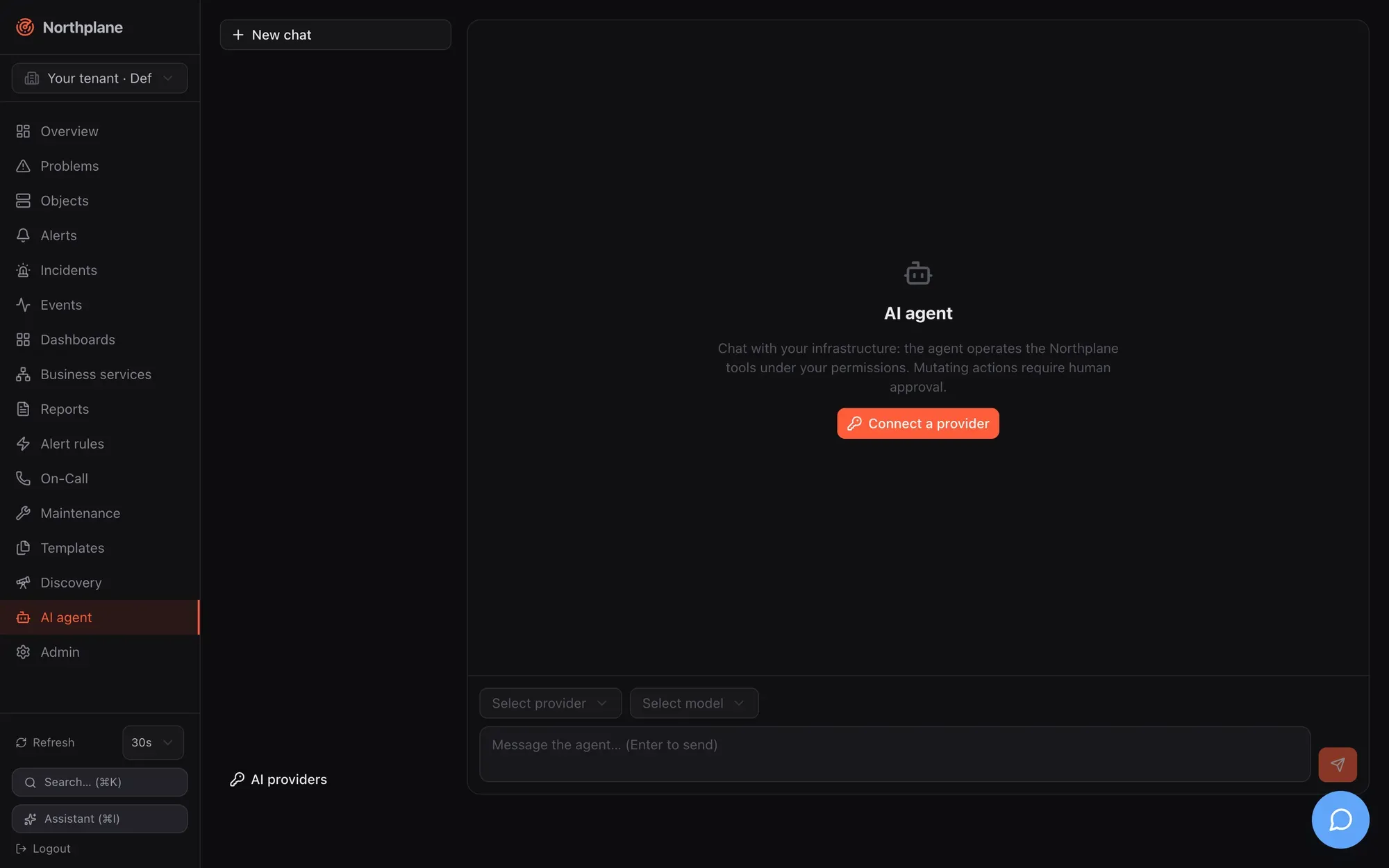
## The three surfaces
[Section titled “The three surfaces”](#the-three-surfaces)
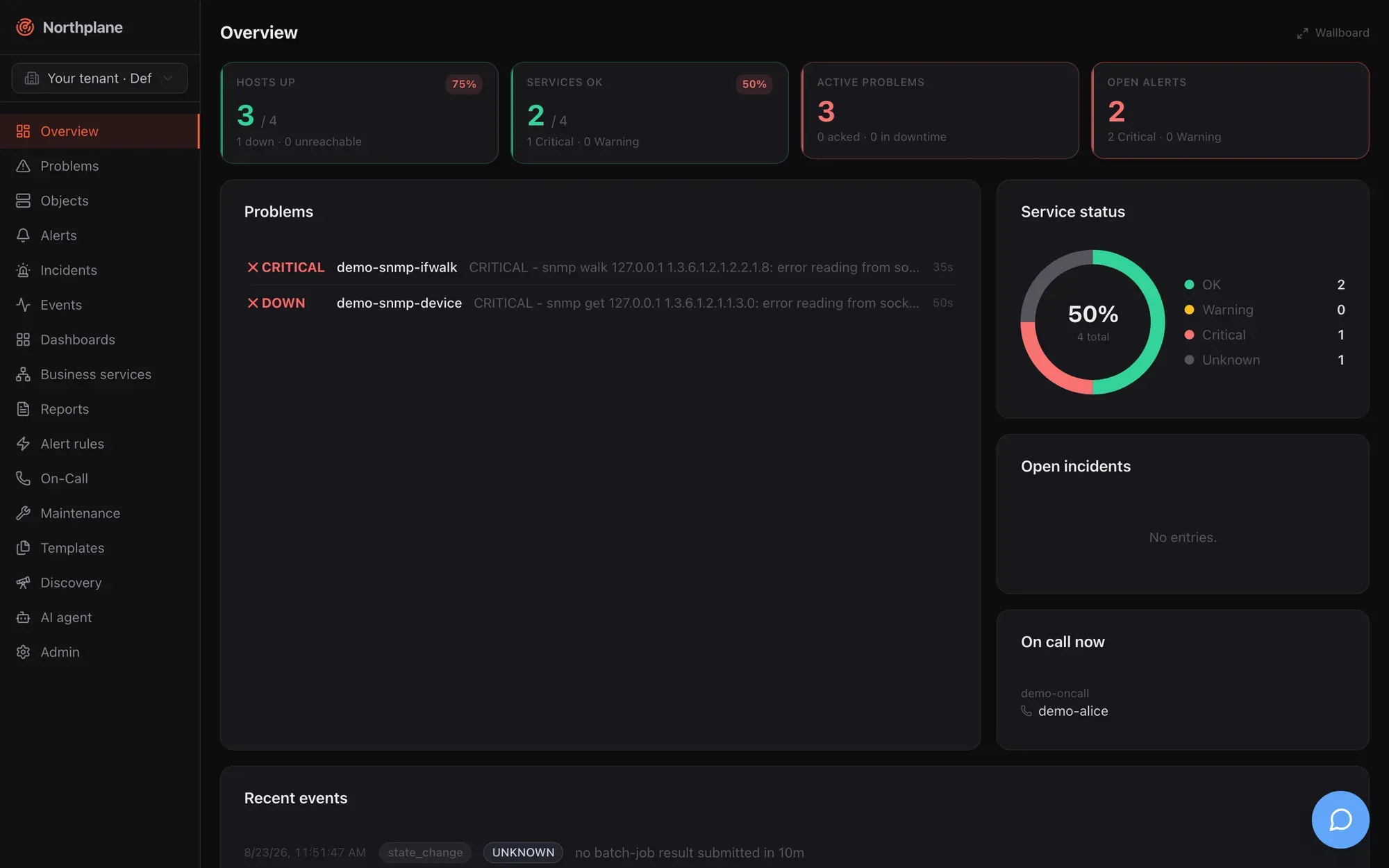
| Surface | Where | Model comes from | Persisted as | Needs server-level `ai.provider`? |
| ------------------------------ | ------------------------------------------------------------------------------------------------- | ----------------------------------------------------------------------------------------- | ------------------------------------------- | ------------------------------------------------------------------------ |
| **Agent chat page** | `/agent` (nav entry **AI agent** / *KI-Agent*) — streaming chat with tool cards, approvals inline | a **provider connection** (personal or shared per tenant) with a SecretBox-sealed API key | `ai_chats` + per-message `ai_chat_messages` | no |
| **Assistant sidebar** (legacy) | header button **Assistant (⌘I)** or Ctrl/⌘+I — non-streaming, one reply with “action cards” | the **server-level** `ai:` config (`ai.provider`, `ai.model`, …) | `ai_conversations` (one transcript blob) | yes — otherwise it shows `AI provider not configured (ai.provider=none)` |
| **MCP server** | `/mcp` (Streamable HTTP) and `northplaned mcp` (stdio) — your MCP client’s model | the MCP client | only the approval queue + audit | no |
All three funnel tool execution through one gate: **tenant tool policy → RBAC of the calling principal → propose/approve for mutating tools → execute → audit**. The MCP surface is documented on [MCP server](/docs/ai/mcp-server/).
What still depends on the server-level provider
`Service.Enabled()` is true only when `ai.provider` in `config.yaml` is not `none`. It gates the legacy sidebar, `POST /incidents/{id}:summarize` and background incident summaries. The agent chat, MCP and the execution of approved actions do not need it.
## Providers
[Section titled “Providers”](#providers)
`GET /api/v1/ai/providers` ([get\_ai\_providers](/docs/reference/api/operations/get_ai_providers/), `events:read`) returns the catalog in the order the UI shows it. Every provider speaks one of two wire dialects: the native Anthropic Messages API (`/v1/messages`, SSE) or the OpenAI Chat Completions SSE dialect (`/chat/completions`).
| id | Label | Dialect | Default endpoint | API key | Curated fallback models (first = suggested default) | Quirks handled |
| --------------- | ----------------------------------- | --------- | --------------------------------------------------------- | -------- | -------------------------------------------------------------------------- | -------------------------------------------------------------------------------------------------- |
| `anthropic` | Anthropic Claude | anthropic | `https://api.anthropic.com` | required | `claude-opus-4-8`, `claude-fable-5`, `claude-sonnet-5`, `claude-haiku-4-5` | adaptive thinking for current model families |
| `openai` | OpenAI | openai | `https://api.openai.com/v1` | required | `gpt-5.6`, `gpt-5.6-terra`, `gpt-5.6-luna`, `gpt-5.2` | `reasoning_effort`; `max_completion_tokens` |
| `google` | Google Gemini | openai | `https://generativelanguage.googleapis.com/v1beta/openai` | required | `gemini-3.5-flash`, `gemini-3.1-pro-preview`, `gemini-3.1-flash-lite` | `reasoning_effort`; `max_completion_tokens`; `models/` prefix stripped in listings |
| `xai` | xAI Grok | openai | `https://api.x.ai/v1` | required | `grok-4.5`, `grok-4.3` | `reasoning_effort`; `max_completion_tokens` |
| `mistral` | Mistral | openai | `https://api.mistral.ai/v1` | required | `mistral-large-latest`, `mistral-medium-latest`, `mistral-small-latest` | — |
| `deepseek` | DeepSeek | openai | `https://api.deepseek.com/v1` | required | `deepseek-v4-pro`, `deepseek-v4-flash` | `reasoning_effort`; `reasoning_content` echoed back in tool loops |
| `groq` | Groq | openai | `https://api.groq.com/openai/v1` | required | `openai/gpt-oss-120b`, `llama-3.3-70b-versatile`, `llama-3.1-8b-instant` | — |
| `openrouter` | OpenRouter | openai | `https://openrouter.ai/api/v1` | required | `openrouter/auto`, `anthropic/claude-sonnet-5`, `openai/gpt-5.6-luna` | `reasoning_details` echoed; `HTTP-Referer` (= `baseUrl` or the GitHub URL) + `X-Title: Northplane` |
| `ollama` | Ollama (local) | openai | `http://localhost:11434/v1` | **none** | none — purely live via `/v1/models` | — |
| `openai-compat` | OpenAI-compatible (custom endpoint) | openai | **none — you must supply one** | none | none | — |
Curated lists are dated fallbacks (July 2026 in the code) used when the live model listing fails. Azure OpenAI is **not** a connection provider; it only exists in the legacy server-level config. All provider traffic is outbound HTTPS from `northplaned` itself — the browser only ever talks to its own origin — so allow the endpoints above (or your custom ones) in egress firewalls.
## Provider connections
[Section titled “Provider connections”](#provider-connections)
A connection = provider + endpoint + sealed API key + default model, owned by a user (personal) or by the tenant (**shared**, `userId` empty). Wire shape:
```json
{
"id": "0199…", "shared": false, "name": "My Anthropic account",
"provider": "anthropic", "endpoint": "",
"keyHint": "…abcd", "hasKey": true,
"defaultModel": "claude-sonnet-5", "extra": {}, "disabled": false,
"version": 1, "createdAt": "…", "updatedAt": "…"
}
```
The API key is never returned — only its last four characters as `keyHint`. Keys are sealed with the platform SecretBox (AES-256-GCM, master key from `secretKeyFile`); without a usable master key, creating a keyed connection fails with `secret store disabled — configure secretKeyFile to store provider keys` (see [Secrets](/docs/administration/secrets/)). Keyless providers (Ollama, openai-compat without key) work without a SecretBox.
| Method + path | Permission | Notes |
| ------------------------------------------------------------------------------------------------------------------------------------------- | -------------------------------------------------- | ------------------------------------------------------------------------------------------------------------------------------------------------------------------------------------------- |
| `GET /api/v1/ai/connections` ([get\_ai\_connections](/docs/reference/api/operations/get_ai_connections/)) | `events:read` | own connections first, then shared, each group by name |
| `POST /api/v1/ai/connections` ([post\_ai\_connections](/docs/reference/api/operations/post_ai_connections/)) | `events:read`; plus `admin:ai` when `shared: true` | 201 with the connection |
| `PUT /api/v1/ai/connections/{id}` ([put\_ai\_connections\_id](/docs/reference/api/operations/put_ai_connections_id/)) | `events:read`; plus `admin:ai` for shared | body must carry `"shared": true` to edit a shared one; `provider` is immutable |
| `DELETE /api/v1/ai/connections/{id}?shared=true` ([delete\_ai\_connections\_id](/docs/reference/api/operations/delete_ai_connections_id/)) | `events:read`; plus `admin:ai` for shared | the query parameter selects the shared record |
| `POST /api/v1/ai/connections/{id}:test` ([post\_ai\_connections\_id\_test](/docs/reference/api/operations/post_ai_connections_id_test/)) | `events:read` | lists models; `{"status":"ok","models":}` or `400 np:ai/invalid` with the provider’s error text |
| `GET /api/v1/ai/connections/{id}/models` ([get\_ai\_connections\_id\_models](/docs/reference/api/operations/get_ai_connections_id_models/)) | `events:read` | `{"items":[{"id","label"?,"curated"?}],"note":""}` — curated first, then live models sorted by id; if the live listing fails but curated models exist the call still succeeds with a `note` |
Create/update body:
```json
{
"name": "Team OpenRouter",
"provider": "openrouter",
"endpoint": "",
"apiKey": "sk-or-v1-…",
"defaultModel": "anthropic/claude-sonnet-5",
"extra": {},
"shared": true,
"disabled": false
}
```
Validation rules:
* `name` is required; an unknown `provider` → `unknown provider "x"`; a duplicate name → `409 np:conflict`.
* `endpoint` is trimmed and a trailing `/` removed. If it differs from the catalog default it must start with `http://` or `https://` **and the caller needs `config:write`** (`custom endpoints require config:write`) — because it makes the server POST to an arbitrary URL. `openai-compat` has no default, so an endpoint is mandatory there.
* `apiKey`: on create required when the provider needs one (`provider "x" requires an API key`); on update omitted/`null` = keep, `""` = clear, non-empty = rotate.
* A disabled connection cannot be used for chats (`connection "x" is disabled`).
* Audit: `ai.connection.create`, `ai.connection.update` (payload says whether the key was rotated), `ai.connection.delete`.
In the UI, personal connections live in the **AI providers** dialog of the agent page (name, provider, key hint, default model, **Test** button → “N models” or “Test failed”); shared ones are managed under **Admin → AI providers** and appear read-only with a **Shared** badge for other users.
## Tool policy
[Section titled “Tool policy”](#tool-policy)
The tenant-wide policy decides which tools exist, which mutating tools skip approval, and how many tool rounds a turn may take. Stored per tenant; zero value = defaults.
```json
{
"disabled": ["delete_config_resource", "apply_config_change"],
"autoApprove": ["create_silence"],
"maxRounds": 12,
"version": 3
}
```
| Field | Semantics |
| --------------- | ---------------------------------------------------------------------------------------------------------------------------------------------------------------------------------------- |
| `disabled[]` | tools neither advertised to the model (agent chat, legacy sidebar, MCP) nor executable — execution is refused with `tool "x" is disabled by policy` and audited as `ai.disabled.`. |
| `autoApprove[]` | mutating tools that skip the approval queue (still RBAC-checked and audited). Only valid for mutating tools: `tool "x" is read-only — autoApprove applies to mutating tools`. |
| `maxRounds` | agent-loop cap per user turn: `0` = default **10**, maximum **24** (`maxRounds must be between 0 (default) and 24`). Not applied to the legacy sidebar (fixed 8). |
| `version` | incremented on every save |
Endpoints: `GET /api/v1/ai/policy` ([get\_ai\_policy](/docs/reference/api/operations/get_ai_policy/)) and `PUT /api/v1/ai/policy` ([put\_ai\_policy](/docs/reference/api/operations/put_ai_policy/)), both **`admin:ai`** (implied by `admin:*` and `*:*`); unknown tool names → `unknown tool "x"`; audit `ai.policy.update` with the full policy. `PUT` does not enforce `If-Match` — last write wins. `GET /api/v1/ai/tools` ([get\_ai\_tools](/docs/reference/api/operations/get_ai_tools/), `events:read`) returns the catalog with the effective policy state: `items: [{name, description, mutating, autoOk, disabled, autoApprove}]`, sorted by name.
There are **no** per-connection allow-lists, per-tenant token budgets or per-tool argument limits. The only hard per-tool limit is the downtime cap: `create_downtime` accepts at most **4 hours**. The only budget is the instance-wide `ai.maxMonthlyTokens` ([Budget and usage](#budget-and-usage)).
## Tools
[Section titled “Tools”](#tools)
The registry holds **22 tools**, shared by the agent chat, the legacy sidebar and MCP. Input schemas are JSON Schema reflected from typed structs (required inputs are **bold** below). Gate classes:
* **read** — executes directly; audit `ai.read.`.
* **mutating, auto** — executes immediately; audit `ai.execute.`.
* **mutating, approval** — queued as a *proposal* unless the policy’s `autoApprove` lists the tool; the model receives `{"status":"proposed","actionId":"…","note":"queued for human approval (POST /api/v1/ai/actions/:approve)"}`; audit `ai.propose.`.
### Read tools
[Section titled “Read tools”](#read-tools)
| Tool | Permission | Input | Result |
| ----------------------- | -------------------------------------- | ------------------------------------------------------------------------------------------------------------------------------------ | ------------------------------------------------------------------------------------------------------------------------------------------------------------------------------------------------------------------ |
| `get_overview` | `events:read` | — | `{summary, openAlerts, openIncidents}` (open incidents, max 10) |
| `search_objects` | `objects:read` | `selector` (label selector, e.g. `env=prod,role!=db`), `query` (free text), `kind` (`host`/`service`), `limit` (default 50, max 100) | `[{id, name, kind, labels, state}]` (`PENDING` without state) |
| `get_object` | `objects:read` | **`id`** | `{object, state, effectiveConfig, templateChain, metrics}` |
| `query_metrics` | `metrics:read` | **`objectId`**, `metric` (empty = all), `fromHoursAgo` (default 24), `agg` (`avg/min/max/sum/last/count`) | NP-TSDB query, at most 100 points |
| `get_alerts` | `alerts:read` | `status` (`open/acked/resolved/expired`, default open + acked), `limit` | alert list |
| `analyze_metric` | `metrics:read` | **`objectId`**, `metric`, `hours` (default 168) | deterministic (no LLM): seasonal baseline (hour × weekday EWMA) + MAD anomaly detection → `currentValue, baselineMean/StdDev/Mad, seasonalExpected, deviationSigma, anomalous, anomalousRunLen, totalAnomalyCount` |
| `forecast_capacity` | `metrics:read` | **`objectId`**, **`threshold`**, `metric`, `horizonHours` (default 168) | least-squares trend (needs ≥ 10 samples): `slopePerHour, projectedValue, confidenceR2, projectedExhaustionAt, hoursToThreshold` (null + `note` when not within a year) |
| `suggest_thresholds` | `metrics:read` | **`objectId`**, `metric`, `hours` (default 168) | needs ≥ 20 samples: `suggestedWarn` = P98, `suggestedCrit` = P99.5 |
| `get_incidents` | `incidents:read` | `open` (bool) | up to 50 incidents |
| `who_is_oncall` | `oncall:read` | `schedule` (name) | `{scheduleName: [contact names]}`, overrides resolved at “now” |
| `explain_alert` | `alerts:read` | **`alertId`** | `{alert, topology{object, kind, host, hostState, parents}, recentConfigChanges (audit, 72 h, 10), recentStateChanges (24 h, 20), similarPastAlerts (same rule, resolved, 5)}` |
| `render_report` | `reports:render` | **`name`** | renders a stored report as JSON |
| `list_config_resources` | per-kind read permission (table below) | **`kind`**, `query` (name substring), `limit` (default 100, max 500) | `{kind, count, items[]}` |
| `get_config_resource` | per-kind read permission | **`kind`**, **`name`** | the document including `version` |
The three statistics tools read the series with average aggregation and up to 10 000 points; with an empty `metric` the first series (lowest metric name) is used.
### Mutating tools
[Section titled “Mutating tools”](#mutating-tools)
| Tool | Permission | Gate | Input | Effect |
| ------------------------ | ----------------------------- | -------- | ------------------------------------------------------------------------------------------------------------- | ----------------------------------------------------------------------------------------------------------------------------------------------------- |
| `run_check_now` | `checks:run` | auto | **`objectId`** | enqueues an immediate recheck; `{"status":"queued"}` |
| `acknowledge_alert` | `alerts:ack` | auto | **`alertId`**, `comment` | acknowledges as `ai:`, stops the escalation chain; `{"status":"acked","alert":""}` |
| `create_downtime` | `downtimes:write` | approval | `objectId` **or** `selector`, `hours` (default 2, **max 4**), **`comment`** | fixed downtime from now; `{"status":"scheduled","id"}`; `createdBy: ai:<name>` |
| `create_silence` | `silences:write` | approval | **`selector`**, `hours` (default 1), **`comment`** | `{"status":"silenced","id"}` |
| `propose_config_change` | `config:write` | approval | **`bundleYaml`** | bundle dry-run plan — but it is registered as mutating-without-auto, so even the plan is computed only after approval (unless `autoApprove` lists it) |
| `apply_config_change` | `config:write` | approval | **`bundleYaml`** | applies the bundle after approval |
| `upsert_config_resource` | per-kind **write** permission | approval | **`kind`**, **`name`**, **`doc`** (the same JSON the REST API accepts), `expectedVersion` (0 = unconditional) | validated like the REST route |
| `delete_config_resource` | per-kind write permission | approval | **`kind`**, **`name`** | `{deleted, kind}` |
### Configuration kinds and their permissions
[Section titled “Configuration kinds and their permissions”](#configuration-kinds-and-their-permissions)
`list_config_resources`, `get_config_resource`, `upsert_config_resource` and `delete_config_resource` accept these `kind` values; the required permission mirrors the REST route (parity is pinned by a test):
| `kind` | read | write |
| -------------------------------------------------------------------------------------------------------------------------------------------------------------------------------------------------------------------------- | -------------- | -------------- |
| `template`, `check-command`, `time-period`, `alert-rule`, `alert-group`, `escalation-policy`, `channel`, `event-source`, `business-service`, `dashboard`, `report`, `saved-filter`, `webhook-subscription`, `static-group` | `objects:read` | `config:write` |
| `schedule`, `contact`, `contact-group` | `oncall:read` | `oncall:write` |
| `role` | `admin:read` | `admin:write` |
| `preference` | `admin:users` | `admin:users` |
Not reachable through the AI/MCP tools: `override`, `site`, `ivr-menu`, `branding`. An unknown kind is rejected with `unsupported resource kind "x" (one of: …)`.
## Approvals
[Section titled “Approvals”](#approvals)
Mutating tools without auto-execution create an **AI action** in the approval queue:
```json
{ "id":"0199…", "tenantId":"…", "conversationId":"", "tool":"create_downtime",
"args":{"objectId":"0199…","hours":2,"comment":"patching"},
"summary":"create_downtime {\"objectId\":…}", "status":"proposed",
"actor":"mcp-agent", "result":null, "decidedBy":"", "decidedAt":null, "createdAt":"…" }
```
Status lifecycle: `proposed` → `approved` → `executed` or `failed`; or `proposed` → `denied`. `summary` is the tool name plus the first 200 characters of the arguments; `actor` is the proposing principal (token name or user).
| Method + path | Permission | Behaviour |
| ------------------------------------------------------------------------------------------------------------------------------------- | ------------------ | ------------------------------------------------------------------------------------------------------------------------------------------------------------------------------------------------------------------------------------------------------------------------------------------------------------------------------------------------------------- |
| `GET /api/v1/ai/actions?status=` ([get\_ai\_actions](/docs/reference/api/operations/get_ai_actions/)) | `alerts:read` | newest first, max 100, optional status filter |
| `POST /api/v1/ai/actions/{id}:approve` ([post\_ai\_actions\_id\_approve](/docs/reference/api/operations/post_ai_actions_id_approve/)) | **`config:write`** | marks `approved` (only from `proposed`, otherwise 404), audit `ai.action.approve`; then executes the tool under the **approver’s** permissions → `{"status":"executed","result":…}` or `502 np:ai/execute` (`approved but execution failed`, status `failed`). Execution needs no server-level `ai.provider` — approvals from the agent chat and MCP run too. |
| `POST /api/v1/ai/actions/{id}:deny` ([post\_ai\_actions\_id\_deny](/docs/reference/api/operations/post_ai_actions_id_deny/)) | `alerts:ack` | status `denied`, audit `ai.action.deny` |
Execution re-evaluates the tool’s required permission (including the per-kind permission derived from the stored arguments) against the **approver**; if the approver lacks it the action fails with `approver lacks permission X required by tool` (audit `ai.execute.denied.<tool>`). The tool then runs as a synthetic `ai_agent` principal (`actorId: ai-approved`, name = the original proposer, permissions = the approver’s) and the result is stored on the action.
Approve executes only with a server-level provider
Because `:approve` calls the executor only when `ai.provider` is not `none`, proposals coming from the agent chat or from MCP clients cannot be executed through the UI or API on an instance whose `config.yaml` has `ai.provider: none`. Set `ai.provider` (for example `anthropic` with `apiKeyEnv`) if you want approvals to execute; the `ai:` block is described under [Configuration](#configuration).
Where approvals appear in the UI: **Admin → AI approvals** (*AI-Freigaben*) lists actions with status badge, tool, arguments, actor and time, with **Approve**/**Deny** for proposed ones (auto-refresh every 15 s). Tool cards in the agent chat show the badge **Approval required** (*Freigabe nötig*) with inline approve/deny and switch to **Approved & executed** or **Denied**; the legacy sidebar shows the same on its action cards.
## Chats and the legacy conversations
[Section titled “Chats and the legacy conversations”](#chats-and-the-legacy-conversations)
**Chats** are the agent-page workspace: per-message rows, any connection/model, switchable mid-chat. **Conversations** are the legacy sidebar’s single-blob transcripts bound to the server-level provider. Both are per user and tenant.
| Method + path | Permission | Notes |
| -------------------------------------------------------------------------------------------------------------------------------------------------------------------------------------------------------------------- | ------------- | ------------------------------------------------------------------------------------------------------------------------------------------------------------------------------------------------------------------------------------------------------------------------------ |
| `GET /api/v1/ai/chats` ([get\_ai\_chats](/docs/reference/api/operations/get_ai_chats/)) | `events:read` | own chats, newest first, max 100 |
| `POST /api/v1/ai/chats` ([post\_ai\_chats](/docs/reference/api/operations/post_ai_chats/)) | `events:read` | `{title?, connectionId?, model?, settings?}` → 201 |
| `GET /api/v1/ai/chats/{id}` ([get\_ai\_chats\_id](/docs/reference/api/operations/get_ai_chats_id/)) | `events:read` | `{chat, messages[]}`; ownership (tenant + user) enforced |
| `PUT /api/v1/ai/chats/{id}` ([put\_ai\_chats\_id](/docs/reference/api/operations/put_ai_chats_id/)) | `events:read` | partial update of `title`, `connectionId`, `model`, `settings` (no `If-Match`) |
| `DELETE /api/v1/ai/chats/{id}` ([delete\_ai\_chats\_id](/docs/reference/api/operations/delete_ai_chats_id/)) | `events:read` | cascades messages; audit `ai.chat.delete` |
| `DELETE /api/v1/ai/chats/{id}/messages/{msgId}` | `events:read` | audit `ai.chat.message.delete` |
| `POST /api/v1/ai/chat` ([post\_ai\_chat](/docs/reference/api/operations/post_ai_chat/)) | `events:read` | the streaming turn (below) |
| `POST /api/v1/ai/conversations` ([post\_ai\_conversations](/docs/reference/api/operations/post_ai_conversations/)) | `events:read` | legacy: `{"conversationId":"","message":"…"}` → `{"conversationId","reply","actions":[{tool,input,proposed,actionId?,result?,error?}]}`; `503 np:ai/disabled` without server-level provider, `502 np:ai/provider` on provider errors; max 8 rounds, context = last 40 messages |
| `GET /api/v1/ai/conversations`, `GET …/{id}` ([get\_ai\_conversations](/docs/reference/api/operations/get_ai_conversations/), [get\_ai\_conversations\_id](/docs/reference/api/operations/get_ai_conversations_id/)) | `events:read` | last 50 `{id,title,createdAt,updatedAt}`; transcript `{id,title,messages}` |
Chat JSON: `{id, title, connectionId, model, settings, version, createdAt, updatedAt}`. Message JSON: `{id, chatId, role: user|assistant, parts[], model, usage{inputTokens,outputTokens,stopReason}, createdAt}`; message ids are UUIDv7, so insertion order is id order. Per-chat `settings`:
```json
{ "toolsEnabled": true, "allowedTools": ["get_alerts", "explain_alert"], "effort": "high", "maxTokens": 8000 }
```
* `toolsEnabled` null/true = tools on; false = no tool definitions are sent.
* `allowedTools` can only **narrow** the policy-filtered set.
* `effort`: `low`/`medium`/`high` in the UI (“Reasoning effort” / *Denkaufwand*); Anthropic additionally accepts `xhigh`/`max`, mapped to adaptive thinking where the model supports it; the OpenAI dialect sends `reasoning_effort` only for providers that accept it (openai, google, xai, deepseek).
* `maxTokens`: Anthropic defaults to 16000 when unset; the OpenAI dialect sends nothing when unset.
Turn request (`POST /api/v1/ai/chat`):
```json
{ "chatId": "0199…", "message": "What is going on with web01?", "trigger": "submit-message" }
```
```json
{ "chatId": "0199…", "trigger": "regenerate-message", "messageId": "<assistant message id>" }
```
Rules: `chatId` is required and the chat must have a `connectionId` (`np:ai/no-connection`); `submit-message` (the default) needs a non-empty message of at most **32 KiB**, appends it and sets the chat title from the first 80 characters if empty; `regenerate-message` deletes the given assistant message **and everything after it**, then re-answers; the last stored message must be a user message (`np:ai/no-user-message`); an unknown trigger → 422; a second concurrent stream on the same chat → `409 np:ai/busy`.
Loop behaviour per turn: budget pre-check; model = `chat.model` → `connection.defaultModel` → first curated model (else `no model selected`); tool definitions = policy filter ∩ chat allow-list; the full history is replayed (no compaction) with a redacted copy sent to the provider; up to `maxRounds` provider rounds, each audited as `ai.chat.round` (model, tokens in/out, tool calls); every tool call goes through the gate; the model sees at most **16 KiB** of a tool result (`…(truncated)`), the persisted part keeps up to **64 KiB** (bigger results are stored as `{"truncated":true,"sizeBytes":n,"preview":"<first 2048 bytes>"}`); after the last allowed round with tool calls the turn stops with `stopReason: "max-rounds"` and an error chunk `agent stopped after N tool rounds`. Persistence always happens — also on client abort (`stopReason: "aborted"`) or provider error after partial output. Provider messages are always derived from the stored UI parts, so switching provider/model mid-chat is lossless.
The system prompt tells the model that it is the Northplane monitoring agent, to answer in the user’s language (German or English), that event texts are **untrusted data**, to format answers in Markdown, to link alerts as `<baseUrl>/alerts/<id>`, and which tenant and user it acts for.
## Stream protocol
[Section titled “Stream protocol”](#stream-protocol)
`POST /api/v1/ai/chat` answers with a Server-Sent-Events stream in the **Vercel AI SDK UI-message-stream v1** format: headers `Content-Type: text/event-stream`, `Cache-Control: no-cache`, `Connection: keep-alive`, `X-Accel-Buffering: no`, `x-vercel-ai-ui-message-stream: v1`; each chunk is `data: {json}` followed by a blank line; the stream ends with `data: [DONE]`. The route is exempt from the 30 s request deadline and has no server-side keepalive beyond the chunks.
| Chunk `type` | Fields |
| ------------------------------------------------------- | -------------------------------------------------------------------------------------------- |
| `start` | `messageId` (the pre-assigned, persisted assistant message id) |
| `start-step` / `finish-step` | — (one provider round) |
| `text-start` / `text-delta` / `text-end` | `id`, `delta` |
| `reasoning-start` / `reasoning-delta` / `reasoning-end` | `id`, `delta` |
| `tool-input-start` | `toolCallId`, `toolName`, `dynamic: true` |
| `tool-input-delta` | `toolCallId`, `inputTextDelta` |
| `tool-input-available` | `toolCallId`, `toolName`, `input`, `dynamic: true` |
| `tool-output-available` | `toolCallId`, `output`, `dynamic: true`, optional `toolMetadata: {proposed: true, actionId}` |
| `tool-output-error` | `toolCallId`, `errorText`, `dynamic: true` |
| `error` | `errorText` |
| `finish` | `finishReason`, `messageMetadata: {inputTokens, outputTokens, stopReason}` |
`finishReason` values: `stop`, `tool-calls`, `length`, `content-filter`, `error`, `other`. A failure before anything streamed still emits `error` + `finish{finishReason:"error"}` and `[DONE]`.
```text
data: {"type":"start","messageId":"0199…"}
data: {"type":"start-step"}
data: {"type":"tool-input-start","toolCallId":"toolu_01","toolName":"get_alerts","dynamic":true}
data: {"type":"tool-input-available","toolCallId":"toolu_01","toolName":"get_alerts","input":{"status":"open"},"dynamic":true}
data: {"type":"tool-output-available","toolCallId":"toolu_01","output":[…],"dynamic":true}
data: {"type":"finish-step"}
data: {"type":"start-step"}
data: {"type":"text-start","id":"blk_0"}
data: {"type":"text-delta","id":"blk_0","delta":"2 open alerts …"}
data: {"type":"text-end","id":"blk_0"}
data: {"type":"finish-step"}
data: {"type":"finish","finishReason":"stop","messageMetadata":{"inputTokens":1234,"outputTokens":88,"stopReason":"end_turn"}}
data: [DONE]
```
Persisted part types: `step-start`, `text`, `reasoning`, `dynamic-tool` (with `state` ∈ `input-available | output-available | output-error`, plus `proposed` and `actionId`).
## Incident summaries
[Section titled “Incident summaries”](#incident-summaries)
`POST /api/v1/incidents/{id}:summarize` ([post\_incidents\_id\_summarize](/docs/reference/api/operations/post_incidents_id_summarize/), `incidents:write`) asks the **server-level** provider for a 2–3 sentence summary (what is affected, likely common cause with confidence, scope — the prompt asks for a **German** reply), using `ai.modelDeep` when set, with redaction applied; the text is stored as `incident.summary` and audited as `incident.summarize`. Without a provider: `503 np:ai/disabled` (`AI provider not configured — set ai.provider in config.yaml`). The correlation engine also enqueues background summaries for incidents it creates (a 256-slot queue; dropped under load and counted in `droppedAi` of `/system/health`).
## Budget and usage
[Section titled “Budget and usage”](#budget-and-usage)
* Every provider round (legacy, agent chat, summaries) adds input/output tokens to a per-month counter (`YYYY-MM`, UTC).
* `ai.maxMonthlyTokens` greater than 0 is a **hard stop** before every round: `monthly AI token budget exhausted (n/max) — hard stop per policy`; mid-turn in the agent loop this arrives as an `error` chunk with `stopReason: "budget"`.
* Crossing **80 %** emits one system event `AI token budget at N% (x of y)` (severity warning, default tenant).
* There is no per-tenant, per-user or per-connection budget, no monetary cost computation and no `/ai/usage` endpoint; usage is visible per message (`usage`) and in the audit trail (`ai.completion`, `ai.chat.round`).
## Redaction
[Section titled “Redaction”](#redaction)
Before every provider call a **copy** of the messages and tool results is redacted (persisted transcripts stay unredacted). Always-on patterns: Northplane tokens (`np_…`), `password`/`passwd`/`secret`/`api key`/`token` followed by `:`/`=` and a value, PEM private keys, e-mail addresses, IPv4 addresses and MAC addresses → `[REDACTED:<6-hex tag>]`. `ai.redaction.customPatterns` adds regexes replaced by `[REDACTED]`; `ai.redaction.hostnames: pseudonymize` replaces dotted hostnames with stable `host-0001`-style pseudonyms.
## Audit
[Section titled “Audit”](#audit)
Actor type `ai_agent`. Actions emitted: `ai.connection.create|update|delete`, `ai.policy.update`, `ai.disabled.<tool>`, `ai.denied.<tool>`, `ai.propose.<tool>`, `ai.execute.<tool>`, `ai.read.<tool>` (every read tool call too), `ai.execute.denied.<tool>`, `ai.completion` (legacy, with prompt hash and a ≤ 500-char redacted prompt), `ai.chat.round`; on the REST side `ai.action.approve`, `ai.action.deny`, `ai.chat.delete`, `ai.chat.message.delete`, `incident.summarize`. Read the trail under **Admin → Audit log** or via `np audit tail` ([Observability](/docs/administration/observability/)).
## RBAC interplay
[Section titled “RBAC interplay”](#rbac-interplay)
* Every tool checks `principal.Allow(<perm>)` with the same permission as the equivalent REST route; denial → `permission denied: <perm> required` (audit `ai.denied.<tool>`). Wildcards `admin:*`, `*:*`, `*` apply.
* Built-in role `ai-agent`: `objects:read, alerts:read, alerts:ack, incidents:read, incidents:write, events:read, metrics:read, oncall:read, checks:run, downtimes:write, silences:write, config:propose, reports:render`. Note that `config:propose` is consumed by **no** tool — `propose_config_change` requires `config:write`, so a principal with only the `ai-agent` role cannot call it.
* API tokens flagged `aiAgent: true` authenticate as actor type `ai_agent`; see [API tokens](/docs/administration/api-tokens/).
* Multi-tenant admins: the agent chat honours `X-Northplane-Tenant` for callers with `admin:tenants` (the SPA sends it); the MCP server always uses the token’s own tenant.
* Policy and shared connections need `admin:ai`; custom endpoints need `config:write`; approving needs `config:write`, denying `alerts:ack`. Full permission reference: [Users, roles and permissions](/docs/administration/users-roles-permissions/).
## Configuration
[Section titled “Configuration”](#configuration)
The `ai:` block in `config.yaml` configures the **legacy, server-level** provider — needed for the assistant sidebar, incident summaries and the execution step of approvals — plus the budget and redaction that apply to everything. The template written by `northplaned init`:
config.yaml
```yaml
ai:
provider: none # anthropic | azure-openai | openai-compat | none
#endpoint: "https://api.anthropic.com"
#apiKeyEnv: ANTHROPIC_API_KEY
#model: claude-sonnet-4-6
#modelDeep: claude-opus-4-8
#maxMonthlyTokens: 50000000
```
| Key | Env override | Default | Meaning |
| ----------------------------- | --------------------------- | --------------------------------------------------------------- | ------------------------------------------------------------------------------------------------------------------------------------------------------------------------------------------- |
| `ai.provider` | `NORTHPLANE_AI_PROVIDER` | `none` | `anthropic`, `azure-openai`, `openai-compat` or `none`; any other value fails validation (`ai.provider "<v>": must be one of none\|anthropic\|azure-openai\|openai-compat`) |
| `ai.endpoint` | `NORTHPLANE_AI_ENDPOINT` | anthropic `https://api.anthropic.com` | anthropic: requests go to `<endpoint>/v1/messages`; openai-compat: **no default**, requests to `<endpoint>/v1/chat/completions`; azure-openai: used **verbatim** as the full deployment URL |
| `ai.apiKeyEnv` | `NORTHPLANE_AI_API_KEY_ENV` | — | **name** of the environment variable holding the key; wins over `apiKey` when set and non-empty |
| `ai.apiKey` | — | — | static key (discouraged; for gateways) |
| `ai.model` | `NORTHPLANE_AI_MODEL` | `claude-sonnet-4-6` (anthropic), `gpt-4o` (openai-compat/azure) | default model |
| `ai.modelDeep` | — | = `model` | model for “deep” calls (incident summaries) |
| `ai.maxMonthlyTokens` | — | `0` = unlimited | hard monthly budget (input + output tokens), instance-wide |
| `ai.redaction.hostnames` | — | `""` | `""` or `pseudonymize` |
| `ai.redaction.customPatterns` | — | none | extra regexes replaced by `[REDACTED]` |
Auth headers used by the legacy provider: anthropic `x-api-key` + `anthropic-version: 2023-06-01`; openai-compat `Authorization: Bearer`; azure `api-key`. Legacy calls are non-streaming with `max_tokens: 2048` and a 120 s HTTP timeout. Provider connections for the agent chat are **not** configured in `config.yaml` — they are API/UI resources; they do need `secretKeyFile` for keyed providers. The complete key table lives in [Configuration](/docs/administration/configuration/).
## UI
[Section titled “UI”](#ui)
| Surface | What you see |
| ----------------------------------------- | ----------------------------------------------------------------------------------------------------------------------------------------------------------------------------------------------------------------------------------------------------------------------------------------------------------------------------------------------------------------------------------------------------------------------------------------------------------------------------------------------------------------------------------------------------------------------------------------------------------------------------------------------------------------------------------------------------------------------------------------------------------------------------------------------------------------------------------------------------------------------------------------------------------------------- |
| **AI agent** page (`/agent`) | left: chat list (title, age, hover-delete), **New chat**, **AI providers** button; centre: Markdown answers, collapsible **Reasoning** (*Überlegung*) parts, tool cards (name, approval badge, expandable input/output JSON, approve/deny), per-message delete, regenerate on the last assistant message, model id on hover; composer: connection picker, model picker (from `/connections/{id}/models`, cached 5 min), **Tools** (*Werkzeuge*) popover (**Tools enabled** switch, **Reasoning effort** (*Denkaufwand*) Standard/low/medium/high), Stop while streaming, textarea (Enter sends, Shift+Enter newline). The first send auto-creates the chat with the chosen connection/model. Empty state: “Chat with your infrastructure: the agent operates the Northplane tools under your permissions. Mutating actions require human approval.” with a **Connect a provider** (*Provider verbinden*) call to action |
| **AI providers** dialog | personal connections with **Test**, edit/delete; shared ones read-only with a **Shared** badge; form: Name, Provider (create only), API key (password field, link to the provider’s key page, placeholder `Key stored …abcd` on edit), Endpoint (placeholder = catalog default), Default model |
| **Assistant** sidebar (⌘I) | legacy non-streaming chat with action cards (approve/deny or “executed (audited)”); shows `⚠ … AI provider not configured (ai.provider=none)` without a server-level provider |
| **Admin → AI providers** (*KI-Provider*) | card **Shared connections (for all tenant users)** (*Geteilte Verbindungen*); card **Agent policy** (*Agent-Richtlinie*): table of all tools (name, *mutating* badge, description) with switches **Active** (→ `disabled[]`) and **Auto-approve** (mutating non-auto tools only → `autoApprove[]`), numeric **Max tool rounds per message** (0–24), Save → `PUT /ai/policy` |
| **Admin → AI approvals** (*AI-Freigaben*) | the approval queue |
| **Admin → MCP** | token minting and client snippets — [MCP server](/docs/ai/mcp-server/) |
The admin tabs are also summarised on [Admin](/docs/ui/admin/).
## Limits
[Section titled “Limits”](#limits)
| Item | Value |
| ---------------------------------------------- | -------------------------------------------------------------------------------------------- |
| User message | ≤ 32 KiB |
| Tool result to the model / persisted | 16 KiB / 64 KiB (agent chat); 8 KiB (legacy sidebar) |
| Agent rounds per turn | policy `maxRounds`, default 10, max 24; legacy 8 |
| Context management | none beyond: legacy keeps the last 40 messages; agent chat replays the full history |
| Default max output tokens | Anthropic 16000 (chat) / 2048 (legacy); OpenAI dialect unset (chat) / 2048 (legacy) |
| Streaming provider client | no total timeout; response-header timeout 60 s, idle 90 s; cancelled when the browser aborts |
| Model listing / connection test / legacy calls | 120 s timeout |
| Retries to providers | none |
| Downtime via AI | ≤ 4 h |
| Route deadline | `/api/v1/ai/chat` is exempt from the 30 s deadline; other AI routes are not |
## Known gaps
[Section titled “Known gaps”](#known-gaps)
* Approve does not execute with `ai.provider: none` (see [Approvals](#approvals)).
* `propose_config_change` rides the approval queue even though it is a dry-run.
* The `ai-agent` role’s `config:propose` is consumed by no tool.
* Policy-disabled tools are still advertised to the legacy sidebar model (execution is blocked).
* `PUT /ai/policy`, `PUT /ai/connections/{id}` and `PUT /ai/chats/{id}` do not enforce `If-Match` (last write wins).
* No per-tenant or per-user budget, no cost computation, no usage endpoint.
* No retry/backoff towards providers; no context compaction for long chats.
All of these are also tracked on [Roadmap and known issues](/docs/project/roadmap-and-known-issues/).
# MCP server
> Northplane as a Model Context Protocol server — Streamable HTTP at /mcp and stdio via northplaned mcp, the 22 tools and 3 prompts with their annotations, RBAC mapping, token minting in Admin → MCP, and ready-to-paste client configs for Claude Code, Claude Desktop, Cursor, VS Code, Windsurf, Codex and Gemini.
Every Northplane instance speaks the **Model Context Protocol** (MCP), so any MCP client — Claude Code, Claude Desktop, Cursor, VS Code, Windsurf, Codex CLI, Gemini CLI, your own agent — can read, operate and (through the approval queue) configure monitoring with *its* model. Northplane exposes only tools and prompts; the language model is the client’s. Authentication is an ordinary Northplane API token, so the MCP session is a privilege-less, audited API client with exactly the token’s permissions. The tools are the same 22 tools the [AI agent chat](/docs/ai/agent-chat/) uses, and mutating tools go through the same [approval queue](/docs/ai/agent-chat/#approvals).
Implementation: the official Go SDK (`github.com/modelcontextprotocol/go-sdk`), server implementation info `name: northplane`, `title: Northplane Monitoring`, `version` = the `northplaned` version. One server instance is built **per principal/session**; tools disabled by the tenant [tool policy](/docs/ai/agent-chat/#tool-policy) are not advertised. Resources are not offered (tools and prompts only).
## Transports
[Section titled “Transports”](#transports)
### Streamable HTTP at /mcp
[Section titled “Streamable HTTP at /mcp”](#streamable-http-at-mcp)
The running server mounts `/mcp` (and `/mcp/*`) next to the API — always in `northplaned serve`, same origin, same TLS, no extra port.
| Item | Detail |
| -------------- | ------------------------------------------------------------------------------------------------------------------------------------------------------------------------------------------------------------------------------------------------------------------------------------------------------------------------------------------------------------------------------------------------------------------------------------- |
| URL | `https://<instance>/mcp` |
| Authentication | per request through the normal authenticator: `Authorization: Bearer np_…` (an `np_session` cookie also works technically, but clients use tokens). Missing or invalid credential → **401** with `WWW-Authenticate: Bearer resource_metadata="/api/v1/whoami"` and the text body `MCP requires a Northplane API token`. Token expiry and IP binding (`ipBind`, compared with the TCP peer address) are enforced like everywhere else. |
| Sessions | stateful SDK sessions via the `Mcp-Session-Id` header (managed by the client library after `initialize`). The server binds each session id to the authenticating actor: another token reusing the id gets **403** `session belongs to another token`; a `DELETE` drops the binding. |
| Timeouts | `/mcp` and `/mcp/*` are exempt from the 30 s per-request deadline; the HTTP server has `ReadHeaderTimeout` 10 s, `ReadTimeout` 60 s, `IdleTimeout` 120 s and no `WriteTimeout` |
| Tenant | the token’s own tenant; `X-Northplane-Tenant` is **not** honoured on `/mcp` |
| Behind a proxy | plain HTTPS, no WebSockets; a reverse proxy that forwards the whole site (such as the bundled Caddy’s `reverse_proxy northplane:8443`) forwards `/mcp` too ([TLS and reverse proxy](/docs/administration/tls-and-proxy/)) |
Quick check without a client:
```bash
curl -si https://np.example.com/mcp # → 401, WWW-Authenticate: Bearer resource_metadata="/api/v1/whoami"
curl -s https://np.example.com/api/v1/whoami -H "Authorization: Bearer np_…" # shows the token's permissions = what the MCP session may do
```
### stdio: northplaned mcp
[Section titled “stdio: northplaned mcp”](#stdio-northplaned-mcp)
For a client on the **same host** as the server, `northplaned mcp` serves MCP on stdin/stdout:
```bash
export NORTHPLANE_TOKEN=np_…
northplaned mcp -config /etc/northplane/config.yaml
```
| Item | Detail |
| -------------- | ------------------------------------------------------------------------------------------------------------------------------------------------------------------------------------------------------------------- |
| Authentication | `NORTHPLANE_TOKEN` must be a valid API token; missing → `northplaned: set NORTHPLANE_TOKEN to a Northplane API token (np_…)`; invalid → `northplaned: token: …`. The session inherits exactly the token’s scopes. |
| What it opens | the store (SQLite data dir or PostgreSQL DSN from the config), the NP-TSDB and the object catalog **directly** — it does not talk to a running server, so it needs the same config file and access to the same data |
| Logging | forces `logFormat: text` on stderr (stdout belongs to the transport); logs `mcp: serving on stdio` with the actor name |
| Lifetime | runs until the client closes stdin or SIGINT/SIGTERM |
Reduced tool set on stdio
The stdio process wires no scheduler, escalation engine, bundle planner, report renderer or resource administration. Read tools, the statistics tools and the prompts work. `list_config_resources`, `get_config_resource`, `upsert_config_resource` and `delete_config_resource` return `resource administration is not wired in this deployment`; `propose_config_change` and `apply_config_change` return `bundle planner not wired`; `render_report` returns `report renderer not wired`; `run_check_now` and `acknowledge_alert` dereference components that do not exist in this mode and must not be used there. Use Streamable HTTP against the running server for anything beyond read-only analysis. Full command reference: [northplaned CLI](/docs/reference/cli-northplaned/#mcp).
## Tokens and RBAC
[Section titled “Tokens and RBAC”](#tokens-and-rbac)
The MCP session is the token. Each tool call is checked against the token’s permissions with the same permission the equivalent REST route uses; a denial comes back as an MCP tool error `error: permission denied: <perm> required` and is audited as `ai.denied.<tool>`. Tool execution then follows the shared gate: tenant policy → RBAC → proposal for mutating tools (unless the policy auto-approves them) → execute → audit (`ai.read.<tool>`, `ai.execute.<tool>`, `ai.propose.<tool>`). Proposals land in **Admin → AI approvals**, where a human with `config:write` approves or denies them — see [Approvals](/docs/ai/agent-chat/#approvals); approval executes the tool directly (no server-level `ai.provider` needed).
Recommended token shape: minted with `aiAgent: true` (audits as actor type `ai_agent`), scoped to exactly what the agent should do, with an expiry — see [API tokens](/docs/administration/api-tokens/). The built-in role `ai-agent` is a reasonable starting point (`objects:read, alerts:read, alerts:ack, incidents:read, incidents:write, events:read, metrics:read, oncall:read, checks:run, downtimes:write, silences:write, config:propose, reports:render`); note that its `config:propose` is consumed by no tool — the config tools need `config:write`.
## Tools
[Section titled “Tools”](#tools)
Tool descriptions get a suffix on MCP: mutating tools without auto-execution `(mutating: returns a proposal that requires human approval)`, auto-executing ones `(mutating: executes immediately, audited)`. Annotations are MCP 2025-06-18 hints derived from the registry so they cannot drift: `readOnlyHint` = not mutating; for mutating tools `destructiveHint` is `true` for `apply_config_change`, `create_downtime` and `create_silence` and `false` otherwise; `idempotentHint` is `true` for the two auto-executing tools. Results are `TextContent` with pretty-printed JSON; errors are returned with `isError: true` and the text `error: …`; proposals come back as `{"status":"proposed","actionId":"…","note":"queued for human approval (POST /api/v1/ai/actions/<id>:approve)"}`.
| Tool | Permission | Kind | Annotations |
| ------------------------ | ------------------------- | ------------------------------------------------ | ----------------------------- |
| `get_overview` | `events:read` | read | readOnly |
| `search_objects` | `objects:read` | read | readOnly |
| `get_object` | `objects:read` | read | readOnly |
| `query_metrics` | `metrics:read` | read | readOnly |
| `get_alerts` | `alerts:read` | read | readOnly |
| `analyze_metric` | `metrics:read` | read (deterministic statistics) | readOnly |
| `forecast_capacity` | `metrics:read` | read (deterministic statistics) | readOnly |
| `suggest_thresholds` | `metrics:read` | read (deterministic statistics) | readOnly |
| `get_incidents` | `incidents:read` | read | readOnly |
| `who_is_oncall` | `oncall:read` | read | readOnly |
| `explain_alert` | `alerts:read` | read | readOnly |
| `render_report` | `reports:render` | read | readOnly |
| `list_config_resources` | per-kind read permission | read | readOnly |
| `get_config_resource` | per-kind read permission | read | readOnly |
| `run_check_now` | `checks:run` | mutating, executes immediately | destructive false, idempotent |
| `acknowledge_alert` | `alerts:ack` | mutating, executes immediately | destructive false, idempotent |
| `create_downtime` | `downtimes:write` | mutating, proposal (max 4 h) | **destructive** |
| `create_silence` | `silences:write` | mutating, proposal | **destructive** |
| `propose_config_change` | `config:write` | mutating, proposal (dry-run plan after approval) | destructive false |
| `apply_config_change` | `config:write` | mutating, proposal | **destructive** |
| `upsert_config_resource` | per-kind write permission | mutating, proposal | destructive false |
| `delete_config_resource` | per-kind write permission | mutating, proposal | destructive false |
Inputs, outputs and the per-kind permission table are documented once, on [AI agent chat → Tools](/docs/ai/agent-chat/#tools). Tools listed in the tenant policy’s `disabled[]` are not advertised (and are refused on execution as defence in depth); tools in `autoApprove[]` execute without a proposal.
## Prompts
[Section titled “Prompts”](#prompts)
| Prompt | Description | Returned user message |
| ------------------ | ----------------------------------------------------------------------------- | -------------------------------------------------------------------------------------------------------------------------------------------------------------------------------------------------------------------------------------------------------------- |
| `morning-briefing` | Summarise the overnight state: new problems, incidents, SLA risks. | “Use get\_overview, get\_alerts and get\_incidents to compile a concise morning briefing: what broke since yesterday evening, what is still open, who is on call today (who\_is\_oncall). End with the top 3 action items.” |
| `incident-triage` | Triage the currently open incidents: cluster, name, rank by impact. | “List open incidents (get\_incidents) and their alerts. For each: name the likely common cause (use explain\_alert on a representative alert), the blast radius, and whether it can be acknowledged or needs escalation.” |
| `config-review` | Review monitoring coverage: untemplated objects, missing checks, noisy rules. | “Search objects (search\_objects) and review the monitoring configuration: objects without templates, hosts without services, rules that opened the most alerts (get\_alerts). Propose concrete improvements as bundle fragments via propose\_config\_change.” |
Each prompt returns one `user` message with the fixed text; no arguments.
## Minting a token: Admin → MCP
[Section titled “Minting a token: Admin → MCP”](#minting-a-token-admin--mcp)
**Admin → MCP** shows the instance’s MCP URL (`<origin>/mcp`), mints a token with `POST /api/v1/api-tokens` `{name, scopes, aiAgent: true}` (needs `admin:tokens`; the secret is shown **once**) and renders the per-client snippets below with the token filled in. Scope presets:
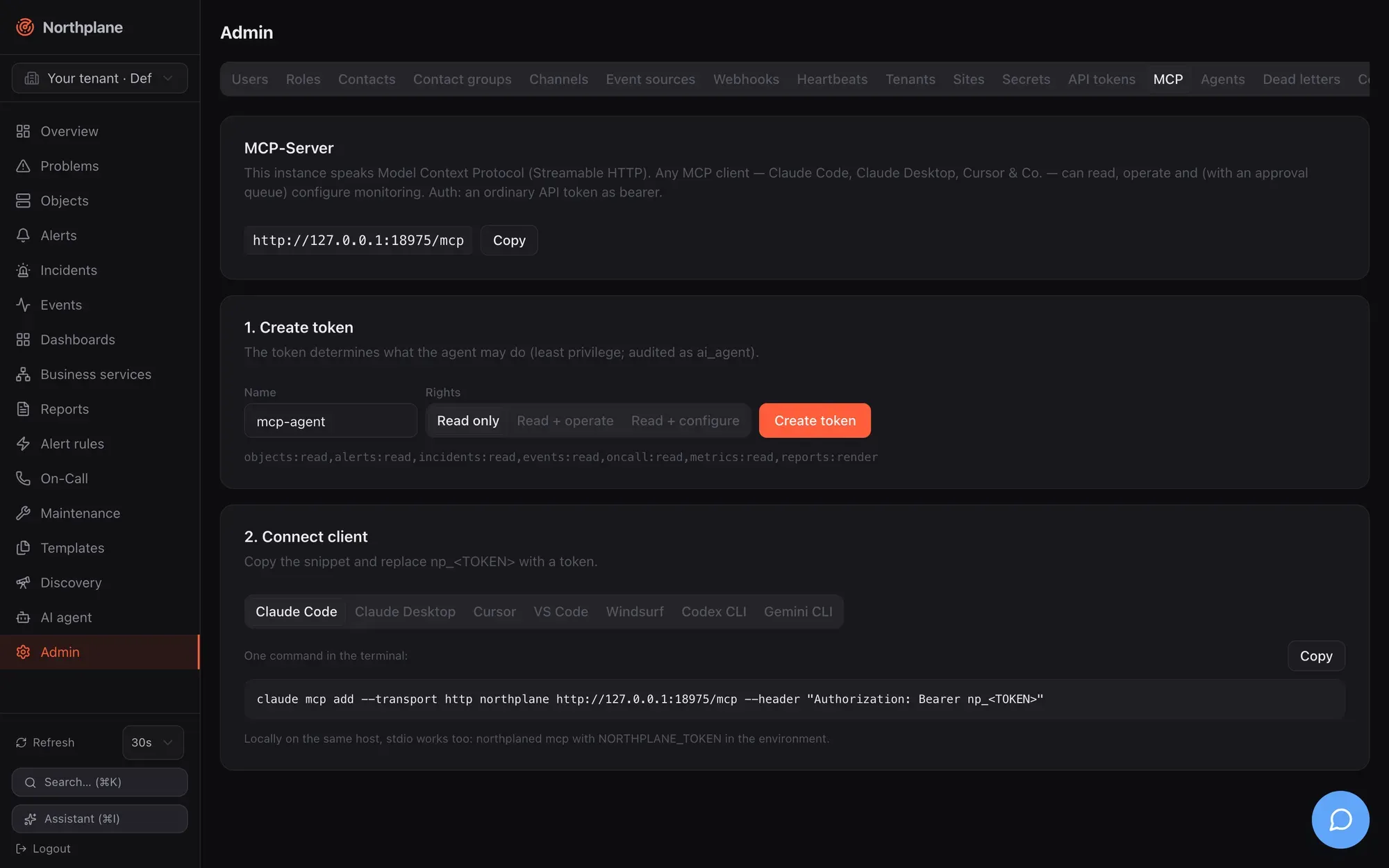
| Preset | Label (EN / DE) | Scopes |
| ----------- | ---------------------------------------- | --------------------------------------------------------------------------------------------- |
| `read` | Read only / Nur lesen | `objects:read,alerts:read,incidents:read,events:read,oncall:read,metrics:read,reports:render` |
| `operate` | Read + operate / Lesen + Bedienen | read set + `alerts:ack,checks:run,downtimes:write,silences:write` |
| `configure` | Read + configure / Lesen + Konfigurieren | read set + `config:write,oncall:write` |
The `operate` scopes match what the operate tools actually check: `acknowledge_alert` (`alerts:ack`), `run_check_now` (`checks:run`), `create_downtime` (`downtimes:write`) and `create_silence` (`silences:write`).
The tab’s footnote reminds you of the local alternative: “Locally on the same host, stdio works too: `northplaned mcp` with `NORTHPLANE_TOKEN` in the environment.”
## Client configuration
[Section titled “Client configuration”](#client-configuration)
Replace `https://np.example.com/mcp` with your instance URL and `np_<TOKEN>` with the minted token. The **Streamable HTTP** snippets are exactly what **Admin → MCP** generates; the **stdio** variants are for a client running on the server host (binary path and config path as installed by `northplaned init`). The flag and key syntax of the stdio forms is each client’s own — check the client’s documentation if it has moved.
* Claude Code
**Streamable HTTP** — one command in the terminal:
```bash
claude mcp add --transport http northplane https://np.example.com/mcp --header "Authorization: Bearer np_<TOKEN>"
```
**stdio** — on the server host:
```bash
claude mcp add northplane --env NORTHPLANE_TOKEN=np_<TOKEN> -- /usr/local/bin/northplaned mcp -config /etc/northplane/config.yaml
```
* Claude Desktop
**Streamable HTTP** — `claude_desktop_config.json` → `"mcpServers"` (Settings → Developer → Edit Config); Claude Desktop bridges HTTP through `mcp-remote`:
```json
{
"mcpServers": {
"northplane": {
"command": "npx",
"args": ["-y", "mcp-remote", "https://np.example.com/mcp", "--header", "Authorization: Bearer np_<TOKEN>"]
}
}
}
```
**stdio** — same file, on the server host:
```json
{
"mcpServers": {
"northplane": {
"command": "/usr/local/bin/northplaned",
"args": ["mcp", "-config", "/etc/northplane/config.yaml"],
"env": { "NORTHPLANE_TOKEN": "np_<TOKEN>" }
}
}
}
```
* Cursor
**Streamable HTTP** — `~/.cursor/mcp.json` (global) or `.cursor/mcp.json` (project):
```json
{
"mcpServers": {
"northplane": { "url": "https://np.example.com/mcp", "headers": { "Authorization": "Bearer np_<TOKEN>" } }
}
}
```
**stdio** — same file, on the server host:
```json
{
"mcpServers": {
"northplane": {
"command": "/usr/local/bin/northplaned",
"args": ["mcp", "-config", "/etc/northplane/config.yaml"],
"env": { "NORTHPLANE_TOKEN": "np_<TOKEN>" }
}
}
}
```
* VS Code
**Streamable HTTP** — one command in the terminal (or the equivalent entry in `.vscode/mcp.json`):
```bash
code --add-mcp '{"name":"northplane","type":"http","url":"https://np.example.com/mcp","headers":{"Authorization":"Bearer np_<TOKEN>"}}'
```
**stdio** — on the server host:
```bash
code --add-mcp '{"name":"northplane","type":"stdio","command":"/usr/local/bin/northplaned","args":["mcp","-config","/etc/northplane/config.yaml"],"env":{"NORTHPLANE_TOKEN":"np_<TOKEN>"}}'
```
* Windsurf
**Streamable HTTP** — `~/.codeium/windsurf/mcp_config.json` → `"mcpServers"`:
```json
{ "mcpServers": { "northplane": { "serverUrl": "https://np.example.com/mcp", "headers": { "Authorization": "Bearer np_<TOKEN>" } } } }
```
**stdio** — same file, on the server host:
```json
{
"mcpServers": {
"northplane": {
"command": "/usr/local/bin/northplaned",
"args": ["mcp", "-config", "/etc/northplane/config.yaml"],
"env": { "NORTHPLANE_TOKEN": "np_<TOKEN>" }
}
}
}
```
* Codex CLI
**Streamable HTTP** — `~/.codex/config.toml` (bridged through `mcp-remote`):
```toml
[mcp_servers.northplane]
command = "npx"
args = ["-y", "mcp-remote", "https://np.example.com/mcp", "--header", "Authorization: Bearer np_<TOKEN>"]
```
**stdio** — same file, on the server host:
```toml
[mcp_servers.northplane]
command = "/usr/local/bin/northplaned"
args = ["mcp", "-config", "/etc/northplane/config.yaml"]
env = { NORTHPLANE_TOKEN = "np_<TOKEN>" }
```
* Gemini CLI
**Streamable HTTP** — `~/.gemini/settings.json` → `"mcpServers"`:
```json
{ "mcpServers": { "northplane": { "httpUrl": "https://np.example.com/mcp", "headers": { "Authorization": "Bearer np_<TOKEN>" } } } }
```
**stdio** — same file, on the server host:
```json
{
"mcpServers": {
"northplane": {
"command": "/usr/local/bin/northplaned",
"args": ["mcp", "-config", "/etc/northplane/config.yaml"],
"env": { "NORTHPLANE_TOKEN": "np_<TOKEN>" }
}
}
}
```
After connecting, ask the client to list tools: you should see the tools above (minus policy-disabled ones) and the three prompts. A good first prompt is `morning-briefing`.
## Security notes
[Section titled “Security notes”](#security-notes)
* **The token is the blast radius.** Mint a dedicated token per client with the least scopes, an expiry and — where the client has a fixed egress address — `ipBind`. Rotate it with `POST /api-tokens/{id}:rotate`; revoke with `DELETE`. Tokens are shown once and stored hashed.
* **Mutations are gated twice:** RBAC on the token, then the approval queue for every mutating tool except `run_check_now` and `acknowledge_alert` (unless the tenant policy auto-approves more). Disable tools you never want an agent to touch in **Admin → AI providers → Agent policy** (`disabled[]`); disabled tools are neither advertised nor executable.
* **Tool results are untrusted data for the model** — event texts, outputs and labels can contain anything an attacker could feed into your monitoring. That is the reason the approval queue exists; keep it on for configuration changes.
* **Audit:** every tool call (reads included) is recorded as actor type `ai_agent` with the token name; review under **Admin → Audit log** or `np audit tail`.
* **Network:** `/mcp` is served by the same listener as the UI/API. Exposing it on the internet is the same decision as exposing the API; `/mcp` sits outside the API’s CSRF wrapper and has no rate limiting. Keep TLS on ([TLS and reverse proxy](/docs/administration/tls-and-proxy/)).
* **stdio means local data access:** `northplaned mcp` opens the database and TSDB directly, so whoever can run it with a readable config can read the data directory anyway — the token still decides what the MCP session returns, but protect config and data-dir permissions accordingly.
* **No tenant switching over MCP:** a token acts in its own tenant only.
* General hardening guidance: [Security](/docs/administration/security/).
# Acknowledge and snooze
> Every way to acknowledge, resolve or snooze an alert — UI, np CLI, API, ack links, SMS keyword, IVR, DTMF, the alarm app, AI — and exactly what each path records.
Acknowledging an alert says “someone owns this”: the alert moves from `open` to `acked`, every pending escalation step and repeat is cancelled, and the acknowledgement is recorded as an `ack` event plus an audit entry. Resolving closes the alert. Snoozing acknowledges with a deadline — if the alert is still unresolved at that time it re-opens and the escalation chain starts again from step 0. All paths below end in the same storage transitions, so it does not matter whether the on-call engineer taps a link on the phone, presses a key during the call, answers an SMS, or uses the UI.
## Status transitions
[Section titled “Status transitions”](#status-transitions)
```text
ack / snooze resolve (any path) · clear event · incident resolve
open ──────────────────────────▶ acked ─────────────────────────────────────────────▶ resolved
│ ▲ │ snooze deadline reached → back to open, chain restarts
│ └──┘
└──────────── resolve ───────────────────────────────────────────────────────────▶ resolved
open | acked ── rule.autoCloseAfter elapsed ───────────────────────────────────────▶ expired
```
* `ack` is only possible from `open` (an already acked alert answers `404 np:not-found`); `resolve` from `open` or `acked`; `snooze` from `open` or `acked` (so you can put a wake-up on an alert that was acked without one).
* Every ack and resolve calls `StopChain`: all `escalations` rows of the alert are marked done. A step that is already mid-delivery in the outbox still goes out; a delivery whose alert turned out to be resolved or expired is dropped silently.
* Acks and snoozes are **not** suppression: an acked alert can be refreshed by further matching events (severity may rise, title/payload update) without re-opening, and a clear event resolves it.
## Acknowledgement paths
[Section titled “Acknowledgement paths”](#acknowledgement-paths)
| Path | Who | What it does | Recorded as |
| ----------------------------------------------------------------------------------------------------------------------------------------------------------------------------------------------- | --------------------------------------------------------- | ------------------------------------------------------------------------------------------------------------------------------------------------------------------------------------------------------------------------------------------ | ------------------------------------------------------------------------------------------------------------------ |
| **UI** — **Alerts (Alarme)** row → **Acknowledge (Quittieren)**, or **Problems (Probleme)** row when an open alert exists; dialog with optional comment (“Running escalations will be stopped”) | logged-in user with `alerts:ack` | `POST /api/v1/alerts/{id}:ack {"comment"}` | audit `alert.ack {"comment"}`, event `ack {alertId, by, comment}` |
| **CLI** — `np ack <alert-id> [-m comment]` → prints `acknowledged: <title>` | API token with `alerts:ack` | same endpoint | same |
| **API** — [`POST /api/v1/alerts/{id}:ack`](/docs/reference/api/operations/post_alerts_id_ack/), body optional `{"comment":"…"}` → `200` Alert | `alerts:ack` | ack, stop chain, mirror a sticky ack onto the object when the alert has an `objectId` | same |
| **Ack link** — `GET /api/v1/ack/{token}` in e-mail, SMS (`ack: <url>`), ntfy action, Slack/Teams **Acknowledge** button, push `ackUrl` | anyone holding the link (no login) | acks only if still `open`; actor = contact name; answers an HTML page “✓ Quittiert — Der Alarm wurde übernommen. Die Eskalationskette ist gestoppt.” even when the alert was already acked; invalid/expired → `403`, unknown alert → `404` | audit `alert.ack {"via":"ack-link"}`, event `ack {alertId, via:"ack-link"}` |
| **Outbound call, DTMF** — during a voice notification press **4** | the called contact | `POST /api/v1/voice/gather/{token}` (Twilio); 4 = ack (open only), 6 = resolve (open or acked); other digits: “Not acknowledged. Goodbye.” | audit `alert.ack` / `alert.resolve {"via":"voice-dtmf"}`, event `ack {alertId, via:"ack-link"}` / `alert_resolved` |
| **SMS keyword** — text `ACK` (or the source’s `ackKeyword`) to an `sms-inbound` number | a phone number that matches a contact’s `phone` | acks the **newest open alert** of the tenant; reply `Acknowledged: <title>`; unknown numbers get “Unknown number — not acknowledged.” | audit `alert.ack {"via":"sms"}`, event `ack {alertId, via:"ack-link"}` |
| **IVR (inbound call)** — `ack-alert` / `resolve-alert` option of a `voice-inbound` menu | caller (after PIN gate, if any) | one open alert → acted on immediately; several → choose by digit (1–9, newest five) | audit `alert.ack {"via":"voice-inbound"}`, event `ack {alertId, via:"ack-link"}` |
| **Asterisk AGI** — the same menu over FastAGI | caller | ack/resolve via the server’s internal path; also sets the object’s sticky ack (`acknowledged via asterisk-agi`) | audit `alert.ack {"via":"asterisk-agi"}`, event `ack {alertId, by, via:"asterisk-agi"}` |
| **Alarm app / any client** | API token with `alerts:ack` | `POST /api/v1/alerts/{id}:ack`, `:resolve`, `:snooze` | as API |
| **AI agent / MCP** — tool `acknowledge_alert` | principal with `alerts:ack` (auto-approved mutating tool) | acks as `ai:<name>`, stops the chain; no `ack` event and no object ack | audit `ai.execute.acknowledge_alert` |
Details of the telephony paths (menus, PIN, keyword, languages) are in [Voice and IVR](/docs/alarming/voice-and-ivr/); how the app registers and what it receives is in [Mobile push](/docs/alarming/mobile-push/).
Ack links
The link is `<baseUrl>/api/v1/ack/<alertId>.<contactId>.<expiry>.<hmac>`, signed with a server-generated secret and valid for **24 hours** (the DTMF gather callback uses the same token). It is rendered into notifications only when `baseUrl` (`NORTHPLANE_BASE_URL`) is configured. The token is not consumed on first use — re-clicking is a no-op — and it always acknowledges, never resolves. Object notifications (per-object contact routing) carry no ack link.
`:ack` ignores the tenant header
`:ack`, `:resolve` and `:snooze` all honour `X-Northplane-Tenant` for `admin:tenants` operators (the ack verb used to act on the principal’s own tenant only).
## Comments
[Section titled “Comments”](#comments)
The optional ack comment is not stored on the alert itself. It lands in three places: the `ack` event payload (`comment`), the audit entry (`after: {"comment":…}`), and — when the alert belongs to a host or service — the object’s sticky acknowledgement (`ackedBy`/`ackComment` in the object’s state, shown on the Problems page as “acknowledged: ”). That sticky object ack suppresses further object-level notifications until the next hard recovery clears it; it does not suppress rule-based alerts. A snooze writes `snoozed until <RFC 3339>` as the object comment.
## Resolve
[Section titled “Resolve”](#resolve)
| Path | Notes |
| -------------------------------------------------------------------------------------------------------------------------------------------------------------------- | --------------------------------------------------------------------------------------------------------------------------------------- |
| UI **Resolve (Schließen)** on the Alerts page, `np resolve <alert-id>`, [`POST /api/v1/alerts/{id}:resolve`](/docs/reference/api/operations/post_alerts_id_resolve/) | from `open` or `acked`; `alerts:ack`; stops the chain; emits `alert_resolved {alertId, title}`; audit `alert.resolve` |
| A clear event (`severity: ok`, state `OK`/`UP`, or `resolve: true`) with the same dedup key | the engine resolves it (`alert_resolved {alertId, title, rule}`), unless the rule has `resolveOnOk: false` and the event does not match |
| DTMF **6**, IVR `resolve-alert`, AGI | same transitions, audited `{"via":"voice-dtmf"}`, `{"via":"voice-inbound"}` or `{"via":"asterisk-agi"}` |
| `POST /api/v1/incidents/{id}:resolve` | resolves the incident **and** all its open/acked alerts (chains stopped); no event is emitted for the incident itself |
| `autoCloseAfter` on the rule | flips to `expired` instead of `resolved`; no event |
If the alert owns a ticket created with `autoClose`, any resolve enqueues the ticket close (outbox kind `ticket-close`, retried like a notification). If the alert was opened by a rule with `incident: true`, the incident auto-resolves once its last member alert is gone.
## Snooze
[Section titled “Snooze”](#snooze)
`POST /api/v1/alerts/{id}:snooze` with `{"until":"2026-08-24T08:00:00Z"}` (RFC 3339, must be in the future, otherwise `422 np:validation/until`; permission `alerts:ack`):
1. The alert becomes `acked` with `snoozedUntil` set; the chain is stopped; the object (if any) gets the sticky ack comment `snoozed until …`; audit `alert.snooze {"until"}`; event `ack {alertId, by, comment:"snoozed until …"}`.
2. Every 5 s the engine looks for acked alerts whose `snoozedUntil` has passed and flips them back to `open` (acked fields cleared, one conditional update per row so a second node cannot double-fire), clears the object’s sticky ack, and emits an `escalation` event `{alertId, title, comment:"snooze expired — alarm re-armed", policy}`.
3. The escalation chain restarts **from step 0**, with `openedAt` treated as the wake-up time — so a first step with `after: 0s` fires within seconds, and later offsets count from the wake-up, not from the original opening. The policy is the rule’s `escalationPolicy`, or for manual alarms the policy stored with the alert.
4. If the alert was resolved in the meantime, nothing happens (`resolvedAt` clears the snooze). A plain ack on a snoozed alert is not possible (it is already `acked`); to change the deadline snooze again, to cancel the wake-up resolve the alert.
In the web UI, open alerts offer **Snooze** (1 h / 4 h / 24 h) next to acknowledge and resolve; other durations via the API.
```bash
curl -s -X POST "$NP/api/v1/alerts/$ALERT:snooze" -H "Authorization: Bearer $TOK" \
-H 'Content-Type: application/json' -d '{"until":"2026-08-24T08:00:00Z"}'
```
## What gets recorded
[Section titled “What gets recorded”](#what-gets-recorded)
| Action | Audit entry (`action`, `after`) | Event |
| ---------------------------------- | -------------------------------------------------------------------- | ---------------------------------------------------------------------------------------------------------------------- |
| API/UI/CLI ack | `alert.ack {"comment"}` | `ack {alertId, by, comment}` |
| Ack link, SMS keyword, IVR, DTMF 4 | `alert.ack {"via":"ack-link"\|"sms"\|"voice-inbound"\|"voice-dtmf"}` | `ack {alertId, via:"ack-link"}` (no `by`; all four reuse the link-style event) |
| Asterisk AGI ack | `alert.ack {"via":"asterisk-agi"}` | `ack {alertId, by, via:"asterisk-agi"}` |
| Resolve (API/UI/CLI) | `alert.resolve` | `alert_resolved {alertId, title}` |
| Resolve by clear event | — | `alert_resolved {alertId, title, rule}` |
| Snooze | `alert.snooze {"until"}` | `ack {alertId, by, comment:"snoozed until …"}`; at wake-up `escalation {…, comment:"snooze expired — alarm re-armed"}` |
| Manual alarm | `alert.raise` | `alert_opened {…, rule:"manual", via}` |
Audit entries are hash-chained and exportable (`GET /api/v1/audit`, `np audit tail`); events are queryable with `GET /api/v1/events?types=ack,alert_resolved,escalation` and streamed on `/api/v1/stream`. Every ack, resolve and snooze also shows up in the **Events** page and, through outgoing [webhook subscriptions](/docs/alarming/webhooks-out/), in your own systems.
## Related
[Section titled “Related”](#related)
* [Alerts and incidents](/docs/concepts/alerts-incidents/) — the lifecycle in context, dedup, incidents, correlation
* [Escalation policies](/docs/alarming/escalation-policies/) — what `unlessAcked` means and why an ack always ends the chain
* [Reliability](/docs/alarming/reliability/) — suppression versus acknowledgement, what a restart forgets
* [Users, roles and permissions](/docs/administration/users-roles-permissions/) — `alerts:ack` versus `alerts:write`
# Alert rules
> AlertRule fields, the CEL event model with examples, title and dedup templates, pendingFor, auto-close and resolve-on-OK, setLabels, escalation hookup, heartbeat rules, alert groups and rule testing.
An alert rule turns events into alerts. Each enabled rule compiles a CEL expression; the alerting engine evaluates every event on the bus against every rule of the event’s tenant. A match opens an alert — deduplicated by a key, optionally delayed by `pendingFor`, labelled, titled, and handed to an escalation policy — and an OK/resolve event closes it again. Rules are edited in **Alerting → Alert rules (Alarm-Regeln)** (with a built-in tester), through `/api/v1/alert-rules` (generic resource CRUD, `objects:read`/`config:write`, `If-Match` on `PUT`), or as bundle kind `AlertRule`. Every create/update/delete recompiles the tenant’s rules immediately.
## How the engine runs
[Section titled “How the engine runs”](#how-the-engine-runs)
* One goroutine consumes the event queue; the queue is blocking, events are never dropped under load.
* Events that reach the rules: `state_change` and `flapping_start`/`flapping_end` from the check pipeline, `ingress` from every [event source](/docs/alarming/event-sources/), `heartbeat_missed` from heartbeats, `incident_update` with `action: "created"` from `POST /api/v1/incidents`, and `system` events from the AI service. Lifecycle events the engine or API emit themselves (`alert_opened`, `ack`, `notification`, `escalation`, `downtime`, `silence`, `config`, engine-created `incident_update`) are fan-out only and never re-enter the rules.
* A 5-second ticker runs the timed work: `pendingFor` promotion, heartbeat rules and heartbeat resources, auto-close, re-arming of suppressed alerts, and snooze wake-ups.
* Disabled rules are skipped at load time. A rule that fails to compile is rejected on save with `422 np:validation/alert-rule` (the test endpoints report `np:validation/rule`; a bundle apply stops with `422 np:bundle/apply`).
## AlertRule fields
[Section titled “AlertRule fields”](#alertrule-fields)
| Field | Type / default | Semantics |
| ------------------ | ------------------------------------------------ | ---------------------------------------------------------------------------------------------------------------------------------------------------------------------------- |
| `name` | string | Unique per tenant; used in default dedup keys and in `alert_opened.rule` |
| `disabled` | bool, `false` | Skip the rule |
| `match` | CEL string | Required unless `heartbeat` is set; mutually exclusive with it |
| `heartbeat` | `{source, expectEvery}` | Silence detection for an event source (name or id) or a heartbeat resource — see [Heartbeat rules](#heartbeat-rules) |
| `pendingFor` | duration, `0` | Delay opening until the condition has been pending this long |
| `dedupKey` | Go template, empty | Overrides the default dedup key — see [Dedup key](#dedup-key) |
| `severity` | `critical` \| `warning` \| `info` \| `ok`, empty | Alert severity; empty = the triggering event’s severity |
| `title` | Go template, empty | Alert title; defaults described under [Title template](#title-template) |
| `autoCloseAfter` | duration, `0` | Open **and acked** alerts of this rule older than this are flipped to `expired` (checked every 5 s); auto-close tickets are closed too; no `alert_resolved` event is emitted |
| `resolveOnOk` | bool, `true` | When `false`, a clear event that does *not* match the rule does not resolve the alert (a clear event that does match still resolves) |
| `escalationPolicy` | policy name or id | Chain started when a new alert opens (unless suppressed) — see [Escalation policies](/docs/alarming/escalation-policies/) |
| `groupId` | alert-group name | Stored only; see [Alert groups](#alert-groups-configuration-only) |
| `setLabels` | map | Merged over the event labels onto the alert (rule labels win) |
| `incident` | bool, `false` | Every alert this rule opens gets its own incident (`createdBy: rule:<name>`); it auto-resolves when the last member alert resolves |
Durations are Go strings (`30s`, `5m`, `24h`); JSON also accepts a bare integer of seconds.
A complete rule in bundle form
```yaml
kind: AlertRule
metadata: { name: host-down-critical }
spec:
match: 'event.type == "state_change" && event.stateType == "hard" && (event.state == "CRITICAL" || event.state == "DOWN")'
severity: critical
title: "{{ .event.object }} is {{ .event.state }}"
pendingFor: 2m
autoCloseAfter: 24h
escalationPolicy: ops-page
setLabels: { np.sound: np_klaxon, team: sre }
incident: true
```
## The CEL environment
[Section titled “The CEL environment”](#the-cel-environment)
Rules see exactly one variable, **`event`**, in a sandboxed CEL environment (no I/O, optimizer on, cost limit 10 000). Evaluation semantics:
* A missing key, field or index is a legitimate **no-match** — event shapes vary by type, so `event.payload.subject` on a `state_change` event just does not match.
* Any other runtime error is logged and the event is neither a match nor a clear.
* A non-boolean result is a no-match.
| Path | Value |
| ------------------------------------------ | ----------------------------------------------------------------------------------------------------------------------------------------------------------------------------------------------------------------------------------------------------------------------------- |
| `event.type` | event type string: `ingress`, `state_change`, `flapping_start`, `flapping_end`, `heartbeat_missed`, `incident_update`, `system` |
| `event.severity` | `critical` \| `warning` \| `info` \| `ok` |
| `event.ts` | RFC 3339 timestamp string |
| `event.objectId` | object id, or `""` |
| `event.source` | `sourceId` — the **EventSource id** for ingress events, the heartbeat id for `heartbeat_missed`, otherwise `""` |
| `event.labels.<k>`, `event.labels["k.v"]` | labels from the payload (NormEvent labels, object labels on state changes); `{}` when absent. Use the bracket form for keys with dots |
| `event.payload.<k>` | the raw payload map. For ingress events the inner archived body’s keys are hoisted to the top level (NormEvent keys win), so `event.payload.subject`, `event.payload.from`, `event.payload.body` (mail) or any field of a webhook/MQTT/SMS JSON body are addressable directly |
| `event.object`, `event.host`, `event.kind` | object name, host name, `host`/`service` — `state_change` only |
| `event.fromState`, `event.state` | `OK`, `WARNING`, `CRITICAL`, `UNKNOWN`, `UP`, `DOWN`, `UNREACHABLE` on state changes; for every other event `state` is derived from severity: `CRITICAL`, `WARNING`, `OK` or `INFO` |
| `event.stateType` | `soft` \| `hard` (`state_change`) |
| `event.attempt` | check attempt number (`state_change`) |
| `event.output`, `event.summary` | check output / event summary (`summary` falls back to `output`, else `""`) |
| `event.metric` | dominant perfdata label (`state_change`) |
| `event.dedupKey` | the NormEvent’s dedup key (ingress) |
Examples that are known to work:
```text
event.type == "state_change" && event.stateType == "hard" && (event.state == "CRITICAL" || event.state == "DOWN")
event.type == "state_change" && event.kind == "service" && event.labels.env == "prod" && event.state != "OK"
event.payload.subject.matches('(?i)feuer|brand') # mail subject, case-insensitive regex
event.payload.from == 'leitstelle@example.org' # mail header
event.payload.body.contains('Zone 12') # mail body
event.labels.source == 'mail-line' && event.severity == 'critical'
event.summary.matches('FEUER.*Halle')
event.labels.topic == 'factory/hall3/fire' # MQTT topic
event.labels["espa.priority"] == "1" # ESPA priority (dotted key)
event.type == "incident_update" && event.payload.action == "created"
event.type == "heartbeat_missed"
event.type == "ingress" && event.source == "0199a0b1-…" # a specific source by id
```
CEL string functions you will use most: `==`, `contains()`, `startsWith()`, `endsWith()`, `matches()` (RE2 regex), `in` for list membership, `&&`/`||`/`!`, `has(event.labels.env)` to test presence without triggering a no-match.
Match on labels, not on source names
`event.source` is a UUID. To address a source readably, put a label on the source (`labels: { source: grafana }`) and match `event.labels.source == "grafana"`. Only e-mail, SNMP-trap and ESPA sources stamp `labels.source` automatically.
## Open and clear semantics
[Section titled “Open and clear semantics”](#open-and-clear-semantics)
A matching event is a **clear** when `event.severity == "ok"`, or `event.state` is `OK`/`UP`, or `payload.resolve == true`. A clear resolves the open or acked alert with the same dedup key (and discards a pending draft), stops its chain, emits `alert_resolved`, and may auto-resolve a rule-created incident. Any other match **opens**:
1. The alert draft is upserted by dedup key. If an open/acked alert with that key exists, it is refreshed instead — severity can only rise, title and payload are replaced by the newest event, the event id is appended (last 50 kept) — and **no** new chain starts.
2. A genuinely new alert emits `alert_opened` `{alertId, title, severity, rule, labels}`, opens its incident when `incident: true`, then passes the suppression gate (downtime, silence, flapping, parent host down — see [Reliability](/docs/alarming/reliability/#suppression-and-re-arming)). Not suppressed → `StartChain` with `escalationPolicy`; suppressed → a `notification` event with `status: suppressed` and the reason, and the chain starts later if suppression lifts while the alert is still open.
Resolve-on-OK: a clear event that does **not** match the rule also resolves — the engine recomputes the dedup key for that event and resolves whatever is open under it — unless `resolveOnOk: false`. This is what lets a rule that only matches problem states (`event.state != "OK"`) close its alerts on recovery.
## Dedup key
[Section titled “Dedup key”](#dedup-key)
The dedup key decides whether an event refreshes an existing alert or opens a new one. Open and acked alerts are unique per `(tenant, dedupKey)`.
Default, when `dedupKey` is empty:
1. `<objectId>/<ruleName>` if the event has an object (one alert per object and rule);
2. else `<ruleName>/<event.dedupKey>` if the normalized event carries a dedup key (webhook mapping, Alertmanager fingerprint, mail Message-ID, trap, ESPA-X call id …);
3. else `<ruleName>/<sourceId>` (one alert per rule and source).
A custom `dedupKey` is a Go `text/template` with data `{{ .event.* }}` (the CEL view, lowercase), `{{ .object.id }}` and `{{ .rule.name }}`, rendered with `missingkey=zero`. Examples: `{{ .rule.name }}/{{ .event.labels.host }}`, `{{ .event.labels.topic }}`, `fire/{{ .event.payload.zone }}`. A template that fails to parse yields `<ruleName>/badtemplate` (every event folds into one alert — check the tester). Heartbeat rules always use `heartbeat/<ruleName>`.
## Title template
[Section titled “Title template”](#title-template)
`title` is a Go template whose only data is **`{{ .event.* }}`** — the same view the CEL expression sees. Correct forms: `{{ .event.summary }}`, `{{ .event.object }} is {{ .event.state }}`, `{{ .event.payload.subject }}`, `{{ .event.labels.host }}: {{ .event.output }}`. If the template is empty, fails, or renders empty, the title falls back to the event summary, then `<object> is <state>`, then the rule name.
Wrong placeholders fail silently
The data is `{{ .event.* }}` — lowercase. `{{ .Payload.title }}` (from the old operator guide) errors at execution time and silently produces the fallback title; `{{ .ObjectID }}` or `{{ .ObjectName }} ist {{ .ToLabel }}` (placeholders an older rule dialog suggested; the dialog now shows the correct forms) render the literal text `<no value>`. Use `{{ .event.payload.title }}`, `{{ .object.id }}` (dedup only) and `{{ .event.object }} is {{ .event.state }}`.
## Pending, auto-close, labels and severity
[Section titled “Pending, auto-close, labels and severity”](#pending-auto-close-labels-and-severity)
* **`pendingFor`** — the first matching event stores a pending draft keyed by dedup key; further matches refresh it (newest title/payload win); every 5 s drafts whose first match is at least `pendingFor` old are opened. A clear event for the same dedup key before that deletes the draft and nothing opens. The pending map is in memory: a restart forgets drafts, and they are rebuilt from the next matching event.
* **`autoCloseAfter`** — every 5 s, open and acked alerts of the rule with `openedAt` older than the duration become `expired` (not resolved, no event; the escalation engine treats `expired` like resolved and marks remaining timers done). Useful for “informational” rules whose alerts never get an explicit clear.
* **`setLabels`** — merged over the event labels; this is where you steer outputs: `np.sound`, `np.volume`, `np.overrideSilent` for the [alarm app](/docs/alarming/mobile-push/), `np.tts` to override the spoken text of [voice calls](/docs/alarming/channels/), and any label your escalation actions, silences (`selector`) or outgoing webhooks (`selector`) should see. Alert labels are also what the correlator clusters on.
* **`severity`** — empty means “inherit from the event”. Because a refreshed alert’s severity can only rise, a rule without a fixed severity can escalate a warning alert to critical when a critical event with the same dedup key arrives.
* **`incident`** — one incident per alert; see [Alerts and incidents](/docs/concepts/alerts-incidents/).
## Escalation hookup
[Section titled “Escalation hookup”](#escalation-hookup)
`escalationPolicy` names (or ids) an [escalation policy](/docs/alarming/escalation-policies/). The chain starts when a new alert opens and is not suppressed; step offsets count from `openedAt`. Refreshes of an existing alert never restart the chain; an acknowledgement ends it; a snooze restarts it from step 0 at the wake-up time. A rule without a policy still opens visible alerts (UI, API, SSE, outgoing webhooks) — nobody is paged.
## Heartbeat rules
[Section titled “Heartbeat rules”](#heartbeat-rules)
Instead of `match`, a rule can watch for **silence** of an event source:
```yaml
kind: AlertRule
metadata: { name: sensor-gateway-silent }
spec:
heartbeat:
source: sensor-gateway # EventSource name or id — or a Heartbeat resource name
expectEvery: 10m
severity: warning
```
The engine records the last time it saw **any** event carrying a `sourceId` (every ingress event counts as a beat). `heartbeat.source` may be the event source’s **name or id**; a name is resolved per evaluation, so renaming the source and the rule together keeps working. It may also name a [Heartbeat resource](/docs/monitoring/heartbeats/) — its beats (`POST /heartbeats/{name}/beat`) then count as “seen”, which is what the demo seed’s `demo-heartbeat-rule` relies on. A heartbeat rule arms after the first event/beat; from then on, if nothing arrived for longer than `expectEvery`, it opens an alert with dedup key `heartbeat/<ruleName>` and title `No event from "<source>" for <duration> (expected every <expectEvery>)`; as soon as events resume, the alert is resolved by that key. The event last-seen map is in memory — after a restart an event-source rule re-arms only once the source sends again (heartbeat-resource beats are persisted).
## Testing rules
[Section titled “Testing rules”](#testing-rules)
Both test endpoints are side-effect free and need only `alerts:read`:
| Endpoint | Body | Result |
| -------------------------------------- | ------------------------------------------------------------------------------------------------------------------------------- | ------------------------------------------------------------------------------------------------ |
| `POST /api/v1/alert-rules:test` | `{"rule": {…AlertRule…}, "demoEvents": [Event…]?, "from"?, "to"?}` — without `demoEvents` and `from`, zero events are evaluated | `{"matched": n, "wouldOpen": [alert drafts, one per dedup key], "sampleViews": [≤ 5 CEL views]}` |
| `POST /api/v1/alert-rules/{name}:test` | optional `{"demoEvents"?, "from"?, "to"?}`; default window = the last 24 h of stored events (max 1000) | same |
`matched` counts every matching event, including clear events; `wouldOpen` is deduplicated by dedup key; `sampleViews` shows the exact `event` object the CEL expression saw — the fastest way to discover field names. Compile errors return `422 np:validation/rule`.
```bash
curl -s -X POST "$NP/api/v1/alert-rules:test" -H "Authorization: Bearer $TOK" -H 'Content-Type: application/json' -d '{
"rule": {"name":"mail-fire","match":"event.payload.subject.matches(\"(?i)feuer|brand\")","severity":"critical",
"title":"{{ .event.payload.subject }}"},
"demoEvents": [{"type":"ingress","severity":"warning","sourceId":"mail-1",
"payload":{"summary":"FEUER Halle 3","labels":{"source":"ops-mailbox"},
"payload":{"subject":"FEUER Halle 3","from":"leitstelle@example.org","body":"Zone 12"}}}]}'
```
In the UI, every rule row has a **Test rule (Regel testen)** button that evaluates the stored rule against the last 24 hours and lists what would open; the edit dialog has a test panel with editable demo-event JSON. Escalation policies have their own simulator (`:simulate`) — see [Escalation policies](/docs/alarming/escalation-policies/).
## Alert groups (configuration only)
[Section titled “Alert groups (configuration only)”](#alert-groups-configuration-only)
`/api/v1/alert-groups` (bundle kind `AlertGroup`, **Alerting → Groups**) stores `{name, groupBy: [label keys], window, aggregate: count|min|max|avg|sum|median, valuePath, minCount}` and a rule can reference one via `groupId`. **No runtime code evaluates alert groups today** — they are stored, bundled and shown, nothing more. Storm handling that actually runs is the correlator (five alerts sharing a label pair within 120 s become one incident), described in [Alerts and incidents](/docs/concepts/alerts-incidents/). Treat alert groups as reserved configuration.
## Related
[Section titled “Related”](#related)
* Every event field you can match on, per source type: [Event sources](/docs/alarming/event-sources/)
* What happens to an alert after it opens: [Acknowledge and snooze](/docs/alarming/acknowledge-and-snooze/), [Escalation policies](/docs/alarming/escalation-policies/)
* Suppression, re-arming, what a restart forgets: [Reliability](/docs/alarming/reliability/)
* The event model and type catalog: [Events](/docs/concepts/events/)
* REST reference: [`post_alert_rules`](/docs/reference/api/operations/post_alert_rules/), [`post_alert_rules_test`](/docs/reference/api/operations/post_alert_rules_test/), [`post_alert_rules_name_test`](/docs/reference/api/operations/post_alert_rules_name_test/)
# Notification channels
> Reference for every notification channel type — e-mail, SMS, voice, push, ntfy, Slack, Teams, webhook, MQTT and ticket systems — with all config keys, secret references, retry settings, templates and the channel selection rule.
A **channel** is a configured way out of Northplane: an SMTP relay, a Twilio account, an Asterisk PBX, a Slack webhook, a ServiceNow instance. Escalation policies and contact preferences never name a channel — they name a channel **type** (`sms`, `voice`, …) and Northplane picks the configured channel of that type. This page is the reference for the channel model, the selection rule, templates, retries and every type with every config key.
Channels live under **Admin → Channels (Kanäle)**, at `/api/v1/channels` and in bundles as `kind: Channel`. How channels are used by policies is on [Escalation policies](/docs/alarming/escalation-policies/); who receives what is on [Contacts and on-call](/docs/alarming/contacts-and-oncall/); the outbox, retries and dead letters are on [Reliability](/docs/alarming/reliability/).
## The channel model
[Section titled “The channel model”](#the-channel-model)
| Field | Type | Notes |
| ----------------------------------------------------- | ---------------------- | --------------------------------------------------------------------------------------------------------------- |
| `name` | string | unique per tenant; escalation *actions* reference channels by name |
| `type` | string | required (`422 channel type required`); one of the 13 types below |
| `enabled` | bool | **no default** — see the caution below |
| `config` | map of string → string | transport settings; every value is a string, so numbers and booleans must be quoted in YAML (`"587"`, `"true"`) |
| `template` | string | optional Go template that replaces the type’s default message (see [Message templates](#message-templates)) |
| `id`, `tenantId`, `version`, `createdAt`, `updatedAt` | | injected by the server; `PUT` needs `If-Match: "<version>"` |
Channel types: `email`, `sms`, `voice`, `push`, `ntfy`, `slack`, `teams`, `webhook`, `mqtt` and the four ticket types `servicenow`, `zendesk`, `jira`, `ticket`.
| Operation | Endpoint | Permission |
| ---------------------- | ------------------------------------------------ | ------------------------------- |
| list / create | `GET` / `POST /api/v1/channels` | `objects:read` / `config:write` |
| read / update / delete | `GET` / `PUT` / `DELETE /api/v1/channels/{name}` | `objects:read` / `config:write` |
| send a test | `POST /api/v1/channels/{name}:test-notification` | `config:write` |
Generated reference: [post\_channels](/docs/reference/api/operations/post_channels/), [put\_channels\_name](/docs/reference/api/operations/put_channels_name/), [post\_channels\_name\_test\_notification](/docs/reference/api/operations/post_channels_name_test_notification/).
`enabled` is not defaulted
Channels are stored exactly as you send them. A channel created through the API or a bundle **without `enabled: true` is disabled** and is silently skipped by every escalation step and contact preference. Only the UI dialog pre-sets `enabled: true` for new channels. Always write `enabled: true` in bundles.
## How a channel is selected
[Section titled “How a channel is selected”](#how-a-channel-is-selected)
Escalation steps (`channels: [sms, voice]`) and contact preferences list channel **types**. At delivery time Northplane loads the tenant’s channels ordered by name and uses the **first enabled channel of the requested type**. Consequences:
* Configure **at most one enabled channel per type** per tenant. If you keep two enabled `voice` channels, the alphabetically first one is used for every call — there is no per-step or per-contact channel choice. Disable the other one or merge them.
* Only escalation step **actions** (`action.ticket.channel`, `action.webhook`) reference a channel **by name**; a disabled channel there fails with `channel "X" is disabled`.
* The delivery target depends on the type:
| Type | Target taken from | If empty |
| --------------- | ------------------------------------------------------------------------------------------------ | ------------------------------------------------------------------------------- |
| `email` | the contact’s `email` | delivery fails: `contact "X" has no email target` |
| `sms`, `voice` | the contact’s `phone` (E.164) | delivery fails |
| `push` | the contact’s `userId` (user id or API-token id; see [Mobile push](/docs/alarming/mobile-push/)) | delivery fails |
| `ntfy` | `config.topic` | delivery fails (`url` is genuinely optional — it defaults to `https://ntfy.sh`) |
| all other types | the channel’s own `config.url` | delivery fails |
A failed target lookup is a normal delivery failure: it is retried and eventually dead-lettered like a provider error, and it is visible as a `notification` event with `status: failed`.
## Secrets in channel config
[Section titled “Secrets in channel config”](#secrets-in-channel-config)
Write `$SECRET:name$` instead of a literal value and store the value once under **Admin → Secrets**. The reference is resolved at send time from the **tenant’s** secret store (no cross-tenant fallback); a reference to a missing secret resolves to an empty string, which the provider then rejects. See [Secrets](/docs/administration/secrets/) for the secret store itself.
Only the keys marked **secret** in the tables below are resolved. In particular `url`, `accountSid`, `apiKeySid`, `from`, `host`, `username` are read literally — a `$SECRET:…$` in a Slack webhook `url` is sent to the network as-is and fails. (The UI shows the `$SECRET` hint on a few of those fields; the backend does not honour it there.)
## Sending a test notification
[Section titled “Sending a test notification”](#sending-a-test-notification)
In **Admin → Channels** every row has **Test senden / Send test**. The API is:
```bash
curl -X POST https://monitoring.example.net/api/v1/channels/alarm-sms:test-notification \
-H "Authorization: Bearer np_…" -H "Content-Type: application/json" \
-d '{"target": "+4366412345678"}'
```
* `target` is the destination for the personal channel types: an e-mail address (`email`), a phone number (`sms`, `voice`) or a user id / API-token id (`push`). URL-based types ignore it and use the channel’s `url`. Without a target the personal types fail with `no target for <type> (pass one in the request)`.
* The test sends a synthetic alert `Test notification from Northplane (<your user>)` with severity `info`, alert id `test`. Voice tests therefore carry **no DTMF gather** (nothing to acknowledge), ticket tests create the ticket but do not link it to an alert.
* Success: `200 {"result":"sent","detail":"<provider id>"}` and an audit entry `channel.test`. Failure: `502` problem `np:notify/test-failed` with the transport error in `detail` — the same text you would later see in a `notification` event.
## Message templates
[Section titled “Message templates”](#message-templates)
Every channel renders a Go `text/template` (`missingkey=zero`; functions `upper`, `lower`, `trunc N s`, `json v`). The channel’s `template` field overrides the per-type default; unknown types fall back to the webhook template.
Render context (`.` in the template):
| Field | Value |
| ----------- | ---------------------------------------------------------------------------------------------------------------------------------------------------------- |
| `.Alert` | the full alert (`.Alert.ID`, `.Alert.Title`, `.Alert.Severity`, `.Alert.Status`, `.Alert.Labels`, `.Alert.OpenedAt`, `.Alert.Payload`, `.Alert.Ticket`, …) |
| `.Contact` | the contact being notified (empty for actions/tickets) |
| `.Severity` | upper-cased severity: `CRITICAL`, `WARNING`, `INFO`, `OK` |
| `.Title` | alert title |
| `.Labels` | alert labels (map) |
| `.Step` | 1-based escalation step |
| `.Repeat` | repeat counter of that step |
| `.Policy` | policy name (`object` for object-level contact notifications) |
| `.BaseURL` | the configured `baseUrl` |
| `.AlertURL` | `<baseUrl>/alerts/<id>` — empty when `baseUrl` is not set |
| `.AckURL` | `<baseUrl>/api/v1/ack/<token>` (24 h) — empty without `baseUrl`; always empty for object notifications |
| `.Now` | RFC 3339 UTC timestamp |
For `email`, a first line `Subject: …` becomes the subject; otherwise the subject is `[SEV] Title`. `slack`, `teams` and `ticket` templates **must render valid JSON**. For `voice`, the label `np.tts` on the alert replaces the rendered text entirely (see [Voice calls and IVR](/docs/alarming/voice-and-ivr/)).
Default templates, verbatim:
```text
email: Subject: [{{.Severity}}] {{.Title}}
{{.Severity}}: {{.Title}}
Alert: {{.AlertURL}}
Opened: {{.Alert.OpenedAt}}
Labels: {{range $k,$v := .Labels}}{{$k}}={{$v}} {{end}}
Step: {{.Step}} (policy {{.Policy}})
Acknowledge: {{.AckURL}}
sms: [{{.Severity}}] {{trunc 100 .Title}} ack: {{.AckURL}}
ntfy: {{.Title}}
push: {{.Title}}
voice: Northplane alert. Severity {{.Severity}}. {{.Title}}. Press 4 to acknowledge, 6 to resolve.
webhook: {"version":1,"alert":{{json .Alert}},"severity":"{{.Severity}}","title":{{json .Title}},"labels":{{json .Labels}},"step":{{.Step}},"policy":{{json .Policy}},"ackUrl":{{json .AckURL}},"alertUrl":{{json .AlertURL}}}
mqtt: {"version":1,"alert":{{json .Alert}},"severity":"{{.Severity}}","title":{{json .Title}},"labels":{{json .Labels}},"ackUrl":{{json .AckURL}},"alertUrl":{{json .AlertURL}}}
slack: {"text":"[{{.Severity}}] {{.Title}}","blocks":[{"type":"section","text":{"type":"mrkdwn","text":"*[{{.Severity}}] <{{.AlertURL}}|{{.Title}}>*\nStep {{.Step}} · Policy {{.Policy}}"}},{"type":"actions","elements":[{"type":"button","text":{"type":"plain_text","text":"Acknowledge"},"url":"{{.AckURL}}","style":"primary"}]}]}
teams: {"type":"message","attachments":[{"contentType":"application/vnd.microsoft.card.adaptive","content":{"type":"AdaptiveCard","$schema":"http://adaptivecards.io/schemas/adaptive-card.json","version":"1.4","body":[{"type":"TextBlock","size":"Medium","weight":"Bolder","text":"[{{.Severity}}] {{.Title}}"},{"type":"TextBlock","text":"Step {{.Step}} · Policy {{.Policy}}","wrap":true}],"actions":[{"type":"Action.OpenUrl","title":"Acknowledge","url":"{{.AckURL}}"},{"type":"Action.OpenUrl","title":"Open","url":"{{.AlertURL}}"}]}}]}
servicenow / zendesk / jira (description text):
{{.Severity}}: {{.Title}}
Alert: {{.AlertURL}}
Opened: {{.Alert.OpenedAt}}
Labels: {{range $k,$v := .Labels}}{{$k}}={{$v}} {{end}}
Acknowledge: {{.AckURL}}
ticket: {"subject":{{json .Title}},"severity":"{{.Severity}}","body":{{json .Title}},"labels":{{json .Labels}},"alertUrl":{{json .AlertURL}},"alertId":{{json .Alert.ID}}}
```
Set `baseUrl`
Ack links, alert links and the DTMF callback of voice calls are only rendered when the server knows its public URL — config key `baseUrl` / env `NORTHPLANE_BASE_URL` (see [Configuration](/docs/administration/configuration/)). Without it notifications go out without any link.
## Delivery retries per channel
[Section titled “Delivery retries per channel”](#delivery-retries-per-channel)
Deliveries ride the outbox: by default 30 attempts with exponential backoff `30 s · 2^n` (±10 % jitter), capped at 1 h, then the item is dead-lettered. Three config keys on any channel override that for notifications sent through it:
| Key | Accepted | Default |
| ------------------------ | ----------------------------------------------------- | ------- |
| `retryMaxAttempts` | integer 1–100 | `30` |
| `retryBackoffSeconds` | integer greater than 0 | `30` |
| `retryBackoffCapSeconds` | integer greater than 0; raised to the base if smaller | `3600` |
The UI shows them as the group **Zustellung / Wiederholungen** for every type. They apply to escalation and object notifications only; escalation actions, ticket auto-close and outgoing webhook subscriptions always use the defaults. Details, the formula and the dead-letter queue: [Reliability](/docs/alarming/reliability/).
## Channel reference
[Section titled “Channel reference”](#channel-reference)
All keys are `config` entries (strings). “secret” means the value may be a `$SECRET:name$` reference.
### email
[Section titled “email”](#email)
`provider` selects the backend: `smtp` (default when empty), `sendmail`, `resend` or `ses`; anything else is an error. Every backend sends `text/plain; charset=utf-8` with headers `From`, `To`, `Subject` (RFC 2047 when non-ASCII), `Date`, `Message-ID`, `MIME-Version`; CR/LF and control characters are stripped from the addresses and subject. A body that starts with `<!doctype html` or `<html` (scheduled reports) is sent as `text/html`.
**`provider: smtp`** — native SMTP client, STARTTLS or implicit TLS:
| Key | Default | Notes |
| ---------------- | ---------------------------------- | -------------------------------------------------------------------------------------------------------------------------------------------------- |
| `host` | required | also used as TLS server name, AUTH host and `Message-ID` domain |
| `port` | `587` | `465` switches to implicit TLS |
| `from` | `northplane@<host>` | `Display Name <box@example.com>` allowed; the envelope uses the bare address |
| `username` | — | when set, `AUTH PLAIN` |
| `password` | — | secret |
| `tls` | — | `implicit` = TLS from the first byte regardless of port; empty = STARTTLS after EHLO |
| `allowPlaintext` | — | `true` allows sending when the server offers no STARTTLS; otherwise the error is `server offers no STARTTLS (set allowPlaintext=true to override)` |
| `helo` | domain of `from`, else `localhost` | EHLO/HELO name |
Dial timeout 15 s; errors are prefixed `smtp connect:` / `smtp auth:`. For direct-to-MX delivery (no relay) set `from` to an address in a domain you control and, if needed, `helo` to the host name the MX expects — strict receivers answer an EHLO of `localhost` with 550 or without STARTTLS. The `helo` key is not in the UI form; add it under **Weitere Einstellungen** (additional settings).
**`provider: sendmail`** — hands the message to a local MTA binary:
| Key | Default | Notes |
| -------------- | ----------------------------------------------------------------------------------------- | --------------------------------------------------------------------- |
| `sendmailPath` | `sendmail` on `PATH`, else `/usr/sbin/sendmail`, `/usr/lib/sendmail`, `/usr/bin/sendmail` | error `sendmail binary not found (set config.sendmailPath)` otherwise |
| `from` | `northplane@localhost` | |
Called as `sendmail -i -f <from> -- <to>` with the message on stdin; a non-zero exit returns the first output line. Not available in the container image (distroless, no MTA).
**`provider: resend`** — the Resend HTTP API:
| Key | Default | Notes |
| --------- | ------------------------ | ----------------- |
| `apiKey` | required | secret |
| `from` | required | a verified sender |
| `apiBase` | `https://api.resend.com` | |
Returns the Resend message `id` as provider id.
**`provider: ses`** — AWS SES v2 HTTP API with SigV4 signing (no SDK):
| Key | Default | Notes |
| ----------------- | -------------------------------------- | ----------------------------- |
| `region` | required | e.g. `eu-central-1` |
| `accessKeyId` | required | |
| `secretAccessKey` | required | secret |
| `sessionToken` | — | secret; temporary credentials |
| `from` | required | |
| `endpoint` | `https://email.<region>.amazonaws.com` | |
Returns the SES `MessageId`.
Example (relay with STARTTLS and credentials):
channel-email.yaml
```yaml
kind: Channel
metadata: { name: mail-relay }
spec:
type: email
enabled: true
config:
provider: smtp
host: smtp.example.com
port: "587"
from: "Northplane Alarm <alarm@example.com>"
username: alarm@example.com
password: $SECRET:smtp-pass$
```
### sms
[Section titled “sms”](#sms)
`provider`: `twilio` or `generic-http`; an empty provider means `generic-http`. The SMS text is the rendered template (default `[SEV] <title, max 100 chars> ack: <ackUrl>`).
**`provider: twilio`**
| Key | Default | Notes |
| ---------------------------- | ------------------------ | ------------------------------------------------------------------------------------------- |
| `accountSid` | required | literal (not a secret reference) |
| `authToken` | — | secret; used with `accountSid` as HTTP basic auth unless an API key is set |
| `apiKeySid` + `apiKeySecret` | — | preferred: when `apiKeySid` is set, basic auth uses the key SID and `apiKeySecret` (secret) |
| `from` | required | sender number (E.164) or messaging sender |
| `apiBase` | `https://api.twilio.com` | |
Calls `POST {apiBase}/2010-04-01/Accounts/{accountSid}/Messages.json` with `To`, `From`, `Body`; the Twilio message `sid` becomes the provider id; HTTP ≥ 300 is an error with the first line of Twilio’s response.
**`provider: generic-http`** — for SMS gateways and GSM modems with an HTTP API (SMSEagle, Teltonika and similar):
| Key | Notes |
| ----------------------- | ------------------------------------------------------------------------------------------------------------------------------------------------------------------ |
| `url` | required; `GET` with `{to}` and `{text}` placeholders, URL-query-escaped |
| `jsonBody` | if set: `POST` with `Content-Type: application/json` and `{to}`/`{text}` replaced **unescaped** inside this template (placeholders in `url` are then not replaced) |
| `username` / `password` | HTTP basic auth; `password` is a secret |
HTTP ≥ 300 → `sms gateway: HTTP <code>`; no provider id.
channel-sms.yaml
```yaml
kind: Channel
metadata: { name: alarm-sms }
spec:
type: sms
enabled: true
config:
provider: twilio
accountSid: ACxxxxxxxxxxxxxxxxxxxxxxxxxxxxxxxx
apiKeySid: SKxxxxxxxxxxxxxxxxxxxxxxxxxxxxxxxx
apiKeySecret: $SECRET:twilio-api-secret$
from: "+15551234567"
retryMaxAttempts: "5"
retryBackoffSeconds: "30"
```
### voice
[Section titled “voice”](#voice)
`provider`: `twilio`, `asterisk` or `generic-http`. With an **empty** provider the channel behaves as `twilio` when `accountSid` is set, otherwise as `generic-http`. Two things apply to every provider:
* The spoken text is the rendered template (default `Northplane alert. Severity {{.Severity}}. {{.Title}}. Press 4 to acknowledge, 6 to resolve.`), **unless** the alert carries the label `np.tts` — then that label’s value is spoken instead (set it with a rule’s `setLabels`, an IVR option or the manual trigger).
* **Who speaks:** with a [TTS profile](/docs/alarming/text-to-speech/) — the channel key `ttsProfile`, the alert label `np.ttsProfile`, or a profile named `default` — Northplane synthesizes the text (language detection, pronunciation lexicon, chosen engine/voice) and the provider plays the clip; otherwise, or when every engine fails, the provider speaks as described per provider below.
* For real alerts (not tests) and when `baseUrl` is configured, a signed callback URL `<baseUrl>/api/v1/voice/gather/<token>` (valid 24 h) is produced; pressing **4** acknowledges, **6** resolves. The mechanics are on [Voice calls and IVR](/docs/alarming/voice-and-ivr/).
**`provider: twilio`**
| Key | Default | Notes |
| --------------------------------------------------------------------------- | ------------------------ | ------------------------------------------------------- |
| `accountSid`, `authToken` / `apiKeySid` + `apiKeySecret`, `from`, `apiBase` | as for SMS | `from` is the caller id |
| `language` | `en-US` | TwiML `<Say language>` tag, e.g. `de-DE` |
| `ttsProfile` | `default` (if it exists) | TTS profile; the clip is `<Play>`ed instead of `<Say>`d |
Places `POST {apiBase}/2010-04-01/Accounts/{sid}/Calls.json` with inline TwiML that speaks the text twice inside a one-digit `<Gather>` (10 s) pointing at the callback URL; without a callback URL the text is just spoken twice. Returns the call `sid`. A `voice` key (TTS voice name) is **not** read for outbound calls — it only applies to inbound IVR menus.
**`provider: asterisk`** — AMI `Originate` into your own dialplan, fully on-prem:
| Key | Default | Notes |
| -------------------------------- | ------------------------------ | ---------------------------------------------------------------------------------------------- |
| `host` | required | AMI host |
| `port` | `5038` | |
| `username` | required | AMI manager user |
| `secret` | required | secret |
| `channel` | required | originate channel template with `{to}`, e.g. `PJSIP/{to}@trunk` |
| `context` / `exten` / `priority` | `northplane-alert` / `s` / `1` | dialplan entry point (unless `application` is set) |
| `application` / `appData` | — | run one application instead of a context, e.g. `Playback` / `alert-sound` |
| `callerId` | — | e.g. `Northplane <8000>` |
| `timeoutMs` | `30000` | ring timeout passed to `Originate` |
| `tls` | — | `on` = AMI over TLS (TLS 1.2+, Asterisk `tlsenable`) |
| `insecure` | — | `true` skips certificate verification |
| `ttsProfile` | `default` (if it exists) | TTS profile; the clip travels as `NP_AUDIO_URL` / `NP_AUDIO_FILE` |
| `ttsDir` / `ttsDirPBX` | — | directory shared with the PBX for synthesized clips, and the same directory as the PBX sees it |
The call carries the channel variables `NP_TEXT` (spoken text), `NP_SEVERITY` (`CRITICAL`, …) and `NP_ACK_URL` (the gather callback) — plus `NP_AUDIO_URL`, `NP_AUDIO_FILE`, `NP_LANG`, `NP_TEXT_SPOKEN` with a TTS profile — so the dialplan can speak and acknowledge; a dialplan example is on [Voice calls and IVR](/docs/alarming/voice-and-ivr/). Connection: 10 s dial, 20 s overall deadline, `Login` with `Events: off`, `Originate` with `Async: true`, best-effort `Logoff`; a rejected originate fails with `originate rejected: <message>`. No provider id.
**`provider: generic-http`** — HTTP voice gateways: `url` with `{to}`/`{text}`/`{audioUrl}` (GET, escaped) or `jsonBody` (POST JSON, unescaped), `username`/`password` (secret) basic auth; HTTP ≥ 300 is an error. `{audioUrl}` is the synthesized clip’s signed URL with a TTS profile (empty otherwise), and `{text}` then carries the normalised text.
channel-voice.yaml
```yaml
kind: Channel
metadata: { name: alarm-voice }
spec:
type: voice
enabled: true
config:
provider: twilio
accountSid: ACxxxxxxxxxxxxxxxxxxxxxxxxxxxxxxxx
apiKeySid: SKxxxxxxxxxxxxxxxxxxxxxxxxxxxxxxxx
apiKeySecret: $SECRET:twilio-api-secret$
from: "+15551234567"
language: de-DE
---
kind: Channel
metadata: { name: pbx-voice }
spec:
type: voice
enabled: false # only one enabled voice channel is ever used
config:
provider: asterisk
host: pbx.example.internal
username: northplane
secret: $SECRET:ami-secret$
channel: "PJSIP/{to}@trunk"
context: northplane-alert
callerId: "Northplane <8000>"
```
### push
[Section titled “push”](#push)
One channel type serves three transports, chosen per device by the registered endpoint: `fcm://<token>` → Firebase Cloud Messaging (HTTP v1), `apns://<token>` → Apple Push Notification service, `https://…` → Web Push (RFC 8291, VAPID). The target is the contact’s `userId`; all subscriptions registered under that id receive the push. Device registration, payloads and the alarm-app contract are on [Mobile push](/docs/alarming/mobile-push/).
| Key | Used by | Notes |
| ------------------- | ------- | ------------------------------------------------------------------------------------------------------------- |
| `fcmServiceAccount` | FCM | Firebase service-account JSON (`project_id`, `client_email`, `private_key`, `token_uri`) — secret recommended |
| `fcmEndpoint` | FCM | override for tests; default `https://fcm.googleapis.com/v1/projects/<project_id>/messages:send` |
| `apnsKey` | APNs | the `.p8` key (PKCS#8 EC PEM) — secret recommended |
| `apnsKeyId` | APNs | 10-character key id |
| `apnsTeamId` | APNs | Apple team id |
| `apnsTopic` | APNs | the app’s bundle id |
| `apnsSandbox` | APNs | `true` → `api.sandbox.push.apple.com`; default production |
| `apnsEndpoint` | APNs | override for tests |
Web Push needs no config (the VAPID key pair is generated server-side). Result string `delivered=<n>`; an error is only returned when no subscription could be delivered. Provider answers meaning “device gone” (FCM 404 / `UNREGISTERED`, APNs 410 / `BadDeviceToken` / `Unregistered`, Web Push 404/410) delete the subscription.
### ntfy
[Section titled “ntfy”](#ntfy)
| Key | Default | Notes |
| ------- | ---------------------------------------------- | ------------------------------- |
| `url` | optional — empty defaults to `https://ntfy.sh` | server base |
| `topic` | required | path-escaped |
| `token` | — | secret; `Authorization: Bearer` |
`POST <url>/<topic>` with the rendered body (default `{{.Title}}`) and headers `Title: [SEV] Northplane`; `Priority: urgent` + `Tags: rotating_light` for CRITICAL, `Priority: high` + `Tags: warning` for WARNING; `Actions: view, Acknowledge, <ackUrl>` when an ack URL exists. HTTP ≥ 300 → `ntfy: HTTP <code>`.
### slack and teams
[Section titled “slack and teams”](#slack-and-teams)
| Key | Notes |
| ----- | ---------------------------------------------------------------------------------------------------------- |
| `url` | required; the incoming-webhook URL (literal — see [Secrets in channel config](#secrets-in-channel-config)) |
Body = rendered template, which **must be valid JSON** (default: a Slack Block Kit message with an *Acknowledge* button / a Teams Adaptive Card with *Acknowledge* and *Open* actions), `Content-Type: application/json`, no extra auth. Errors include the HTTP status and the first line of the response.
### webhook
[Section titled “webhook”](#webhook)
| Key | Notes |
| ----------------------- | ----------------------------------------------------------------------------- |
| `url` | required |
| `username` / `password` | HTTP basic auth; `password` is a secret |
| `token` | secret; `Authorization: Bearer <token>` |
| `secret` | secret; adds `X-Northplane-Signature: sha256=<hex HMAC-SHA256(secret, body)>` |
`POST` by default, `Content-Type: application/json`, `User-Agent: Northplane-Webhook/1.0`, body = rendered template (default: the JSON document shown under [Message templates](#message-templates)); HTTP ≥ 300 → `webhook: HTTP <code>`; the response header `X-Request-Id` becomes the provider id. `config.method` selects `POST`, `PUT`, `PATCH` or `GET` (GET sends no body; anything else is rejected).
Webhook channel vs. webhook subscription
A `webhook` **channel** is a notification target for escalation steps and posts the channel template per contact/step. An outgoing **webhook subscription** (`/api/v1/webhooks`, Admin → Webhooks) forwards raw events (`alert_opened`, `notification`, …) independent of any policy. See [Outgoing webhooks](/docs/alarming/webhooks-out/).
### mqtt
[Section titled “mqtt”](#mqtt)
| Key | Default | Notes |
| ----------------------- | ------------------- | ----------------------------------------------------------------------------------------------------------------------------------------- |
| `url` | required | `tcp://host:1883`, `ssl://host:8883`, `ws://…`, `wss://…` |
| `topic` | required | `{severity}` (lower-case) and `{alertId}` expand |
| `username` / `password` | — | `password` is a secret |
| `qos` | `1` | `0`, `1` or `2` |
| `retain` | — | `true` retains the message |
| `clientId` | `northplane-notify` | same default for every channel and instance — give each publisher its own id, two clients with the same id evict each other on the broker |
| `tlsInsecure` | — | `true` skips certificate verification |
One-shot publish per delivery (10 s connect/write timeout, 15 s wait, no auto-reconnect — the outbox retries), body = rendered template (default JSON), provider id = the resolved topic. Consuming MQTT is a separate feature — the `mqtt` event source on [Event sources](/docs/alarming/event-sources/).
### Ticket channels: servicenow, zendesk, jira, ticket
[Section titled “Ticket channels: servicenow, zendesk, jira, ticket”](#ticket-channels-servicenow-zendesk-jira-ticket)
Ticket channels can be used in two ways:
1. as a plain channel type in a step or preference (`channels: [servicenow]`) — one ticket per (contact, step), no parameters, `autoClose` from the channel config;
2. through an escalation **action**, referenced by name with parameters — the recommended way:
```yaml
action:
ticket: { channel: snow, autoClose: true, params: { assignment_group: NOC, urgency: "1" } }
# legacy shorthand: ticket action against the tenant's first enabled servicenow channel
servicenow: { assignmentGroup: NOC, autoClose: true }
```
Common behaviour: subject = `[SEV] Title` (or the template’s `Subject:` line); body = the rendered template (text for the three SaaS providers, JSON for `ticket`); the created reference is stored on the alert (`alert.ticket = {channel, type, ref, url, autoClose}`) and mirrored into the linked incident’s `ticketUrl` if that is empty; a repeat step does not open a second ticket while `alert.ticket.ref` is set; an action’s `autoClose` **replaces** the channel’s `autoClose=true`. When an alert with `autoClose` is resolved by any path, a close call is queued (outbox kind `ticket-close`) with the note `Resolved by Northplane: <title> (alert <id>)`.
Authentication keys (all four types): `username` + `password` (secret) → HTTP basic; `email` + `apiToken` (secret) → basic `email/token:apiToken` (Zendesk style); `token` (secret) → `Authorization: Bearer` (set last, wins). Requests carry `Content-Type`/`Accept: application/json` and `User-Agent: Northplane-Ticket/1.0`.
| Type | Create | Reference / URL | Close (`autoClose`) | Type-specific keys |
| ------------------ | ----------------------------------------------------------------------------------------------------------------------------------------------------------------------------------------------------- | ------------------------------------------------------------------------------------------------------------------------------ | ------------------------------------------------------------------------------------------------------------------------------------------------------------ | ----------------------------------------------------------------------------------------------------------------------------------- |
| `servicenow` | `POST <url>/api/now/table/<table>` with `short_description`, `description`, `urgency`/`impact` (`1` CRITICAL, `2` WARNING, else `3`), `correlation_id=<alertId>`, `assignment_group` and all `params` | `sys_id`; `<url>/<table>.do?sys_id=<sys_id>` | `PATCH …/<table>/<sys_id>` with `state`, `close_code`, `close_notes` | `url` (required, `https://<instance>.service-now.com`), `table` (`incident`), `closeState` (`6`), `closeCode` (`Solution provided`) |
| `zendesk` | `POST <url>/api/v2/tickets.json` with `subject`, `priority` (`urgent`/`high`/`normal`), `comment.body`, `tags: [northplane]`, `external_id=<alertId>`, plus `params` | numeric id; `<url>/agent/tickets/<id>` | `PUT …/tickets/<id>.json` with `status` and a private comment | `url` (required, `https://<subdomain>.zendesk.com`), `email` + `apiToken`, `closeStatus` (`solved`) |
| `jira` | `POST <url>/rest/api/2/issue` with `project.key`, `summary`, `description`, `issuetype.name`, `labels: [northplane]`, plus `params` | issue key; `<url>/browse/<key>` | optional `POST …/issue/<key>/transitions` (`closeTransitionId`), then always a comment | `url`, `project` (both required), `issueType` (`Task`), `closeTransitionId` |
| `ticket` (generic) | `POST <url>` with the rendered JSON template (must be valid JSON) | id read from the response via `refField` (dot path, default `id`, string or number); URL from `ticketUrlTemplate` with `{ref}` | `closeUrl` with `{ref}` (unset → no close call), `closeMethod` (`POST`), `closeBody` (default `{"status":"closed","note":…}`; `{ref}`/`{note}` placeholders) | `url` (required) |
All four accept `autoClose` (`"true"`). Example:
channel-servicenow\.yaml
```yaml
kind: Channel
metadata: { name: snow }
spec:
type: servicenow
enabled: true
config:
url: https://acme.service-now.com
username: northplane
password: $SECRET:snow-pass$
table: incident
autoClose: "true"
```
## Complete bundle example
[Section titled “Complete bundle example”](#complete-bundle-example)
channels.yaml
```yaml
kind: Channel
metadata: { name: alarm-sms }
spec:
type: sms
enabled: true # REQUIRED — omitted = disabled
config:
provider: twilio
accountSid: ACxxxxxxxxxxxxxxxxxxxxxxxxxxxxxxxx
apiKeySid: SKxxxxxxxxxxxxxxxxxxxxxxxxxxxxxxxx
apiKeySecret: $SECRET:twilio-api-secret$
from: "+15551234567"
retryMaxAttempts: "5"
retryBackoffSeconds: "30"
---
kind: Channel
metadata: { name: ntfy-push }
spec:
type: ntfy
enabled: true
config: { url: https://ntfy.sh, topic: my-alarm-topic, token: $SECRET:ntfy$ }
---
kind: Channel
metadata: { name: mqtt-out }
spec:
type: mqtt
enabled: true
config: { url: "tcp://broker:1883", topic: "northplane/alerts/{severity}", qos: "1", retain: "false", clientId: np-main }
---
kind: Channel
metadata: { name: ops-slack }
spec:
type: slack
enabled: true
config: { url: "https://hooks.slack.com/services/T000/B000/XXXX" }
---
kind: Channel
metadata: { name: mobile-push }
spec:
type: push
enabled: true
config:
fcmServiceAccount: $SECRET:fcm-sa$
apnsKey: $SECRET:apns-p8$
apnsKeyId: ABCDE12345
apnsTeamId: TEAMID1234
apnsTopic: com.northplane.alarm
apnsSandbox: "false"
---
kind: Channel
metadata: { name: snow }
spec:
type: servicenow
enabled: true
config: { url: https://acme.service-now.com, username: np, password: $SECRET:snow$, table: incident, autoClose: "true" }
```
Apply with `np apply -f channels.yaml` or **Admin → Config bundles**; see [Config bundles](/docs/administration/config-bundles/). Bundle `Channel` documents are applied after `Contact`/`ContactGroup` and before `Schedule`, `IVRMenu`, `EscalationPolicy`.
## Seeing what was delivered
[Section titled “Seeing what was delivered”](#seeing-what-was-delivered)
Every delivery attempt — escalation notification, object notification, executed action — writes an immutable event of type `notification` whose payload is a `NotificationRecord`: `alertId`, `stepIndex`, `repeat`, `contactId`, `contact`, `channel` (type), `channelId`, `target` (masked: first 3 + `…` + last 3 characters), `status` (`sent`, `failed`, or `suppressed` when the alerting engine blocked the chain), `attempt`, `error`, `providerId`, `latencyMs`. Filter the **Events** page by type `notification`, or query `GET /api/v1/events?types=notification`; each escalation step additionally writes an `escalation` event. There is no per-channel health endpoint — the events (plus `np_notifications_total{result="sent|failed|dead"}` on `/metrics` and the `notify` block of `GET /api/v1/system/health`) are the delivery audit. Items that exhausted their retries appear under **Admin → Dead letters** and can be replayed; see [Reliability](/docs/alarming/reliability/).
# Contacts and on-call
> Contacts with per-period channel preferences, contact groups, time periods, on-call schedules with layers, overrides and backup, the ICS feed and statistics, and object-level contact routing without rules.
**Contacts** are the people (and devices) Northplane notifies. **Contact groups** bundle them, **on-call schedules** say who is on duty when, and **escalation policies** pick one of the three per step. This page covers the people side; how steps fire is on [Escalation policies](/docs/alarming/escalation-policies/), how a channel type becomes a real delivery is on [Notification channels](/docs/alarming/channels/).
| Resource | API | Permissions | UI |
| ------------------------------------------------------ | ------------------------------------ | ------------------------------- | ------------------------------------------- |
| Contact (`contact`, bundle `Contact`) | `/api/v1/contacts` | `oncall:read` / `oncall:write` | **Admin → Contacts (Kontakte)** |
| Contact group (`contact-group`, bundle `ContactGroup`) | `/api/v1/contact-groups` | `oncall:read` / `oncall:write` | **Admin → Contact groups (Kontaktgruppen)** |
| Time period (`time-period`, bundle `TimePeriod`) | `/api/v1/time-periods` | `objects:read` / `config:write` | **Templates → Time periods (Zeiträume)** |
| Schedule (`schedule`, bundle `Schedule`) | `/api/v1/schedules` | `oncall:read` / `oncall:write` | **On-Call (Bereitschaft)** page |
| Override (`override`, not in bundles) | `/api/v1/schedules/{name}/overrides` | `oncall:read` / `oncall:write` | **On-Call** page → *Overrides* |
All of them follow the generic resource API (`GET`/`POST` list, `GET`/`PUT` (with `If-Match`)/`DELETE` by name; names **or ids** resolve everywhere). Generated reference: [post\_contacts](/docs/reference/api/operations/post_contacts/), [post\_contact\_groups](/docs/reference/api/operations/post_contact_groups/), [post\_schedules](/docs/reference/api/operations/post_schedules/), [get\_oncall\_now](/docs/reference/api/operations/get_oncall_now/).
## Contacts
[Section titled “Contacts”](#contacts)
| Field | Notes |
| --------------- | ---------------------------------------------------------------------------------------------------------------------------------------------------------------------------------------------- |
| `name` | unique per tenant; used as the actor name when this person acknowledges by ack link, SMS or phone |
| `email` | target for `email` channels |
| `phone` | E.164 (`+4366412345678`); target for `sms` and `voice`; also used to recognise **inbound** callers and SMS senders (only digits and `+` are compared, so formatting differences do not matter) |
| `userId` | the user id of a browser login **or the API-token id** of a device — target for `push` ([Mobile push](/docs/alarming/mobile-push/)) |
| `timeZone` | IANA name (`Europe/Vienna`); the zone in which the preference periods are evaluated; default UTC |
| `preferences[]` | ordered channel preferences, see below |
contact.yaml
```yaml
kind: Contact
metadata: { name: bereitschaft }
spec:
email: oncall@example.com
phone: "+4366412345678"
userId: 0191c0de-… # API-token id of the phone, for push
timeZone: Europe/Vienna
preferences:
- { profile: worktime, period: worktime, channels: [push, email] }
- { profile: night, period: night, channels: [voice, sms, push], severity: warning }
- { profile: default, channels: [email] }
```
A contact’s full data (the contact, the notification events that mention it and its audit entries) can be exported with `GET /api/v1/contacts/{name}:data-export` (permission `admin:audit`, format `northplane-gdpr-export/1`).
### Channel preferences
[Section titled “Channel preferences”](#channel-preferences)
A preference is `{profile, period, channels[], severity}`:
| Field | Notes |
| ---------- | -------------------------------------------------------------------------------------------------------------------------------------------------------------------------------------------------------------------------------------------- |
| `profile` | a free label (`default`, `worktime`, `night`, anything) — **not evaluated**, shown in the UI only |
| `period` | what is matched: the name of a stored TimePeriod (wins), or one of the built-ins `worktime` / `arbeitszeit` (Monday–Friday 08:00–17:59 in the contact’s `timeZone`) and `night` / `nacht` (everything else). Empty = the fallback preference |
| `channels` | ordered list of channel **types** (`email`, `sms`, `voice`, `push`, `ntfy`, `slack`, `teams`, `webhook`, `mqtt`, `servicenow`, `zendesk`, `jira`, `ticket`; the UI picker offers the first eight) — every listed type gets its own delivery |
| `severity` | minimum severity (`critical` > `warning` > `info` > `ok`); the preference is skipped for less severe alerts. Empty = all |
Resolution (`PreferredChannels`) for an alert of severity *S* at time *now*:
1. Walk the preferences in list order, skipping every preference whose `severity` is higher than *S*.
2. A preference with a `period` whose TimePeriod (stored first, then built-in) contains *now* in the contact’s time zone **wins immediately** — its `channels` are used. A stored period that does not contain *now* is skipped; a period name that is neither stored nor built-in never matches.
3. If no period matched, the **first** period-less preference (that passed the severity filter) is the fallback.
4. If nothing matched at all, Northplane falls back to `[email]`.
In the example above a `critical` alert at 03:00 Vienna time goes out as voice, SMS and push; an `info` alert at 03:00 skips the night preference (minimum `warning`) and falls back to e-mail.
Step channels override preferences completely
Preferences are only consulted when the escalation step has **no** `channels` list. A step with `channels: [voice, sms]` calls and texts everybody it resolves — the contact’s period gating and minimum severity are not evaluated at all. Use steps without `channels` when people should decide how they are reached, and step channels when the policy must dictate it (a fire alarm that always calls). See [Escalation policies](/docs/alarming/escalation-policies/#who-and-how-target-and-channel-resolution).
Preferences are also used by object-level routing (below) — there the severity is the problem’s severity, and for recoveries the severity of the state recovered *from*, so whoever was paged for the outage also gets the recovery.
## Contact groups
[Section titled “Contact groups”](#contact-groups)
`{name, members[], idpGroup}` — `members` are contact ids or names. Groups are referenced by escalation steps (`notify: {contactGroup: leitung}`) and by objects (`contactGroups`). `idpGroup` (an Entra/Keycloak group id) is stored for reference only — there is no automatic membership sync from the directory.
contact-group.yaml
```yaml
kind: ContactGroup
metadata: { name: leitung }
spec:
members: [bereitschaft, ops-alice]
```
## Time periods
[Section titled “Time periods”](#time-periods)
TimePeriods are shared by monitoring (check and notification periods) and alarming (contact preferences, schedule restrictions). The format — `days` with `HH:MM-HH:MM` ranges per weekday, `exceptions` by date, wrapping windows like `19:00-07:00`, `00:00-00:00` = closed, the well-known `24x7` — is documented on [Maintenance](/docs/monitoring/maintenance/). Two things matter here:
* A TimePeriod has **no time zone**. Each consumer decides: contact preferences evaluate it in the contact’s `timeZone`; schedule layer restrictions in the schedule’s `timeZone`; an object’s `notificationPeriod` in **UTC**.
* Stored periods win over the built-in `worktime`/`night` names — define a TimePeriod called `worktime` and it replaces the built-in definition for preferences.
timeperiod.yaml
```yaml
kind: TimePeriod
metadata: { name: buerozeiten }
spec:
alias: Bürozeiten
days:
monday: ["08:00-18:00"]
tuesday: ["08:00-18:00"]
wednesday: ["08:00-18:00"]
thursday: ["08:00-18:00"]
friday: ["08:00-18:00"]
exceptions:
"2026-12-24": ["00:00-00:00"]
```
## On-call schedules
[Section titled “On-call schedules”](#on-call-schedules)
A schedule is a set of **layers** (rotations); each layer cycles its participants in order from an anchor time, optionally restricted to duty windows. Overrides replace whoever is on duty for a window. Resolution always yields **one person** (the first matching override, else the first layer whose restriction covers the moment).
| Field | Notes |
| ---------- | ---------------------------------------------------------------------------------------------------------------------------------------- |
| `name` | referenced by policies: `notify: {schedule: bereitschaft}` |
| `timeZone` | IANA; handoffs of daily/weekly rotations happen at the anchor’s wall-clock time in this zone (DST-safe); restrictions are evaluated here |
| `layers[]` | at least one participant per layer (validation `422`) |
Layer (`Rotation`):
| Field | Notes |
| -------------- | ---------------------------------------------------------------------------------------------------------------- |
| `name` | optional label (shown in `oncall/now` shifts) |
| `participants` | contact ids (names resolve too), in wheel order |
| `unit` | `daily` (24 h), `weekly` (7 days) — calendar arithmetic in `timeZone`; `custom` — plain arithmetic with `length` |
| `length` | `custom` only; default `24h` |
| `anchor` | RFC 3339 time: start of `participants[0]`’s first shift; the wheel extends backwards too |
| `restriction` | TimePeriod-style `days` map; the layer is only on duty inside these windows (e.g. nights + weekend) |
schedule.yaml
```yaml
kind: Schedule
metadata: { name: bereitschaft }
spec:
timeZone: Europe/Vienna
layers:
- name: primary
participants: [alice, bob, carol]
unit: weekly
anchor: "2026-01-05T08:00:00+01:00" # Monday 08:00 handover
- name: nights
participants: [dave]
unit: custom
length: 12h
anchor: "2026-01-05T19:00:00+01:00"
restriction:
monday: ["19:00-07:00"]
tuesday: ["19:00-07:00"]
wednesday: ["19:00-07:00"]
thursday: ["19:00-07:00"]
friday: ["19:00-07:00"]
saturday: ["00:00-24:00"]
sunday: ["00:00-24:00"]
```
Resolution at time *t* (`ResolveOnCall`):
1. With offset 0, the first **override** covering *t* wins (`{contactId, start, end, override: true}`).
2. Otherwise layers in order: the first layer whose `restriction` contains *t* (or has none) yields `participants[(index + offset) mod n]`, where *index* is the shift number since `anchor`.
3. **Backup** (`escalateTo: backup` in a policy step) = offset 1: the *next* person on the winning layer’s wheel. Overrides are **not** applied for the backup — if Alice is overridden by Erin this week, the backup is still Bob (the person after Alice), not the person after Erin.
In the example, step 1 of a policy (`notify: {schedule: bereitschaft}`) at 03:00 on a Tuesday resolves the `primary` layer first — it has no restriction, so Dave’s `nights` layer is never reached at that position. Put restricted layers **first** when they should take precedence during their windows.
### Overrides
[Section titled “Overrides”](#overrides)
| Method & path | Permission | Notes |
| ------------------------------------------------ | -------------- | ------------------------------------------------------------------------------------------------------ |
| `POST /api/v1/schedules/{name}/overrides` | `oncall:write` | body `{"contactId", "start", "end", "reason"}`; `end` must be after `start`; audited `override.create` |
| `GET /api/v1/schedules/{name}/overrides` | `oncall:read` | sorted by start |
| `DELETE /api/v1/schedules/{name}/overrides/{id}` | `oncall:write` | audited `override.delete` |
```bash
curl -X POST https://monitoring.example.net/api/v1/schedules/bereitschaft/overrides \
-H "Authorization: Bearer np_…" -H "Content-Type: application/json" \
-d '{"contactId":"erin","start":"2026-08-24T06:00:00Z","end":"2026-08-31T06:00:00Z","reason":"Alice on vacation"}'
```
Overrides are stored as resources of kind `override` whose `scheduleId` is the schedule **name**; they are not part of bundles. In the UI, the **Overrides** button on a schedule card opens a dialog (contact, reason, from/to) and lists the active ones.
### Who is on call — endpoints
[Section titled “Who is on call — endpoints”](#who-is-on-call--endpoints)
| Method & path | Permission | Returns |
| ------------------------------------------------------- | ------------- | ----------------------------------------------------------------------------------------------------------------------------------------------------------------------------- |
| `GET /api/v1/oncall/now?schedule=<name>` | `oncall:read` | `[{schedule, shifts: [{contactId, layer, start, end, override}], contacts: [Contact…]}]` for all (or one) schedules — the data behind the *Now* cards and the Overview widget |
| `GET /api/v1/schedules/{name}/timeline?from=&to=&days=` | `oncall:read` | resolved, merged shifts (default: last 14 days); overrides split the underlying shifts |
| `GET /api/v1/schedules/{name}/stats?from=&to=&days=` | `oncall:read` | `[{contactId, contact, hours, weekendHours, overrides}]` over the timeline (default 30 days) |
| `GET /api/v1/schedules/{name}/ics` | `oncall:read` | iCalendar feed, now − 7 days … now + 60 days; `SUMMARY: On-Call: <name>` (` (Override)` appended), `UID: <scheduleId>-<i>@northplane` |
Generated reference: [get\_schedules\_name\_timeline](/docs/reference/api/operations/get_schedules_name_timeline/), [get\_schedules\_name\_stats](/docs/reference/api/operations/get_schedules_name_stats/), [get\_schedules\_name\_ics](/docs/reference/api/operations/get_schedules_name_ics/), [post\_schedules\_name\_overrides](/docs/reference/api/operations/post_schedules_name_overrides/).
ICS needs authentication
The ICS feed is authenticated like every API call (session cookie or bearer token). The **ICS** link on the On-Call page works in the browser because the session cookie is sent; a calendar application subscribing to the URL cannot send a bearer header, so fetch the feed with `curl -H "Authorization: Bearer np_…"` and import or re-host it.
### The On-Call page
[Section titled “The On-Call page”](#the-on-call-page)
**On-Call (Bereitschaft)** in the sidebar shows, per schedule, a *Now* card (who is on duty with e-mail and phone, ICS download), the **Schedules (Dienstpläne)** manager — a dialog with name (locked when editing), time zone (default `Europe/Berlin`), and layers (optional name, rhythm `daily`/`weekly`/`custom`, participants with contact suggestions, shift length for custom, anchor, restriction as key/value rows like `mon=08:00-17:00`) — plus a 14-day timeline card per schedule (override = amber ring), the **hours per person (30 days)** table and the *Overrides* dialog. Details of the page: [Alerts, incidents, events and on-call](/docs/ui/alerts-incidents-events/).
## Per-object contact routing (no rule needed)
[Section titled “Per-object contact routing (no rule needed)”](#per-object-contact-routing-no-rule-needed)
Nagios-style routing is built into the object model: a host or service whose **effective** spec (after templates) carries `contacts` and/or `contactGroups` notifies them directly on every **hard** state change, without any alert rule or escalation policy.
| ObjectSpec field | Notes |
| --------------------------- | ------------------------------------------------------------------------------------------------------------------------------------------------------------ |
| `contacts`, `contactGroups` | contact / group names (or ids) |
| `enableNotifications` | `false` switches routing off (default on) |
| `notifyOn` | which hard transitions notify: `warning`, `critical`, `unknown` (services), `down`, `unreachable` (hosts), `recovery`; empty = all problem states + recovery |
| `notificationPeriod` | TimePeriod name; outside the window nothing is sent (evaluated in **UTC**) |
host-with-contacts.yaml
```yaml
kind: Host
metadata: { name: db-01, folder: /prod }
spec:
address: 10.0.0.5
checkCommand: builtin:icmp
contactGroups: [leitung]
notifyOn: [down, unreachable, recovery]
notificationPeriod: buerozeiten
```
Gates, in order: hard state change only; `enableNotifications` not `false`; `notifyOn` filter (a recovery counts only after a non-OK state); `notificationPeriod` contains now; the object is **not** in a downtime; an acknowledged problem stays quiet (recoveries still go out — the sticky ack is cleared on hard recovery). Each contact’s channels come from its **preferences** (severity = the problem’s, or the recovered-from state for recoveries), fallback `email`; there is no step channel override here. Deliveries are outbox items of kind `object-notification` — same channels, retries and dead letters as alerts — with the title `<host> / <service> is <STATE>: <output>` or `… recovered (<from> → <to>)`, `.Policy` = `object` in templates, a link to `/objects/<id>` instead of an alert page and **no ack link** (there is no alert to acknowledge). The resulting `notification` events carry an empty `alertId`. Object fields and templates: [Object model](/docs/concepts/object-model/), [Hosts and services](/docs/monitoring/hosts-and-services/); suppression details: [Checks and states](/docs/concepts/checks-and-states/).
## Putting it together
[Section titled “Putting it together”](#putting-it-together)
For an alert, an escalation step resolves people in this order: `notify.schedule` (current on-call, or backup) → else `notify.contactGroup` members → else `notify.contact`; for each contact the channel types are the step’s `channels`, else the contact’s matching preference, else `[email]`; for each type the tenant’s first enabled channel of that type delivers to the contact’s `email` / `phone` / `userId` or the channel’s `url`. Every (contact, type) pair is one delivery with its own retries and its own `notification` event. Verify a configuration without paging anyone with `POST /api/v1/escalation-policies/{name}:simulate` or the **Simulate** button ([Escalation policies](/docs/alarming/escalation-policies/#simulating-a-policy)).
# Escalation policies
> Multi-step notification chains — step fields and semantics, target and channel resolution, ticket and webhook actions, persisted timers and the firing algorithm, acknowledge/snooze behaviour, the simulator, emitted events and a complete bundle example.
An **escalation policy** is the chain that runs when an alert opens: *now* page the on-call engineer by push and voice and repeat every five minutes; *after 15 minutes*, unless acknowledged, call the backup; *after 30 minutes* notify management and open a ticket. Policies are attached to alert rules (`escalationPolicy`), to manual alarms, to phone/SMS sources and to IVR options; an acknowledgement ends the chain. Timers are persisted, so a restart loses nothing.
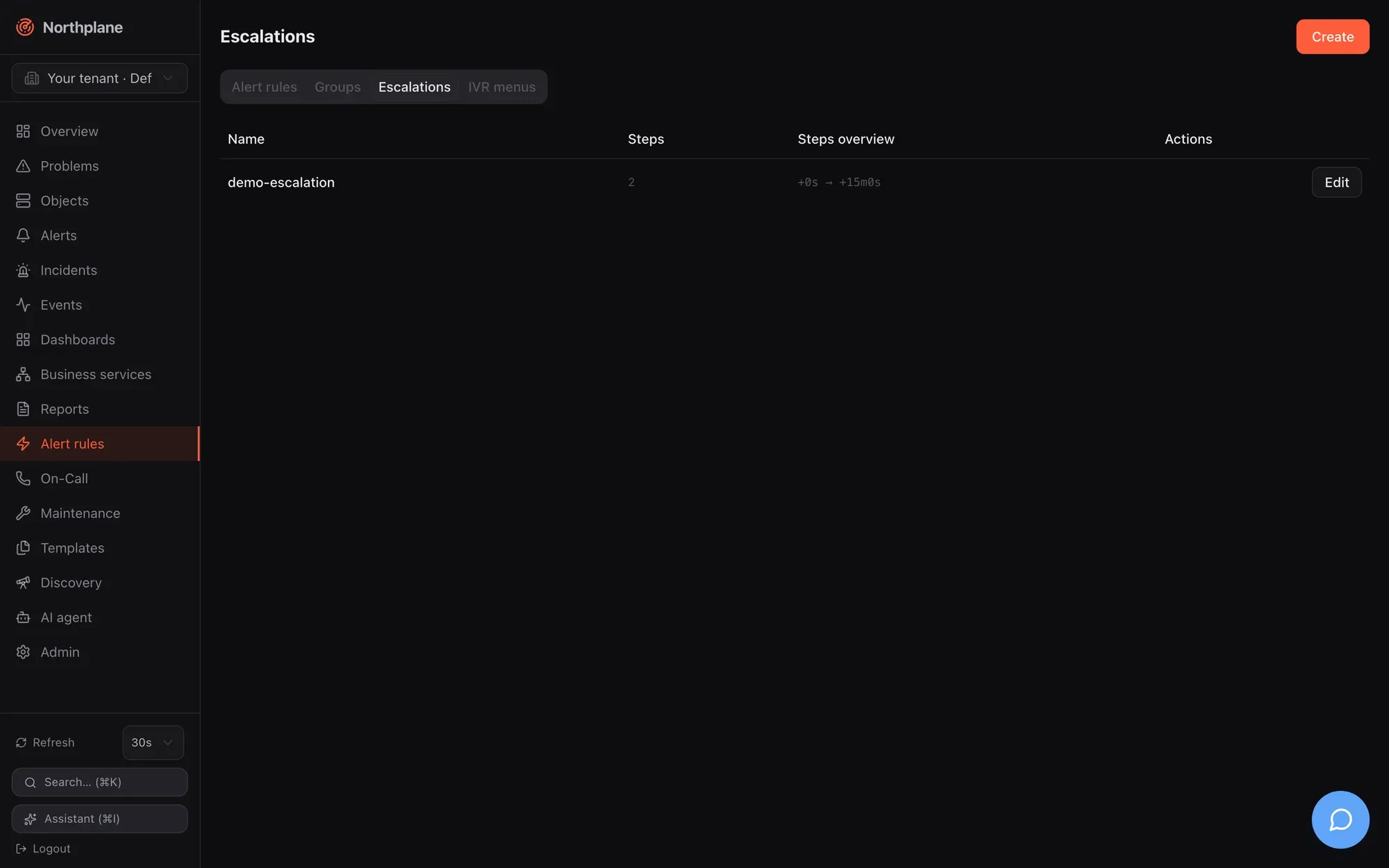
Policies live under **Alerting → Escalations (Eskalationen)**, at `/api/v1/escalation-policies` (`objects:read` / `config:write`; `PUT` needs `If-Match`) and in bundles as `kind: EscalationPolicy`. Generated reference: [post\_escalation\_policies](/docs/reference/api/operations/post_escalation_policies/), [put\_escalation\_policies\_name](/docs/reference/api/operations/put_escalation_policies_name/), [post\_escalation\_policies\_name\_simulate](/docs/reference/api/operations/post_escalation_policies_name_simulate/).
## A policy
[Section titled “A policy”](#a-policy)
policy.yaml
```yaml
kind: EscalationPolicy
metadata: { name: nachtdienst }
spec:
steps:
- after: 0s
notify: { schedule: bereitschaft } # whoever is on call now
channels: [push, voice] # overrides the contacts' preferences
repeatEvery: 5m
maxRepeats: 3
- after: 15m
unlessAcked: true
notify: { schedule: bereitschaft, escalateTo: backup }
channels: [voice, sms]
- after: 30m
notify: { contactGroup: leitung }
action: { ticket: { channel: snow, autoClose: true, params: { assignment_group: NOC } } }
```
Validation: a policy needs at least one step (`422`). Step fields:
| Field | Type | Semantics |
| ---------------------------- | ------------------------------------------------------------------------------------------------------------------------------ | ------------------------------------------------------------------------------------------------------------------------------------------------------------------------------------------------------------------ |
| `after` | duration (`0s`, `15m`, `1h`; a bare integer is seconds) | offset from the alert’s `openedAt` (or from a snooze wake-up) at which the step fires |
| `unlessAcked` | bool | when the step comes due and the alert is already **acked**, skip its notifications. The chain ends on ack in every case — see below |
| `notify` | `{schedule, escalateTo, contact, contactGroup}` | who; exactly one target kind is used, precedence `schedule` > `contactGroup` > `contact`; `escalateTo: backup` only with `schedule` |
| `channels` | list of channel types | `email`, `sms`, `voice`, `push`, `ntfy`, `slack`, `teams`, `webhook`, `mqtt`, `servicenow`, `zendesk`, `jira`, `ticket` — a **complete override** of every resolved contact’s preferences; empty = use preferences |
| `repeatEvery` / `maxRepeats` | duration / int | re-fire this step every `repeatEvery`, at most `maxRepeats` more times (needs `repeatEvery` greater than 0); `maxRepeats: 3` means four firings in total |
| `action` | `{ticket: {channel, autoClose, params}}` or `{webhook: <channel name>}` or legacy `{servicenow: {assignmentGroup, autoClose}}` | a side effect that rides the outbox, independent of `notify` |
A step may have only `notify`, only `action`, or both. The UI step editor offers the target kinds, the channel picker (`email`, `webhook`, `slack`, `teams`, `ntfy`, `sms`, `push`, `voice`, `mqtt`), repeat settings and the webhook action; ticket actions and ticket channel types are configured through the API or bundles.
## Who and how: target and channel resolution
[Section titled “Who and how: target and channel resolution”](#who-and-how-target-and-channel-resolution)
When a step fires, the engine resolves **contacts** and then **channel types** per contact:
1. **Target** — `schedule`: the person on call *now* (`ResolveOnCall` with the schedule’s overrides); `escalateTo: backup` takes the next person in the duty chain; an active override prepends its contact, so the backup during an override is the regular rotation person (the chain is `[override, wheel…]`). `contactGroup`: all `members`. `contact`: that one. Names and ids both resolve. A missing schedule is logged (`escalation: schedule missing`) and yields nobody; a step without any resolvable contact logs `escalation: step has no resolvable contacts` and still writes its `escalation` event. How schedules and groups resolve: [Contacts and on-call](/docs/alarming/contacts-and-oncall/).
2. **Channel types** per contact — the step’s `channels` if set; otherwise the contact’s preferences for the alert’s severity at this moment (`PreferredChannels`, evaluated in the contact’s time zone); if that yields nothing, `[email]`.
3. **Delivery** — every (contact, type) pair becomes one outbox item of kind `notification`. The notifier picks the tenant’s **first enabled channel of that type in name order** and the target from the contact (`email`, `phone`, `userId`) or the channel’s `url` — the rules on [Notification channels](/docs/alarming/channels/#how-a-channel-is-selected).
Step channels override preferences — including their time and severity gating
With `channels` on a step, a contact’s preferences are not consulted at all: no period matching, no minimum severity. `channels: [voice]` calls a person at 03:00 even if their preferences say “e-mail only at night”. Leave `channels` empty when the recipient should decide how to be reached; set it when the policy must dictate the medium.
## Actions
[Section titled “Actions”](#actions)
An `action` runs as an outbox item of kind `action` (payload `{action, alert, policy, step}`), retried and dead-lettered like notifications but always with the default retry policy.
| Shape | What happens |
| ------------------------------------------------------- | ------------------------------------------------------------------------------------------------------------------------------------------------------------------------------------------------------------------------------------------------------------------------------------------------------------------------------------------------------------------------------------------------------------------------------------------------- |
| `ticket: {channel: snow, autoClose: true, params: {…}}` | creates a ticket through the **named** channel (`servicenow`, `zendesk`, `jira` or generic `ticket`; must be enabled). `params` are merged into the provider payload (e.g. `assignment_group`, `urgency`, `priority`, `tags`); `autoClose` **replaces** the channel’s own `autoClose` setting. The reference is stored on the alert (`alert.ticket = {channel, type, ref, url, autoClose}`) and mirrored into the incident’s `ticketUrl` if empty |
| `servicenow: {assignmentGroup, autoClose}` | legacy shorthand: ticket against the tenant’s first enabled `servicenow` channel with `params.assignmentGroup` |
| `webhook: my-hook` | posts the rendered template of the named `webhook` channel (must be enabled) |
Actions skip alerts that resolved or expired in the meantime; a repeat (or a later step) does **not** open a second ticket while `alert.ticket.ref` is set. Every executed action writes a `notification` event with `status: sent` and the provider id. With `autoClose`, resolving the alert (any path, including auto-close) queues a `ticket-close` item. Provider details: [Ticket channels](/docs/alarming/channels/#ticket-channels-servicenow-zendesk-jira-ticket).
## Timers and the firing algorithm
[Section titled “Timers and the firing algorithm”](#timers-and-the-firing-algorithm)
Timers are rows in the `escalations` table (`alert_id, policy_name, step_index, repeats_done, next_at, done`, keyed by alert + step) — durable across restarts and shared between instances on one database.
* **Start** (`StartChain`): when an alert opens with a policy — rule alerts after the suppression gate, manual alarms immediately — step 0 is scheduled at `openedAt + steps[0].after`. A policy without steps is a no-op.
* **Stop** (`StopChain`): acknowledge, resolve, snooze and incident resolve mark all of the alert’s timers `done`.
* **Poll**: every **2 s**, up to 200 due timers per tick.
When a timer is due (`fire`):
1. Alert gone → timer done. Transient database error → left due, retried next tick. Alert `resolved` or `expired` → done. Policy missing or step index out of range → done.
2. `acked` = the alert’s status is `acked`; `skipped` = `unlessAcked && acked`. If not skipped, the step’s notifications and action are enqueued. **If acked, the timer is marked done here** — no next step, no repeat.
3. On the **first** firing of a step (`repeatsDone == 0`) the next step is armed at `openedAt + next.after`; if that moment has already passed it is scheduled for `now + 5 s`.
4. If `repeatEvery` is set and `repeatsDone < maxRepeats`, the same step is rescheduled at `now + repeatEvery` with `repeatsDone + 1`; otherwise done.
Consequences worth knowing: step *N + 1* is armed when step *N* first fires, regardless of repeats, so repeats of step *N* and later steps run concurrently; `after` offsets are absolute from `openedAt`, not relative to the previous step; a step whose `after` is smaller than the previous step’s fires about 5 s after it; an alert that is folded into an existing open alert by its dedup key does **not** start a second chain.
## Acknowledge, snooze, resolve
[Section titled “Acknowledge, snooze, resolve”](#acknowledge-snooze-resolve)
* **Acknowledge** (UI, `POST /api/v1/alerts/{id}:ack`, ack link, SMS keyword, IVR, DTMF 4, app) sets `acked` and stops the chain. `unlessAcked` only matters for a step that is *already due* at that moment: with `unlessAcked: false` (the default) that step still sends, with `true` it is skipped — either way nothing further is armed. So `unlessAcked: true` is the normal choice for every step after the first.
* **Snooze** (`:snooze {"until": …}`) acks the alert with a wake-up: if it is still unresolved at `until`, the alert flips back to `open`, an `escalation` event `snooze expired — alarm re-armed` is written, and the chain **restarts at step 0 with `openedAt` rebased to the wake-up time** — all `after` offsets count from then.
* **Resolve** (any path) and auto-close (`expired`) end the chain; due timers that fire afterwards are marked done without sending.
* **Suppression** (downtime, silence, flapping, parent down) applies to rule-created alerts only: the alert exists, a `notification` event with `status: suppressed` is written, and the chain starts only once the suppression lifts while the alert is still open (the re-arm set is in memory and lost on restart). Manual, phone and SMS alarms bypass suppression. Details: [Alerts and incidents](/docs/concepts/alerts-incidents/), [Reliability](/docs/alarming/reliability/).
All ack paths with their audit records: [Acknowledge and snooze](/docs/alarming/acknowledge-and-snooze/).
## Simulating a policy
[Section titled “Simulating a policy”](#simulating-a-policy)
`POST /api/v1/escalation-policies/{name}:simulate` (permission `alerts:read`, no body; the **Simulate (Simulieren)** button in the policy dialog, saved policies only) answers who *would* be notified when, resolved for `now + after` of each step, without touching any alert:
```json
{
"steps": [
{ "step": 1, "at": "2026-08-23T10:15:00Z", "after": "0s", "unlessAcked": false,
"channels": ["push", "voice"], "schedule": "bereitschaft", "notify": ["Alice"],
"repeatEvery": "5m0s", "maxRepeats": 3 },
{ "step": 2, "at": "2026-08-23T10:30:00Z", "after": "15m0s", "unlessAcked": true,
"channels": ["voice", "sms"], "schedule": "bereitschaft", "notify": ["Bob"] },
{ "step": 3, "at": "2026-08-23T10:45:00Z", "after": "30m0s", "unlessAcked": false,
"channels": null, "notify": ["Alice", "Carol"],
"action": { "ticket": { "channel": "snow", "autoClose": true, "params": { "assignment_group": "NOC" } } } }
]
}
```
The simulator honours overrides and the backup offset. One difference to the engine: it lists the names of **all** target kinds present on a step (schedule *and* contact *and* contactGroup), whereas the engine uses only the highest-precedence one — keep one target kind per step to avoid surprises.
## Events and audit
[Section titled “Events and audit”](#events-and-audit)
| Event | When | Payload |
| -------------- | --------------------------------------------------------------- | ------------------------------------------------------------------------------------------------------------------------------------------------------------------------------- |
| `escalation` | every step firing, including repeats and steps without contacts | `{alertId, step, repeat, contacts: [names], channels}` — `channels` is the step’s override list (empty when preferences were used) |
| `escalation` | snooze wake-up | `{alertId, title, comment: "snooze expired — alarm re-armed", policy}` |
| `notification` | every delivery attempt and every executed action | the `NotificationRecord` (`contact`, `channel`, masked `target`, `status` `sent`/`failed`, `attempt`, `error`, `providerId`, `latencyMs`) — one per (contact, channel, attempt) |
| `notification` | chain blocked by suppression | `{alertId, status: "suppressed", error: <reason>}` |
Escalation steps do not write audit-log entries; the hash-chained audit log records human actions (`alert.ack`, `alert.resolve`, `alert.snooze`, `alert.raise`, …). Filter the **Events** page by `escalation` and `notification` to follow a chain; `np_notifications_total` on `/metrics` counts outcomes.
## Bundle example
[Section titled “Bundle example”](#bundle-example)
alarming.yaml
```yaml
kind: Contact
metadata: { name: alice }
spec: { email: alice@example.com, phone: "+4366412345678", timeZone: Europe/Vienna,
preferences: [{ profile: default, channels: [push, email] }] }
---
kind: Contact
metadata: { name: bob }
spec: { email: bob@example.com, phone: "+4366412345679", timeZone: Europe/Vienna }
---
kind: ContactGroup
metadata: { name: leitung }
spec: { members: [alice, bob] }
---
kind: Schedule
metadata: { name: bereitschaft }
spec:
timeZone: Europe/Vienna
layers:
- { name: primary, participants: [alice, bob], unit: weekly, anchor: "2026-01-05T08:00:00+01:00" }
---
kind: EscalationPolicy
metadata: { name: nachtdienst }
spec:
steps:
- after: 0s
notify: { schedule: bereitschaft }
channels: [push, voice]
repeatEvery: 5m
maxRepeats: 3
- after: 15m
unlessAcked: true
notify: { schedule: bereitschaft, escalateTo: backup }
channels: [voice, sms]
- after: 30m
unlessAcked: true
notify: { contactGroup: leitung }
action: { webhook: ops-hook }
---
kind: AlertRule
metadata: { name: prod-critical }
spec:
match: 'event.type == "state_change" && event.stateType == "hard" && event.severity == "critical" && event.labels.env == "prod"'
severity: critical
escalationPolicy: nachtdienst
```
Apply order in bundles is `Contact`, `ContactGroup`, `Channel`, `Schedule`, `IVRMenu`, `EscalationPolicy`, `EventSource`, `AlertRule` — references are resolved by name at run time, so a policy may reference a schedule that is created in the same bundle. The channels referenced by type (`push`, `voice`, `sms`) and by name (`ops-hook`) must exist and be `enabled: true` ([Notification channels](/docs/alarming/channels/)); apply with `np apply -f alarming.yaml` ([Config bundles](/docs/administration/config-bundles/)).
## Patterns
[Section titled “Patterns”](#patterns)
* **Page until someone reacts:** one step with `repeatEvery`/`maxRepeats` (`5m` × `3` = four attempts over 15 minutes), then escalate to `backup` — the ack of the first person ends the repeats.
* **Let people choose the medium:** no `channels` on the step; contacts keep `push` by day and `voice` by night in their preferences.
* **Ticket first, people later:** step 0 with only `action: {ticket: …}`, step 1 after `10m` with `notify`.
* **Everyone at once:** `notify: {contactGroup: …}` with `channels: [sms]` — every member gets an SMS in the same step.
# Event sources
> Reference for every inbound event source type — the EventSource resource, auth modes, rate limits, CEL mapping, the normalized event, and per-type configuration keys with examples.
An **event source** is an inbound adapter instance: it authenticates and rate-limits what comes in, normalizes it into one event shape, stamps labels, and publishes the result as an `ingress` event that your [alert rules](/docs/alarming/alert-rules/) evaluate. HTTP-style sources (webhook, Alertmanager, Twilio voice/SMS) are addressed by URL; listener-style sources (SNMP traps, ESPA, Asterisk AGI) open a port; client-style sources (IMAP, MQTT) connect out.
Event sources are managed in **Admin → Event sources (Event-Quellen)**, through `/api/v1/event-sources` (generic resource CRUD: `objects:read` to list, `config:write` to change, `If-Match` on `PUT`), or as bundle kind `EventSource`.
## The EventSource resource
[Section titled “The EventSource resource”](#the-eventsource-resource)
| Field | Type | Meaning |
| ----------- | -------------------------------------- | ------------------------------------------------------------------------------------------------------------------------------------------------------------------------------------------------------------------------------ |
| `name` | string | Unique per tenant. Usable in ingest URLs instead of the id. |
| `type` | string | One of `webhook`, `alertmanager`, `email` (alias `imap`), `snmp-trap`, `mqtt`, `espa`, `espa-x`, `voice-inbound`, `sms-inbound`, `asterisk-inbound`. The type is not validated on save; unknown types are simply never served. |
| `enabled` | bool | Must be `true` for the source to accept anything (see below). |
| `authMode` | `token` \| `hmac` \| `basic` \| `none` | HTTP authentication for webhook, Alertmanager, voice and SMS webhooks. Empty or unknown values behave like `token`. |
| `secretRef` | string | Name of a secret in the [secret store](/docs/administration/secrets/) (**Admin → Secrets**). Required for `token`, `hmac` and `basic` — without a resolvable secret every request is rejected. |
| `mapping` | map field → CEL | Normalization expressions for `webhook` and `mqtt` payloads (see [CEL mapping](#cel-mapping)). |
| `config` | map string → string | Transport-specific keys, listed per type below. Values are strings: quote numbers and booleans in YAML (`port: "993"`, `markSeen: "false"`). |
| `rateLimit` | float, events/s | Token bucket per source; `0` = default **50/s**. |
| `burst` | int | Bucket size; `0` = default **200**. |
| `labels` | map | Merged into every event this source produces (precedence differs per type, see [Label precedence](#label-precedence)). |
`enabled` defaults to false
The API and the bundle applier store the document as-is; there is no default injection. A source created through the API or a bundle without `enabled: true` is **disabled**: HTTP ingest answers `403 np:ingress/disabled`, and the IMAP/MQTT/trap/ESPA/AGI managers do not start a listener or poller for it. The UI dialog pre-sets the switch to on. One exception: the Alertmanager receiver (`/ingest/{source}/alertmanager`) does not check `enabled` at all — only authentication.
### Authentication (`authMode`)
[Section titled “Authentication (authMode)”](#authentication-authmode)
| Mode | What the request must carry |
| ----------------- | --------------------------------------------------------------------------------------------------------------------------------------------------------------------- |
| `none` | Nothing. |
| `token` (default) | `Authorization: Bearer <secret>` **or** query `?token=<secret>`; constant-time comparison against the secret named by `secretRef`. |
| `hmac` | `X-Northplane-Signature: [sha256=]<hex>` (fallback: GitHub-style `X-Hub-Signature-256`) — lowercase hex HMAC-SHA256 over the raw request body with the secret as key. |
| `basic` | HTTP Basic; only the **password** is compared with the secret, the username is ignored. |
Practical notes:
* The UI creates new sources with `authMode: none`; documents created via API/bundle without `authMode` default to `token`. Either way, decide explicitly.
* `?token=` ends up in proxy and access logs — prefer the header or `hmac`.
* Do not use an ingest secret that starts with `np_`: the API middleware would treat it as a Northplane API token and answer `401 np:auth/invalid` before the source is even looked up.
* If the secret store has no master key, every secret resolves empty and `token`/`hmac`/`basic` sources reject everything.
* Twilio sources additionally verify `X-Twilio-Signature` when `config.twilioAuthToken` is set, and can restrict callers with `allowFrom` — see [Voice and IVR](/docs/alarming/voice-and-ivr/).
### Rate limits
[Section titled “Rate limits”](#rate-limits)
Every source has a token bucket keyed by its id (`rateLimit` events/s, `burst` capacity, defaults 50 and 200). HTTP ingest answers `429 np:ingress/rate` with `Retry-After: 5` and counts `np_ingress_dropped_total{reason="rate"}`; the Alertmanager receiver stops processing the remaining alerts of that request silently (still `202`); voice/SMS webhooks answer `429`; trap, ESPA and MQTT listeners drop silently (logged at debug level).
### Label precedence
[Section titled “Label precedence”](#label-precedence)
Which labels an event carries, and who wins when keys collide (the right-hand side overwrites):
| Type | Labels stamped by the adapter | Precedence |
| --------------------------------- | -------------------------------------------------------------------- | ----------------------------------------------- |
| `webhook` | only mapped `labels.*` | mapped ⊕ **source labels** |
| `alertmanager` | the Alertmanager alert’s labels | AM labels ⊕ **source labels** |
| `email` / `imap` | `source` (source name), `from` | adapter ⊕ **source labels** |
| `snmp-trap` | `source`, `agent`, `trapOid`, one label per varbind OID | source labels ⊕ **trap labels** |
| `mqtt` | `topic` (+ mapped) | mapped ⊕ source labels ⊕ **`topic`** |
| `espa` / `espa-x` | `source`, `espa.*` | source labels ⊕ **adapter labels** |
| `sms-inbound` (`action: event`) | `from`, `to` | adapter ⊕ **source labels** |
| `voice-inbound` (alert labels) | `caller`, `called`, `callSid` (+ `recordingUrl`, `transcript` later) | adapter ⊕ source labels ⊕ **IVR option labels** |
| `asterisk-inbound` (alert labels) | `caller`, `via=asterisk` (+ `recordingFile`) | adapter ⊕ source labels ⊕ **IVR option labels** |
`labels.source` is not universal
Only e-mail, SNMP-trap and ESPA sources stamp `labels.source`. For webhook, Alertmanager, MQTT and SMS sources either put an identifying label into the source’s own `labels` (e.g. `labels: { source: grafana }`) or match on `event.source`, which always holds the source **id** (a UUID), never the name.
## The normalized event
[Section titled “The normalized event”](#the-normalized-event)
Every adapter produces a `NormEvent`, which is stored as the `payload` of an `Event` of type `ingress`:
| Field | Set to |
| ------------ | -------------------------------------------------------------------------------------------------------------- |
| `source` | the EventSource **id** |
| `receivedAt` | receive time (also the event’s `ts`) |
| `dedupKey` | adapter- or mapping-specific; folds repeats into one alert when a rule uses the default dedup key |
| `severity` | `critical` \| `warning` \| `info` \| `ok` — from the adapter mapping or the source’s `config.severity` default |
| `summary` | human-readable title |
| `labels` | see the precedence table |
| `payload` | the archived original body (JSON object, or a JSON string for plain text) |
| `resolve` | `true` = this event clears the open alert that holds the same dedup key |
The surrounding event carries `id`, `tenantId`, `ts`, `type: "ingress"`, `sourceId` and `severity` (an empty severity becomes `info`). In CEL rules the NormEvent’s fields are addressable as `event.summary`, `event.severity`, `event.labels.<k>`, `event.dedupKey`, `event.source`, and the keys of the archived original body are hoisted to `event.payload.<key>` when it is a JSON object (NormEvent’s own keys win on collision) — e.g. `event.payload.subject` for mail, `event.payload.title` for a webhook body. See the [CEL environment](/docs/alarming/alert-rules/#the-cel-environment).
All ingress events are visible in **Events** (filter type `ingress`) and via `GET /api/v1/events?types=ingress&sourceId=<id>`.
## HTTP ingest endpoint
[Section titled “HTTP ingest endpoint”](#http-ingest-endpoint)
`POST /api/v1/ingest/{source}` — `{source}` is the source **name or id**, resolved across all tenants (ingest URLs carry no tenant). The endpoint is registered outside RBAC and outside the generated OpenAPI document; the source’s `authMode` is the only authentication. Processing order and outcomes:
| Step | Failure → response |
| ------------------------------ | -------------------------------------------------------------------------------- |
| 1. Resolve the source | `404 np:ingress/unknown-source` |
| 2. `enabled` check | `403 np:ingress/disabled` |
| 3. Read body (max 1 MiB) | `413 np:ingress/size` |
| 4. `authMode` check | `401 np:ingress/auth` |
| 5. Rate limit | `429 np:ingress/rate`, `Retry-After: 5` |
| 6. Normalize (identity or CEL) | `422 np:ingress/mapping` (detail names the field) |
| 7. Persist + publish | **`202 Accepted`**, empty body; metric `np_ingress_events_total{type="webhook"}` |
The handler does not check the source’s `type`: any enabled source accepts normal-form posts here. Errors are RFC 9457 problem documents, see [API overview](/docs/reference/api-overview/).
Without a `mapping` the body must already be in normal form:
```bash
curl -s -X POST https://np.example.com/api/v1/ingest/ci \
-H 'Authorization: Bearer <secret>' -H 'Content-Type: application/json' \
-d '{"summary":"deploy failed","severity":"critical","dedupKey":"deploy-42",
"labels":{"service":"checkout"},"resolve":false}'
# HTTP/1.1 202 Accepted
```
A missing `summary` becomes `event from <source name>`; the raw body is archived as `payload`; invalid JSON → `422`. An unknown `severity` string is stored as given in this branch (only an empty one is corrected to `info`), so send one of the four valid values.
## CEL mapping
[Section titled “CEL mapping”](#cel-mapping)
When `mapping` is set (webhook and MQTT sources), the body must be JSON of any shape. It is bound to a single CEL variable **`payload`** and each mapping entry is evaluated per request (cost limit 5000):
| Target key | Result |
| -------------- | -------------------------------------------------------- |
| `summary` | stringified |
| `severity` | string; an invalid value becomes `info` |
| `dedupKey` | stringified |
| `resolve` | must evaluate to `bool`; anything else counts as `false` |
| `labels.<key>` | stringified label value, any key |
| anything else | ignored |
A compile or evaluation error — including a missing key on the payload — fails the request with `422 np:ingress/mapping` (`mapping <field>: <error>`). The raw body is still archived in `payload`, so rules can reach fields you did not map via `event.payload.<key>`.
```json
{ "name": "grafana", "type": "webhook", "enabled": true,
"authMode": "hmac", "secretRef": "grafana-hmac",
"mapping": {
"summary": "payload.title",
"severity": "payload.state == 'alerting' ? 'critical' : 'ok'",
"dedupKey": "string(payload.ruleId)",
"resolve": "payload.state == 'ok'",
"labels.dashboard": "payload.ruleName"
},
"labels": { "source": "grafana" } }
```
The UI shows the **Mapping (CEL)** editor only for `webhook` sources; for `mqtt` set `mapping` through the API or a bundle.
## Source types
[Section titled “Source types”](#source-types)
### `webhook`
[Section titled “webhook”](#webhook)
Generic JSON receiver. No `config` keys — only `authMode`/`secretRef`, optional `mapping`, `rateLimit`/`burst`, `labels`. Ingest URL `POST /api/v1/ingest/<name>` (shown in the UI). Normal-form bodies need no mapping; anything else needs one (see above).
```yaml
kind: EventSource
metadata: { name: grafana }
spec:
type: webhook
enabled: true
authMode: hmac
secretRef: grafana-hmac
mapping:
summary: payload.title
severity: "payload.state == 'alerting' ? 'critical' : 'ok'"
dedupKey: string(payload.ruleId)
resolve: "payload.state == 'ok'"
labels: { source: grafana }
```
### `alertmanager`
[Section titled “alertmanager”](#alertmanager)
Prometheus Alertmanager v2 webhook receiver at `POST /api/v1/ingest/{source}/alertmanager`. No `config` keys; `authMode`/`secretRef` apply; `mapping` is not used. Body `{"alerts":[{"status","labels","annotations","fingerprint"}]}` (other top-level fields ignored); non-JSON → `422 np:ingress/format`; always `202`; metric type `alertmanager`. One event per Alertmanager alert:
| NormEvent field | Value |
| --------------- | --------------------------------------------------------------------------------------------------------------------------------- |
| `dedupKey` | `am-<fingerprint>` |
| `severity` | from `labels.severity`: `critical`/`page` → critical, `info`/`none` → info, anything else → warning; forced to `ok` when resolved |
| `summary` | `annotations.summary`, else `labels.alertname` |
| `labels` | the alert’s labels ⊕ source labels |
| `resolve` | `true` when `status == "resolved"` |
| `payload` | the single Alertmanager alert object |
alertmanager.yml (receiver)
```yaml
receivers:
- name: northplane
webhook_configs:
- url: https://np.example.com/api/v1/ingest/prom/alertmanager
send_resolved: true
http_config:
authorization: { credentials: <secret> }
```
Caution
This receiver does not check the source’s `enabled` flag — disabling the source does not stop Alertmanager posts; change the secret or delete the source instead.
### `email` / `imap`
[Section titled “email / imap”](#email--imap)
An IMAP poller (one goroutine per enabled source; reconciled every 30 s; restarted when the config changes). Type value `imap` or `email`, case-insensitive.
| Key | Default | Notes |
| ------------------- | --------------------------- | ------------------------------------------------------------------------------------------------------------------------------------------------- |
| `host` | — (required) | |
| `port` | `993` with TLS, `143` plain | |
| `tls` | `on` | `on`/`implicit`/`true` = implicit TLS; `off`/`none`/`false`/`plain` = plaintext. **`starttls` is not supported** (config error). |
| `username` | — | IMAP `LOGIN` |
| `passwordSecretRef` | — | secret name (preferred) |
| `password` | — | inline fallback |
| `folder` | `INBOX` | |
| `pollInterval` | `60s` | Go duration; minimum `15s` is enforced |
| `markSeen` | `true` | anything but `false` = true. With `false`, `SEARCH UNSEEN` returns the same messages on every poll (events repeat; alerts fold on the dedup key). |
| `severity` | `warning` | default when the subject carries no severity token |
Each poll: connect, `SEARCH UNSEEN`, fetch up to 200 messages, publish, then flag `\Seen` (only after a successful publish). Event construction: `summary` = decoded `Subject` (or `(no subject)`); severity from a whole-word subject token — `critical` → critical, `ok`/`resolved` → ok (and `resolve: true`), `warning` → warning, else the default; `dedupKey` = `<source name>/<Message-ID>` (or a 16-hex-char hash of subject + date when there is no Message-ID); labels `source=<name>`, `from=<bare address>` ⊕ source labels; `payload = {subject, from, date, messageId, body}` with `body` = the first `text/plain` part (decoded, ≤ 4000 characters). Attachments and HTML-only bodies are ignored.
```yaml
kind: EventSource
metadata: { name: ops-mailbox }
spec:
type: imap
enabled: true
config: { host: imap.example.com, port: "993", tls: "on", username: ops@example.com,
passwordSecretRef: imap-pass, folder: INBOX, pollInterval: 60s, severity: warning }
```
Typical rules: `event.payload.subject.matches('(?i)feuer|brand')`, `event.payload.from == 'leitstelle@example.org'`, `event.payload.body.contains('Zone 12')`.
### `snmp-trap`
[Section titled “snmp-trap”](#snmp-trap)
A UDP trap listener. Northplane opens one socket per distinct `listen` address across all tenants and sources; the community string (v1/v2c) or the USM user (v3) selects the source. Reconciled every 30 s.
| Key | Default | Notes |
| ------------- | ------------- | ------------------------------------------------------------------------------------- |
| `listen` | `udp://:9162` | several sources may share an address |
| `community` | `public` | v1/v2c match |
| `severity` | `warning` | for enterprise-specific / unclassified traps |
| `v3User` | — | enables SNMPv3 on that listener |
| `v3SecLevel` | inferred | `noAuthNoPriv` \| `authNoPriv` \| `authPriv`; inferred from which passphrases are set |
| `v3AuthProto` | `SHA` | `MD5`, `SHA`, `SHA224`, `SHA256`, `SHA384`, `SHA512` |
| `v3AuthPass` | — | authentication passphrase (inline) |
| `v3PrivProto` | `AES` | `DES`, `AES`, `AES192`, `AES256` |
| `v3PrivPass` | — | privacy passphrase (inline) |
Normalization: generic v1 traps are mapped per RFC 2576; `coldStart`/`warmStart`/`linkUp` → `ok`, `linkDown` → `critical`, `authenticationFailure`/`egpNeighborLoss` → `warning`, anything else → `config.severity`. `summary` = `SNMP <name> from <agent IP>` or `SNMP trap <oid> from <ip>`; labels `source`, `agent`, `trapOid` plus one label per varbind OID (max 20, values truncated to 200 chars) — trap labels win over source labels; `dedupKey` = `<source name>/<agent IP>/<trap OID>`; `payload = {version, trapOid, community, varbinds:[{oid,type,value}]}` (≈ 16 KiB cap).
SNMPv3 passphrases: UI keys differ from the listener
The admin dialog writes `v3AuthSecretRef` / `v3PrivSecretRef`, but the trap listener reads only `v3AuthPass` / `v3PrivPass` and never resolves secrets. Provide the passphrases under those two keys — through the dialog’s **Weitere Einstellungen** key/value editor, the API, or a bundle.
```yaml
kind: EventSource
metadata: { name: cisco-traps }
spec:
type: snmp-trap
enabled: true
config: { listen: "udp://:9162", community: lab-traps, severity: warning }
labels: { site: lab }
```
Polling, OIDs and Cisco examples: [SNMP](/docs/monitoring/snmp/).
### `mqtt`
[Section titled “mqtt”](#mqtt)
One broker connection per enabled source (auto-reconnect, resubscribe on every connect, clean session, keep-alive 60 s); reconciled every 30 s and restarted when any connection-relevant key changes.
| Key | Default | Notes |
| --------------------------------------------- | --------------------------------------------- | ------------------------------------------------------------------------------------------------------------------- |
| `url` | — (required) | `tcp://`, `mqtt://`, `ssl://`, `tls://`, `mqtts://`, `ws://`, `wss://` |
| `topics` | — (required) | comma-separated topic filters, e.g. `factory/#,plant2/+/fire` |
| `qos` | `1` | 0, 1 or 2 |
| `clientId` | `northplane-<first 8 chars of the source id>` | two connections with the same id evict each other on the broker — set distinct ids when several instances subscribe |
| `username` / `password` / `passwordSecretRef` | — | secret ref preferred; re-read on every (re)connect |
| `tlsInsecure` | `false` | `true` skips certificate verification on TLS schemes |
| `severity` | `info` | default severity |
Payload handling, in order: (1) `mapping` set and the payload is JSON → CEL mapping as above; (2) no mapping and the payload is JSON with `summary` or `severity` → taken as normal form; (3) otherwise plain text — the first 200 runes become `summary` (`(empty message)` when blank). Then `labels.topic` is **always** set to the message topic (source labels win over mapped labels, `topic` wins over everything). The raw message (≤ 64 KiB) is archived as `payload` (non-JSON as a JSON string, so there is nothing to hoist). No `dedupKey` unless mapped.
```yaml
kind: EventSource
metadata: { name: factory-mqtt }
spec:
type: mqtt
enabled: true
config: { url: "ssl://broker:8883", topics: "factory/#", qos: "1", username: np,
passwordSecretRef: mqtt-pass, clientId: np-main, severity: info }
```
Rule example: `event.labels.topic == 'factory/hall3/fire'` or `event.labels.topic.startsWith('factory/') && event.severity == 'critical'`.
### `espa` and `espa-x`
[Section titled “espa and espa-x”](#espa-and-espa-x)
TCP listeners for ESPA 4.4.4 (serial-bridge pager protocol) and ESPA-X 2.0 (XML). One listener per `listen` address; **exactly one source may own an address** (duplicates are logged and ignored). Limits per listener: 64 connections, 5-minute idle timeout, 64 KiB frame cap.
| Key | Default | Notes |
| ---------- | ------------------------------------------------ | ------------------------------------------------ |
| `listen` | `tcp://:2023` (`espa`), `tcp://:8123` (`espa-x`) | |
| `severity` | `info` | severity for calls without a recognised priority |
ESPA 4.4.4: Northplane acts as the slave (ENQ → ACK, BCC check); only “call to pager” blocks (function `1`) become events. `summary` = display message (≤ 512 chars) or `ESPA call <address>`; labels `espa.address`, `espa.beep`, `espa.callType`, `espa.priority`; priority `1` → critical, `2` → warning, else default; **no `dedupKey`** (every call is a fresh event); `payload = {function:"1", records:{…}}`.
ESPA-X: answers `REQ.LOGIN`, `REQ.HEARTBEAT` and `REQ.P-CALL` with `REP.* state="ok"`; `summary` = `DISPLAY-MSG`/`TEXT-MSG`; labels `espa.callId`, `espa.address`, `espa.prio`, `espa.signal`; `CALL-PRIO` containing `alarm` or `1` → critical, `high` or `2` → warning, else default; `dedupKey = espa-x/<CALL-ID>` (retransmits fold); `payload = {callId, address, message, prio, signal, xml}`.
Both stamp `labels.source` = source name; protocol labels win over source labels.
```yaml
kind: EventSource
metadata: { name: nurse-call }
spec: { type: espa-x, enabled: true, config: { listen: "tcp://:8123", severity: warning } }
```
Rule example: `event.labels["espa.priority"] == "1"` (bracket syntax because of the dot in the key).
### `voice-inbound`
[Section titled “voice-inbound”](#voice-inbound)
A Twilio voice webhook: callers reach an IVR menu that can raise alarms, list, acknowledge or resolve them. Webhook URL `POST /api/v1/voice/inbound/{source}` (`{source}` = id or name; the UI shows the id form with `?token=`). The alarm this source raises is a **manual alert** (no rule involved).
| Key | Default | Notes |
| ------------------ | ------------------------ | ------------------------------------------------------------------------------------------------------------ |
| `menu` | built-in | IVR menu resource name; the built-in menu is 1 = raise alarm + record, 2 = list open alarms, 3 = acknowledge |
| `language` | `en-US` | TTS language; the menu’s own `language` wins; prompts are German for any `de*` value |
| `voice` | — | provider voice, e.g. `Polly.Vicki` |
| `ttsProfile` | `default` (if it exists) | [TTS profile](/docs/alarming/text-to-speech/) — prompts are synthesized by Northplane and `<Play>`ed |
| `allowFrom` | all | comma-separated E.164 prefixes; others get `403 np:ingress/caller` |
| `escalationPolicy` | — | default policy for menu-raised alarms (an IVR option’s policy wins) |
| `severity` | `critical` | default for trigger-alarm options without a severity |
| `twilioAuthToken` | — | value or `$SECRET:name$`; when set, `X-Twilio-Signature` is verified against the public URL (`baseUrl`) |
Plus `authMode`/`secretRef` (use `token` + `?token=`: Twilio re-posts action URLs verbatim), `rateLimit`/`burst`, `labels` (merged into the raised alerts). Flow, menus, PIN gate, recording and transcription labels: [Voice and IVR](/docs/alarming/voice-and-ivr/).
```yaml
kind: EventSource
metadata: { name: alarm-line }
spec:
type: voice-inbound
enabled: true
authMode: token
secretRef: alarm-line-token
config: { menu: alarm-menu, language: de-DE, allowFrom: "+49,+43", escalationPolicy: call-alarm,
severity: critical, twilioAuthToken: $SECRET:twilio-auth$ }
```
### `sms-inbound`
[Section titled “sms-inbound”](#sms-inbound)
A Twilio messaging webhook: `POST /api/v1/sms/inbound/{source}`. Same auth, `allowFrom`, rate limit and Twilio signature handling as voice.
| Key | Default | Notes |
| ------------------------------ | --------- | ------------------------------------------------------------------------------------------------------ |
| `action` | `event` | `event` = publish a normalized `ingress` event (rules decide); `alert` = raise a manual alert directly |
| `escalationPolicy` | — | policy for `action: alert` |
| `severity` | `warning` | invalid values fall back to warning |
| `ackKeyword` | `ACK` | case-insensitive **prefix** match on the message body |
| `language` | `en` | `de*` → German replies |
| `allowFrom`, `twilioAuthToken` | — | as for voice |
A body starting with the keyword from a phone number that belongs to a contact acknowledges the newest open alert (reply `Acknowledged: <title>`); from an unknown number it is rejected. Any other text: `summary` = body (≤ 200 chars, or `SMS alarm from <from>`); with `action: alert` the alert gets labels `from`, `to` ⊕ source labels and dedup key `sms/<MessageSid>`; with `action: event` the event carries labels `{from, to}` ⊕ source labels, `payload = {body, from, to}` and no dedup key. The caller gets `Alarm received.` back; metric `np_ingress_events_total{type="sms"}`.
```yaml
kind: EventSource
metadata: { name: sms-line }
spec:
type: sms-inbound
enabled: true
authMode: token
secretRef: sms-line-token
config: { action: alert, escalationPolicy: sms-alarm, ackKeyword: OK, language: de }
```
### `asterisk-inbound`
[Section titled “asterisk-inbound”](#asterisk-inbound)
A FastAGI listener for your own Asterisk/FreePBX — the same IVR menus as `voice-inbound`, without any cloud. One listener per `listen` address; the dialplan routes a call to the source whose **id or name** is the AGI URL path (`agi://<northplane-host>:4573/<id-or-name>`; an empty path works only when the listener serves exactly one source). Max 32 concurrent sessions, 10-minute session timeout.
| Key | Default | Notes |
| ---------------------- | ------------------------------- | ------------------------------------------------------------------------------------------------------------------------------------------------------------- |
| `listen` | `tcp://:4573` | |
| `menu` | built-in | IVR menu name |
| `language` | `en` | phrase language (`de*` → German); the menu’s language wins |
| `ttsApp` | — | Asterisk application that speaks its argument (`Flite`, `ESpeak`, a piper wrapper …). Empty = prompt-file mode using the `np-*` sound files |
| `ttsProfile` | `default` (if it exists) | [TTS profile](/docs/alarming/text-to-speech/) — prompts are synthesized by Northplane and played with `STREAM FILE`; `ttsApp` / prompt files are the fallback |
| `ttsDir` / `ttsDirPBX` | — | directory shared with the PBX for the clips (else a signed URL via `res_http_media_cache`), and the same directory as the PBX sees it |
| `escalationPolicy` | — | default policy |
| `severity` | `critical` | default severity |
| `allowFrom` | all | caller-id prefixes |
| `recordDir` | `/var/spool/asterisk/recording` | PBX-side directory for recordings (`np-<alertId>.wav`, label `recordingFile`) |
Raised alarms are manual alerts with labels `caller`, `via=asterisk` ⊕ source labels ⊕ option labels and dedup key `agi/<agi_uniqueid>`. Dialplan, prompt-file list and TTS modes: [Voice and IVR](/docs/alarming/voice-and-ivr/).
```yaml
kind: EventSource
metadata: { name: pbx-line }
spec:
type: asterisk-inbound
enabled: true
config: { listen: "tcp://:4573", menu: alarm-menu, language: de-DE, ttsApp: Flite,
escalationPolicy: call-alarm, recordDir: /var/spool/asterisk/recording }
```
### Heartbeats (dead-man inputs)
[Section titled “Heartbeats (dead-man inputs)”](#heartbeats-dead-man-inputs)
Heartbeats are **not** event sources — they are a separate resource (`POST /api/v1/heartbeats`, **Admin → Heartbeats**, not bundled) whose absence of beats produces events. A job calls `POST` or `GET /api/v1/heartbeats/{name}/beat` (permission `objects:write`); when no beat arrives for `expectEvery + grace` the engine flips the heartbeat to `missing` and emits a `heartbeat_missed` event with the heartbeat’s severity and `sourceId` = the heartbeat id; the next beat emits a `heartbeat_missed` event with severity `ok` and `resolve: true`. Both pass through the rules, so `event.type == "heartbeat_missed"` is all a rule needs (with the default dedup key the recovery resolves the alert). Details in [Heartbeats](/docs/monitoring/heartbeats/). The type names `heartbeat` and `agent` appear in a comment on the `EventSource` struct but have no adapter — do not create sources with those types.
## Which inputs go through the rules
[Section titled “Which inputs go through the rules”](#which-inputs-go-through-the-rules)
| Input | Path |
| ---------------------------------------------------------------------------------------------------------------------------------- | ------------------------------------------------------------------------------------------------- |
| webhook, Alertmanager, e-mail, SNMP traps, MQTT, ESPA/ESPA-X, SMS with `action: event`, heartbeat events, `POST /api/v1/incidents` | `ingress`/`heartbeat_missed`/`incident_update` event → [alert rules](/docs/alarming/alert-rules/) |
| `voice-inbound`, `asterisk-inbound`, SMS with `action: alert`, `POST /api/v1/alerts`, the UI’s **Trigger alarm** | manual alert, created directly, chain started immediately, suppression bypassed |
| check results | `state_change` events → rules (and per-object contact routing) |
## Troubleshooting
[Section titled “Troubleshooting”](#troubleshooting)
| Symptom | Cause / fix |
| ----------------------------------------------- | -------------------------------------------------------------------------------------------------------------------------------------------------------------- |
| `404 np:ingress/unknown-source` | wrong name/id in the URL — names are resolved across all tenants, the first match by tenant slug wins |
| `403 np:ingress/disabled` | `enabled` is false (see the caution above) |
| `401 np:ingress/auth` | wrong mode, wrong secret, secret store without key, or `authMode` defaulted to `token` on an API-created source |
| `422 np:ingress/mapping` | mapping expression failed or body not JSON; without mapping the body must be normal-form JSON |
| `429 np:ingress/rate` | raise `rateLimit`/`burst` on the source |
| `403 np:ingress/caller` | caller not in `allowFrom` (voice/SMS) |
| events arrive but nothing alerts | the rule does not match — test it with the rule tester against recent events, check `event.labels` vs `event.source`; remember `event.source` is the id |
| listener not running (traps/ESPA/AGI/MQTT/IMAP) | source disabled, address already owned by another ESPA source, or bad config — check the server log (`traps:`, `espa:`, `mailin:`, `mqttin:`, `agi:` prefixes) |
Metrics: `np_ingress_events_total{type="webhook"|"alertmanager"|"sms"}`, `np_ingress_dropped_total{reason="rate"}` on `/metrics`; queue depths in `GET /api/v1/system/health` — see [Observability](/docs/administration/observability/).
# Mobile push and the alarm app
> The server contract for the Northplane alarm app — API token, device registration for FCM and APNs, the push channel, sound steering labels, the SSE live feed, app-triggered incidents — and the honest state of browser Web Push.
Northplane pushes alarms to phones through the `push` channel type. Android devices receive them through Firebase Cloud Messaging (FCM HTTP v1), iOS devices through the Apple Push Notification service (APNs); browsers would use Web Push. The companion **northplane-alarm** app (Flutter, Android/iOS) uses nothing app-specific on the server: an API token, the standard REST endpoints, the SSE stream and the push subscription endpoint described here. Anything else — a custom client, a wallboard, a script — can use the same contract.
| Piece | What it is |
| ------------------- | ---------------------------------------------------------------------------------------------------------------- |
| Authentication | an API token `np_…` sent as `Authorization: Bearer` ([API tokens](/docs/administration/api-tokens/)) |
| Device registration | `POST /api/v1/push-subscriptions` with an `fcm://` / `apns://` endpoint |
| Routing | a contact whose `userId` equals the registering identity; escalation steps with channel type `push` |
| Credentials | FCM service account and/or APNs key on the `push` channel |
| Sound steering | alert labels `np.sound`, `np.volume`, `np.overrideSilent` |
| Live feed | `GET /api/v1/stream` (SSE): `alert_opened`, `alert_resolved`, `ack`, … |
| Acting | `POST /api/v1/alerts/{id}:ack` / `:resolve` / `:snooze`, `POST /api/v1/alerts` (raise), `POST /api/v1/incidents` |
## 1. Create a token for the device
[Section titled “1. Create a token for the device”](#1-create-a-token-for-the-device)
Mint an API token under **Admin → API tokens (API-Tokens)** (or `POST /api/v1/api-tokens`). The scopes the app needs: `alerts:read` (list/read alerts), `alerts:ack` (acknowledge, resolve, snooze), `events:read` (the SSE stream), `incidents:write` (raise incidents from the app), and `alerts:write` if the app should raise alerts directly. Registering a push subscription needs **no** scope — any authenticated user or token may do it. One token per device is the cleanest model: the push subscription belongs to the token, and revoking the token ends its pushes.
Note the token’s `id` (shown in the token list `GET /api/v1/api-tokens`, permission `admin:tokens`; the device itself can read it from `GET /api/v1/whoami` → `actorId`). You need it in step 3.
## 2. Register the device
[Section titled “2. Register the device”](#2-register-the-device)
```bash
curl -X POST https://monitoring.example.net/api/v1/push-subscriptions \
-H "Authorization: Bearer np_…" -H "Content-Type: application/json" \
-d '{"endpoint": "fcm://<device-registration-token>"}'
```
| Rule | Detail |
| ---------------- | ---------------------------------------------------------------------------------------------------------------------------------------------------------------- |
| Endpoint schemes | `fcm://<token>` (Android), `apns://<token>` (iOS), `https://…` (Web Push — then `keys: {p256dh, auth}` is required) |
| Ownership | the row is stored under the caller’s actor id: the **user id** for a browser session, the **API-token id** for a token |
| Re-registration | the same `(owner, endpoint)` replaces the old row — post again after every token refresh |
| Response | `201 Created`; `422` for a malformed endpoint / missing keys; `401 np:auth/required` when the principal is neither a user nor a token |
| Unregister | `DELETE /api/v1/push-subscriptions` with `{"endpoint": "…"}` → `204` |
| Cleanup | a provider answer meaning “device gone” (FCM 404 / `UNREGISTERED`, APNs 410 / `BadDeviceToken` / `Unregistered`, Web Push 404/410) deletes the row automatically |
Generated reference: [post\_push\_subscriptions](/docs/reference/api/operations/post_push_subscriptions/), [delete\_push\_subscriptions](/docs/reference/api/operations/delete_push_subscriptions/).
## 3. Link the contact
[Section titled “3. Link the contact”](#3-link-the-contact)
Pushes are addressed to **contacts**, not devices: the `push` channel looks up all subscriptions whose owner equals the contact’s `userId`. Set `userId` (under **Admin → Contacts (Kontakte)** or `PUT /api/v1/contacts/{name}`) to the API-token id from step 1 — or to the user id for people who registered from a browser session. A contact without `userId` fails with `push: contact is not linked to a user (or API-token id)`; a linked contact without subscriptions fails with `web push: no subscriptions for user`. Both show up as `notification` events with `status: failed` and are retried like any delivery.
Then make sure the contact is reached over `push`: either list `push` in the contact’s preferences or in the escalation step’s `channels` (step channels override preferences completely — see [Contacts and on-call](/docs/alarming/contacts-and-oncall/)).
## 4. Configure the push channel
[Section titled “4. Configure the push channel”](#4-configure-the-push-channel)
Create one `push` channel (**Admin → Channels (Kanäle)**, type `push`) and set `enabled: true`. The keys are provider credentials; Web Push needs none.
| Key | Used by | Notes |
| ------------------- | ------- | ------------------------------------------------------------------------------------------------------------------------------------------------ |
| `fcmServiceAccount` | FCM | the Firebase service-account JSON file content (`project_id`, `client_email`, `private_key`, `token_uri`); store it as a secret and reference it |
| `fcmEndpoint` | FCM | test override; default `https://fcm.googleapis.com/v1/projects/<project_id>/messages:send` |
| `apnsKey` | APNs | the `.p8` auth key (PKCS#8 EC PEM); store it as a secret |
| `apnsKeyId` | APNs | 10-character key id (JWT `kid`) |
| `apnsTeamId` | APNs | Apple team id (JWT `iss`) |
| `apnsTopic` | APNs | the app’s bundle id → header `apns-topic` |
| `apnsSandbox` | APNs | `"true"` → `api.sandbox.push.apple.com` (development builds); default production |
| `apnsEndpoint` | APNs | test override |
channel-push.yaml
```yaml
kind: Channel
metadata: { name: mobile-push }
spec:
type: push
enabled: true
config:
fcmServiceAccount: $SECRET:fcm-sa$
apnsKey: $SECRET:apns-p8$
apnsKeyId: ABCDE12345
apnsTeamId: TEAMID1234
apnsTopic: com.northplane.alarm
apnsSandbox: "false"
```
Multi-line secrets (the service-account JSON, the `.p8` file) go into the secret store verbatim; see [Secrets](/docs/administration/secrets/). FCM access tokens (OAuth2 two-legged JWT, scope `firebase.messaging`) and APNs provider tokens (ES256) are minted by Northplane and cached per channel (FCM until 5 minutes before expiry, APNs 50 minutes).
**Test it:** `POST /api/v1/channels/mobile-push:test-notification` with `{"target": "<token-id or user-id>"}` (or **Test senden** in the UI with the id as target) pushes `Test notification from Northplane (<you>)` to every subscription of that id; the response `detail` is `delivered=<n>`.
## 5. What a push contains
[Section titled “5. What a push contains”](#5-what-a-push-contains)
The body text is the channel template (default `{{.Title}}`); the title is always `[SEV] Northplane`. Every transport carries the same data keys:
| Data key | Value |
| -------------------------------------------- | -------------------------------------------------- |
| `type` | `alert_opened` |
| `title` | `[CRITICAL] Northplane` (severity upper-cased) |
| `body` | rendered template |
| `severity` | `critical`, `warning`, `info` or `ok` (lower-case) |
| `url` | `<baseUrl>/alerts/<id>` (empty without `baseUrl`) |
| `ackUrl` | signed ack link, 24 h (empty without `baseUrl`) |
| `alertId` | alert id |
| `labels` | all alert labels as a JSON **string** |
| `np.sound`, `np.volume`, `np.overrideSilent` | copied from the alert labels, only when set |
* **FCM** message: `{"message": {"token": …, "notification": {"title", "body"}, "android": {"priority": "HIGH"}, "data": {…}}}`.
* **APNs** request: `POST /3/device/<token>` with headers `apns-topic`, `apns-push-type: alert`, `apns-priority: 10`, `apns-expiration: 0`; payload `{"aps": {"alert": {"title", "body"}, "interruption-level": "time-sensitive", "sound": "<np.sound>.caf" or "default"}, …data keys…}`. With `np.overrideSilent=true` the `aps` block becomes a **critical alert**: `"interruption-level": "critical"`, `"sound": {"critical": 1, "name": "<np.sound>.caf", "volume": <np.volume, 0.0–1.0, default 1.0>}` — this requires Apple’s critical-alerts entitlement in the app; without it iOS treats it as a normal alert.
* **Web Push**: JSON `{"title", "body", "url", "ackUrl", "severity"}`, encrypted per RFC 8291 (`aes128gcm`), `TTL: 86400`, `Urgency: high`, VAPID `Authorization` (ES256 JWT, 12 h, audience = endpoint origin).
### Sound steering with `np.*` labels
[Section titled “Sound steering with np.\* labels”](#sound-steering-with-np-labels)
| Label | Values | Effect |
| ------------------- | ----------------------------------- | ---------------------------------------------------------------------------------------------------------- |
| `np.sound` | `np_klaxon`, `np_sirene`, `np_puls` | the tone the app plays; APNs `sound` = `<value>.caf` |
| `np.volume` | `0.0`–`1.0` | playback volume; APNs critical-alert volume (only together with `np.overrideSilent`) |
| `np.overrideSilent` | `true` / `false` | `true` → APNs critical alert (breaks through silent mode / focus), FCM stays high priority |
| `np.tts` | free text | not for push — spoken text override for voice calls ([Voice calls and IVR](/docs/alarming/voice-and-ivr/)) |
The labels ride on the alert, so every path that creates an alert can set them: a rule’s `setLabels` ([Alert rules](/docs/alarming/alert-rules/)), an IVR option’s `labels`, the **Trigger alarm (Alarm auslösen)** dialog on the Alerts page (section *Alarm-App Sound*: tone, volume, override-silent switch), or `labels` in `POST /api/v1/alerts`. They are also part of every `alert_opened` event, so an app listening on the SSE stream can play the tone even when the push is late.
## 6. The live feed (SSE)
[Section titled “6. The live feed (SSE)”](#6-the-live-feed-sse)
`GET /api/v1/stream` (permission `events:read`) streams every event of the token’s tenant as Server-Sent Events:
```bash
curl -N https://monitoring.example.net/api/v1/stream?types=alert_opened,alert_resolved,ack \
-H "Authorization: Bearer np_…" -H "Accept: text/event-stream"
```
```text
: connected 2026-08-23T10:15:00Z
event: alert_opened
id: 0191a2b4-…
data: {"id":"0191a2b4-…","tenantId":"…","ts":"2026-08-23T10:15:00Z","type":"alert_opened","severity":"critical","payload":{"alertId":"0191a2b5-…","title":"Feueralarm Halle 3","severity":"critical","rule":"manual","via":"api","labels":{"np.sound":"np_klaxon","np.volume":"1.0"}}}
```
* `types=a,b` filters by event type; `selector=<label selector>` filters on `payload.labels`. Authentication is the bearer token or the session cookie — there is **no `?token=` query parameter** for the stream.
* Send `Last-Event-ID: <last id>` on reconnect to replay what was missed (up to 500 events, from 1 s before that id). Every 15 s the server sends `: ping`, or `event: resync` with `data: {}` if the client fell behind — then re-fetch `GET /api/v1/alerts?status=open,acked`.
* `alert_opened` payloads carry `alertId`, `title`, `severity`, `rule` (rule name, or `manual`), `labels` (and `via` for manual alarms); `ack` payloads `alertId` plus `by`/`comment` or `via`; `alert_resolved` `alertId`, `title`.
Full stream reference: [API overview](/docs/reference/api-overview/).
## 7. Raising alarms from the app
[Section titled “7. Raising alarms from the app”](#7-raising-alarms-from-the-app)
Two paths:
* **Direct:** `POST /api/v1/alerts` (`alerts:write`) with `{"title", "message", "severity", "escalationPolicy", "labels": {"np.sound": "np_klaxon"}}` creates an alert, emits `alert_opened` and starts the chain immediately — no rule involved, suppression bypassed.
* **Through an incident:** `POST /api/v1/incidents` (`incidents:write`) with `{"title", "severity", "summary", "impact", "alertIds": []}` creates the incident **and publishes an `incident_update` event through the rule engine** (payload `{incidentId, title, summary, createdBy, status, action: "created", labels: {createdBy}}`). One rule turns app-created incidents into alarms:
rule-app-incident.yaml
```yaml
kind: AlertRule
metadata: { name: app-incident }
spec:
match: 'event.type == "incident_update" && event.payload.action == "created"'
severity: critical
title: "{{ .event.payload.title }}"
setLabels: { np.sound: np_sirene, np.overrideSilent: "true" }
escalationPolicy: nachtdienst
```
Incidents created by the engine itself (rule `incident: true`, the correlator) are fanout-only and never re-enter the rules, so this cannot loop. Rule syntax: [Alert rules](/docs/alarming/alert-rules/).
## 8. Acting on alarms
[Section titled “8. Acting on alarms”](#8-acting-on-alarms)
| Action | Endpoint | Permission |
| ------------------------------- | --------------------------------------------------------------------------------------------------------------------------------------------- | ------------- |
| list open/acked alerts | `GET /api/v1/alerts?status=open,acked` | `alerts:read` |
| acknowledge | `POST /api/v1/alerts/{id}:ack` `{"comment": "…"}` — stops the escalation chain | `alerts:ack` |
| resolve | `POST /api/v1/alerts/{id}:resolve` | `alerts:ack` |
| snooze | `POST /api/v1/alerts/{id}:snooze` `{"until": "<RFC 3339>"}` — acked until then, re-opens and restarts the chain at step 0 if still unresolved | `alerts:ack` |
| open the ack link from the push | `GET <ackUrl>` — no login needed | — |
Semantics, audit records and the other ack paths: [Acknowledge and snooze](/docs/alarming/acknowledge-and-snooze/).
## Web Push in the browser — current state
[Section titled “Web Push in the browser — current state”](#web-push-in-the-browser--current-state)
The server side of browser Web Push is complete: `https://` endpoints with `p256dh`/`auth` keys are accepted by `POST /api/v1/push-subscriptions`, payloads are encrypted per RFC 8291, and a VAPID key pair is generated on first boot (stored in the key-value table under `vapid`; subject = `baseUrl`, or `mailto:ops@northplane.local` when `baseUrl` is unset — a generation failure logs `VAPID generation failed, web push disabled`).
What is **missing**: no HTTP endpoint returns the VAPID public key, the web UI contains no `PushManager.subscribe` flow, and its service worker (`/sw.js`) is deliberately a kill-switch stub that unregisters itself and has no push handlers. In practice this means browser push cannot be set up end-to-end today — neither from the Northplane UI nor by a third-party PWA, which would need the public key. Use the FCM/APNs path (or [ntfy](/docs/alarming/channels/#ntfy) for a quick phone notification without an app) until that changes; the gap is tracked on [Roadmap and known issues](/docs/project/roadmap-and-known-issues/).
# Alarming overview
> How Northplane turns inputs into alerts, escalations and notifications — the pipeline, where each part lives in the UI, a worked end-to-end example and five short recipes.
Northplane is a full alarm server: many inputs, one event model, CEL rules, deduplicated alerts, persisted escalation chains with on-call routing, and a durable outbox in front of every channel. Everything is configured at runtime — in the UI, through the REST API, or as YAML bundles — and nothing needs a restart.
## The pipeline
[Section titled “The pipeline”](#the-pipeline)
Many inputs, one matching engine, many outputs — with acknowledgement feeding back into the escalation chain.
```text
INPUTS checks (state_change) · webhook · Alertmanager · e-mail (IMAP) · SNMP traps
MQTT · ESPA / ESPA-X · SMS · heartbeats · incidents created via the API
│
▼
EVENT SOURCES authenticate · rate-limit · normalise ──▶ `ingress` events (Admin → Event sources)
│ event = { type, severity, labels, payload, source }
▼
ALERT RULES CEL `match` over `event` ──▶ dedup key · pendingFor · title · setLabels (Alerting → Alert rules)
│
▼
ALERTS open ──▶ acked ──▶ resolved | expired suppression gate: downtime · silence · flapping · host down
│
▼
ESCALATION policy steps: after · notify (contact | group | on-call schedule) · channels · repeatEvery · actions
│
▼
OUTBOX durable queue · exponential retries · dead letters · replay
│
▼
CHANNELS email · SMS · voice (DTMF 4 = ack, 6 = resolve) · push (FCM/APNs) · ntfy · Slack · Teams
webhook · MQTT · tickets (ServiceNow / Zendesk / Jira / generic)
◀── acknowledge from anywhere: UI · `np ack` · API · ack link · SMS "ACK" · IVR · DTMF · alarm app (stops the chain)
──▶ side outputs: events log · SSE `/api/v1/stream` · outgoing webhook subscriptions
──▶ bypass the rules: manual alarms (UI "Trigger alarm", `POST /api/v1/alerts`, phone/SMS `action: alert`, Asterisk AGI)
```
Stage by stage:
| Stage | What happens | Home page |
| --------------- | ------------------------------------------------------------------------------------------------------------------------------------------------------------------------------------------------------------------- | -------------------------------------------------------------------------------------------------------------------------- |
| Inputs → events | Check results become `state_change` events; every external input becomes an `ingress` event carrying a normalized `summary`, `severity`, `labels`, optional `dedupKey`/`resolve` and the archived original payload. | [Event sources](/docs/alarming/event-sources/), [Events](/docs/concepts/events/) |
| Alert rules | Each enabled rule evaluates a CEL expression against every event. A match opens (or refreshes) an alert keyed by a dedup key; an `ok`/`resolve` event clears it. | [Alert rules](/docs/alarming/alert-rules/) |
| Alerts | `open → acked → resolved` (or `expired` through auto-close). Rule-created alerts pass a suppression gate (downtime, silence, flapping, parent host down) before any notification. | [Alerts and incidents](/docs/concepts/alerts-incidents/), [Acknowledge and snooze](/docs/alarming/acknowledge-and-snooze/) |
| Escalation | The rule’s escalation policy arms step 0; steps fire at `after` offsets, notify contacts / groups / whoever is on call, repeat, and can open tickets. Timers are persisted. | [Escalation policies](/docs/alarming/escalation-policies/), [Contacts and on-call](/docs/alarming/contacts-and-oncall/) |
| Delivery | Every (contact, channel) pair is an outbox item: retried with exponential backoff, dead-lettered after 30 attempts, replayable. | [Reliability](/docs/alarming/reliability/), [Channels](/docs/alarming/channels/) |
| Feedback | Any ack path stops the chain; snooze re-arms it later; outgoing webhooks and the SSE stream mirror every lifecycle event. | [Acknowledge and snooze](/docs/alarming/acknowledge-and-snooze/), [Outgoing webhooks](/docs/alarming/webhooks-out/) |
Two things do **not** go through the rules: manual alarms (the UI’s **Trigger alarm** button, `POST /api/v1/alerts`, phone menus, SMS sources with `action: alert`, Asterisk AGI) create the alert directly and start the chain immediately, bypassing suppression on purpose; and per-object contact routing (`contacts`/`contactGroups` on a host or service) notifies on hard state changes without any alert at all — see [Contacts and on-call](/docs/alarming/contacts-and-oncall/).
## Where things live in the UI
[Section titled “Where things live in the UI”](#where-things-live-in-the-ui)
| You want to configure… | UI | API | Bundle kind |
| ------------------------------------------------------------------------------------------------ | ---------------------------------------------------------------------------- | --------------------------------------------------------------- | ------------------------- |
| Inbound integrations (webhook, Alertmanager, IMAP, SNMP traps, MQTT, ESPA, phone, SMS, Asterisk) | **Admin → Event sources (Event-Quellen)** | `/api/v1/event-sources` | `EventSource` |
| Rules that turn events into alerts | **Alerting → Alert rules (Alarm-Regeln)** with a built-in tester | `/api/v1/alert-rules` | `AlertRule` |
| Alert groups (stored only, not evaluated) | **Alerting → Groups (Gruppen)** | `/api/v1/alert-groups` | `AlertGroup` |
| Who is paged, when, and how often | **Alerting → Escalations (Eskalationen)** with a simulator | `/api/v1/escalation-policies` | `EscalationPolicy` |
| Phone menus | **Alerting → IVR menus (IVR-Menüs)** | `/api/v1/ivr-menus` | `IVRMenu` |
| People and their channel preferences | **Admin → Contacts (Kontakte)**, **Admin → Contact groups (Kontaktgruppen)** | `/api/v1/contacts`, `/api/v1/contact-groups` | `Contact`, `ContactGroup` |
| On-call rotations, overrides | **On-Call (Bereitschaft)** | `/api/v1/schedules`, `/api/v1/oncall/now` | `Schedule` |
| Delivery channels (e-mail, SMS, voice, push, chat, tickets) | **Admin → Channels (Kanäle)** with **Send test** | `/api/v1/channels` | `Channel` |
| Secrets referenced as `$SECRET:name$` or `secretRef` | **Admin → Secrets** | `/api/v1/secrets/{name}` | — (not bundled) |
| Dead-man inputs | **Admin → Heartbeats** | `/api/v1/heartbeats` | — (not bundled) |
| Event forwarding to other systems | **Admin → Webhooks** | `/api/v1/webhooks` | `WebhookSubscription` |
| Failed deliveries | **Admin → Dead letters (Dead-Letters)** | `/api/v1/notifications/dead-letters` | — |
| Live alerts, manual alarms, ack/resolve | **Alerts (Alarme)** | `/api/v1/alerts` | — |
| Incidents, AI summaries | **Incidents** | `/api/v1/incidents` | — |
| Raw event log, NDJSON export | **Events** | `/api/v1/events`, `/api/v1/events:export` | — |
| Downtimes, silences, time periods | **Maintenance (Wartung)** | `/api/v1/downtimes`, `/api/v1/silences`, `/api/v1/time-periods` | `TimePeriod` |
Configuration resources use `objects:read` to view and `config:write` to change (contacts, groups and schedules use `oncall:read`/`oncall:write`); alerts need `alerts:read`, `alerts:ack` and `alerts:write`. See [Users, roles and permissions](/docs/administration/users-roles-permissions/).
## Worked example: webhook in → rule → policy → SMS + voice
[Section titled “Worked example: webhook in → rule → policy → SMS + voice”](#worked-example-webhook-in--rule--policy--sms--voice)
The goal: a CI system posts build results to Northplane; a failed build pages Jane by SMS immediately and calls her after five minutes unless she acknowledged; a later “ok” post closes the alert.
1. **Store the secrets.** Secrets are write-only and cannot be bundled, so create them first — in **Admin → Secrets** or with the API (permission `admin:secrets`):
```bash
NP=https://np.example.com; TOK=np_…
curl -s -X PUT "$NP/api/v1/secrets/ci-ingest-token" -H "Authorization: Bearer $TOK" \
-H 'Content-Type: application/json' -d '{"value":"<long random string>"}'
curl -s -X PUT "$NP/api/v1/secrets/twilio-api-secret" -H "Authorization: Bearer $TOK" \
-H 'Content-Type: application/json' -d '{"value":"<Twilio API key secret>"}'
```
2. **Describe everything else in one bundle.** Note the `enabled: true` on the channels and the event source — omitting it leaves them disabled — and the quoted config values (`config` is a string map).
ci-alarm.yaml
```yaml
kind: Contact
metadata: { name: jane }
spec:
email: jane@example.com
phone: "+4915112345678"
timeZone: Europe/Berlin
---
kind: Channel
metadata: { name: sms-twilio }
spec:
type: sms
enabled: true
config:
provider: twilio
accountSid: ACxxxxxxxxxxxxxxxxxxxxxxxxxxxxxxxx
apiKeySid: SKxxxxxxxxxxxxxxxxxxxxxxxxxxxxxxxx
apiKeySecret: $SECRET:twilio-api-secret$
from: "+15005550006"
---
kind: Channel
metadata: { name: voice-twilio }
spec:
type: voice
enabled: true
config:
provider: twilio
accountSid: ACxxxxxxxxxxxxxxxxxxxxxxxxxxxxxxxx
apiKeySid: SKxxxxxxxxxxxxxxxxxxxxxxxxxxxxxxxx
apiKeySecret: $SECRET:twilio-api-secret$
from: "+15005550006"
language: en-US
---
kind: EscalationPolicy
metadata: { name: ops-page }
spec:
steps:
- after: 0s
notify: { contact: jane }
channels: [sms]
- after: 5m
unlessAcked: true
notify: { contact: jane }
channels: [voice]
repeatEvery: 5m
maxRepeats: 2
---
kind: EventSource
metadata: { name: ci }
spec:
type: webhook
enabled: true
authMode: token
secretRef: ci-ingest-token
mapping:
summary: payload.title
severity: "payload.state == 'failed' ? 'critical' : 'ok'"
dedupKey: string(payload.pipelineId)
resolve: "payload.state == 'ok'"
labels.repo: payload.repo
labels: { team: platform }
---
kind: AlertRule
metadata: { name: ci-failure }
spec:
match: 'event.type == "ingress" && event.labels.team == "platform" && event.severity == "critical"'
severity: critical
title: "CI failed: {{ .event.summary }}"
escalationPolicy: ops-page
setLabels: { np.sound: np_klaxon }
```
3. **Apply it** with the CLI (or paste it into **Admin → Config bundles**):
```bash
np apply -f ci-alarm.yaml
```
4. **Make sure links work.** SMS texts and voice calls carry an ack link / DTMF callback that is only rendered when `baseUrl` (`NORTHPLANE_BASE_URL`) is set to the public URL of the instance. Use **Send test** on both channels in **Admin → Channels** to confirm Twilio delivers.
5. **Post a failure** from the CI job:
```bash
curl -s -o /dev/null -w '%{http_code}\n' -X POST "$NP/api/v1/ingest/ci" \
-H 'Authorization: Bearer <long random string>' -H 'Content-Type: application/json' \
-d '{"title":"deploy #42 failed","state":"failed","pipelineId":42,"repo":"shop"}'
# 202
```
6. **Watch the chain.** Within a second the `ingress` event is matched, alert `CI failed: deploy #42 failed` opens with dedup key `ci-failure/42` and labels `team=platform, repo=shop, np.sound=np_klaxon`; step 0 sends Jane `[CRITICAL] CI failed: deploy #42 failed ack: https://np.example.com/api/v1/ack/…`. If nobody acknowledges within five minutes, step 1 calls her: *“Northplane alert. Severity CRITICAL. CI failed: deploy #42 failed. Press 4 to acknowledge, 6 to resolve.”* — and repeats the call twice more at five-minute intervals. Posting the same `pipelineId` again folds into the open alert (no second chain); posting `"state":"ok"` resolves it and cancels all pending steps.
```bash
np get alerts # SEVERITY STATUS TITLE ID
curl -s "$NP/api/v1/events?types=alert_opened,escalation,notification,ack,alert_resolved&limit=20" \
-H "Authorization: Bearer $TOK"
```
Every step, delivery attempt and acknowledgement is an event (`escalation`, `notification`, `ack`) and human actions land in the audit log — see [Reliability](/docs/alarming/reliability/).
## Recipes
[Section titled “Recipes”](#recipes)
### Phone alarm (call in, press 1)
[Section titled “Phone alarm (call in, press 1)”](#phone-alarm-call-in-press-1)
Create an event source of type `voice-inbound` (**Admin → Event sources**), auth mode `token` with a secret, optionally `allowFrom: "+49,+43"`, `escalationPolicy: ops-page` and `twilioAuthToken: $SECRET:twilio-auth$`. Point the Twilio number’s voice webhook at `https://np.example.com/api/v1/voice/inbound/<source-id>?token=<secret>`. Callers hear the built-in menu — **1** raises an alarm and records a message, **2** lists open alarms, **3** acknowledges — or your own IVR menu from **Alerting → IVR menus**. The alarm is a manual alert (no rule needed), labelled `caller`, `called`, `callSid`, later `recordingUrl` and `transcript`. For a cloud-free setup use `asterisk-inbound` and one dialplan line. Details: [Voice and IVR](/docs/alarming/voice-and-ivr/).
### SMS alarm
[Section titled “SMS alarm”](#sms-alarm)
An `sms-inbound` source with `action: alert` turns every inbound text into an alarm titled with the message body and routed to its `escalationPolicy`; a text starting with the `ackKeyword` (default `ACK`) from a known contact’s phone acknowledges the newest open alarm. With `action: event` (the default) the text becomes an `ingress` event instead and your rules decide (`event.payload.body`, `event.labels.from`). Webhook URL: `/api/v1/sms/inbound/<source-id>?token=<secret>`. See [Voice and IVR](/docs/alarming/voice-and-ivr/) and [Event sources](/docs/alarming/event-sources/).
### MQTT factory alarm
[Section titled “MQTT factory alarm”](#mqtt-factory-alarm)
```yaml
kind: EventSource
metadata: { name: factory-mqtt }
spec:
type: mqtt
enabled: true
config: { url: "ssl://broker.plant:8883", topics: "factory/#", qos: "1", username: np, passwordSecretRef: mqtt-pass }
---
kind: AlertRule
metadata: { name: hall3-fire }
spec:
match: 'event.labels.topic == "factory/hall3/fire"'
severity: critical
title: "FIRE hall 3: {{ .event.summary }}"
escalationPolicy: fire-brigade
setLabels: { np.sound: np_sirene, np.overrideSilent: "true", np.tts: "Fire alarm in hall three. Evacuate." }
```
A plain-text payload becomes the event summary; JSON with `summary`/`severity` is taken as normal form; a CEL `mapping` handles anything else. `np.sound`/`np.overrideSilent` steer the alarm app, `np.tts` replaces the spoken text of voice calls — see [Mobile push](/docs/alarming/mobile-push/) and [Channels](/docs/alarming/channels/).
### Prometheus Alertmanager
[Section titled “Prometheus Alertmanager”](#prometheus-alertmanager)
Create a source of type `alertmanager` with `authMode: token`, a secret, and `labels: { source: prometheus }` (Alertmanager events do not carry a `source` label by themselves), then add the receiver:
alertmanager.yml
```yaml
receivers:
- name: northplane
webhook_configs:
- url: https://np.example.com/api/v1/ingest/prom/alertmanager
send_resolved: true
http_config:
authorization: { credentials: <secret> }
```
Each Alertmanager alert becomes one event with `dedupKey: am-<fingerprint>`, severity from its `severity` label (`critical`/`page` → critical, `info`/`none` → info, else warning), and `resolve: true` when the status is `resolved`. A rule such as `event.labels.source == "prometheus" && event.severity == "critical"` opens one Northplane alert per Alertmanager fingerprint and closes it on the resolved notification. See [Event sources](/docs/alarming/event-sources/).
### App-triggered incident
[Section titled “App-triggered incident”](#app-triggered-incident)
The northplane-alarm app (and any API client) creates incidents with `POST /api/v1/incidents`. That publishes an `incident_update` event *through the rules*, so one rule makes it ring:
```yaml
kind: AlertRule
metadata: { name: app-alarm }
spec:
match: 'event.type == "incident_update" && event.payload.action == "created"'
severity: critical
title: "{{ .event.payload.title }}"
escalationPolicy: ops-page
```
Only API-created incidents pass through the rules; incidents the engine or the correlator open do not (no loops). Template data is always `{{ .event.* }}` — `{{ .Payload.title }}` silently falls back to the default title. See [Alert rules](/docs/alarming/alert-rules/) and [Mobile push](/docs/alarming/mobile-push/).
## Where to go next
[Section titled “Where to go next”](#where-to-go-next)
[Event sources](/docs/alarming/event-sources/)Every input type, auth modes, CEL mapping, the normalized event.
[Alert rules](/docs/alarming/alert-rules/)CEL reference, templates, dedup, pendingFor, heartbeat rules, testing.
[Channels](/docs/alarming/channels/)All channel types and their configuration keys.
[Escalation policies](/docs/alarming/escalation-policies/)Steps, repeats, on-call routing, actions, the simulator.
[Acknowledge and snooze](/docs/alarming/acknowledge-and-snooze/)Every ack path, resolve, snooze and what each records.
[Reliability](/docs/alarming/reliability/)Outbox retries, dead letters, persisted timers, what restarts lose.
# Reliability
> How deliveries and escalations survive failures — the outbox with exponential retries, dead letters and replay, persisted escalation timers, supervised workers, suppression and re-arming, what lives only in memory, idempotent downtimes, and the delivery audit trail.
An alarm server is judged by what happens when things go wrong: the SMS gateway times out, the PBX is rebooting, Northplane itself restarts in the middle of an escalation. This page describes the mechanisms that make delivery at-least-once and escalation restart-safe, and — just as important — the few pieces of state that are deliberately kept in memory and what that means for you.
## The outbox
[Section titled “The outbox”](#the-outbox)
Every outbound action is first written to the `outbox` table and only then sent by the notifier worker. Nothing is sent from a request handler or directly from the escalation engine.
| Outbox kind | Enqueued by | Delivered as |
| --------------------- | ---------------------------------------------------------------------- | ---------------------------------------------- |
| `notification` | escalation engine, one per (contact, channel type) per step and repeat | the channel send (e-mail, SMS, voice, push, …) |
| `object-notification` | per-object contact routing on hard state changes | channel send without ack link |
| `webhook-sub` | outgoing [webhook subscriptions](/docs/alarming/webhooks-out/) | `POST` of the event JSON |
| `action` | escalation step `action:` (ticket, legacy ServiceNow, webhook) | ticket creation / webhook post |
| `ticket-close` | resolve/expire of an alert whose ticket has `autoClose` | ticket close/comment |
The worker ticks every **3 s** and is woken immediately when something is enqueued. Each tick **claims** up to 100 due items by pushing their `nextTry` two minutes into the future (a lease): a concurrent tick or a second node cannot pick the same item up, and a crash mid-send simply lets the lease expire so the item becomes due again. A delivery whose alert is meanwhile resolved, expired or deleted is dropped as delivered. On success the row is deleted — the `notification` event is the durable record (see below).
### Retries and backoff
[Section titled “Retries and backoff”](#retries-and-backoff)
On failure the item is rescheduled with exponential backoff:
```text
wait after the n-th failed attempt = base · 2^min(n, 12), capped at cap, then jittered by ±10 %
defaults: base 30 s, cap 1 h, dead after 30 attempts
```
With the defaults that gives: 1 min, 2 min, 4 min, 8 min, 16 min, 32 min, then one hour between attempts; the 30th consecutive failure moves the item to the dead-letter queue — roughly a day after the first attempt (the exact total depends on jitter). The jitter is −10 % … +10 % around the computed wait (the code comment says ±20 %; the implementation is ±10 %).
Per-channel overrides (only for kind `notification`; looked up by the job’s channel **type**, i.e. the first enabled channel of that type, see [Channels](/docs/alarming/channels/)):
| Channel config key | Accepted | Effect |
| ------------------------ | ------------- | ----------------------------------- |
| `retryMaxAttempts` | integer 1–100 | attempts before dead-lettering |
| `retryBackoffSeconds` | integer > 0 | base |
| `retryBackoffCapSeconds` | integer > 0 | cap (raised to the base if smaller) |
An alarm SMS that should be retried every 30 s and given up after five tries is a configuration choice: `retryMaxAttempts: "5"`, `retryBackoffSeconds: "15"`, `retryBackoffCapSeconds: "30"`. The UI exposes the three keys in every channel dialog under **Delivery / retries (Zustellung / Wiederholungen)**; lookup errors fall back to the defaults. Webhook subscriptions, actions and ticket closes always use the defaults.
Semantics to keep in mind:
* Delivery is **at-least-once**: if the provider accepted the message but Northplane crashed before deleting the row, the item is retried after the lease expires.
* There is no notification throttling or de-duplication beyond alert dedup and the drop of deliveries whose alert is already closed.
* Transport timeouts are shorter than the lease: HTTP providers 20 s, SMTP dial 15 s, AMI 20 s.
### Dead letters
[Section titled “Dead letters”](#dead-letters)
| | |
| ------- | ------------------------------------------------------------------------------------------------------------------------------------------------------------------------------------------------------------------------------------------------------------------------------------------------- |
| List | `GET /api/v1/notifications/dead-letters?limit=100` — permission `alerts:read`, newest first, tenant-scoped; items carry `kind`, `attempts`, `lastError`, `payload` (the channel type and alert id are inside the payload; `channelId` names the channel instance the failed delivery resolved to) |
| Replay | `POST /api/v1/notifications/dead-letters/{id}:replay` — permission `alerts:ack`; resets `attempts` to 0, clears the error, makes the item due now; `202 Accepted`; audit `dlq.replay` |
| UI | **Admin → Dead letters (Dead-Letters)**: time, kind, attempts, last error, **Replay** |
| Metrics | `np_notifications_total{result="sent"}` / `{result="failed"}` / `{result="dead"}`, `np_queue_notifications_depth`, `np_events_dropped_total{source="notify"}` on `/metrics`; `GET /api/v1/system/health` → `notify: {sent, failed, dead, dropped}` |
A replayed item starts the backoff schedule from scratch. Fix the channel first (wrong credentials, dead URL, disabled channel) — otherwise it will die again after another round.
## Persisted escalation timers
[Section titled “Persisted escalation timers”](#persisted-escalation-timers)
Escalation chains are not goroutines or in-memory timers; they are rows in the `escalations` table (`alert_id, policy_name, step_index, repeats_done, next_at, done`). The escalation worker polls due rows every **2 s** (200 per tick) and fires them. Consequences:
* A restart loses nothing: due steps fire on the first tick after start-up. Steps that became due while the server was down fire in quick succession — a step whose computed time is already in the past is rescheduled for five seconds after the previous one.
* Acknowledge and resolve mark all rows of the alert done; an acked alert never gets a next step or repeat (see [Escalation policies](/docs/alarming/escalation-policies/)).
* A snooze wake-up re-arms step 0 with the wake-up time as the new origin.
* Timers are global, not tenant-scoped; the worker finds the alert by its id across tenants.
## Supervised workers
[Section titled “Supervised workers”](#supervised-workers)
All background workers run under a supervisor: a panic inside one worker is recovered, logged as `server: background worker panicked; restarting` with the stack trace, and the worker is restarted after one second — without taking down the process or the other workers. The supervised set: `scheduler`, `executor`, `pipeline`, `alerting`, `correlator`, `escalation`, `notify`, `traps`, `mailin`, `mqttin`, `espa`, `agi`, `api-janitor`, `webhook-dispatcher`, `report-scheduler`, `dead-man`, plus `ldap-sync`, `federation-edge` and `ai` when configured. Graceful shutdown stops the HTTP listener first and waits for the workers to drain in-flight work (pipeline writes, notify and escalation deliveries).
The in-process event bus is the other moving part. The alerting queue (events → rule engine) is **blocking and never drops** (16 384 slots); ingress handlers persist the event before publishing it, so the event log is complete even under back-pressure. Subscribers — the SSE hub, the correlator and the webhook dispatcher — have bounded buffers and **can lose messages when they fall behind**; SSE clients are told with a `resync` frame, the webhook dispatcher simply misses the event (the event itself is still stored and queryable). If you need guaranteed delivery of every event to an external system, poll `GET /api/v1/events` or `/api/v1/events:export` with a cursor rather than relying on a subscription alone.
## Suppression and re-arming
[Section titled “Suppression and re-arming”](#suppression-and-re-arming)
Rule-created alerts pass a suppression gate when they open and on every 5-second re-evaluation while they stay open. In order of evaluation (the reason string lands in the `notification` event):
1. The alert’s object, if any: `object in downtime`, `object flapping`, `host unreachable (parent down)`; for services `host down` (parent host hard non-UP) and `host in downtime`.
2. Selector downtimes that match the alert’s `objectId` or whose selector matches the **alert labels**: `downtime <id>`.
3. Active silences whose selector (empty = all) matches the alert labels and whose `textRegex`, if set, matches the alert **title**: `silence <id>`.
A suppressed alert still **exists** — it is open, visible in the UI and API, emitted `alert_opened`, and recorded a `notification` event with `status: "suppressed"` and `error: <reason>` — but no escalation chain starts. If the rule has an `escalationPolicy`, the alert id and policy are remembered; every 5 s the engine re-checks: gone/acked/resolved/expired → forgotten; still suppressed → wait; suppression lifted → `StartChain` now (`escalation started after suppression lifted` in the log). Because the chain computes step 0 from `openedAt + after`, an already-elapsed offset fires at the next escalation tick.
What suppression does **not** do: it does not stop manual alarms (UI, API, phone, SMS `action: alert`, AGI — they bypass the gate by design); it does not look at object acknowledgements (a sticky object ack only suppresses per-object notifications); it does not consult notification time periods (those apply to contact preferences and per-object routing). Downtimes, silences, time periods and flapping thresholds themselves are documented in [Maintenance](/docs/monitoring/maintenance/) and [Checks and states](/docs/concepts/checks-and-states/).
The re-arm set is in memory
The “start the chain once suppression lifts” bookkeeping is an in-memory map. After a process restart, alerts that opened while suppressed are **not** re-armed when their downtime or silence ends — they stay open and silent until someone acts on them or the rule’s clear event resolves them. After a restart during a maintenance window, review open alerts (`GET /api/v1/alerts?status=open`) before you rely on the chain.
## What survives a restart and what does not
[Section titled “What survives a restart and what does not”](#what-survives-a-restart-and-what-does-not)
| Survives (database) | In memory only (lost on restart) |
| -------------------------------------------------------------- | ----------------------------------------------------------------------------------------------------------------------- |
| alerts, incidents, their statuses and `snoozedUntil` deadlines | `pendingFor` drafts — rebuilt from the next matching event; a condition that was pending for 4 of 5 minutes starts over |
| escalation timers (`escalations`) | the suppressed-alert re-arm set (see above) |
| outbox items and dead letters | heartbeat-rule “last seen” timestamps — a heartbeat rule re-arms only after its source sends again |
| events (the audit of everything that happened) | ingest rate-limit buckets (start full) |
| heartbeat resources (`lastBeat`, `missing`) | the webhook-subscription cache (refreshed within 30 s) and bundle apply tokens |
| idempotency records for `POST /downtimes` (24 h) | discovery scans |
Sessions, secrets, the ack-link secret and VAPID keys are persisted as well.
## Idempotent downtime creation
[Section titled “Idempotent downtime creation”](#idempotent-downtime-creation)
Scripts that put systems into downtime before maintenance often run in retry loops. `POST /api/v1/downtimes` is the one endpoint that honours an `Idempotency-Key` header: the key is scoped to the tenant and bound to the SHA-256 of the body; repeating the same key with the same body replays the stored response with `Idempotency-Replayed: true` instead of creating a second downtime; the same key with a different body is refused with `409 np:conflict/idempotency`. Records are purged after 24 hours.
```bash
curl -s -X POST "$NP/api/v1/downtimes" -H "Authorization: Bearer $TOK" \
-H 'Idempotency-Key: maint-2026-08-30-db' -H 'Content-Type: application/json' \
-d '{"selector":"env=prod,role=db","type":"fixed","start":"2026-08-30T22:00:00Z","end":"2026-08-31T02:00:00Z","comment":"planned maintenance"}'
```
A downtime takes effect for the suppression gate as soon as it is created (the server recomputes the objects’ downtime depth synchronously and again every 30 s). Silences, by contrast, are looked up live and need no recomputation. See [Maintenance](/docs/monitoring/maintenance/).
## Delivery audit via events
[Section titled “Delivery audit via events”](#delivery-audit-via-events)
Every attempt leaves an immutable trace — you never have to guess whether a page went out:
| Event | Emitted by | Payload |
| ---------------------------------------- | -------------------------------------------------- | ------------------------------------------------------------------------------------------------------------------------------------------------------------------------- |
| `escalation` | escalation engine, once per step firing and repeat | `{alertId, step, repeat, contacts: [names], channels}` (`channels` is the step’s override list — empty when contact preferences were used) |
| `notification` | notifier, once per (contact, channel, attempt) | the delivery record: `{alertId, stepIndex, repeat, contactId, contact, channel, channelId, target (masked), status: sent\|failed, attempt, error, providerId, latencyMs}` |
| `notification` with `status: suppressed` | alerting engine | `{alertId, status: "suppressed", error: <reason>}` |
| `notification` | notifier, per executed escalation action | `status: sent`, `providerId` = ticket reference |
| `escalation` | alerting engine at snooze wake-up | `{alertId, title, comment: "snooze expired — alarm re-armed", policy}` |
Query them with `GET /api/v1/events?types=notification,escalation&from=<RFC 3339>`, filter by `objectId`, stream them live on `/api/v1/stream`, or forward them with a webhook subscription. `target` is masked (first three and last three characters) and `providerId` is the upstream id (Twilio SID, Resend id, ticket key …). Human actions — ack, resolve, snooze, raise, dead-letter replay, channel tests — are additionally written to the hash-chained audit log (`GET /api/v1/audit`, `np audit verify`); escalation steps and delivery attempts are events only.
There is no per-channel health endpoint; a channel’s recent success rate is derived from its `notification` events. Use **Send test** in **Admin → Channels** (`POST /api/v1/channels/{name}:test-notification`) to verify a channel end to end.
## Related operational knobs
[Section titled “Related operational knobs”](#related-operational-knobs)
* **Dead-man switch for Northplane itself** — `deadManUrl` (`NORTHPLANE_DEADMAN_URL`, interval `deadManInterval`, default 1 min) makes the server ping an external healthchecks-style URL while it is healthy; the ping is skipped when the results queue is saturated. Wire it into a service that alarms *you* when Northplane goes quiet. See [Observability](/docs/administration/observability/).
* **Queues and lag** — `GET /api/v1/system/health` (anonymous) exposes queue depths (`eventsDepth`, `notifyDepth`), alerting stats (`rules`, `pending`, `matched`, `opened`) and notify counters; `/readyz` turns 503 when the results queue backs up.
* **Retention** — events are kept for `storage.eventRetentionMonths` (default 12) and pruned nightly; dead letters are never purged automatically — they stay in the outbox table until replayed. See [Storage](/docs/administration/storage/).
# Text-to-speech (TTS)
> How voice alarms are spoken — TTS profiles with pluggable engines (local piper/espeak, Edge, OpenAI, ElevenLabs, Azure, Google, Polly, HTTP), automatic language detection with per-sentence voice switching, pronunciation lexicon, regex rewrites, number/acronym/unit handling, audio finishing and caching.
Out of the box a voice alarm is spoken by the telephony provider: Twilio’s `<Say>`, or whatever TTS application or prompt files your Asterisk dialplan uses. A **TTS profile** moves speech into Northplane: the alarm text is normalised the way an operator would read it aloud (“CPU load high on np-01” → *C P U load high on N P zero one*), its language is detected, it is synthesised with the engine and voice of your choice, finished for the phone line and handed to the provider as an audio clip — `<Play>` for Twilio, a channel variable for the Asterisk dialplan, `STREAM FILE` for FastAGI menus, `{audioUrl}` for HTTP gateways. If every engine in the chain fails, the provider’s own speech is used, so an alarm call is never silent.
Profiles are resources of kind `tts-profile` (bundle kind `TTSProfile`), edited under **Alerting → Text-to-speech (Sprachausgabe)** or at `/api/v1/tts-profiles` (`objects:read` / `config:write`). A profile is selected by
1. the alert label `np.ttsProfile` (set by a rule’s `setLabels`, an IVR option or the manual trigger), else
2. the `ttsProfile` config key of the voice channel / `voice-inbound` / `asterisk-inbound` source, else
3. the profile named **`default`**, if one exists.
Without any of these the provider speaks as before — existing installations keep their behaviour until a `default` profile is created.
## Engines
[Section titled “Engines”](#engines)
| Engine | Where speech happens | Auth | Notes |
| ------------ | ----------------------------------------------------------------------------------------------------- | ------------------ | ----------------------------------------------------------------------------------------------------------------------------------------------------------------------------------------------------------------- |
| `command` | a local executable — piper, espeak-ng, flite, mimic3, pico2wave, macOS `say`, any wrapper script | none | **fully on-prem**; no network. Requires the binary on the Northplane host — not inside the distroless container image, so run the binary natively or put an HTTP front-end (Piper server) in front and use `http` |
| `edge` | Microsoft Edge “read aloud” neural voices | none | free, the same catalogue as Azure — but **unofficial**; Microsoft can change the handshake. Fine for labs and small sites; give production lines a `fallback` |
| `openai` | OpenAI `audio/speech` — or any compatible server (Kokoro-FastAPI, LocalAI, openedai-speech, Speaches) | API key | `gpt-4o-mini-tts` accepts an `instructions` style prompt (“urgent, clear, like a dispatcher”); compatible local servers make this a second on-prem path |
| `elevenlabs` | ElevenLabs | API key | `eleven_flash_v2_5` for lowest latency, `eleven_multilingual_v2` for quality |
| `azure` | Azure AI Speech | key + region | enterprise version of the Edge voices, with SLA; `style` (e.g. `serious`) for voices that support it |
| `google` | Google Cloud Text-to-Speech | API key | Neural2 / WaveNet voices |
| `polly` | Amazon Polly | access key (SigV4) | neural voices; \`engine: neural |
| `http` | any HTTP endpoint that takes text and returns audio | headers | Piper server, MaryTTS, Coqui, a company TTS gateway |
Every engine’s audio (WAV, MP3, raw PCM, G.711) is decoded in Northplane with pure Go — no ffmpeg or sox on the host — so output formats are free to choose; the defaults are sensible.
### Engine configuration keys
[Section titled “Engine configuration keys”](#engine-configuration-keys)
All keys live in `config` of the profile; secret-bearing values take `$SECRET:name$` references like channel configs. `GET /api/v1/tts/engines` returns this table for the UI.
* command
| Key | Notes |
| ---------------------------------------- | ----------------------------------------------------------------------------------------------------------------------------------------------------------------------------------------------------------------------------------------------------------------------------------------------------------------------------------- |
| `command` | required; executable plus arguments, split by Northplane (quotes allowed), **never** run through a shell. Placeholders per argument: `{text}` `{lang}` `{voice}` `{rate}` `{out}`. The text is additionally written to **stdin**; audio is read from the `{out}` temp file when that placeholder is used, otherwise from **stdout** |
| `format` | hint for headerless output: `wav` (default, sniffed), `pcm16:22050`, `mp3`, `ulaw:8000` |
| `outExt` | extension of the `{out}` temp file (default `wav`) |
| `env` | `KEY=VALUE;KEY2=VALUE2` |
| `workDir`, `timeoutSeconds` (default 30) | |
```text
piper --model /opt/piper/{voice}.onnx --output_file {out} # voices map: de → de_DE-thorsten-medium, en → en_US-amy-medium
espeak-ng -v {lang} -s 160 --stdout
flite -voice slt -o {out}
say -v Anna -o {out} --data-format=LEI16@22050
```
Allowlist
Profiles only need `config:write`, so the executable must be on the server allowlist `tts.commands` (config file) / `NORTHPLANE_TTS_COMMANDS` (comma-separated). Default: `piper, piper-tts, espeak, espeak-ng, flite, mimic3, mimic, pico2wave, say, text2wave, festival, tts, coqui-tts, balcon, larynx, sherpa-onnx-offline-tts, np-tts, northplane-tts`. A bare entry permits only that bare name, resolved through `PATH` (never `/some/dir/piper`); an entry with a directory permits exactly that path; `["*"]` allows anything. A wrapper script must be listed by name or full path. `env` may not set loader/interpreter variables (`LD_*`, `DYLD_*`, `PATH`, `PYTHONPATH`, …).
* edge
| Key | Notes |
| ------------------ | ---------------------------------------------------------------------------------------------- |
| `voice` | e.g. `de-DE-KatjaNeural`; empty = a default voice per language (Katja, Aria, Sonia, Denise, …) |
| `pitch` / `volume` | SSML prosody, e.g. `-5Hz` / `+10%` |
| `proxy` | `http(s)://` proxy for the websocket |
No credentials. The service delivers 24 kHz MP3 which is decoded and resampled. Use `POST /api/v1/tts:voices` (or **Load voices** in the editor) for the catalogue.
* openai
| Key | Notes |
| ---------------- | -------------------------------------------------------------------------------------------------------- |
| `apiKey` | required for api.openai.com (`$SECRET:…$`); optional for local compatible servers |
| `baseUrl` | default `https://api.openai.com/v1` — e.g. `http://kokoro:8880/v1` |
| `model` | default `gpt-4o-mini-tts` (`tts-1`, `tts-1-hd`, `kokoro`, …) |
| `voice` | `alloy` (default), `ash`, `ballad`, `coral`, `echo`, `fable`, `onyx`, `nova`, `sage`, `shimmer`, `verse` |
| `instructions` | speaking style for `gpt-4o-mini-tts` |
| `responseFormat` | default `wav` (`pcm`, `mp3` accepted) |
OpenAI voices are multilingual: the profile’s `voice` is used for every detected language unless `voices` maps one.
* elevenlabs
| Key | Notes |
| --------------------------------------- | --------------------------------------------------------------------------------------------------------------------------- |
| `apiKey` | required |
| `voice` | voice id (default Rachel) — multilingual, `voices` may still map per language |
| `model` | default `eleven_multilingual_v2`; `eleven_flash_v2_5` / `eleven_turbo_v2_5` accept the detected language as `language_code` |
| `outputFormat` | default `mp3_22050_32`; `pcm_16000`, `pcm_24000`, `ulaw_8000` skip decoding |
| `stability`, `similarityBoost`, `style` | 0–1 voice settings |
| `baseUrl` | default `https://api.elevenlabs.io` |
* azure / google / polly
**azure** — `key` (required), `region` (e.g. `westeurope`) or a full `endpoint`, `voice` (`de-DE-KatjaNeural`; default per language), `style`, `pitch`, `outputFormat` (default `riff-16khz-16bit-mono-pcm`).
**google** — `apiKey` (required, API-key auth), `voice` (`de-DE-Neural2-F`), `pitch` (semitones), `baseUrl`. The request asks for `LINEAR16` at 16 kHz.
**polly** — `accessKeyId`, `secretAccessKey` (`$SECRET:…$`), optional `sessionToken`, `region` (`eu-central-1`), `voice` (default per language: Vicki, Joanna, Amy, …), `engine` (`neural` default), `endpoint`. Requests are SigV4-signed; Polly returns raw PCM at 16 kHz.
* http
| Key | Notes |
| --------------- | -------------------------------------------------------------------------------------- |
| `url` | required; placeholders `{text}` `{lang}` `{voice}` `{rate}` are URL-encoded |
| `method` | `GET` (default without body) / `POST` |
| `body` | POST body template; `{text}` is JSON-escaped when `contentType` is `application/json` |
| `contentType` | default `application/json` |
| `headers` | `Name: value; Name2: value2` (`$SECRET` references allowed) |
| `responseField` | dot path of a base64 audio field in a JSON response; empty = the body **is** the audio |
| `format` | hint for headerless audio: `pcm16:22050`, `ulaw:8000`, `mp3`, `wav` |
Piper HTTP server
```yaml
config:
url: "http://piper:5000/?text={text}"
```
MaryTTS
```yaml
config:
url: "http://marytts:59125/process?INPUT_TEXT={text}&INPUT_TYPE=TEXT&OUTPUT_TYPE=AUDIO&AUDIO=WAVE_FILE&LOCALE={lang}&VOICE={voice}"
```
## Profile fields
[Section titled “Profile fields”](#profile-fields)
| Field | Default | Notes |
| ---------------------- | ------------------------------ | ---------------------------------------------------------------------------------------------------------------------------------------------------------------------------------------------------------------------------------------------------------------------------------------------------------------------------------------------------------------------------------------------- |
| `engine`, `config` | — | see above |
| `fallback` | — | another profile tried when this engine fails (chain, loop-safe, max 4); after the chain the provider’s own speech is used |
| `language` | `en-US` | default BCP-47 tag: used when detection is off/undecided and for the fixed IVR phrases |
| `voice` | engine default | default voice id/name |
| `voices` | — | map language → voice: `{de: de-DE-KatjaNeural, en: en-US-AriaNeural}`; keys are full tags or 2-letter prefixes. A detected English sentence in a German message is then read by the English voice. For engines with language-specific voices (edge/azure/google/polly/command/http) a language without an entry falls back to the **engine’s** default voice for that language, not to `voice` |
| `rate` | engine default | speaking-rate multiplier 0.5–2 |
| `detect.mode` | `message` | `off` (always `language`), `message` (detect once per message), `segments` (per sentence — see below) |
| `detect.languages` | `language` + the `voices` keys | candidate languages; detection only ever chooses among these. With a single candidate detection is effectively off |
| `detect.minConfidence` | `0.35` | below it the default language is kept |
| `normalize.*` | see below | pronunciation and normalisation |
| `audio.*` | see below | audio finishing |
| `cacheDisabled` | `false` | per-profile switch for the clip cache |
tts-profile.yaml
```yaml
kind: TTSProfile
metadata: { name: default }
spec:
engine: edge
language: de-DE
voices: { de: de-DE-KatjaNeural, en: en-US-AriaNeural }
detect: { mode: segments, languages: [de-DE, en-US] }
fallback: piper-local
normalize:
lexicon:
- { from: np-01, to: "Server eins" }
- { from: k8s, to: Kubernetes }
regex:
- { pattern: 'srv(\d+)', replace: 'Server $1' }
spellOut: [acme]
numbers: auto
audio: { preroll: chime, sampleRate: 8000 }
---
kind: TTSProfile
metadata: { name: piper-local }
spec:
engine: command
language: de-DE
voices: { de: de_DE-thorsten-medium, en: en_US-amy-medium }
config: { command: "piper --model /opt/piper/{voice}.onnx --output_file {out}" }
```
## Language detection
[Section titled “Language detection”](#language-detection)
Alarm texts are short, so two signals are combined: a stop-word / monitoring-vocabulary scorer (decisive for “Festplatte voll” vs. “Disk full”) and trigram language profiles restricted to the candidate languages. **Keep the candidate list short** — choosing between German and English is reliable, choosing among eighty languages on a ten-word title is not.
`detect.mode: segments` splits the message into sentences, detects each, lets short sentences (“Schweregrad kritisch.”) inherit their neighbour’s language, merges runs of one language and synthesises every run with that language’s voice; the clips are stitched with a short pause. The default outbound template *“Northplane alert. Severity CRITICAL. `<title>`. Press 4 to acknowledge”* with an English title in a German installation is therefore read in German with the title in English.
Detected languages are completed to a region using the candidates (`de` → `de-AT` when the profile lists `de-AT`), else to common defaults (`en-US`, `de-DE`, `fr-FR`, …). The alert label **`np.ttsLang`** forces a language and skips detection; **`np.ttsVoice`** forces the voice.
## Normalisation
[Section titled “Normalisation”](#normalisation)
Plain text in, plain text out — no SSML — so every engine, including a local flite, benefits equally. Steps in order (each switchable in `normalize`):
1. markup/emoji cleanup (HTML tags, markdown, control characters; line breaks become sentence breaks)
2. **`lexicon`** — your literal replacements, whole-word and case-insensitive unless `matchCase` / `substring`: `np-01` → *Server eins*, `SQL` → *sequel*
3. **`regex`** — RE2 rewrites with `$1` groups: `srv(\d+)` → `Server $1`
4. the built-in IT-operations lexicon (disable with `noBuiltinLexicon`): `k8s` → Kubernetes, `OOMKilled` → out of memory killed, `CRIT` → critical / kritisch, `z.B.` → zum Beispiel, `HTTP` → *H T T P*, `ok` → okay, `gw` → gateway, `nr.` → number / Nummer, …
5. **`spellOut`** — tokens always spelled letter by letter
6. URLs (`urls`: `host` → *grafana dot example dot net* | `drop` | `keep`), e-mail addresses (*ops at example dot com*)
7. token pass:
* IP addresses and dotted versions (`ipAddresses: dot|native`): `10.0.0.12` → *10 dot 0 dot 0 dot 12* / *Punkt*, `v1.2.3` → *v 1 dot 2 dot 3*, CIDR `/24` → *slash 24*
* identifiers (`identifiers: split|keep`): `web01` → *web 0 1*, `db-master-02` → *D B master 0 2*, `vm104` → *V M 1 0 4*; leading zeros and ≥ 3 digits are spelled
* acronyms (`acronyms: auto|off`): ALL-CAPS tokens of 2–6 letters are spelled when they have no vowel (`SSH`, `DHCP`, `SNMP`) or are known IT acronyms (`CPU` → *C P U*, `API`, `URL`, `VMs` → *V M s*); other upper-case words (`DISK`, `ERROR`, `FEHLER`, `RAID`, `JSON`) are left to the engine, which reads shouted words as words; lower-case tokens without a vowel (`dhcp`, `pbx`, `xml`) are spelled too
* units (`units: expand|native`), glued or separate: `250ms` → *250 milliseconds* / *Millisekunden*, `2 GB` → *2 gigabytes* / *Gigabyte*, `21.5°C` → *21.5 degrees Celsius* / *21,5 Grad Celsius*, `errors/min` → *errors per minute*
* numbers (`numbers`): `auto` (default) reads integers with ≥ `digitsFrom` digits (default 5) and leading-zero numbers digit by digit (`#47110` → *number 4 7 1 1 0*) and leaves the rest to the engine (`4711` → *four thousand seven hundred eleven*); `digits` spells every integer; `words` writes integers out (English and German, other languages fall back to `auto`); `native` leaves everything to the engine. Decimals get the language’s separator (`12.5` → *12,5* in German), ranges `5-10` → *5 to 10* / *5 bis 10*, `+49 171 1234567` → *plus 49 171 1 2 3 4 5 6 7*, times and ISO dates stay as they are
* symbols (`symbols: expand|native`): `%` → percent/Prozent, `&` → and/und, `=` → equals/gleich, `->` → to/nach, `<` `>`, `#`, `@`, `~`, `€` `$` `£`, `°`, `_` → space, `/var/log` → *slash var slash log*, `(…)` / `|` / `;` → pauses
8. whitespace/punctuation tidy, final full stop
Symbol and unit words exist for English, German, French, Spanish, Italian, Dutch, Portuguese and Polish (other languages use English). `normalize.disabled: true` skips everything except the markup cleanup. `POST /api/v1/tts:normalize` (`objects:read`) shows the result without spending engine credits — the editor’s **Normalise only** button.
Examples (default settings, English profile):
| Input | Spoken |
| ---------------------------------------------------------------------------------------------------- | ------------------------------------------------------------------------------------------------------ |
| `Northplane alert. Severity CRITICAL. CPU load high on np-01. Press 4 to acknowledge, 6 to resolve.` | Northplane alert. Severity CRITICAL. C P U load high on N P 0 1. Press 4 to acknowledge, 6 to resolve. |
| `Disk /var/log 95% full on web01 (10.0.0.12)` | Disk slash var slash log 95 percent full on web 0 1, 10 dot 0 dot 0 dot 12. |
| `Latency 250ms > 200ms threshold; errors=12` | Latency 250 milliseconds greater than 200 milliseconds threshold, errors equals 12. |
| `k8s pod OOMKilled in prod` | Kubernetes pod out of memory killed in production. |
| `Temperatur 21.5°C im Serverraum` (de) | Temperatur 21,5 Grad Celsius im Serverraum. |
## Audio finishing
[Section titled “Audio finishing”](#audio-finishing)
| `audio.` | Default | Notes |
| ---------------------------------- | ------------- | ------------------------------------------------------------------------------------------------------------------------------ |
| `sampleRate` | `8000` | 8000 (telephony), 16000, 22050, 24000 — engines are resampled with a windowed-sinc low-pass (no aliasing) |
| `format` | `wav` | `wav` (16-bit PCM) or `ulaw` (G.711 µ-law WAV, 8 kHz only) |
| `noNormalize` | `false` | by default every clip is peak-normalised to −3 dBFS so all voices are equally loud on the line |
| `gainDb` | `0` | extra gain after normalisation |
| `keepSilence` | `false` | by default leading/trailing silence below −45 dBFS is trimmed |
| `leadSilenceMs` / `trailSilenceMs` | `300` / `200` | padding so the first word is not swallowed while the far end answers |
| `preroll` | `none` | attention signal before **outbound** announcements (not IVR prompts): `chime` (two-tone), `alert` (three rising beeps), `gong` |
Multi-language segments are joined with a 200 ms pause. The clip is served as `audio/wav` on a signed, expiring URL (`/api/v1/tts/audio/<id>.<exp>.<sig>.wav`, 24 h — the outbox may retry a call for a day; no login, the signature is the credential).
## Cache
[Section titled “Cache”](#cache)
Synthesised clips are cached on disk (`<dataDir>/tts-cache`, config `tts.cacheDir`, `tts.cacheMaxMb` default 256, `tts.cacheTtl` default 168h) keyed by engine + config + voice + rate + normalised text + audio settings. IVR prompts, menu options and repeated announcements are rendered once; least-recently-used clips are evicted over the size cap, unused ones after the TTL. `cacheDisabled` per profile, or `NoCache` in previews of unsaved edits, bypass it.
## How the providers play the clip
[Section titled “How the providers play the clip”](#how-the-providers-play-the-clip)
* Twilio (outbound + inbound)
Outbound: the TwiML becomes `<Gather …><Play loop="2">https://…/api/v1/tts/audio/….wav</Play></Gather><Say>…</Say>`; the closing *“No input received”* phrase follows the detected language (German, French, Spanish, Italian, Dutch, else English). Inbound IVR menus (`voice-inbound` sources): every prompt, option, alert title and `say` text is `<Play>`ed when the source (or `default`) profile applies; `<Say>` stays the fallback per prompt. Twilio must be able to fetch `baseUrl` — without `baseUrl` there is no clip URL and `<Say>` is used.
* Asterisk AMI (outbound)
The originated call carries, in addition to `NP_TEXT` / `NP_SEVERITY` / `NP_ACK_URL`:
| Variable | Value |
| ---------------- | --------------------------------------------------------------------------------------------------------------------------------------------------------------------------------------------------------------------------------------------------------------------------- |
| `NP_AUDIO_URL` | signed clip URL (with `baseUrl`); Asterisk ≥ 15 with `res_http_media_cache` plays it directly |
| `NP_AUDIO_FILE` | clip path **without extension** when the channel key `ttsDir` names a directory shared with the PBX (e.g. a bind mount of `/var/lib/asterisk/sounds/northplane`); `ttsDirPBX` is the same directory as the PBX sees it. The clip (`<id>.wav`, 8 kHz 16-bit) is written once |
| `NP_LANG` | detected language |
| `NP_TEXT_SPOKEN` | the normalised text — for dialplans that keep their own TTS but want the pronunciation rules |
extensions.conf
```text
[northplane-alert]
exten => s,1,Answer()
same => n,Wait(1)
same => n,GotoIf($["${NP_AUDIO_FILE}" != ""]?file)
same => n,GotoIf($["${NP_AUDIO_URL}" != ""]?url)
same => n,Flite(${NP_TEXT}) ; no profile: speak locally
same => n,Goto(read)
same => n(file),Playback(${NP_AUDIO_FILE})
same => n,Playback(${NP_AUDIO_FILE})
same => n,Goto(read)
same => n(url),Playback(${NP_AUDIO_URL})
same => n,Playback(${NP_AUDIO_URL})
same => n(read),Read(DIGIT,,1,,1,10)
same => n,GotoIf($["${NP_ACK_URL}" = ""]?bye)
same => n,GotoIf($["${DIGIT}" = "4"]?ack)
same => n,GotoIf($["${DIGIT}" = "6"]?resolve)
same => n(bye),Hangup()
same => n(ack),System(curl -s -X POST "${NP_ACK_URL}" -d Digits=4)
same => n,Hangup()
same => n(resolve),System(curl -s -X POST "${NP_ACK_URL}" -d Digits=6)
same => n,Hangup()
```
* Asterisk FastAGI (inbound)
`asterisk-inbound` sources take `ttsProfile`, `ttsDir` and `ttsDirPBX` too. With a profile every prompt is synthesised and played with `STREAM FILE` (barge-in preserved) — from `ttsDir` as `<dir>/<id>` or, without a directory, as the signed URL (again `res_http_media_cache`); the PIN prompt plays inside `GET DATA`. Without a usable clip the conversation falls back to `ttsApp` or the `np-*` prompt files exactly as before. Inside a container, mount the PBX sounds directory into Northplane and set `ttsDirPBX` if the paths differ.
* generic-http
`{audioUrl}` is available in `url` and `jsonBody` next to `{to}` and `{text}`; with a profile `{text}` carries the normalised text (gateways that speak themselves still profit from the pronunciation rules).
## Alert labels
[Section titled “Alert labels”](#alert-labels)
| Label | Effect |
| --------------- | ------------------------------------------------------- |
| `np.tts` | replaces the spoken text entirely (unchanged behaviour) |
| `np.ttsProfile` | selects the profile for this alert |
| `np.ttsLang` | forces the language (no detection) |
| `np.ttsVoice` | forces the voice id |
Set them with a rule’s `setLabels`, an IVR option’s `labels` or the manual trigger — e.g. an English-speaking on-call team: `setLabels: { np.ttsLang: en-US }`.
## API
[Section titled “API”](#api)
| Route | Permission | Purpose |
| --------------------------------------------------- | ------------------------------- | ----------------------------------------------------------------------------------------------------------------------------------------------------------------------------------------------------------- |
| `GET/POST/PUT/DELETE /api/v1/tts-profiles[/{name}]` | `objects:read` / `config:write` | resource CRUD (ETag / If-Match) |
| `GET /api/v1/tts/engines` | `objects:read` | engines, their config keys (with secret/required flags) and pre-roll names |
| `POST /api/v1/tts:normalize` | `objects:read` | `{text, profileName?, profile?, language?}` → detected language and normalised segments, no engine call |
| `POST /api/v1/tts:preview` | `config:write` | `{text, profileName?, profile?, language?, voice?, preroll?}` → `{audio (base64 WAV), lang, text, segments, engine, cached, durationMs}`; an inline `profile` previews unsaved edits and bypasses the cache |
| `POST /api/v1/tts:voices` | `config:write` | `{profileName?, profile?, language?}` → the engine’s voice catalogue (`[]` for engines without one) |
| `GET /api/v1/tts/audio/{token}` | public (signed) | the clip |
Validation (`422 np:validation/tts-profile`): unknown engine, uncompilable regex, enumerations, sample rate, a `fallback` pointing at itself, an unbalanced `command` quote.
## Server configuration
[Section titled “Server configuration”](#server-configuration)
northplane.yaml
```yaml
tts:
commands: [piper, espeak-ng, flite, say] # "command" engine allowlist; ["*"] = any
cacheDir: "" # default <dataDir>/tts-cache
cacheMaxMb: 256
cacheTtl: 168h
```
Environment: `NORTHPLANE_TTS_COMMANDS` (comma-separated), `NORTHPLANE_TTS_CACHE_DIR`. Cloud engines go through the same SSRF-guarded HTTP client as webhooks (link-local / metadata addresses are refused).
## Checklist
[Section titled “Checklist”](#checklist)
* `baseUrl` is set — Twilio `<Play>` and `NP_AUDIO_URL` need a public clip URL; Asterisk installations without HTTP access to Northplane use `ttsDir` instead.
* Keep `detect.languages` to the languages you really receive, and give each a voice in `voices`.
* Use **Normalise only** before **Listen**: most pronunciation issues are fixed with a lexicon entry, not a different voice.
* Production lines: a `fallback` profile (e.g. `edge` → local `command`), and a channel test (**Admin → Channels → Test**) after every change — the test call is synthesised through the profile like a real one.
* `np-agent`, hostnames and ticket numbers read oddly? Check `identifiers`, `digitsFrom` and the built-in lexicon; `spellOut` forces letters.
# Voice calls and IVR
> Phone alarms in both directions — inbound alarm lines with IVR menus over Twilio or fully on-prem over Asterisk FastAGI, outbound calls with DTMF acknowledgement over Twilio TTS or Asterisk AMI, and inbound SMS.
Northplane is a phone-capable alarm server in both directions. People can **call in** to raise, list, acknowledge or resolve alarms through a configurable IVR menu, and Northplane **calls out** to whoever is on call, reads the alarm and takes an acknowledgement by keypad. Both directions work with a cloud carrier (Twilio) or entirely on premises with your own Asterisk/FreePBX and SIP trunks — no cloud in the call path. The same IVR menu resources drive both stacks.
| | Twilio (cloud) | Asterisk / FreePBX (on-prem) |
| ---------------------------- | --------------------------------------------------------------------------------------------------------------------------------------- | ---------------------------------------------------------------------------------------------------------------------------------------------------------------------------------- |
| Inbound calls | event source `voice-inbound`; Twilio posts webhooks to `/api/v1/voice/inbound/…`, Northplane answers with TwiML | event source `asterisk-inbound`; the dialplan hands the call to Northplane’s FastAGI listener (port 4573) |
| Outbound calls | `voice` channel, `provider: twilio` — TTS + `<Gather>` | `voice` channel, `provider: asterisk` — AMI `Originate` into your dialplan |
| Speech | a [TTS profile](/docs/alarming/text-to-speech/) (`<Play>` of Northplane-synthesized clips) or Twilio TTS (`language`, optional `voice`) | a [TTS profile](/docs/alarming/text-to-speech/) (`STREAM FILE` / `NP_AUDIO_URL`), your TTS app (`ttsApp`, e.g. Flite, eSpeak, a piper wrapper) or pre-recorded `np-*` prompt files |
| Keypad ack on outbound calls | `4` = acknowledge, `6` = resolve via the signed gather callback | the dialplan posts to the same callback (`NP_ACK_URL`) |
| Inbound SMS | event source `sms-inbound` (Twilio messaging webhook) | — |
Channel configuration keys are listed on [Notification channels](/docs/alarming/channels/); the generic event-source fields (`authMode`, `secretRef`, `rateLimit`, `labels`) are on [Event sources](/docs/alarming/event-sources/); all acknowledgement paths side by side are on [Acknowledge and snooze](/docs/alarming/acknowledge-and-snooze/). How the spoken text is produced — engines, voices, language detection, pronunciation rules — is on [Text-to-speech](/docs/alarming/text-to-speech/); this page describes the call flows.
## IVR menus
[Section titled “IVR menus”](#ivr-menus)
An IVR menu is a resource of kind `ivr-menu` (bundle kind `IVRMenu`), edited under **Alerting → IVR menus (IVR-Menüs)** or at `/api/v1/ivr-menus` (`objects:read` / `config:write`). A `voice-inbound` or `asterisk-inbound` source references a menu by name in its `menu` config key; without one (or when the named menu does not exist — a warning is logged) the **built-in menu** is used: `1` = raise an alarm and record a message (severity critical), `2` = list open alarms, `3` = acknowledge.
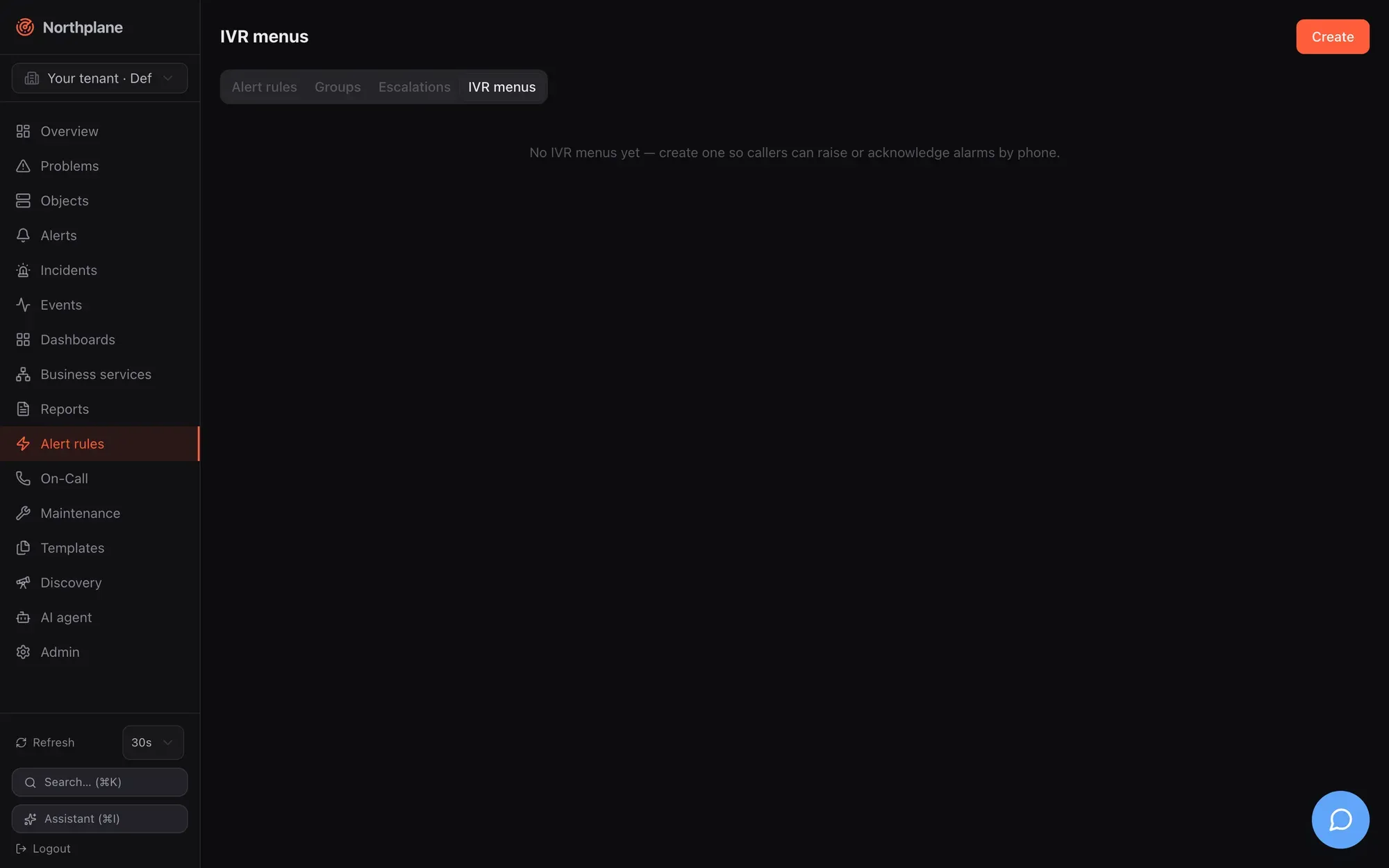
| Field | Notes |
| --------------- | ------------------------------------------------------------------------------------------------------------------------------------ |
| `language` | TTS language tag, e.g. `de-DE`; wins over the source’s `language`. Prompts are German for any `de*`, English otherwise (both stacks) |
| `voice` | Twilio `<Say voice>` name, e.g. `Polly.Vicki`; wins over the source’s `voice`; ignored by Asterisk |
| `greeting` | spoken first; default `Welcome to the Northplane alarm line.` / `Willkommen bei der Northplane Alarmzentrale.` |
| `pin` | DTMF gate; callers must enter exactly these digits before the menu |
| `trustCallerId` | `true` lets callers whose number matches a contact’s `phone` skip the PIN |
| `options[]` | the menu entries, see below |
Options:
| Field | Notes |
| ------------------ | ------------------------------------------------------------------------------------------------------------------------------------------------------------------------------------------------- |
| `digit` | `0`–`9`, `*` or `#` |
| `action` | `trigger-alarm`, `list-alerts`, `ack-alert`, `resolve-alert` or `say` |
| `label` | announcement text; announced as `"<label>: <digit>"`. Without a label the default phrase is used (`To raise an alarm, press 1.` …). A `say` option without a label is **not announced** on Twilio |
| `severity` | `trigger-alarm`: default `critical` (or the source’s `severity`) |
| `title` | `trigger-alarm`: alert title; `{caller}` and `{called}` expand; default `Phone alarm from {caller}` |
| `labels` | `trigger-alarm`: extra alert labels, e.g. `np.sound: np_klaxon` for the alarm app (see [Mobile push](/docs/alarming/mobile-push/)) — they win over the source’s labels |
| `escalationPolicy` | `trigger-alarm`: policy for this option; falls back to the source’s `escalationPolicy` |
| `record` | `trigger-alarm`: `true` records a voice message after the alarm is raised |
| `text` | `say`: what to speak (Twilio and Asterisk TTS mode) — in Asterisk prompt-file mode it **names a sound file** to play |
ivr-menu.yaml
```yaml
kind: IVRMenu
metadata: { name: alarm-menu }
spec:
language: de-DE
voice: Polly.Vicki
greeting: "Leitstelle Nordwerk."
pin: "4711"
trustCallerId: true
options:
- { digit: "1", action: trigger-alarm, severity: critical, title: "Telefonalarm von {caller}",
escalationPolicy: call-alarm, record: true, labels: { np.sound: np_klaxon }, label: "Alarm" }
- { digit: "2", action: list-alerts }
- { digit: "3", action: ack-alert }
- { digit: "4", action: resolve-alert }
- { digit: "5", action: say, text: "Bereitschaft diese Woche: Team Blau." }
```
What the actions do (identical semantics on both stacks unless noted):
* **trigger-alarm** raises a manual alert (`ruleId: manual`) with the option’s severity/title/labels and starts the escalation policy. Manual alarms **bypass downtimes, silences and flapping suppression**. The caller is recorded as the actor — the contact’s name if the caller id matches a contact’s `phone` (digits compared), otherwise the number. Dedup key: `call/<CallSid>` (Twilio) or `agi/<uniqueid>` (Asterisk), so a provider retry of the same call does not open a second alert.
* **list-alerts** reads the newest five open alerts (`1: critical. Title. 2: …`) and returns to the menu.
* **ack-alert** / **resolve-alert**: no open alarms → “There are no open alarms.” and hang up; exactly one → acted on immediately; several → “Choose the alarm with the digit keys. 1: … 2: …” and one digit selects. Acknowledging stops the escalation chain; resolving also resolves a rule-created incident when it was the last alert. Both are audited (`alert.ack` / `alert.resolve` with `via: voice-inbound` or `asterisk-agi`).
* **say** speaks the text and returns to the menu.
A policy is needed for anyone to be paged
A phone-raised alarm only notifies people when an escalation policy is resolved — from the option or the source’s `escalationPolicy`. Without one the alert is created and visible in the UI, but nobody is called. A policy name that does not exist is logged (`alert raise: escalation start`) and silently ignored.
## Inbound alarm line
[Section titled “Inbound alarm line”](#inbound-alarm-line)
* Twilio (cloud)
One `voice-inbound` event source per phone number (or Twilio SIP domain). Create it under **Admin → Event sources (Event-Quellen)** with type `voice-inbound`, or in a bundle:
source-voice-inbound.yaml
```yaml
kind: EventSource
metadata: { name: alarm-line }
spec:
type: voice-inbound
enabled: true
authMode: token
secretRef: alarm-line-token # a stored secret: the webhook token
config:
menu: alarm-menu
language: de-DE
allowFrom: "+49,+43"
escalationPolicy: call-alarm
severity: critical
twilioAuthToken: $SECRET:twilio-auth$
```
| Key | Default | Notes |
| ------------------ | ------------------------ | ----------------------------------------------------------------------------------------------------------------------- |
| `menu` | built-in | IVR menu name |
| `language` | `en-US` | TTS language when the menu has none |
| `voice` | — | Twilio `<Say voice>`, e.g. `Polly.Vicki`; the menu’s `voice` wins |
| `ttsProfile` | `default` (if it exists) | [TTS profile](/docs/alarming/text-to-speech/): prompts are synthesized by Northplane and `<Play>`ed instead of `<Say>`d |
| `allowFrom` | all callers | comma-separated E.164 prefixes (`+49,+43`); only digits and `+` are compared; anything else → `403 np:ingress/caller` |
| `escalationPolicy` | — | default policy for alarms raised from the menu |
| `severity` | `critical` | default for `trigger-alarm` options without a severity |
| `twilioAuthToken` | — | `$SECRET:name$` or literal; when set, `X-Twilio-Signature` is verified on every webhook |
Then point the number’s **Voice** webhook (HTTP POST) in the Twilio console at
```text
https://monitoring.example.net/api/v1/voice/inbound/<source-id>?token=<secret>
```
The source’s `id` and the `?token=` form are shown in the Admin → Event sources table and dialog; the source **name** works in the path as well. `authMode: token` compares `?token=<secret>` (or `Authorization: Bearer`) with the stored secret named by `secretRef`; Twilio re-posts every follow-up `action` URL verbatim, and Northplane puts the token into those URLs, so the whole call is authenticated. `hmac`, `basic` and `none` are accepted too — see [Event sources](/docs/alarming/event-sources/).
**Signature check.** With `twilioAuthToken` set, Northplane recomputes Twilio’s signature (HMAC-SHA1 over the public URL plus the sorted form parameters) and rejects mismatches with `401 np:ingress/auth`. The public URL is built from the config key `baseUrl` (path and query appended) — set `baseUrl` to exactly the origin Twilio calls, otherwise every signature fails.
**Call flow.** Each step is a TwiML `<Gather input="dtmf" timeout="10">` around the spoken texts:
1. If the menu has a `pin` and the caller is not trusted: greeting + “Please enter your PIN.” — `len(pin)` digits, **one try**; wrong → “Wrong PIN. Goodbye.” and `<Hangup/>`.
2. Main menu: greeting (not repeated after a PIN) + one announcement per option; one digit; unknown digit → “Invalid input.” and the menu again; no input → “Goodbye.”
3. The chosen action runs as described under [IVR menus](#ivr-menus). After `trigger-alarm` with `record: true` the caller hears “Speak your message after the tone, finish with the pound key.” and Twilio records up to 120 s (`<Record maxLength="120" finishOnKey="#" playBeep="true" transcribe="true">`); the recording callback adds the label `recordingUrl` (`<RecordingUrl>.mp3`, hosted by Twilio) to the alert, the transcription callback adds `transcript` (truncated to 500 characters). Without `record` the call ends after “The alarm has been raised. Notifications are on their way.”
Alert labels for Twilio-raised alarms: `caller`, `called`, `callSid`, then the source’s `labels`, then the option’s `labels` (later wins); the alert payload carries `via: voice`. The source’s `rateLimit`/`burst` (default 50/s, 200) apply per webhook.
* Asterisk / FreePBX (on-prem)
One `asterisk-inbound` event source per alarm line. Northplane runs a **FastAGI** listener; the PBX terminates the SIP trunks and the dialplan hands the answered call over with a single line. The whole conversation (PIN, menu, recording, ack/resolve) is driven by Northplane over AGI — no cloud, no webhooks.
source-asterisk-inbound.yaml
```yaml
kind: EventSource
metadata: { name: pbx-line }
spec:
type: asterisk-inbound
enabled: true
config:
listen: "tcp://:4573"
menu: alarm-menu
language: de-DE
ttsApp: Flite # empty = prompt-file mode
escalationPolicy: call-alarm
severity: critical
allowFrom: "+43,0"
recordDir: /var/spool/asterisk/recording
```
| Key | Default | Notes |
| ---------------------- | ------------------------------- | ----------------------------------------------------------------------------------------------------------------------------------------------------------------------------------------------------------------------------- |
| `listen` | `tcp://:4573` | FastAGI bind address (`tcp://` prefix optional). One listener per distinct address across all tenants; several sources may share one address |
| `menu` | built-in | IVR menu name |
| `language` | `en` | phrase language in TTS mode (`de*` → German); the menu’s `language` wins |
| `ttsApp` | — | Asterisk application that speaks its argument (`EXEC <ttsApp> "<text>"`), e.g. `Flite`, `ESpeak`, or a Gosub/AGI wrapper around piper. Empty = **prompt-file mode** |
| `ttsProfile` | `default` (if it exists) | [TTS profile](/docs/alarming/text-to-speech/): prompts are synthesized by Northplane and played with `STREAM FILE` — from `ttsDir` or over a signed URL (`res_http_media_cache`); `ttsApp` / prompt files remain the fallback |
| `ttsDir` / `ttsDirPBX` | — | directory shared with the PBX for the synthesized clips, and the same directory as the PBX sees it |
| `escalationPolicy` | — | default policy |
| `severity` | `critical` | default severity |
| `allowFrom` | all | comma-separated caller-id prefixes (digits/`+` compared); denied callers see `VERBOSE "northplane: caller not allowed"` and are dropped |
| `recordDir` | `/var/spool/asterisk/recording` | directory **on the PBX** for recordings |
Dialplan (`extensions.conf` / FreePBX custom context), with the source id **or name** as the AGI URL path:
extensions.conf
```text
[alarm-line]
exten => s,1,AGI(agi://northplane.example.internal:4573/pbx-line)
same => n,Hangup()
```
Point the trunk’s inbound route (DID) at the `alarm-line` context. Routing rules: the AGI path must equal a source’s id or name; an **empty** path is accepted only when the listener serves exactly one source; otherwise the call is dropped with `VERBOSE "northplane: unknown alarm line"`. Several lines = several sources, distinguished by the path (they can share the listener). The listener accepts at most 32 concurrent calls, ends a session after 10 minutes and is reconciled every 30 s after source changes. If Northplane runs in a container, publish port 4573/tcp (the standard Compose files do not) — see [Deployment overview](/docs/deployment/overview/).
**Conversation.** `ANSWER`; caller id = `agi_callerid`, called number = `agi_dnid`. PIN gate (`GET DATA`, 8 s, **three tries**; trusted contact numbers skip it); greeting; up to **five** menu rounds: options are announced with barge-in (a digit pressed during a prompt is taken), then `WAIT FOR DIGIT` 7 s; no input → goodbye and hang up. `trigger-alarm` speaks “The alarm has been raised…”, then with `record: true` records `RECORD FILE <recordDir>/np-<alertId> wav "#" 120000 BEEP` and adds the label `recordingFile=<recordDir>/np-<alertId>.wav` — the audio stays on the PBX. `list-alerts` speaks the index (`SAY NUMBER`) and severity; titles are spoken only in TTS mode. `ack-alert`/`resolve-alert` with several open alarms wait 8 s for the choice. Alert labels: `caller`, `via=asterisk`, then source labels, then option labels; payload `via: asterisk-agi`; dedup key `agi/<agi_uniqueid>`.
**Speech output — three modes.**
* a TTS profile applies (`ttsProfile`, or a profile named `default`): every prompt, option and alert title is synthesized by Northplane — with language detection and pronunciation rules — and streamed to the caller; see [Text-to-speech](/docs/alarming/text-to-speech/). The two modes below are the fallback when no clip can be produced.
* `ttsApp` set: every prompt, option and alert title is spoken dynamically through that application. Any app that takes the text as its argument works (`Flite`, `ESpeak`, or a small `Gosub`/`AGI` wrapper that renders piper to a temp file and plays it).
* `ttsApp` empty: Northplane plays pre-recorded prompt files from the Asterisk sounds directory (e.g. `/var/lib/asterisk/sounds/`) and says digits with `SAY NUMBER`; alert titles are skipped. Record or generate these 20 files once (any format Asterisk can play, e.g. 8 kHz mono `.wav` or `.sln16`):
```text
np-greeting np-pin np-pin-bad np-invalid np-bye
np-alarm-raised np-record-now np-recorded np-no-alerts
np-ack-confirm np-resolve-confirm np-list-intro
np-opt-trigger np-opt-list np-opt-ack np-opt-resolve np-choose
np-sev-critical np-sev-warning np-sev-info
```
The `np-opt-*` files are the phrase up to the digit (“To raise an alarm, press”) — Northplane appends the digit with `SAY NUMBER`. `np-pin` is played by `GET DATA` as the PIN prompt. A `say` option’s `text` names a further sound file in this mode. Example with piper (then convert to 8 kHz mono for Asterisk):
```bash
echo "Willkommen bei der Northplane Alarmzentrale." \
| piper --model de_DE-thorsten-medium.onnx --output_file np-greeting-22k.wav
sox np-greeting-22k.wav -r 8000 -c 1 /var/lib/asterisk/sounds/np-greeting.wav
```
## Outbound calls
[Section titled “Outbound calls”](#outbound-calls)
Outbound calls are notifications through a `voice` channel. The spoken text is the channel template (default `Northplane alert. Severity CRITICAL. <title>. Press 4 to acknowledge, 6 to resolve.`) or, when the alert carries the label **`np.tts`**, exactly that label’s value — set it per rule with `setLabels`, per IVR option, or in the manual trigger. The called number is the contact’s `phone`. With a [TTS profile](/docs/alarming/text-to-speech/) (channel key `ttsProfile`, label `np.ttsProfile`, or a profile named `default`) the text is synthesized by Northplane and the providers play the clip — Twilio `<Play>`, Asterisk `NP_AUDIO_URL` / `NP_AUDIO_FILE`, generic `{audioUrl}`; otherwise the providers speak as described below.
* Twilio (cloud)
channel-voice-twilio.yaml
```yaml
kind: Channel
metadata: { name: alarm-voice }
spec:
type: voice
enabled: true
config:
provider: twilio
accountSid: ACxxxxxxxxxxxxxxxxxxxxxxxxxxxxxxxx
apiKeySid: SKxxxxxxxxxxxxxxxxxxxxxxxxxxxxxxxx
apiKeySecret: $SECRET:twilio-api-secret$
from: "+15551234567"
language: de-DE
```
Northplane places the call with inline TwiML:
```xml
<Response>
<Gather numDigits="1" timeout="10" action="https://…/api/v1/voice/gather/<token>" method="POST">
<Say language="de-DE" loop="2">TEXT</Say>
</Gather>
<Say language="de-DE">No input received. Goodbye.</Say>
</Response>
```
The text is read **twice**; one keypress ends the prompt. Without a gather URL (test sends, or no `baseUrl`/ack secret) the call only speaks the text. `language` defaults to `en-US`; a `voice` key is not used for outbound calls. With a TTS profile the `<Say loop="2">` becomes `<Play loop="2">` of the synthesized clip and the closing phrase follows the detected language. Credentials: `accountSid` plus either `authToken` or (preferred) `apiKeySid` + `apiKeySecret`; `from` is the caller id; `apiBase` overrides the API host. The provider id is the Twilio call `sid`.
* Asterisk AMI (on-prem)
channel-voice-asterisk.yaml
```yaml
kind: Channel
metadata: { name: pbx-voice }
spec:
type: voice
enabled: true
config:
provider: asterisk
host: pbx.example.internal
port: "5038"
username: northplane
secret: $SECRET:ami-secret$
channel: "PJSIP/{to}@trunk"
context: northplane-alert
exten: s
priority: "1"
callerId: "Northplane <8000>"
timeoutMs: "30000"
```
Northplane logs in to the Asterisk Manager Interface (`Events: off`) and sends `Originate` with `Async: true`: `Channel` = the template with `{to}` replaced by the contact’s phone, `Context`/`Exten`/`Priority` (or `Application`/`Data` when `application` is set), `CallerID`, `Timeout`, and the channel variables
| Variable | Value |
| ------------------------------------------------------------ | ---------------------------------------------------------------------------------------------------------------------------------------------------------------------------------------------------------- |
| `NP_TEXT` | the spoken text (CR/LF removed, at most 1024 characters) |
| `NP_SEVERITY` | `CRITICAL`, `WARNING`, `INFO` or `OK` |
| `NP_ACK_URL` | the signed gather callback (only for real alerts and with `baseUrl` set) |
| `NP_AUDIO_URL`, `NP_AUDIO_FILE`, `NP_LANG`, `NP_TEXT_SPOKEN` | with a TTS profile: the synthesized clip as signed URL and/or file in `ttsDir`, its language and the normalised text — see [Text-to-speech](/docs/alarming/text-to-speech/) for a dialplan that plays them |
Your dialplan owns speech and keypad handling. A minimal context that speaks the text with Flite, takes one digit and reports `4`/`6` back through the callback (adapt the TTS application and paths to your PBX):
extensions.conf
```text
[northplane-alert]
exten => s,1,Answer()
same => n,Wait(1)
same => n,Flite(${NP_TEXT})
same => n,Read(DIGIT,,1,,1,10)
same => n,GotoIf($["${NP_ACK_URL}" = ""]?bye)
same => n,GotoIf($["${DIGIT}" = "4"]?ack)
same => n,GotoIf($["${DIGIT}" = "6"]?resolve)
same => n(bye),Hangup()
same => n(ack),System(curl -s -X POST "${NP_ACK_URL}" -d Digits=4)
same => n,Hangup()
same => n(resolve),System(curl -s -X POST "${NP_ACK_URL}" -d Digits=6)
same => n,Hangup()
```
The AMI manager user (`manager.conf`) needs `write = originate`. TLS: `tls: "on"` connects with TLS 1.2+ (Asterisk `tlsenable=yes`, usually port 5039), `insecure: "true"` skips certificate verification. Timeouts: 10 s dial, 20 s overall; a rejected originate fails the delivery with `originate rejected: <message>` and is retried by the outbox.
* generic-http
Any HTTP voice gateway: `url` with `{to}` and `{text}` placeholders (GET, query-escaped) or `jsonBody` (POST JSON with the placeholders replaced unescaped), optional `username`/`password` basic auth. No keypad acknowledgement is possible on this path. With an empty `provider` and no `accountSid`, a `voice` channel behaves as `generic-http`.
## Acknowledging by keypad
[Section titled “Acknowledging by keypad”](#acknowledging-by-keypad)
`POST /api/v1/voice/gather/{token}` is the callback both outbound stacks use. The token is the same signed, 24-hour token as the ack link (`<alertId>.<contactId>.<expiry>.<hmac>`), so no login is needed; it is only generated when `baseUrl` is configured. Form field `Digits`:
| Digit | Effect | Condition |
| ------------- | ------------------------------------------------------------------------------------------- | -------------------------- |
| `4` | acknowledge the alert, stop the escalation chain | alert is `open` |
| `6` | resolve the alert, stop the chain, resolve a rule-created incident if it was the last alert | alert is `open` or `acked` |
| anything else | TwiML `<Say>Not acknowledged. Goodbye.</Say>` | |
Invalid or expired token → “This acknowledgement link is invalid or expired. Goodbye.” The actor is the contact name (or id) from the token; the audit entry is `alert.ack` / `alert.resolve` with `{"via":"voice-dtmf"}`. Responses are English TwiML regardless of the channel language. Twilio posts `Digits` itself; from an Asterisk dialplan `curl -X POST "$NP_ACK_URL" -d Digits=4` does the same.
## Inbound SMS
[Section titled “Inbound SMS”](#inbound-sms)
A `sms-inbound` event source turns a Twilio number’s **Messaging** webhook into alarms and acknowledgements. URL: `https://<host>/api/v1/sms/inbound/<source-id>?token=<secret>` — auth, `allowFrom`, `twilioAuthToken`, rate limit and the `?token=` rule are exactly as for voice.
source-sms-inbound.yaml
```yaml
kind: EventSource
metadata: { name: sms-line }
spec:
type: sms-inbound
enabled: true
authMode: token
secretRef: sms-line-token
config: { action: alert, escalationPolicy: sms-alarm, ackKeyword: OK, language: de }
```
| Key | Default | Notes |
| ------------------------------ | --------- | ------------------------------------------------------------------------------------------------------------------------------------------ |
| `action` | `event` | `event` publishes a normalised `ingress` event through the alert rules (rules decide, full CEL matching); `alert` raises an alert directly |
| `escalationPolicy` | — | policy for `action: alert` |
| `severity` | `warning` | invalid values fall back to `warning` |
| `ackKeyword` | `ACK` | case-insensitive **prefix** match on the message body |
| `language` | `en` | `de*` → German replies |
| `allowFrom`, `twilioAuthToken` | | as for voice |
Behaviour per incoming message (form fields `From`, `To`, `Body`, `MessageSid`):
* Body starts with the keyword: the sender must match a contact’s `phone` (reply `Unknown number — not acknowledged.` otherwise). Northplane acknowledges the **newest open alert** of the tenant (not a specific one), stops its chain, audits `alert.ack` with `via: sms` and replies `Acknowledged: <title>` (German: `Quittiert: <title>`); with no open alarm: `No open alarms.`
* Otherwise the body becomes the summary (empty → `SMS alarm from <from>`; truncated at 200 characters). `action: alert` → manual alert with labels `from`, `to` + source labels, dedup key `sms/<MessageSid>`, payload `via: sms`, chain started with `escalationPolicy`. `action: event` → `ingress` event with `labels {from, to}` + source labels and `payload {body, from, to}` — match it in a rule, e.g. `event.source == "<source-id>" && event.payload.body.contains("FIRE")` (see [Alert rules](/docs/alarming/alert-rules/)). Reply: `Alarm received.` / `Alarm angenommen.`; metric `np_ingress_events_total{type="sms"}`.
Note
With the default `action: event` an SMS only becomes an alarm if a rule matches it. If you want every SMS to page, use `action: alert` with an `escalationPolicy` — and remember that `enabled: true` must be set on the source.
## Checklist
[Section titled “Checklist”](#checklist)
* `baseUrl` (`NORTHPLANE_BASE_URL`) is set to the public origin — needed for ack links, the gather callback, Twilio signature verification and the `action` URLs of inbound calls.
* The event source is `enabled: true` (disabled sources answer `403 np:ingress/disabled`) and its `secretRef` names an existing secret (token auth rejects everything otherwise).
* Callers who should acknowledge or skip the PIN exist as contacts with their number in `phone`.
* Exactly one `voice` channel is enabled per tenant — only the alphabetically first enabled one is used ([selection rule](/docs/alarming/channels/#how-a-channel-is-selected)).
* Verify deliveries and inbound actions in the **Events** page: `notification` events per call attempt, `alert_opened`/`ack` events per phone action; failed calls after all retries appear under **Admin → Dead letters** ([Reliability](/docs/alarming/reliability/)).
# Outgoing webhooks
> Forward Northplane events to other systems with webhook subscriptions — fields, event type and label selection, the HMAC signature header, outbox retries and dead letters, the delivered payload, and the Admin → Webhooks tab.
A **webhook subscription** forwards events — alert openings, acknowledgements, notifications, state changes, anything on the event bus — as HTTP `POST`s to a URL of your choice, optionally filtered by event type and label selector and signed with HMAC-SHA256. Deliveries ride the same durable outbox as notifications, so a receiver that is down for an hour gets its events when it comes back.
Do not confuse subscriptions with the **webhook channel**: the channel is a notification output used by escalation steps and contact preferences and posts a rendered alert template (with basic/token/HMAC auth from the channel config); a subscription posts the raw `Event` JSON for every matching event, independent of any escalation. Channel details are in [Channels](/docs/alarming/channels/).
Subscriptions live in **Admin → Webhooks**, at `/api/v1/webhooks` (generic resource CRUD: `objects:read` to list, `config:write` to change, `If-Match` on `PUT`), and as bundle kind `WebhookSubscription`.
## The WebhookSubscription resource
[Section titled “The WebhookSubscription resource”](#the-webhooksubscription-resource)
| Field | Type | Meaning |
| ---------- | ------------------- | ------------------------------------------------------------------------------------------------------------------------------------------------------------ |
| `name` | string | unique per tenant |
| `url` | string | `POST` target (`https://…`; plain `http://` works but sends the body in clear) |
| `types` | list of event types | deliver only these types; **empty = all** |
| `selector` | label selector | matched against the event’s `payload.labels`; empty = no label filter. A non-empty selector that fails to parse matches **nothing** (rather than everything) |
| `secret` | string | literal value or `$SECRET:name$` reference; when set, every delivery carries `X-Northplane-Signature` |
| `disabled` | bool | `true` pauses the subscription. Unlike channels and event sources, a subscription created without the field is **enabled** |
Bundle example
```yaml
kind: WebhookSubscription
metadata: { name: siem }
spec:
url: https://siem.example.com/hooks/northplane
types: [alert_opened, alert_resolved, ack, escalation, notification]
selector: env=prod
secret: $SECRET:siem-hmac$
```
Same subscription through the API
```bash
curl -s -X POST "$NP/api/v1/webhooks" -H "Authorization: Bearer $TOK" -H 'Content-Type: application/json' -d '{
"name": "siem",
"url": "https://siem.example.com/hooks/northplane",
"types": ["alert_opened", "alert_resolved", "ack", "escalation", "notification"],
"selector": "env=prod",
"secret": "$SECRET:siem-hmac$"
}'
```
The subscription belongs to the tenant it was created in and only ever sees that tenant’s events.
## Selecting events
[Section titled “Selecting events”](#selecting-events)
### By type
[Section titled “By type”](#by-type)
`types` is an exact-match list. Event types that exist:
| Type | Emitted when |
| --------------------------------------------- | --------------------------------------------------------------- |
| `state_change` | a host/service changes state (soft and hard) |
| `flapping_start`, `flapping_end` | flap detection toggles |
| `ingress` | an event source produced a normalized event |
| `alert_opened`, `alert_resolved` | an alert opens (rule or manual) / closes |
| `ack` | acknowledge or snooze |
| `escalation` | an escalation step fires (incl. repeats), or a snooze wake-up |
| `notification` | a delivery attempt (sent/failed) or a suppressed chain |
| `incident_update` | an incident is created, resolved or clustered by the correlator |
| `heartbeat_missed` | a heartbeat is missing, or recovers (`resolve: true`) |
| `downtime`, `silence` | a downtime/silence is created |
| `config` | any configuration mutation (`{kinds: [...]}`) |
| `system` | server-side notices (e.g. AI token budget) |
| `ai_action`, `comment`, `anomaly`, `forecast` | defined in the model but not emitted by any current code path |
The payload of each type is listed in [Events](/docs/concepts/events/).
### By labels
[Section titled “By labels”](#by-labels)
`selector` uses the same grammar as everywhere else in Northplane — `env=prod,role in (db,cache),!legacy,site!=wien` (comma = AND; `=`/`==`, `!=`, `in (…)`, `notin (…)`, bare key = exists, `!key` = not exists). It is evaluated against the labels inside the event payload: the NormEvent labels of `ingress` events, the object labels of `state_change`/`flapping_*` events, the alert labels of `alert_opened`, the heartbeat labels of `heartbeat_missed`, and `{createdBy}` on API-created `incident_update` events. Events without labels (`ack`, `notification`, `escalation`, `config`, …) present an empty label map — positive terms (`=`, `in`, bare key) never match them, negative terms (`!key`, `!=`, `notin`) do. So a subscription meant for lifecycle events should usually filter by `types` only.
## The delivered request
[Section titled “The delivered request”](#the-delivered-request)
```http
POST /hooks/northplane HTTP/1.1
Host: siem.example.com
Content-Type: application/json
X-Northplane-Signature: sha256=9f2c…e1a0
{"id":"0191a2b3-7c4d-7e5f-8a9b-0c1d2e3f4a5b","tenantId":"00000000-0000-7000-8000-000000000001",
"ts":"2026-08-23T10:15:00.123Z","type":"alert_opened","objectId":"0191a2b2-…","severity":"critical",
"payload":{"alertId":"0191a2b4-…","title":"db1 is CRITICAL","severity":"critical",
"rule":"demo-critical","labels":{"env":"prod","host":"db1","demo":"true"}}}
```
The body is the full `Event` document exactly as `GET /api/v1/events` returns it: `id` (UUIDv7, time-ordered — use it to de-duplicate redeliveries), `tenantId`, `ts`, `type`, optional `objectId`, `sourceId`, `severity`, and the type-specific `payload`. One request per event; there is no batching. Headers: `Content-Type: application/json` and, when a secret is configured, `X-Northplane-Signature`. No `User-Agent` is set beyond Go’s default, and no other authentication is available — put the secret in the signature, or use a URL only your receiver knows.
### Verifying the signature
[Section titled “Verifying the signature”](#verifying-the-signature)
`X-Northplane-Signature: sha256=<hex>` where `<hex>` is the lowercase hex HMAC-SHA256 of the **raw request body** with the secret as key. Compute it over the bytes you received, not over re-serialized JSON, and compare in constant time:
```python
import hashlib, hmac
def verify(secret: bytes, body: bytes, header: str) -> bool:
expected = "sha256=" + hmac.new(secret, body, hashlib.sha256).hexdigest()
return hmac.compare_digest(expected, header or "")
```
Northplane’s own ingest endpoint accepts the same header in `hmac` mode, so two instances can forward events to each other (`url: https://other/api/v1/ingest/<source>` with a `webhook` source whose mapping reads `payload.payload.title` and friends) — see [Event sources](/docs/alarming/event-sources/).
## Delivery, retries and dead letters
[Section titled “Delivery, retries and dead letters”](#delivery-retries-and-dead-letters)
1. A dispatcher worker subscribes to the event bus and keeps the tenant’s subscriptions in a 30-second cache — a new or changed subscription becomes effective within 30 s. For each event it checks `disabled`, `types` and `selector` and enqueues an outbox item of kind `webhook-sub` (`{url, secret, body}`).
2. The notifier posts it with a 20-second timeout through the shared HTTP client, which refuses link-local and cloud-metadata addresses (`169.254.0.0/16`, IPv6 link-local) and re-checks the resolved peer; RFC 1918 targets are allowed.
3. Any response status `≥ 300`, a connection error or a timeout counts as failure. The item is retried with the default policy — `30 s · 2^n` capped at 1 h, ±10 % jitter, dead after 30 attempts (roughly a day) — and then lands in the dead-letter queue (`GET /api/v1/notifications/dead-letters`, **Admin → Dead letters**, `:replay`). Per-channel retry overrides do not apply to subscriptions.
4. Delivery is at-least-once: a crash between the provider’s `2xx` and the outbox bookkeeping repeats the post after the two-minute lease. De-duplicate on the event `id`.
Two caveats: the dispatcher’s bus buffer is bounded (1024 events) — if it falls behind under a burst, events are skipped for subscriptions (they are still stored and queryable); and subscription deliveries write no `notification` event of their own (which also prevents feedback loops for subscriptions on `notification`). For a guaranteed, replayable feed combine a subscription with periodic polling of `GET /api/v1/events?from=…` or the NDJSON export. Everything about the outbox is in [Reliability](/docs/alarming/reliability/).
## The Admin → Webhooks tab
[Section titled “The Admin → Webhooks tab”](#the-admin--webhooks-tab)
**Admin → Webhooks** lists subscriptions with name, URL, event types (or “all”), selector and status. The dialog has **Name** (fixed after creation), **URL**, **Event types** (comma-separated, hint `state_change, alert_opened, alert_resolved, notification, …`), **Selector** (e.g. `env=prod`), **HMAC secret** (literal or `$SECRET:name$`) and an **Enabled** switch that maps to `disabled`. Edits use the ETag for optimistic concurrency. There is no “send test” for subscriptions — trigger a harmless event instead (for example a `config` event by saving any resource, or an `ack` on a test alert) and watch the receiver or the dead-letter tab.
## Alternatives
[Section titled “Alternatives”](#alternatives)
* **Live stream instead of push** — `GET /api/v1/stream` (SSE, `events:read`, `?types=`/`?selector=` filters, `Last-Event-ID` resume) when your consumer can hold a connection; see [API overview](/docs/reference/api-overview/).
* **Per-alert webhooks with a rendered template** — the `webhook` notification channel in an escalation step, or an escalation `action: { webhook: <channel name> }`; see [Channels](/docs/alarming/channels/) and [Escalation policies](/docs/alarming/escalation-policies/).
* **Bulk export** — `GET /api/v1/events:export` (NDJSON, ascending, up to 100 000 events).
REST reference: [`get_webhooks`](/docs/reference/api/operations/get_webhooks/), [`post_webhooks`](/docs/reference/api/operations/post_webhooks/), [`put_webhooks_name`](/docs/reference/api/operations/put_webhooks_name/), [`delete_webhooks_name`](/docs/reference/api/operations/delete_webhooks_name/).
# CI/CD pipeline
> How a merge to main becomes a production deploy — the CI jobs, the Deploy workflow (publish, deploy, verify, rollback), GitHub variables and secrets, image tags, the release workflow and how the docs ship.
The repository `myfoxit/northplane` (private, default branch `main`) has three GitHub Actions workflows:
| Workflow | File | Trigger | Result |
| ----------- | ------------------------------- | ------------------------------------------------------- | --------------------------------------------------------------------------------------------- |
| **CI** | `.github/workflows/ci.yml` | push to `main`/`master`, pull requests | quality gate: UI, docs, typed-codegen drift, lint, tests, e2e, PostgreSQL matrix, cross-build |
| **Deploy** | `.github/workflows/deploy.yml` | CI completed successfully on `main`, or manual dispatch | image `ghcr.io/myfoxit/northplane:main-<sha12>` + `latest`; rollout to `np-01` (job `deploy`) |
| **Release** | `.github/workflows/release.yml` | tag push `v*` | GitHub Release with tarballs + `checksums.txt`; multi-arch image with semver tags |
A push to main is a production deploy
There is no staging gate between `main` and `doktrace.com`. Merge only what you are willing to run in production, and treat a red Deploy run as described under [Reading a red run](/docs/deployment/ci-cd/#reading-a-red-run).
## From merge to live: the timeline
[Section titled “From merge to live: the timeline”](#from-merge-to-live-the-timeline)
1. **Push/merge to `main`.** CI starts; all jobs run in parallel where possible (`test`, `e2e`, `postgres` and `cross-build` wait for `ui`).
2. **CI finishes green.** The `workflow_run` trigger starts **Deploy** (`publish` runs only when `github.event.workflow_run.conclusion == 'success'`; a manual dispatch always proceeds). Concurrency group `deploy-production`, `cancel-in-progress: false` — one rollout at a time, never cancelled mid-flight.
3. **`publish`** checks out the CI run’s `head_sha`, builds the Dockerfile with buildx for `linux/amd64` and `linux/arm64` (`VERSION=main-<sha12>`, GHA layer cache; the Dockerfile cross-compiles from the build platform, so no QEMU) and pushes `ghcr.io/myfoxit/northplane:main-<sha12>` and `:latest`.
4. **`deploy`** (np-01) runs after `publish`: SSH set-up → render `.env` → ship the compose stack → `docker compose pull`/`up -d` → verify → roll back on failure → summary line.
5. The verified run on 2026-08-23 (run `32629242562`, merge `daa6dc5`, 08:48 UTC) ended with `publish` and `deploy` succeeded (the since-removed `deploy-hetzner` job failed); the container on `np-01` started at 08:50:57 UTC — under three minutes after the Deploy run began.
## CI jobs
[Section titled “CI jobs”](#ci-jobs)
| Job | Needs | What it does | Gate |
| ------------- | ----- | ----------------------------------------------------------------------------------------------------------------------------------------------------------------------------------------------------------- | ------------------------------------------------------------------------------------------------------------------------------ |
| `ui` | — | Node 22: `npm ci`, `npm run lint`, `npm test` (vitest), `npm run build` in `web/`; uploads `internal/web/dist` as artifact `ui-dist` | blocking |
| `docs` | — | Node 22: `npm ci` and `npm run build` in `docs/` — the Starlight build **fails on any broken internal link or anchor** (starlight-links-validator) and on a page that does not compile; uploads `docs-dist` | blocking |
| `types` | — | Go 1.25 + Node 22: `make types-check` — regenerates `web/src/types.gen.ts` and `docs/src/assets/openapi.json` from `northplaned openapi` and fails on a diff | blocking |
| `lint` | — | `gofmt -l cmd internal` must be empty; `golangci-lint` v2.12.2 (`go install`ed, per `.golangci.yml`) | blocking |
| `test` | `ui` | matrix `ubuntu-latest` + `macos-latest`: `go vet ./...`, `go test -race ./...`, builds `northplaned`, `np`, `np-agent` | blocking |
| `e2e` | `ui` | builds `northplaned` with the embedded UI, installs Playwright Chromium, `npm run test:e2e` against `northplaned --demo` (locale `de-DE`); uploads `playwright-report` | blocking |
| `postgres` | `ui` | `go test ./internal/storage/...` with `NORTHPLANE_TEST_PG_DSN` against a `postgres:16` service | **non-blocking** (`continue-on-error: true`) — known `TestAuditChain` failure on PostgreSQL (jsonb normalises the hashed JSON) |
| `cross-build` | `ui` | `CGO_ENABLED=0` builds for linux/amd64, linux/arm64, darwin/arm64, windows/amd64 — `northplaned` is skipped on windows (needs unix process groups), `np` and `np-agent` build everywhere | blocking |
Locally: `make test`, `make race`, `make e2e`, `make types-check`, `cd docs && npm run build`. See [Testing](/docs/development/testing/).
## The Deploy workflow
[Section titled “The Deploy workflow”](#the-deploy-workflow)
### Triggers and inputs
[Section titled “Triggers and inputs”](#triggers-and-inputs)
.github/workflows/deploy.yml (excerpt)
```yaml
on:
workflow_run:
workflows: ["CI"]
types: [completed]
branches: [main]
workflow_dispatch:
inputs:
demo:
description: "Demo/real data switch for this run"
type: choice
options: [repo-default, "true", "false"]
default: repo-default
concurrency:
group: deploy-production
cancel-in-progress: false
permissions:
contents: read
packages: write # push the image to ghcr.io
```
Manual dispatch (**Actions → Deploy → Run workflow**) re-publishes the image for the current `main` and rolls it out; the `demo` dropdown overrides the repository variable `NORTHPLANE_DEMO` **for np-01 and for that run only** (`repo-default` keeps the variable).
### Job `publish`
[Section titled “Job publish”](#job-publish)
deploy.yml — image reference
```yaml
- name: Resolve image ref
id: img
run: |
SHA="${{ github.event.workflow_run.head_sha || github.sha }}"
echo "ver=main-${SHA::12}" >> "$GITHUB_OUTPUT"
- name: Build and push image
uses: docker/build-push-action@v6
with:
context: .
push: true
build-args: VERSION=${{ steps.img.outputs.ver }}
tags: |
ghcr.io/${{ github.repository }}:${{ steps.img.outputs.ver }}
ghcr.io/${{ github.repository }}:latest
cache-from: type=gha
cache-to: type=gha,mode=max
```
The `VERSION` build arg becomes `main.version` in the binary, so `GET /api/v1/system/info` on the instance reports exactly the image tag (`"version":"main-daa6dc518a2b"`).
### Job `deploy` (np-01)
[Section titled “Job deploy (np-01)”](#job-deploy-np-01)
| Step | What happens on the runner / the VM |
| --------------------- | -------------------------------------------------------------------------------------------------------------------------------------------------------------------------------------------------------------------------------------------------------------------------------------------------------------------------------------------------------------------------------------------------------------------------------------------------------------------------------------------------------------------- |
| Set up SSH | writes `secrets.DEPLOY_SSH_KEY` to `~/.ssh/deploy_key`, `vars.DEPLOY_KNOWN_HOSTS` to `~/.ssh/known_hosts`, and an ssh config `Host prod` = `vars.DEPLOY_HOST`:`vars.DEPLOY_PORT` as `vars.DEPLOY_USER`, `StrictHostKeyChecking yes` |
| Render `.env` | `DEMO` = `vars.NORTHPLANE_DEMO`, overridden by the dispatch input unless `repo-default`; must be `true` or `false`; `MODE_DIR` = `demo` or `real`. Writes: `NORTHPLANE_IMAGE=ghcr.io/<repo>:<ver>`, `NORTHPLANE_BASE_URL=<vars>`, `NORTHPLANE_DEMO=$DEMO`, `NORTHPLANE_ALLOW_SIGNUP=$SIGNUP` (`true` only when the repo variable `NORTHPLANE_ALLOW_SIGNUP` is `true`, otherwise `false`), `NORTHPLANE_DATA_DIR=/var/lib/northplane/$MODE_DIR`, `NP_DEFAULT_ADMIN_EMAIL=<vars>`, `NP_DEFAULT_ADMIN_PASSWORD=<secret>` |
| Ship compose stack | on the VM: `cp .env .env.previous`; then `scp deploy/docker-compose.vm.yml prod:$DEPLOY_PATH/docker-compose.yml` and the rendered `.env` |
| Pull and roll forward | `docker login ghcr.io` with the run’s ephemeral `GITHUB_TOKEN` (the server never stores a registry credential), `docker compose pull -q`, `docker logout ghcr.io`, `docker compose up -d --remove-orphans` |
| Verify rollout | up to 12 × 5 s: `docker inspect --format '{{.Config.Image}}' northplane-northplane-1` must equal the wanted image **and** `curl -fsS -m 5 http://localhost:8443/healthz` must return `ok` |
| Rollback on failure | only if verify failed: `mv .env.previous .env && docker compose up -d` — the previous image tag comes back |
| Summary | `Deployed ghcr.io/…:<ver> to <DEPLOY_HOST>:2201 (VM saas1) — live at <NORTHPLANE_BASE_URL>.` in the job summary |
deploy.yml — the verify loop (np-01)
```bash
WANT="ghcr.io/${{ github.repository }}:${{ needs.publish.outputs.ver }}"
for i in $(seq 1 12); do
RUNNING=$(ssh prod "docker inspect --format '{{.Config.Image}}' northplane-northplane-1 2>/dev/null" || true)
HEALTH=$(ssh prod "curl -fsS -m 5 http://localhost:8443/healthz" || true)
if [ "$RUNNING" = "$WANT" ] && [ "$HEALTH" = "ok" ]; then
echo "live: $RUNNING (healthz ok)"; exit 0
fi
echo "waiting ($i/12): image='$RUNNING' health='$HEALTH'"; sleep 5
done
echo "rollout did not become healthy"; exit 1
```
### Former job `deploy-hetzner` (np-02) — removed
[Section titled “Former job deploy-hetzner (np-02) — removed”](#former-job-deploy-hetzner-np-02--removed)
The standalone Hetzner box np-02 (`91.98.92.10`) was reclaimed and its IP reassigned to a stranger’s host; every run of its `deploy-hetzner` job failed at “Ship compose stack” from 2026-08-14 on. The job was **removed from `deploy.yml`** so a rollout can no longer attempt to ship credentials to a host we do not own. To bring a standalone box back: provision it ([recreation checklist](/docs/deployment/provisioning/#np-02-recreation-checklist)), restore the job from git history, and rotate `HETZNER_HOST`/`HETZNER_KNOWN_HOSTS`/`HETZNER_SSH_KEY`/ `HETZNER_ADMIN_PASSWORD` first. The still-configured `HETZNER_*` variables and secrets are unused and stale until then.
## Reading a red run
[Section titled “Reading a red run”](#reading-a-red-run)
A red Deploy run does **not** always mean production missed the rollout:
1. Open the run and look at the per-job conclusions. `publish` green + `deploy` green = `np-01` is live on the new image.
2. Confirm on the instance: `curl -s https://doktrace.com/api/v1/system/info` — `version` must equal `main-<sha12>` of the merge commit.
3. If `deploy` itself is red: the “Verify rollout” step tells you whether the image never changed (pull/login problem) or the app never returned `ok` on `/healthz` (it crashed on start — read `docker compose logs northplane` on the VM). The rollback step has already restored `.env.previous`; production is on the previous tag.
4. If CI was red, Deploy never started (`workflow_run` with a non-success conclusion skips `publish`); fix `main` or re-run the failed CI jobs (`gh run rerun --failed <id>`). Known flaky/non-blocking: the `postgres` job.
## Image tagging
[Section titled “Image tagging”](#image-tagging)
| Tag | Produced by | Meaning |
| -------------------------------------------------------------------------- | ----------------------------------------- | ---------------------------------------------------------------------------------------------------------------------- |
| `ghcr.io/myfoxit/northplane:main-<sha12>` | Deploy `publish` | immutable per green build of `main`; `linux/amd64` + `linux/arm64`; `VERSION` baked in; what production pins in `.env` |
| `ghcr.io/myfoxit/northplane:latest` | Deploy `publish` **and** Release `docker` | moving; whichever ran last. Fine for trials, never for production pins |
| `ghcr.io/myfoxit/northplane:<major>.<minor>.<patch>` and `<major>.<minor>` | Release `docker` (tag `v*`) | semver, `linux/amd64` + `linux/arm64`, `VERSION=<tag>` |
The package is public; the deploy jobs nevertheless log in with the run’s `GITHUB_TOKEN` (`packages: read`) for the pull and log out immediately after — the servers never store a registry credential.
## GitHub configuration
[Section titled “GitHub configuration”](#github-configuration)
Created under **Settings → Secrets and variables → Actions** (values verified with `gh variable list` on 2026-08-23).
### Repository variables
[Section titled “Repository variables”](#repository-variables)
| Variable | Value | Used by |
| ------------------------ | ---------------------------------- | ----------------------------------------------------------------------- |
| `DEPLOY_HOST` | `51.83.96.40` | `deploy` — ssh target (the hypervisor; DNAT forwards to the VM) |
| `DEPLOY_PORT` | `2201` | `deploy` — the DNAT port → VM `:22` |
| `DEPLOY_USER` | `deploy` | `deploy` |
| `DEPLOY_PATH` | `/opt/northplane` | `deploy` — compose project dir on the VM |
| `DEPLOY_KNOWN_HOSTS` | `[51.83.96.40]:2201 ssh-ed25519 …` | `deploy` — pins the VM host key (`StrictHostKeyChecking yes`) |
| `DEPLOY_DOMAIN` | `doktrace.com` | informational — **not referenced by any workflow** |
| `NORTHPLANE_BASE_URL` | `https://doktrace.com` | `deploy` — `.env` |
| `NORTHPLANE_DEMO` | `false` (set 2026-08-20) | `deploy` — the demo/real switch |
| `NP_DEFAULT_ADMIN_EMAIL` | `admin@doktrace.com` | `deploy` — `.env` |
| `HETZNER_HOST` | `91.98.92.10` | unused since the `deploy-hetzner` job was removed — stale, host is gone |
| `HETZNER_KNOWN_HOSTS` | `91.98.92.10 ssh-ed25519 …` | unused — stale |
### Repository secrets (names only)
[Section titled “Repository secrets (names only)”](#repository-secrets-names-only)
| Secret | Purpose |
| --------------------------- | ------------------------------------------------------------------------------------------------------------------------------------ |
| `DEPLOY_SSH_KEY` | private half of the CI deploy key authorised for `deploy@VM101` by `provision-server.sh` |
| `NP_DEFAULT_ADMIN_PASSWORD` | break-glass admin password for np-01 (`admin@doktrace.com`); change the password in the UI after first login — the secret only seeds |
| `HETZNER_SSH_KEY` | CI deploy key for np-02 (stale) |
| `HETZNER_ADMIN_PASSWORD` | np-02 break-glass admin (`root@localhost`) (stale) |
No registry secret exists — GHCR pulls on the servers use the workflow’s `GITHUB_TOKEN`.
## The Release workflow (tags `v*`)
[Section titled “The Release workflow (tags v\*)”](#the-release-workflow-tags-v)
| Job | What it does |
| ---------- | ---------------------------------------------------------------------------------------------------------------------------------------------------------------------------------------------------------------------------------------------------------------------------------------------------------------------------------------------------------------------------------------------------------------------------------------------------------------------------------------------------------------- |
| `ui` | builds the UI (`web/`) **and** the docs (`docs/`, `npm run build:embed`); uploads `ui-dist` and `docs-dist` |
| `binaries` | matrix linux/amd64, linux/arm64, darwin/amd64, darwin/arm64, windows/amd64; `VERSION="${GITHUB_REF_NAME#v}"` (tag without `v`) via ldflags, `CGO_ENABLED=0 -trimpath -ldflags "-s -w"`; downloads `ui-dist` → `internal/web/dist` and `docs-dist` → `internal/docs/dist` so the binaries embed both; packs `northplane_<tag>_<os>_<arch>.tar.gz` (`northplaned np np-agent LICENSE`) or `northplane_<tag>_windows_amd64.zip` (`np.exe np-agent.exe LICENSE` — no `northplaned` on Windows) plus a `.sha256` each |
| `release` | aggregates `checksums.txt`, creates the GitHub Release with `softprops/action-gh-release` and `generate_release_notes: true` |
| `docker` | buildx + QEMU, pushes `ghcr.io/myfoxit/northplane` for `linux/amd64,linux/arm64` with tags `{{version}}`, `{{major}}.{{minor}}`, `latest`, `VERSION=<tag>` |
Asset names are a contract with `install.sh` (`northplane_<tag>_<os>_<arch>.tar.gz` — note the tag keeps its `v`; the embedded version string drops it). The only release so far is the pre-release `v0.0.0-rc1` (2026-06-07) with linux/darwin tarballs and `checksums.txt`. Release mechanics and checklists: [Release process](/docs/development/release-process/).
## How the documentation ships
[Section titled “How the documentation ships”](#how-the-documentation-ships)
The pages you are reading are built from `docs/` and embedded into `northplaned`, which serves them at `/docs/` on every instance — public, no login, with their own Content-Security-Policy.
| Where | How |
| ---------------- | ------------------------------------------------------------------------------------------------------------------------------------------------------------------------------------------------------------------------------------------------ |
| Dockerfile | stage `docs` (`node:22-alpine`, `npm ci --legacy-peer-deps`, `npm run build:embed`) → `COPY --from=docs /docs/dist ./internal/docs/dist` before the Go build → every CD image carries the manual matching its commit |
| Release binaries | the `ui` job’s `docs-dist` artifact is placed in `internal/docs/dist` before `go build` |
| CI | the `docs` job is the quality gate (build + link validation); its artifact is not embedded into the CI test binaries |
| Local | `make docs` builds and stages `docs/dist` into `internal/docs/dist` (git-ignored except `.gitkeep`); a plain `go build` without staging still compiles, and `/docs/` then answers `501 documentation not embedded in this build — run make docs` |
| OpenAPI | `docs/src/assets/openapi.json` is a copy of `northplaned openapi`, refreshed by `make types` and drift-checked by `make types-check` (CI job `types`); the REST reference pages under `/docs/reference/api/` are generated from it |
The image verified on np-01 on 2026-08-23 (`main-daa6dc518a2b`) was built **before** the `docs` stage existed, so `https://doktrace.com/docs/` serves the documentation only from the first deploy that includes the docs build. Authoring workflow: [Documentation](/docs/development/documentation/).
Related: [Provisioning](/docs/deployment/provisioning/) (first deploy to a new host), [Operations](/docs/deployment/operations/) (redeploy, rollback, switching modes), [Upgrades](/docs/administration/upgrades/).
# Docker Compose (standalone box)
> The standalone production recipe — deploy/docker-compose.yml with a bundled Caddy for TLS, the .env knobs, certificate modes, health probing and day-2 operations.
The standalone recipe runs Northplane and a TLS-terminating Caddy on one host with Docker Compose. It is the stack the Deploy workflow used to ship to the standalone box np-02 (the `deploy-hetzner` job was removed with the box, see [CI/CD](/docs/deployment/ci-cd/)), and it is fully usable by hand: copy `.env.example` to `.env`, edit, `docker compose up -d`.
Two compose files exist in the repository — pick the one that matches your situation:
| File | Purpose | TLS | Secret key | Config |
| ---------------------------------------------------------- | -------------------------------------- | ---------------------------------------------------------------------------------- | ------------------------------------------------ | ----------------------------------------------------- |
| `docker-compose.yml` (repository root) + `caddy/Caddyfile` | local trial or a simple production box | Caddy: internal cert for `localhost`, Let’s Encrypt when `DOMAIN` is set | auto-generated inside the data volume | `DOMAIN` from the shell |
| `deploy/docker-compose.yml` + `deploy/Caddyfile` + `.env` | the pipeline-managed standalone box | Caddy: Let’s Encrypt for `DOMAIN` **and** an internal cert on the bare `SERVER_IP` | persistent `./secret.key` bind-mounted read-only | `.env` (rendered by CI or copied from `.env.example`) |
This page documents the `deploy/` variant in full and the root file briefly at the end. The edge-proxied variant without Caddy is on the [Proxmox VM](/docs/deployment/proxmox-vm/) page.
## Files
[Section titled “Files”](#files)
```text
deploy/
docker-compose.yml # northplane + caddy, env_file .env, secret.key mount
Caddyfile # {$DOMAIN} → Let's Encrypt, https://{$SERVER_IP} → tls internal
.env.example # every knob, documented — copy to .env for manual use
docker-compose.vm.yml # edge-proxied variant (no caddy) — see the Proxmox VM page
provision-server.sh # one-time host provisioning — see Provisioning
```
On a provisioned host the compose project lives in `/opt/northplane` (owned by the `deploy` user, mode 0750) as `docker-compose.yml`, `Caddyfile`, `.env`, `.env.previous` and `secret.key`.
## The compose file
[Section titled “The compose file”](#the-compose-file)
deploy/docker-compose.yml
```yaml
# Northplane — production stack (Docker Compose + Caddy TLS).
#
# This file and .env are MANAGED BY THE DEPLOY PIPELINE
# (.github/workflows/deploy.yml). Do not hand-edit on the server: every
# deploy overwrites this file and re-renders .env from GitHub repo
# Variables/Secrets. Change configuration there (see deploy/README.md).
#
# Caddy terminates TLS on :80/:443 — Let's Encrypt for $DOMAIN once its DNS
# A-record points here, plus an internal self-signed cert on the bare IP so
# the box is reachable before DNS is live — and reverse-proxies to
# northplaned on :8443 inside the compose network.
name: northplane
services:
northplane:
image: ${NORTHPLANE_IMAGE:-ghcr.io/myfoxit/northplane:latest}
restart: unless-stopped
# .env carries the runtime config (base URL, the demo/real switch, the
# per-mode data dir, the break-glass admin). Rendered by the pipeline.
env_file: [.env]
environment:
NORTHPLANE_LISTEN: ":8443"
NORTHPLANE_TRUST_PROXY: "true" # Caddy terminates TLS + sets X-Forwarded-*
NORTHPLANE_SECRET_KEY_FILE: "/etc/northplane/secret.key"
volumes:
- northplane-data:/var/lib/northplane
# Persistent AES-256 master key (secrets-at-rest). Provisioned once by
# deploy/provision-server.sh; survives image swaps and mode flips.
- ./secret.key:/etc/northplane/secret.key:ro
expose:
- "8443" # compose network only; Caddy publishes 80/443
# distroless image has no shell — Caddy health-probes it instead.
caddy:
image: caddy:2-alpine
restart: unless-stopped
depends_on:
- northplane
ports:
- "80:80"
- "443:443"
environment:
DOMAIN: "${DOMAIN:-localhost}"
SERVER_IP: "${SERVER_IP:-127.0.0.1}"
ACME_EMAIL: "${ACME_EMAIL:-}"
volumes:
- ./Caddyfile:/etc/caddy/Caddyfile:ro
- caddy-data:/data # ACME account + issued certificates (persist!)
- caddy-config:/config
healthcheck:
test: ["CMD", "wget", "-qO-", "http://northplane:8443/healthz"]
interval: 30s
timeout: 5s
retries: 3
volumes:
northplane-data: # app data: SQLite + TSDB, isolated per mode by NORTHPLANE_DATA_DIR
caddy-data:
caddy-config:
```
The project name is fixed to `northplane`, so the container is `northplane-northplane-1` and the data volume is `northplane_northplane-data` regardless of the directory name — the Deploy workflow relies on both names.
### Services, volumes and mounts
[Section titled “Services, volumes and mounts”](#services-volumes-and-mounts)
| Element | What it is | Notes |
| ----------------------------------------------------------- | ----------------------------------------------------------------------------------------------------------------- | -------------------------------------------------------------------------------------------------------------------------------------------------------------------------------------------------------------------------------------------------------------------------------------------------------------------------------------------- |
| service `northplane` | the app container, `${NORTHPLANE_IMAGE}` (default `ghcr.io/myfoxit/northplane:latest`), `restart: unless-stopped` | listens on `:8443` inside the compose network only (`expose`, no `ports`); `NORTHPLANE_TRUST_PROXY=true` because Caddy terminates TLS and sets `X-Forwarded-Proto` |
| service `caddy` | `caddy:2-alpine`, publishes 80 and 443, `depends_on: northplane` | its `healthcheck` probes the **app** (`wget -qO- http://northplane:8443/healthz`) every 30 s, 5 s timeout, 3 retries — the app image has no shell, so this is where the app’s health becomes visible in `docker compose ps` |
| volume `northplane-data` → `/var/lib/northplane` | SQLite `core.db`, event segments, `tsdb/`, artifacts | both mode directories (`demo/`, `real/`) live inside it |
| bind mount `./secret.key` → `/etc/northplane/secret.key:ro` | the AES-256 master key | must be readable by uid 65532 (the provisioner sets owner `65532:65532`, mode 0600). A missing source file makes Docker create a **directory** at that path — the server then logs `configured secretKeyFile unusable — falling back to the data directory`, and secrets encrypted with the fallback key are lost if you later fix the mount |
| bind mount `./Caddyfile` → `/etc/caddy/Caddyfile:ro` | the Caddy site config | |
| volume `caddy-data` → `/data` | ACME account and issued certificates | keep it — losing it means re-issuing certificates (Let’s Encrypt rate limits apply) |
| volume `caddy-config` → `/config` | Caddy’s autosaved config | |
## `.env` reference
[Section titled “.env reference”](#env-reference)
`.env` is read by the `northplane` service (`env_file`) and by compose variable substitution (`${NORTHPLANE_IMAGE}`, `${DOMAIN}`, `${SERVER_IP}`, `${ACME_EMAIL}`). Every knob from `deploy/.env.example`:
| Key | Example value | Meaning |
| --------------------------- | -------------------------------------------------------- | ------------------------------------------------------------------------------------------------------------------------------- |
| `NORTHPLANE_IMAGE` | `ghcr.io/myfoxit/northplane:latest` | image to run; the pipeline pins the immutable `main-<sha12>` tag, `latest` is fine for manual use |
| `DOMAIN` | `doktrace.com` | hostname Caddy obtains a Let’s Encrypt certificate for (needs a DNS A record pointing here); `localhost` for a pure local trial |
| `SERVER_IP` | the box’s public IPv4 | bare-IP fallback endpoint with an internal certificate, reachable before DNS is live |
| `ACME_EMAIL` | `admin@doktrace.com` | ACME account e-mail (Let’s Encrypt notifications) |
| `NORTHPLANE_BASE_URL` | `https://doktrace.com` | external base URL used for links, ack URLs and OIDC redirects |
| `NORTHPLANE_DEMO` | `true` / `false` | the demo/real switch — see [Demo mode](/docs/getting-started/demo-mode/) |
| `NORTHPLANE_DATA_DIR` | `/var/lib/northplane/demo` or `/var/lib/northplane/real` | per-mode data directory inside the volume; keep it in step with `NORTHPLANE_DEMO` |
| `NP_DEFAULT_ADMIN_EMAIL` | `admin@doktrace.com` | break-glass admin e-mail (seeded when absent) |
| `NP_DEFAULT_ADMIN_PASSWORD` | `<secret>` | its password; **leave empty to disable seeding and use the interactive `/setup` page instead** |
Set by the compose file itself (not in `.env`): `NORTHPLANE_LISTEN=:8443`, `NORTHPLANE_TRUST_PROXY=true`, `NORTHPLANE_SECRET_KEY_FILE=/etc/northplane/secret.key`. Any other `NORTHPLANE_*` variable from the [configuration reference](/docs/administration/configuration/) (for example `NORTHPLANE_STORAGE_DSN`, `NORTHPLANE_LOG_LEVEL`, `NORTHPLANE_ALLOW_SIGNUP`) can be added to `.env` — it is passed through unchanged.
.env.example defaults are for a showcase
The example ships with `NORTHPLANE_DEMO=true`, the matching `/demo` data directory and `NP_DEFAULT_ADMIN_PASSWORD=change-me`. For a real instance set `NORTHPLANE_DEMO=false`, `NORTHPLANE_DATA_DIR=/var/lib/northplane/real`, a strong admin password (or an empty one to use `/setup`), and keep `.env` at mode 0600 — the admin password is plain text in it and visible in `docker inspect`.
For comparison, the removed `deploy-hetzner` job rendered this `.env` for the standalone box: `NORTHPLANE_IMAGE=ghcr.io/myfoxit/northplane:main-<sha12>`, `DOMAIN=localhost`, `SERVER_IP=<HETZNER_HOST>`, `ACME_EMAIL=admin@doktrace.com`, `NORTHPLANE_BASE_URL=https://<HETZNER_HOST>`, `NORTHPLANE_DEMO=false`, `NORTHPLANE_DATA_DIR=/var/lib/northplane/real`, `NP_DEFAULT_ADMIN_EMAIL=root@localhost`, `NP_DEFAULT_ADMIN_PASSWORD=<secret HETZNER_ADMIN_PASSWORD>` — that is, a real-data instance on a bare IP; a domain is added later by changing `DOMAIN` in the workflow.
## Caddy and certificates
[Section titled “Caddy and certificates”](#caddy-and-certificates)
deploy/Caddyfile
```text
# Northplane reverse proxy / TLS termination (managed by the deploy pipeline).
#
# Two independent site blocks share :443 by SNI:
# • {$DOMAIN} → automatic Let's Encrypt, the moment a DNS A-record for
# the domain resolves to this host. Until then Caddy just
# retries issuance in the background — harmless.
# • https://{$SERVER_IP} → internal (self-signed) cert, so the stack is
# reachable at https://<ip> immediately, before DNS, and
# as a stable internal endpoint. Browsers show a one-time
# warning; that's expected for an IP cert.
#
# default_sni is essential: clients hitting the bare IP send NO TLS SNI (an
# IP literal is not allowed as a server name), so without this Caddy can't
# pick a certificate and aborts the handshake. Pinning the default SNI to the
# IP makes SNI-less connections serve the internal IP cert. Real visitors to
# {$DOMAIN} always send SNI, so they're unaffected.
{
# ACME account email for Let's Encrypt expiry/issue notifications.
email {$ACME_EMAIL}
default_sni {$SERVER_IP}
}
{$DOMAIN} {
reverse_proxy northplane:8443
}
https://{$SERVER_IP} {
tls internal
reverse_proxy northplane:8443
}
```
Two certificate modes run side by side:
| Mode | Site block | Certificate | When it works |
| ------- | ------------------------------------------ | -------------------------------------------------------------------------------------------------------------------------------------------- | -------------------------------------------------------------------------------------------------------------------------------------------------------------- |
| Domain | `{$DOMAIN}` | automatic Let’s Encrypt (Caddy’s automatic HTTPS; ports 80 and 443 must be reachable from the internet, `ACME_EMAIL` is the account contact) | as soon as the A record resolves to this host; until then Caddy retries issuance in the background. With `DOMAIN=localhost` Caddy uses its internal CA instead |
| Bare IP | `https://{$SERVER_IP}` with `tls internal` | self-signed by Caddy’s internal CA; served to SNI-less clients because of `default_sni {$SERVER_IP}` | immediately — the box is reachable at `https://<ip>` before DNS exists; browsers show a one-time warning |
Caddy forwards `X-Forwarded-Proto: https` to the app, which is why `NORTHPLANE_TRUST_PROXY=true` is set: the app then marks cookies `Secure` and sends HSTS. Northplane does not use `X-Forwarded-For` for anything — see [TLS and reverse proxies](/docs/administration/tls-and-proxy/).
## Health probing through Caddy
[Section titled “Health probing through Caddy”](#health-probing-through-caddy)
The app image is distroless and has **no shell**, so neither `docker compose exec northplane …` nor a compose `healthcheck` on the app container can run a probe. Two patterns work:
```bash
# from the host, through Caddy's container (what the Deploy workflow does)
cd /opt/northplane
docker compose exec -T caddy wget -qO- http://northplane:8443/healthz # → ok
# from anywhere, through TLS
curl -fsS https://<DOMAIN-or-IP>/healthz # -k for the internal IP cert
curl -fsS https://<DOMAIN-or-IP>/readyz # {"ready":true,"subsystems":[…]}
```
`docker compose ps` shows the `caddy` service as `healthy`/`unhealthy` — that status reflects the **app’s** `/healthz`, because the health check targets `http://northplane:8443/healthz`. The endpoints are described under [Observability](/docs/administration/observability/).
## Running the stack by hand
[Section titled “Running the stack by hand”](#running-the-stack-by-hand)
1. Provision the host — Docker CE, the `deploy` user, `/opt/northplane` and `secret.key` — with `deploy/provision-server.sh` (see [Provisioning](/docs/deployment/provisioning/)), or create the equivalent by hand: a directory for the project and a `secret.key` containing 64 hex characters (`openssl rand -hex 32 > secret.key`), owned by `65532:65532`, mode 0600.
2. Copy the files and create `.env`:
```bash
cd /opt/northplane
cp /path/to/repo/deploy/docker-compose.yml docker-compose.yml
cp /path/to/repo/deploy/Caddyfile Caddyfile
cp /path/to/repo/deploy/.env.example .env && chmod 600 .env
# edit .env: DOMAIN, SERVER_IP, ACME_EMAIL, NORTHPLANE_BASE_URL,
# NORTHPLANE_DEMO + NORTHPLANE_DATA_DIR, admin e-mail/password
```
3. Start and watch:
```bash
docker compose up -d
docker compose logs -f northplane # "northplane: listening" — and the seeded admin line
docker compose logs -f caddy # certificate issuance
```
4. Open `https://<SERVER_IP>` (accept the internal certificate) or `https://<DOMAIN>`. Log in as the break-glass admin; if you left `NP_DEFAULT_ADMIN_PASSWORD` empty, `/setup` is open and creates the first admin instead.
5. Continue with [First steps](/docs/getting-started/first-steps/) — and read the [security checklist](/docs/administration/security/) before exposing the box.
## Day-2 operations
[Section titled “Day-2 operations”](#day-2-operations)
```bash
cd /opt/northplane
docker compose ps # caddy healthy == app /healthz ok
docker compose logs -f northplane # JSON logs on stderr
docker compose logs -f caddy
# upgrade to a newer image
docker compose pull && docker compose up -d --remove-orphans
# roll back to a known-good build: pin the immutable tag in .env …
sed -i 's#^NORTHPLANE_IMAGE=.*#NORTHPLANE_IMAGE=ghcr.io/myfoxit/northplane:main-<oldsha12>#' .env
docker compose up -d
# … or restore the previous rendering kept by the pipeline
mv .env.previous .env && docker compose up -d
```
Back up `/opt/northplane/secret.key` and the `northplane_northplane-data` volume (and `northplane_caddy-data` to keep certificates). The server has no periodic backup loop; see [Operations → Backups](/docs/deployment/operations/#backups) and [Storage](/docs/administration/storage/).
Pipeline-managed files
When the Deploy workflow targets the host, every run overwrites `docker-compose.yml`, `Caddyfile` and `.env` (keeping the previous `.env` as `.env.previous`) and runs `docker compose pull` / `up -d`. Make durable changes in the GitHub variables and secrets, not on the server. The only standalone box that was ever wired this way, `np-02`, is gone (see [Environments](/docs/deployment/environments/)); the recipe remains the canonical standalone install.
## The root `docker-compose.yml` (trial stack)
[Section titled “The root docker-compose.yml (trial stack)”](#the-root-docker-composeyml-trial-stack)
The repository-root compose file is the same shape without `.env` and without the secret-key mount:
caddy/Caddyfile
```text
# DOMAIN=localhost (default) → Caddy issues an internal self-signed cert.
# DOMAIN=monitoring.example.net (public DNS → this host) → automatic Let's Encrypt.
{$DOMAIN:localhost} {
reverse_proxy northplane:8443
}
```
```bash
docker compose up -d # https://localhost (self-signed)
DOMAIN=monitoring.example.net docker compose up -d # Let's Encrypt
```
Differences to the `deploy/` stack: the image is fixed to `ghcr.io/myfoxit/northplane:latest` (uncomment `build: .` to build from source), `NORTHPLANE_BASE_URL` is derived as `https://${DOMAIN:-localhost}`, the secret key is auto-generated inside the data volume (`/var/lib/northplane/secret.key`), there is no bare-IP site, and an optional commented `db: postgres:16` service plus `NORTHPLANE_STORAGE_DSN` line show how to switch to PostgreSQL. It sets `NP_DEFAULT_ADMIN_DISABLED: "1"`, so the first visit lands on `/setup` to create the admin account; swap that for `NP_DEFAULT_ADMIN_EMAIL`/`NP_DEFAULT_ADMIN_PASSWORD` for unattended installs. Details in [Installation](/docs/getting-started/installation/).
# Environments
> Inventory of every Northplane environment with the state verified on 2026-08-23 — np-01 doktrace.com (production), np-02 (decommissioned), np-staging VM104 (federation edge), the lab guests, DNS/Cloudflare, access, and open items.
Verified 2026-08-23
The state below was checked live on 2026-08-23 by SSH/HTTP against the systems and with `gh` against the repository `myfoxit/northplane`. Where a detail comes from the lab notes of 2026-08-19/21 instead, it is marked as such. Re-verify before acting on anything that looks stale.
## Inventory
[Section titled “Inventory”](#inventory)
| Environment | Role | Where | URL | Data mode | Running build | State (2026-08-23) |
| ------------------------ | --------------------------------------------------------------------------------- | ------------------------------------------------------------------------------------- | ----------------------------------------------------------- | --------------------------- | -------------------------------------------------------------- | -------------------------------------------------------------------------------------------------------------------- |
| **np-01** | production | VM101 `saas1` (10.10.10.11) on Proxmox `51.83.96.40`, behind CT100 Caddy + Cloudflare | `https://doktrace.com` | **real** (since 2026-08-20) | `ghcr.io/myfoxit/northplane:main-daa6dc518a2b` (= `main` HEAD) | healthy; deploy job green |
| **np-02** | second production instance (standalone, bundled Caddy) | Hetzner `91.98.92.10` | `https://91.98.92.10` | real (by workflow) | — | **decommissioned** — box reclaimed, IP reassigned; the `deploy-hetzner` job was removed, Deploy runs are green again |
| **np-staging** | federation **edge** of production (tenant MyFoxIT, site `vm104-edge`); lab mirror | VM104 `saas4` (10.10.10.14) on the same Proxmox host | `https://10.10.10.14:8443` (private bridge; self-signed) | real (lab data) | not re-verified on 2026-08-23 | up; edge connected to prod (lab notes 2026-08-21) |
| CT110 `targets` | lab check targets | 10.10.10.20 | — | — | — | up |
| VM102 `saas2` “netlab” | network lab (containerlab, 2× Cisco IOSv, SR Linux) + `np-agent` → prod | 10.10.10.12 | — | — | — | up |
| VM103 `saas3` “alarmlab” | alarm sinks (Mosquitto, Mailpit, GreenMail, ntfy, echo sink) + `np-agent` → prod | 10.10.10.13 | — | — | — | up |
| CT100 `caddy` | TLS edge for all slots | 10.10.10.10 | — | — | — | up; one site (`doktrace.com`) |
| VM9000 / VM9001 | templates (`debian13-base`, `rocky9-base`) | — | — | — | — | stopped |
| developer loop | `make dev` on a workstation | local | `http://localhost:5173` (UI), `http://127.0.0.1:8443` (API) | demo by default | source | — |
## np-01 — doktrace.com (production)
[Section titled “np-01 — doktrace.com (production)”](#np-01--doktracecom-production)
| Item | Verified value |
| --------------------- | -------------------------------------------------------------------------------------------------------------------------------------------------------------------------------------------------------------------------------------------------------------------------------------------------------------------------------------------------------------------------------------------------------------------------- |
| Host | VM101 `saas1`, Rocky Linux 9.8, 4 vCPU / 8 GB, `10.10.10.11` on the hypervisor `ns3147660` (Proxmox VE 9.2.11) |
| Stack | `deploy/docker-compose.vm.yml` (edge-proxied, no bundled Caddy) in `/opt/northplane`; container `northplane-northplane-1`; volume `northplane_northplane-data`; `secret.key` 65 bytes, uid 65532, 0600 |
| Image | `ghcr.io/myfoxit/northplane:main-daa6dc518a2b`, started `2026-08-23T08:50:57Z`; `/api/v1/system/info` → `version: main-daa6dc518a2b`, `storage: sqlite`, `goVersion: go1.25.14`, `aiEnabled: false` |
| Health | `/healthz` → `ok`; `/readyz` → `ready: true` (storage sqlite, eventbus, scheduler all ok) |
| Data mode | **real** — `NORTHPLANE_DEMO=false`, `NORTHPLANE_DATA_DIR=/var/lib/northplane/real`, switched on 2026-08-20 (repo variable `NORTHPLANE_DEMO=false` set the same day); `/var/lib/northplane/demo` still present in the volume |
| Env keys | `NORTHPLANE_IMAGE`, `NORTHPLANE_BASE_URL=https://doktrace.com`, `NORTHPLANE_DEMO=false`, `NORTHPLANE_ALLOW_SIGNUP` (now from the repo variable of the same name; default `false`), `NORTHPLANE_DATA_DIR`, `NP_DEFAULT_ADMIN_EMAIL=admin@doktrace.com`, `NP_DEFAULT_ADMIN_PASSWORD` (secret); compose-set `NORTHPLANE_LISTEN=:8443`, `NORTHPLANE_TRUST_PROXY=true`, `NORTHPLANE_SECRET_KEY_FILE=/etc/northplane/secret.key` |
| Signup | was **on** in the build verified at 08:50 UTC (hard-coded); since the signup-flag merge it follows the repo variable `NORTHPLANE_ALLOW_SIGNUP` — unset, so the next deploy turns `/register` **off**. Set the variable to `true` to re-enable (self-registered accounts get `viewer`) |
| Break-glass admin | `admin@doktrace.com` (password = repo secret `NP_DEFAULT_ADMIN_PASSWORD`; not printed here) |
| Tenants | default tenant plus tenant **MyFoxIT** (own users and a `tenant-admin` role; site `vm104-edge` lives here) — see [Tenants and sites](/docs/administration/tenants-and-sites/) |
| TLS / ingress | Cloudflare-proxied A record → `51.83.96.40` → DNAT 443 → CT100 Caddy (`/etc/caddy/sites/saas1.caddy`, Let’s Encrypt HTTP-01) → `10.10.10.11:8443` |
| Published ports | `8443` plus `9162/udp`, `2023`, `8123`, `4573` (private bridge only; merged 2026-08-23, live with the next deploy) |
| Agents reporting here | `np-prod` (VM101), `pve-host` (hypervisor), `netlab` (VM102), `alarmlab` (VM103) |
| Last deploy | Deploy run `32629242562`, 2026-08-23 08:48 UTC, for merge `daa6dc5`: `publish` and `deploy` succeeded (the since-removed `deploy-hetzner` job failed) |
| Docs | `/docs/` is served by every image built from the commit that introduced the embedded documentation onwards; the build verified at 08:50 UTC (`main-daa6dc518a2b`) predates it, the next Deploy run after the merge carries it ([CI/CD](/docs/deployment/ci-cd/)) |
| Backups | none scheduled (no `vzdump` job on the host, no periodic app backup) — [Operations → Backups](/docs/deployment/operations/#backups) |
Topology, access and the compose file: [Proxmox VM](/docs/deployment/proxmox-vm/). Day-2 handling: [Operations](/docs/deployment/operations/).
## np-02 — Hetzner standalone (decommissioned, unreachable)
[Section titled “np-02 — Hetzner standalone (decommissioned, unreachable)”](#np-02--hetzner-standalone-decommissioned-unreachable)
| Item | Verified value |
| ------------------- | ----------------------------------------------------------------------------------------------------------------------------------------------------------------------------------------------------------------------------------------------------------------------------------------------------------------------------------------------------------------------------------------------------------------------------------------------------------------- |
| Address | `91.98.92.10` (repo variable `HETZNER_HOST`) |
| 2026-08-23 | TCP/22 times out; `https://91.98.92.10/` answers 404 with a parking page (earlier observation: a Yahoo parking page). The Hetzner box has been reclaimed and the IP reassigned to a stranger |
| Pipeline effect | none since the `deploy-hetzner` job was removed from `deploy.yml`; before that it failed at “Ship compose stack” on every run (observed 2026-08-14 … 2026-08-23) while np-01’s `deploy` job kept succeeding |
| Design | the standalone recipe: `deploy/docker-compose.yml` + `deploy/Caddyfile` (bundled Caddy, bare-IP internal certificate, Let’s Encrypt once `DOMAIN` is set), `.env` rendered by CI with `DOMAIN=localhost`, `SERVER_IP=91.98.92.10`, `NORTHPLANE_BASE_URL=https://91.98.92.10`, `NORTHPLANE_DEMO=false`, `NORTHPLANE_DATA_DIR=/var/lib/northplane/real`, `NP_DEFAULT_ADMIN_EMAIL=root@localhost`; provisioned with `deploy/provision-server.sh` as root on Rocky 10 |
| Stale configuration | variables `HETZNER_HOST`, `HETZNER_KNOWN_HOSTS`; secrets `HETZNER_SSH_KEY`, `HETZNER_ADMIN_PASSWORD` — unused since the job removal, still referring to the lost box |
| Data | whatever lived in its `northplane-data` volume is gone with the box; no backup existed |
**Done:** the `deploy-hetzner` job was removed, so Deploy runs are green again. To bring a standalone box back, follow the [np-02 recreation checklist](/docs/deployment/provisioning/#np-02-recreation-checklist), restore the job from git history and rotate the four `HETZNER_*` entries.
## np-staging — VM104 (federation edge of production)
[Section titled “np-staging — VM104 (federation edge of production)”](#np-staging--vm104-federation-edge-of-production)
| Item | Value (lab notes 2026-08-21 unless marked) |
| ----------- | ------------------------------------------------------------------------------------------------------------------------------------------------------------------------------------------------------------------------------------------------------------------------------------------------------------------------ |
| Host | VM104 `saas4`, `10.10.10.14`, Rocky 9 (guest verified 2026-08-23) |
| Role | second Northplane instance: real data, self-signed TLS, a local admin; **federation edge** of production for tenant MyFoxIT, site `vm104-edge` (role verified 2026-08-23) |
| Edge config | `federation: mode: edge`, `mainUrl: https://doktrace.com`, `site: vm104-edge`, `interval: 60s`, token minted on main with scope `sites:connect` (tenant-scoped) — in `/opt/northplane/config.yaml`, mounted read-only at `/etc/northplane/config.yaml`, owned by uid 65532 |
| What flows | the edge pulls the site bundle from main (ETag-conditional) and applies it locally (hosts `np-staging`, `lab-web`, passive agent services, an ntfy channel, a policy and a contact); it heartbeats status and counters back — `GET /api/v1/sites:overview` on main (with the tenant header) shows `connected` plus stats |
| Agent | its own `np-agent` pushes to the **local** edge instance with a token minted on the edge — not to production (verified 2026-08-23) |
| Ports | publishes `8443` plus `9162/udp`, `2023`, `8123`, `4573` (lab notes) |
| Caveats | its `mqtt-in` event source is disabled (two instances sharing an MQTT client id on one broker evict each other); mounted config files must be owned by uid 65532 |
| Reach it | `ssh -N -L 18443:10.10.10.14:8443 root@51.83.96.40` → `https://localhost:18443`; shell via `ssh -J root@51.83.96.40 rocky@10.10.10.14` |
The federation mechanics are described under [Federation](/docs/concepts/federation/) and [Tenants and sites](/docs/administration/tenants-and-sites/).
## Lab guests
[Section titled “Lab guests”](#lab-guests)
Guest list verified 2026-08-23; service details from the lab notes (see the [operations appendix](/docs/deployment/operations/#appendix-the-proxmox-lab) for the full picture).
| Guest | Address | Purpose |
| ------------------------ | ----------- | ------------------------------------------------------------------------------------------------------------------------------------------------------------------------------------- |
| CT110 `targets` | 10.10.10.20 | one live target per builtin check: nginx variants (ok / slow / 500), valid / expiring / expired certificates, `snmpd`, NRPE, BIND `lab.local`, chrony, an `np-agent` in listener mode |
| VM102 `saas2` “netlab” | 10.10.10.12 | containerlab with 2× Cisco IOSv (real OSPF link, SNMP polling + traps into prod), SR Linux, Alpine + snmpd; `np-agent` → prod |
| VM103 `saas3` “alarmlab” | 10.10.10.13 | Mosquitto, Mailpit, GreenMail, ntfy, echo sink `:9000` for Slack/Teams/ticket channels; ESPA drivers; `np-agent` → prod |
| VM104 `saas4` | 10.10.10.14 | `np-staging` — see above |
| VM9000 / VM9001 | — | `debian13-base` / `rocky9-base` templates, stopped |
## DNS and Cloudflare
[Section titled “DNS and Cloudflare”](#dns-and-cloudflare)
* `doktrace.com` — Cloudflare-proxied A record → `51.83.96.40`. Cloudflare terminates the visitor’s TLS and connects to the origin on 443; the origin (CT100 Caddy, Let’s Encrypt certificate via HTTP-01) also answers direct connections (`curl --resolve doktrace.com:443:51.83.96.40 …`).
* Cloudflare blocks Python user agents (403 / error 1010) and replaces 5xx bodies with its own error page — script with a curl-like `User-Agent`, and read API error details from the origin.
* CT100’s Caddyfile lists the Cloudflare IPv4/IPv6 ranges as `trusted_proxies`; Northplane only consumes `X-Forwarded-Proto` (`NORTHPLANE_TRUST_PROXY=true`), never `X-Forwarded-For`.
* `91.98.92.10` (np-02) has no DNS name and is no longer ours.
* No DNS name exists for the staging/lab guests; they are reached through the hypervisor.
## Who has access
[Section titled “Who has access”](#who-has-access)
| Path | Who / how |
| ------------------------ | ---------------------------------------------------------------------------------------------------------------------------------------------------------------------------------------------- |
| Hypervisor `51.83.96.40` | `root` by SSH key (the operator’s key); the Proxmox web UI (8006) is not exposed — use `ssh -N -L 8006:127.0.0.1:8006 root@51.83.96.40` → `https://localhost:8006` |
| VMs (`saas1`–`saas4`) | user `rocky` with sudo, via the jump host: `ssh -J root@51.83.96.40 rocky@10.10.10.1X` (the VMs trust a different key than the hypervisor) |
| CT100 Caddy | no SSH key inside; `ssh root@51.83.96.40 -t 'pct enter 100'` |
| CI → VM101 | `deploy@51.83.96.40 -p 2201` (DNAT → `10.10.10.11:22`) with the `DEPLOY_SSH_KEY` secret; `deploy` is in the `docker` group (root-equivalent on that VM) |
| GitHub repository | public; whoever administers `myfoxit/northplane` controls variables/secrets and therefore production (`.env` is rendered from them). `NORTHPLANE_DEMO` is the only variable expected to change |
| GHCR image | public package; the pipeline pushes with its `GITHUB_TOKEN` |
| Application admin | break-glass `admin@doktrace.com` on np-01 (instance-wide admin); tenant MyFoxIT has its own users; `/register` creates `viewer` accounts for anyone |
| Agents | API tokens with scope `objects:write` in `/etc/northplane/agent.yaml` on each host (root-readable files) |
## Open items
[Section titled “Open items”](#open-items)
1. **np-02 is gone** — the `deploy-hetzner` job was removed (Deploy runs green again); the `HETZNER_*` variables/secrets remain stale until a new box is provisioned. ([Provisioning](/docs/deployment/provisioning/#np-02-recreation-checklist))
2. **Schedule production backups** — there is no automated job yet; `secret.key` and the data volume need regular off-host copies. ([Operations → Backups](/docs/deployment/operations/#backups))
3. **Confirm the alarm-input ports after the next deploy** — `9162/udp`, `2023`, `8123`, `4573` were merged into `deploy/docker-compose.vm.yml` on 2026-08-23; check with `docker compose ps` on the VM that they are mapped.
4. **Confirm `/docs/` on doktrace.com after the next deploy** — the image verified on 2026-08-23 08:50 UTC predates the docs embedding; the first Deploy run after the docs merge serves it (check `https://doktrace.com/docs/`).
5. **Public signup** is now governed by the repo variable `NORTHPLANE_ALLOW_SIGNUP` (default off). Decide: leave `/register` closed, or `gh variable set NORTHPLANE_ALLOW_SIGNUP --body true` for the showcase. ([Security](/docs/administration/security/))
6. **`DEPLOY_DOMAIN` variable is unused** by any workflow (informational only).
7. **Known CI flake** — the `postgres` job’s `TestAuditChain` failure (jsonb normalisation) is non-blocking; re-run failed jobs with `gh run rerun --failed <id>` when other jobs flake.
Related: [Deployment overview](/docs/deployment/overview/), [Proxmox VM](/docs/deployment/proxmox-vm/), [CI/CD](/docs/deployment/ci-cd/), [Provisioning](/docs/deployment/provisioning/), [Operations](/docs/deployment/operations/).
# Operations runbook
> Day-2 operations for the production stack — status and logs, health endpoints, redeploy and rollback, the demo/real switch, credentials rotation, backups, disk and retention, restarts, the agent fleet, Caddy health checks, and the lab appendix.
This runbook is written for the production instance `np-01` (`https://doktrace.com`, VM101 `saas1` behind the Proxmox host `51.83.96.40`) but applies to any host running one of the Compose stacks. Topology and access are on the [Proxmox VM](/docs/deployment/proxmox-vm/) page; the inventory is on [Environments](/docs/deployment/environments/).
## Where things are
[Section titled “Where things are”](#where-things-are)
| What | Where |
| --------------- | ----------------------------------------------------------------------------------------------------------------- |
| Compose project | `/opt/northplane` on the VM (`docker-compose.yml`, `.env`, `.env.previous`, `secret.key`); owner `deploy`, 0750 |
| Container | `northplane-northplane-1` (project name `northplane`) |
| Data volume | `northplane_northplane-data` → `/var/lib/northplane` in the container; real data in `real/`, demo data in `demo/` |
| Master key | `/opt/northplane/secret.key` → `/etc/northplane/secret.key` (read-only), uid 65532, 0600 |
| Listener | `:8443` in the container, published `0.0.0.0:8443` on the VM (private bridge only) |
| TLS / domain | CT100 Caddy, `/etc/caddy/sites/saas1.caddy` → `10.10.10.11:8443` |
| Logs | container stderr (JSON, `logFormat: json`, level `info`) — `docker compose logs` |
| Who deploys | the Deploy workflow as `deploy@51.83.96.40 -p 2201` — [CI/CD](/docs/deployment/ci-cd/) |
Shell onto the VM: `ssh -J root@51.83.96.40 rocky@10.10.10.11`, then `sudo -iu deploy` (or work with `sudo docker …`) and `cd /opt/northplane`.
## Status and logs
[Section titled “Status and logs”](#status-and-logs)
```bash
cd /opt/northplane
docker compose ps # State, image, ports
docker compose logs -f --tail=200 northplane # JSON log lines on stderr
docker compose logs northplane | grep -i 'listening\|seeded default admin\|secret-store\|warn'
docker inspect --format '{{.Config.Image}} {{.State.StartedAt}}' northplane-northplane-1
cat .env # what the pipeline rendered (contains the admin password)
```
Log lines worth knowing: `northplane: listening` (with `addr`, `scheme`, `storage`, `objects`), `seeded default admin …` (only on the very first start of a fresh data dir, or whenever no enabled local admin exists), `server: configured secretKeyFile unusable — falling back to the data directory` (the `secret.key` mount is broken — fix it before anyone stores a secret), `server: background worker panicked; restarting` (a worker crashed and was restarted after 1 s). See [Observability](/docs/administration/observability/) for the full log and metrics reference.
## Health endpoints
[Section titled “Health endpoints”](#health-endpoints)
| Endpoint | Auth | Returns | Use |
| --------------------------- | ------------------------------ | -------------------------------------------------------------------------------------------------------------------------------------------------------------------------------------------------------------------------------------- | ---------------------------------------------------------------------------------------------------- |
| `GET /healthz` | none | `ok` (200) as soon as the listener is up | liveness — what Caddy and the deploy verify probe |
| `GET /readyz` | none | `{"ready":true,"subsystems":[{"name":"storage","ok":true,"info":"sqlite"},{"name":"eventbus","ok":true},{"name":"scheduler","ok":true}]}`; 503 when any subsystem is not ok (storage ping fails, or the results queue depth is ≥ 8000) | readiness |
| `GET /api/v1/system/info` | none | `version`, `goVersion`, `goroutines`, `heapMB`, `startedAt`, `uptime`, `storage`, `aiEnabled` | which build is live — [reference](/docs/reference/api/operations/get_system_info/) |
| `GET /api/v1/system/health` | none | queue depths, scheduler lag, pipeline, alerting, notify counters, TSDB stats, catalog size, SSE clients | first look when “something is slow” — [reference](/docs/reference/api/operations/get_system_health/) |
| `GET /metrics` | none (restrict at the network) | OpenMetrics: `np_http_requests_total`, `np_queue_*_depth`, `np_notifications_total{result}`, `np_tsdb_*`, … | scraping |
```bash
# on the VM
curl -s localhost:8443/healthz; echo
curl -s localhost:8443/readyz | python3 -m json.tool
curl -s localhost:8443/api/v1/system/info
# from anywhere (Cloudflare in front — use a curl-like User-Agent, not Python's)
curl -s https://doktrace.com/api/v1/system/info
# from the hypervisor or a VM: ask the origin itself (valid certificate, SNI via --resolve)
curl -s --resolve doktrace.com:443:10.10.10.11 https://doktrace.com/readyz
```
The **Admin → System health** tab shows the same `/system/info` and `/system/health` data in the UI.
## Deploy, redeploy, rollback
[Section titled “Deploy, redeploy, rollback”](#deploy-redeploy-rollback)
* **Normal deploy:** merge to `main`; CI green → Deploy → `np-01` rolls forward in a few minutes. Check the `deploy` job’s “Verify rollout” step and `system/info` afterwards.
* **Redeploy the same commit** (for example to re-render `.env` after changing a repository variable): **Actions → Deploy → Run workflow** with `demo = repo-default`.
* **Pipeline rollback (automatic):** if the verify loop fails, the job restores `.env.previous` and runs `docker compose up -d` — production is back on the previous image tag. The run is red; production is healthy on the old build.
* **Manual rollback to any earlier build:** every green build of `main` is an immutable tag.
```bash
cd /opt/northplane
cp .env .env.manual-$(date +%F)
sed -i 's#^NORTHPLANE_IMAGE=.*#NORTHPLANE_IMAGE=ghcr.io/myfoxit/northplane:main-<sha12>#' .env
docker compose pull -q
docker compose up -d
curl -s localhost:8443/api/v1/system/info # version == main-<sha12>
```
The next pipeline run overwrites `.env` again — a manual pin lasts until the next merge to `main`. Schema migrations are forward-only; rolling back to a build older than a migration that has already been applied is not supported — see [Upgrades](/docs/administration/upgrades/).
* **Hotfix without CI:** not supported by design; the image is built only by the pipeline. Fix forward on `main`.
## Switching between demo and real data
[Section titled “Switching between demo and real data”](#switching-between-demo-and-real-data)
The instance runs in **real** mode since 2026-08-20 (`NORTHPLANE_DEMO=false`, `NORTHPLANE_DATA_DIR=/var/lib/northplane/real`). The demo data directory `/var/lib/northplane/demo` still exists in the same volume.
1. Durable switch: set the repository variable `NORTHPLANE_DEMO` (`gh variable set NORTHPLANE_DEMO --body true|false`), then run **Deploy** manually (or merge). The workflow derives `NORTHPLANE_DATA_DIR` from the switch (`demo` → `/var/lib/northplane/demo`, `false` → `/var/lib/northplane/real`) and re-renders `.env`.
2. One-off switch: **Run workflow** with `demo = true|false` — affects that run only; the next automatic deploy returns to the variable.
3. What happens: the container restarts against the other directory. In demo mode the seed runs idempotently (`demo-*` objects, demo users `demo-operator` / `demo-viewer`); in real mode nothing is seeded and the break-glass admin is (re)created if no enabled local admin exists in that dataset.
4. Safety: the two datasets never mix; if `NORTHPLANE_DEMO=true` is ever pointed at a directory that holds real (non-demo) hosts the server logs `NORTHPLANE_DEMO is set but this database already holds real (non-demo) hosts — skipping demo seeding …` and starts without seeding.
Each data directory has its **own** users, tokens and secrets (encrypted with the shared `secret.key`). An API token minted in demo mode does not exist in real mode and vice versa. Details: [Demo mode](/docs/getting-started/demo-mode/).
## Rotating credentials
[Section titled “Rotating credentials”](#rotating-credentials)
| Credential | How to rotate |
| -------------------------------------------------------------- | ------------------------------------------------------------------------------------------------------------------------------------------------------------------------------------------------------------------------------------------------------------------------------------------------------------------------------------------------------------ |
| Break-glass admin password (`admin@doktrace.com`) | change it in the UI (**Admin → Users**, per-row **Set password (Passwort setzen)**) or `POST /api/v1/users/{id}:set-password` ([reference](/docs/reference/api/operations/post_users_id_set_password/)); the `NP_DEFAULT_ADMIN_PASSWORD` secret only matters when the account has to be re-created, so update the GitHub secret too and keep the two in step |
| Your own password | the **Change my password (Mein Passwort ändern)** card under **Admin → Users**, or `POST /api/v1/users/me:change-password` (session users only, tokens get 401); minimum 12 characters |
| API tokens (agents, CLI, MCP, federation edge) | `POST /api/v1/api-tokens/{id}:rotate` or **Admin → API tokens** — the new secret is shown once; update `agent.yaml` / `NP_TOKEN` / the edge `config.yaml` and restart the consumer. See [API tokens](/docs/administration/api-tokens/) |
| Stored secrets (`$SECRET:name$` — Twilio, SMTP, MQTT, AI keys) | `PUT /api/v1/secrets/{name}` or **Admin → Secrets**; channels re-resolve on use. See [Secrets](/docs/administration/secrets/) |
| `secret.key` (the master key) | there is no re-encryption command. Rotating it means: export/record every stored secret, replace the file (64 hex chars, uid 65532, 0600), restart, re-enter every secret. Treat the file as permanent and back it up instead |
| CI deploy key | generate a new key pair, run `provision-server.sh` again with the new `DEPLOY_PUBKEY` (it appends), update the `DEPLOY_SSH_KEY` secret, remove the old line from `~deploy/.ssh/authorized_keys` |
## Backups
[Section titled “Backups”](#backups)
What must be backed up, and why:
| Item | Why | Where |
| ----------------------------------- | ---------------------------------------------------------------------------------------------------------------------------------------------------- | ------------------- |
| `/opt/northplane/secret.key` | decrypts every secret at rest; not recoverable | VM, 65 bytes |
| volume `northplane_northplane-data` | SQLite `core.db` (+ WAL), monthly `events-YYYYMM.db`, `tsdb/` (blocks, aggregates, WAL, series journal), `artifacts/` — for both `real/` and `demo/` | VM |
| `/opt/northplane/.env` | reproducible from GitHub variables/secrets; a copy saves time in a disaster | VM |
| GitHub variables and secrets | the actual source of the `.env` | repository settings |
The product has no periodic backup loop (`backup.interval` is parsed but unused; `northplaned backup` runs on demand), so backups are the platform’s job: schedule one of the options below (cron on the VM, a Proxmox `vzdump` job, or both) and keep copies off-host.
**Option A — cold copy of the volume** (simple, a minute of downtime):
```bash
cd /opt/northplane
docker compose stop northplane
docker run --rm -v northplane_northplane-data:/data:ro -v "$PWD":/backup alpine \
tar czf "/backup/northplane-data-$(date -u +%Y%m%dT%H%M%SZ).tgz" -C /data .
docker compose start northplane
cp secret.key "secret.key.$(date -u +%Y%m%d)"
# then move the .tgz and the key copy off the VM
```
**Option B — hot, application-consistent backup with `northplaned backup`.** The subcommand uses SQLite `VACUUM INTO` for `core.db` (transaction-consistent without stopping writers), copies the event segments (hot month last) and the `tsdb/` tree, and writes `manifest.json` into `<backup.target>/northplane-<YYYYMMDD-HHMMSS>/`. It does not copy `artifacts/`. The binary is in the image, so it can be started as a second process inside the running container with the target directory inside the volume:
/var/lib/northplane/backups/northplane-20260823-120000/manifest.json
```bash
cd /opt/northplane
docker compose exec -e NORTHPLANE_BACKUP_TARGET=/var/lib/northplane/backups northplane \
northplaned backup
docker run --rm -v northplane_northplane-data:/data:ro -v "$PWD":/backup alpine \
tar czf "/backup/northplane-backup-$(date -u +%Y%m%d).tgz" -C /data/backups .
```
Option B has not been exercised on the production stack
The command above composes documented behaviour (`NORTHPLANE_BACKUP_TARGET` selects `backup.target`; `NORTHPLANE_DATA_DIR` is inherited from the container environment; the data directory is writable by uid 65532), but as of 2026-08-23 it has not been run against `np-01`. Try it on the staging instance first and check the manifest. Restore is manual: stop the stack, replace `core.db`, `events-*.db` and `tsdb/` in the data directory with the backup’s files, start — see [Storage](/docs/administration/storage/).
Keep the `caddy-data` volume too if you run the bundled-Caddy stack (certificates); on `np-01` the certificates live in CT100.
## Disk and retention
[Section titled “Disk and retention”](#disk-and-retention)
| Data | Retention | Enforced by |
| --------------------------- | ----------------------------------------------------------------------------------------------------- | ---------------------------------------------------------------------------- |
| Events (`events-YYYYMM.db`) | `storage.eventRetentionMonths`, default **12** (`0` = keep all) — whole month segments are deleted | janitor, nightly between 02:00 and 03:59 local time |
| NP-TSDB | raw 30 days, 5-minute aggregates 400 days, 1-hour aggregates 5 years; max 100 000 series — hard-coded | TSDB maintenance in the same nightly window |
| Report archive | last 12 renderings per report and format | on insert |
| Sessions, idempotency keys | expired sessions; idempotency rows older than 24 h | every 10 minutes |
| Audit log | never purged | — |
| Docker images | every deploy pulls a new `main-<sha12>` image; old ones accumulate | you: `docker image prune -a --filter "until=720h"` (keeps the running image) |
```bash
docker system df -v # images, volumes, sizes
docker volume inspect northplane_northplane-data --format '{{.Mountpoint}}'
sudo du -sh /var/lib/docker/volumes/northplane_northplane-data/_data/{real,demo}
df -h /var/lib/docker
```
The VM has 4 vCPU and 8 GB RAM; watch `df -h` on the Docker volume file system when adding many hosts or keeping long event retention.
## Restarting and reboots
[Section titled “Restarting and reboots”](#restarting-and-reboots)
* `docker compose restart northplane` — graceful: SIGTERM, the server drains workers with a 30 s budget, then exits; `restart: unless-stopped` brings it back. Expect brief 502/503 answers from Caddy until its next successful health probe (see below).
* `docker compose up -d` after editing `.env` — recreates the container only if something changed.
* VM reboot: Docker starts the stack automatically (`unless-stopped`). The `np-agent` service on the VM restarts too.
* Hypervisor reboot: during the reboot on 2026-08-19 the domain was back within a minute (Caddy’s 30 s health check briefly 503’d the upstream while `northplaned` booted, then self-cleared). Re-check the guests’ onboot flags before relying on it.
* Config changes need a restart — there is no SIGHUP reload. Everything in `.env` is read at start.
* Hung process: `docker compose kill northplane && docker compose up -d`. SQLite in WAL mode recovers on open; the TSDB replays its WAL.
## The agent fleet
[Section titled “The agent fleet”](#the-agent-fleet)
`np-agent` pushes passive results (`load`, `memory`, `disk /`, `processes`, `network`, heartbeat) over HTTPS every 60 s to `POST /api/v1/results`. Fleet as of 2026-08-23:
| Agent host | Runs on | Reports to | Token (name, scope) |
| ------------ | ---------------------------------------- | ----------------------------------------------------- | ------------------------------------------------------ |
| `np-prod` | VM101 `saas1` (the production VM itself) | `https://doktrace.com` | `np-agent-np-prod`, `objects:write` (verified) |
| `pve-host` | the Proxmox hypervisor | `https://doktrace.com` | `np-agent-<host>` pattern, `objects:write` (lab notes) |
| `netlab` | VM102 | `https://doktrace.com` | `np-agent-<host>` pattern, `objects:write` (lab notes) |
| `alarmlab` | VM103 | `https://doktrace.com` | `np-agent-<host>` pattern, `objects:write` (lab notes) |
| `np-staging` | VM104 | its **local** edge instance on VM104 — not production | minted on the edge |
Each agent is a systemd service `np-agent` with the binary at `/usr/local/bin/np-agent` and the config at `/etc/northplane/agent.yaml` (verified on `saas1`: `server: https://doktrace.com`, `hostname: np-prod`, `insecure: false`, `interval: 60s`, `disk: [/]`, token `np-agent-np-prod`).
```bash
systemctl status np-agent
journalctl -u np-agent -n 50 --no-pager # "np-agent: started" / "submit failed, buffering"
sudo cat /etc/northplane/agent.yaml # token is in here — keep 0600 or root-readable only
sudo systemctl restart np-agent
```
Rules that bite: the Host object **and** the passive Service objects (named exactly like the agent’s services, e.g. `disk /`) must exist on the server before results are accepted — `POST /api/v1/results` rejects unknown hosts; give passive services a `stalenessAfter` so a silent agent turns the service stale instead of staying green forever; an agent that cannot reach the server buffers and retries (store-and-forward). Installing, `agent.yaml` keys, collectors and troubleshooting: [Monitoring → Agent](/docs/monitoring/agent/). Token minting: **Admin → Agents** or [API tokens](/docs/administration/api-tokens/).
## Caddy health check behaviour
[Section titled “Caddy health check behaviour”](#caddy-health-check-behaviour)
CT100’s site block probes `http://10.10.10.11:8443/healthz` every 30 s with a 5 s timeout (`health_uri`, `health_interval`, `health_timeout`). When the probe fails — during a deploy, a restart, or an outage — Caddy marks the only upstream unhealthy and answers 502/503 for the domain until a probe succeeds again; nothing has to be done by hand. The bundled-Caddy stack has no active health check in its `Caddyfile`; its compose `healthcheck` only colours `docker compose ps`. On `np-01` a restart is therefore visible externally as up to \~30 s of errors after the app is already up. Caddy renews the Let’s Encrypt certificate automatically; `journalctl -u caddy` inside CT100 (`pct enter 100`) shows issuance and renewal.
## When alarming misbehaves
[Section titled “When alarming misbehaves”](#when-alarming-misbehaves)
* Notifications not arriving: **Admin → Dead letters** (`GET /api/v1/notifications/dead-letters`, replay with `:replay`) and the `notification`/`escalation` events on the Events page show every delivery attempt and suppression reason. Outbox backoff and the dead-letter queue are explained under [Alarming → Reliability](/docs/alarming/reliability/).
* Channel credentials: stored secrets must exist in the **current** data directory (real vs demo) — see [switching modes](/docs/deployment/operations/#switching-between-demo-and-real-data).
* Who did what: **Admin → Audit log** (`GET /api/v1/audit`, `POST /api/v1/audit:verify` checks the hash chain).
* Performance: `GET /api/v1/system/health` — queue depths and `maxLagMs`; `/readyz` turns 503 only when the results queue exceeds 8000.
## Appendix: the Proxmox lab
[Section titled “Appendix: the Proxmox lab”](#appendix-the-proxmox-lab)
The other guests on `51.83.96.40` form the monitoring/alarm lab that feeds production with real targets. The guest list was re-verified on 2026-08-23; the service details below come from the lab notes of 2026-08-19/21 and were not re-checked individually.
| Guest | Address | What it provides |
| ------------------ | ----------- | ---------------------------------------------------------------------------------------------------------------------------------------------------------------------------------------------------------------------------------------------------------------------------------------------------------------------------------------------------------------------------------------------------------------------------------------------------------------------------------- |
| CT110 `targets` | 10.10.10.20 | nginx `:80` (ok), `:8081` slow (3 s), `:8082` always 500; `:443`/`:8443`/`:9443` with valid / 8-day / expired certificates; `snmpd` (community `nplane-ro`); NRPE `:5666`; BIND zone `lab.local`; chrony; an `np-agent` in listener mode on `:5693` — one live target for every builtin check |
| VM103 `alarmlab` | 10.10.10.13 | `/opt/alarmlab` compose: Mosquitto `:1883`, Mailpit `:1025`/`:8025`, GreenMail `:3025`/`:3143`, ntfy `:8080`, an echo sink `:9000` (`/_count`, `/_log`, `/_reset`) standing in for Slack/Teams/ServiceNow/Jira/Zendesk/SMS; ESPA drivers in `/opt/drivers/` |
| VM102 `netlab` | 10.10.10.12 | containerlab `/opt/netlab`: 2× Cisco IOSv 15.8(3)M2 (`172.30.0.31`/`.32`, real OSPF link r1–r2), 2× Nokia SR Linux, Alpine + snmpd; `trap-relay.service`; routes to `172.30.0.0/24` are pinned on `.11` and `.14`. `containerlab deploy --reconfigure` **wipes** the IOSv configs (trap host, VRF fix, OSPF link) — re-run `/opt/netlab/configure-cisco.sh` afterwards |
| VM104 `np-staging` | 10.10.10.14 | second Northplane (real data, self-signed TLS, local admin); publishes `8443` plus `9162/udp`, `2023`, `8123`, `4573`; federation **edge** of production for tenant MyFoxIT (site `vm104-edge`, edge config mounted at `/etc/northplane/config.yaml`, owned by uid 65532); its `mqtt-in` source is disabled because two instances with the same MQTT client id evict each other. Reach the UI with `ssh -N -L 18443:10.10.10.14:8443 root@51.83.96.40` → `https://localhost:18443` |
The lab configuration is one bundle (`/opt/lab/lab-bundle.yaml` on the VMs, a copy in `/root/` on the hypervisor), applied to production idempotently with `POST /api/v1/config/bundles:apply` (`Content-Type: application/x-yaml`) — see [Config bundles](/docs/administration/config-bundles/). SNMP and trap specifics for the Cisco routers are under [Monitoring → SNMP](/docs/monitoring/snmp/); the edge set-up under [Federation](/docs/concepts/federation/).
# Deployment overview
> The supported ways to run Northplane — from make dev to the CI-driven production stack — and what each variant needs for TLS, ports, data and the secret key.
Northplane ships as one static binary, `northplaned`, with the web UI and this documentation embedded. Every deployment variant below runs that same binary. They differ only in **who terminates TLS**, **where the data directory lives**, and **who performs the rollout**.
## What you are deploying
[Section titled “What you are deploying”](#what-you-are-deploying)
| Item | Fact |
| --------------- | ------------------------------------------------------------------------------------------------------------------------------------------------------------------------------------------------------------------------------------------------------------------------------------------------------------------------------------------------------------------------------------------------------------------------------------------------------------------------------- |
| Binary | `northplaned` (server). The release tarball also contains `np` (CLI) and `np-agent`; the container image contains `northplaned` and `np` only — the agent is installed on the monitored hosts, not in the image. |
| Listener | `listen`, default `127.0.0.1:8443` (loopback on purpose). The image sets `NORTHPLANE_LISTEN=:8443` so that port mapping works. |
| TLS policy | Plaintext on a non-loopback listener **refuses to start** unless you set `tls.certFile` + `tls.keyFile`, or `trustProxy: true` (behind a TLS-terminating proxy), or `tls.insecure: true` (dev only). There is no built-in ACME client — production TLS comes from Caddy. See [TLS and reverse proxies](/docs/administration/tls-and-proxy/). |
| Data directory | `dataDir` (`NORTHPLANE_DATA_DIR`): SQLite `core.db`, monthly `events-YYYYMM.db` segments, `tsdb/`, `artifacts/`, and the fallback `secret.key`. Default `/var/lib/northplane` when running as root; the image declares `VOLUME /var/lib/northplane`. See [Storage](/docs/administration/storage/). |
| Secret key | `secretKeyFile` (`NORTHPLANE_SECRET_KEY_FILE`): a 32-byte hex master key for secrets at rest (AES-256-GCM). Generated on first start if the file is missing; the production stacks bind-mount a persistent `./secret.key` owned by uid 65532. Lose it and every stored secret is unreadable. See [Secrets](/docs/administration/secrets/). |
| Admin bootstrap | On **every** start the server seeds a break-glass admin from `NP_DEFAULT_ADMIN_EMAIL` / `NP_DEFAULT_ADMIN_PASSWORD` (random password logged once when the variable is unset) unless `NP_DEFAULT_ADMIN_DISABLED` is set or the password is set-but-empty. Because that happens before the listener opens, `/setup` is closed on a default install; use the interactive `/setup` flow only with the seeding disabled. See [Authentication](/docs/administration/authentication/). |
| Image | `ghcr.io/myfoxit/northplane` — public, no login needed. Base `gcr.io/distroless/static-debian12:nonroot` (uid 65532), no shell, `EXPOSE 8443`, `ENTRYPOINT northplaned`, `CMD serve`. Tags: `main-<sha12>` per green build of `main`, `latest`, and semver tags from releases. |
| Configuration | `config.yaml` (`-config`, default `/etc/northplane/config.yaml` as root) or `NORTHPLANE_*` environment variables; env wins over file. The container stacks use env only. See [Configuration](/docs/administration/configuration/). |
## Deployment variants
[Section titled “Deployment variants”](#deployment-variants)
| Variant | What runs | TLS | Ports on the host | Data and key | Rollout | Details |
| -------------------------------------- | ------------------------------------------------------------------------------------------------------------------------------------------------ | ------------------------------------------------------------------------------------------------------------------ | ---------------------------------- | ----------------------------------------------------------------------- | --------------------------------------------------------------------- | --------------------------------------------------- |
| Developer loop (`make dev`) | Vite HMR on `:5173` + `northplaned` on `127.0.0.1:8443`, demo data seeded | none (loopback) | 5173, 8443 — loopback only | `.dev/data`, `.dev/secret.key` | auto rebuild on source change | [Development setup](/docs/development/setup/) |
| Single binary + systemd | `northplaned serve -config /etc/northplane/config.yaml` | your cert pair in `config.yaml`, or a reverse proxy + `trustProxy` | whatever `listen` says (`:8443`) | `/var/lib/northplane`, `/etc/northplane/secret.key` | tarball or `install.sh`, `northplaned init`, `systemctl` | [Installation](/docs/getting-started/installation/) |
| Docker, single container | `ghcr.io/myfoxit/northplane` | mount a cert pair, or `NORTHPLANE_TRUST_PROXY=true` behind your own proxy, or `NORTHPLANE_TLS_INSECURE=true` (dev) | 8443 | named volume on `/var/lib/northplane` | `docker pull` + recreate | [Quickstart](/docs/getting-started/quickstart/) |
| Compose + bundled Caddy | `northplane` + `caddy:2-alpine` — root `docker-compose.yml` for trials, `deploy/docker-compose.yml` + `.env` + `secret.key` for a production box | Caddy: Let’s Encrypt for `DOMAIN`, internal cert for `localhost` and the bare IP | 80, 443 | volumes `northplane-data`, `caddy-data`, `caddy-config`; `./secret.key` | `docker compose pull && docker compose up -d`, or the Deploy workflow | [Docker Compose](/docs/deployment/docker-compose/) |
| Edge-proxied VM behind a central Caddy | `northplane` only (`deploy/docker-compose.vm.yml`), `8443` published on a private bridge; a shared Caddy LXC terminates TLS for all VMs | central Caddy (Let’s Encrypt, HTTP-01) | 8443 on the VM; 80/443 on the edge | volume `northplane-data`, `./secret.key` | Deploy workflow over SSH (DNAT port) | [Proxmox VM](/docs/deployment/proxmox-vm/) |
| CI-driven production | the two Compose variants above, rolled forward by GitHub Actions on every green build of `main` | as above | as above | as above | `.github/workflows/deploy.yml` | [CI/CD](/docs/deployment/ci-cd/) |
Federation is orthogonal to all of these: an **edge** instance at a customer site is any of the variants above with `federation.mode: edge` in its config, dialling out to the main instance. See [Federation](/docs/concepts/federation/).
## Decision guide
[Section titled “Decision guide”](#decision-guide)
* **Trying it on a laptop** — `docker compose up -d` with the root `docker-compose.yml` and open `https://localhost` (self-signed), or `northplaned serve --demo` on loopback. [Quickstart](/docs/getting-started/quickstart/).
* **One on-prem server you own DNS for** — single binary behind your existing reverse proxy (`trustProxy: true`), or the Compose stack with bundled Caddy (`DOMAIN=monitoring.example.net` → Let’s Encrypt). Both keep everything on one box.
* **A server that must be reachable before DNS exists** — `deploy/docker-compose.yml` + `deploy/Caddyfile`: Caddy serves `https://<ip>` with an internal certificate immediately and picks up Let’s Encrypt for `DOMAIN` as soon as the record resolves.
* **Several SaaS-style VMs on one hypervisor** — one central Caddy container per box (TLS, all domains) and the edge-proxied Compose file per VM. This is the production layout of `doktrace.com`.
* **Many customer sites** — one main instance plus an edge instance per site; the edge pulls its bundle and reports status, no inbound firewall rule at the customer. [Federation](/docs/concepts/federation/), [Tenants and sites](/docs/administration/tenants-and-sites/).
* **Rollouts from git** — any of the Compose variants plus the Deploy workflow; needs a host provisioned with `deploy/provision-server.sh`. [CI/CD](/docs/deployment/ci-cd/), [Provisioning](/docs/deployment/provisioning/).
## What every production deployment needs
[Section titled “What every production deployment needs”](#what-every-production-deployment-needs)
1. **A TLS decision.** Either Caddy in front (bundled or central) with `NORTHPLANE_TRUST_PROXY=true`, or a certificate pair in `config.yaml`. Never `tls.insecure` outside dev. Only enable `trustProxy` when the proxy strips inbound `X-Forwarded-*` headers — Northplane honours `X-Forwarded-Proto` for Secure cookies and HSTS.
2. **Persistent storage.** A volume or directory for `dataDir`, and a persistent `secret.key`. The production stacks keep `secret.key` next to the compose file (`/opt/northplane/secret.key`, 0600, uid 65532) and bind-mount it read-only.
3. **The public URL.** `NORTHPLANE_BASE_URL` (= `baseUrl`) is used for links in notifications, ack links, the OIDC redirect and the Web Push VAPID subject. Set it to the URL users will open.
4. **An admin.** Either the break-glass admin (`NP_DEFAULT_ADMIN_EMAIL` + `NP_DEFAULT_ADMIN_PASSWORD`) or `/setup` with seeding disabled. Change the seeded password after the first login.
5. **Reachable ports** — only the ones you use (table below). The app container itself publishes nothing but 8443; everything else is opt-in.
6. **Backups.** There is no periodic backup loop in the server (`backup.interval` is parsed but unused); back up `secret.key` and the data volume yourself, or run `northplaned backup` on demand. See the [operations runbook](/docs/deployment/operations/).
7. **The image** — `docker pull ghcr.io/myfoxit/northplane:latest` (public), or build it yourself with `docker build --build-arg VERSION=… .` / `make docker`.
## The demo / real switch
[Section titled “The demo / real switch”](#the-demo--real-switch)
One switch, `NORTHPLANE_DEMO` (config key `demo`), decides whether the showcase environment is seeded at startup:
* `true` → idempotent `demo-*` hosts, services, alerts, an escalation chain, an on-call schedule, a BPI tree with an SLA, a dashboard, a scheduled report and two demo users.
* `false` → nothing is seeded; log in as the break-glass admin (or via `/setup`) and add real hosts.
The production stacks make the switch safe with **separate data directories inside the same volume** — `NORTHPLANE_DATA_DIR=/var/lib/northplane/demo` for demo mode and `/var/lib/northplane/real` for real mode — so flipping never mixes datasets. As a second guard the server refuses to seed demo data on top of a database that already holds real (non-demo) hosts and logs a warning instead. In CI the switch is the repository variable `NORTHPLANE_DEMO` plus a per-run override on manual dispatch. Details: [Demo mode](/docs/getting-started/demo-mode/) and [switching between demo and real data](/docs/deployment/operations/#switching-between-demo-and-real-data).
## Ports
[Section titled “Ports”](#ports)
| Port | Protocol | Direction | Used by | When it is open |
| ------------------- | -------- | ------------------------- | -------------------------------------------------------------------------------------------------------------------- | -------------------------------------------------------- |
| 8443 | TCP | inbound | `northplaned` listener (`listen`; `:8443` in the image) | always; loopback-only by default on a bare install |
| 80, 443 | TCP | inbound | Caddy — bundled (`caddy:2-alpine`) or the central LXC; 80 also serves the ACME HTTP-01 challenge | Compose and edge variants |
| 9162 | UDP | inbound | SNMP trap receiver of an `snmp-trap` event source (`listen: udp://:9162`); `serve --demo-traps` defaults to the same | only when such a source exists and the port is published |
| 2023 | TCP | inbound | ESPA 4.4.4 event source (`listen: tcp://:2023`) | when configured and published |
| 8123 | TCP | inbound | ESPA-X event source (`listen: tcp://:8123`) | when configured and published |
| 4573 | TCP | inbound | FastAGI listener for `asterisk-inbound` sources (`listen: tcp://:4573`) | when configured and published |
| 1883 / 8883 | TCP | outbound | MQTT channel and `mqtt` event source to your broker | outbound only |
| 5693 | TCP | outbound (server → agent) | the builtin `agent` check polling an np-agent in listener mode | optional |
| 25 / 465 / 587, 443 | TCP | outbound | SMTP, Twilio, ntfy, Slack/Teams, webhooks, ticket systems | outbound only |
| 2201 | TCP | inbound (hypervisor) | DNAT to the VM’s sshd for the CI deploy user | `doktrace.com` topology only |
| 8006 | TCP | inbound (hypervisor) | Proxmox web UI, IP-allowlisted | `doktrace.com` topology only |
Published ports on the production VM
The production compose file (`deploy/docker-compose.vm.yml`) publishes `8443:8443` plus `9162:9162/udp`, `2023:2023`, `8123:8123` and `4573:4573` — on the VM’s private bridge address only; the hypervisor forwards nothing but 80/443 (to Caddy) and the CI SSH port.
## Where to go next
[Section titled “Where to go next”](#where-to-go-next)
* [Docker Compose (standalone box)](/docs/deployment/docker-compose/) — the recipe with bundled Caddy.
* [Proxmox VM behind a central Caddy](/docs/deployment/proxmox-vm/) — the live `doktrace.com` topology.
* [CI/CD](/docs/deployment/ci-cd/) — how a merge to `main` becomes a deploy.
* [Provisioning](/docs/deployment/provisioning/) — preparing a new host.
* [Operations runbook](/docs/deployment/operations/) and [Environments](/docs/deployment/environments/).
* [Upgrades](/docs/administration/upgrades/) and the [security checklist](/docs/administration/security/).
# Provisioning a new host
> What deploy/provision-server.sh does, the one-time steps that turn a fresh Rocky/RHEL VM or standalone box into a CI deploy target, and the checklist for re-creating np-02.
A host becomes a deploy target in three moves: run the idempotent provisioner as root, make the host reachable for the CI deploy user, and tell GitHub about it (variables, secrets, host key). Everything after that is the Deploy workflow’s job — see [CI/CD](/docs/deployment/ci-cd/).
## What `provision-server.sh` does
[Section titled “What provision-server.sh does”](#what-provision-serversh-does)
`deploy/provision-server.sh` is a one-shot, **idempotent** root script, tested on Rocky Linux 10 (RHEL 10 family); the Rocky 9 production VM was provisioned with it through the jump host (see below). Re-running it is safe.
| Variable | Default | Meaning |
| --------------- | ----------------- | ---------------------------------------------------------------------------------------------------------------------------------------------- |
| `DEPLOY_PUBKEY` | **required** | the GitHub Actions deploy *public* key (`ssh-ed25519 AAAA… comment`); the private half becomes the `DEPLOY_SSH_KEY` / `HETZNER_SSH_KEY` secret |
| `DEPLOY_USER` | `deploy` | non-root user the pipeline logs in as |
| `DEPLOY_PATH` | `/opt/northplane` | compose project directory |
| `CONTAINER_UID` | `65532` | the distroless `nonroot` uid the app runs as — owner of `secret.key` |
Steps, in order:
1. **Docker CE + compose plugin** — if `docker` is missing: `dnf config-manager --add-repo …/docker-ce.repo`, `dnf -y install docker-ce docker-ce-cli containerd.io docker-compose-plugin`.
2. **RHEL 10 quirks** — when the legacy `xt_addrtype` module is absent and `/etc/docker/daemon.json` is empty, writes `{"firewall-backend": "nftables"}` (RHEL 10 ships no `xt_*` iptables modules, and dockerd’s default backend needs them); writes `net.ipv4.ip_forward = 1` to `/etc/sysctl.d/99-docker-forward.conf` and applies it (cloud images default forwarding off, and dockerd refuses to start without it). Then `systemctl enable --now docker`.
3. **Deploy user** — `useradd --create-home --shell /bin/bash deploy` (if missing) and `usermod -aG docker deploy`. The docker group is root-equivalent; acceptable on a dedicated, single-purpose host.
4. **Authorised key** — `~deploy/.ssh` (0700), appends `DEPLOY_PUBKEY` to `authorized_keys` if not already present (0600).
5. **Project directory** — `install -d -m 750 -o deploy -g deploy /opt/northplane`.
6. **`secret.key`** — if missing or empty: `openssl rand -hex 32` (fallback `/dev/urandom` via `od`), then `chown 65532:65532`, `chmod 600`. The read-only bind mount must be readable *inside* the distroless container, hence the container uid as owner.
7. **Firewall** — if `firewalld` is active: `--add-service=http`, `--add-service=https`, reload. Otherwise prints a reminder to allow TCP 80 and 443 at the cloud provider.
8. Prints a summary and the next step: pin the host key for the `DEPLOY_KNOWN_HOSTS` variable with `ssh-keyscan`.
The script does **not** install the compose stack, render `.env`, pull the image or start anything — the first Deploy run (or you, by hand) does that. It also does not open 8443: on the NAT’d VM the port is only reachable on the private bridge, and on a standalone box Caddy publishes 80/443 instead.
deploy/provision-server.sh
```bash
#!/usr/bin/env bash
# Northplane server provisioning — run ONCE as root, idempotent (safe to
# re-run). Installs Docker CE, creates a non-root `deploy` user wired for the
# GitHub Actions deploy, and prepares the project directory.
#
# ssh root@HOST 'DEPLOY_PUBKEY="ssh-ed25519 AAAA… deploy" bash -s' \
# < deploy/provision-server.sh
#
# Tested on Rocky Linux 10 (RHEL 10 family). Variables (all optional except
# DEPLOY_PUBKEY):
# DEPLOY_USER (default: deploy)
# DEPLOY_PATH (default: /opt/northplane)
# CONTAINER_UID (default: 65532 — the distroless nonroot uid the app runs as)
# DEPLOY_PUBKEY (required — the GitHub Actions deploy public key)
set -euo pipefail
DEPLOY_USER="${DEPLOY_USER:-deploy}"
DEPLOY_PATH="${DEPLOY_PATH:-/opt/northplane}"
CONTAINER_UID="${CONTAINER_UID:-65532}"
: "${DEPLOY_PUBKEY:?set DEPLOY_PUBKEY to the GitHub Actions deploy public key}"
log() { printf '\n=== %s ===\n' "$1"; }
log "Docker CE + compose plugin"
if ! command -v docker >/dev/null 2>&1; then
dnf -y install dnf-plugins-core >/dev/null
dnf config-manager --add-repo https://download.docker.com/linux/centos/docker-ce.repo >/dev/null 2>&1 || true
dnf -y install docker-ce docker-ce-cli containerd.io docker-compose-plugin
fi
# RHEL 10 family ships no legacy xt_* iptables kernel modules (dockerd's
# default firewall backend needs xt_addrtype) — switch to the native
# nftables backend there. dockerd also refuses to start while IPv4
# forwarding is off, and cloud images default it off.
if ! modinfo xt_addrtype >/dev/null 2>&1 && [ ! -s /etc/docker/daemon.json ]; then
install -d -m 755 /etc/docker
printf '{\n "firewall-backend": "nftables"\n}\n' >/etc/docker/daemon.json
fi
printf 'net.ipv4.ip_forward = 1\n' >/etc/sysctl.d/99-docker-forward.conf
sysctl -q -p /etc/sysctl.d/99-docker-forward.conf
systemctl enable --now docker
docker --version
docker compose version
log "deploy user '$DEPLOY_USER'"
id "$DEPLOY_USER" >/dev/null 2>&1 || useradd --create-home --shell /bin/bash "$DEPLOY_USER"
# Membership in the docker group lets the deploy user manage containers
# without sudo. That group is root-equivalent — acceptable on a dedicated,
# single-purpose deploy host; do not add untrusted users to it.
usermod -aG docker "$DEPLOY_USER"
log "authorize the GitHub Actions deploy key"
install -d -m 700 -o "$DEPLOY_USER" -g "$DEPLOY_USER" "/home/$DEPLOY_USER/.ssh"
AUTH="/home/$DEPLOY_USER/.ssh/authorized_keys"
touch "$AUTH"
grep -qxF "$DEPLOY_PUBKEY" "$AUTH" || printf '%s\n' "$DEPLOY_PUBKEY" >>"$AUTH"
chmod 600 "$AUTH"
chown "$DEPLOY_USER:$DEPLOY_USER" "$AUTH"
log "project directory $DEPLOY_PATH"
install -d -m 750 -o "$DEPLOY_USER" -g "$DEPLOY_USER" "$DEPLOY_PATH"
log "secret.key (AES-256 master key — persists across deploys & mode flips)"
KEY="$DEPLOY_PATH/secret.key"
if [ ! -s "$KEY" ]; then
{ openssl rand -hex 32 2>/dev/null || head -c 32 /dev/urandom | od -An -tx1 | tr -d ' \n'; } >"$KEY"
fi
# Owned by the container's runtime uid so the read-only bind mount is
# readable inside the distroless image; 0600 keeps it private otherwise.
chown "$CONTAINER_UID:$CONTAINER_UID" "$KEY"
chmod 600 "$KEY"
log "firewall"
if systemctl is-active --quiet firewalld; then
firewall-cmd --permanent --add-service=http
firewall-cmd --permanent --add-service=https
firewall-cmd --reload
echo "opened 80/443 in firewalld"
else
echo "firewalld inactive — nothing to open at the OS level."
echo "NOTE: ensure any cloud-provider external firewall allows TCP 80 + 443."
fi
cat <<EOF
=== provisioning complete ===
deploy user : $DEPLOY_USER (in docker group)
project dir : $DEPLOY_PATH
secret.key : $KEY (back this up — it decrypts secrets-at-rest)
Next: the GitHub Actions deploy workflow will scp the compose stack here and
run 'docker compose up -d'. Pin this host's SSH key in the DEPLOY_KNOWN_HOSTS
GitHub variable with: ssh-keyscan -t ed25519,rsa <host>
EOF
```
## One-time steps: a NAT’d VM behind the Proxmox host
[Section titled “One-time steps: a NAT’d VM behind the Proxmox host”](#one-time-steps-a-natd-vm-behind-the-proxmox-host)
This is how `np-01` (VM101 `saas1`) was wired; repeat it for another slot. Details of the topology are on the [Proxmox VM](/docs/deployment/proxmox-vm/) page.
1. **Generate the CI key pair** on your workstation (never reuse a personal key):
```bash
ssh-keygen -t ed25519 -C northplane-ci-deploy -f ./northplane-ci-deploy -N ''
```
2. **Run the provisioner on the VM** through the hypervisor as jump host (VM user `rocky`, sudo):
```bash
ssh -J root@51.83.96.40 rocky@10.10.10.11 \
'DEPLOY_PUBKEY="ssh-ed25519 AAAA… northplane-ci-deploy" sudo -E bash -s' \
< deploy/provision-server.sh
```
3. **Forward a public SSH port to the VM** on the hypervisor and persist it as a `post-up` rule in `/etc/network/interfaces`, next to the 80/443 rules:
```bash
iptables -t nat -A PREROUTING -i vmbr0 -p tcp --dport 2201 \
-j DNAT --to-destination 10.10.10.11:22
```
4. **Pin the VM’s host key** (this is the value of `DEPLOY_KNOWN_HOSTS`):
```bash
ssh-keyscan -p 2201 -t ed25519 51.83.96.40
# → [51.83.96.40]:2201 ssh-ed25519 AAAA…
```
5. **Map the domain in the Caddy LXC** and point DNS at the hypervisor:
```bash
ssh root@51.83.96.40 -t 'pct enter 100'
saas-domain 1 doktrace.com 8443 # slot 1 = 10.10.10.11
```
Create the (Cloudflare-proxied or plain) A record for the domain → `51.83.96.40`. Caddy issues the Let’s Encrypt certificate via HTTP-01 as soon as the name resolves.
6. **Create the GitHub configuration** (`gh variable set` / `gh secret set`, or the repository settings UI): variables `DEPLOY_HOST=51.83.96.40`, `DEPLOY_PORT=2201`, `DEPLOY_USER=deploy`, `DEPLOY_PATH=/opt/northplane`, `DEPLOY_KNOWN_HOSTS=<keyscan line>`, `NORTHPLANE_BASE_URL=https://doktrace.com`, `NORTHPLANE_DEMO=false`, `NP_DEFAULT_ADMIN_EMAIL=admin@doktrace.com`; secrets `DEPLOY_SSH_KEY` (the private key) and `NP_DEFAULT_ADMIN_PASSWORD`. The full tables are in [CI/CD → GitHub configuration](/docs/deployment/ci-cd/#github-configuration).
7. **First deploy** — **Actions → Deploy → Run workflow** (or merge to `main`). Watch the `deploy` job: “Ship compose stack” proves SSH + host key, “Pull and roll forward” proves the GHCR login, “Verify rollout” proves the app answers `ok` on `/healthz`.
8. **Verify from outside**: `curl -s https://doktrace.com/api/v1/system/info` shows the new `version`; log in as the break-glass admin and change the password.
## One-time steps: a standalone box with bundled Caddy
[Section titled “One-time steps: a standalone box with bundled Caddy”](#one-time-steps-a-standalone-box-with-bundled-caddy)
This is how `np-02` was built (the box no longer exists — see below). The same provisioner runs **directly as root** on the box, and the bundled-Caddy stack terminates TLS on the box itself.
1. Generate a dedicated CI key pair (as above).
2. Run the provisioner as root:
```bash
ssh root@<new-ip> \
'DEPLOY_PUBKEY="ssh-ed25519 AAAA… northplane-deploy-ci" bash -s' \
< deploy/provision-server.sh
```
On Rocky 10 the script switches dockerd to the nftables backend and enables IPv4 forwarding; on a cloud provider make sure the external firewall allows TCP 80 and 443.
3. Pin the host key: `ssh-keyscan -t ed25519 <new-ip>` → the `HETZNER_KNOWN_HOSTS` value.
4. Set `HETZNER_HOST=<new-ip>`, `HETZNER_KNOWN_HOSTS`, and the secrets `HETZNER_SSH_KEY` (private key) and `HETZNER_ADMIN_PASSWORD` (break-glass admin `root@localhost`).
5. Restore the `deploy-hetzner` job from git history (it was removed together with the lost box), then run the Deploy workflow. The job ships `deploy/docker-compose.yml` + `deploy/Caddyfile` + `.env` (`DOMAIN=localhost`, `SERVER_IP=<new-ip>`, real-data mode) and verifies `/healthz` through the Caddy container. The instance is live at `https://<new-ip>` with Caddy’s internal certificate.
6. Optional domain: create an A record → the box, then change `DOMAIN=localhost` in the job’s “Render .env” step (it is hard-coded in `deploy.yml`, not a variable) and re-run — Caddy obtains the Let’s Encrypt certificate.
If you do this by hand instead of via CI, follow [Docker Compose → Running the stack by hand](/docs/deployment/docker-compose/#running-the-stack-by-hand).
## np-02 recreation checklist
[Section titled “np-02 recreation checklist”](#np-02-recreation-checklist)
Verified 2026-08-23: the Hetzner box `91.98.92.10` is gone — port 22 times out and the IP serves a parking page, so Hetzner has reassigned it. The `deploy-hetzner` job was removed from `deploy.yml` (shipping credentials to a stranger’s host on every run was worse than a red job). To restore a second, standalone instance:
1. Order a new box (Rocky 10 or another RHEL-family image; Debian/Ubuntu would need the `dnf` lines adapted). Note its IPv4.
2. **Rotate the CI key**: generate a fresh key pair and retire the old one — the old public key is authorised on a host you no longer control. (Nothing leaked: the failed runs time out at the TCP level, and `StrictHostKeyChecking yes` would refuse an unknown host key anyway.)
3. Provision the box as root with `DEPLOY_PUBKEY=<new public key>` (steps above).
4. Update GitHub: `HETZNER_HOST=<new-ip>`, `HETZNER_KNOWN_HOSTS=<ssh-keyscan -t ed25519 <new-ip>>`, `HETZNER_SSH_KEY=<new private key>`, a fresh `HETZNER_ADMIN_PASSWORD`.
5. Run **Deploy** manually and confirm `deploy-hetzner` goes green; open `https://<new-ip>` (internal certificate) and log in as `root@localhost`, then change the password.
6. Decide on a domain: either keep the bare-IP endpoint or set `DOMAIN` in `deploy.yml` once DNS points at the box.
7. Document the new box on [Environments](/docs/deployment/environments/).
Alternative: if a second instance is not wanted, delete the `deploy-hetzner` job from `deploy.yml` and remove the four `HETZNER_*` variables/secrets — Deploy runs turn green again and nothing else changes for `np-01`.
## Host SSH hardening (anti-lockout)
[Section titled “Host SSH hardening (anti-lockout)”](#host-ssh-hardening-anti-lockout)
`deploy/harden-access.sh` locks a host’s SSH down **by identity, never by source IP**. Pinning an admin address (`AllowUsers root@1.2.3.4`, a firewall rule for the office IP) is what locked the operator out of the previous box — a key is just as strong and travels with you when your IP changes. Run it as root on the Proxmox host (or any Debian-family host); it is idempotent:
```bash
# 1. get your key onto a fresh box (password auth is still on at this point)
ssh-copy-id -i ~/.ssh/id_ed25519.pub root@<host>
# 2. harden — refuses to run if no key is authorized yet
ssh root@<host> 'bash -s' < deploy/harden-access.sh
```
Result: publickey-only on port 22, no password auth, root by key only, OpenSSH’s built-in per-source penalties against brute force (no fail2ban needed on OpenSSH ≥ 9.8) — and **a second sshd on port 2222** with its own config file (`/etc/ssh/sshd_config.rescue`, unit `sshd-rescue.service`), so a broken drop-in or a botched edit can never close both doors. The script validates every config with `sshd -t` and *reloads* rather than restarts, so the session you are typing in survives a mistake.
| Option | Effect |
| ----------------- | ------------------------------------------------------------------------------------------------------------------------------------------------------------ |
| `--rescue-port N` | port of the rescue daemon (default `2222`) |
| `--no-rescue` | skip the rescue daemon (not recommended) |
| `--firewall` | opt-in: enable the Proxmox firewall with **port** rules (22, 2222, 8006, 3128, 5900-5999, 80, 443), never source-IP rules, and arm a 10-minute auto-rollback |
| `--confirm` | cancel that auto-rollback once you verified from a second terminal that you are still in; do nothing and the firewall disables itself |
If you are locked out anyway
1. `ssh -p 2222 root@<host>` — the rescue daemon.
2. `https://<host>:8006` → node → **Shell** (works with sshd dead).
3. The provider’s KVM/IPMI console — works with the network stack dead.
4. The provider’s rescue system — boot it, mount the disk, fix the config.
Two manual steps the script deliberately leaves to you: put a **second, offline recovery key** (password manager / USB) into `/root/.ssh/authorized_keys` so a lost laptop is not a lost server, and enrol **Proxmox 2FA** *first* and require it *second* (Datacenter → Permissions → Two Factor → Add → TOTP, verify it works, then `pveum realm modify pam --tfa type=oath`).
`deploy/harden-access.test.sh` exercises the whole script against a real OpenSSH in a throwaway container — key login works, password login is refused, and a broken drop-in in the main config cannot take the rescue daemon down:
```bash
docker run --rm -v "$PWD/deploy:/work:ro" debian:trixie bash /work/harden-access.test.sh
```
## Verifying a provisioned host
[Section titled “Verifying a provisioned host”](#verifying-a-provisioned-host)
```bash
# as root on the host
docker --version && docker compose version
id deploy # … groups=…,docker
ls -la /opt/northplane # drwxr-x--- deploy deploy; secret.key -rw------- 65532 65532
wc -c /opt/northplane/secret.key # 65 (64 hex chars + newline)
sysctl net.ipv4.ip_forward # = 1
cat /etc/docker/daemon.json # {"firewall-backend": "nftables"} on RHEL 10 only
firewall-cmd --list-services 2>/dev/null # http https (when firewalld is active)
# from your workstation, as the CI would
ssh -i ./northplane-ci-deploy -p 2201 deploy@51.83.96.40 'docker ps' # NAT'd VM
ssh -i ./northplane-ci-deploy deploy@<new-ip> 'docker ps' # standalone box
```
Back up `/opt/northplane/secret.key` as soon as it exists — it is the only copy of the key that decrypts stored secrets (channel credentials, AI keys, MQTT passwords). See [Secrets](/docs/administration/secrets/) and the [operations runbook](/docs/deployment/operations/).
# Proxmox VM behind a central Caddy
> The live doktrace.com topology (np-01) — a NAT'd Proxmox VM running the edge-proxied Compose stack behind a shared Caddy LXC, Cloudflare in front, CI over a DNAT'd SSH port — as verified on 2026-08-23.
`np-01`, the production instance at `https://doktrace.com`, is **not** a standalone box. It is a VM on a Proxmox hypervisor whose only public address belongs to the hypervisor; a shared Caddy container on the hypervisor terminates TLS for every SaaS VM and reverse-proxies the domain to the VM’s `:8443`. The VM runs the **edge-proxied** Compose variant — `deploy/docker-compose.vm.yml`, no bundled Caddy.
Verified 2026-08-23
Everything on this page was checked live on 2026-08-23 (SSH to the hypervisor and the VM, HTTP against the instance, `gh` against the repository). State drifts — see [Environments](/docs/deployment/environments/) for the inventory and the open items, and re-verify before you rely on a detail.
## Topology
[Section titled “Topology”](#topology)
doktrace.com on the Proxmox host 51.83.96.40: the central Caddy container terminates TLS, the app runs in VM saas1, CI deploys over a DNAT'd SSH port.
```text
Internet
|
Cloudflare (proxied A record: doktrace.com -> 51.83.96.40)
| (the origin also answers directly)
v
+---------------------------------------------------------------------------+
| 51.83.96.40 ns3147660 -- Proxmox VE 9.2.11, Debian 13 |
| |
| vmbr0 (public) iptables PREROUTING DNAT (-i vmbr0): |
| tcp/80 -> 10.10.10.10:80 tcp/443 -> 10.10.10.10:443 (Caddy) |
| tcp/2201 -> 10.10.10.11:22 (CI ssh) |
| |
| vmbr1 10.10.10.0/24 (MASQUERADE) |
| |
| +----------------------+ reverse_proxy +------------------------+ |
| | CT100 caddy | -----------------> | VM101 saas1 (np-01) | |
| | 10.10.10.10 | 10.10.10.11:8443 | 10.10.10.11 Rocky 9.8 | |
| | TLS edge, LE HTTP-01 | health /healthz | docker compose | |
| | /etc/caddy/sites/ | every 30 s | /opt/northplane | |
| | saas1.caddy | | northplaned :8443 | |
| +----------------------+ | np-agent (np-prod) | |
| +------------------------+ |
| |
| CT110 targets 10.10.10.20 lab targets (nginx, snmpd, NRPE, BIND...) |
| VM102 saas2 10.10.10.12 "netlab": containerlab, 2x Cisco IOSv |
| VM103 saas3 10.10.10.13 "alarmlab": Mosquitto, Mailpit, ntfy... |
| VM104 saas4 10.10.10.14 np-staging: second northplane, federation |
| EDGE of prod (tenant MyFoxIT, vm104-edge) |
| VM9000 debian13-base / VM9001 rocky9-base templates, stopped |
+---------------------------------------------------------------------------+
GitHub Actions (Deploy workflow) --ssh -p 2201 deploy@51.83.96.40--> VM101:22
```
## The hypervisor (51.83.96.40)
[Section titled “The hypervisor (51.83.96.40)”](#the-hypervisor-51839640)
| Fact | Verified value |
| ------- | -------------------------------------------------------------------------------------------------------------------------------------------------------------------------------- |
| Host | `ns3147660`, **Proxmox VE 9.2.11** (`pve-manager/9.2.11`, kernel `7.0.14-12-pve`), Debian 13 |
| Bridges | `vmbr0` — public, `51.83.96.40`; `vmbr1` — internal `10.10.10.0/24` with MASQUERADE |
| DNAT | iptables `PREROUTING` on `vmbr0`: `tcp/80 → 10.10.10.10:80`, `tcp/443 → 10.10.10.10:443`, `tcp/2201 → 10.10.10.11:22`; persisted as `post-up` rules in `/etc/network/interfaces` |
| Web UI | port 8006, reachable through an SSH tunnel only (see [access patterns](/docs/deployment/proxmox-vm/#access-patterns)) |
| Backups | **no** `vzdump` job configured |
The DNAT rules, as they are written on the host (the 2201 rule is the one the CI deploy uses):
```bash
iptables -t nat -A PREROUTING -i vmbr0 -p tcp --dport 80 -j DNAT --to-destination 10.10.10.10:80
iptables -t nat -A PREROUTING -i vmbr0 -p tcp --dport 443 -j DNAT --to-destination 10.10.10.10:443
iptables -t nat -A PREROUTING -i vmbr0 -p tcp --dport 2201 -j DNAT --to-destination 10.10.10.11:22
```
### Guests
[Section titled “Guests”](#guests)
| ID | Name | Address | Role |
| -------------- | ------------------------------- | ----------- | ------------------------------------------------------------------------------------------------- |
| CT 100 | `caddy` | 10.10.10.10 | TLS edge for all SaaS VMs (LXC) |
| CT 110 | `targets` | 10.10.10.20 | lab check targets |
| VM 101 | `saas1` | 10.10.10.11 | **production app host `np-01`** — Rocky Linux 9.8, 4 vCPU / 8 GB |
| VM 102 | `saas2` | 10.10.10.12 | network lab “netlab” (12 GB): containerlab with 2× Cisco IOSv + SR Linux |
| VM 103 | `saas3` | 10.10.10.13 | “alarmlab”: Mosquitto, Mailpit, GreenMail, ntfy, echo sink `:9000` |
| VM 104 | `saas4` | 10.10.10.14 | `np-staging` — second Northplane, federation **edge** of prod (tenant MyFoxIT, site `vm104-edge`) |
| VM 9000 / 9001 | `debian13-base` / `rocky9-base` | — | templates, stopped |
The lab guests are described in the [operations appendix](/docs/deployment/operations/#appendix-the-proxmox-lab).
## The Caddy edge (CT100)
[Section titled “The Caddy edge (CT100)”](#the-caddy-edge-ct100)
Caddy in CT100 owns ports 80/443 for the whole hypervisor. Its `/etc/caddy/Caddyfile` has a global block and imports one file per SaaS slot:
* global `email info@myfoxit.com` (ACME account);
* `servers { trusted_proxies static <Cloudflare IPv4/IPv6 ranges> }` — so the client IP Caddy sees behind Cloudflare is the real visitor;
* a bare-IP `:80` catch-all that answers `respond /healthz "ok" 200` and otherwise `404 "no site configured for this hostname"`;
* `import /etc/caddy/sites/*.caddy`.
The only site file is the production slot (reconstructed from the verified configuration; the comment line is Caddy’s own):
/etc/caddy/sites/saas1.caddy (CT100)
```text
# slot 1 -> 10.10.10.11:8443 [cert: HTTP-01 (no token set)]
doktrace.com {
encode zstd gzip
reverse_proxy 10.10.10.11:8443 {
health_uri /healthz
health_interval 30s
health_timeout 5s
}
}
```
Sites are managed by a `saas-domain` helper script inside the LXC — `saas-domain 1 doktrace.com 8443` maps slot 1 (VM 10.10.10.11) to the domain; Caddy then obtains the Let’s Encrypt certificate via HTTP-01 automatically. Because the Caddyfile sets the Cloudflare ranges as trusted proxies and Caddy sets `X-Forwarded-Proto`, the app runs with `NORTHPLANE_TRUST_PROXY=true`.
The 30 s active health check
Caddy marks the upstream unhealthy when `/healthz` fails; while `northplaned` restarts (a deploy, a VM or hypervisor reboot) the site briefly answers 502/503 and self-heals on the next successful probe. A hypervisor reboot costs the domain well under a minute.
## The application VM (VM101 `saas1`)
[Section titled “The application VM (VM101 saas1)”](#the-application-vm-vm101-saas1)
deploy/docker-compose.vm.yml (shipped to /opt/northplane/docker-compose.yml)
```yaml
# Northplane — edge-proxied production variant (Proxmox VM behind central Caddy).
#
# TLS is terminated by the shared Caddy LXC on the private bridge
# (10.10.10.10), which reverse-proxies the public domain to this VM's :8443.
# So this stack does NOT run the bundled caddy service: northplaned publishes
# :8443 on the private bridge only and is not reachable from the internet.
#
# MANAGED BY THE DEPLOY PIPELINE (.github/workflows/deploy.yml): every deploy
# overwrites this file (as docker-compose.yml) and re-renders .env on the
# server. Change configuration in GitHub repo Variables/Secrets, not here.
name: northplane
services:
northplane:
image: ${NORTHPLANE_IMAGE:-ghcr.io/myfoxit/northplane:latest}
restart: unless-stopped
env_file: [.env]
environment:
NORTHPLANE_LISTEN: ":8443"
NORTHPLANE_TRUST_PROXY: "true" # Caddy LXC terminates TLS + sets X-Forwarded-*
NORTHPLANE_SECRET_KEY_FILE: "/etc/northplane/secret.key"
volumes:
- northplane-data:/var/lib/northplane
# Persistent AES-256 master key (secrets-at-rest). Provisioned once;
# survives image swaps and mode flips.
- ./secret.key:/etc/northplane/secret.key:ro
ports:
- "8443:8443" # web UI + API (Caddy LXC is the only client)
# Alarm-input listeners. EventSources bind these inside the container,
# so without the mappings SNMP traps and ESPA pages never arrive.
- "9162:9162/udp" # snmp-trap
- "2023:2023" # ESPA 4.4.4
- "8123:8123" # ESPA-X 2.0
- "4573:4573" # Asterisk FastAGI (asterisk-inbound)
volumes:
northplane-data:
```
**Why no bundled Caddy:** TLS already terminates in CT100 for every VM on the box, and the VM has no public address — a second Caddy would have nothing to bind 80/443 to and no way to pass an ACME challenge. The stack therefore publishes `8443:8443` on the VM’s bridge address (`0.0.0.0:8443` inside the VM, reachable from `10.10.10.0/24` only) plus the four alarm-input listener ports (`9162/udp` traps, `2023` ESPA, `8123` ESPA-X, `4573` FastAGI) for the lab devices on the private bridge; nothing is reachable from the internet directly. The `.env`, the `secret.key` mount and the data volume are identical to the standalone recipe, so [Docker Compose](/docs/deployment/docker-compose/) applies for everything except TLS.
### `/opt/northplane` on the VM
[Section titled “/opt/northplane on the VM”](#optnorthplane-on-the-vm)
| Path | Verified state |
| ---------------------------------------- | ----------------------------------------------------------------------------------------------- |
| `/opt/northplane` | owned by `deploy`, mode 0750 |
| `docker-compose.yml` | = `deploy/docker-compose.vm.yml` (1255 bytes), re-shipped by the deploy at 2026-08-23 08:50 UTC |
| `.env` | mode 0600, rendered by the pipeline (keys below) |
| `.env.previous` | the previous rendering (rollback target) |
| `secret.key` | 65 bytes (64 hex + newline), uid/gid 65532, mode 0600 |
| `.env.bak-*`, `docker-compose.yml.bak-*` | older manual backups |
### Runtime environment on `saas1` (names; secret values redacted)
[Section titled “Runtime environment on saas1 (names; secret values redacted)”](#runtime-environment-on-saas1-names-secret-values-redacted)
| Variable | Value | Source |
| ---------------------------- | -------------------------------------------------------------------- | -------------------------------------------------------------------------------------------------------------------------------------------------------------------------- |
| `NORTHPLANE_IMAGE` | `ghcr.io/myfoxit/northplane:main-daa6dc518a2b` | `.env` (pipeline) |
| `NORTHPLANE_BASE_URL` | `https://doktrace.com` | `.env` ← repo variable `NORTHPLANE_BASE_URL` |
| `NORTHPLANE_DEMO` | `false` | `.env` ← repo variable `NORTHPLANE_DEMO` (set to `false` on 2026-08-20) |
| `NORTHPLANE_ALLOW_SIGNUP` | `false` unless the repo variable `NORTHPLANE_ALLOW_SIGNUP` is `true` | `.env` ← repo variable (default off since the signup-flag change; it used to be hard-coded `true`) — when on, `/register` is public and self-registered users get `viewer` |
| `NORTHPLANE_DATA_DIR` | `/var/lib/northplane/real` | `.env` (derived from the demo switch) |
| `NP_DEFAULT_ADMIN_EMAIL` | `admin@doktrace.com` | `.env` ← repo variable |
| `NP_DEFAULT_ADMIN_PASSWORD` | `<secret>` | `.env` ← repo secret `NP_DEFAULT_ADMIN_PASSWORD` |
| `NORTHPLANE_LISTEN` | `:8443` | compose file |
| `NORTHPLANE_TRUST_PROXY` | `true` | compose file |
| `NORTHPLANE_SECRET_KEY_FILE` | `/etc/northplane/secret.key` | compose file |
Not published on the production VM
The compose file publishes `8443` plus `9162/udp` (SNMP traps), `2023` (ESPA), `8123` (ESPA-X) and `4573` (FastAGI) — all on the private bridge only. Those four mappings were merged on 2026-08-23 (branch `feature/signup-flag-var`); before that, event sources listening on them inside the container were unreachable from the lab network.
## Cloudflare in front
[Section titled “Cloudflare in front”](#cloudflare-in-front)
* `doktrace.com` is a Cloudflare-**proxied** A record pointing at `51.83.96.40`. Visitors reach Cloudflare; Cloudflare reaches the origin on 443 (DNAT → CT100).
* For troubleshooting from the hypervisor or a VM, query the origin with `--resolve` (see [Operations](/docs/deployment/operations/)); treat Cloudflare as a CDN/TLS front, not as the instance’s security boundary — the application enforces its own authentication, rate limits and CSRF rules regardless of the path a request took.
* Cloudflare blocks Python user agents (HTTP 403, error 1010). Scripts should send a curl-like `User-Agent`; Go clients (`np`, `np-agent`, the federation edge) pass.
* Cloudflare replaces 5xx error bodies with its own error page; to read the API’s RFC 9457 problem document during an outage, query the origin with `--resolve`.
* Caddy’s `trusted_proxies` covers the Cloudflare ranges, so Caddy’s own logs and rate decisions see the visitor IP. Northplane itself does not evaluate `X-Forwarded-For` — only `X-Forwarded-Proto` — so no Northplane setting depends on Cloudflare.
## Access patterns
[Section titled “Access patterns”](#access-patterns)
| You want to… | Command |
| ---------------------------- | -------------------------------------------------------------------------------------------------------------------------------------------------------- |
| reach the hypervisor | `ssh root@51.83.96.40` (key) |
| reach a VM | `ssh -J root@51.83.96.40 rocky@10.10.10.11` (user `rocky`, sudo; `.12`/`.13`/`.14` for the other VMs). The VMs trust a different key than the hypervisor |
| enter the Caddy container | `ssh root@51.83.96.40 -t 'pct enter 100'` |
| use the Proxmox web UI | `ssh -N -L 8006:127.0.0.1:8006 root@51.83.96.40` then `https://localhost:8006` — the UI is not exposed publicly; the SSH tunnel is the supported path |
| reach the VM the way CI does | `ssh -p 2201 deploy@51.83.96.40` (the CI deploy key; host key pinned in the `DEPLOY_KNOWN_HOSTS` variable) |
| inspect the app from the VM | `cd /opt/northplane && docker compose ps` / `docker compose logs -f northplane` / `curl -s localhost:8443/readyz` |
## Verified state on 2026-08-23
[Section titled “Verified state on 2026-08-23”](#verified-state-on-2026-08-23)
| Item | Value |
| --------------------------------- | --------------------------------------------------------------------------------------------------------------------------------------------------------------------------------------------------------- |
| Container | `northplane-northplane-1`, image `ghcr.io/myfoxit/northplane:main-daa6dc518a2b` (= `main` HEAD `daa6dc5`), started `2026-08-23T08:50:57Z`, `0.0.0.0:8443->8443/tcp` |
| Volume | `northplane_northplane-data` |
| Deploy run | `Deploy` run 32629242562 (08:48 UTC): `publish` succeeded, `deploy` (np-01) succeeded, `deploy-hetzner` (np-02) failed — np-02 is unreachable, see [CI/CD](/docs/deployment/ci-cd/) |
| `/healthz` on the VM | `ok` |
| `/readyz` | `{"ready":true,"subsystems":[{"name":"storage","ok":true,"info":"sqlite"},{"name":"eventbus","ok":true},{"name":"scheduler","ok":true}]}` |
| `/api/v1/system/info` (anonymous) | `{"aiEnabled":false,"goVersion":"go1.25.14","goroutines":44,"heapMB":134,"startedAt":"2026-08-23T08:50:57Z","storage":"sqlite","uptime":"22m57s","version":"main-daa6dc518a2b"}` |
| Data mode | **real** since 2026-08-20 (`/var/lib/northplane/real`); the demo directory `/var/lib/northplane/demo` still exists alongside, so flipping `NORTHPLANE_DEMO` back restores the showcase |
| Signup | governed by the repo variable `NORTHPLANE_ALLOW_SIGNUP` (unset → off after the next deploy; the build verified at 08:50 UTC still had it hard-coded on) |
| Break-glass admin | `admin@doktrace.com` (password in the repo secret `NP_DEFAULT_ADMIN_PASSWORD`) |
| Caddy site | `doktrace.com → 10.10.10.11:8443`, Let’s Encrypt via HTTP-01 |
| Agent on the VM | systemd `np-agent` active; `/etc/northplane/agent.yaml`: `server: https://doktrace.com`, token `np-agent-np-prod` (`objects:write`), `hostname: np-prod`, `insecure: false`, `interval: 60s`, `disk: [/]` |
| Other agents → prod | `pve-host` (the hypervisor), `netlab` (VM102), `alarmlab` (VM103); VM104’s agent pushes to its **local** edge instance, not to prod |
The agent fleet and its day-2 handling are on the [operations page](/docs/deployment/operations/#the-agent-fleet); the agent itself is documented under [Monitoring → Agent](/docs/monitoring/agent/).
## Adding another VM to this topology
[Section titled “Adding another VM to this topology”](#adding-another-vm-to-this-topology)
1. Clone a template (VM9000/VM9001), give it the next `10.10.10.1X` address on `vmbr1`.
2. Provision it with `deploy/provision-server.sh` through the jump host and add a DNAT rule for its SSH port on the hypervisor — [Provisioning](/docs/deployment/provisioning/).
3. Map a domain to it in CT100: `saas-domain <slot> <domain> 8443`; point the DNS record at `51.83.96.40`.
4. Ship `deploy/docker-compose.vm.yml` + `.env` + `secret.key` to `/opt/northplane` on the VM — by hand or by pointing a Deploy job at it (new `DEPLOY_*`-style variables and an SSH key).
Related: [Docker Compose](/docs/deployment/docker-compose/) (the `.env` reference), [CI/CD](/docs/deployment/ci-cd/), [Environments](/docs/deployment/environments/), [TLS and reverse proxies](/docs/administration/tls-and-proxy/).
# Backend
> A walkthrough of the Go code — process start-up and server wiring, the API route registry and OpenAPI generation, storage and migrations, the check pipeline, alarming packages, and recipes for adding a resource kind, a builtin check or a channel type.
The backend is one Go module, one process, one binary. Everything the product can do exists first as a REST route under `/api/v1/`; the SPA, the `np` CLI, the AI agent and the MCP server are all clients of those routes with the same RBAC. This page explains how the code is put together and where to add things. For the operator-facing view of the same parts see [Architecture](/docs/concepts/architecture/).
## Process start-up
[Section titled “Process start-up”](#process-start-up)
`cmd/northplaned/main.go` dispatches on `os.Args[1]`; no argument means `serve`. The `serve` path:
1. `config.Load(path)` — defaults → `config.yaml` (unknown keys are an error) → `NORTHPLANE_*` environment → `Validate()`. Then the logger (`slog`, JSON by default, text with `logFormat: text`). Reference: [Configuration](/docs/administration/configuration/).
2. `signal.NotifyContext` for SIGINT/SIGTERM.
3. `storage.Open` — connects (SQLite or PostgreSQL), sets WAL, **runs pending migrations**, opens the event store.
4. `tsdb.Open` at `dataDir/tsdb` with the built-in retention.
5. Demo seeding (`--demo`, or `demo: true` guarded by the real-data check) and the break-glass default admin (`seedDefaultAdmin`).
6. `server.New(...)` wires every subsystem; `srv.Run(ctx)` binds the listener, starts the workers and blocks until the context is cancelled. Shutdown has a 30 s budget for the HTTP server and the workers.
The other subcommands (`init`, `migrate`, `storage migrate`, `import nagios`, `backup`, `mcp`, `openapi`, `bootstrap-admin`) reuse the same packages without starting the HTTP server; their behaviour is documented in the [northplaned CLI reference](/docs/reference/cli-northplaned/).
## Server wiring (`internal/server`)
[Section titled “Server wiring (internal/server)”](#server-wiring-internalserver)
`server.New` constructs the subsystems in dependency order: event bus → catalog (`LoadAll`) → metrics registry → secret box + `auth.SecretsResolver` → scheduler → executor → pipeline → escalation engine → alerting engine (`ReloadAll`) → correlator → notifier (base URL, secrets, ack-link HMAC secret) → VAPID keys → SNMP trap, IMAP, MQTT and ESPA ingress managers → system-role reconcile → SSE hub → authenticator → OIDC (only with `oidc.issuer`) → LDAP syncer → the `api.API` aggregate → federation edge (edge mode only) → AI service → the API HTTP handler → FastAGI manager → `http.Server`.
### Root mux
[Section titled “Root mux”](#root-mux)
| Pattern | Handler |
| ----------------------------------------------------- | ------------------------------------------------------------------------------------------------------------ |
| `/api/` | the API handler (`api.New`): `/api/v1/...`, `GET /api/openapi.json`, `GET /api/docs` (Swagger UI) |
| `/metrics`, `/healthz`, `/readyz` | the API handler, unauthenticated |
| `/auth/`, `/status/`, `/login`, `/setup`, `/register` | server-rendered pages (`internal/web`) |
| `/mcp` | MCP Streamable HTTP, mounted only when the AI service is a `*ai.Service` |
| `/docs/` | the embedded documentation (`internal/docs`), public |
| `/` | `web.GateSPA(web.SPAHandler)` — the embedded SPA; logged-out document navigations are redirected to `/login` |
The mux is wrapped as `securityHeaders(withTimeouts(mux), trustProxy)`: every response gets `X-Content-Type-Options`, `X-Frame-Options: DENY`, `Referrer-Policy`, HSTS when the request is HTTPS, and a Content-Security-Policy for non-`/api/` paths (the docs handler sets its own). `withTimeouts` applies a 30 s `http.TimeoutHandler` to everything except the streaming paths `/api/v1/stream`, `/api/v1/events:export`, `/api/v1/ai/chat` and `/mcp`. The `http.Server` itself has `ReadHeaderTimeout` 10 s, `ReadTimeout` 60 s, `IdleTimeout` 120 s, `MaxHeaderBytes` 1 MiB and deliberately **no** `WriteTimeout` (it would cut SSE and MCP streams). TLS policy: a cert/key pair, or plaintext only on a loopback listener, behind `trustProxy`, or with `tls.insecure` — see [TLS and proxying](/docs/administration/tls-and-proxy/).
### Background workers
[Section titled “Background workers”](#background-workers)
`Run` pushes all catalog entries into the scheduler and starts each worker under `superviseWorker`: a panic is recovered, logged as `server: background worker panicked; restarting`, and the worker restarts after 1 s unless the process is shutting down. Workers (by logged name): `scheduler`, `executor`, `pipeline`, `alerting`, `correlator`, `escalation`, `notify`, `traps`, `mailin`, `mqttin`, `espa`, `agi`, `api-janitor`, `webhook-dispatcher`, `report-scheduler`, `dead-man`; conditionally `ldap-sync`, `federation-edge`, `ai`. The janitor runs downtime depth refresh every 30 s, session/idempotency cleanup every 10 min and the nightly TSDB maintenance + event retention between 02:00 and 03:59 local time. See [Observability](/docs/administration/observability/) for what operators see of this.
## The API package (`internal/api`)
[Section titled “The API package (internal/api)”](#the-api-package-internalapi)
### Route registration
[Section titled “Route registration”](#route-registration)
Every route is registered through one helper, which both installs the HTTP handler and records metadata for the OpenAPI document:
```go
a.handle("POST /api/v1/alerts/{id}:ack", "Acknowledge an alert", "alerts:ack",
ackRequest{}, model.Alert{},
func(w http.ResponseWriter, r *http.Request, p *auth.Principal) { … })
```
`handle(pattern, summary, perm, req, resp, handler)`:
* `pattern` is Go 1.22 `ServeMux` syntax (`METHOD /path/{param}`) plus the `:action` extension. Because `ServeMux` forbids text after a wildcard, `{id}:ack` is registered as one mux pattern per `(method, parent)` — `POST /api/v1/alerts/{__seg}` — behind an `actionRouter` that splits the last segment at the last `:` and dispatches by suffix, with the plain `{id}` route as fallback. Literal `:verb` segments without a wildcard (`POST /api/v1/objects:batch`, `GET /api/v1/events:export`) are registered verbatim.
* `perm` is the required permission (`model.Permission`, `"resource:action"`); `""` means no RBAC check (the handler may still require `p != nil`).
* `req` / `resp` are prototype values whose Go types are reflected into the spec (`nil` = no body / no typed response). Use `listResponse{}` as `resp` for list endpoints — that is what makes the spec add `cursor` and `limit`.
* The returned `*routeBuilder` documents extras fluently: `.Query(oaParam{Name, Desc, Type})` for query parameters, `.Status(202)` to override the documented success code.
The per-route wrapper runs, in order: CSRF check (a cookie session plus `Sec-Fetch-Site: cross-site` → 403 `np:auth/csrf`) → authentication required when `perm != ""` (401 `np:auth/required`) → RBAC (`p.Allow(perm)`, else 403 `np:auth/forbidden` with the missing permission in `detail`) → your handler. Around the mux, `withMiddleware` sets `X-Request-Id` (a UUIDv7, also stored in the context for audit rows), recovers panics into 500 `np:internal`, authenticates (`Authorization: Bearer np_…` or the `np_session` cookie; an invalid credential is 401 `np:auth/invalid` on every path), and records `np_http_requests_total` / `np_http_request_duration_seconds` labelled with the matched mux pattern.
`registerAll()` calls one `register<Group>()` per file: objects, alerts, rules, maintenance, on-call, contacts, events, metrics query, ingress, bundles, business, reports/dashboards, admin, AI, AI chat, system, OpenAPI, discovery, webhook subscriptions, telephony, directory, sites, agent config. A handful of routes bypass `handle` on purpose (health, metrics, ingest, ack links, telephony callbacks, Swagger assets) — they have their own authentication and do **not** appear in the spec; the full list is in the [API overview](/docs/reference/api-overview/).
### Helpers every handler uses
[Section titled “Helpers every handler uses”](#helpers-every-handler-uses)
| Helper | Does |
| ------------------------------------------------------------------------------ | --------------------------------------------------------------------------------------------------------------------------------------------------------------------------------------------------------------------------------------------------------------------------------- |
| `a.problem(w, r, status, code, title, detail)` | writes an RFC 9457 `application/problem+json` body; `type` = `https://northplane.dev/problems/` + code with `:` → `/`, `instance` = request path |
| `a.fail(w, r, err)` | maps `storage.ErrNotFound` → 404 `np:not-found`, `ErrConflict` → 409 `np:conflict/version`, `ErrDuplicate` → 409 `np:conflict/duplicate`, a `validationErr` → 422 `np:validation/<code>`, anything else → logged 500 `np:internal` |
| `a.validationError(w, r, code, detail)` | 422 `np:validation/<code>` |
| `a.decode(w, r, &dst)` | JSON body through `http.MaxBytesReader` (1 MiB); decode failure → 422 `np:validation/body` |
| `a.writeJSON(w, status, v)` / `a.writeList(w, items, nextCursor)` | JSON with `SetEscapeHTML(false)`; the list envelope `{"items": [...], "nextCursor": "…"}` |
| `a.requireIfMatch(w, r)` | parses `If-Match` (`W/` and quotes stripped); missing → 428 `np:precondition/if-match` |
| `a.idempotent(w, r, p, …)` | `Idempotency-Key` replay cache (used by `POST /downtimes` only) |
| `a.audit(r, p, action, resource, before, after)` | appends to the hash-chained audit log under the acted-on tenant |
| `a.tenantOf(r, p)` | `X-Northplane-Tenant` when the principal holds `admin:tenants`, else the principal’s tenant |
| `a.configChanged(ctx, tenant, kinds…)` / `a.objectChanged` / `a.objectRemoved` | propagate a mutation: emit a `config` event, recompile alert rules, reload the tenant catalog + reschedule for catalog-affecting kinds (templates, check commands, time periods, bulk object paths), or incrementally upsert/remove one object in catalog, scheduler and pipeline |
| `a.resourceCRUD(path, kind, permPrefix, proto)` | stamps the five standard routes for a config-document kind (below) |
### Generic resource CRUD
[Section titled “Generic resource CRUD”](#generic-resource-crud)
Most configuration kinds are JSON documents in the `resources` table and share one implementation: `a.resourceCRUD("templates", storage.KindTemplate, "config", model.Template{})` registers
```text
GET /api/v1/<path> list (q, cursor, limit ≤ 2000, default 500) <prefix>:read
POST /api/v1/<path> create-only; duplicate name → 409 <prefix>:write
GET /api/v1/<path>/{name} by name or id; ETag <prefix>:read
PUT /api/v1/<path>/{name} If-Match required; ETag <prefix>:write
DELETE /api/v1/<path>/{name} 204 <prefix>:write
```
`permPrefix == "config"` is special-cased to read `objects:read` / write `config:write`; `oncall` (contacts, contact groups, schedules) and `admin` (roles) use `<prefix>:read/write`. Every mutation is audited as `<kind>.create|update|delete`, emits a `config` event and goes through `validateResourceDoc(kind, doc)` — the switch where kind-specific checks live (alert rules compile their CEL, escalation policies need a step, channels need a `type`, …).
## OpenAPI generation
[Section titled “OpenAPI generation”](#openapi-generation)
The route registry is the single source of the OpenAPI 3.1 document; there is no hand-written spec. `buildOpenAPI()` sorts the routes by pattern and method and emits per operation:
| Field | Derived from |
| ------------------------------------ | -------------------------------------------------------------------------------------------------------------------------------------------------------------------------------------------------------------------------------------------------------------- |
| `summary`, `tags` | the `summary` argument; `tagOf(path)` = first segment after `/api/v1/` (`objects`, `alerts`, … or `system`) |
| `operationId` | lower-cased method + pattern with `/api/v1/` → `_`, `/` → `_`, braces removed, `:` and `-` → `_`, trimmed — `GET /api/v1/objects/{id}/effective-config` → `get_objects_id_effective_config`, `POST /api/v1/config/bundles:apply` → `post_config_bundles_apply` |
| `security` + `x-required-permission` | present when `perm != ""`; the document-level `bearerToken` scheme covers the rest |
| path parameters | every `{segment}`, type string, required |
| query parameters | `.Query(...)` declarations plus automatic `cursor`/`limit` when `resp` is `listResponse{}` |
| `requestBody` / `responses` | reflected from `req` / `resp`; `default` is always the `problemDoc` schema |
| success status | explicit `.Status()`; else DELETE → 204, POST to a pure collection (no `{param}`, no `:`) → 201, other POST → 200, everything else → 200 |
Schema reflection (`schemaRef`): named structs become `components/schemas/<TypeName>`, anonymous structs are inlined, `time.Time` → `string`/`date-time`, `[]byte` → `string`/`byte`, maps → `additionalProperties`, embedded structs are flattened, `json:"-"` is skipped, and a field is `required` when it is neither `omitempty` nor a pointer. There are no descriptions or enums on properties — reflection only — so if you want a value documented, put it in the route `summary` or the [API overview](/docs/reference/api-overview/).
The document is served at `GET /api/openapi.json` (built once, cached, `Cache-Control: no-cache`) and rendered by the vendored Swagger UI at `GET /api/docs` (`//go:embed swaggerui`, works air-gapped, `withCredentials` so a logged-in operator can “try it out”). `api.OpenAPIDocument(version)` builds the same document against nil dependencies — that is what `northplaned openapi` prints and what `make types` consumes to regenerate `web/src/types.gen.ts` and `docs/src/assets/openapi.json`; CI’s `types` job fails on drift (see [Frontend](/docs/development/frontend/) and [Documentation](/docs/development/documentation/)). Tests pin the generator: `TestOpenAPIQueryParams`, `TestOpenAPIStatusCodes`, `TestDocsServeSwaggerUI`, and the server e2e asserts `"openapi": "3.1.0"`.
After changing a route or a JSON-tagged struct
Run `make types` and commit the regenerated `web/src/types.gen.ts` **and** `docs/src/assets/openapi.json`. A changed response shape also has to keep `web/src/types.gen.conformance.ts` compiling.
## Storage (`internal/storage`)
[Section titled “Storage (internal/storage)”](#storage-internalstorage)
One logical schema, two first-class backends behind a narrow `database/sql` interface:
| | SQLite (default) | PostgreSQL |
| -------------------------------- | ------------------------------------------------------------------------------------------------------------------------------------------------------------- | ------------------------------------------------------------------------------------------------------- |
| Driver | `modernc.org/sqlite` (pure Go) | `github.com/jackc/pgx/v5/stdlib` |
| Selected by | `storage.dsn` empty (→ `dataDir/core.db`) or a file path | `postgres://` / `postgresql://` DSN |
| DDL placeholders (`dialect.DDL`) | `{{TIMESTAMP}}`→`TEXT`, `{{JSON}}`→`TEXT`, `{{BOOL}}`→`INTEGER`, `{{BLOB}}`→`BLOB`, `{{BIGINT}}`→`INTEGER`, `{{PK_AUTO}}`→`INTEGER PRIMARY KEY AUTOINCREMENT` | `timestamptz`, `jsonb`, `boolean`, `bytea`, `bigint`, `BIGINT GENERATED ALWAYS AS IDENTITY PRIMARY KEY` |
| Placeholders | `?` (`s.Q()` rebinds for PG → `$n`) | |
| Writes | serialised through one in-process mutex (`Store.Write`) + transaction | server-side |
| Duplicate detection | error text `UNIQUE constraint failed` | SQLSTATE `23505` |
DML stays in the shared subset (`ON CONFLICT`, partial indexes, CTEs) so a statement runs unchanged on both — the storage tests enforce that through the matrix described in [Testing](/docs/development/testing/).
### Migrations
[Section titled “Migrations”](#migrations)
`migrations` in `internal/storage/schema.go` is a forward-only list of `{version, name, sql []string}`; `storage.Open` applies every entry above `MAX(schema_version.version)` in its own transaction and records it. There are nine so far: `core`, `seed` (default tenant + built-in roles, code-driven), `user_roles`, `report_archive_slot`, `alert_ticket`, `hotpath_indices`, `user_tenant`, `ai_agent_chat`, `alert_snooze`.
To add one: append `{10, "<name>", []string{ … }}` using the dialect placeholders above, never edit an applied entry, keep it additive where you can (operators upgrade by swapping the binary, see [Upgrades](/docs/administration/upgrades/)), and run the storage suite on both backends. `northplaned migrate` is the explicit “apply and exit” command; every other subcommand that opens the store applies pending migrations too.
### What lives where
[Section titled “What lives where”](#what-lives-where)
* **Dedicated tables** for hot-path entities: `objects` + `object_labels`, `check_state`, `alerts`, `incidents`, `downtimes`, `silences`, `heartbeats`, `api_tokens`, `users`, `tenants`, `sessions`, `secrets`, `idempotency`, `escalations`, `outbox`, `audit_log`, `ai_*`, `push_subscriptions`, `report_archive`, `kv`.
* **`resources`** — the generic config-document table `(id, tenant_id, kind, name, doc JSON, version)`, `UNIQUE (tenant_id, kind, name)`. Kinds are the `Kind*` constants in `internal/storage/resources.go` (`template`, `check-command`, `time-period`, `alert-rule`, `alert-group`, `escalation-policy`, `schedule`, `override`, `contact`, `contact-group`, `channel`, `event-source`, `business-service`, `dashboard`, `report`, `role`, `webhook-subscription`, `saved-filter`, `static-group`, `preference`, `site`, `ivr-menu`, `branding`). `PutResource(tenant, kind, name, doc, expectVersion)` implements create-only (`-1`), unconditional upsert (`0`) and optimistic update (`>0`, enforced atomically in SQL); the store injects `id`, `tenantId`, `name`, `version`, `createdAt`, `updatedAt`; `ResolveResource` accepts name **or** id. The full kind table with REST paths, bundle kinds and permissions is in [Object model](/docs/concepts/object-model/) and [Config bundles](/docs/administration/config-bundles/).
* **Events** — not in `core.db`: SQLite keeps one segment file per month (`events-YYYYMM.db`), PostgreSQL a range-partitioned parent with `events_YYYYMM` children; queries fan out across segments and merge in Go. Retention drops whole segments/partitions.
* **Outbox** — the notification queue with lease-based claiming, exponential backoff and the `dead` flag (dead letters); **escalations** — durable timers; **audit\_log** — a SHA-256 hash chain verified by `POST /api/v1/audit:verify`.
## Checks: catalog → scheduler → executor → pipeline
[Section titled “Checks: catalog → scheduler → executor → pipeline”](#checks-catalog--scheduler--executor--pipeline)
```text
catalog.Entry ──► scheduler (timing wheel, splay) ──► executor (builtin | exec | freshness probe)
│
TSDB ◄── pipeline ◄── model.CheckResult
│
statemachine (soft/hard, flapping) ──► state_change / flapping_* events ──► alerting
```
* **Catalog** (`internal/catalog`) holds every object with its resolved effective spec, the template chain, the command class (`builtin` / `exec` / `agent` / `passive`), argv and macro arguments — loaded once and updated incrementally, so the hot path never queries SQL. `ParseCommandRef` in `internal/model` decides the class from `checkCommand` (`builtin:<name>`, `exec:<plugin>`, `agent:exec:<plugin>`, `passive`, or a named `CheckCommand` resource).
* **Scheduler** (`internal/scheduler`) is an 86 400-slot timing wheel ticked every 250 ms. Interval = effective `interval` clamped to 1 s … 24 h; the start offset is `FNV-64a(objectID) mod interval`, so restarts do not cause check storms; the next run is planned from the previous planned time (drift-free). `CheckNow` pushes on a priority lane. Passive/agent objects with `stalenessAfter` are scheduled as freshness probes instead.
* **Executor** (`internal/executor`) runs builtin checks in-process under a semaphore (`BuiltinPoolSize` 1024) and `exec:` plugins in a bounded pool (`execPoolSize`, default `min(256, 32×NumCPU)`) — argv only, never a shell; plugins resolve under `pluginsDir`, optionally restricted by `pluginsAllow`; a fixed minimal environment; stdout capped at 64 KiB; the whole process group is killed on timeout. Every check goroutine recovers panics into an `UNKNOWN` result.
* **Pipeline** (`internal/pipeline`) batches results (250 ms / 500), maps host results (OK/WARNING → UP, CRITICAL/UNKNOWN → DOWN, DOWN with all parents down → UNREACHABLE), forces passive/agent results hard, schedules retries after soft transitions, clears sticky acks on hard recovery, emits `state_change` / `flapping_start` / `flapping_end` events, cascades reachability re-checks and appends perfdata series to the TSDB.
* **State machine** (`internal/statemachine`) is a pure transition function: `maxCheckAttempts` soft/hard logic, immediate hard recovery, weighted flapping over the last 21 checks (start ≥ 50 %, stop < 25 %), staleness input.
The user-facing semantics are in [Checks and states](/docs/concepts/checks-and-states/); every builtin flag is in [Built-in checks](/docs/monitoring/builtin-checks/).
## Alarming: alerting → escalation → notify
[Section titled “Alarming: alerting → escalation → notify”](#alarming-alerting--escalation--notify)
* **`internal/alerting`** subscribes to the event bus: CEL rules (`match`) with `pendingFor`, `dedupKey`, `autoClose`, `setLabels`, heartbeat rules; the correlator groups alerts into incidents; `Suppressed`/`reEvaluateSuppressed` implement downtime/silence/flapping/dependency suppression and re-arm; the engine loop also runs auto-close and snooze wake-ups. Rules are recompiled on every `alert-rule` mutation (`configChanged`).
* **`internal/escalation`** persists step timers in `escalations` so chains survive restarts; steps fire `unlessAcked`, repeats are bounded, an ack cancels the chain, a snooze restarts from step 0; each step enqueues outbox items per contact × channel type.
* **`internal/notify`** is the outbox worker: it claims due rows with a 2-minute lease, renders Go templates (FuncMap whitelist), dispatches by channel type through the `senders` registry, retries with `base · 2^min(attempt,12)` (30 s base, 1 h cap, ±10 % jitter) up to 30 attempts and then marks the row dead; `channelFor(tenant, type)` picks the alphabetically first **enabled** channel of a type. Operator-level detail: [Escalation policies](/docs/alarming/escalation-policies/), [Channels](/docs/alarming/channels/), [Reliability](/docs/alarming/reliability/).
## Recipes
[Section titled “Recipes”](#recipes)
### Adding a resource kind with `np-gen`
[Section titled “Adding a resource kind with np-gen”](#adding-a-resource-kind-with-np-gen)
`np-gen new-resource <Name>` stamps the mechanical boilerplate for a new configuration resource from one name and prints the manual wiring steps. It derives every casing from the name (`ContactGroup` → `contactGroup`, `contact-group`, `contact-groups`, `contact_group`, `KindContactGroup`) and writes five files, refusing to overwrite without `--force`:
```bash
go run ./cmd/np-gen new-resource Widget --dry-run # plan only
go run ./cmd/np-gen new-resource Widget # write into the tree
go run ./cmd/np-gen new-resource Widget --out /tmp/np-gen # flat copies, tree untouched
```
| File | Content |
| ------------------------------------- | ------------------------------------------------------------------------------------------------------------------------------------------------------------ |
| `internal/model/gen_widget.go` | `type Widget struct` with envelope fields (`ID`, `TenantID`, `Name`, `Version`, `CreatedAt`, `UpdatedAt`) and placeholder domain fields (`Enabled`, `Notes`) |
| `internal/storage/gen_widget_kind.go` | `const KindWidget = "widget"` (fold it into the const block in `resources.go` when you like) |
| `internal/api/gen_widget.go` | `func (a *API) registerWidgets()` calling `a.resourceCRUD("widgets", storage.KindWidget, "config", model.Widget{})` |
| `web/src/types/gen_widget.ts` | a TypeScript interface to move into `web/src/types.ts` |
| `web/src/pages/Widgets.tsx` | a table + create/edit dialog page over `resourceApi('widgets')`, mirroring `Templates.tsx` |
Then wire it by hand — the generator deliberately does not edit hand-maintained registries:
1. `a.registerWidgets()` in `registerAll()` (`internal/api/api.go`).
2. Bundle support: add `"Widget"` to `bundle.KindOrder` (`internal/bundle/bundle.go`) **and** the mapping `"Widget": storage.KindWidget` to `bundleKindToStorage` in `internal/api/bundles.go` — plan warns `unsupported kind` and apply/export skip kinds missing from that map.
3. Route + navigation: a `createRoute` entry in `web/src/main.tsx` and a sidebar item in `web/src/components/Layout.tsx` plus `de`/`en` labels in `web/src/i18n.ts`.
4. Move the interface from `web/src/types/gen_widget.ts` into `web/src/types.ts`, delete the stub, replace the placeholder fields in the Go struct and the page form.
5. Optional: a `validateResourceDoc` case in `internal/api/objects.go` and a Go test next to `resources_test.go`.
6. `make types` (the new routes change the spec), then `go build ./...` and `cd web && npm run build`.
One stale checklist item
The printed checklist still asks you to add an “SSE invalidation key” to an `invalidations` map in `web/src/api.ts`. That map no longer exists — the UI moved from an SSE stream to interval polling, and React Query invalidation is done per mutation through `useSave({ invalidate })`. Skip that step.
### Adding a builtin check
[Section titled “Adding a builtin check”](#adding-a-builtin-check)
Builtin checks live in `internal/checks` and self-register in an `init()`:
```go
func init() {
register("tcp", checkTCP)
}
// checkTCP: connect, optional send/expect, optional TLS.
func checkTCP(ctx context.Context, t Target, a Args) (model.State, nagios.Output) {
host := a.Host(t) // -H/--hostname/--host beats the object address
port := a.Int(0, "p", "port")
if port == 0 {
return unknownf("tcp: -p port required")
}
timeout := a.Duration(10*time.Second, "t", "timeout")
// … dial, measure elapsed …
return evalPerf("time", elapsed, "s", a.Get("w", "warning"), a.Get("c", "critical"),
fmt.Sprintf("connected to %s in %.3fs", addr, elapsed))
}
```
What you get for free: `Args` parses monitoring-plugins style flags (`-p 80`, `--port=80`, `-p80`, repeated flags last-wins; `Get` takes alias lists, `Bool`, `Int`, `Duration` accept `5s`/`500ms`/bare seconds); `evalPerf` grades a value against Nagios ranges (`nagios.Evaluate`), renders `NAME STATE - text | label=value;warn;crit;;` and parses the perfdata; `unknownf`/`criticalf` build the standard texts. Respect `ctx` — the executor bounds every check by the object’s effective `timeout`. Once registered the name is valid as `builtin:<name>`, appears in `GET /api/v1/check-commands:builtins` (see [`get_check_commands_builtins`](/docs/reference/api/operations/get_check_commands_builtins/)) and can be tried through `POST /api/v1/check-commands:test` ([`post_check_commands_test`](/docs/reference/api/operations/post_check_commands_test/)). Document the flags in [Built-in checks](/docs/monitoring/builtin-checks/) and add a test next to the existing ones in `internal/checks`.
### Adding a channel type
[Section titled “Adding a channel type”](#adding-a-channel-type)
1. **Model** — add the constant to `ChannelType` in `internal/model/notify.go` (and to `IsTicket()` if it creates tickets).
2. **Sender** — implement a `SenderFunc` in `internal/notify` and add it to the `senders` map in `channels.go` (or call `notify.RegisterSender(type, fn)` from an `init()`): `func(m *Manager, ctx, ch *model.NotificationChannel, target, subject, body string, rc *RenderContext) (providerID string, err error)`. Use `m.hookClient` for outbound HTTP (it refuses link-local/cloud-metadata targets) and resolve secrets through the `$SECRET:name$` resolver as the existing senders do. Return an error for retry; the outbox owns backoff and dead-lettering.
3. **Target rule** — `targetFor` in `notify.go` decides what `target` is per type (e-mail address, phone, user id, or `config["url"]`); add a case if the new type needs something else.
4. **UI** — add the type to `CHANNEL_TYPES` and a field spec for its config keys in `web/src/components/admin/Channels.tsx`; add labels to `web/src/i18n.ts`.
5. **Docs and tests** — a table in [Channels](/docs/alarming/channels/), a unit test in `internal/notify` (the existing tests use `SendHook` to intercept deliveries), and a `:test-notification` run against a real endpoint.
Remember the `enabled` gotcha: a channel created through the API or a bundle without `enabled: true` is disabled — the Go zero value — and `channelFor` skips it.
## Conventions
[Section titled “Conventions”](#conventions)
| Convention | Where it is enforced |
| ---------------------------------------------------------------------------------------------------------- | ----------------------------------------------------------------------------------------------------------------------- |
| API-first: every capability is a route; UI/CLI/AI/MCP are clients | `internal/api` is the only functional surface; `mcp` and `ai` call the same store/engines with the caller’s permissions |
| Errors are RFC 9457 problems with a stable `code` (`np:area/detail`) | `a.problem`, `a.fail`; catalog in the [API overview](/docs/reference/api-overview/) |
| Identifiers are UUIDv7 | `model.NewID()`; time-sortable, used as pagination cursors and SSE resume points |
| Optimistic concurrency: `version` + `ETag` + `If-Match` (428 when missing, 409 when stale) | `requireIfMatch`, `PutResource(expectVersion)`, `UpdateObject` |
| Timestamps RFC 3339 UTC (ms precision), durations as Go strings (`"90s"`, bare integer = seconds on input) | `model.Now()`, `model.Duration` |
| Permissions are `resource:action` with `*` wildcards; `Implies` matches resource and action independently | `model.Permission`, `auth.Principal.Allow`; port in `web/src/permissions.ts` |
| Every mutation is audited (`<kind>.<verb>`) and emits an event | `a.audit`, `emitConfigEvent`; hash chain in `storage/audit.go` |
| Tenant scoping via `tenantOf`; a few documented exceptions | [Tenancy and RBAC](/docs/concepts/tenancy-rbac/) |
| Secrets never in config docs: `$SECRET:name$` references resolved at send time | `auth.SecretsResolver`, `notify` |
| No shell, no CGO, no third-party router | `executor` (argv + process groups), `modernc.org/sqlite`, stdlib `ServeMux` |
## SPEC, ADR and requirement references in comments
[Section titled “SPEC, ADR and requirement references in comments”](#spec-adr-and-requirement-references-in-comments)
You will see comments such as `SPEC §7.4`, `ADR-10`, `F-04.04`, `P1` and `A-15.10` throughout the Go code. They cite the Northplane system specification (sections), its architecture decision records, functional requirements and principles — design documents that were removed from the repository tree and are not part of this documentation. The ones you will meet most often:
| Reference | Meaning (as used in code) |
| ---------------------- | ---------------------------------------------------------------------------------------------------------------------------------------------------------------------------------------------------------------------------------------------------------------- |
| `ADR-02` | dual storage backend: SQLite (modernc) + PostgreSQL (pgx), one schema, dialect-generated DDL |
| `ADR-04` | SSE realtime hub with `Last-Event-ID` resume |
| `ADR-06` | sandboxed CEL environment for rules (no I/O) |
| `ADR-09` | UUIDv7 identifiers everywhere |
| `ADR-10` | OpenAPI generated from the route registry; typed codegen drift gate |
| `ADR-11` | PDF reports via a Chromium sidecar (returns 501 until configured) |
| `ADR-12` | Web Push / VAPID (and FCM/APNs) for the `push` channel |
| `ADR-13` | append-only, time-partitioned events |
| `P1` … `P5` | principles as cited: `P1` API-first (UI, CLI, MCP and AI are clients of the REST routes), `P2` the AI stays a privilege-less, audited API client, `P3`/`P5` no framework where a thin client suffices (the AI provider layer has “no LangChain-style framework”) |
| `A-15.10` | no plaintext listener in production — the TLS policy in `server.tlsConfig` |
| `SPEC §n.m`, `F-nn.nn` | specification sections and feature requirements; read the surrounding comment for the behaviour they justify |
When you change behaviour that a comment pins to one of these, keep the reference and update the comment; when you add behaviour, a plain explanatory comment is enough — there is no SPEC to extend in this repository.
# Documentation
> How these pages are written, built and shipped — the Starlight project in docs/, frontmatter and sidebar order, components and diagrams, screenshots, link rules and the validator, the generated REST reference, llms.txt, gzip pre-compression, make docs staging, the Go handler that serves /docs/ from the binary, and the CI, Docker and release steps.
This manual is an [Astro Starlight](https://starlight.astro.build/) site in `docs/` at the repository root. It is built to static HTML, gzip-compressed, staged into `internal/docs/dist` and embedded into `northplaned` with `go:embed`, so every instance — binary, container, edge VM, air-gapped box — serves the manual that matches its own version at `/docs/`, publicly and offline. The public showcase instance serves it at `https://doktrace.com/docs/`.
## Layout and toolchain
[Section titled “Layout and toolchain”](#layout-and-toolchain)
```text
docs/
├── astro.config.mjs Starlight config: base /docs, plugins, sidebar groups
├── package.json scripts: dev, build, build:embed, preview
├── compress.mjs gzip pre-compression for embedding (build:embed)
├── tsconfig.json extends astro/tsconfigs/strict
├── public/favicon.svg copied unprocessed by Astro → /docs/favicon.svg
└── src/
├── content.config.ts the `docs` collection (Starlight docsLoader + docsSchema)
├── content/docs/ the pages — one directory per sidebar section
│ ├── index.mdx landing page (template: splash)
│ ├── getting-started/ concepts/ monitoring/ alarming/ ai/ ui/
│ ├── administration/ deployment/ reference/ development/ project/
├── assets/
│ ├── logo.svg site logo (also the hero image)
│ ├── openapi.json spec copy the REST reference is rendered from (`make types`)
│ └── screenshots/ *.webp UI screenshots (overview.webp, objects.webp, admin-users.webp, …)
├── components/
│ ├── Diagram.astro shared frame for inline SVG diagrams
│ ├── ArchitectureDiagram.astro the process/request-path diagram (concepts)
│ ├── AlarmingPipelineDiagram.astro inputs → sources → rules → alerts → escalation → channels (alarming)
│ └── ProdTopologyDiagram.astro the np-01 Proxmox topology (deployment)
└── styles/custom.css brand accent (Obsidian & Fire), denser tables
```
Dependencies (`docs/package.json`): `astro` 7, `@astrojs/starlight` 0.41, `starlight-openapi` (the generated REST reference), `starlight-links-validator` (build-time link check), `starlight-llms-txt` (`llms.txt` exports) and `sharp` (Astro’s image service). `dist/`, `.astro/` and `node_modules/` are git-ignored.
Configuration essentials in `astro.config.mjs`: `site: 'https://doktrace.com'` (only for canonical URLs and the sitemap), **`base: '/docs'`** (the site lives under that prefix everywhere, which is why every internal link starts with `/docs/`), logo/favicon/custom CSS, a GitHub social link, `editLink.baseUrl` pointing at `…/edit/main/docs/` (the repository is public, so every page has a working edit link), `lastUpdated: false` (the Docker build has no `.git` checkout), pagination on, credits off, table of contents for headings 2–4, and a sidebar of eleven groups each autogenerated from its directory: Getting started, Concepts, Monitoring, Alarming, AI & MCP, User interface, Administration, Deployment, Reference (plus the generated REST API groups), Development, Project. Do not change the sidebar configuration when adding pages — directories and `sidebar.order` do the work.
## Authoring loop
[Section titled “Authoring loop”](#authoring-loop)
```bash
make docs-dev # = cd docs && npm run dev → http://localhost:4321/docs/
cd docs && npm ci # first time / after a lockfile change
cd docs && npm run build # full build incl. link validation (what CI runs)
cd docs && npm run preview # serve the built dist locally
```
The dev server hot-reloads content, config and components. Two things only exist in a production build: the Pagefind search index (search is disabled in `astro dev`) and the link validation. `make dev` does **not** proxy `/docs/` through Vite, and a locally built server only serves `/docs/` after `make docs` — use the Astro dev server while writing.
## Pages, frontmatter, sidebar order
[Section titled “Pages, frontmatter, sidebar order”](#pages-frontmatter-sidebar-order)
A file `src/content/docs/<section>/<slug>.md` becomes `/docs/<section>/<slug>/`. Every page starts with:
```yaml
---
title: Page title
description: One real sentence — it is the search-engine description and the sidebar tooltip.
sidebar:
order: 3
---
```
`sidebar.order` sorts pages inside their autogenerated group (lower first); keep the numbering stable when you insert a page. `sidebar.badge: { text: 'New', variant: 'tip' }` is available but used sparingly. The landing page `index.mdx` uses `template: splash` with a `hero` block.
Use `.md` by default. Switch to `.mdx` only when you need components, and then import them right after the frontmatter:
```mdx
import { Tabs, TabItem, Steps, Card, CardGrid, LinkCard, FileTree, Badge, Aside } from '@astrojs/starlight/components';
```
Asides work in both formats:
```md
:::caution[Disabled by default]
A channel created through the API without `enabled: true` never sends.
:::
```
(`note`, `tip`, `caution`, `danger`.) Headings start at `##` — the `#` title comes from the frontmatter. Starlight slugifies headings to lower-case hyphenated ids (`## Data directory layout` → `#data-directory-layout`), which is what anchor links must use. Tag every code block with a language (`bash`, `yaml`, `json`, `go`, `ini`, `xml`, `text`, `toml`, `js`, `ts`, `sql`, `dockerfile`; Caddyfiles as `text`) and use `title="config.yaml"` for file contents; shell examples have no `$` prompt so they paste cleanly; secrets are written as `<secret>` or `np_…`.
MDX pitfalls that fail the build: a bare `<` or `{` in prose (put `<host>` and `{{ .event.type }}` in backticks or code blocks), `<url>` autolinks (use `[text](url)`), HTML comments (`{/* */}` in `.mdx`, none in `.md`), `<br>` instead of `<br />`, code fences inside list items indented past the list marker, and an unescaped `|` inside a table cell (`\|`).
## Components and diagrams
[Section titled “Components and diagrams”](#components-and-diagrams)
Starlight’s built-ins cover most needs: `Tabs`/`TabItem` for the Docker/Compose/binary variants, `Steps` for procedures, `Card`/`CardGrid`/`LinkCard` for link maps, `FileTree` for directory listings (see [Development setup](/docs/development/setup/)), `Badge`, `Aside`.
Diagrams are **inline SVG components** in `docs/src/components/`, not images, so they scale, follow the light/dark theme and are searchable/accessible. `Diagram.astro` is the shared frame: props `title` (also the accessible `<title>` and the id prefix), `description` (the `<desc>` and the caption), `viewBox`, optional `maxWidth` (default `900px`). All colours come from Starlight’s CSS variables; the frame defines element classes `box`, `box-accent`, `box-soft`, `t`, `t-sm`, `t-muted`, `t-accent`, `t-head`, `edge`, `edge-accent`, and two arrowhead markers whose ids derive from the title slug (`#dg-<title-slug>-arrow`, `#dg-<title-slug>-arrow-accent`). The three concrete diagrams compose it:
```mdx
import ArchitectureDiagram from '../../../components/ArchitectureDiagram.astro';
<ArchitectureDiagram />
```
To add one, copy `ArchitectureDiagram.astro`, change the title/viewBox and draw with `rect`/`text`/`path` using the classes above; the page that embeds it must be `.mdx`.
## Screenshots
[Section titled “Screenshots”](#screenshots)
UI screenshots live in `docs/src/assets/screenshots/` as **WebP**, named after the page or dialog they show (`overview.webp`, `objects.webp`, `object-detail.webp`, `alerts-trigger-dialog.webp`, `admin-users.webp`, `command-palette.webp`, …). Because they sit under `src/assets`, Astro’s image pipeline (sharp) processes them — optimised, content-hashed into `_astro/`, with width/height for layout stability. Reference them relative to the page:
```md

```
or in `.mdx` via `import { Image } from 'astro:assets'` and `import objects from '../../../assets/screenshots/objects.webp'`, then `<Image src={objects} alt="…" />`. Always write a real `alt` text. Do not drop images into `public/` — they would bypass optimisation and need the `/docs/` prefix spelled out by hand. The screenshots are inserted by the documentation lead; writers leave a one-line placeholder note rather than adding images themselves.
## Links and the validator
[Section titled “Links and the validator”](#links-and-the-validator)
Every internal link is absolute and carries the base: `/docs/<section>/<slug>/` with the trailing slash, anchors as `/docs/<section>/<slug>/#heading-id`, external links as full `https://` URLs. The build runs `starlight-links-validator` with `errorOnRelativeLinks: false` and `errorOnInvalidHashes: true`: a link to a page that does not exist or to a heading id that does not exist **fails `npm run build`** — and therefore the CI `docs` job, the Docker build and the release. Link only to pages that exist (or are being written in the same change) and to headings you have checked.
The generated REST reference is linkable too: the overview is `/docs/reference/api/`, each operation is `/docs/reference/api/operations/<operationId>/`. The `operationId` is derived by the Go generator as lower-cased method + path with `/api/v1/` → `_`, `/` → `_`, braces removed, `:` and `-` → `_` — `get_hosts`, `post_alerts_id_ack`, `put_objects_id`, `get_objects_id_effective_config`, `post_config_bundles_apply`, `post_check_commands_test` (see [Backend](/docs/development/backend/)).
## The REST API reference pages
[Section titled “The REST API reference pages”](#the-rest-api-reference-pages)
`starlight-openapi` renders `docs/src/assets/openapi.json` into the sidebar group **REST API reference** (collapsed, method badges, operations labelled by their `summary`, in document order) under the base `reference/api`: one overview page plus one page per operation (currently 224 operations over 138 paths with 102 schemas). The JSON file is **generated**: `make types` dumps the spec with `northplaned openapi` and copies it there (besides producing `web/src/types.gen.ts`), and `make types-check` — the CI `types` job — fails when the committed copy differs from what the Go route registry produces. Never edit it by hand; if an endpoint’s summary or shape is wrong, fix the `a.handle(...)` registration or the Go type and run `make types`. Swagger UI on a running instance (`/api/docs`) and `GET /api/openapi.json` show the same document live. The hand-written conventions page is [API overview](/docs/reference/api-overview/).
## `llms.txt` for AI assistants
[Section titled “llms.txt for AI assistants”](#llmstxt-for-ai-assistants)
`starlight-llms-txt` exports the manual as plain Markdown so AI assistants can read it — fitting for a product that ships its own AI agent and MCP server. With `base: '/docs'` the files are:
| URL | Content |
| ---------------------------- | --------------------------------------------------------------------------------------------------------------------------------------------------------------------------------------------------------------------------- |
| `/docs/llms.txt` | the index: project name, description, `details` (a pointer to `/api/openapi.json` and `/api/docs`), links to every page and to the custom sets |
| `/docs/llms-full.txt` | every page, unminified, in order |
| `/docs/llms-small.txt` | the same with `note`/`tip` asides and `<details>` removed and whitespace collapsed (`caution`/`danger` asides stay); `exclude: ['reference/api/**']` applies to this file |
| `/docs/_llms-txt/<slug>.txt` | one file per custom set — **Alarming** (`alarming/**`), **Administration and deployment** (`administration/**`, `deployment/**`), **API and CLI reference** (`reference/*`); the slug is the GitHub-style slug of the label |
`promote: ['index*', 'getting-started/**', 'concepts/**']` sorts those first, `demote: ['project/**']` last. The generated REST reference pages are not content-collection entries, so they never appear in these dumps; the spec itself is the machine-readable source for the API. The plugin requires `site` to be set, which it is.
## Building for embedding
[Section titled “Building for embedding”](#building-for-embedding)
| Command | Output |
| --------------------- | -------------------------------------------------------------------------------------------------------------------------------------------------------------------------------------------------------------- |
| `npm run build` | `astro build`: renders every page, runs the links validator, builds the Pagefind index (`dist/pagefind/`), writes the sitemap and `404.html`. About 39 MB — the operation pages of the REST reference dominate |
| `npm run build:embed` | `astro build && node compress.mjs`: the same, then gzip pre-compression in place |
| `make docs` | `cd docs && npm ci --silent && npm run build:embed`, then `rm -rf internal/docs/dist`, copy `docs/dist/.` → `internal/docs/dist/`, `touch internal/docs/dist/.gitkeep` |
`compress.mjs` walks `dist/` and, for every file with extension `.html`, `.css`, `.js`, `.mjs`, `.json`, `.xml`, `.svg`, `.txt`, `.map` or `.webmanifest`, writes `<file>.gz` (zlib level 9) and deletes the original; images, fonts and Pagefind’s `.pf_*` chunks are left alone. It prints `[docs] pre-compressed N files: A MB → B MB` — roughly 39 MB → 5 MB. `go:embed` stores files verbatim, so without this step the binary would grow by the full size of the HTML.
In git, `internal/docs/dist/` contains only `.gitkeep` (`/internal/docs/dist/*` is ignored except that file). A plain `go build` therefore compiles but embeds no manual; `make clean` removes `docs/dist` and `internal/docs/dist` and recreates the `.gitkeep`.
## Serving `/docs/` from the binary (`internal/docs`)
[Section titled “Serving /docs/ from the binary (internal/docs)”](#serving-docs-from-the-binary-internaldocs)
`internal/docs/docs.go` embeds `dist` with `//go:embed all:dist` and is mounted in `server.rootHandler` at `docs.Prefix` (`/docs/`) **ahead of** the SPA catch-all, so the client-side router never swallows it. It is public by design — the pages hold no instance data and are what an operator reads before they can log in — and it is not behind the API middleware, so no token or cookie is involved. `docs.Embedded()` reports whether a real build is present.
| Request | Response |
| --------------------------------------------- | -------------------------------------------------------------------------------------------------- |
| `GET /docs/` | `index.html` |
| `GET /docs/a/b/` | `a/b/index.html` |
| `GET /docs/a/b` (and `a/b/index.html` exists) | `308` → `/docs/a/b/` so relative links inside the page resolve |
| `GET /docs/a/b/index.html` | `301` → `/docs/a/b/` (canonical directory form) |
| `GET /docs/_astro/<hashed asset>` | `Cache-Control: public, max-age=31536000, immutable` |
| any other existing file | `Cache-Control: no-cache` |
| unknown path | Starlight’s own `404.html` with a real **404** status |
| anything but `GET`/`HEAD` | `405` with `Allow: GET, HEAD` |
| no build embedded (only `.gitkeep`) | `501` with the text ``documentation not embedded in this build — run `make docs` before building`` |
Every file may exist verbatim or as `<name>.gz`. For a pre-compressed file the handler sends the `.gz` bytes as-is with `Content-Encoding: gzip` and `Vary: Accept-Encoding` when the client’s `Accept-Encoding` includes gzip, and inflates them in memory otherwise. `Content-Type` comes from the extension; a strong `ETag` (FNV-64a over the served bytes) is set, and successful responses go through `http.ServeContent`, which handles `If-None-Match` → 304, `Range` and `HEAD`. Paths are cleaned (`path.Clean`) so there is no traversal. The server’s 30 s request timeout and the generic security headers (`X-Content-Type-Options`, `X-Frame-Options: DENY`, `Referrer-Policy`, HSTS on HTTPS) still apply; only the Content-Security-Policy is the handler’s own:
```text
default-src 'self'; script-src 'self' 'unsafe-inline' 'wasm-unsafe-eval'; style-src 'self' 'unsafe-inline'; img-src 'self' data:; font-src 'self'; connect-src 'self'; frame-ancestors 'none'; base-uri 'self'; form-action 'self'
```
Starlight relies on inline bootstrap scripts (theme before first paint, sidebar state) and its Pagefind search instantiates WebAssembly at runtime; the SPA’s stricter policy (hash-allow-listed inline script, the Stept origins) would block both, and the docs contain no user input, so `'unsafe-inline'` and `'wasm-unsafe-eval'` are the accepted trade here — everything else stays locked to the own origin, and `securityHeaders` skips the SPA CSP for `/docs/` paths. `internal/docs/docs_test.go` covers the routing table, the canonical redirect, pre-compressed serving with and without `Accept-Encoding`, write rejection and the 501 case against an in-memory tree (`HandlerFS`). The headers the rest of the server sends are documented in [TLS and proxying](/docs/administration/tls-and-proxy/).
## How the docs get shipped
[Section titled “How the docs get shipped”](#how-the-docs-get-shipped)
| Path | Step |
| ------------------------------------------- | --------------------------------------------------------------------------------------------------------------------------------------------------------------------------------------------------------------------------------------------------------------------------------------- |
| CI (`.github/workflows/ci.yml`, job `docs`) | Node 22, `cd docs && npm ci`, **`npm run build`** — the quality gate: a page that does not compile or a broken link fails the job; uploads `docs-dist` (1 day). Runs on every push and pull request to `main` alongside `ui`, `types`, `lint`, `test`, `e2e`, `postgres`, `cross-build` |
| Docker image (`Dockerfile`, stage `docs`) | `node:22-alpine`, `npm ci --legacy-peer-deps`, **`npm run build:embed`**; the Go stage does `COPY --from=docs /docs/dist ./internal/docs/dist` before `go build`, so every image — including the `main-<sha>` images the Deploy workflow rolls to production — serves `/docs/` |
| Release (`.github/workflows/release.yml`) | the `ui` job runs `npm run build:embed` in `docs/` and uploads `docs-dist`; the `binaries` job downloads it into `internal/docs/dist` before building, so the tarball binaries carry the manual too (see [Release process](/docs/development/release-process/)) |
| Local | `make docs` before `make build` (or `make all`) |
`.dockerignore` excludes `docs/node_modules`, `docs/dist` and `docs/.astro`, so the image always builds the docs from source.
## Style rules (summary)
[Section titled “Style rules (summary)”](#style-rules-summary)
The binding rules for writers, condensed:
* **Readers** are operators, integrators and on-call engineers: Linux-fluent, no prior Northplane knowledge. English; second person; present tense; lead with what the reader wants to do, then exact commands, fields and defaults. No marketing, no filler.
* **Every** config key, flag, field, endpoint, default, unit and permission name comes from the code (or the research sheets distilled from it). Document real behaviour; when the code deviates from the intended behaviour, say so in a `:::caution` or `:::note` instead of describing what should work.
* **Terminology**: Northplane (product), `northplaned` (server), `np` (CLI), `np-agent`, `np-gen`; object = host or service; check command; alert (the domain is “alarming”); event source; channel; escalation policy; on-call schedule; contact; tenant; site (federation edge); bundle (YAML config); NP-TSDB; secret store; the instance. UI labels in English with the German label in parentheses on first use — **Admin → Channels (Kanäle)** — and menu paths in bold.
* **Shape**: tables for references, numbered steps for procedures, one copy-pasteable example per feature; reference pages complete, guides 120–400 lines; each fact has one home page and other pages link to it.
* **No** “verified on …” stamps except on the deployment environments page, where the date is the point; no images by writers (the lead inserts screenshots); never hand-edit `docs/src/assets/openapi.json`.
* **Links** as described above; a broken one fails the build.
## Editing workflow
[Section titled “Editing workflow”](#editing-workflow)
1. Work on a feature branch in a worktree ([Development setup](/docs/development/setup/)); create or edit the page under `src/content/docs/<section>/` with the frontmatter and `sidebar.order`.
2. Write against the code; run `make docs-dev` and read the page in the browser.
3. `cd docs && npm run build` to catch broken links and MDX errors before pushing (or rely on the CI `docs` job, which runs the same build).
4. If you changed an API route or type, run `make types` so the REST reference and `types.gen.ts` follow; commit the regenerated files.
5. Open the pull request; the `docs` job must be green. After the merge to `main`, CI and the Deploy workflow build the image and the updated pages are live at `/docs/` on the production instance after the rollout; the next `v*` tag ships them in the release binaries.
# Frontend
> The React SPA in web/ — stack and layout, routing, the API client and typed codegen, zod boundaries, i18n, theming, permissions, the shared component kit, lint and TypeScript settings, building and embedding, and the Stept widget with its CSP hash.
The UI is a single-page React application in `web/` that talks only to `/api/v1/` with the session cookie. It is built by Vite into `web/dist`, copied to `internal/web/dist` and embedded into `northplaned` with `go:embed`, so the binary always ships the UI it was built with. The server renders only four pages itself — login, first-run setup, self-registration and the public status page — because those must work without JavaScript or before a session exists (`internal/web/web.go`). What each page does for users is documented in the [User interface](/docs/ui/navigation/) section; this page is about the code.
## Stack
[Section titled “Stack”](#stack)
| Area | Packages |
| ---------------- | ---------------------------------------------------------------------------------------------------------------------------------------------------------------------------------------------------------------------- |
| Build | `vite` 8, `@vitejs/plugin-react` 6, `typescript` 6 (`~6.0`), `@tailwindcss/vite` |
| Runtime | `react` 19, `react-dom` 19 |
| Routing and data | `@tanstack/react-router`, `@tanstack/react-query` 5, `@tanstack/react-virtual` (Objects list only) |
| Styling | Tailwind CSS v4 (`index.css` `@theme`), `tw-animate-css`, `class-variance-authority`, `clsx` + `tailwind-merge` (`cn()` in `lib/utils.ts`) |
| Components | `radix-ui` (monolithic package), shadcn/ui files generated into `src/components/ui/` (style `new-york`, base colour `neutral`, CSS variables; see `components.json`), `cmdk` (command palette), `lucide-react` (icons) |
| Charts | `uplot` behind `components/Chart.tsx`, split into its own `charts` chunk |
| Validation | `zod` 4 (`schemas.ts`) |
| Markdown | `react-markdown` + `remark-gfm` (agent chat only) |
| Codegen | `openapi-typescript` 7 (dev) |
| Tests | `vitest` 4, `jsdom`, `@testing-library/react`, `@testing-library/user-event`, `@testing-library/jest-dom`, `msw` 2, `@vitest/coverage-v8`, `@playwright/test` |
| Lint | `eslint` 10, `typescript-eslint`, `eslint-plugin-react-hooks` 7 (React Compiler rules), `eslint-plugin-react-refresh` |
Declared but unused in `src`: `next-themes` and the `sonner` toaster wrapper (the app uses inline page-local banners, not toasts).
## Project layout
[Section titled “Project layout”](#project-layout)
```text
web/
├── index.html entry; lang="de" (Stept loads at runtime via main.tsx)
├── public/ favicon.svg, sw.js (service-worker kill switch)
├── e2e/ Playwright specs, global-setup/teardown, lib/roles.ts
├── src/
│ ├── main.tsx QueryClientProvider + TanStack router, lazy routes, 404/error components
│ ├── api.ts fetch wrapper, APIError, resourceApi, queryClient, fmtTime/fmtAgo
│ ├── types.ts curated domain types + state helpers (hand-written)
│ ├── types.gen.ts generated from the OpenAPI spec (`make types`) — DO NOT EDIT
│ ├── types.gen.conformance.ts compile-time guard: types.ts refines types.gen.ts
│ ├── schemas.ts zod schemas for the riskiest payloads
│ ├── i18n.ts `de` (reference) and `en` catalogs, t()
│ ├── theme.ts / theme-data.ts / mode.ts / branding.ts / favicon.ts look & feel
│ ├── settings.ts refresh interval (localStorage + /users/me/preferences)
│ ├── tenant.ts active tenant (X-Northplane-Tenant)
│ ├── permissions.ts permImplies / hasPermission
│ ├── index.css Tailwind, tokens, 30 theme blocks × light/dark, a11y rules
│ ├── pages/ one file per route (Overview, Problems, Objects, Alerts, …)
│ ├── components/
│ │ ├── ui/ shadcn primitives (do not hand-edit style)
│ │ ├── kit.tsx the app component kit (Spinner, Empty, ErrorState, Field, …)
│ │ ├── Layout.tsx, CommandPalette.tsx, TenantSwitcher.tsx, RefreshControl.tsx, AISidebar.tsx
│ │ ├── admin/ agent/ alerting/ dash/ objects/ feature components
│ ├── hooks/useSave.ts mutation wrapper (invalidate + onDone + error)
│ ├── lib/ duration, humanize, perfdata, redact, uistream, utils
│ └── test/ setup.ts, msw.ts, render.tsx
├── vite.config.ts vitest.config.ts playwright.config.ts eslint.config.js
├── tsconfig.json tsconfig.app.json tsconfig.node.json tsconfig.test.json
└── components.json shadcn configuration (aliases @/components, @/lib, @/hooks)
```
Conventions: pages in `src/pages/*.tsx`; feature components under `src/components/{admin,agent,alerting,dash,objects}`; generic primitives only from `@/components/ui/*`; app-level building blocks from `@/components/kit`. German copy in code comments is common; identifiers are English.
## Routing and pages
[Section titled “Routing and pages”](#routing-and-pages)
`main.tsx` builds a TanStack router: a root route renders `Layout` with a `Suspense` spinner around `Outlet`; every page is `lazy()`-loaded so each route is its own chunk. Routes: `/` (Overview), `/agent`, `/problems`, `/objects` (+ `/objects/$id`), `/alerts`, `/incidents`, `/events`, `/oncall`, `/alerting`, `/dashboards` (+ `/dashboards/$name`), `/reports`, `/business`, `/discovery`, `/maintenance`, `/templates`, `/admin`. `defaultNotFoundComponent` renders a real 404; `defaultErrorComponent` renders the shared `ErrorState` with Retry.
Filters that should be linkable live in URL search params and are validated in the route (`validateSearch`): `/objects` takes `selector`, `q`, `state`, `kind`; `/alerts` takes `status`, `severity`. If `wallboard` is present in the search, `Layout` renders the page without the sidebar.
To add a page: create `src/pages/Things.tsx` exporting `ThingsPage`, add a `lazy()` import and a `createRoute({ getParentRoute: () => rootRoute, path: '/things', component: ThingsPage })` entry in `main.tsx`, add a sidebar item to the nav list in `components/Layout.tsx` and the `de`/`en` labels in `i18n.ts`. The command palette’s static page entries in `CommandPalette.tsx` are a separate, English-only list.
## API client (`src/api.ts`)
[Section titled “API client (src/api.ts)”](#api-client-srcapits)
* Base URL is relative: `fetch('/api/v1' + path, { credentials: 'same-origin' })` — the browser session cookie `np_session` authenticates; the SPA never holds a bearer token.
* Headers: `Content-Type: application/json` when a body is present; `If-Match: "<etag>"` when `etag` is given; `X-Northplane-Tenant` from `activeTenantId()` (`tenant.ts`) when an admin has switched tenant.
* 401 → `window.location.href = '/login'` (hard redirect) and an `APIError(401, 'auth')`.
* Errors: RFC 9457 bodies become `APIError { status, code, message (title), detail }`; non-JSON errors get code `unknown`. 204/202 bodies resolve to `undefined`.
* Helpers: `get`, `post`, `put(path, body, etag)`, `del`, `getWithEtag(path, schema?)` → `{ data, etag }` (`parseEtag` strips `W/` and quotes), `ListResponse<T> { items, nextCursor? }`.
* `resourceApi<T>(base, schema?)` is the CRUD facade for named-resource endpoints: `queryKey: ['resources', base]`, `list()` (`?limit=500`), `get(name)` (with ETag), `create(doc)`, `update(name, doc, etag)` (`If-Match`), `remove(name)`.
* `queryClient` defaults: `staleTime` 15 s, `retry` 1, `refetchOnWindowFocus` false. Live lists poll: each passes `useRefreshInterval()` (from `settings.ts`; presets 5/10/30/60 s or off, default 30 s, persisted in `localStorage` `np.refreshInterval` and server-side `/users/me/preferences`) as React Query’s `refetchInterval`, with `placeholderData: keepPreviousData`. There is no SSE in the UI — `lib/uistream.ts` is the AI-chat stream client, not a live-data channel.
* Mutations go through `useSave(fn, { invalidate, onDone })` (`hooks/useSave.ts`); `FormError` renders `APIError` title + detail; 409/412 are shown as `Konflikt — bitte neu laden.` / “Conflict — please reload”. `DeleteButton` is a two-click inline confirm (no native `confirm()`).
## Typed codegen
[Section titled “Typed codegen”](#typed-codegen)
The Go API is the single source of truth for wire shapes. `make types` runs `northplaned openapi` (no server needed), writes the spec to `/tmp/np-openapi.json`, copies it to `docs/src/assets/openapi.json`, and runs `openapi-typescript` into `src/types.gen.ts` (header: “Code generated by `make types` … DO NOT EDIT”), which exports `paths`, `components['schemas']` and `operations`. CI’s `types` job runs `make types-check` and fails on any diff — see [Testing](/docs/development/testing/).
`src/types.ts` stays hand-written on purpose: it is narrower than the wire DTOs (semantic unions such as `Severity`, `AlertStatus`, `Kind`, `StateType`, numeric state enums) and omits transport-only fields, plus helpers `stateLabel`/`stateIcon`/`stateColor`/`sevColor`/`eventBadge`, `svcStates`, `hostStates`. `src/types.gen.conformance.ts` asserts at compile time (`ConformsDeep`) that `Alert`, `Incident`, `CheckState`, `NPObject` (vs `ObjectView`) and `Overview` refine their generated counterparts: every field the frontend declares must exist on the DTO with a compatible type; omitting wire-only fields is fine, null and undefined are interchangeable. Because that file is part of `tsc -b` (not a test), backend drift fails `npm run build` and CI. `types.gen.test.ts` gives it a runtime touchpoint for coverage.
Workflow after a backend change: `make types` → fix `types.ts`/consumers until `npm run build` is green → commit `types.gen.ts` and the docs’ `openapi.json` together with the Go change.
## Runtime validation (zod)
[Section titled “Runtime validation (zod)”](#runtime-validation-zod)
`src/schemas.ts` holds zod schemas for the payloads most likely to come back malformed: `dashboardWidgetSchema`/`dashboardDocSchema` (the dashboard `spec` is frontend-owned JSON), plus alert, npObject, overview and incident schemas, each cross-checked against `types.ts` with `Expect<Equal<…>>` type tests. `api()` and `getWithEtag()` accept an optional `schema`; a failed parse becomes a 502-shaped `APIError('invalid_response')` that the normal `ErrorState` path renders instead of a crash deep in a component. `resourceApi('dashboards', dashboardDocSchema)` validates the single-document read; lists and writes stay on the bare cast.
## i18n
[Section titled “i18n”](#i18n)
* One typed catalog in `src/i18n.ts`, no i18next: `const de = { … } as const` is the **reference** language, `const en: Record<keyof typeof de, string>` the fallback. The `Record` type makes a missing English key a compile error.
* Language is chosen once at module load: `navigator.language.startsWith('de') ? de : en` — no user preference, no switcher, no server setting. `index.html` declares `lang="de"`; the server-rendered pages are German only.
* Use `t('key')` (`TKey = keyof typeof de`). Adding a string = add the key to `de` **and** `en`. A few labels are intentionally literal (command palette page names, “Logout”, “Raw JSON”, “ICS”).
* Dates: `Intl.DateTimeFormat(undefined, { dateStyle: 'short', timeStyle: 'medium' })` in the browser locale (`fmtTime`); ages via `fmtAgo` (`12s`, `5m`, `2h 3m`, `1d 4h`).
* The e2e suite is pinned to `de-DE`; Vitest sees jsdom’s `en-US` — see [Testing](/docs/development/testing/).
## Theming, mode, branding, favicon
[Section titled “Theming, mode, branding, favicon”](#theming-mode-branding-favicon)
Two independent axes:
| Axis | Module | DOM | Values |
| --------------- | --------------------------------------- | ----------------------- | --------------------------------------------------------------------------------------------------------------------------------------------------------------------------------------------------------------------------- |
| colour theme | `theme.ts` (+ `theme-data.ts` registry) | `<html data-theme="…">` | 31 ids: `northplane` (the built-in `:root` palette — selecting it clears the attribute) plus 30 generated themes (`obsidianFire`, `currentRed`, `warmAmber`, `deepTeal`, …); default for a fresh user is **`obsidianFire`** |
| light/dark mode | `mode.ts` | `<html class="light">` | `system` / `light` / `dark`; default **`dark`**; `system` follows `prefers-color-scheme` live |
Tokens are the shadcn set (`--background` … `--ring`) plus `--success`, `--warning`, `--danger`, `--chart-1..5`, `--sidebar*`, exposed through `@theme inline` in `index.css`. Each generated theme has two CSS blocks — `:root[data-theme="id"]` (dark) and `:root.light[data-theme="id"]` (light) — and Tailwind’s `dark:` variant is bound to `:root:not(.light)`. Both side-effect modules are imported first in `main.tsx` so the attribute and class are set before first paint.
Persistence: `localStorage` keys `np.theme` and `np.mode` (instant boot, cross-tab `storage` sync) **and** the instance-wide document `GET/PUT /api/v1/branding {theme, mode}` owned by `branding.ts` (the only writer). The branding is adopted once on shell mount; writing needs `config:write` (a 403 is swallowed); branding is per instance, not per user or tenant. `favicon.ts` repaints the radar glyph as a data-URI SVG in the live `--sidebar-primary` colour on every theme/mode change; `public/favicon.svg` (tinted `#FF5C3A`) serves the server-rendered pages. Operator view: [Branding and themes](/docs/administration/branding-and-themes/).
Adding a theme
`theme-data.ts` is marked GENERATED and names a generator script (`scratchpad/gen-modes.mjs`) that is not in the repository. Add a theme by hand consistently: an entry `{ id, label, swatch }` in `THEMES` and the two `[data-theme="id"]` blocks (dark and `.light`) in `index.css`.
## Permissions (`src/permissions.ts`)
[Section titled “Permissions (src/permissions.ts)”](#permissions-srcpermissionsts)
A port of the backend’s `model.Permission.Implies`: `permImplies(have, want)` is true for an exact match, `*`, `*:*`, or resource/action wildcards (`admin:*`, `*:read`); `hasPermission(perms, want)` folds over `whoami.permissions`. The UI uses it to **hide** controls — the tenant switcher (`admin:tenants`), the Appearance controls (`config:write`) — never to authorise anything; the API enforces. Permission names and roles: [Users, roles and permissions](/docs/administration/users-roles-permissions/).
## Component kit
[Section titled “Component kit”](#component-kit)
`src/components/kit.tsx` is the shared vocabulary: `Spinner`, `Empty`, `ErrorState` (icon + “Laden fehlgeschlagen.” + detail + Retry), `Tile`, `LabelChips`, `Field` (label/hint/required), `DurationInput` (validates Go durations via `lib/duration.ts`), `KVEditor`, `ListEditor` (with suggestions), `FormError`, `SubmitRow`, `DeleteButton`; it re-exports `useSave` and `isDuration`. Other shared pieces: `DualListPicker` (two-pane transfer list), `MultiSelect` (chips + typeahead), `dash/pickers.tsx` (`ObjectPicker` = `GET /objects?q=&limit=50`, `MetricPicker` = `GET /objects/{id}/metrics`), `alerting/common.tsx` (`DateTimeInput`, `ChannelPicker`, `SeverityField`, `ToggleRow`), `admin/common.tsx` (`StatusBadge`, `TypeBadge`, `TableActions`, `RowActions`). Libraries under `lib/`: `humanize` (SNMP sysUpTime), `perfdata` (Nagios perfdata parser), `redact` (masks token-like values `•••` in effective config), `duration`, `utils` (`cn`).
Two quirks worth knowing: Radix `Select` cannot hold an empty-string value, so sentinels (`__all__`, `__none__`, `__both__`, `__home__`, `__root__`, `__default__`) are mapped back to empty/undefined at the edges; and accessibility rules are enforced in code — a single `:focus-visible` outline, status badges never colour-only, `aria-label` on icon buttons, `prefers-reduced-motion` disables overlay animations.
## ESLint and TypeScript
[Section titled “ESLint and TypeScript”](#eslint-and-typescript)
`eslint.config.js` (flat config): `js.recommended`, `tseslint.recommended`, `react-hooks` flat recommended (incl. React Compiler rules), `react-refresh` Vite preset, browser globals; `react-refresh/only-export-components` is an error with `allowConstantExport`, switched off for `src/components/ui/**` (shadcn exports cva variants), `src/components/kit.tsx` (re-exports helpers), `src/main.tsx` and tests; `react-hooks/incompatible-library` is off for `src/pages/Objects.tsx` (TanStack Virtual); test files get Vitest + Node globals; `dist` and `coverage` are ignored. Run with `npm run lint`.
`tsconfig.app.json`: target/lib ES2023 + DOM, `strict`, `noUncheckedIndexedAccess`, `noUnusedLocals`, `noUnusedParameters`, `erasableSyntaxOnly`, `noFallthroughCasesInSwitch`, `moduleResolution: bundler`, `verbatimModuleSyntax`, `jsx: react-jsx`, `paths { "@/*": ["./src/*"] }` (TypeScript 6: relative to the tsconfig, no `baseUrl`); it excludes `*.test.ts(x)` and `src/test`, which `tsconfig.test.json` covers with vitest/jest-dom/node types. `tsconfig.node.json` types `vite.config.ts`.
## Building and embedding
[Section titled “Building and embedding”](#building-and-embedding)
```bash
cd web && npm run build # tsc -b && vite build → web/dist
make web # the above + copy web/dist → internal/web/dist
make build # go build embeds internal/web/dist
```
`vite.config.ts`: plugins `react()` and `tailwindcss()`; alias `@` → `./src`; `optimizeDeps.include` pre-bundles react, TanStack, lucide, uplot, zod (avoids mid-session re-optimisation in dev); `build.target` `es2022`; `manualChunks` puts anything containing `uplot` into `charts` and all other `node_modules` into `vendor`, so the output is per-page chunks + `vendor` + `charts` + `index-*.js/css`. The dev proxy is described under [`make dev`](/docs/development/setup/).
On the Go side `internal/web/web.go` embeds `dist/` with `//go:embed all:dist` and serves it as the catch-all: `/assets/*` with `Cache-Control: public, max-age=31536000, immutable` (hashed names), everything else `no-cache`, unknown paths fall back to `index.html` for client routing; `GateSPA` redirects unauthenticated **document** navigations (GET/HEAD with `Accept: text/html`, not under `/assets/`) to `/login` so the shell never flashes before the client’s own 401 redirect. If the embed is only the stub, the server answers 501 `UI not embedded in this build — run make web before building`.
The committed dist is a snapshot
`internal/web/dist` is committed so `go build`/`go test` work without Node, but it is only refreshed when someone runs `make web` and commits the result — at any given commit it can lag behind `web/src`. CI (`ui` job) and the Dockerfile always rebuild it before the Go build, so shipped images and release binaries carry the current UI; a local `go build` without `make web` embeds whatever is committed.
## The Stept widget and the CSP hash
[Section titled “The Stept widget and the CSP hash”](#the-stept-widget-and-the-csp-hash)
The SPA and the server-rendered login and register pages embed the Stept assistant (chat widget + product tours). The SPA injects it at runtime: `main.tsx` asks the anonymous `/api/v1/system/info` whether the assistant is enabled, then sets `window.SteptSettings = { workspaceKey: "wk_…" }` from bundled JS and appends the async loader `<script>` for `https://app.stepped.ai/widget-assets/loader.js`. The server-rendered pages keep an inline bootstrap snippet (`steptSnippet` in `internal/web/web.go`). **Runtime switch:** `NORTHPLANE_DISABLE_ASSISTANT=true` (config `disableAssistant: true`) turns the widget off everywhere without a rebuild.
The server’s Content-Security-Policy for non-`/api/` paths allows exactly that: `app.stepped.ai` in `img-src`, `script-src`, `connect-src` (https + wss) and `frame-src`, plus the inline bootstrap script by SHA-256 hash, which keeps `script-src` free of `'unsafe-inline'`:
```text
script-src 'self' https://app.stepped.ai 'sha256-HlAiISfjqhgIiTh24Wt2L3bd5wG1TYbHlnpS0PMuIA8='
```
If you change a single byte of the inline script (for example a new workspace key), recompute the hash and update it in `internal/server/server.go`:
```bash
printf '%s' '<script-body>' | openssl dgst -sha256 -binary | openssl base64
```
Disabling the widget is a config switch (see above). Removing it entirely means deleting the injection block in `web/src/main.tsx`, the `steptSnippet` constant and its uses in `web.go`, and the Stept origins + hash from the CSP, then `make web`. The documentation at `/docs/` uses its own CSP without Stept (see [Documentation](/docs/development/documentation/)); the full header set is in [TLS and proxying](/docs/administration/tls-and-proxy/).
# Release process
> How a Northplane version is stamped and shipped — ldflags versioning, the tag-triggered Release workflow (tarballs, Windows zip, checksums, multi-arch image), the main-branch Deploy workflow, the install.sh asset-name contract, release notes and the checklists.
There are two shipping paths. **Every green CI run on `main`** publishes a container image tagged with the commit and rolls production forward (the Deploy workflow). **A `v*` tag** produces a GitHub Release with per-platform archives, a `checksums.txt` and a multi-arch image with semver tags (the Release workflow). Both embed the current UI and this documentation into the binary. Nothing here is manual except creating the tag.
## Versioning
[Section titled “Versioning”](#versioning)
The version is a plain string compiled into each binary:
| Where | Detail |
| ---------------- | ---------------------------------------------------------------------------------------------------------------------------------------------------- |
| Definition | `var version = "1.0.0-dev"` in `package main` of `cmd/northplaned` (the CLI and agent carry the same variable) |
| Injection | `-ldflags "-X main.version=<value>"`; the Makefile uses `VERSION ?= 1.0.0-dev` (`make build VERSION=1.2.3`); the Dockerfile has `ARG VERSION=docker` |
| CD image | `VERSION=main-<12-char commit sha>` (Deploy workflow) |
| Release archives | `VERSION="${GITHUB_REF_NAME#v}"` — the tag **without** the `v` (`v1.2.3` → `1.2.3`) |
| Release image | `VERSION=${{ github.ref_name }}` — the tag **with** the `v` (`v1.2.3`) |
Where the value surfaces at runtime: `northplaned version` (and the usage header), `GET /api/v1/system/info` (`version`, anonymous), `info.version` of `/api/openapi.json`, the MCP server implementation version, the footer of the login/setup/register pages, the Admin → System health tab, the federation site heartbeat (Admin → Sites shows each edge’s version) and `manifest.json` of a backup. Operators use these to confirm a rollout — see [Upgrades](/docs/administration/upgrades/).
The `v` differs between the two release artefacts
From the same tag `v1.2.3`, the tarball binaries report `northplaned 1.2.3` while the container image reports `northplaned v1.2.3`, because `release.yml` strips the prefix for the archives but passes `github.ref_name` verbatim as the Docker build argument. Compare with that in mind when verifying a release.
There is no version bump commit, no `VERSION` file and no CHANGELOG in the repository; the tag is the version.
## Tag → Release workflow (`.github/workflows/release.yml`)
[Section titled “Tag → Release workflow (.github/workflows/release.yml)”](#tag--release-workflow-githubworkflowsreleaseyml)
Triggered by `push` of a tag matching `v*`. Permissions: `contents: write`, `packages: write`.
| Job | Needs | What it does |
| ---------- | -------------------- | ------------------------------------------------------------------------------------------------------------------------------------------------------------------------------------------------------------------------------------------------------------------------------------------------------------------------------------------------------------------------------------------------------------------------------------------------- |
| `ui` | — | Node 22 (npm cache keyed on both lockfiles): `cd web && npm ci && npm run build`, copies `web/dist` → `internal/web/dist`, uploads artifact `ui-dist`; then `cd docs && npm ci && npm run build:embed` and uploads `docs-dist` (both 1-day retention) |
| `binaries` | `ui` | matrix `linux/amd64`, `linux/arm64`, `darwin/amd64`, `darwin/arm64`, `windows/amd64` (`fail-fast: false`); Go 1.25; downloads `ui-dist` into `internal/web/dist` and `docs-dist` into `internal/docs/dist`; builds `CGO_ENABLED=0 go build -trimpath -ldflags "-s -w -X main.version=${VERSION}"`; packages and computes `sha256sum` per asset; uploads `archive-<os>-<arch>` |
| `release` | `binaries` | downloads all `archive-*`, concatenates the `.sha256` files into `checksums.txt`, creates the GitHub Release with `softprops/action-gh-release@v2` (`files`: `northplane_*.tar.gz`, `northplane_*.zip`, `checksums.txt`; `generate_release_notes: true`) |
| `docker` | — (runs in parallel) | buildx (QEMU is set up, but the Dockerfile cross-compiles so only the distroless runtime stage is per-platform), `docker/login-action` to `ghcr.io` with `GITHUB_TOKEN`, `docker/metadata-action` tags `type=semver,pattern={{version}}`, `type=semver,pattern={{major}}.{{minor}}`, `type=raw,value=latest`; `docker/build-push-action` with `platforms: linux/amd64,linux/arm64`, `build-args: VERSION=${{ github.ref_name }}`, GHA layer cache |
What ends up on the release page for tag `v1.2.3`:
| Asset | Contents |
| ---------------------------------------------------------------------------------------------------------------- | ------------------------------------------------------------------------------------------------------------- |
| `northplane_v1.2.3_linux_amd64.tar.gz`, `…_linux_arm64.tar.gz`, `…_darwin_amd64.tar.gz`, `…_darwin_arm64.tar.gz` | `northplaned`, `np`, `np-agent`, `LICENSE` |
| `northplane_v1.2.3_windows_amd64.zip` | `np.exe`, `np-agent.exe`, `LICENSE` — **no `northplaned`**: it needs Unix process groups for plugin execution |
| `checksums.txt` | one `sha256sum` line per asset: `<sha256> <asset>` |
| auto-generated release notes | see [Release notes](#release-notes) |
And on `ghcr.io/myfoxit/northplane`: `1.2.3`, `1.2`, `latest` for `linux/amd64` and `linux/arm64`. The Dockerfile is self-contained (it builds the UI and the docs in its own stages), so the image does not depend on the `ui` job’s artifacts; the compose files’ `build: .` fallback keeps working for the same reason.
Note the naming contract: archive names use the tag **with** `v` (`${GITHUB_REF_NAME}`), which is what `install.sh` expects.
## main → Deploy workflow (`.github/workflows/deploy.yml`)
[Section titled “main → Deploy workflow (.github/workflows/deploy.yml)”](#main--deploy-workflow-githubworkflowsdeployyml)
Triggered by `workflow_run` of the CI workflow on `main` (proceeds only if CI concluded `success`) or by manual `workflow_dispatch` with a `demo` input (`repo-default` | `true` | `false`). Concurrency group `deploy-production`, never cancelled in flight.
1. `publish` — checks out the CI run’s `head_sha`, builds the image once and pushes `ghcr.io/myfoxit/northplane:main-<sha12>` **and** `:latest` (`VERSION=main-<sha12>`).
2. `deploy` (np-01, production) and `deploy-hetzner` (np-02) run in parallel: render `.env`, ship the compose file, `docker login ghcr.io` with the run’s ephemeral `GITHUB_TOKEN`, `docker compose pull`, `docker logout`, `docker compose up -d --remove-orphans`, then verify up to 12 × 5 s that the running container image equals the wanted tag **and** `/healthz` answers `ok`; on failure restore `.env.previous` and `docker compose up -d`.
The image that reaches production therefore carries the commit id, not a semver; `latest` is moved by **both** workflows, so it points at whichever ran last (a main-branch build or a tagged release). Use explicit tags in anything you deploy by hand. Details, variables and secrets: [CI/CD](/docs/deployment/ci-cd/); the current state of each host: [Environments](/docs/deployment/environments/).
Merging to main is a deploy
As long as CI is green, a merge to `main` rolls the production instance forward within the next CI + Deploy run. Keep unfinished work on feature branches (see the worktree convention in [Development setup](/docs/development/setup/)). A red Deploy run is not automatically a failed production rollout — check the per-job results; the `deploy-hetzner` job has been failing because its host no longer exists while `deploy` succeeds.
## The `install.sh` contract
[Section titled “The install.sh contract”](#the-installsh-contract)
`install.sh` at the repository root (meant for `curl -fsSL https://raw.githubusercontent.com/myfoxit/northplane/main/install.sh | sh`) encodes the release asset layout, so changing `release.yml` means changing the script too:
* It resolves the tag from `https://api.github.com/repos/myfoxit/northplane/releases/latest` (`tag_name`), maps `uname` to `linux`/`darwin` and `amd64`/`arm64`, and downloads `northplane_<tag>_<os>_<arch>.tar.gz` plus `checksums.txt` from `https://github.com/myfoxit/northplane/releases/download/<tag>/`.
* It verifies the archive against the matching `checksums.txt` line (`grep " <asset>$"`, `sha256sum` or `shasum -a 256`) and aborts on mismatch.
* It installs `northplaned`, `np`, `np-agent` with mode 0755 into `/usr/local/bin` (using `sudo` when the directory is not writable and a TTY is present) or `~/.local/bin`, warns when the destination is not on `PATH`, and prints the `northplaned serve` / `sudo northplaned init` hints.
* Windows is not covered by the script (the zip is for manual download); unsupported OS/arch abort with a pointer to building from source.
Two facts worth knowing when you test it: the script resolves the newest release through GitHub’s `releases/latest` endpoint, which only lists full releases — when none exists yet it falls back to the newest release of any kind (pre-releases included); and `NP_VERSION=vX.Y.Z` pins a specific tag, `NP_INSTALL_DIR` and `NP_BINARIES` control where and what is installed.
## Release notes
[Section titled “Release notes”](#release-notes)
Nothing generates a changelog in the repository; the Release workflow passes `generate_release_notes: true`, so GitHub composes the notes from the pull requests and commits between the previous release and the new tag. That makes commit subjects and PR titles the release notes — write them for a reader of the notes (“Email smtp: announce a real EHLO name, bare envelope addresses”), and edit the generated text on the release page afterwards if you want a summary or upgrade hints on top.
## Checklists
[Section titled “Checklists”](#checklists)
### Before tagging
[Section titled “Before tagging”](#before-tagging)
1. `main` is green: the latest CI run (all blocking jobs — `ui`, `docs`, `types`, `lint`, `test`, `e2e`, `cross-build`) succeeded, and the production instance deployed from that commit is healthy (`/api/v1/system/info` shows `main-<sha12>` of the commit you are about to tag).
2. `make types-check` is clean and `web/src/types.gen.ts` + `docs/src/assets/openapi.json` are committed (a release builds the docs from the committed spec copy).
3. New schema migrations are forward-only and additive where possible; `northplaned migrate` against a copy of a production-like database succeeds on SQLite and, if you support it, PostgreSQL (see [Testing](/docs/development/testing/)).
4. The documentation builds (`cd docs && npm run build`) — the Release `ui` job runs `npm run build:embed`, which also runs the links validator, so a broken link fails the release.
5. Decide the version: semver `vMAJOR.MINOR.PATCH`; pre-releases as `v1.2.0-rc1` (remember the `releases/latest` rule above).
### Cutting the release
[Section titled “Cutting the release”](#cutting-the-release)
```bash
git checkout main && git pull --ff-only
git tag -a v1.2.3 -m "Northplane 1.2.3"
git push origin v1.2.3
```
Then watch the **Release** workflow: `ui` → `binaries` (5 legs) → `release`, with `docker` in parallel. Total runtime is dominated by the multi-arch image build.
### After the workflow is green
[Section titled “After the workflow is green”](#after-the-workflow-is-green)
1. On the release page: five archives, `checksums.txt`, generated notes. Spot-check one checksum: `sha256sum -c --ignore-missing checksums.txt` next to a downloaded archive.
2. `docker pull ghcr.io/myfoxit/northplane:1.2.3` and `docker run --rm ghcr.io/myfoxit/northplane:1.2.3 version` → `northplaned v1.2.3`; `docker manifest inspect` shows `linux/amd64` and `linux/arm64`.
3. Unpack a tarball, run `./northplaned version` → `northplaned 1.2.3`; `./northplaned serve` on a throwaway data dir and open `/docs/` — the manual must be embedded (a 501 there means the `docs-dist` artifact did not reach the build).
4. Test `install.sh` on a clean Linux or macOS machine (`NP_VERSION=v1.2.3` to target the new release explicitly).
5. If production should run the tagged image instead of `main-<sha>`, set `NORTHPLANE_IMAGE` on the host accordingly (the Deploy workflow overwrites `.env` on its next run — see [Operations](/docs/deployment/operations/)).
### Hotfixes and rollback
[Section titled “Hotfixes and rollback”](#hotfixes-and-rollback)
* A hotfix is a normal commit on `main` (CI → Deploy) followed by a new patch tag; there is no release branch.
* Rolling a host back means starting the previous image (`.env.previous` holds the previous `NORTHPLANE_IMAGE`; the Deploy workflow restores it automatically when verification fails). Schema migrations are not reversible: an older binary will not downgrade a database that a newer one migrated — take a backup before upgrading (`northplaned backup`, see [Storage](/docs/administration/storage/)).
# Development setup
> Prerequisites, repository layout, the make dev hot-reload loop, every Make target, the worktree convention and the formatting/lint gates for working on Northplane.
Northplane is one Go module (`github.com/northplane/northplane`) that builds four binaries — `northplaned`, `np`, `np-agent`, `np-gen` — plus a React SPA (`web/`) and this documentation site (`docs/`). Both front-ends are embedded into `northplaned` with `go:embed`, so a finished build is a single static file. This page takes you from a clone to a running hot-reload loop.
## Prerequisites
[Section titled “Prerequisites”](#prerequisites)
| Tool | Version | Why |
| ----------------------- | ------------------------------------------------------------------------------------- | ------------------------------------------------------------------------------ |
| Go | 1.25 (`go 1.25.0` in `go.mod`; CI uses `actions/setup-go` with `1.25`) | backend, CLI, agent, `go:embed` |
| Node.js + npm | 22 (CI and the Docker build stages use `node:22`) | Vite build of `web/`, Astro build of `docs/`, `openapi-typescript`, Playwright |
| make, git, curl | any recent | Makefile targets, `scripts/dev.sh` |
| `lsof`, `xxd`, `shasum` | stock macOS/Linux | used by `scripts/dev.sh` (port handling, key generation, source hashing) |
| golangci-lint | v2.12.2 — `go install github.com/golangci/golangci-lint/v2/cmd/golangci-lint@v2.12.2` | the CI lint gate; optional locally but recommended |
| Docker | optional | `make docker`, the Compose stacks, the PostgreSQL test matrix |
| Chromium | installed by `make e2e` (`npx playwright install chromium`) | end-to-end tests |
There is no CGO anywhere: SQLite is the pure-Go `modernc.org/sqlite` driver, so a plain toolchain cross-compiles every target with `CGO_ENABLED=0`. Nagios plugins are a runtime option, not a build dependency (see [Plugins and Nagios](/docs/monitoring/plugins-and-nagios/)).
npm and the peer-dependency conflict
`web/package-lock.json` pins `typescript@6` while `openapi-typescript` still declares a `^5` peer range. npm 11 (local machines, CI) tolerates this; the older npm bundled in `node:22-alpine` aborts `npm ci`, which is why the Dockerfile runs `npm ci --legacy-peer-deps` in both Node stages. If your local `npm ci` stops on the peer conflict, add the same flag — it only skips the cosmetic abort; the lockfile tree is installed either way.
## Clone and first build
[Section titled “Clone and first build”](#clone-and-first-build)
1. Clone the repository.
```bash
git clone git@github.com:myfoxit/northplane.git
cd northplane
```
2. Build the UI once so the binary embeds a current SPA. The committed `internal/web/dist` is a snapshot and can lag behind `web/src`.
```bash
make web
```
3. Build the four binaries into `bin/`.
```bash
make build
./bin/northplaned version
```
4. Optional: build the documentation site and stage it for embedding. Without this step a locally built server answers `/docs/` with HTTP 501 (see [Documentation](/docs/development/documentation/)).
```bash
make docs
```
`make all` runs `web`, `docs` and `build` in that order. A bare `go build ./cmd/northplaned` also compiles, because the embed directories always exist in the tree (`internal/web/dist` as committed, `internal/docs/dist/.gitkeep`).
## Repository layout
[Section titled “Repository layout”](#repository-layout)
* cmd/
* northplaned/ server binary: `serve`, `init`, `migrate`, `storage migrate`, `import nagios`, `backup`, `mcp`, `openapi`, `bootstrap-admin`
* …
* np/ operator CLI (`NP_SERVER`, `NP_TOKEN`)
* …
* np-agent/ host agent (push, pull and listener modes)
* …
* np-gen/ scaffolding generator (`new-resource`, embedded `templates/`)
* …
* internal/ every Go package — see the table below
* api/ REST API, route registry, OpenAPI generator, vendored `swaggerui/`
* …
* server/ process wiring, root mux, TLS policy, security headers, workers
* …
* storage/ SQLite/PostgreSQL store, migrations, resources, events, outbox, audit
* …
* web/ embedded SPA + server-rendered pages (`dist/` is committed)
* …
* docs/ embedded documentation handler (`dist/` is staged by `make docs`)
* …
* …
* web/ React SPA — Vite, TypeScript, Tailwind v4, shadcn/ui
* src/ pages, components, api client, i18n, generated types
* …
* e2e/ Playwright suite + global setup/teardown
* …
* public/ favicon, service-worker kill switch
* …
* package.json
* docs/ this site (Astro Starlight)
* src/
* content/
* docs/ the pages, one directory per sidebar section
* …
* assets/
* openapi.json spec copy the REST reference is rendered from
* astro.config.mjs
* compress.mjs gzip pre-compression for embedding
* deploy/ production Compose stacks, Caddyfile, `provision-server.sh`
* …
* caddy/ Caddyfile for the root `docker-compose.yml`
* …
* scripts/
* dev.sh the `make dev` loop
* .github/
* workflows/ `ci.yml`, `deploy.yml`, `release.yml`
* …
* Dockerfile multi-stage: ui → docs → Go build → distroless runtime
* docker-compose.yml local trial stack (northplane + caddy)
* install.sh release installer (`curl … | sh`)
* Makefile
* .golangci.yml
* go.mod
### Package map (`internal/`)
[Section titled “Package map (internal/)”](#package-map-internal)
| Package | Role |
| -------------- | ----------------------------------------------------------------------------------------------------------------------------------------- |
| `agi` | FastAGI server for inbound alarm calls handed over by Asterisk/FreePBX (outbound voice lives in `notify`) |
| `ai` | AI subsystem: provider clients (Anthropic, OpenAI-compatible), redaction, agent loop, propose/approve gates; degrades to `provider: none` |
| `alerting` | events → alerts: CEL rules, pending periods, dedup, auto-close, heartbeat detection, correlation into incidents, suppression |
| `api` | the REST API: route registry (`handle`), RBAC wrapper, RFC 9457 problems, OpenAPI generation, ingest and telephony webhooks |
| `auth` | API tokens (argon2id), sessions, permission model, OIDC code+PKCE, AES-256-GCM SecretBox and the `$SECRET:name$` resolver |
| `bundle` | declarative YAML bundles: parser, `KindOrder`, plan/apply vocabulary |
| `catalog` | in-memory view of objects with effective specs, templates, check commands and time periods — no SQL on the hot path |
| `checks` | the 17 builtin in-process checks, the flag parser and the threshold evaluator |
| `config` | `config.yaml` loading, defaults, `NORTHPLANE_*` overrides, validation |
| `demo` | the idempotent `--demo` seed |
| `docs` | serves the embedded documentation at `/docs/` |
| `escalation` | multi-step escalation chains on durable timers (`escalations` table) |
| `espa` | ESPA 4.4.4 / ESPA-X TCP ingress listeners |
| `eventbus` | typed in-memory queues between subsystems with the backpressure policy |
| `executor` | worker pools: builtin checks in-process, `exec:` plugins as processes (argv only, timeouts, process-group kill) |
| `federation` | edge half of main↔edge federation: status heartbeat and bundle pull |
| `ldap` | LDAP/AD user sync and directory login verification |
| `mailin` | IMAP poller ingress |
| `mcp` | MCP server — stdio (`northplaned mcp`) and Streamable HTTP at `/mcp` |
| `metrics` | dependency-free self-metrics registry with OpenMetrics exposition |
| `model` | domain types (objects, specs, events, alerts, channels, roles …), UUIDv7 ids, `Duration`, state enums |
| `mqttin` | MQTT subscriber ingress |
| `nagios` | plugin protocol (exit codes, output, perfdata, ranges), macro engine, NRPE client, configuration importer |
| `notify` | notification delivery: outbox worker, sender registry per channel type, templates, retries and dead letters |
| `pipeline` | result path: state machine → events → TSDB, batching, reachability, retries |
| `scheduler` | timing wheel with deterministic splay and a check-now lane |
| `selector` | the label-selector grammar |
| `server` | wires everything into one process: root mux, TLS policy, security headers, supervised workers, backup |
| `sse` | Server-Sent Events hub behind `/api/v1/stream` |
| `statemachine` | soft/hard transitions, recovery, flapping, staleness — a pure function |
| `storage` | relational layer: SQLite (modernc) and PostgreSQL (pgx), migrations, resources, events, outbox, audit chain |
| `traps` | SNMP trap receiver (v1/v2c/v3) |
| `tsdb` | NP-TSDB: Gorilla-compressed 2-hour blocks, downsampling tiers, query engine |
| `web` | embedded SPA, the server-rendered login/setup/register/status pages, the SPA gate |
The code comments cite `SPEC §x.y`, `ADR-nn`, `F-nn.nn` and `P1`–`P5`. Those refer to the Northplane system specification and its architecture decision records, which were removed from the repository tree; treat them as design notes, not as documents you need to find. The [Backend](/docs/development/backend/) page explains the ones that matter in practice.
## `make dev` — the hot-reload loop
[Section titled “make dev — the hot-reload loop”](#make-dev--the-hot-reload-loop)
`make dev` runs `scripts/dev.sh`, which starts two processes and keeps both alive until you press Ctrl-C:
| Process | URL | Reloads on |
| -------------------------------------------------- | ----------------------- | -------------------------------------------------------------------------------------------------------- |
| Vite dev server (SPA, HMR) | `http://localhost:5173` | any change under `web/src` (instant) |
| `northplaned serve -config .dev/config.yaml -demo` | `http://127.0.0.1:8443` | any change to `cmd/**/*.go`, `internal/**/*.go` (tests excluded), `go.mod`, `go.sum` — rebuild + restart |
What the script does, in order:
1. Takes the single-instance lock `.dev/dev.pid`. A second `make dev` in the same checkout kills the previous session and takes over (two watcher loops would otherwise fight over the API port).
2. One-time bootstrap: writes `.dev/secret.key` (32 random bytes, hex, mode 0600) and `.dev/config.yaml`:
.dev/config.yaml
```yaml
# Northplane DEV config (generated by scripts/dev.sh — safe to edit)
listen: "127.0.0.1:8443"
baseUrl: "http://localhost:5173"
dataDir: .dev/data
logLevel: info
logFormat: text
secretKeyFile: .dev/secret.key
```
3. Creates a stub `internal/web/dist/index.html` if none exists (`go:embed` needs a directory; the real UI comes from Vite in dev).
4. Runs `npm ci` in `web/` when `node_modules` is missing or older than `package-lock.json`.
5. Starts Vite with `NP_API=http://127.0.0.1:8443` so its proxy forwards every backend route to the Go process.
6. Enters the watch loop: every `NP_DEV_POLL` seconds it hashes the Go sources; on change it runs `go build -o .dev/northplaned.new ./cmd/northplaned`, swaps the binary, kills whatever listens on the API port, starts the server and waits for `/readyz` (100 × 0.1 s). A failed build keeps the previous server running; a server that dies on start is reported as `✗ backend failed to start`.
7. Logs go to `.dev/api.log` and `.dev/web.log` and are tailed into your terminal with `[api]` / `[web]` prefixes.
The banner you should see:
```text
[dev] UI → http://localhost:5173 (hot reload)
[dev] API → http://127.0.0.1:8443 (auto rebuild+restart)
[dev] demo users: demo-operator / operator-demo-2026! · demo-viewer / viewer-demo-2026!
```
The API listens on plaintext HTTP, which the server permits only because the address is loopback (see [TLS and proxying](/docs/administration/tls-and-proxy/)). Open the UI at `http://localhost:5173`; the Vite proxy forwards `/api`, `/auth`, `/login`, `/setup`, `/register`, `/status`, `/mcp`, `/metrics`, `/healthz` and `/readyz` with a 2.5 s timeout (so a request issued mid-restart fails fast and React Query retries), and `/api/v1/stream` plus `/api/v1/ai/chat` without a timeout (streams). `/docs/` is **not** proxied — author the docs with `make docs-dev` on port 4321 instead (see [Documentation](/docs/development/documentation/)).
### Environment variables
[Section titled “Environment variables”](#environment-variables)
| Variable | Default | Effect |
| ---------------------------------------------------------------------------------- | ----------------------- | ---------------------------------------------------------------------------------- |
| `NP_DEV_DIR` | `.dev` | state directory: config, key, SQLite, TSDB, logs, built binary, lock (git-ignored) |
| `NP_DEV_LISTEN` | `127.0.0.1:8443` | Go backend listen address |
| `NP_DEV_WEB_PORT` | `5173` | Vite port (`--strictPort`: fails instead of drifting to 5174) |
| `NP_DEV_DEMO` | `1` | `1` starts the backend with `-demo` (idempotent showcase seed); `0` skips it |
| `NP_DEV_POLL` | `1` | seconds between source-hash polls |
| `NP_API` | `http://$NP_DEV_LISTEN` | exported to Vite as the proxy target (`web/vite.config.ts`) |
| `NP_DEFAULT_ADMIN_EMAIL`, `NP_DEFAULT_ADMIN_PASSWORD`, `NP_DEFAULT_ADMIN_DISABLED` | unset | passed through to `northplaned serve` — see below |
### Accounts in the dev instance
[Section titled “Accounts in the dev instance”](#accounts-in-the-dev-instance)
* With `NP_DEV_DEMO=1` (default) the demo seed creates `demo-operator` / `operator-demo-2026!` (role `operator`) and `demo-viewer` / `viewer-demo-2026!` (role `viewer`) — the same credentials the e2e suite uses. The full seed is described in [Demo mode](/docs/getting-started/demo-mode/).
* `serve` also seeds the break-glass local admin (`admin@localhost`) with a **generated** password on every start while no enabled local admin exists. Look for the line `seeded default admin with a GENERATED password — save it now, it is not recoverable` in the `[api]` output, or export `NP_DEFAULT_ADMIN_EMAIL` / `NP_DEFAULT_ADMIN_PASSWORD` before `make dev`. Because that admin exists, the first-run page `/setup` is closed; to exercise the `/setup` flow run `NP_DEFAULT_ADMIN_DISABLED=1 NP_DEV_DEMO=0 make dev` against a fresh `.dev`. Details: [Authentication](/docs/administration/authentication/).
`make dev-reset` deletes `.dev` (database, TSDB, key, config) for a clean start.
## Make targets
[Section titled “Make targets”](#make-targets)
| Target | What it does |
| ------------------ | ----------------------------------------------------------------------------------------------------------------------------------------------------------------------------------------------------------------------------------------------- |
| `make all` | `web` + `docs` + `build` |
| `make build` | `go build -ldflags "-X main.version=$(VERSION)"` for `bin/northplaned`, `bin/np`, `bin/np-agent`, `bin/np-gen`; `VERSION ?= 1.0.0-dev` (`make build VERSION=1.2.3`) |
| `make web` | `cd web && npm ci --silent && npm run build`, then replaces `internal/web/dist` with `web/dist` |
| `make docs` | `cd docs && npm ci --silent && npm run build:embed`, then stages `docs/dist` into `internal/docs/dist` (keeps `.gitkeep`) |
| `make docs-dev` | `cd docs && npm run dev` — live docs at `http://localhost:4321/docs/` |
| `make dev` | `scripts/dev.sh` (above) |
| `make dev-reset` | `rm -rf .dev` |
| `make test` | `go vet ./...` then `go test ./...` |
| `make race` | `go test -race ./...` — what CI runs |
| `make e2e` | `make web`, builds `bin/northplaned`, `npx playwright install chromium`, `npm run test:e2e` |
| `make types` | `go run ./cmd/northplaned openapi` → `/tmp/np-openapi.json`, copies it to `docs/src/assets/openapi.json`, runs `npx --no-install openapi-typescript` into `web/src/types.gen.ts` and prepends the DO-NOT-EDIT header (needs `web/node_modules`) |
| `make types-check` | `make types` then `git diff --exit-code -- web/src/types.gen.ts docs/src/assets/openapi.json` — the CI drift gate |
| `make fmt` | `gofmt -w cmd internal` |
| `make docker` | `docker build --build-arg VERSION=$(VERSION) -t northplane:$(VERSION) .` |
| `make clean` | removes `bin`, `web/dist`, `internal/web/dist`, `docs/dist`, `internal/docs/dist`, then recreates the stub `internal/web/dist/index.html` and `internal/docs/dist/.gitkeep` so `go build` still compiles |
## Worktree convention
[Section titled “Worktree convention”](#worktree-convention)
Work on a feature branch in its own git worktree, never directly in the main checkout. Worktrees isolate file edits, branch state and the per-checkout `.dev/` directory, so several sessions can run in parallel on the same repository.
```bash
git fetch origin
git worktree add ../northplane-<feature> -b feature/<feature> origin/main
cd ../northplane-<feature>
```
Things a worktree does **not** isolate:
* **Ports.** `make dev` defaults to 8443/5173 in every checkout and its port handling kills whatever listens on the API port. Give a second loop its own ports: `NP_DEV_LISTEN=127.0.0.1:8444 NP_DEV_WEB_PORT=5174 make dev`. The e2e suite has `PW_PORT` for the same reason (see [Testing](/docs/development/testing/)).
* **Shared services.** A local PostgreSQL used by the storage matrix is reset per test; point `NORTHPLANE_TEST_PG_DSN` at a throwaway database.
* **Production.** A push to `main` runs CI and, when CI is green, the Deploy workflow rolls the production instance forward automatically. Merging to `main` is a deploy — see [CI/CD](/docs/deployment/ci-cd/).
When the task is done (tests green, `make types-check` clean, lint clean): merge the branch into `main`, push, delete the branch, then `git worktree remove ../northplane-<feature>`.
## Formatting and lint
[Section titled “Formatting and lint”](#formatting-and-lint)
| Gate | Command | CI job |
| --------------------- | ----------------------------------------------------------------------------------------------------------------------------------------------------------------------- | ------- |
| gofmt | `make fmt` to fix; CI fails when `gofmt -l cmd internal` prints anything | `lint` |
| go vet | part of `make test` | `test` |
| golangci-lint v2.12.2 | `golangci-lint run ./...` — config in `.golangci.yml` (standard set plus `misspell`, `unconvert`, `bodyclose`; see [Testing](/docs/development/testing/#golangci-lint)) | `lint` |
| ESLint | `cd web && npm run lint` (flat config `web/eslint.config.js`) | `ui` |
| TypeScript | `cd web && npm run build` runs `tsc -b` first (strict, `noUncheckedIndexedAccess`, unused locals/params are errors) | `ui` |
| Typed codegen drift | `make types-check` after any change to a route or a JSON-tagged struct | `types` |
Run golangci-lint locally before pushing: the CI gate is stricter than `go vet` alone, and the `lint` job installs the linter with `go install` so it is compiled by the same Go toolchain as the module (prebuilt linter binaries built with an older Go refuse a `go.mod` that targets a newer one).
## Where next
[Section titled “Where next”](#where-next)
* [Testing](/docs/development/testing/) — Go, Vitest, Playwright, the PostgreSQL matrix, CI mapping.
* [Backend](/docs/development/backend/) — architecture walkthrough, adding resources, checks and channel types.
* [Frontend](/docs/development/frontend/) — the SPA stack, typed codegen, i18n, theming.
* [Release process](/docs/development/release-process/) — versioning, tags, images, deploys.
* [Documentation](/docs/development/documentation/) — how these pages are built and embedded.
# Testing
> Go unit and race tests with the PostgreSQL matrix, the golangci-lint configuration, Vitest component tests with MSW, the Playwright end-to-end suite against a demo server, and how CI maps onto each layer.
Northplane is tested at four layers. Each has one command you run locally and one CI job that gates merges; the e2e layer additionally gates the production deploy because the Deploy workflow only runs after a fully green CI run on `main`.
| Layer | What it proves | Local command | CI job |
| ------------------------- | ---------------------------------------------------------------------------------- | --------------------------------------------------------- | ------------------------- |
| Go unit/integration tests | packages, storage on SQLite, API handlers via `httptest`, server wiring | `make test` / `make race` | `test` (ubuntu + macos) |
| Storage on PostgreSQL | the dual-backend store against a real PostgreSQL 16 | `NORTHPLANE_TEST_PG_DSN=… go test ./internal/storage/...` | `postgres` (non-blocking) |
| Static analysis | gofmt, go vet, golangci-lint | `make fmt`, `golangci-lint run ./...` | `lint` |
| Frontend unit/component | TypeScript, ESLint, Vitest + Testing Library + MSW in jsdom | `cd web && npm run lint && npm test && npm run build` | `ui` |
| Typed codegen drift | generated `types.gen.ts` and `docs/src/assets/openapi.json` match the Go API | `make types-check` | `types` |
| End-to-end | the real `northplaned --demo` binary with the embedded SPA driven through Chromium | `make e2e` | `e2e` |
| Docs build | the Starlight site compiles and has no broken links | `cd docs && npm run build` | `docs` |
## Go tests
[Section titled “Go tests”](#go-tests)
```bash
make test # go vet ./... && go test ./...
make race # go test -race ./... (what CI runs)
go test ./internal/storage/... -run TestAuditChain -v
```
There are 92 `_test.go` files under `cmd/` and `internal/`. Conventions you will meet:
* **Stores in a temp dir.** Storage and API tests open a real SQLite store in `t.TempDir()`; nothing touches your data directory.
* **HTTP through `httptest`.** API tests build an `api.API` and exercise handlers over `httptest` servers (for example `internal/api/objects_test.go` for the ETag/If-Match flow, `tenant_switch_test.go` for the `X-Northplane-Tenant` rules, `openapi_spec_test.go` and `openapi_docs_test.go` for the generated spec and Swagger UI). `internal/server/server_test.go` boots the whole process (TLS policy, security headers, `/api/openapi.json`).
* **Embedded assets compile in tests.** `internal/web` and `internal/docs` embed `dist/` with `go:embed all:dist`; both directories exist in a fresh checkout (the committed UI snapshot, and `internal/docs/dist/.gitkeep`), and `make clean` recreates the stubs, so `go test ./...` never needs `make web` or `make docs` first. `internal/docs/docs_test.go` drives the handler against an in-memory tree (`HandlerFS`) and covers routing, the canonical `index.html` redirect, pre-compressed serving, write rejection and the “not embedded” 501.
* **Fuzzing.** `internal/nagios` has `FuzzParsePerfdata`; run it with `go test ./internal/nagios -run '^$' -fuzz FuzzParsePerfdata -fuzztime 30s`. Generated corpora land in `testdata/fuzz/`, which is git-ignored.
### PostgreSQL matrix
[Section titled “PostgreSQL matrix”](#postgresql-matrix)
The store is dual-backend, and the storage suite runs every test against both when a DSN is present:
* `testStores(t)` (`internal/storage/storage_test.go`) always opens SQLite in a temp dir; when `NORTHPLANE_TEST_PG_DSN` is set it also opens PostgreSQL, and `matrix(t, fn)` runs the body once per backend.
* `resetPostgres` executes `DROP SCHEMA public CASCADE; CREATE SCHEMA public;` before each PostgreSQL-backed test so the shared database starts pristine (without it audit chains grew across tests and object identities collided). **Point the DSN at a throwaway database only.**
```bash
docker run --rm -d --name np-pg \
-e POSTGRES_USER=np -e POSTGRES_PASSWORD=np -e POSTGRES_DB=northplane \
-p 5432:5432 postgres:16
NORTHPLANE_TEST_PG_DSN='postgres://np:np@localhost:5432/northplane?sslmode=disable' \
go test ./internal/storage/...
```
Known failure on PostgreSQL
`TestAuditChain` cannot verify the audit hash chain on PostgreSQL: `before_json`/`after_json` are stored as `jsonb`, which normalises the JSON text, while the tamper-evident row hash is computed over the original text; the audit timestamp also round-trips at microsecond precision on `timestamptz`. The CI job `postgres` is therefore `continue-on-error: true` — it keeps the PostgreSQL signal visible without blocking the pipeline. The shipped product runs on SQLite, which is fully green. See [Storage](/docs/administration/storage/) for the operator-facing caveat.
## golangci-lint
[Section titled “golangci-lint”](#golangci-lint)
CI runs golangci-lint **v2.12.2** with the committed `.golangci.yml` (v2 format). Install the same version locally and run it from the repository root:
```bash
go install github.com/golangci/golangci-lint/v2/cmd/golangci-lint@v2.12.2
golangci-lint run ./...
```
CI installs it with `go install` rather than downloading a prebuilt binary: the prebuilt releases are compiled with an older Go and abort against a `go.mod` that targets a newer one (“the Go language version used to build golangci-lint is lower than the targeted version”).
What the configuration says:
| Section | Setting | Effect |
| ---------------------------- | ------------------------------------------------------------------------------------------------------------------------------------------------------------------------------------------------------------- | ----------------------------------------------------------------------------------------------------------------------------------------------------------------------- |
| `issues` | `max-issues-per-linter: 0`, `max-same-issues: 0` | report every finding (no 50-per-linter / 3-identical caps) |
| `linters.default` | `standard` | errcheck, govet, ineffassign, staticcheck, unused |
| `linters.enable` | `misspell`, `unconvert`, `bodyclose` | high-signal extras that pass cleanly |
| `errcheck.exclude-functions` | `fmt.Fprint`, `fmt.Fprintf`, `fmt.Fprintln`, `fmt.Sscanf`, `(*bufio.Writer).Write`/`WriteByte`/`WriteString`/`Flush`, `(*text/tabwriter.Writer).Flush`, `(*database/sql.Rows).Close`, `(io.ReadCloser).Close` | value-less returns only (stdout/stderr/builders, sticky buffered-writer errors surfaced at the checked `Flush()`, read-side closes); real I/O errors are never excluded |
| `exclusions.paths` | `web/node_modules` | vendored third-party Go under node\_modules is not linted |
| `exclusions.rules` | `_test.go`: errcheck on `Close`/`Unsetenv`; `_test.go`: bodyclose | teardown closes and the test request helpers that already close `resp.Body` |
The `lint` job also fails when `gofmt -l cmd internal` lists any file; `make fmt` fixes that.
## Frontend unit and component tests (Vitest)
[Section titled “Frontend unit and component tests (Vitest)”](#frontend-unit-and-component-tests-vitest)
```bash
cd web
npm test # vitest run
npm run test:watch # vitest (watch mode)
npm run test:cov # vitest run --coverage (v8)
```
Configuration lives in `web/vitest.config.ts`, separate from `vite.config.ts` so the app build stays untouched:
| Setting | Value |
| ------------- | ---------------------------------------------------------------------------------------------------------- |
| `environment` | `jsdom` |
| `globals` | `true` (`describe`/`it`/`expect`/`vi` without imports; ESLint registers the Vitest globals for test files) |
| `setupFiles` | `./src/test/setup.ts` |
| `css` | `false` |
| `include` | `src/**/*.test.ts`, `src/**/*.test.tsx` |
| `coverage` | provider `v8`, `src/**/*.{ts,tsx}` minus `src/test/**`, `*.test.*` and `src/main.tsx` |
| alias | `@` → `./src` (same as the app) |
The harness in `web/src/test/`:
* `setup.ts` — registers jest-dom matchers; starts the MSW server with `onUnhandledRequest: 'error'` (an unexpected fetch fails the test), resets handlers after each test and closes the server afterwards; polyfills jsdom gaps: an in-memory `localStorage` (Node ≥ 22 ships its own that shadows jsdom’s), `matchMedia`, `ResizeObserver`, `scrollIntoView`, `window.scrollTo`.
* `msw.ts` — exports `server`, `handlers` and `sampleProblems`. Default handlers answer `GET /api/v1/problems` (two sample rows), `GET /api/v1/alerts` (empty) and `GET /api/v1/events` (empty). Override per test with `server.use(...)`.
* `render.tsx` — `renderWithProviders(ui)` renders inside a fresh `QueryClient` (retries off, `gcTime` 0) and an in-memory TanStack router with stub routes `/objects`, `/objects/$id`, `/alerts`, `/incidents`.
A page test looks like this (trimmed from `src/pages/Problems.test.tsx`):
```tsx
import { describe, it, expect } from 'vitest'
import { http, HttpResponse } from 'msw'
import { screen } from '@testing-library/react'
import { server } from '../test/msw'
import { renderWithProviders } from '../test/render'
import { ProblemsPage } from './Problems'
describe('<ProblemsPage />', () => {
it('renders a row per problem', async () => {
renderWithProviders(<ProblemsPage />)
expect(await screen.findByText(/web-01 \/ http/)).toBeInTheDocument()
})
it('shows the all-green empty state when there are no problems', async () => {
server.use(http.get('/api/v1/problems', () => HttpResponse.json({ items: [] })))
renderWithProviders(<ProblemsPage />)
expect(await screen.findByText(/all green|alles grün/i)).toBeInTheDocument()
})
})
```
Note the bilingual regex: the existing tests tolerate both catalogs where a label is language-dependent.
There are 31 test files: `api`, `branding`, `permissions`, `schemas`, `settings`, `tenant`, `types`, `types.gen` at `src/*.test.ts`; components `DualListPicker`, `TenantSwitcher`, `admin/{Agents,Bundles,Channels,DeadLetters,MCP}`, `alerting/IVRMenus`, `dash/{grid,series,util}`, `objects/ObjectForm`; libs `duration`, `humanize`, `perfdata`, `redact`, `uistream`; pages `Alerts`, `Events`, `Maintenance`, `Overview`, `Problems`, `Templates`.
Two type-level checks run as part of `npm run build` (`tsc -b`), not Vitest: `src/types.gen.conformance.ts` asserts at compile time that the curated types in `types.ts` refine the generated DTOs in `types.gen.ts` (renamed or retyped backend fields fail the build), and `tsconfig.app.json` excludes `*.test.ts(x)` and `src/test` from that strict build — Vitest type-checks those on its own. Details are on the [Frontend](/docs/development/frontend/) page.
Which language do component tests see?
The UI picks its catalog once at module load from `navigator.language` (`startsWith('de')` → German, otherwise English). jsdom reports `en-US`, so Vitest component tests assert the **English** catalog (`Overview.test.tsx` looks for `Active problems`, `Hosts UP`). The e2e suite, by contrast, is pinned to `de-DE` and asserts German (below). Check the existing tests next to yours before writing text assertions.
## End-to-end tests (Playwright)
[Section titled “End-to-end tests (Playwright)”](#end-to-end-tests-playwright)
The e2e suite drives the **real** `northplaned --demo` binary — Go backend plus the embedded SPA — through Chromium. It is the one suite that proves the product works through a browser, which is why the `e2e` CI job is part of the gate in front of the production deploy.
```bash
make e2e # make web, build bin/northplaned, install Chromium, run
cd web && npm run test:e2e # re-run against the existing bin/northplaned
cd web && npm run test:e2e:report # open the HTML report
```
`make e2e` rebuilds the UI and the binary first because the tests exercise the **embedded** SPA, not Vite — a stale `bin/northplaned` tests stale UI. Running `npm run test:e2e` directly requires `bin/northplaned` to exist (global setup fails with “Build it first: make build” otherwise).
### Configuration (`web/playwright.config.ts`)
[Section titled “Configuration (web/playwright.config.ts)”](#configuration-webplaywrightconfigts)
| Setting | Value | Why |
| ------------------------------------- | ----------------------------------------------------------------------------------------- | ------------------------------------------------------------------------ |
| `testDir` / `testMatch` | `./e2e`, `**/*.spec.ts` | |
| `workers` / `fullyParallel` | `1` / `false` | one shared demo database; tests run serially and never race on mutations |
| `timeout` / `expect.timeout` | 30 s / 7 s | |
| `actionTimeout` / `navigationTimeout` | 10 s / 15 s | |
| `retries` | `1` in CI, `0` locally | |
| `forbidOnly` | in CI | a stray `test.only` fails the run |
| `reporter` | `list` (+ `html` with `open: 'never'` in CI) | |
| `globalSetup` / `globalTeardown` | `./e2e/global-setup.ts`, `./e2e/global-teardown.ts` | boot/teardown the isolated demo server |
| `baseURL` | `http://127.0.0.1:18973` (`PW_PORT` overrides) | |
| `locale` / `timezoneId` | **`de-DE`** / `Europe/Vienna` | deterministic German selectors regardless of the machine locale |
| `storageState` | the `operator` role by default; `test.use({ storageState: authFile('admin') })` to switch | |
| `trace` / `screenshot` / `video` | retain on failure / only on failure / retain on failure | |
| `projects` | `chromium` (Desktop Chrome) | |
### What global setup does
[Section titled “What global setup does”](#what-global-setup-does)
1. Requires `bin/northplaned`; creates a temp data dir `np-e2e-*` with a random 32-byte `secret.key` and a `config.yaml` (`listen 127.0.0.1:<PORT>`, `baseUrl`, `dataDir`, `logLevel warn`).
2. Runs `northplaned bootstrap-admin -config …` and parses the `np_…` token.
3. Spawns `northplaned serve -config … --demo` detached with `NP_DEFAULT_ADMIN_DISABLED=1`, waits for `/readyz`.
4. Creates the admin user `admin@e2e.local` / `e2e-admin-pass-2026` through the API; the operator (`operator@demo.local` / `operator-demo-2026!`) and viewer (`viewer@demo.local` / `viewer-demo-2026!`) come from the demo seed.
5. Form-logs-in each role via `POST /login` and saves the `np_session` cookie as a Playwright storage state in `web/e2e/.auth-<PORT>/<role>.json`; writes `web/e2e/.runtime-<PORT>.json` with pid, data dir and port.
Teardown sends SIGTERM to the process group and deletes the runtime file, the temp data dir and the auth dir. Because the port is part of every file name, several suites can run side by side with different `PW_PORT` values (parallel worktrees, authoring agents). Git ignores `web/test-results/`, `web/playwright-report/`, `web/blob-report/`, `web/playwright/.cache/`, `web/e2e/.auth-*/` and `web/e2e/.runtime-*.json`.
### Spec files
[Section titled “Spec files”](#spec-files)
| File | Tests | Covers |
| -------------------------- | ----- | ----------------------------------------------------------------------------------------------------------------------------------------------------------------------------------------------------------- |
| `smoke.spec.ts` | 4 | operator lands on the shell; Objects shows demo objects; anonymous is redirected to `/login`; viewer can load the app |
| `navigation.spec.ts` | 12 | every sidebar route renders without `ErrorState`; active link; overview tiles/incidents/on-call; KPI drill-down; problems list + handled toggle; ⌘K palette; BPI tree → SLA; reports; on-call; ⌘I assistant |
| `objects.spec.ts` | 7 | demo hosts/services; kind and state filters ↔ URL; full-text search; host create/edit/delete; service create + delete; “Jetzt prüfen” |
| `alerts-events.spec.ts` | 9 | alerts list; status/severity filters drive the URL; incidents; ack + resolve round-trip on a minted CRITICAL alert; events list, type filter, `types=` param, NDJSON export link |
| `alerting-rules.spec.ts` | 8 | rules + inline tester; admin CRUD rule; escalations + simulate; admin CRUD policy; groups |
| `alerting-windows.spec.ts` | 5 | seeded recurring downtime; fixed downtime create/delete; silence create/delete; maintenance tabs; on-call rotation |
| `dashboards.spec.ts` | 6 | shared demo dashboard; all seeded widgets render; wallboard mode; admin lifecycle; free layout + persisted time/refresh; delete |
| `admin-users.spec.ts` | 10 | users CRUD, disable/enable, set-password, last-admin guard; roles; tenants; secrets |
| `admin-comms.spec.ts` | 6 | contacts, contact groups, channels (create, test-send, delete), event sources, outgoing webhooks, heartbeats |
| `admin-mcp-agents.spec.ts` | 5 | MCP endpoint + snippets; agents install one-liner + `agent.yaml`; dead letters; bundle dry-run plan |
| `agent-chat.spec.ts` | 2 | agent page empty state + provider connection creation (Ollama, no key); admin policy tab |
Keep the specs German
The suite is pinned to `de-DE`, so selectors and text assertions use the German catalog (`Objekte`, `Jetzt prüfen`, `Konflikt — bitte neu laden.` …). A new spec that asserts English labels passes on your machine only if it forces `en`; in CI it fails and blocks the deploy. Write assertions against the `de` strings in `web/src/i18n.ts`.
## CI mapping
[Section titled “CI mapping”](#ci-mapping)
All jobs are in `.github/workflows/ci.yml` and run on pushes and pull requests to `main`:
| Job | Runs | Needs | Blocking |
| ------------- | ------------------------------------------------------------------------------------------------------------------------------------------------------------------------------ | ----- | ---------------------------- |
| `ui` | `npm ci`, `npm run lint`, `npm test`, `npm run build`; uploads `ui-dist` (1 day) | — | yes |
| `docs` | `npm ci`, `npm run build` in `docs/` (fails on broken links); uploads `docs-dist` | — | yes |
| `types` | `make types-check` (Go 1.25 + Node 22) | — | yes |
| `lint` | gofmt check, golangci-lint v2.12.2 | — | yes |
| `test` | `go vet`, `go test -race`, builds the three binaries; matrix `ubuntu-latest` + `macos-latest` | `ui` | yes |
| `e2e` | builds `bin/northplaned` with the `ui-dist` artifact, `npx playwright install --with-deps chromium`, `npm run test:e2e`; uploads `playwright-report` (7 days) unless cancelled | `ui` | yes |
| `postgres` | `go test ./internal/storage/...` with `NORTHPLANE_TEST_PG_DSN` against a `postgres:16` service | `ui` | **no** (`continue-on-error`) |
| `cross-build` | `go build` for linux/amd64, linux/arm64, darwin/arm64, windows/amd64 (`northplaned` skipped on windows) | `ui` | yes |
The Deploy workflow triggers on a completed CI run for `main` and proceeds only when that run concluded `success`, so every blocking job above gates production (see [CI/CD](/docs/deployment/ci-cd/)).
## Flakiness notes
[Section titled “Flakiness notes”](#flakiness-notes)
* **e2e is serial on purpose.** `workers: 1` and a single demo database keep mutations from racing; the price is runtime, not reliability. Do not add `fullyParallel` to a spec.
* **Retries hide real failures.** CI retries each e2e test once; if a test only passes on retry, fix the wait (prefer `await expect(locator).toBeVisible()` over fixed sleeps) — the timeouts above are generous already.
* **Stale binary.** A green Vite session says nothing about the embedded SPA. Before `npm run test:e2e`, rebuild with `make web && make build` (or simply `make e2e`).
* **Readiness, not liveness.** Both the dev loop and global setup wait for `/readyz`, which goes green only after storage, the event bus and the scheduler are up; `/healthz` answers as soon as the listener binds and is the wrong probe for “can I log in yet”.
* **PostgreSQL matrix.** Beyond the known `TestAuditChain` failure, flakes there historically came from state leaking between tests; `resetPostgres` fixed that. If you see new ones, check that the test goes through `matrix()` and does not assume SQLite-only behaviour (for example `UNIQUE constraint failed` error text versus SQLSTATE `23505`).
* **Default admin seeding.** Any test that boots `serve` and wants the first-run `/setup` page must set `NP_DEFAULT_ADMIN_DISABLED=1` (global setup does), otherwise the break-glass admin closes the gate before the first request.
* **Locale.** Vitest runs with jsdom’s default locale, Playwright with `de-DE` — see the two notes above before asserting on text.
# np-agent
> The complete np-agent guide — install, agent.yaml reference, collectors and service names, passive push, central check pull, listener mode, service units for systemd/launchd/Windows, and troubleshooting.
`np-agent` is the host agent for Linux, macOS and Windows. It collects basic system metrics (load/CPU, memory, disks, processes, network), runs local Nagios plugins on a schedule and pushes everything as **passive results** over HTTPS — by default no inbound port on the monitored host. Optionally it pulls centrally defined checks from the server, and optionally it exposes an NCPA-style HTTPS listener that the server polls with the builtin `agent` check.
| Mode | Default | Direction | Needs |
| ------------------ | ----------------------- | --------------------------------------------------------------------------------------------------------- | ------------------------------------------------------------------- |
| Passive push | **on** | agent → server, `POST /api/v1/results` every `interval` | token with `objects:write` |
| Central check pull | off (`pull: true`) | agent ← server, `GET /api/v1/agent/checks?host=…` every `pullInterval`; results go back as passive pushes | token with `objects:write` **and** `objects:read`, plus `pullAllow` |
| Active listener | off (`listen: ":5693"`) | server → agent over HTTPS (`/v1/health`, `/v1/metrics`, `/v1/run/{service}`) | `listenToken`; a service with `checkCommand: builtin:agent` |
The agent is a single static binary with no dependencies (it does not read the server’s `config.yaml`). Command-line flags and exit codes are listed in the [np-agent CLI reference](/docs/reference/cli-np-agent/).
## Install
[Section titled “Install”](#install)
1. **Get the binary.** Linux/macOS: the release tarball `northplane_<tag>_<os>_<arch>.tar.gz` contains `northplaned`, `np`, `np-agent` and `LICENSE`; `install.sh` downloads the latest release, verifies the checksum and installs into `/usr/local/bin` (or `~/.local/bin` when it cannot write there). Windows: `northplane_<tag>_windows_amd64.zip` with `np.exe` and `np-agent.exe`. Details: [Installation](/docs/getting-started/installation/).
```bash
curl -fsSL https://raw.githubusercontent.com/myfoxit/northplane/main/install.sh | sh
np-agent -version
```
Tip
`NP_BINARIES=np-agent curl -fsSL … | sh` installs only the agent; `NP_VERSION=vX.Y.Z` pins a release. Both are documented in [Installation](/docs/getting-started/installation/#installsh).
2. **Create the host and its services on the server** — the agent does not create anything (see [below](#create-the-objects-first)).
3. **Mint a token** with scope `objects:write` (plus `objects:read` when you use `pull`): **Admin → Agents** (Agents) → *Create token* does exactly that, shows the token once and pastes it into the generated `agent.yaml`; or `POST /api/v1/api-tokens {"name":"agent-web-01","scopes":["objects:write"]}` ([API tokens](/docs/administration/api-tokens/)).
4. **Write `agent.yaml`** (reference below) to `/etc/northplane/agent.yaml` (Windows: `C:\ProgramData\northplane\agent.yaml`) and **start the service** ([service units](#run-np-agent-as-a-service)). The first push happens immediately, then every `interval`.
The Admin → Agents tab also offers a prefilled `agent.yaml` and the systemd/launchd/Windows snippets used below; they are plain text — the same files you would write by hand.
## Create the objects first
[Section titled “Create the objects first”](#create-the-objects-first)
`POST /api/v1/results` accepts results **only for objects that already exist**; unknown hosts/services are listed under `rejected` and silently dropped by the agent. So before the first push create:
* a **Host** whose `name` equals the agent’s `hostname` (the OS hostname unless you set `hostname:` in `agent.yaml`) — the agent’s host result (`np-agent 1.2.0 alive on linux/amd64`) keeps it UP;
* one **Service per collector** you want, named **exactly** like the agent reports them: `load`, `memory`, `disk /` (one per mount, with the space), `cpu` (Windows), `processes`, `network`, plus one service per `checks[].service`.
Use `checkCommand: passive` and a `stalenessAfter` so a silent agent turns the services UNKNOWN:
agent-host.yaml
```yaml
kind: Template
metadata: {name: agent-passive}
spec:
kind: service
checkCommand: passive
stalenessAfter: 5m
stalenessText: "no result from np-agent for 5m"
---
kind: Host
metadata: {name: web-01, folder: /prod, labels: {env: prod, agent: "true"}}
spec:
address: 10.0.0.5
checkCommand: passive
stalenessAfter: 5m
---
kind: Service
metadata: {name: load, host: web-01}
spec: {templates: [agent-passive]}
---
kind: Service
metadata: {name: memory, host: web-01}
spec: {templates: [agent-passive]}
---
kind: Service
metadata: {name: "disk /", host: web-01}
spec: {templates: [agent-passive]}
---
kind: Service
metadata: {name: processes, host: web-01}
spec: {templates: [agent-passive]}
---
kind: Service
metadata: {name: network, host: web-01}
spec: {templates: [agent-passive]}
```
`np apply -f agent-host.yaml`. You can also keep the host actively checked (`builtin:icmp`) — passive results are accepted for active objects as well — but then the agent’s own “alive” result competes with the ping; choose one.
UI text vs. behaviour
The Agents tab says “the host appears automatically under Objects”. The server does not auto-create objects; the host must exist before the first push.
## agent.yaml reference
[Section titled “agent.yaml reference”](#agentyaml-reference)
YAML, decoded strictly: durations **must** be strings with a unit (`60s`, `5m`) — `interval: 60` is a parse error. Default path: `/etc/northplane/agent.yaml` when running as root or when that file exists, otherwise the per-user config directory (`~/.config/northplane/agent.yaml` on Linux, `~/Library/Application Support/northplane/agent.yaml` on macOS, `%AppData%\northplane\agent.yaml` on Windows); override with `-config <path>`.
| Key | Type | Default | Meaning |
| ------------------- | -------- | ------------------------------------------ | ---------------------------------------------------------------------------------------- |
| `server` | string | — (required) | base URL of the instance, e.g. `https://northplane.example.net` (trailing `/` trimmed) |
| `token` | string | — (required unless env `NORTHPLANE_TOKEN`) | API token `np_…`; the environment variable overrides the file |
| `hostname` | string | OS hostname | `host` name in every result and in the pull query; must match the Host object |
| `insecure` | bool | `false` | skip TLS verification for push and pull (self-signed server certificate) |
| `interval` | duration | `60s` | collection + push cadence; also the cadence for pulled checks without their own interval |
| `checks` | list | — | local plugin checks (below) |
| `checks[].service` | string | — | service name on the server |
| `checks[].command` | string | — | plugin path or bare name |
| `checks[].args` | list | — | argv (no shell) |
| `checks[].timeout` | duration | `30s` | per-check timeout |
| `pull` | bool | `false` | fetch `agent:exec:` checks from the server |
| `pullInterval` | duration | `5m` | how often the check list is re-fetched |
| `pullAllow` | list | empty = **deny all** | local allowlist of bare plugin names that pulled checks may run |
| `disk` | list | `["/"]` | mount points reported as `disk <mount>`; an explicit empty list disables disk collection |
| `net` | list | empty = all non-loopback, max 8 | interface names reported in `network` |
| `listen` | string | empty = off | listener address, e.g. `":5693"` |
| `listenToken` | string | — (required with `listen`) | bearer token the server must present |
| `tlsCert`, `tlsKey` | string | empty = self-signed | PEM certificate/key for the listener |
Minimal file (what the Admin tab generates):
/etc/northplane/agent.yaml
```yaml
server: https://northplane.example.net
token: np_…
hostname: web-01
interval: 60s
disk: ["/"]
```
Everything in one file:
/etc/northplane/agent.yaml
```yaml
server: https://northplane.example.net
token: np_0123456789abcdef0123456789abcdef0123456789abcdef
hostname: db-01
insecure: false
interval: 60s
disk: ["/", "/var/lib/postgresql"]
net: ["eth0"]
checks:
- service: postgres
command: check_pgsql
args: ["-H", "127.0.0.1", "-l", "postgres"]
timeout: 20s
pull: true
pullInterval: 5m
pullAllow: ["check_disk", "check_http", "check_pgsql"]
listen: ":5693"
listenToken: 8f1c0a6d3f8e4f9d9a7b2c1d0e5f6a7b
tlsCert: /etc/northplane/agent.crt
tlsKey: /etc/northplane/agent.key
```
Startup fails (exit 1) when the file is unreadable or invalid, when `server` or `token` is empty, when `listen` is set without `listenToken`, or when the listener cannot bind. There is **no** connectivity check at start: an unreachable server or a bad token only logs `submit failed, buffering … err="HTTP 401"` on every tick. The process handles SIGINT/SIGTERM (clean stop); there is no reload signal — restart after editing the file.
## Collectors: service names, output, perfdata
[Section titled “Collectors: service names, output, perfdata”](#collectors-service-names-output-perfdata)
Every tick the agent submits one result per collector. Thresholds are fixed in the agent; “processes” and “network” are informational (grade them with alert rules if needed).
| Service name | Platforms | State rule | Output (example) | Perfdata |
| --------------------------- | ----------------------------------- | ------------------------------------ | -------------------------------------------------------------------------------------------------- | --------------------------- |
| *(host result, no service)* | all | always UP | `np-agent 1.2.0 alive on linux/amd64 \| uptime=120s;;;;` | `uptime` (s) |
| `load` | Linux, macOS | WARNING > 2×CPUs, CRITICAL > 4×CPUs | `load average 0.42 (8 cpus) \| load1=0.42;16;32;0;` | `load1` |
| `memory` | all | WARNING > 90 %, CRITICAL > 95 % used | `RAM 61.3% used, 6.2 GB available of 16.0 GB \| used=61.3%;90;95;0;100 available=6657199104B;;;0;` | `used` (%), `available` (B) |
| `disk <mount>` | all | WARNING > 85 %, CRITICAL > 95 % used | `/ 41.2% used, 118.4 GB free \| used=41.2%;85;95;0;100 free=127129182208B;;;0;` | `used` (%), `free` (B) |
| `cpu` | **Windows only**, from the 2nd tick | WARNING > 85 %, CRITICAL > 95 % | `CPU 12.5% busy (8 cpus) \| cpu=12.5%;85;95;0;100` | `cpu` (%) |
| `processes` | all (Windows: running = 0) | always OK | `312 processes (2 running) \| total=312;;;0; running=2;;;0;` | `total`, `running` |
| `network` | Linux, macOS, from the 2nd tick | always OK | `throughput eth0 rx 1523 B/s tx 884 B/s \| rx_eth0=1523B/s;;;0; tx_eth0=884B/s;;;0;` | `rx_<if>`, `tx_<if>` (B/s) |
| `<checks[].service>` | all | plugin exit code | plugin stdout | whatever the plugin prints |
Data sources: Linux reads `/proc/loadavg`, `/proc/meminfo` (`MemAvailable`), `statfs`, `/proc` and `/proc/net/dev`; macOS uses `sysctl`, `vm_stat`, `ps` and `netstat -ibn`; Windows uses kernel32 (`GlobalMemoryStatusEx`, `GetDiskFreeSpaceExW`, Toolhelp, `GetSystemTimes`) — no load average and no network counters there. Network rates are deltas between ticks; interfaces whose counters reset are skipped for one round; without `net:` the list is capped at the first 8 names.
Because these are passive results, **each collector is a hard state immediately** — no soft/retry cycle. Raise thresholds by post-processing in alert rules (e.g. match `event.object == "disk /" && event.state == "WARNING"`) or by switching a service to [listener mode](#active-listener-mode), where `-w`/`-c` are yours.
## Local plugin checks (checks:)
[Section titled “Local plugin checks (checks:)”](#local-plugin-checks-checks)
```yaml
checks:
- service: postgres
command: check_pgsql
args: ["-H", "127.0.0.1", "-l", "postgres"]
timeout: 20s
```
| Aspect | Behaviour |
| ------------------ | ---------------------------------------------------------------------------------------------------------------------------------------------------------------------------------------------------------------------------- |
| Command resolution | a bare name is searched in `/usr/local/bin:/usr/bin:/bin:/usr/lib/nagios/plugins:/usr/lib64/nagios/plugins:/usr/local/libexec/nagios:/opt/homebrew/bin:/opt/homebrew/sbin`, then in the process `PATH`; a path is used as is |
| Environment | only `PATH=<that list>` and `LC_ALL=C` — nothing inherited (no `HOME`, no proxy variables) |
| Execution | argv, no shell; timeout default 30 s → `UNKNOWN - plugin timed out after 30s` |
| State | exit codes 0–3; anything else or an exec failure → UNKNOWN |
| Output | stdout trimmed; if empty, stderr; if still empty `UNKNOWN - no output`. Multi-line output and perfdata pass through unchanged; the server splits the first line at `\|` |
The same runner serves pulled checks and the listener’s `/v1/run/{service}`.
## Passive push protocol
[Section titled “Passive push protocol”](#passive-push-protocol)
| Item | Value |
| ------- | --------------------------------------------------------------------------------------------------------------------------------------------------------------- |
| Request | `POST {server}/api/v1/results` with `Authorization: Bearer <token>`, `Content-Type: application/json` |
| Body | `{"results":[{"host":"web-01","service":"load","state":0,"output":"…"}, …]}` (`service` omitted for the host result) |
| Success | any status below 300 (the server answers `202 {"accepted":n,"rejected":[…]}`); the agent does **not** inspect `rejected` |
| Failure | transport error or status ≥ 300 → `submit failed, buffering`; results stay in memory |
| Buffer | every tick appends new results; the **whole buffer** is re-sent each tick until one submit succeeds; capped at 10 000 results (oldest dropped); lost on restart |
| Backoff | none — the regular `interval` tick is the retry |
Long outages
The server caps JSON bodies at 1 MiB. A buffer that grows past that during a long outage would be rejected with 422 on every retry and never drain; restart the agent (the buffer is in memory) if you see `HTTP 422` after an outage. This is an edge case derived from the code, not an observed incident.
## Central checks (pull) and agent:exec
[Section titled “Central checks (pull) and agent:exec”](#central-checks-pull-and-agentexec)
Instead of editing `checks:` on every host you can define plugin checks **on the server** and let the agent fetch them:
```yaml
kind: Service
metadata: {name: disk-data, host: db-01}
spec:
checkCommand: agent:exec:check_disk
args: ["-w", "20%", "-c", "10%", "-p", "/data"]
interval: 2m
timeout: 15s
stalenessAfter: 10m
```
* The reference `agent:exec:<plugin>` (or a named CheckCommand of `type: agent`) marks the service as **agent class**: the server never executes it; it only schedules a freshness probe when `stalenessAfter` is set.
* `GET /api/v1/agent/checks?host=db-01` (permission `objects:read`, [reference](/docs/reference/api/operations/get_agent_checks/)) returns every agent-class service of that host: `{"host":"db-01","checks":[{"service":"disk-data","command":"check_disk","args":["-w","20%","-c","10%","-p","/data"],"intervalSeconds":120,"timeoutSeconds":15}]}`. Macros (`$HOSTADDRESS$`, `$ARGn$`, custom vars) are expanded server-side, **except** `$SECRET:…$`, which stays verbatim so secrets never leave the server.
* The agent (with `pull: true`) re-fetches every `pullInterval`, runs each check at its own `intervalSeconds` (or every agent tick when 0) and pushes the results passively. On fetch errors it keeps the previous set. A pulled check with the same `service` name as a local `checks[]` entry replaces the local one (“central wins”).
* **Allowlist (RCE guard)**: the command must be a bare name without `/`, `\` or `..` and must be listed in the agent’s `pullAllow`; otherwise the agent submits `UNKNOWN - command refused by agent allowlist: <reason>` for that service and logs a warning. An empty `pullAllow` refuses everything — set it deliberately.
Pulled checks are not available through the listener’s `/v1/run` (which only serves the local `checks:` list). `POST /api/v1/objects/{id}/check-now` on an agent-class service only queues a freshness probe — it does not contact the agent.
## Active listener mode
[Section titled “Active listener mode”](#active-listener-mode)
With `listen` and `listenToken` set, the agent serves HTTPS (TLS 1.2+; a self-signed ECDSA certificate valid for 10 years is generated in memory on every start unless `tlsCert`/`tlsKey` are given; CN/SAN = hostname). Requests need `Authorization: Bearer <listenToken>`.
| Endpoint | Returns |
| ----------------------- | ---------------------------------------------------------------------------------------------------------------------------------------------------------------------------------------------------------------------------------------------------------------------------------------- |
| `GET /v1/health` | `{"agent":"np-agent","version":"…","hostname":"…","uptimeSeconds":n}` |
| `GET /v1/metrics` | `{"agent","version","hostname","uptimeSeconds","cpus","load1","cpuPct","memory":{usedPct,totalBytes,availableBytes},"disks":[{mount,usedPct,freeBytes}],"processes":{total,running},"network":[{name,rxBytesPerSec,txBytesPerSec}]}` — fields absent when the platform/tick has no value |
| `GET /v1/run/{service}` | runs the local `checks[]` entry of that name → `{"service","state","output"}`; unknown → `404 unknown check (not in agent.yaml)` |
The server side is the builtin `agent` check — summary mode with built-in thresholds, one metric graded with your own `-w`/`-c`, or a remote plugin by name:
```yaml
kind: Service
metadata: {name: agent-summary, host: web-01}
spec:
checkCommand: builtin:agent
args: ["--token", "$SECRET:agent-web01$", "--insecure"]
---
kind: Service
metadata: {name: disk-root, host: web-01}
spec:
checkCommand: builtin:agent
args: ["--token", "$SECRET:agent-web01$", "--insecure", "--metric", "disk:/", "-w", "80", "-c", "90"]
---
kind: Service
metadata: {name: postgres, host: web-01}
spec:
checkCommand: builtin:agent
args: ["--token", "$SECRET:agent-web01$", "--insecure", "--check", "postgres"]
```
Store the `listenToken` as a [secret](/docs/administration/secrets/) (`agent-web01` above) rather than in the object spec. Flags, output formats and thresholds are in the [builtin checks reference](/docs/monitoring/builtin-checks/#agent). Listener mode and passive push can run side by side; the listener has no rate limiting or IP allowlisting of its own — firewall port 5693 to the server’s address. The agent still requires `server` and `token` even when you only use the listener.
## Staleness: detecting a silent agent
[Section titled “Staleness: detecting a silent agent”](#staleness-detecting-a-silent-agent)
Passive and agent-class objects are never checked actively, so without a freshness rule a dead agent simply freezes the last state. Set `stalenessAfter` (and optionally `stalenessText`) on the host and on each passive service — directly or via a template as in the bundle above. When no result arrived within that window the object becomes UNKNOWN with the staleness text. The probe runs at the `stalenessAfter` cadence, so detection takes between 1× and 2× that value, and a stale object passes through the normal soft/hard attempts. Details: [Checks and states](/docs/concepts/checks-and-states/). In the UI the staleness fields are on the **Advanced** tab for services; for hosts set them via API or bundle.
## Run np-agent as a service
[Section titled “Run np-agent as a service”](#run-np-agent-as-a-service)
* Linux (systemd)
/etc/systemd/system/np-agent.service
```ini
[Unit]
Description=Northplane host agent
After=network-online.target
[Service]
ExecStart=/usr/local/bin/np-agent -config /etc/northplane/agent.yaml
Restart=always
RestartSec=5
DynamicUser=yes
[Install]
WantedBy=multi-user.target
```
```bash
systemctl daemon-reload
systemctl enable --now np-agent
journalctl -u np-agent -f
```
`DynamicUser=yes` runs the agent as a transient unprivileged user. `/etc/northplane/agent.yaml` must therefore be readable by that user (for example `chmod 0644` — it contains the token, so prefer a dedicated `User=` with `chmod 0640` and a matching group), and plugins that need root (raw sockets, privileged files) will not work under that unit without changes.
* macOS (launchd)
/Library/LaunchDaemons/com.northplane.agent.plist
```xml
<?xml version="1.0" encoding="UTF-8"?>
<!DOCTYPE plist PUBLIC "-//Apple//DTD PLIST 1.0//EN" "http://www.apple.com/DTDs/PropertyList-1.0.dtd">
<plist version="1.0"><dict>
<key>Label</key><string>com.northplane.agent</string>
<key>ProgramArguments</key><array>
<string>/usr/local/bin/np-agent</string>
<string>-config</string><string>/etc/northplane/agent.yaml</string>
</array>
<key>RunAtLoad</key><true/>
<key>KeepAlive</key><true/>
</dict></plist>
```
```bash
sudo launchctl load -w /Library/LaunchDaemons/com.northplane.agent.plist
```
* Windows (service)
PowerShell as administrator, after placing `np-agent.exe` from the release zip under `C:\Program Files\northplane\` and the config under `C:\ProgramData\northplane\agent.yaml`:
```text
sc.exe create np-agent binPath= "C:\Program Files\northplane\np-agent.exe -config C:\ProgramData\northplane\agent.yaml" start= auto
sc.exe start np-agent
```
The agent has no Windows-service integration of its own; it runs as a plain console process under `sc.exe`. Windows reports `memory`, `disk`, `cpu`, `processes` (running always 0) and local checks — no `load`, no `network`.
No unit files ship in the tarball; copy them from here or from **Admin → Agents**.
## Troubleshooting
[Section titled “Troubleshooting”](#troubleshooting)
| Symptom | Cause / fix |
| ---------------------------------------------------------------------- | -------------------------------------------------------------------------------------------------------------------------------------------------------------------------------- |
| Host/services stay **Pending** in Objects | the names do not match: Host `name` ≠ agent `hostname`, or the service is not named `disk /` (with space), `load`, … — check `POST /api/v1/results` manually and read `rejected` |
| Log `submit failed, buffering … err="HTTP 401"` / `"HTTP 403"` | wrong token / missing `objects:write` scope; for `pull` also `objects:read` |
| `submit failed … x509` | self-signed server certificate → `insecure: true` or a proper certificate ([TLS and proxy](/docs/administration/tls-and-proxy/)) |
| `config parse err=…` at start | a duration without unit (`interval: 60`) or a YAML typo |
| Services flip to UNKNOWN “no result from np-agent” | staleness fired: the agent is down, buffering (server unreachable) or the `interval` is longer than `stalenessAfter` |
| `UNKNOWN - command refused by agent allowlist: …` | add the plugin’s bare name to `pullAllow` on that agent; pulled commands must not be paths |
| `UNKNOWN - no output` for a local check | the plugin wrote nothing — run it by hand with `PATH` restricted as the agent does (`env -i PATH=/usr/lib/nagios/plugins:/usr/bin:/bin LC_ALL=C check_x …`) |
| `builtin:agent` → `CRITICAL agent web-01: HTTP 401: unauthorized` | `--token` ≠ `listenToken` |
| `builtin:agent` → `CRITICAL … certificate signed by unknown authority` | add `--insecure` or configure `tlsCert`/`tlsKey` |
| `builtin:agent --metric load1` → UNKNOWN on Windows | Windows agents expose `cpu`, not `load1` |
| `network` / `cpu` missing after start | both need a previous sample; they appear from the second tick |
| Agent liveness / versions in the UI | there is no agent registry; watch the host’s “alive” result (`uptime` perfdata, version in the output) and the token’s *last used* time under **Admin → API tokens** |
Logs go to stderr as `key=value` text (`journalctl -u np-agent`); there is no log-level setting. All messages are listed in the [np-agent CLI reference](/docs/reference/cli-np-agent/).
# Builtin checks
> Reference of the 17 builtin in-process checks — flags, defaults, threshold ranges, output and perfdata formats, examples and gotchas.
Builtin checks run inside `northplaned` — no fork, no plugin binary, thousands in parallel. You reference them as `checkCommand: builtin:<name>` and pass monitoring-plugins-style flags in the object’s `args` array. This page is the complete reference; how objects, templates and scheduling fit together is described in [Object model](/docs/concepts/object-model/) and [Checks and states](/docs/concepts/checks-and-states/).
## Available checks
[Section titled “Available checks”](#available-checks)
| Name | Aliases | Purpose |
| ------------------------------ | ------- | ------------------------------------------------------- |
| [icmp](#icmp-and-ping) | `ping` | ICMP echo round-trip time |
| [tcp](#tcp) | | TCP connect, optional TLS, send/expect |
| [ssh-banner](#ssh-banner) | | SSH identification string |
| [smtp](#smtp) | | SMTP greeting + EHLO, optional STARTTLS |
| [imap](#imap) | | IMAP greeting, optional implicit TLS |
| [ntp](#ntp) | | SNTP clock offset |
| [dns](#dns) | | resolve a name, compare the answer |
| [http](#http-and-https) | `https` | HTTP(S) request: status, body, response time, cert days |
| [tls-cert](#tls-cert-and-cert) | `cert` | certificate expiry in days |
| [http-flow](#http-flow) | | multi-step HTTP transaction with variable extraction |
| [nrpe](#nrpe) | | query a remote NRPE daemon |
| [snmp](#snmp) | | SNMP GET of one OID, graded |
| [snmp-walk](#snmp-walk) | | SNMP BulkWalk, graded on the row count |
| [agent](#agent) | | query an np-agent active listener |
That is 17 registered names (`agent, cert, dns, http, http-flow, https, icmp, imap, nrpe, ntp, ping, smtp, snmp, snmp-walk, ssh-banner, tcp, tls-cert`). `GET /api/v1/check-commands:builtins` returns the same list ([API reference](/docs/reference/api/operations/get_check_commands_builtins/)).
## How a builtin check is invoked
[Section titled “How a builtin check is invoked”](#how-a-builtin-check-is-invoked)
* `checkCommand: builtin:<name>`; `args` is a list of tokens, **one flag or value per element** (`["-p", "443"]`, never `["-p 443"]`). The token `-p 443` as a single element is parsed as flag `p` with the value `443`, which is not a number.
* The target is the object’s effective `address`. For a **service** the target is the host’s address (falling back to the host name). `-H` / `--hostname` / `--host` overrides it.
* Every check is bounded by the object’s effective `timeout` (default 30 s) in addition to its own `-t`. A timed-out builtin returns UNKNOWN.
* Macros such as `$HOSTADDRESS$`, `$ARGn$`, `$_HOSTFOO$` and `$SECRET:name$` are expanded in `args` before parsing (see [Plugins and Nagios compatibility](/docs/monitoring/plugins-and-nagios/#macros)).
* A named `CheckCommand` of type `builtin` works too: `line: ["http", "-S", "-u", "/health"]` (`line[0]` is the check name, the rest are flags; the object’s `args` are then only available as `$ARGn$`).
### Flag syntax
[Section titled “Flag syntax”](#flag-syntax)
The parser follows monitoring-plugins conventions:
| Form | Parsed as |
| -------------- | --------------------------------------------------------------------------------------------------------------- |
| `--name=value` | `name` = `value` |
| `--name value` | `name` = `value`, unless `value` starts with `-` (then `name` = `true` and the next token is parsed on its own) |
| `--name` | `name` = `true` (boolean flag) |
| `-x value` | `x` = `value`; a value starting with `-` is accepted only when it is a number (`-w -5`) |
| `-x` | `x` = `true` |
| `-p80` | `p` = `80` (glued short flag) |
| anything else | positional, ignored by all current checks |
Boolean flags accept `true`, `1`, `yes`. Durations accept `5s`, `500ms` or bare seconds (`2.5`). When a flag is repeated the last occurrence wins. Each check reads specific aliases (listed in the tables below as **Flag** and **Alias**); an alias that is not listed is not recognised — for example `ssh-banner` understands `-w` but not `--warning`.
### Thresholds: the Nagios range grammar
[Section titled “Thresholds: the Nagios range grammar”](#thresholds-the-nagios-range-grammar)
`-w` and `-c` are Nagios ranges. A range **alerts when the value lies outside** `[start, end]`; the `@` prefix inverts that.
| Range | Alerts when | Note |
| --------------- | --------------------------- | --------------------------------------------------------------- |
| `10` | value < 0 **or** value > 10 | start defaults to 0 |
| `10:` | value < 10 | end = +∞ |
| `~:10` | value > 10 | `~` = −∞ as start |
| `5:8` | value outside 5…8 | |
| `@5:8` | value inside 5…8 | inverted |
| `80%`, `5948MB` | like `80`, `5948` | a unit suffix is **stripped, not scaled** — `50MB:` means `50:` |
| `8:5` | never — error | `start > end` → `UNKNOWN - bad threshold` |
The critical range is checked first, then warning. Checks with built-in defaults (`icmp`, `ntp`, `tls-cert`) fill in the default for each of `-w`/`-c` you omit; the others treat a missing `-w`/`-c` as “no threshold” and only report the value.
### Output and perfdata
[Section titled “Output and perfdata”](#output-and-perfdata)
Most checks produce `<NAME> <STATE> - <text> | <label>=<value><unit>;<warn>;<crit>;;`, for example `TIME OK - connected to 10.0.0.5:5432 in 0.003s | time=0.003123s;;;;`. Labels containing spaces are single-quoted (`'disk /'=42%;85;95;0;100`). Every perfdata token becomes a series in [NP-TSDB](/docs/monitoring/metrics-and-tsdb/) and the warn/crit fields are used for threshold bands in charts and meters. Several checks write only the short `-w`/`-c` spellings into the perfdata fields (noted per check) — use those if you want the thresholds to show up in charts.
### Testing a check
[Section titled “Testing a check”](#testing-a-check)
`POST /api/v1/check-commands:test` (permission `checks:run`) runs a builtin once against an address without creating an object ([API reference](/docs/reference/api/operations/post_check_commands_test/)):
```bash
curl -sS -X POST "$NP_SERVER/api/v1/check-commands:test" \
-H "Authorization: Bearer $NP_TOKEN" -H "Content-Type: application/json" \
-d '{"builtin":"http","address":"10.0.0.5","args":["-S","-u","/health","-e","200"]}'
# {"state":0,"label":"OK","output":"HTTP OK - 200 OK https://10.0.0.5/health in 0.012s, 15 bytes, cert expires in 80d","perfdata":"time=0.012000s;;;0; size=15B;;;0; cert_days=80;;;;","tookMs":13}
```
The test endpoint does **not** expand macros and passes no object `vars` (so `http-flow` needs `--flow`). There is no UI for it; on a running object use **Check now** (Jetzt prüfen) in the object detail page or `np check-now <object-id>`.
## icmp and ping
[Section titled “icmp and ping”](#icmp-and-ping)
Native ICMP echo, one request. Uses an unprivileged datagram ICMP socket (`udp4`) where the platform allows it and falls back to a raw socket (root or `cap_net_raw`). IPv4 only.
| Flag | Alias | Default | Meaning |
| ---- | ---------------------- | -------------- | ----------------------------- |
| `-H` | `--hostname`, `--host` | object address | target (resolved with `ip4`) |
| `-t` | `--timeout` | `5s` | reply timeout |
| `-w` | `--warning` | `200` | RTT range in **milliseconds** |
| `-c` | `--critical` | `1000` | RTT range in **milliseconds** |
Output: `PING OK - 10.0.0.1 rta 1.23ms | rta=1.234567ms;200;1000;;`. No reply → `CRITICAL - no reply from <host> within 5s`; name resolution failure → CRITICAL; no usable socket → `UNKNOWN - icmp socket: … (unprivileged ICMP unavailable — run as root, grant cap_net_raw, or use builtin:tcp)`.
```yaml
spec:
checkCommand: builtin:icmp
args: ["-w", "100", "-c", "500", "-t", "2s"]
```
Containers and unprivileged users
The Docker image runs `northplaned` as uid 65532. On Linux, unprivileged ICMP datagram sockets work only when the kernel setting `net.ipv4.ping_group_range` covers the process group; if the check reports `icmp socket`, widen that sysctl, grant `CAP_NET_RAW`, or monitor the host with `builtin:tcp` instead.
## tcp
[Section titled “tcp”](#tcp)
TCP connect with optional TLS, a send string and an expected substring.
| Flag | Alias | Default | Meaning |
| ------------ | ---------------------- | ---------------- | ------------------------------------------------------- |
| `-H` | `--hostname`, `--host` | object address | target |
| `-p` | `--port` | — (**required**) | port; missing → `UNKNOWN - tcp: -p port required` |
| `-t` | `--timeout` | `10s` | dial, read and write timeout |
| `-S` | `--ssl` | off | TLS connect (SNI = host) |
| `--insecure` | | off | skip certificate verification |
| `-s` | `--send` | — | string sent after connect, terminated with CRLF |
| `-e` | `--expect` | — | substring that must appear in the first 4096 bytes read |
| `-w` | `--warning` | — | connect-time range in seconds |
| `-c` | `--critical` | — | connect-time range in seconds |
Output: `TIME OK - connected to 10.0.0.5:5432 in 0.003s | time=0.003123s;;;;`. Connect failure → CRITICAL; `-e` mismatch → `CRITICAL - unexpected response from host:port: "…"`.
```yaml
spec:
checkCommand: builtin:tcp
args: ["-p", "6379", "-s", "PING", "-e", "+PONG", "-w", "0.2", "-c", "1"]
```
## ssh-banner
[Section titled “ssh-banner”](#ssh-banner)
Connects and reads one line, which must start with `SSH-`.
| Flag | Alias | Default | Meaning |
| ---- | ---------------------- | -------------- | --------------------- |
| `-H` | `--hostname`, `--host` | object address | target |
| `-p` | `--port` | `22` | port |
| `-t` | `--timeout` | `10s` | connect/read timeout |
| `-w` | — | — | time range in seconds |
| `-c` | — | — | time range in seconds |
Output: `TIME OK - SSH-2.0-OpenSSH_9.6 (0.012s) | time=0.012345s;;;;`. Non-SSH answer → `CRITICAL - not an SSH service at host:22: "…"`.
```yaml
spec:
checkCommand: builtin:ssh-banner
args: ["-p", "2222"]
```
## smtp
[Section titled “smtp”](#smtp)
Expects a `220` greeting, sends `EHLO northplane.monitor`, expects `250` (multi-line replies are handled), optionally upgrades with STARTTLS, then sends `QUIT`.
| Flag | Alias | Default | Meaning |
| ------------ | ---------------------- | -------------- | ------------------------------------------------------- |
| `-H` | `--hostname`, `--host` | object address | target |
| `-p` | `--port` | `25` | port |
| `-t` | `--timeout` | `15s` | session timeout |
| `-S` | `--starttls` | off | issue STARTTLS after EHLO (**not** implicit TLS on 465) |
| `--insecure` | | off | skip certificate verification after STARTTLS |
| `-w` | — | — | time range in seconds |
| `-c` | — | — | time range in seconds |
Output: `TIME OK - SMTP mail.example.org:25 responsive (0.120s) | time=0.12s;;;;`. Bad greeting, rejected EHLO, rejected STARTTLS or a failed handshake → CRITICAL.
```yaml
spec:
checkCommand: builtin:smtp
args: ["-p", "587", "-S", "-w", "2", "-c", "5"]
```
Note
There is no implicit-TLS mode for port 465. Use `builtin:tcp -p 465 -S -e 220` for an SMTPS port.
## imap
[Section titled “imap”](#imap)
Expects a greeting starting with `* OK`.
| Flag | Alias | Default | Meaning |
| ------------ | ---------------------- | --------------------------------- | ----------------------------- |
| `-H` | `--hostname`, `--host` | object address | target |
| `-S` | `--ssl` | off | implicit TLS |
| `-p` | `--port` | `143`; **`993` when `-S` is set** | port |
| `--insecure` | | off | skip certificate verification |
| `-t` | `--timeout` | `15s` | connect/read timeout |
| `-w` | — | — | time range in seconds |
| `-c` | — | — | time range in seconds |
Output: `TIME OK - IMAP mail.example.org:993 responsive (0.080s) | time=0.08s;;;;`.
```yaml
spec:
checkCommand: builtin:imap
args: ["-S"]
```
Port switch with -S
The port switch to 993 applies whenever the port *is* 143 — also when you passed `-p 143` explicitly. To test STARTTLS-less plaintext on 143 simply omit `-S`; to use TLS on a custom port pass `-S -p <port>`.
## ntp
[Section titled “ntp”](#ntp)
One SNTP v4 exchange on UDP port 123 (fixed, no `-p`). Offset = ((t2−t1)+(t3−t4))/2, graded on its **magnitude**.
| Flag | Alias | Default | Meaning |
| ---- | ---------------------- | -------------- | --------------------------- |
| `-H` | `--hostname`, `--host` | object address | NTP server |
| `-t` | `--timeout` | `10s` | reply timeout |
| `-w` | `--warning` | `0.5` | \|offset\| range in seconds |
| `-c` | `--critical` | `2` | \|offset\| range in seconds |
Output: `OFFSET OK - clock offset 0.0012s against pool.ntp.org | offset=0.0012s;0.5;2;;` (the text shows the signed offset, perfdata the magnitude). No response → CRITICAL.
```yaml
spec:
checkCommand: builtin:ntp
args: ["-w", "0.1", "-c", "1"]
```
## dns
[Section titled “dns”](#dns)
Resolves a name and optionally compares the answer.
| Flag | Alias | Default | Meaning |
| ---------- | ---------------------- | --------------- | -------------------------------------------------------------- |
| `-H` | `--hostname`, `--host` | object address | **the name to resolve** |
| `--server` | `-s` | system resolver | DNS server to query, `host` or `host:port` (`:53` is appended) |
| `--type` | `-q` | `A` | `A`, `AAAA`, `CNAME`, `MX`, `TXT`; anything else → UNKNOWN |
| `-a` | `--expect` | — | expected value; exact match against any returned value |
| `-w` | — | — | lookup-time range in seconds |
| `-c` | — | — | lookup-time range in seconds |
Output: `TIME OK - A example.org → 93.184.216.34 (0.020s) | time=0.02s;;;;` (values sorted). Lookup error, no records or `-a` mismatch → CRITICAL.
```yaml
# "Does our resolver 10.0.0.2 answer correctly for www.example.org?"
spec:
checkCommand: builtin:dns
args: ["-H", "www.example.org", "-s", "10.0.0.2", "-a", "203.0.113.10", "-w", "0.5", "-c", "2"]
```
The address is the name, not the server
Without `-H` the object’s address is used as the *name to resolve*. To monitor a DNS server, put the server in `-s` and the name in `-H` (or make the object address the name).
## http and https
[Section titled “http and https”](#http-and-https)
`https` is the **same function** as `http`. TLS is used only when `-S`/`--ssl` is given or `-u` is a full `https://…` URL — `builtin:https -u /` against a host checks plain `http://host/`.
| Flag | Alias | Default | Meaning |
| ----------------- | ---------------------- | ----------------------------------- | ---------------------------------------------------------------------- |
| `-H` | `--hostname`, `--host` | object address | host (required even with a full URL: `UNKNOWN - http: no host`) |
| `-u` | `--uri`, `--url` | `/` | path, or a full `http://`/`https://` URL (used verbatim, host ignored) |
| `-p` | `--port` | scheme default | port appended to the host |
| `-S` | `--ssl` | off | use `https://` |
| `-t` | `--timeout` | `15s` | whole request |
| `--insecure` | `--k-insecure` | off | skip certificate verification |
| `--max-redirects` | | `5` | redirects to follow; more → `CRITICAL - … stopped after N redirects` |
| `--method` | `-j` | `GET` (`POST` when `--post` is set) | HTTP method |
| `--post` | `-P` | — | request body |
| `-a` | `--authorization` | — | `user:pass` basic auth |
| `--bearer` | | — | `Authorization: Bearer <token>` |
| `--header` | `-k` | — | one `Name: value` header (the last `--header` wins) |
| `-e` | `--expect` | — | expected status; substring or prefix of e.g. `200 OK` |
| `-r` | `--regex` | — | body must match this Go (RE2) regex |
| `-s` | `--string` | — | body must contain this substring |
| `-w` | `--warning` | — | response-time range in seconds |
| `-c` | `--critical` | — | response-time range in seconds |
State logic: without `-e`, status ≥ 400 → CRITICAL and ≥ 300 → WARNING (only reached when a redirect is not followed); with `-e`, a mismatch → CRITICAL. `-r`, `-s` and the time thresholds are evaluated only while the result is still OK. The body is read up to 1 MiB; keep-alives are off; User-Agent `Northplane/1.0 (check_http-compatible)`.
Output: `HTTP OK - 200 OK https://example.org/ in 0.123s, 1234 bytes, cert expires in 80d | time=0.123000s;;;0; size=1234B;;;0; cert_days=80;;;;` — the `cert expires` part and `cert_days` only on TLS connections; the perfdata warn/crit fields are filled from `-w`/`-c` (short forms only).
```yaml
spec:
checkCommand: builtin:http
args: ["-S", "-u", "/api/health", "-e", "200", "-r", "\"status\":\"ok\"", "-w", "1", "-c", "3"]
```
```yaml
# full URL, bearer token, POST
spec:
checkCommand: builtin:http
args: ["-u", "https://api.example.org/graphql", "--method", "POST", "--post", "{\"query\":\"{ ping }\"}",
"--header", "Content-Type: application/json", "--bearer", "$SECRET:api-probe$", "-e", "200"]
```
SSRF guard
Connections to link-local addresses (`169.254.0.0/16` including the cloud metadata endpoint, `fe80::/10`) are refused — also for redirect targets and after DNS resolution. RFC 1918 and loopback targets are allowed.
## tls-cert and cert
[Section titled “tls-cert and cert”](#tls-cert-and-cert)
Connects with TLS and reports the **leaf certificate’s** remaining days. The chain is not validated (`InsecureSkipVerify` is always on) — this check is about expiry, use `http -S` for validity.
| Flag | Alias | Default | Meaning |
| -------------- | ---------------------- | -------------- | ---------------------------------------------- |
| `-H` | `--hostname`, `--host` | object address | target |
| `-p` | `--port` | `443` | port |
| `-t` | `--timeout` | `10s` | connect timeout |
| `--servername` | | host | SNI name |
| `-w` | `--warning` | `30` | **plain integer** days; `days <= w` → WARNING |
| `-c` | `--critical` | `7` | **plain integer** days; `days <= c` → CRITICAL |
Output: `CERT OK - example.org expires 2026-12-01 (99 days), issuer "R3" | cert_days=99;30;7;;`. Connect failure or no certificate → CRITICAL. The thresholds are not ranges; a value such as `30:` silently falls back to the default.
```yaml
spec:
checkCommand: builtin:tls-cert
args: ["-p", "8443", "--servername", "vpn.example.org", "-w", "21", "-c", "7"]
```
## http-flow
[Section titled “http-flow”](#http-flow)
A multi-step HTTP transaction (login → fetch → logout). The steps come from the service var `flow` (a JSON array) or from `--flow <json>` (the flag wins). Missing steps → UNKNOWN. A cookie jar is shared across steps per host; extracted variables are interpolated as `${name}` in later URLs, headers and bodies. The object address is not used — step URLs are absolute.
| Flag | Alias | Default | Meaning |
| ------------ | ----------- | ---------- | ------------------------------- |
| `--flow` | | var `flow` | JSON array of steps |
| `-t` | `--timeout` | `60s` | timeout for the whole flow |
| `--insecure` | | off | skip certificate verification |
| `-w` | — | — | **total** time range in seconds |
| `-c` | — | — | **total** time range in seconds |
Step fields:
| Field | Default | Meaning |
| -------------- | -------- | ---------------------------------------------------------------------------------------------------------------- |
| `name` | `stepN` | label in text and perfdata |
| `method` | `GET` | HTTP method |
| `url` | required | absolute URL, may contain `${var}` |
| `headers` | — | map; values are interpolated |
| `body` | — | request body, interpolated |
| `expectStatus` | `200` | exact status code |
| `expectRegex` | — | body regex (RE2) |
| `maxSeconds` | — | per-step limit; exceeding it → CRITICAL |
| `extract` | — | `{"var": "<regex with one capture group>"}` or `{"var": "json:path.to.field"}` (dot path, numeric array indices) |
Output: `FLOW OK - 3 steps in 0.912s (login 0.301s, me 0.210s, logout 0.401s) | login=0.301000s;;;0; me=0.210000s;;;0; logout=0.401000s;;;0; total=0.912000s;2;5;0;`. Any failed assertion → `CRITICAL - step "login": status 500 (expected 200)`; an invalid regex → UNKNOWN.
```yaml
spec:
checkCommand: builtin:http-flow
args: ["-w", "2", "-c", "5"]
vars:
flow: '[{"name":"login","method":"POST","url":"https://app.example.org/login","body":"u=probe&p=secret","extract":{"token":"json:data.token"}},{"name":"me","url":"https://app.example.org/me","headers":{"Authorization":"Bearer ${token}"},"expectRegex":"\"id\""}]'
```
## nrpe
[Section titled “nrpe”](#nrpe)
Queries a remote NRPE daemon (v2 fixed-size packets or v3/v4 variable-length) and passes the remote plugin’s state and output through. Northplane is an NRPE **client** only.
| Flag | Alias | Default | Meaning |
| ------------ | ---------------------- | -------------- | --------------------------------------------------------- |
| `-H` | `--hostname`, `--host` | object address | NRPE host |
| `-C` | `--command` | `_NRPE_CHECK` | remote command name |
| `-a` | `--args` | — | comma-separated arguments, joined with `!` for the daemon |
| `-p` | `--port` | `5666` | port |
| `-V` | `--nrpe-version` | `2` | `2` (1036-byte packets) or `3`/`4` |
| `-t` | `--timeout` | `10s` | query timeout |
| `-n` | `--no-ssl` | off (TLS on) | plaintext TCP |
| `--insecure` | | off | accept any certificate in TLS mode |
Transport errors (connection refused, CRC, handshake) → `UNKNOWN - nrpe: …`; otherwise the state is the remote plugin’s exit code and the output is parsed like any plugin output (perfdata included).
```yaml
spec:
checkCommand: builtin:nrpe
args: ["-C", "check_disk", "--args=-w 20%,-c 10%,-p /", "-n", "-t", "15"]
```
-C, not -c — and no anonymous DH
The command flag is **`-C`** (`-c` would be the critical threshold elsewhere and is ignored here). TLS mode verifies certificates: Go refuses the anonymous-DH ciphers `check_nrpe` uses by default, so either run the daemon with real certificates or use `-n` and configure the daemon for plaintext (`nrpe -n`, `allow_v2_packets=1` for the default `-V 2`). Remote arguments usually start with `-`; pass them as `--args=-w 20%,-c 10%` — with the two-token form `-a -w 20%` the parser treats `-a` as a boolean and drops the value.
## snmp
[Section titled “snmp”](#snmp)
GET of one OID with SNMP v1, v2c or v3 and grading of the value. Details, Cisco examples and traps are on the [SNMP page](/docs/monitoring/snmp/).
| Flag | Alias | Default | Meaning |
| ------------- | ---------------------- | ---------------- | ------------------------------------------------------------------------------- |
| `-H` | `--hostname`, `--host` | object address | agent; `host:port` is accepted (the embedded port is used unless `-p` is given) |
| `-o` | `--oid` | — (**required**) | OID to get; missing → `UNKNOWN - snmp: -o OID required` |
| `-p` | `--port` | `161` | UDP port |
| `-C` | `--community` | `public` | v1/v2c community |
| `-v` | `--protocol` | `2c` | `1`, `2c`, `3` (any other value behaves as `2c`) |
| `--retries` | | `1` | retries |
| `-t` | `--timeout` | `10s` | per-request timeout |
| `--seclevel` | | noAuthNoPriv | v3: `authPriv`, `authNoPriv`; anything else = noAuthNoPriv |
| `--user` | `-U` | — | v3 user name |
| `--authproto` | | `SHA` | `MD5`, `SHA256`, `SHA512`, else `SHA` |
| `--authpass` | `-A` | — | v3 auth passphrase |
| `--privproto` | | `AES` | `DES`, `AES256`, else `AES` |
| `--privpass` | `-X` | — | v3 priv passphrase |
| `-l` | `--label` | `value` | perfdata label (and text prefix) |
| `--unit` | | — | unit suffix for text and perfdata |
| `-w` | `--warning` | — | range on numeric values |
| `-c` | `--critical` | — | range on numeric values |
| `-e` | `--expect`, `-s` | — | substring expected in an OctetString value |
Result mapping: a numeric value (Integer, Counter, Gauge, TimeTicks, Counter64, numeric strings) is graded and reported as `<LABEL> OK - <oid> = <value><unit> | <label>=<value><unit>;<w>;<c>;;`; an OctetString yields `SNMP OK - <oid> = "text"` without perfdata (CRITICAL when `-e` does not match); `NoSuchObject`/`NoSuchInstance` → `CRITICAL - SNMP: no such OID`; other types → UNKNOWN; connect/get errors → CRITICAL.
```yaml
# Cisco CPU, 1-minute average, in percent
spec:
checkCommand: builtin:snmp
args: ["-v", "2c", "-C", "$SECRET:snmp-ro$", "-o", "1.3.6.1.4.1.9.2.1.57.0",
"-l", "cpu1m", "--unit", "%", "-w", "70", "-c", "90"]
```
```yaml
# SNMPv3 authPriv
spec:
checkCommand: builtin:snmp
args: ["-v", "3", "--seclevel", "authPriv", "-U", "monitor", "--authproto", "SHA256",
"-A", "$SECRET:snmp-auth$", "--privproto", "AES", "-X", "$SECRET:snmp-priv$",
"-o", "1.3.6.1.2.1.1.3.0", "-l", "uptime"]
```
## snmp-walk
[Section titled “snmp-walk”](#snmp-walk)
BulkWalk of a subtree; the **number of rows** is graded. Same client flags as `snmp` (`-H`, `-p`, `-C`, `-v`, `--retries`, v3 flags), except:
| Flag | Alias | Default | Meaning |
| ---- | ------------ | ---------------- | ---------------------- |
| `-o` | `--oid` | — (**required**) | base OID |
| `-t` | `--timeout` | `20s` | per-request timeout |
| `-w` | `--warning` | — | range on the row count |
| `-c` | `--critical` | — | range on the row count |
Output: `ROWS OK - walk 1.3.6.1.2.1.2.2.1.8 returned 12 rows | rows=12;;;;`. Walk errors → CRITICAL. Values are not inspected — for “is interface X up” use `snmp` on the specific instance.
```yaml
# at least 4 interfaces present (ifOperStatus column)
spec:
checkCommand: builtin:snmp-walk
args: ["-o", "1.3.6.1.2.1.2.2.1.8", "-C", "public", "-c", "4:"]
```
## agent
[Section titled “agent”](#agent)
Queries the HTTPS listener of [np-agent](/docs/monitoring/agent/#active-listener-mode) (NCPA-style, “server pulls”). Three modes: summary (default), one graded metric, or a remote plugin defined in the agent’s `agent.yaml`.
| Flag | Alias | Default | Meaning |
| ------------ | ---------------------- | ---------------- | ------------------------------------------------------------------------------------------ |
| `-H` | `--hostname`, `--host` | object address | agent host (`UNKNOWN - agent: no host` when empty) |
| `--token` | | — (**required**) | bearer = the agent’s `listenToken`; use `$SECRET:…$` |
| `-p` | `--port` | `5693` | listener port |
| `-t` | `--timeout` | `10s` | HTTP timeout |
| `--insecure` | | off | accept the agent’s self-signed certificate |
| `--check` | | — | run `GET /v1/run/<service>` on the agent and pass its state/output through |
| `--metric` | | — | `load1`, `cpu`, `memory`, `disk:<mount>`, `processes`, `net:<iface>` graded with `-w`/`-c` |
| `-w` | `--warning` | — | range for `--metric` |
| `-c` | `--critical` | — | range for `--metric` |
Summary mode applies built-in thresholds — load1 WARNING > 2×CPUs / CRITICAL > 4×CPUs, cpu % 85/95, memory % 90/95, each disk 85/95, processes informational — and emits the worst state: `AGENT OK - web-01 v1.0.0 up 2h0m0s: load 0.50, mem 40.0%, disk / 42.0%, 120 procs | load1=0.50;8;16;0; memory=40.0%;90;95;0;100 'disk /'=42.0%;85;95;0;100 processes=120;;;0;`. Single-metric output looks like `MEMORY WARNING - web-01 RAM 91.0% used, 1.4 GB available | memory=91%;90;95;;`; `net:<iface>` grades the **rx** rate (`NET OK - web-01 eth0 rx 1523 B/s tx 884 B/s | rx_eth0=1523B/s;;;0; tx_eth0=884B/s;;;0;`). HTTP and transport failures, including `401` for a wrong token → CRITICAL; a metric the agent does not report (e.g. `load1` on Windows, `cpu` on Linux) → UNKNOWN. The transport is always HTTPS.
```yaml
spec:
checkCommand: builtin:agent
args: ["--token", "$SECRET:agent-web01$", "--insecure", "--metric", "disk:/", "-w", "80", "-c", "90"]
```
## Gotchas at a glance
[Section titled “Gotchas at a glance”](#gotchas-at-a-glance)
* `builtin:https` does not imply TLS — add `-S` (or a full `https://` URL).
* `dns`: the address/`-H` is the **name**, `-s` is the server.
* `nrpe`: `-C` selects the command; `-n` disables TLS; TLS mode needs real certificates on the daemon.
* `imap -S` turns port 143 into 993, even when 143 was given explicitly.
* `smtp -S` is STARTTLS, not implicit TLS.
* `tls-cert -w/-c` are integers (days), not ranges; the chain is not validated.
* `snmp` text values are compared with `-e`; numeric values need `-w`/`-c`; unit suffixes in ranges are stripped, not scaled.
* `agent` needs `--token`; a wrong token is CRITICAL, not UNKNOWN.
* One token per `args` element; the check’s own `-t` never extends the object’s `timeout`.
* The http check refuses link-local/metadata destinations by design.
# Business services (BPI)
> Model business processes as a tree over hosts and services, aggregate their state with worst/best/quorum rules, and track SLA targets and error budgets.
Business services (Business Process Intelligence, BPI) turn the flat object list into a tree that mirrors what your users experience — “Webshop” depends on “Frontend”, “Database” and “Payments”, each of which is backed by hosts and services. The tree is evaluated live from check states, every node gets an SLA budget, and every object knows which business services it impacts.
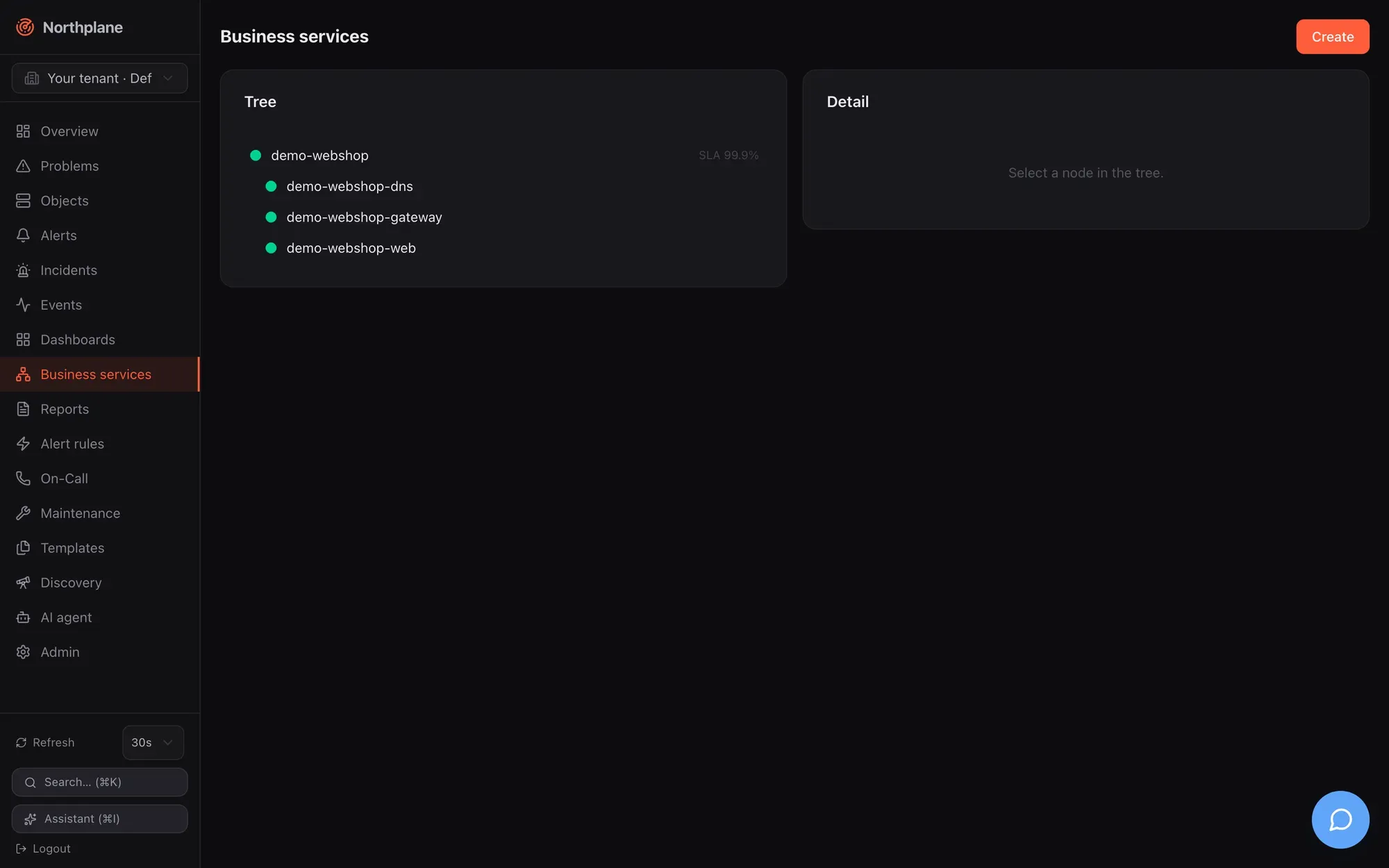
## Concepts
[Section titled “Concepts”](#concepts)
| Term | Meaning |
| ---------------- | ------------------------------------------------------------------------------------------------------------------- |
| Business service | a node of the tree; resource kind `business-service`, addressed by `name` |
| Leaf | a node without children; it binds objects by `objectId` and/or a label `selector` and aggregates their check states |
| Inner node | a node with children; it aggregates the states of its children (its own bindings are ignored for the state) |
| Rule | how a node combines its inputs: `worst` (default), `best`, `quorum`, `weighted` |
| Causes | up to five names of non-OK leaf objects, bubbled up to every ancestor — the “why is it red” of the impact view |
| SLA | per node: `slaTarget` (% availability, default 99.9), `slaWindow` (`month`, `quarter`, `year`), `excludeDowntimes` |
States use the service palette: OK, WARNING, UNKNOWN, CRITICAL, ranked OK < WARNING < UNKNOWN < CRITICAL. A node with no inputs at all (a leaf whose selector matches nothing, or an empty inner node) is UNKNOWN.
Host states in a leaf
Host and service states share one numeric space (UP/OK = 0, DOWN/WARNING = 1, UNREACHABLE/CRITICAL = 2). A leaf that binds hosts therefore counts a **DOWN host as WARNING** and an UNREACHABLE host as CRITICAL, and the tree shows the warning glyph for it. When a dead host must turn the business service red, bind a service on that host (for example its `icmp` or `ping` service) instead of the host object.
### Aggregation rules
[Section titled “Aggregation rules”](#aggregation-rules)
| `rule` | Result of a node |
| ------------------------------------------------- | --------------------------------------------------------------------------------------------------------- |
| `worst` (default, also used when `rule` is empty) | the highest-ranked input state |
| `best` | the lowest-ranked input state |
| `quorum` | OK when at least `quorumPct` % of the inputs are OK (default 50), otherwise CRITICAL — nothing in between |
| `weighted` | **evaluated as `worst`** in this version; `weight` is stored but not used |
## Creating the tree
[Section titled “Creating the tree”](#creating-the-tree)
**Business services** in the sidebar shows the live tree on the left (refreshed every 30 s; glyphs `●` OK, `▲` WARNING, `✕` CRITICAL, `?` UNKNOWN, plus “SLA N %” when a target is set) and the selected node on the right. **Create (Anlegen)** and **Edit** open the same dialog:
| Field | Notes |
| ------------------------- | ----------------------------------------------------------------------------------------------------------------- |
| Name | unique per tenant; used in URLs and in the `bpi` dashboard widget |
| Parent | “Root” or any other business service (stored as the parent’s id) |
| Aggregation rule | `worst`, `best`, `quorum` (shows “Quorum % healthy”), `weighted` |
| Leaf binding | **Object** (searchable picker), **Selector** (label selector, e.g. `env=prod,role=web`), or **none** (inner node) |
| Weight | stored, not evaluated |
| SLA target %, SLA window | e.g. `99.9`, `month` / `quarter` / `year` |
| Exclude planned downtimes | stored flag; see the SLA caveat below |
The detail pane shows the definition, **Edit**, **Delete**, and the SLA card: availability (green/red against the target), target, budget, spent, remaining, window in days. Inner nodes without bindings show “no data” instead of a meaningless 100 %.
The same tree is available as a dashboard widget (`bpi`, see [Dashboards](/docs/monitoring/dashboards/)) and the demo data set ships the root `demo-webshop` with three selector-bound leaves ([Demo mode](/docs/getting-started/demo-mode/)).
## API
[Section titled “API”](#api)
The resource uses the generic CRUD at `/api/v1/business-services` (`objects:read` to read, `config:write` to write, `If-Match` on `PUT`). Document fields:
| Field | Type | Notes |
| ------------------ | ------------------------------------------- | --------------------------------------------------------------------------------------------------------------- |
| `name` | string | required |
| `parentId` | string | **id** of the parent node (not its name); empty = root. A `parentId` that matches no node makes the node a root |
| `rule` | `worst` \| `best` \| `quorum` \| `weighted` | default `worst` |
| `quorumPct` | number | quorum threshold in %, default 50 |
| `objectId` | string | leaf binding: one object id |
| `selector` | string | leaf binding: label selector; may be combined with `objectId` |
| `weight` | number | stored only |
| `slaTarget` | number | %; default 99.9 when 0 or absent |
| `slaWindow` | `month` \| `quarter` \| `year` | 30, 90 or 365 days; default `month` |
| `excludeDowntimes` | bool | stored only (see below) |
```bash
NP=https://np.example.com
TOK=np_…
# root with a pinned id so children can reference it
curl -s -X POST "$NP/api/v1/business-services" -H "Authorization: Bearer $TOK" -H 'Content-Type: application/json' \
-d '{"id":"0198f000-0000-7000-8000-00000000b001","name":"webshop","rule":"worst","slaTarget":99.9,"slaWindow":"month"}'
curl -s -X POST "$NP/api/v1/business-services" -H "Authorization: Bearer $TOK" -H 'Content-Type: application/json' \
-d '{"name":"webshop-frontend","parentId":"0198f000-0000-7000-8000-00000000b001","rule":"quorum","quorumPct":66,"selector":"role=web,env=prod"}'
curl -s -X POST "$NP/api/v1/business-services" -H "Authorization: Bearer $TOK" -H 'Content-Type: application/json' \
-d '{"name":"webshop-db","parentId":"0198f000-0000-7000-8000-00000000b001","objectId":"<service-id>"}'
```
A caller-supplied `id` is honoured on create; otherwise a UUIDv7 is minted and returned in the response.
### Evaluated tree
[Section titled “Evaluated tree”](#evaluated-tree)
`GET /api/v1/business-services:tree` (`objects:read`) returns the roots sorted by name, each as `{service, state, children, causes}` with `state` as the numeric state (0 OK, 1 WARNING, 2 CRITICAL, 3 UNKNOWN):
```json
[
{"service": {"id": "0198…b001", "name": "webshop", "rule": "worst", "slaTarget": 99.9},
"state": 2,
"causes": ["http"],
"children": [
{"service": {"name": "webshop-frontend", "rule": "quorum", "quorumPct": 66}, "state": 0},
{"service": {"name": "webshop-db"}, "state": 2, "causes": ["http"]}
]}
]
```
Reference: [get\_business\_services\_tree](/docs/reference/api/operations/get_business_services_tree/).
### SLA budget
[Section titled “SLA budget”](#sla-budget)
`GET /api/v1/business-services/{name}/sla` (`objects:read`):
```json
{"service": "webshop-db", "target": 99.9, "windowDays": 30,
"availability": 99.972, "budgetTotal": "43m0s", "budgetSpent": "12m0s", "budgetLeft": "31m0s"}
```
How it is computed:
1. The window is the last 30 / 90 / 365 days ending now.
2. For every object bound to **this node** (`objectId` and selector matches), the hard non-OK time inside the window is summed from its `state_change` events (hard transitions only; the state before the window is assumed OK; an ongoing problem counts up to now; at most 1000 events per object are read). WARNING and UNKNOWN count as “down”, not only CRITICAL.
3. The per-object downtimes are added up (worst case: any leaf down = service down) and capped at the window length.
4. `availability = 100 × (1 − down / window)`, `budgetTotal = window × (100 − target) / 100`, `budgetLeft = max(0, budgetTotal − down)`; durations are Go duration strings rounded to minutes.
SLA covers the node’s own bindings only
The SLA calculation does not recurse into children. An inner node without its own `objectId`/`selector` reports `availability: 100` with nothing spent — the UI shows “no data” for it. Put the SLA target on the leaf that carries the bindings, or bind the inner node to a selector that covers all of its objects.
`excludeDowntimes` is stored and displayed but **not applied** — planned downtimes are counted as unavailability in this version. The same holds for the `includeDowntimes` flag of [reports](/docs/monitoring/reports/).
### Impact of an object
[Section titled “Impact of an object”](#impact-of-an-object)
`GET /api/v1/objects/{id}/impact` (`objects:read`) returns the sorted names of all business services the object is bound to (by id or by selector) plus all their ancestors — useful in runbooks and chat-ops to answer “what breaks if this goes down”. Reference: [get\_objects\_id\_impact](/docs/reference/api/operations/get_objects_id_impact/).
## Bundles
[Section titled “Bundles”](#bundles)
Bundle kind `BusinessService` (see [Config bundles](/docs/administration/config-bundles/)):
```yaml
kind: BusinessService
metadata: {name: webshop}
spec:
id: 0198f000-0000-7000-8000-00000000b001
rule: worst
slaTarget: 99.9
slaWindow: month
---
kind: BusinessService
metadata: {name: webshop-frontend}
spec:
parentId: 0198f000-0000-7000-8000-00000000b001
rule: quorum
quorumPct: 66
selector: role=web,env=prod
```
Parent references are ids
`parentId` links by id, and `np export` strips `id` from every exported document while keeping `parentId` in the children. Re-applying an exported tree on the **same** instance works (ids are preserved on update); applying it on a fresh instance or a federation edge creates new ids for the parents and turns the children into roots. Pin `id` on parent nodes in bundles you intend to apply elsewhere, as in the example above.
# Dashboards
> Build status dashboards and wallboards from 11 widget types on a 12-column grid, with dashboard-wide time range and auto-refresh, and manage them through the API or bundles.
A dashboard is a named grid of widgets: KPI counters, problem and alert lists, object tables, metric charts, stats, gauges, donuts, bars, business-service trees and free text. Dashboards are stored as config documents (`/api/v1/dashboards`), so you can create them in the UI, with `np apply` bundles, or through the AI agent. Open one with `?wallboard` to get a chrome-free, auto-refreshing screen for a NOC display.
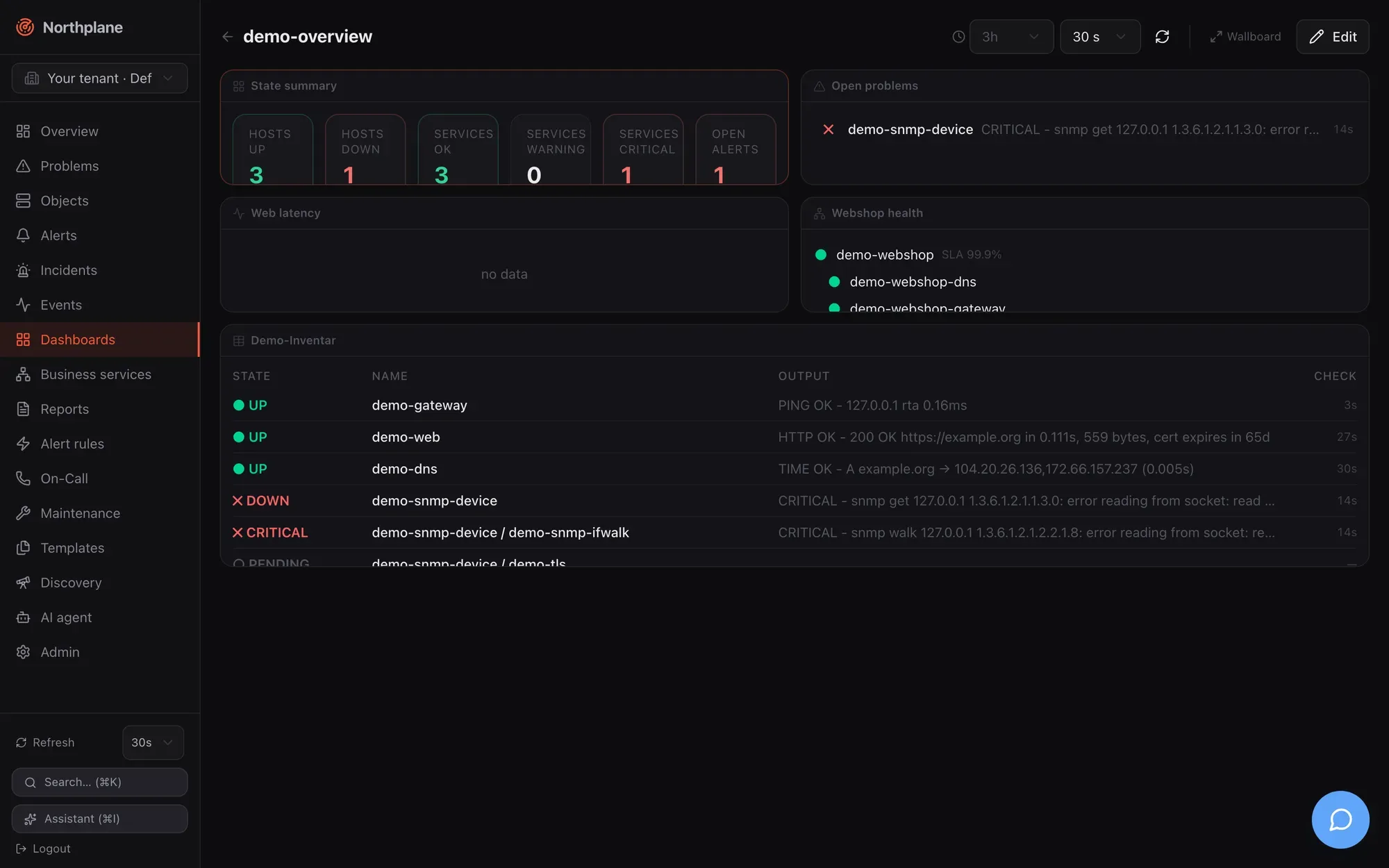
## Where to find it
[Section titled “Where to find it”](#where-to-find-it)
**Dashboards** in the sidebar lists all dashboards of the current tenant as cards (name, **Shared (Geteilt)** badge, widget count, **Open**, delete). **New dashboard (Dashboard anlegen)** asks for a name and the shared switch and creates the dashboard with a single `counters` widget, then opens it.
The dashboard view has:
| Control | What it does |
| --------------------- | ------------------------------------------------------------------------------------------------------- |
| **Time range** select | `1h 3h 6h 12h 24h 7d 30d` — overrides the range of every time-series widget (`metric`, `stat`) |
| **Refresh** select | `Off (Aus)`, `10 s`, `30 s`, `1 min`, `5 min` — every widget re-fetches at this interval (default 30 s) |
| Refresh-now button | invalidates all widget queries immediately |
| **Wallboard** | opens `/dashboards/<name>?wallboard` |
| **Edit (Bearbeiten)** | enters edit mode |
In edit mode: **+ Add widget (Widget hinzufügen)**, **Tidy (Aufräumen)** (re-flows all panels left-to-right and closes gaps), **Cancel**, **Save**. Drag a panel by its header, resize it from the bottom-right grip; the rest of the grid reflows live. Hovering a panel shows **Configure**, **Duplicate** and **Remove**. The panel dialog offers title, width (1–12 columns), height (1–8 rows), the type-specific fields and a live preview; the add dialog shows an icon gallery of all types first.
**Save** writes `spec.widgets`, `spec.time` and `spec.refresh` with `PUT /api/v1/dashboards/{name}` and the held ETag; if another tab saved in the meantime (`409`), the UI re-fetches once and retries on the fresh version.
## Grid and layout
[Section titled “Grid and layout”](#grid-and-layout)
* 12 columns, row height 120 px, 12 px margins. Widget `w` is the column span (1–12), `h` the row span (1–8); `x`/`y` is the top-left cell.
* `x`/`y` are optional for documents written by hand or older versions: widgets without positions are auto-flowed left-to-right, top-to-bottom on load. New and duplicated widgets are placed at the bottom of the grid.
## Wallboard mode
[Section titled “Wallboard mode”](#wallboard-mode)
`/dashboards/<name>?wallboard` renders the dashboard without sidebar and controls, with a large title, the Northplane logo and a clock; widgets refresh at the dashboard’s saved `refresh` interval (default 30 s) and use its saved `time` range. It is the same page with the same authentication — a wallboard browser needs a logged-in session (or a reverse proxy that injects one); there is no anonymous share link.
Sharing status
`shared` is a flag shown as a badge. It is not enforced: every dashboard of a tenant is visible to every user who may read objects, and editing requires `config:write` regardless of who created it. The model also carries `ownerId` and `shareToken`, but no server route reads them — in particular `shareToken` does not enable a public wallboard URL.
## Widget types
[Section titled “Widget types”](#widget-types)
All widgets share `type`, optional `title` (the type label is shown when empty) and the grid fields `x, y, w, h`. Time-series widgets honour the dashboard time range; everything else refreshes at the dashboard refresh interval. Selectors use the [label selector grammar](/docs/concepts/object-model/).
| `type` | Label (EN / DE) | Default size | Config fields | Data and rendering |
| ---------- | ----------------------------------- | ------------ | --------------------------------------------------------------------------------------------------------------------------------------------------------- | ----------------------------------------------------------------------------------------------------------------------------------------------------------------------------------------- |
| `counters` | Counters (KPIs) / Zähler (KPIs) | 12 × 1 | — | `GET /overview`; six tiles: hosts up, hosts down, services OK, warning, critical, open alerts (critical + warning); each tile links to the filtered objects or alerts list |
| `problems` | Problems / Probleme | 6 × 2 | `limit` (1–50, default 10), `selector` | `GET /problems?limit&selector`; hard non-OK objects: state, `host / name`, output, time since last hard change; links to the object |
| `alerts` | Alerts / Alarme | 6 × 2 | `limit` (1–50, default 10) | `GET /alerts?status=open&limit`; severity badge, title, age; links to the alerts page |
| `table` | Table (hosts/services) / Tabelle | 12 × 2 | `scope` (`hosts`, `services`, unset = both), `selector`, `query` (full-text on name/spec), `limit` (1–100, default 15) | objects list (`/hosts`, `/services` or `/objects`) with state, name, output, last check; rows link to the object |
| `metric` | Metric chart / Metrik-Diagramm | 6 × 2 | `object` **or** `selector` (overlay one metric across many objects), `metric` (empty = all metrics of the object), `range` (default `3h`), `warn`, `crit` | `POST /metrics/query` (`maxPoints: 300`); one chart per unit group; dashboard range overrides `range` |
| `stat` | Single value (stat) / Einzelwert | 3 × 2 | `object`, `metric`, `range` (default `6h`), `warn`, `crit` | `POST /metrics/query` (`maxPoints: 60`); latest value in big type, colour by threshold, tiny sparkline over the range |
| `gauge` | Gauge / Gauge (Tacho) | 3 × 2 | `object`, `metric`, `max` (scale end), `warn`, `crit` | last value of the last hour; 240° SVG arc with amber/red zones; `max` defaults to the crit value, else `max(100, value × 1.25)` |
| `donut` | Status donut / Status-Donut | 4 × 2 | `scope` (`services` default, `hosts`) | `GET /overview`; state distribution with legend and percentages; slices and legend rows link to the filtered objects list |
| `bar` | Bar chart / Balkendiagramm | 6 × 2 | `object`, `metric` (filter; empty = all), `limit` (1–20, default 8), `warn`, `crit`; `max` (scale end, JSON/API only — not in the dialog) | last value per metric of one object, sorted descending, threshold-coloured horizontal bars; without any threshold or `max` only values are shown |
| `bpi` | Business service / Business Service | 6 × 2 | `service` (business service name) | `GET /business-services:tree`; the named subtree with live state glyphs (whole forest when the name is empty or not found) — see [Business services](/docs/monitoring/business-services/) |
| `markdown` | Text / Markdown | 6 × 1 | `text` | rendered as **plain, whitespace-preserving text** — no Markdown or HTML is interpreted (deliberately XSS-safe) |
Threshold fields: `warn`/`crit` are numbers that override the thresholds stored with the metric’s perfdata; leave them empty to use the plugin’s own ranges. Because perfdata thresholds are stored in the plugin’s original unit while values are normalised, set explicit overrides for metrics reported in `ms`, `KB`, `MB` or `GB` — see [Metrics and NP-TSDB](/docs/monitoring/metrics-and-tsdb/#what-is-stored). `np_*` series are never shown.
Widgets that need metrics require `metrics:read`; the alerts widget `alerts:read`; everything else `objects:read`. The built-in `viewer` role has all of them.
## Document format
[Section titled “Document format”](#document-format)
The server treats `spec` as an opaque JSON blob; the shape is owned by the UI and validated there with a zod schema (`dashboardDocSchema`) when a dashboard is read. A document that does not match the schema makes the dashboard page fail with one `502 invalid_response` error instead of a half-rendered grid.
```json
{
"name": "NOC",
"shared": true,
"spec": {
"time": "24h",
"refresh": "30s",
"widgets": [
{"type": "counters", "x": 0, "y": 0, "w": 12, "h": 1},
{"type": "problems", "title": "Production problems", "selector": "env=prod", "limit": 20, "x": 0, "y": 1, "w": 6, "h": 3},
{"type": "metric", "title": "Web latency", "selector": "role=web", "metric": "time", "range": "3h", "warn": 1, "crit": 3, "x": 6, "y": 1, "w": 6, "h": 3},
{"type": "bpi", "service": "webshop", "x": 0, "y": 4, "w": 6, "h": 2},
{"type": "markdown", "title": "Runbook", "text": "Escalate to network on-call if the gateway is down.", "x": 6, "y": 4, "w": 6, "h": 1}
]
}
}
```
| Field | Allowed values |
| --------------------- | -------------------------------------------------------------------------------------------------------------------------------------------------------------------------------------------- |
| `spec.time` | `1h`, `3h`, `6h`, `12h`, `24h`, `7d`, `30d` — default `3h` when absent |
| `spec.refresh` | `off`, `10s`, `30s`, `1m`, `5m` — default `30s` when absent or unknown |
| `spec.widgets[].type` | one of the 11 types above |
| other widget fields | `title, object, metric, range, warn, crit, max, scope (services\|hosts), limit, selector, query, service, text, w, h, x, y` — all optional; numbers for `warn, crit, max, limit, w, h, x, y` |
## API
[Section titled “API”](#api)
Dashboards use the generic resource CRUD: `GET /api/v1/dashboards`, `POST /api/v1/dashboards`, `GET|PUT|DELETE /api/v1/dashboards/{name}`. Reads need `objects:read`, writes `config:write`; `PUT` requires `If-Match` with the current version. See [REST API overview](/docs/reference/api-overview/) and the generated reference, e.g. [post\_dashboards](/docs/reference/api/operations/post_dashboards/).
```bash
NP=https://np.example.com
TOK=np_…
curl -s -X POST "$NP/api/v1/dashboards" -H "Authorization: Bearer $TOK" \
-H 'Content-Type: application/json' \
-d '{"name":"NOC","shared":true,"spec":{"time":"24h","refresh":"30s","widgets":[
{"type":"counters","w":12,"h":1},
{"type":"problems","title":"Open problems","limit":20,"selector":"env=prod","w":6,"h":3},
{"type":"metric","title":"web01 latency","object":"<object-id>","metric":"time","range":"3h","w":6,"h":3}]}}'
```
Permission names
The built-in `operator` role carries `dashboards:read` and `dashboards:write`, but no route checks those names: dashboard routes check `objects:read` and `config:write`. Among the built-in roles only `admin` can create or save dashboards; give a custom role `config:write` if operators should edit them. See [Users, roles and permissions](/docs/administration/users-roles-permissions/).
### Bundle
[Section titled “Bundle”](#bundle)
In a [config bundle](/docs/administration/config-bundles/) the kind is `Dashboard`. The bundle’s `spec:` (or `data:`) map holds the document fields, so the widget spec is nested one level:
```yaml
kind: Dashboard
metadata:
name: NOC
spec:
shared: true
spec:
time: 24h
refresh: 30s
widgets:
- {type: counters, w: 12, h: 1}
- {type: problems, title: Open problems, selector: env=prod, limit: 20, w: 6, h: 3}
- {type: donut, scope: hosts, w: 4, h: 2}
```
`np export` produces exactly this shape. Fields absent from the bundle are left untouched on apply.
## Demo dashboard
[Section titled “Demo dashboard”](#demo-dashboard)
[Demo mode](/docs/getting-started/demo-mode/) seeds the shared dashboard `demo-overview` (counters, problems, a metric chart of `demo-web-latency` over 3 h, the `demo-webshop` business service and a table with selector `demo=true`) — a good starting point to copy from.
# Discovery
> Scan a network range for reachable hosts with TCP probes, read the suggestions, and turn the hits into monitored hosts from the UI or the API.
Discovery answers “what is out there” for a subnet you already own: Northplane sweeps a CIDR with TCP connects, records which ports answered, resolves reverse DNS and proposes builtin checks per open port. Nothing is created automatically — you review the hits and adopt the ones you want as hosts. The feature lives on the **Discovery** page (sidebar entry *Discovery*) and behind `/api/v1/discovery/scans`.
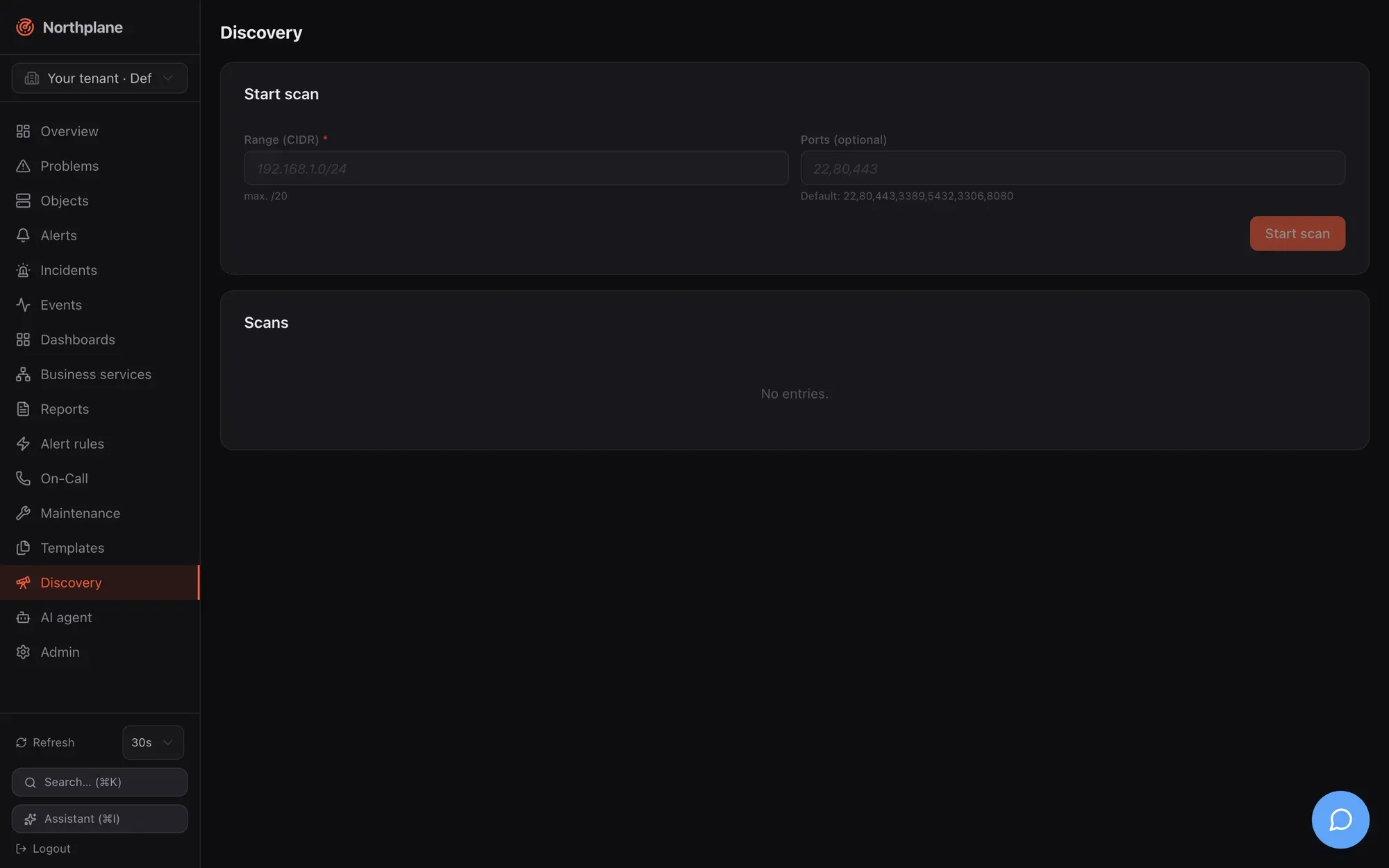
## What a scan does
[Section titled “What a scan does”](#what-a-scan-does)
| Aspect | Behaviour |
| -------------------- | --------------------------------------------------------------------------------------------------------------------------------------------------------------------------------------------------------------------------------------- |
| Probe | plain TCP connect per address and port, 800 ms dial timeout; **no ICMP, no SNMP, no banner grabbing** |
| Range | any CIDR up to `/20` (4096 addresses); larger ranges are rejected with 422 `scan limited to /20 or smaller`; the network address itself is skipped |
| Refused ranges | loopback, link-local (including `169.254.169.254`), multicast and the unspecified address are refused (SSRF guard); RFC 1918 ranges are the normal case and allowed |
| Ports | the request’s `ports` list, default `22, 80, 443, 3389, 5432, 3306, 8080` |
| Concurrency / limits | 64 addresses in parallel, 10 minutes overall deadline per scan |
| Per hit | address, reverse-DNS name (first PTR), list of open ports, suggested checks |
| Suggestions | `22` → `builtin:ssh-banner`; `80` → `builtin:http -p 80`; `443` → `builtin:http -S` and `builtin:tls-cert`; `5432` → `builtin:tcp -p 5432 (postgres)`; `3306` → `builtin:tcp -p 3306 (mysql)`; any other port → `builtin:tcp -p <port>` |
| Lifetime | scans live **in memory** of the server process, newest first, per tenant — a restart forgets them |
| Safety | a panic inside the scanner marks that scan `failed` and leaves the server running |
Hosts without a single open port do not appear at all, so a firewalled host that only answers ICMP is invisible to discovery — add it by hand or with [Batch add](/docs/monitoring/hosts-and-services/#batch-add).
## Starting a scan
[Section titled “Starting a scan”](#starting-a-scan)
**UI**: **Discovery** → *Start scan* (Scan starten): enter the CIDR (hint “max. /20”) and, optionally, a comma-separated port list; the scan appears in the table below with status *running* and the page polls every 5 s until it is *done* or *failed*. The table shows status, CIDR, when it started, the number of suggestions and a *Suggestions* (Vorschläge) button.
**API** (permission `config:write`, [reference](/docs/reference/api/operations/post_discovery_scans/)):
```bash
curl -sS -X POST "$NP_SERVER/api/v1/discovery/scans" \
-H "Authorization: Bearer $NP_TOKEN" -H "Content-Type: application/json" \
-d '{"cidr":"10.10.10.0/24","ports":[22,80,443,161,5693]}'
# HTTP 202
# {"id":"0199…","tenantId":"…","cidr":"10.10.10.0/24","ports":[22,80,443,161,5693],
# "status":"running","startedAt":"2026-08-23T09:12:00Z"}
```
The call returns immediately with `202 Accepted`; the sweep runs in the background. Note that a TCP probe on UDP services (161/snmp above) never succeeds — list TCP ports only. Each start is audited as `discovery.scan`.
## Reading the results
[Section titled “Reading the results”](#reading-the-results)
```bash
curl -sS "$NP_SERVER/api/v1/discovery/scans" -H "Authorization: Bearer $NP_TOKEN" # list, newest first
curl -sS "$NP_SERVER/api/v1/discovery/scans/$SCAN_ID" -H "Authorization: Bearer $NP_TOKEN" # one scan
```
([list](/docs/reference/api/operations/get_discovery_scans/), [single scan](/docs/reference/api/operations/get_discovery_scans_id/); permission `objects:read`.)
```json
{
"id": "0199…", "tenantId": "…", "cidr": "10.10.10.0/24", "ports": [22, 80, 443],
"status": "done", "startedAt": "2026-08-23T09:12:00Z", "doneAt": "2026-08-23T09:12:41Z",
"found": [
{"address": "10.10.10.11", "hostname": "saas1.lab.local.", "openPorts": [22, 443],
"suggest": ["builtin:ssh-banner", "builtin:http -S", "builtin:tls-cert"]},
{"address": "10.10.10.20", "hostname": "targets.lab.local.", "openPorts": [22, 80, 443],
"suggest": ["builtin:ssh-banner", "builtin:http -p 80", "builtin:http -S", "builtin:tls-cert"]}
]
}
```
`status` is `running`, `done` or `failed` (with `error`); `found` is sorted by address once the scan is done and is absent while nothing has answered yet. Hostnames keep the trailing dot of the PTR record; the UI strips it when it creates objects.
## Turning suggestions into objects
[Section titled “Turning suggestions into objects”](#turning-suggestions-into-objects)
Click *Suggestions* on a finished scan. The panel offers:
* **Folder** (Zielordner), default `/discovered`, and optional **Templates** applied to every new host;
* a table with a checkbox per hit (all pre-selected), address, hostname, open ports, suggested checks and, after submitting, a per-row result;
* **Accept selected** (Ausgewählte übernehmen).
Accepting calls `POST /api/v1/objects:batch` with `mode: partial` and one **host** per selected row: `name` = hostname without the trailing dot (or the address), the chosen folder, the label `discovered=true`, `spec.address`, the templates, and `checkCommand: builtin:icmp`. The result line shows created/failed counts and the error per row (for example when a host of that name already exists).
Hosts only — services are up to you
The suggested checks are **hints**, not created objects: adoption creates one host per hit with an ICMP check and nothing else. Add the services afterwards — per host in the UI, with [Batch add](/docs/monitoring/hosts-and-services/#batch-add) (kind *service*, default host, command from the suggestion), or with a bundle:
```yaml
kind: Service
metadata: {name: https, host: saas1.lab.local, labels: {discovered: "true"}}
spec:
checkCommand: builtin:http
args: ["-S"]
---
kind: Service
metadata: {name: tls-cert, host: saas1.lab.local}
spec:
checkCommand: builtin:tls-cert
```
Because ICMP needs an unprivileged ICMP socket or raw-socket capability, a freshly adopted host in a container may report `UNKNOWN - icmp socket …`; switch its check to `builtin:tcp -p 22` (or whatever answered) in that case — see [Builtin checks](/docs/monitoring/builtin-checks/#icmp-and-ping).
The `discovered=true` label is handy later: `GET /api/v1/hosts?selector=discovered=true` lists everything that came in through discovery, a downtime or silence by that selector covers all of it, and `np apply --prune` with a selector cleans up an experiment.
## Limits and caveats
[Section titled “Limits and caveats”](#limits-and-caveats)
* A scan is **not persisted**: after a server restart the list is empty. Adopt hits soon after the scan, or export the JSON.
* `/20` is the hard upper bound per scan; split larger networks into several scans.
* The scanner sees only TCP listeners on the ports you list. Hosts behind strict firewalls, pure UDP services (SNMP, NTP, DNS) and ICMP-only hosts are not found.
* Reverse DNS uses the server’s resolver; without PTR records the address becomes the host name.
* Starting a scan needs `config:write` (it is a configuration action and audited); reading scans needs `objects:read`; accepting suggestions needs `objects:write`.
* Discovery creates hosts in the **current tenant** (the tenant header rules of the API apply).
* There is no scheduled or recurring discovery — run scans by hand or from a cron job against the API.
# Heartbeats
> Dead-man monitoring of cron jobs, backups and pipelines with Heartbeat resources and beat URLs, alert rules for heartbeat_missed events, and the separate outbound dead-man URL that watches Northplane itself.
A heartbeat monitors something that must *happen regularly* rather than something you can poll: a nightly backup, a cron job, a data pipeline, a remote site pushing results. The job calls a beat URL when it succeeds; if the beats stop, Northplane emits a `heartbeat_missed` event and — through an alert rule — opens an alert. Recovery is automatic with the next beat.
Three related things are easy to confuse:
| Mechanism | Direction | What it watches | Where it lives |
| ---------------------------------- | --------------------------------------------------- | --------------------------------------- | ---------------------------------------------------------- |
| **Heartbeat resource** (this page) | job → Northplane (`/api/v1/heartbeats/{name}/beat`) | external jobs | **Admin → Heartbeats**, `/api/v1/heartbeats` |
| `AlertRule.heartbeat` | events → rule | an **event source** that falls silent | [Alert rules](/docs/alarming/alert-rules/) |
| `deadManUrl` | Northplane → external service | Northplane itself (the checks pipeline) | `config.yaml` ([last section](#the-outbound-dead-man-url)) |
## The Heartbeat resource
[Section titled “The Heartbeat resource”](#the-heartbeat-resource)
| Field | Type | Default | Meaning |
| ------------- | ----------------------------------- | -------------- | ------------------------------------------------------------------------------------- |
| `name` | string | required | unique per tenant; part of the beat URL |
| `expectEvery` | duration | required (> 0) | maximum gap between beats |
| `grace` | duration | `0` | extra slack added to `expectEvery` before a miss is declared |
| `severity` | `critical`, `warning`, `info`, `ok` | `warning` | severity of the `heartbeat_missed` event (and, via rules, the alert) |
| `labels` | map | — | copied into every `heartbeat_missed` event (`event.labels.<key>`), e.g. `team`, `job` |
| `lastBeat` | timestamp | — | runtime: last accepted beat |
| `missing` | bool | `false` | runtime: currently overdue |
Heartbeats are stored in their own table (not a generic resource); there is no version/`If-Match` and `POST` upserts by name.
| Endpoint | Permission | Notes |
| ------------------------------------- | --------------- | ------------------------------------------------------------------------------------------------------------------------------------------------------------ |
| `GET /api/v1/heartbeats` | `objects:read` | list with `lastBeat` and `missing` ([reference](/docs/reference/api/operations/get_heartbeats/)) |
| `POST /api/v1/heartbeats` | `config:write` | create **or update** by name: `{"name","expectEvery","grace"?,"severity"?,"labels"?}` → `201` ([reference](/docs/reference/api/operations/post_heartbeats/)) |
| `POST /api/v1/heartbeats/{name}/beat` | `objects:write` | record a beat → `200 {"status":"ok"}` ([reference](/docs/reference/api/operations/post_heartbeats_name_beat/)) |
| `GET /api/v1/heartbeats/{name}/beat` | `objects:write` | same, for `curl`/`wget` in cron ([reference](/docs/reference/api/operations/get_heartbeats_name_beat/)) |
| `DELETE /api/v1/heartbeats/{name}` | `config:write` | delete ([reference](/docs/reference/api/operations/delete_heartbeats_name/)) |
Creating one:
```bash
curl -sS -X POST "$NP_SERVER/api/v1/heartbeats" \
-H "Authorization: Bearer $NP_TOKEN" -H "Content-Type: application/json" \
-d '{"name":"nightly-backup","expectEvery":"24h","grace":"1h","severity":"critical",
"labels":{"team":"ops","job":"backup"}}'
```
In the UI: **Admin → Heartbeats** (Heartbeats) lists name, expected interval, grace, severity, last beat and a status badge (*missing*), and the *Create* dialog takes name, *Expected every*, *Grace (optional)*, severity, labels and shows the copy-ready beat command `curl -H "Authorization: Bearer np_…" /api/v1/heartbeats/<name>/beat`. Pick the severity explicitly in the dialog — when the field is left untouched the server stores its default, `warning`. The heartbeat name is fixed after creation.
Not in bundles
`Heartbeat` is listed in the bundle kind order, but the applier does not support it: `np apply` prints `warning: unsupported kind Heartbeat` and skips the document, and `np export` never includes heartbeats. Create them through the API (idempotent `POST`) or the Admin tab — for example from the same script that deploys the job.
## Sending beats
[Section titled “Sending beats”](#sending-beats)
Beats are authenticated API calls; mint a token with **only** `objects:write` for the job ([API tokens](/docs/administration/api-tokens/)) and call the URL at the *end* of a successful run:
```bash
# cron: 30 3 * * * /usr/local/bin/backup.sh && curl -fsS -m 10 -X POST \
# -H "Authorization: Bearer $NP_TOKEN" https://northplane.example.net/api/v1/heartbeats/nightly-backup/beat
```
```bash
# plain GET works too (for wget, health-check hooks, HTTP-only schedulers)
wget -qO- --header="Authorization: Bearer np_…" https://northplane.example.net/api/v1/heartbeats/nightly-backup/beat
```
* Unknown name → `404` — beats never create a heartbeat (`np:not-found`).
* Bearer tokens are the intended credential. A browser session cookie is **not** usable for the GET form: session-authenticated requests that the browser marks cross-site are rejected with `403 np:auth/csrf`, so a beat URL pasted into an external page or bookmark will not work; use a token.
* Beat early rather than late: `expectEvery` counts from the *last* beat, so a job that runs at 03:30 every night with `expectEvery: 24h` needs a `grace` that covers its own runtime jitter.
## Miss detection and recovery
[Section titled “Miss detection and recovery”](#miss-detection-and-recovery)
The alerting engine checks every heartbeat of every tenant every **5 s**:
1. A heartbeat is **overdue** when it has never been beaten (`lastBeat` is empty) **or** `now − lastBeat > expectEvery + grace`.
2. The first time it is found overdue, `missing` flips to `true` (once — no repeat while it stays missing) and a `heartbeat_missed` event is emitted with the heartbeat’s `severity`, `sourceId` = the heartbeat’s id, and payload `{"heartbeat":"<name>","labels":{…},"summary":"Heartbeat \"<name>\" missing"}`. The event is persisted (visible on the Events page and the SSE stream) and fed through the alert rules.
3. The next beat resets `lastBeat` and `missing`. If the heartbeat *was* missing, the beat endpoint additionally emits a `heartbeat_missed` event with severity **`ok`** and payload `{"heartbeat","labels","summary":"Heartbeat <name> recovered","resolve":true}`, again through the rules — which resolves the alert (next section).
A new heartbeat is overdue immediately
A heartbeat that has never received a beat counts as overdue from the moment it is created (within 5 s). Create it right before the job’s first run, send an initial beat from the deployment script, or expect one alert that the first real beat resolves.
Timing: detection latency is at most 5 s after `expectEvery + grace` has elapsed. Everything here is persistent (`lastBeat`/`missing` are stored), so a server restart does not lose the state — but a server that was *down* for longer than a heartbeat’s window will declare misses right after it comes back if the jobs could not beat meanwhile.
## Alerting on missed heartbeats
[Section titled “Alerting on missed heartbeats”](#alerting-on-missed-heartbeats)
A `heartbeat_missed` event alone is just an event. To page someone, add an alert rule ([Alert rules](/docs/alarming/alert-rules/)); in CEL the event looks like this:
| Path | Value |
| ------------------------- | --------------------------------------------------------------------------- |
| `event.type` | `heartbeat_missed` |
| `event.severity` | the heartbeat’s severity; `ok` on recovery |
| `event.source` | the heartbeat **id** |
| `event.summary` | `Heartbeat "nightly-backup" missing` / `Heartbeat nightly-backup recovered` |
| `event.labels.<key>` | the heartbeat’s labels |
| `event.payload.heartbeat` | the heartbeat **name** |
| `event.payload.resolve` | `true` on recovery |
```yaml
kind: AlertRule
metadata: {name: heartbeat-missed}
spec:
match: 'event.type == "heartbeat_missed"'
title: '{{ .event.summary }}'
escalationPolicy: ops-default
setLabels: {kind: heartbeat}
---
kind: AlertRule
metadata: {name: backup-heartbeat-critical}
spec:
match: 'event.type == "heartbeat_missed" && event.labels.job == "backup"'
severity: critical
title: 'Backup heartbeat {{ .event.payload.heartbeat }} missing'
escalationPolicy: ops-phone
```
Leave `severity` empty to inherit the heartbeat’s own severity, as in the first rule. The default dedup key for these events is `<rule name>/<heartbeat id>`, and the recovery event carries `severity: ok` and `resolve: true` — so the same rule that opened the alert resolves it on the next beat, and open alerts are folded per heartbeat rather than duplicated. Test a rule with **Alerting → Rules → Test** or `POST /api/v1/alert-rules/{name}:test` against the last 24 h of events.
AlertRule.heartbeat is something else
`spec.heartbeat: {source, expectEvery}` on an alert rule watches an **event source** (webhook, MQTT, SNMP traps …) and alerts when no event from that source id arrived for `expectEvery`; it arms only after the first event and is in-memory. It does not use Heartbeat resources, and `source` must be the EventSource **id**, not its name. Use it for “the PLC stopped sending”; use Heartbeat resources for “the job stopped running”.
## The outbound dead-man URL
[Section titled “The outbound dead-man URL”](#the-outbound-dead-man-url)
The opposite direction: Northplane pings an external watchdog (healthchecks.io, Uptime Kuma push monitors, a heartbeat in *another* Northplane) so that *someone notices when Northplane itself is down or stuck*.
config.yaml
```yaml
deadManUrl: "https://hc-ping.com/<uuid>" # env NORTHPLANE_DEADMAN_URL
deadManInterval: 1m # file-only; <= 0 is treated as 1m
```
* When `deadManUrl` is empty (default) nothing happens.
* Otherwise `northplaned` sends `GET <deadManUrl>` every `deadManInterval` with a 10 s timeout.
* The ping is **skipped** while the results queue holds more than 7000 entries (the bus capacity is 8192) — logged as `deadman: skipping ping, results queue saturated`. A saturated pipeline therefore stops the heartbeat and the external watchdog fires, which is the point: “process up but not processing” counts as down.
* Point it at a Heartbeat resource on a second Northplane (`https://other/api/v1/heartbeats/np-main/beat` — the GET needs a bearer token, which this plain GET cannot add, so use a proxy or a watchdog service that accepts unauthenticated URLs).
See [Observability](/docs/administration/observability/) for health endpoints and metrics that complement the dead-man URL.
## Quick reference
[Section titled “Quick reference”](#quick-reference)
| Item | Value |
| ------------------ | -------------------------------------------------------------------------------------------- |
| Miss check cadence | every 5 s |
| Overdue condition | `lastBeat` empty, or `now − lastBeat > expectEvery + grace` |
| Event | `heartbeat_missed`, severity = heartbeat severity; recovery: severity `ok` + `resolve: true` |
| Default severity | `warning` (server); dialog shows `critical` until you pick one |
| Beat auth | bearer token with `objects:write`; POST or GET |
| Bundle support | none (API/UI only) |
| Dead-man ping | every `deadManInterval` (1 m), skipped when results queue > 7000 |
# Hosts and services
> Create and manage hosts and services in the UI, via the API or with YAML bundles — folders, labels, templates, the object detail page, batch operations, filters and deletion.
Northplane monitors **objects**: a *host* (something with an address) and *services* that belong to a host. Both share one spec (check command, interval, thresholds, notifications…) and one state model. This page shows how to create and work with them; the field-by-field reference of the spec lives in [Object model](/docs/concepts/object-model/), the state semantics in [Checks and states](/docs/concepts/checks-and-states/).
## What an object is
[Section titled “What an object is”](#what-an-object-is)
| Property | Host | Service |
| -------- | -------------------------------------------------------------------------------------------------------- | -------------------------------------------------------- |
| `name` | unique per tenant; cannot be renamed (recreate instead) | unique per host |
| `host` | — | the owning host (name or id on create; fixed afterwards) |
| `folder` | path such as `/prod/web`, default `/` | same; used for filtering and role scopes |
| `labels` | free key/value pairs, the primary grouping mechanism (selectors, downtimes, silences, dashboards, BPI) | same |
| `spec` | `address`, `checkCommand`, `args`, `templates`, `parents`, intervals, notifications, `vars`, `runbook` … | same fields; the check target is the **host’s** address |
| Delete | cascades to all services of the host | only the service |
IDs are UUIDv7 and appear in URLs (`/objects/<id>`) and in the CLI (`np describe <id>`). Every write bumps `version`; updates over the API need `If-Match: "<version>"`.
The spec fields you will touch most often (defaults apply after template resolution):
| Field | Default | Meaning |
| --------------------------------------- | ------------- | -------------------------------------------------------------------------------------------- |
| `address` | — | host address (IP or DNS name); services use the host’s |
| `checkCommand` | `passive` | `builtin:<name>`, `exec:<plugin>`, `agent:exec:<plugin>`, a named CheckCommand, or `passive` |
| `args` | — | flags for builtin checks / `$ARGn$` values for plugins |
| `templates` | — | inheritance chain, later wins (see [Templates](/docs/monitoring/templates/)) |
| `interval` / `retryInterval` | `60s` / `15s` | check cadence / soft-state recheck |
| `maxCheckAttempts` | `3` | soft → hard |
| `timeout` | `30s` | per-check execution limit |
| `parents` | — | host reachability graph |
| `contacts`, `contactGroups`, `notifyOn` | — | direct notifications on hard changes |
| `stalenessAfter`, `stalenessText` | — | freshness for passive/agent objects |
Durations are Go durations (`30s`, `5m`, `24h`); a bare integer in JSON means seconds.
## Creating hosts and services
[Section titled “Creating hosts and services”](#creating-hosts-and-services)
* UI
Open **Objects (Objekte)** and click **New host** (Host anlegen) or **New service** (Service anlegen). The dialog has four tabs; the same dialog opens for **Edit** on any row or detail page.
| Tab | Fields |
| -------------------------------------- | ---------------------------------------------------------------------------------------------------------------------------------------------------------------------------------------------------------------------------------------------------------------------------------------------------------- |
| **Basics** (Basis) | Name (required; locked when editing), Folder, Host (services only; locked when editing), Address, Labels |
| **Check** (Prüfung) | Check command: kind selector `builtin` / `Command (defined)` / `exec` / `agent:exec` / `passive` plus the name (with suggestions from the builtin list and your named commands); Arguments (one per entry); Templates (ordered, later wins); Interval, Retry interval, Max attempts, Timeout, Check period |
| **Notifications** (Benachrichtigungen) | Contact groups, Contacts, Notify on (hosts: down/unreachable/recovery; services: warning/critical/unknown/recovery), Notification period |
| **Advanced** (Erweitert) | Parents (hosts), tri-state Checks / Notifications / Flap detection (inherit/on/off), Threshold mode, Staleness deadline + text (services), Zone, Vars, Runbook (Markdown) |
Save creates the object (`POST /api/v1/hosts` or `/services`); edit saves with the object’s version — if someone else changed it in between you get “Conflict — please reload”. The full walk-through of every dialog field is in [UI → Objects](/docs/ui/objects/).
* API
```bash
# host
curl -sS -X POST "$NP_SERVER/api/v1/hosts" \
-H "Authorization: Bearer $NP_TOKEN" -H "Content-Type: application/json" \
-d '{"name":"web-01","folder":"/prod/web","labels":{"env":"prod","role":"web"},
"spec":{"address":"10.0.0.5","checkCommand":"builtin:icmp","templates":["linux-base"]}}'
# service on that host (host by name or id)
curl -sS -X POST "$NP_SERVER/api/v1/services" \
-H "Authorization: Bearer $NP_TOKEN" -H "Content-Type: application/json" \
-d '{"name":"https","host":"web-01","labels":{"tier":"frontend"},
"spec":{"checkCommand":"builtin:http","args":["-S","-u","/health","-e","200"],"interval":"30s"}}'
```
Both return `201 Created`, the object JSON and an `ETag`. Permission `objects:write`. References: [create host](/docs/reference/api/operations/post_hosts/), [create service](/docs/reference/api/operations/post_services/), [update](/docs/reference/api/operations/put_objects_id/) (`PUT /api/v1/objects/{id}` with `If-Match`; the body replaces `spec` wholesale, `labels` when present and `folder` when non-empty). Validation errors come back as `422` problems — unknown template, unknown named check command, invalid `notifyOn` token, unknown contact or contact group.
* Bundle (np apply)
web.yaml
```yaml
kind: Host
metadata:
name: web-01
folder: /prod/web
labels: {env: prod, role: web}
spec:
address: 10.0.0.5
checkCommand: builtin:icmp
templates: [linux-base]
---
kind: Service
metadata:
name: https
host: web-01
labels: {tier: frontend}
spec:
checkCommand: builtin:http
args: ["-S", "-u", "/health", "-e", "200"]
interval: 30s
```
```bash
np apply -f web.yaml --dry-run # shows: would apply create Host/web-01, create Service/web-01/https
np apply -f web.yaml
```
Bundles are idempotent (objects are matched by kind, host and name) and are the recommended way to manage many objects, to version them in git, and to push configuration to federation edges. Format, plan/apply/prune and the Admin tab are described in [Config bundles](/docs/administration/config-bundles/).
Services inherit the host address
A service never needs its own `address`: the check target is the host’s address (falling back to the host name). Override per check with `-H` or a full URL where the check supports it.
### Batch add
[Section titled “Batch add”](#batch-add)
For many similar objects use **Batch add** (Massenanlage) on the Objects page: one object per line,
```text
name address [template,template] [key=value,key=value]
web-02 10.0.0.6 [linux-base] [env=prod,role=web]
db-01 10.0.0.9 [linux-base,postgres] [env=prod,role=db]
```
Lines starting with `#` are ignored. The dialog settings apply to every row: kind (host/service), folder, check command (default `builtin:icmp`), mode `partial` or `all-or-nothing`, and for services the host. A live preview validates each line before you submit.
The dialog calls `POST /api/v1/objects:batch` ([reference](/docs/reference/api/operations/post_objects_batch/)):
```json
{"mode":"partial","hosts":[{"name":"web-02","folder":"/prod/web","labels":{"env":"prod"},
"spec":{"address":"10.0.0.6","checkCommand":"builtin:icmp","templates":["linux-base"]}}],
"services":[]}
```
`mode` defaults to `all-or-nothing` (the first failure rolls back everything created so far and answers 422); `partial` keeps what succeeded. The response is `{"created":n,"failed":m,"results":[{"name","id","error"}]}`.
## Folders and labels
[Section titled “Folders and labels”](#folders-and-labels)
* **Folders** are plain paths (`/`, `/prod`, `/prod/web`). They group objects in the list, can be used as a filter (`GET /api/v1/objects?folder=/prod`), restrict bundle exports (`bundles:export?folder=/prod`) and appear in role scopes. They carry no configuration.
* **Labels** drive everything selector-based: list filters, downtimes and silences, business service leaves, dashboard widgets, metric queries, webhook subscriptions and bundle prune. Alert rules see the object’s labels on every `state_change` event (`event.labels.<key>`), so labels are also your routing handle in alarming (`notify=mail`, `team=netops`).
Selector grammar (comma = AND): `env=prod`, `role in (db,cache)`, `tier!=edge`, `!legacy` (key absent), `site` (key present). Values are unquoted and cannot contain commas or parentheses. The complete grammar is in [Object model](/docs/concepts/object-model/).
## Templates and effective configuration
[Section titled “Templates and effective configuration”](#templates-and-effective-configuration)
Any number of templates can be listed in `spec.templates`; later entries override earlier ones, the object’s own fields override all templates, `vars` are merged key by key. The server resolves the chain on every write (unknown template → 422) and on every schedule.
`GET /api/v1/objects/{id}/effective-config` returns the resolved spec and the template chain ([reference](/docs/reference/api/operations/get_objects_id_effective_config/)); the CLI shows it with `np describe <id>`, the UI on the object’s **Configuration** tab. See [Templates](/docs/monitoring/templates/) for authoring templates and named check commands.
## The object detail page
[Section titled “The object detail page”](#the-object-detail-page)
Click any row in **Objects** (or a problem, alert or dashboard entry) to open `/objects/<id>`.
| Element | What you see / can do |
| --------------------- | ----------------------------------------------------------------------------------------------------------------------------------------------------------------------------------------------------------------------------------------------------------------------------------------------------------------------------------------------------------------------------- |
| Header | breadcrumb (folder, host), name, state badge with attempt (`hard 3x`), label chips; for services a link chip to the host; buttons **Edit**, **Check now** (queues an immediate check, `POST …/check-now`, permission `checks:run`), **Downtime**, **Delete** |
| **Overview** tab | current output and long output, last check, next check, last hard change, acknowledgement, downtime, flapping; **perfdata meters** (bars with warn/crit marks from the check’s perfdata); “Interval & scheduling” from the effective config; **Metrics** charts (last 24 h, one chart per unit, thresholds as bands); hosts list their services, services list their siblings |
| **History** tab | the object’s recent events (state changes, flapping, acks, downtimes …) |
| **Configuration** tab | the effective configuration as a table or raw JSON, and the template chain (`a → b`) |
Data comes from `GET /api/v1/objects/{id}` (object + live `state`), `…/effective-config`, `GET /api/v1/events?objectId=…` and `POST /api/v1/metrics/query`. A deleted object shows a 404 page. Charts and series are explained in [Metrics and NP-TSDB](/docs/monitoring/metrics-and-tsdb/).
## Finding objects: filters and shareable links
[Section titled “Finding objects: filters and shareable links”](#finding-objects-filters-and-shareable-links)
The Objects list keeps its filters in the URL, so any view can be bookmarked or pasted into a chat:
| URL parameter | UI control | Meaning |
| ------------- | -------------------------------------------------------------------------------------- | ------------------------------------- |
| `selector` | tag-icon input “Filter (e.g. env=prod)” | label selector, evaluated server-side |
| `q` | search-icon input “Full text…” | substring over name and check output |
| `kind` | select Hosts + Services / Hosts / Services | object kind |
| `state` | select (All, Problems, OK, Up, Warning, Critical, Unknown, Down, Unreachable, Pending) | current state, filtered client-side |
State tokens are `problem`, `ok`, `up`, `warning`, `critical`, `unknown`, `down`, `unreachable`, `pending`; kind is `host` or `service`. Example: `/objects?selector=env%3Dprod%2Crole%3Ddb&state=problem&kind=service`. The list loads up to 2000 objects and renders them in a virtualised table; rows link to the detail page and offer check-now, edit and delete on hover. The same parameters work on the API: `GET /api/v1/objects?selector=env=prod&q=disk&folder=/prod&withState=true&limit=200&cursor=…` ([reference](/docs/reference/api/operations/get_objects/)); `/api/v1/hosts` and `/api/v1/services` are kind-specific variants, `/api/v1/problems` lists hard non-OK objects (`includeHandled=true` also shows acked/downtimed ones).
Saved filters
There is no “saved filter” feature in the UI — links are the saved filters. A schemaless `SavedFilter` resource exists in the API (`/api/v1/saved-filters`) and in bundles, but nothing in the UI reads it yet.
## Static groups
[Section titled “Static groups”](#static-groups)
`StaticGroup` is a bundle-only kind (`spec: {members: [host names]}`) produced by the [Nagios importer](/docs/monitoring/plugins-and-nagios/#importing-a-nagios-or-icinga-configuration) for `hostgroup` definitions. It has no REST endpoint and no UI; use labels and selectors for grouping in Northplane, and treat static groups as import leftovers to convert into labels (the importer prints label suggestions for that).
## Other batch operations
[Section titled “Other batch operations”](#other-batch-operations)
* **Bundles**: `np export > all.yaml` dumps every host, service and resource; edit and `np apply`. `np apply --prune` deletes objects that are no longer in the bundle (optionally restricted by a selector on the API). A `Host` document in a bundle may be accompanied by its `Service` documents in the same file; apply order is handled for you.
* **Downtimes and silences** by selector (`np downtime --selector 'env=prod,role=db' --hours 2 -m "patching"`) — see [Maintenance](/docs/monitoring/maintenance/).
* **Check now** per object (`np check-now <id>`), no bulk variant.
* **AI agent / MCP**: the assistant can propose and apply bundle changes under the approval policy ([AI agent chat](/docs/ai/agent-chat/)).
## Deleting objects
[Section titled “Deleting objects”](#deleting-objects)
* UI: **Delete** on a row (two-click inline confirmation) or on the detail page. Deleting a host warns that all of its services go with it.
* API: `DELETE /api/v1/objects/{id}` ([reference](/docs/reference/api/operations/delete_objects_id/)) — cascades to services, labels and check state, deschedules the checks and forgets in-memory state. Alerts and events that reference the object stay in history.
* Bundles: `np apply --prune` removes everything that is not in the bundle — dry-run first (`--dry-run` prints `would apply delete …`).
Deletion is audited (`host.delete` / `service.delete`) and emits a `config` event.
## Where to go next
[Section titled “Where to go next”](#where-to-go-next)
* [Builtin checks](/docs/monitoring/builtin-checks/) — flags and thresholds for `builtin:*`
* [Plugins and Nagios compatibility](/docs/monitoring/plugins-and-nagios/) — `exec:` plugins, named commands, importer
* [np-agent](/docs/monitoring/agent/) — passive services and agent checks
* [Templates](/docs/monitoring/templates/), [Maintenance](/docs/monitoring/maintenance/), [Dashboards](/docs/monitoring/dashboards/)
# Maintenance — downtimes, silences, time periods
> Suppress notifications with fixed, flexible and recurring downtimes, silence alerts by selector or title regex with a mandatory TTL, define time periods, and understand what each of them suppresses and how escalation re-arms.
Northplane has three tools to keep planned work and known noise from paging people:
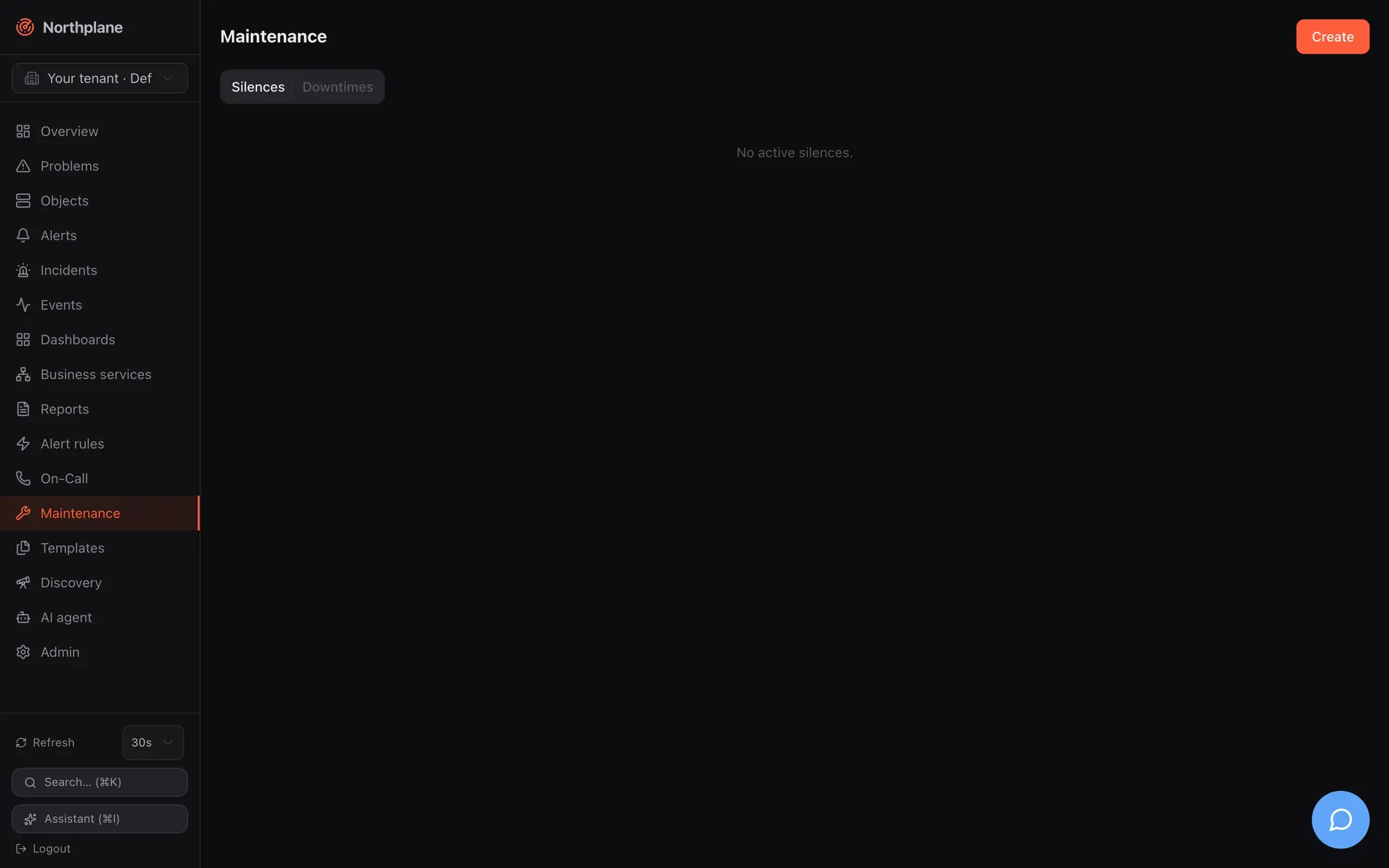
| Tool | Targets | Typical use | Effect |
| --------------- | ------------------------------------------------------------------------- | ------------------------------------------------------------------ | -------------------------------------------------------------------------------------------------------------------------------------------------------------- |
| **Downtime** | objects (one object id or a label selector), with a time window | patch windows, hardware swaps, recurring backup jobs | marks the objects as “in downtime”: problems are hidden from the Problems view, direct object notifications are skipped, rule-based alert escalations are held |
| **Silence** | alerts (label selector and/or title regex), with a TTL of at most 90 days | a noisy rule, a known flapping integration, “we know, stop paging” | holds the escalation of matching alerts; does nothing at object level |
| **Time period** | named weekday/time tables | office hours, night shift, holidays | an input for notification periods, contact channel preferences and on-call restrictions — not a suppression by itself |
Acknowledging an alert is the fourth way to stop paging; it is described in [Acknowledge and snooze](/docs/alarming/acknowledge-and-snooze/).
## Downtimes
[Section titled “Downtimes”](#downtimes)
### Fields
[Section titled “Fields”](#fields)
| Field | Required | Meaning |
| ---------------------------- | ------------- | ----------------------------------------------------------------------------------------------------------------------------------------------------------------------- |
| `objectId` **or** `selector` | one of them | the object, or every object matching the [label selector](/docs/concepts/object-model/) (re-evaluated on every depth refresh, so objects created later are covered too) |
| `type` | no | `fixed` (default) or `flexible` |
| `start`, `end` | yes | RFC 3339; `end` must be after `start` |
| `duration` | flexible only | how long the downtime lasts once triggered (`"2h"`, `"45m"` or seconds) |
| `rrule` | no | RRULE subset for recurrence, see below |
| `comment` | yes | shown in the UI and in audit |
Server-filled: `id`, `createdBy` (the principal’s name), `startedAt` (flexible: trigger time), `triggeredBy` (reserved for chains, not set by the API), `createdAt`, `version`.
**Fixed** downtimes are active in `[start, end)`. **Flexible** downtimes wait: when an object in scope is in a non-OK state (soft or hard) at any moment inside `[start, end]`, the janitor — which checks every 30 s — sets `startedAt` and the downtime then lasts `duration` from that moment. A flexible downtime whose window passes without a problem never activates.
A host downtime cascades to all services of the host. The per-object counter `downtimeDepth` (visible in the object’s state) counts how many active downtimes cover it.
### Recurring downtimes (RRULE)
[Section titled “Recurring downtimes (RRULE)”](#recurring-downtimes-rrule)
`rrule` accepts a subset of RFC 5545: `FREQ=HOURLY|DAILY|WEEKLY|MONTHLY`, `INTERVAL=n`, `BYDAY=MO,TU,…` (weekly; ordinal prefixes such as `1MO` are reduced to the weekday), `BYMONTHDAY=n` (monthly), `COUNT=n`, `UNTIL=20261231T235959Z` (also `20261231T235959` or `20261231`). The `[start, end]` window is the first occurrence and fixes the clock time and length; every later occurrence is that window shifted onto the rule. Everything is evaluated in **UTC** (no DST shifts). `BYHOUR`/`BYMINUTE` are accepted but ignored; a rule without a usable `FREQ` falls back to the literal first window.
Recurrence is only honoured while the first window has not ended
Every consumer of downtimes — the janitor’s depth refresh, the flexible trigger, the alert engine’s suppression check and `GET /downtimes?active=true` — lists only downtimes whose literal `end` lies in the future. As soon as the first window’s `end` has passed, the downtime is no longer evaluated, so later RRULE occurrences do **not** suppress anything in this version. Treat `rrule` as experimental; for a weekly backup window create the downtime before each occurrence (the idempotent API below makes that safe from cron) or schedule it through automation.
### Creating downtimes
[Section titled “Creating downtimes”](#creating-downtimes)
**UI** — **Maintenance (Wartung) → Downtimes → Create (Anlegen)**: target radio **Object** (searchable picker) / **Selector**, type `fixed`/`flexible` (+ duration), **From**/**To**, optional **RRULE** (free text, e.g. `FREQ=WEEKLY;BYDAY=SA`), comment. Shortcuts: the **Downtime** button on the object detail page and on Problems rows creates a fixed downtime starting now for *n* hours (default 2, steps of 0.5) with a comment. The Downtimes tab lists all downtimes (target, type, window, RRULE, comment) with a delete button.
**API** — `POST /api/v1/downtimes` (permission `downtimes:write`) returns `201` with the stored downtime. It honours an `Idempotency-Key` header: the same key with the same body replays the first response (`Idempotency-Replayed: true`), the same key with a different body is `409 np:conflict/idempotency`; keys are kept 24 h.
```bash
NP=https://np.example.com
TOK=np_…
# fixed window for all prod databases, safe to re-run from cron
curl -s -X POST "$NP/api/v1/downtimes" -H "Authorization: Bearer $TOK" -H 'Content-Type: application/json' \
-H 'Idempotency-Key: db-backup-2026-08-30' \
-d '{"selector":"env=prod,role=db","type":"fixed","start":"2026-08-30T22:00:00Z","end":"2026-08-31T00:00:00Z","comment":"weekly backup window"}'
# flexible: 2 h starting at the first problem between 22:00 and 02:00
curl -s -X POST "$NP/api/v1/downtimes" -H "Authorization: Bearer $TOK" -H 'Content-Type: application/json' \
-d '{"objectId":"'$HOST'","type":"flexible","start":"2026-08-30T22:00:00Z","end":"2026-08-31T02:00:00Z","duration":"2h","comment":"kernel upgrade + reboot"}'
curl -s "$NP/api/v1/downtimes?active=true" -H "Authorization: Bearer $TOK" # objects:read; active = end in the future
curl -s -X DELETE "$NP/api/v1/downtimes/$ID" -H "Authorization: Bearer $TOK" # 204, ends the downtime now
```
Validation errors are `422` with codes `np:validation/target`, `/selector`, `/comment`, `/window`. Listing returns at most 1000 entries, newest `start` first. Reference: [post\_downtimes](/docs/reference/api/operations/post_downtimes/).
**CLI** — `np downtime --object <id>|--selector 'k=v' [--hours 2] -m "comment"` creates a fixed downtime from now (see [np CLI](/docs/reference/cli-np/)); `np get downtimes` lists the active ones. The AI agent’s `create_downtime` tool is capped at 4 hours ([AI agent chat](/docs/ai/agent-chat/)).
Creating a downtime emits a `downtime` event (severity `info`) and the audit entry `downtime.create`; deleting one writes `downtime.delete` to the audit log. Downtimes are not part of bundles.
## Silences
[Section titled “Silences”](#silences)
### Fields
[Section titled “Fields”](#fields-1)
| Field | Required | Meaning |
| ----------- | ----------------------------- | --------------------------------------------------------------------------------------------------------------------- |
| `selector` | one of selector / `textRegex` | label selector matched against the **alert’s labels** (event labels plus the rule’s `setLabels`); empty = every alert |
| `textRegex` | one of selector / `selector` | Go regular expression matched against the **alert title** |
| `comment` | — (the UI requires it) | why |
| `startsAt` | no | default now |
| `expiresAt` | **yes** | at most 90 days in the future — there are no eternal silences |
The regex and the selector are validated on create (`422 np:validation/textRegex` / `/selector`); a missing `expiresAt` or one beyond 90 days is `422 np:validation/expiresAt`; neither selector nor regex is `422 np:validation/match`.
### Creating silences
[Section titled “Creating silences”](#creating-silences)
**UI** — **Maintenance (Wartung) → Silences → Create**: selector (`env=prod`), text regex (`disk.*full`), comment, expiry via quick buttons **1h / 4h / 24h** or a date-time picker. The list shows selector, regex, comment, expiry and creator; **Delete** expires a silence early.
**API** — `POST /api/v1/silences` (permission `silences:write`) → `201`; `GET /api/v1/silences?active=true` (`objects:read`, active = not yet expired, up to 1000, latest expiry first); `DELETE /api/v1/silences/{id}` (`silences:write`, `204`). Reference: [post\_silences](/docs/reference/api/operations/post_silences/).
```bash
curl -s -X POST "$NP/api/v1/silences" -H "Authorization: Bearer $TOK" -H 'Content-Type: application/json' \
-d '{"selector":"env=staging","textRegex":"(?i)disk.*full","comment":"staging disks being resized","expiresAt":"2026-08-24T18:00:00Z"}'
```
**CLI** — `np silence --selector 'k=v' [--hours 2] -m "comment"` (selector required); `np get silences`. The AI tool `create_silence` does the same.
Creating a silence emits a `silence` event and the audit entry `silence.create`. Silences are not part of bundles.
What silences do not do
A silence only gates the **escalation of rule-based alerts**. It does not hide objects from the Problems view, does not stop direct object notifications (`contacts`/`contactGroups` on an object), and does not prevent the alert from being opened and shown. Use a downtime for object-level quiet, an acknowledgement for one specific alert.
## Time periods
[Section titled “Time periods”](#time-periods)
A time period is a named weekly table with date exceptions. Resource kind `time-period`, API `/api/v1/time-periods` (generic CRUD: `objects:read` / `config:write`, `If-Match` on `PUT`), bundle kind `TimePeriod`, UI **Templates → Time periods (Zeiträume)** — see [Templates](/docs/monitoring/templates/).
```yaml
kind: TimePeriod
metadata: {name: office}
spec:
alias: Office hours
days:
monday: ["08:00-18:00"]
tuesday: ["08:00-18:00"]
wednesday: ["08:00-18:00"]
thursday: ["08:00-18:00"]
friday: ["08:00-12:00", "13:00-17:00"]
saturday: ["19:00-07:00"] # wraps midnight: Saturday ≥ 19:00 or < 07:00
exceptions:
"2026-12-24": ["00:00-00:00"] # closed all day
"2026-12-31": ["08:00-12:00"]
exclude: [holidays] # accepted, but not applied — see below
```
Format rules:
| Rule | Detail |
| ------------- | ------------------------------------------------------------------------------------------------------- |
| Day keys | `monday` … `sunday`; a missing day = closed |
| Ranges | `HH:MM-HH:MM`; several per day; `end` `00:00` means midnight (24:00); `end ≤ start` wraps past midnight |
| `00:00-00:00` | closed (used in exceptions to block a day) |
| `exceptions` | exact dates `YYYY-MM-DD` that **replace** the weekday entry for that date |
| `24x7` | well-known name that always matches; a period without `days` and `exceptions` also always matches |
| `exclude` | stored and shown in the UI, but no evaluator subtracts excluded periods in this version |
**Time zone semantics** — a time period has no zone of its own; it is evaluated against the clock of whoever consults it:
| Consumer | Evaluated in |
| --------------------------------------------------------- | ------------------------------------------------------------------------------------------------------------------------------------------------------------------------------------------------------- |
| Contact channel preferences (`preferences[].period`) | the contact’s `timeZone` (built-in names `worktime`/`arbeitszeit` = Mon–Fri 08:00–17:59 and `night`/`nacht` = the inverse also exist) — see [Contacts and on-call](/docs/alarming/contacts-and-oncall/) |
| On-call rotation `restriction` | the schedule’s `timeZone` |
| Object `notificationPeriod` (direct object notifications) | **UTC** — write the ranges in UTC for this use |
| Object `checkPeriod` | enforced: outside the period scheduled runs and freshness probes are skipped (the object keeps its last state); manual check-now always runs |
## What gets suppressed, and by what
[Section titled “What gets suppressed, and by what”](#what-gets-suppressed-and-by-what)
| Mechanism | Problems view | Direct object notifications | Rule-based alert escalation |
| ---------------------------------------------------------------------- | -------------------------------------- | ----------------------------------------------------- | --------------------------- |
| Object in downtime (`downtimeDepth > 0`, incl. cascaded host downtime) | hidden unless **incl. acked/downtime** | skipped | held |
| Selector downtime that matches the alert’s labels | — | — | held |
| Silence | shown | sent | held |
| Acknowledged alert | hidden unless **incl. acked/downtime** | problem notifications skipped (recoveries still sent) | chain stops |
| Object flapping | shown (badge) | sent | held |
| Host hard DOWN / UNREACHABLE (for its services) | — | — | held |
For rule-based alerts the engine evaluates, in this order, when an alert opens: object in downtime → object flapping → host unreachable → (services) host down → host in downtime → selector downtimes → silences. A suppressed alert is **still created** and visible as open; a `notification` event with status `suppressed` and the reason (e.g. `object in downtime`, `silence <id>`) is recorded; the escalation chain is not started. Details of the chain are in [Escalation policies](/docs/alarming/escalation-policies/) and [Alerts and incidents](/docs/concepts/alerts-incidents/).
Re-arm: suppression ends, paging starts
Every 5 s the engine re-checks alerts that opened while suppressed. When the reason is gone — you deleted the downtime, the window or the silence expired, flapping stopped — and the alert is still open and unacknowledged, the escalation chain starts **then**, with step timers computed from the alert’s original `openedAt`: steps whose `after` has already elapsed fire within seconds, one after the other. Ending a downtime while problems are still open therefore pages immediately. Acknowledge or resolve those alerts first, or extend the downtime.
Two more edges: the set of suppressed alerts is kept in memory, so alerts that opened while suppressed are not re-armed after a `northplaned` restart (they page again when they re-fire); and direct object notifications are evaluated only at the hard state transition — a downtime that ends mid-problem does not send the missed notification retroactively.
Depth bookkeeping: `downtimeDepth` is recomputed synchronously when a downtime is created or deleted and every 30 s by the janitor, so a freshly created downtime covers its objects before the API call returns; a selector downtime picks up newly matching objects within 30 s.
## Permissions
[Section titled “Permissions”](#permissions)
| Action | Permission |
| -------------------------- | ------------------------------- |
| list downtimes / silences | `objects:read` |
| create / delete downtimes | `downtimes:write` |
| create / delete silences | `silences:write` |
| time periods: read / write | `objects:read` / `config:write` |
The built-in `operator` role has `downtimes:write` and `silences:write`; `viewer` has neither.
# Metrics and NP-TSDB
> What Northplane stores as time series, how the embedded NP-TSDB keeps and downsamples it, the metrics query API, charts in the UI, and the Prometheus /metrics endpoint.
Every check result that carries Nagios-style performance data becomes one or more time series in **NP-TSDB**, the time-series store embedded in `northplaned`. There is nothing to install or configure: series are created on first sight, kept for 30 days at full resolution, downsampled to 5-minute and 1-hour tiers, and served through one query endpoint that the UI charts, the dashboards, the AI tools and your own scripts all use.
This page covers what is stored, how it is stored, how to query it, and what the separate Prometheus-style `/metrics` endpoint does (and does not) export.
## What is stored
[Section titled “What is stored”](#what-is-stored)
After each result the pipeline parses the perfdata part of the plugin output (`'label'=value[UOM];warn;crit;min;max`, see [Plugins and Nagios compatibility](/docs/monitoring/plugins-and-nagios/)) and appends **one sample per perfdata token**:
| Series attribute | Value |
| ----------------------- | ---------------------------------------------------------------------------------------------------------------------------------------------------- |
| object | the host or service id the result belongs to |
| metric | the perfdata label (e.g. `time`, `rta`, `disk:/`, `load1`) |
| unit | the **normalised** unit: `us`/`ms`/`s` → `s`, `B`/`KB`/`MB`/`GB`/`TB` → `bytes` (KB = 1024 B), `%` kept, `c` = counter, anything else passed through |
| value | the normalised value (`12ms` → `0.012`, `4MB` → `4194304`) |
| warn / crit / min / max | threshold metadata from the token, stored **as written** by the plugin and updated on every result |
Additionally the pipeline appends `np_exec_time` (seconds) for every result with a non-zero execution time. The UI hides all `np_*` metrics from charts.
Series exist for every source of results: builtin checks, `exec:` plugins, np-agent collectors, passive results over `POST /api/v1/results`. Objects without perfdata (plain text output) produce no series.
Thresholds are not normalised
Values are converted to base units, but the `warn`/`crit` range strings are stored verbatim. A plugin that reports `rta=12.5ms;100;200` yields a series in seconds (value `0.0125`) whose stored thresholds still read `100`/`200`. The builtin `icmp`/`ping` checks emit `rta` in `ms`, so this affects them. Charts, gauges and stat widgets derive their bands and colours from these strings; when a metric is reported in `ms`, `KB`, `MB` or `GB`, set explicit `warn`/`crit` overrides on the widget (see [Dashboards](/docs/monitoring/dashboards/)). Metrics reported in `s`, `bytes`, `%` or without unit are unaffected.
Note
Series labels are always empty in the current version (the series key is object + metric + unit). `GET /api/v1/objects/{id}/metrics` returns `labels` only for completeness.
## How NP-TSDB stores data
[Section titled “How NP-TSDB stores data”](#how-np-tsdb-stores-data)
NP-TSDB lives in `<dataDir>/tsdb` (see [Storage](/docs/administration/storage/) for the data directory). It is independent of the relational backend: switching SQLite ⇄ PostgreSQL with `northplaned storage migrate` leaves it untouched, and `northplaned backup` copies the whole tree.
| File | Content |
| -------------------------------------------- | ---------------------------------------------------------------------------------------------------------------------------------------------------------------------------------- |
| `series.jsonl` | append-only registry of series metadata (`id, objectId, metric, unit, labels, warn, crit, min, max`); later lines update thresholds in place, `deleted: true` lines are tombstones |
| `wal.log` | write-ahead log of the open (head) windows — 25-byte records, fsync batched every 1 s, replayed on start, rewritten after each flush |
| `blocks/block-<ms>.npb` | immutable raw blocks, one per **2-hour window**, Gorilla-compressed (delta-of-delta timestamps + XOR floats) |
| `agg/agg-<ms>-5m.npa`, `agg/agg-<ms>-1h.npa` | downsampled tiers, one file per UTC day and tier; each bucket keeps `count, sum, min, max` |
Geometry and limits:
| Item | Value | Configurable |
| ---------------- | -------------------------------------------------------------------------------------------------------------------------------------------------------------------------- | ------------------------ |
| Raw window | 2 h; a window is flushed to a block once it has been closed for 5 min | no |
| Tiers | 5-minute and 1-hour buckets, built nightly from raw blocks for fully elapsed days | no |
| Retention | raw **30 days**, 5-min tier **400 days**, 1-h tier **5 years** (whole files are deleted by window start) | no (hard-coded defaults) |
| Cardinality cap | 100 000 series per instance; new series beyond the cap are dropped and counted in `seriesDropped` | no |
| Rejected samples | NaN/Inf values, a timestamp not newer than the series’ last sample, a timestamp that falls into an already flushed window | — |
| Maintenance | the janitor runs flush + downsample + retention once per night between 02:00 and 03:59 local time (at most once per 20 h); every other hour it only flushes closed windows | no |
All files are written as temp file + rename + directory fsync, so a crash never leaves a half-written block; the WAL covers the open windows.
Series of deleted objects
Deleting a host or service does not remove its series from the registry or its blocks from disk; they age out with the retention tiers and count toward the cardinality cap until then. The registry grows with every distinct (object, metric, unit) that ever reported.
Live statistics — `series, samplesIngested, samplesDropped, seriesDropped, blocks, walBytes` — are shown in the `tsdb` block of `GET /api/v1/system/health` and in **Admin → System health**, and three of them are exported on `/metrics` (`np_tsdb_series`, `np_tsdb_samples_total`, `np_tsdb_wal_bytes`). See [Observability](/docs/administration/observability/).
## Listing the series of an object
[Section titled “Listing the series of an object”](#listing-the-series-of-an-object)
`GET /api/v1/objects/{id}/metrics` (permission `metrics:read`) returns the series metadata for one object — this is what the metric pickers in the UI use:
```bash
NP=https://np.example.com
TOK=np_…
curl -s "$NP/api/v1/objects/$OBJECT_ID/metrics" -H "Authorization: Bearer $TOK"
```
```json
[
{"id": 17, "objectId": "0198…", "metric": "time", "unit": "s", "warn": "1", "crit": "3"},
{"id": 18, "objectId": "0198…", "metric": "size", "unit": "bytes", "min": 0},
{"id": 19, "objectId": "0198…", "metric": "np_exec_time", "unit": "s"}
]
```
Objects of another tenant return `404`. Reference page: [get\_objects\_id\_metrics](/docs/reference/api/operations/get_objects_id_metrics/).
## Querying time series
[Section titled “Querying time series”](#querying-time-series)
`POST /api/v1/metrics/query` (permission `metrics:read`) returns render-ready, server-side downsampled series.
| Field | Type | Meaning |
| ------------- | --------- | ------------------------------------------------------------------------------------------------------------------ |
| `objectId` | string | one target object |
| `objectIds` | string\[] | several target objects |
| `selector` | string | a [label selector](/docs/concepts/object-model/) resolved against the catalog; all matching objects become targets |
| `metric` | string | metric name; empty = all metrics of the target objects |
| `from`, `to` | RFC 3339 | time range; defaults `to = now`, `from = to − 24h`; `from` must be before `to` |
| `stepSeconds` | int | explicit bucket width; default derived as `range / maxPoints`, minimum 1 s |
| `maxPoints` | int | target number of points per series; default 500, maximum 10 000 (values outside fall back to 500) |
| `agg` | string | bucket aggregation: `avg` (default), `min`, `max`, `sum`, `last`, `count` |
Rules:
* At least one of `objectId`, `objectIds`, `selector` is required (`422 np:validation/target`); an unparseable selector is `422 np:validation/selector`.
* At most **100 objects** per query; ids beyond that are dropped silently, as are ids that belong to another tenant.
* A query must not produce more than 20 000 buckets per series (`tsdb: too many buckets`) — widen `stepSeconds` or lower `maxPoints` for long ranges.
* Tier selection is automatic per sub-range: raw blocks and the open windows where they exist, else the 5-minute tier, else the 1-hour tier (“finest tier with data wins”). Aggregate tiers carry `count/sum/min/max`, so `last` on old data is approximated by the bucket average.
Response: one entry per series, sorted by object id and metric, each with the series metadata and `points` as `{t: <unix ms>, v: <float>}`:
```bash
curl -s -X POST "$NP/api/v1/metrics/query" -H "Authorization: Bearer $TOK" \
-H 'Content-Type: application/json' \
-d '{"selector":"role=web,env=prod","metric":"time","from":"2026-08-22T00:00:00Z","to":"2026-08-23T00:00:00Z","maxPoints":288,"agg":"max"}'
```
```json
[
{"series": {"id": 17, "objectId": "0198…", "metric": "time", "unit": "s", "warn": "1", "crit": "3"},
"points": [{"t": 1755820800000, "v": 0.231}, {"t": 1755821100000, "v": 0.187}]}
]
```
Reference page: [post\_metrics\_query](/docs/reference/api/operations/post_metrics_query/). The same endpoint is what the dashboards’ `metric`, `stat`, `gauge` and `bar` widgets and the object detail charts call.
The AI tools `query_metrics`, `analyze_metric`, `forecast_capacity` and `suggest_thresholds` (see [AI agent chat](/docs/ai/agent-chat/) and [MCP server](/docs/ai/mcp-server/)) read the same store; they need `metrics:read` as well.
## Charts in the UI
[Section titled “Charts in the UI”](#charts-in-the-ui)
**Object detail** (**Objects (Objekte) → object → Overview**):
* **Perfdata meters** — the latest perfdata tokens rendered as bars with amber warn and red crit markers (`label=value;warn;crit;min;max`); counters without bounds are shown as plain values.
* Card **Metrics (Metriken)** — one chart per unit group for the last 24 h (`maxPoints: 300`, refreshed every 60 s). Series that share a unit are overlaid on one y-axis; a monotonically increasing series (≥ 4 points, never decreasing) is treated as a counter and drawn as a per-second rate with the unit suffixed `/s`. `np_*` series are hidden.
* Threshold **bands**: translucent fill above the warn (amber) and crit (red) value of the first series, taken from the stored Nagios range (the upper bound of `start:end`, `@` stripped).
Dashboards provide the same chart plus gauges, stats and bars with selectable ranges — see [Dashboards](/docs/monitoring/dashboards/). The UI has no ad-hoc metric explorer; build a dashboard or call the query API.
## Prometheus-style `/metrics`
[Section titled “Prometheus-style /metrics”](#prometheus-style-metrics)
`GET /metrics` on the server port serves OpenMetrics text (`application/openmetrics-text; version=1.0.0`, terminated by `# EOF`). It is **unauthenticated by design** and meant to be restricted at the network or proxy layer (see [TLS and reverse proxy](/docs/administration/tls-and-proxy/)).
Self-metrics only
`/metrics` exports the health of the Northplane process. It does **not** export the perfdata of monitored objects — there is no per-object Prometheus exporter. To get monitored metrics out, use `POST /api/v1/metrics/query`.
| Family | Type | Labels | Meaning |
| --------------------------------------------------------------------------------- | ----------------- | --------------------------------------- | ------------------------------------------------------- |
| `np_http_requests_total` | counter | `method`, `status`, `route` | API requests (route = matched mux pattern) |
| `np_http_request_duration_seconds` | histogram | `method`, `status`, `route` | request latency, Prometheus default buckets `0.005…10` |
| `np_queue_results_depth`, `np_queue_events_depth`, `np_queue_notifications_depth` | gauge | — | internal queue depths |
| `np_sse_clients` | gauge | — | connected SSE stream clients |
| `np_scheduler_objects`, `np_scheduler_lag_ms_max` | gauge | — | scheduled objects, worst dispatch lag since last scrape |
| `np_checks_dispatched_total`, `np_results_processed_total` | gauge\* | — | lifetime counters of the scheduler / pipeline |
| `np_alert_rules`, `np_alerts_opened_total` | gauge\* | — | compiled rules, alerts opened |
| `np_notifications_total` | gauge\* | `result` = `sent`/`failed`/`dead` | notification outcomes |
| `np_events_dropped_total` | counter / gauge\* | `source` = `api`/`notify` | events that could not be persisted |
| `np_ingress_events_total` | counter | `type` = `webhook`/`alertmanager`/`sms` | accepted ingest events |
| `np_ingress_dropped_total` | counter | `reason` = `rate` | ingest events rejected by rate limiting |
| `np_tsdb_series`, `np_tsdb_samples_total`, `np_tsdb_wal_bytes` | gauge\* | — | NP-TSDB series count, ingested samples, WAL size |
| `np_catalog_objects` | gauge | — | objects in the in-memory catalog |
\* Scrape-time values read from the subsystems; they are rendered with `# TYPE … gauge` even when the name ends in `_total`. Use `max_over_time`/`delta` rather than `rate()` on those in PromQL. A full description lives in [Observability](/docs/administration/observability/).
## Troubleshooting
[Section titled “Troubleshooting”](#troubleshooting)
| Symptom | Cause / fix |
| ----------------------------------------------------- | -------------------------------------------------------------------------------------------------------------------------------------------------------------------------------------------- |
| Object shows output but the **Metrics** card is empty | the plugin emits no perfdata after `\|`, or the tokens are malformed (they are skipped with a warning, never an error). Test with `POST /api/v1/check-commands:test` and look at `perfdata`. |
| Values look 1000× too small | `ms` → `s` and `KB`/`MB` → `bytes` normalisation; the unit in the series metadata tells you the stored unit. |
| Bands/colours in the wrong place | thresholds stored in the plugin’s original unit (see the caution above); set widget overrides. |
| `tsdb: too many buckets` | range ÷ step exceeds 20 000; raise `stepSeconds` or lower `maxPoints`. |
| `seriesDropped` grows | the 100 000-series cap is reached — typically a plugin that encodes a changing value in the label name. |
| Old data coarser than expected | queries older than 30 days come from the 5-minute tier, older than 400 days from the 1-hour tier. |
# Plugins and Nagios compatibility
> Run Nagios/monitoring-plugins with exec:, define named check commands, use macros, import an existing Nagios or Icinga configuration, query NRPE and submit passive results.
Northplane speaks the Nagios plugin protocol natively: exit codes, `text | perfdata` output, threshold ranges, `$MACRO$` expansion and `$USER1$`. Existing plugins run unchanged with `checkCommand: exec:<plugin>`, an existing `nagios.cfg` tree can be imported as a bundle, NRPE daemons are queried with the builtin `nrpe` check, and external systems submit passive results over HTTP. What is *not* emulated is listed at the end of the page.
## Running a plugin with exec:
[Section titled “Running a plugin with exec:”](#running-a-plugin-with-exec)
```yaml
kind: Service
metadata: {name: disk, host: db-01}
spec:
checkCommand: exec:check_disk
args: ["-w", "20%", "-c", "10%", "-p", "/var/lib/postgresql"]
timeout: 20s
```
| Aspect | Behaviour |
| -------------- | ----------------------------------------------------------------------------------------------------------------------------------------------------------------------------------------------------------------------------------------------------------------------------------------- |
| Command line | `argv = [<plugin>] + args`, executed directly — **no shell**, no globbing, no pipes |
| Plugin path | absolute paths are used as is; a relative name is looked up under `pluginsDir`; names containing `..` are refused (`UNKNOWN - plugin not allowed`) |
| `pluginsDir` | config key `pluginsDir` / env `NORTHPLANE_PLUGINS_DIR`; default = first existing of `/usr/lib/nagios/plugins`, `/usr/lib64/nagios/plugins`, `/usr/local/libexec/nagios`, `/opt/homebrew/libexec`, `<dataDir>/plugins` |
| `pluginsAllow` | optional allowlist of plugin **basenames**; when set, everything else (absolute paths included) is refused |
| Environment | exactly `PATH=/usr/local/bin:/usr/bin:/bin` (Windows: `C:\Windows\System32;C:\Windows`), `LC_ALL=C`, `NORTHPLANE_ARTIFACT_DIR=<dataDir>/artifacts` when configured, plus the macro environment for named commands with `env: true` (below). Nothing is inherited from the server process. |
| Timeout | the object’s effective `timeout` (default 30 s). The plugin runs in its own process group; on timeout the **whole group** is killed (SIGKILL on Unix, `taskkill /F /T` on Windows) and the result is `UNKNOWN - plugin timed out after 30s (killed)` |
| Exit codes | 0/1/2/3 → OK/WARNING/CRITICAL/UNKNOWN; any other code → UNKNOWN; exit error without stdout → `UNKNOWN - plugin exited …`; cannot start → `UNKNOWN - cannot execute plugin: …` |
| Output caps | stdout 64 KiB, stderr 16 KiB; stderr is appended to the long output as `[stderr] …` |
| Concurrency | exec pool of `execPoolSize` workers (default `min(256, 32 × CPUs)`, env `NORTHPLANE_EXEC_POOL_SIZE`); builtin checks have their own pool of 1024 |
| Crashes | a panic inside the executor yields `UNKNOWN - internal error executing check (panic recovered)` instead of taking the server down |
The server binary runs on Linux and macOS only (process-group handling); on Windows use [np-agent](/docs/monitoring/agent/) to run plugins locally.
Docker
The container image (`gcr.io/distroless/static`) ships no plugins, no shell, no interpreter and no libc: only statically linked plugin binaries mounted into the container (with `pluginsDir` pointing at them) can run there. In practice, run plugins where they belong — on the target hosts through [np-agent](/docs/monitoring/agent/) (`checks:` or `agent:exec:`) — or build a derived image that includes the plugins and their runtime, or use the builtin checks, which need nothing.
## Plugin output grammar
[Section titled “Plugin output grammar”](#plugin-output-grammar)
```text
TEXT OUTPUT | OPTIONAL PERFDATA
LONG TEXT LINE 1
LONG TEXT LINE N | PERFDATA LINE 2
PERFDATA LINE 3 …
```
* The first line up to `|` is the short output (shown in lists), the rest of that line is perfdata.
* Following lines are long output until a line contains `|`; everything after that is perfdata.
* `\r\n` is normalised, input is capped at 64 KiB, invalid UTF-8 is re-decoded as Latin-1.
Perfdata tokens follow `'label'=value[UOM];[warn];[crit];[min];[max]`, separated by whitespace outside single quotes (`''` escapes a quote inside a label). Broken tokens are skipped with a warning, never turned into a check error; NaN/Inf are rejected. Units are normalised before storage: `s`, `ms`, `us`/`µs` → seconds; `B`, `KB`, `MB`, `GB`, `TB` → bytes (×1024 steps); `%` is kept; `c` marks a counter (charts rate-ify it); unknown units pass through. Warn and crit must be valid [range strings](/docs/monitoring/builtin-checks/#thresholds-the-nagios-range-grammar) or the token is dropped. Every token becomes a series in [NP-TSDB](/docs/monitoring/metrics-and-tsdb/), plus `np_exec_time` per result.
## Named check commands
[Section titled “Named check commands”](#named-check-commands)
A `CheckCommand` resource lets you define a command once and reference it by bare name — the Nagios `define command` equivalent. Manage them under **Templates → Check commands** (Templates & Konfiguration → Check-Kommandos), via `/api/v1/check-commands` ([reference](/docs/reference/api/operations/get_check_commands/)) or as bundle kind `CheckCommand`.
```yaml
kind: CheckCommand
metadata: {name: check_http_vhost}
spec:
type: exec
line: ["$USER1$/check_http", "-H", "$HOSTADDRESS$", "-u", "$ARG1$", "-e", "$ARG2$"]
env: true
---
kind: Service
metadata: {name: shop, host: web-01}
spec:
checkCommand: check_http_vhost # bare name = named command
args: ["/shop", "200"] # $ARG1$, $ARG2$
```
| Field | Meaning |
| --------- | ----------------------------------------------------------------------------------------------------------------------------- |
| `name` | referenced as a bare `checkCommand` |
| `type` | `exec` (plugin), `builtin` (`line[0]` is the builtin name, the rest are its flags), `agent` (executed by np-agent), `passive` |
| `line` | argv; for `exec` the first element is resolved against `pluginsDir` unless absolute |
| `env` | export `NAGIOS_*` / `NORTHPLANE_*` environment macros to the plugin |
| `timeout` | stored, **not used** — the executor applies the object’s `timeout` |
args are not appended to named exec/agent commands
For `exec:`/`agent:exec:` references the object’s `args` are appended to the argv. For a **named** command of type `exec` or `agent` the stored `line` is executed as is and the object’s `args` are available only through `$ARG1$`…`$ARG32$`. (For a named `builtin` command the flags after `line[0]` are used; `args` are again macros only.)
Changing a check command reloads the tenant’s catalog and reschedules the objects that use it. An object that references an unknown command is kept with default settings and surfaces as a configuration error.
## Macros
[Section titled “Macros”](#macros)
`$NAME$` tokens in `args` (and in named command lines) are expanded per argv element — no shell, the argv stays an array. Unknown macros are left verbatim; `$$` is a literal dollar sign.
| Macro | Value |
| ----------------------------------------------------------------------- | --------------------------------------------------------------------------------------------------------------- |
| `$HOSTNAME$`, `$HOSTALIAS$`, `$HOSTDISPLAYNAME$` | host name |
| `$HOSTADDRESS$` | effective host `address`, else the host name |
| `$SERVICEDESC$`, `$SERVICEDISPLAYNAME$` | service name |
| `$ARG1$` … `$ARG32$` | the object’s `args[n-1]`; unset → empty |
| `$USER1$` | `pluginsDir` (other `$USERn$` are not defined) |
| `$_HOSTFOO$`, `$_SERVICEFOO$` | `vars.foo` of the host / service (case-insensitive key) |
| `$SECRET:name$` | value from the [secret store](/docs/administration/secrets/), tenant-scoped; unresolvable → left verbatim |
| `$MAXHOSTATTEMPTS$`, `$MAXSERVICEATTEMPTS$` | from the effective spec |
| `$TIMET$`, `$LONGDATETIME$`, `$SHORTDATETIME$`, `$DATE$`, `$TIME$` | current time (`Mon Jan 2 15:04:05 MST 2006`, `01-02-2006 15:04:05`, `01-02-2006`, `15:04:05`) |
| `$HOSTSTATE$`, `$HOSTOUTPUT$`, `$SERVICESTATE$`, `$LASTSERVICECHECK$` … | state macros — **not available during check execution** (the executor has no state context, they stay verbatim) |
| `$NOTIFICATIONTYPE$`, `$CONTACTNAME$`, `$CONTACTEMAIL$` … | notification context only |
Environment export (`env: true` on a named command): `NAGIOS_<NAME>` and `NORTHPLANE_<NAME>` for `HOSTNAME`, `HOSTADDRESS`, `SERVICEDESC`, `TIMET` and the state macros that resolve — during a check that means the name/address/service variables. Inline `exec:`/`builtin:` references never export the environment.
Note
There is no Go-template (`{{ … }}`) expansion in check arguments; templates are used only in alert rules. Agent-pulled checks (`agent:exec:`) are expanded server-side **without** the secret resolver, so `$SECRET:…$` never leaves the server — put secrets into the agent’s local environment or plugin configuration instead.
## Importing a Nagios or Icinga configuration
[Section titled “Importing a Nagios or Icinga configuration”](#importing-a-nagios-or-icinga-configuration)
```bash
northplaned import nagios --path /etc/nagios # or --path /etc/nagios/nagios.cfg
northplaned import nagios --path /etc/icinga2/conf.d --out icinga-import.yaml
```
The importer reads the configuration, writes a bundle (default `northplane-import.yaml`), prints statistics plus a **deviation report** (in German: “Abweichungsbericht”), and ends with `bundle written to … — review, then: np apply -f …`. Review the bundle, then apply it with `np apply -f northplane-import.yaml --dry-run` followed by `np apply`.
**File discovery**: a `nagios.cfg`/`icinga.cfg` is expanded through its `cfg_file=` and `cfg_dir=` directives (recursively `.cfg`); a directory without a main file → every `.cfg` below it; every `.conf` file is parsed as Icinga 2 DSL (`object|template|apply <Type> "<name>" { … }` with `vars.x`, `import "tmpl"`). Comments (`#`, `;`) are stripped.
### Object type mapping
[Section titled “Object type mapping”](#object-type-mapping)
| Nagios / Icinga | Northplane |
| ------------------------------------------------------------------------------------- | ---------------------------------------------------------------------------------------------------------------------------------------------------------------------------------------------------------------------------- |
| `host` | `Host`; `register 0` → `Template` with `templateKind: host` |
| `service` | one `Service` per `host_name` entry; a template or a service without `host_name` → `Template` (`templateKind: service`) |
| `command` | `CheckCommand` (`type: exec`, `line` = whitespace-split `command_line`); command lines containing shell metacharacters (pipe, `&`, `;`, `<`, `>`, backticks or `$(`) are rejected with the advice to create a wrapper script |
| `timeperiod` | `TimePeriod` with `alias` and `days` (monday…sunday → ranges) |
| `contact` | `Contact {email}` |
| `contactgroup` | `ContactGroup {members}` |
| `hostgroup` | `StaticGroup {members}` + label hints (`linux→os=linux`, `windows→os=windows`, `prod→env=prod`, `test/stag→env=test`, `db/sql→role=database`, `web→role=web`) |
| `hostdependency`, `servicedependency` | deviation: model as host `parents` (reachability) or a business-service tree |
| `hostescalation`, `serviceescalation` | deviation: model as an `EscalationPolicy` (steps with `after`/`unlessAcked`) |
| Icinga `apply` rules | deviation: service template + label selector |
| `servicegroup`, `hostextinfo`, `serviceextinfo`, Icinga `CheckCommand`, unknown types | skipped (counted) |
### Directive mapping (hosts and services)
[Section titled “Directive mapping (hosts and services)”](#directive-mapping-hosts-and-services)
| Nagios directive | Spec field |
| ----------------------------------------------------------------------------------------------------------------------------------------------------------------------------------------- | ------------------------------------------------------------ |
| `address` | `address` |
| `use` / Icinga `import` | `templates` |
| `parents` | `parents` |
| `check_command cmd!a1!a2` | `checkCommand: cmd`, `args: [a1, a2]` |
| `check_interval` / `normal_check_interval` | `interval` = n × 60 s (assumes `interval_length=60`) |
| `retry_interval` / `retry_check_interval` | `retryInterval` = n × 60 s |
| `max_check_attempts` | `maxCheckAttempts` |
| `check_period`, `notification_period` | `checkPeriod`, `notificationPeriod` |
| `notifications_enabled`, `active_checks_enabled`, `flap_detection_enabled` | `enableNotifications`, `enableChecks`, `enableFlapDetection` |
| `passive_checks_enabled 1` + `active_checks_enabled 0` (services) | `checkCommand: passive` |
| `freshness_threshold` (> 0) | `stalenessAfter: <n>s` (`check_freshness` itself is ignored) |
| `_CUSTOMVAR` / Icinga `vars.x` | `vars.customvar` (lower-cased) |
| `hostgroups`, `contact_groups`, `contacts`, `notification_interval`, `notification_options`, `icon_image*`, `statusmap_image`, `servicegroups`, `process_perf_data` | dropped silently |
| `hostgroup_name` on a service | deviation (service on hostgroup → template + selector) |
| `obsess_over_*`, `event_handler`, `stalking_options`, `failure_prediction_enabled`, `retain_*`, `parallelize_check`, `is_volatile`, `low/high_flap_threshold`, `first_notification_delay` | deviation with advice |
| anything else | deviation “no Northplane equivalent — review” |
Things to check after an import: contacts need channels and preferences before they can be notified ([Contacts and on-call](/docs/alarming/contacts-and-oncall/)); `contact_groups` on hosts and services are **not** carried over (add `contactGroups` or an escalation policy); `checkPeriod` is stored but not enforced by the scheduler (see [Checks and states](/docs/concepts/checks-and-states/)); plugin commands are written as `$USER1$/check_x`, so set `pluginsDir` to your plugin directory.
## NRPE
[Section titled “NRPE”](#nrpe)
Northplane contains an NRPE **client** (builtin `nrpe`, v2 fixed packets or v3/v4), not a daemon. Flags and examples are in the [builtin checks reference](/docs/monitoring/builtin-checks/#nrpe); the two things that catch Nagios users: the command is `-C` (not `-c`), and TLS mode needs a daemon with real certificates (no anonymous DH) — otherwise run the daemon in plaintext mode and add `-n`.
## Passive results API
[Section titled “Passive results API”](#passive-results-api)
Anything that can make an HTTP request can submit check results: cron jobs, batch pipelines, other monitoring systems, and [np-agent](/docs/monitoring/agent/).
```bash
curl -sS -X POST "$NP_SERVER/api/v1/results" \
-H "Authorization: Bearer $NP_TOKEN" -H "Content-Type: application/json" \
-d '{"results":[
{"host":"batch-01","service":"nightly-export","state":0,
"output":"OK - 12345 rows exported in 42s | rows=12345;;;0; time=42s;300;600;0;"},
{"host":"batch-01","state":"UP","output":"agent alive"}
]}'
# HTTP 202 {"accepted":2}
```
| Item | Value |
| --------------------- | ---------------------------------------------------------------------------------------------------------------------------------------------------------------------- |
| Endpoint / permission | `POST /api/v1/results`, `objects:write` ([reference](/docs/reference/api/operations/post_results/)) |
| Body | `{"results":[{"host","service"?,"state","output"}]}`, max 1 MiB |
| `service` | omitted or empty → the result is for the **host** object |
| `state` | `0`…`3` or `OK`, `WARNING`/`WARN`, `CRITICAL`/`CRIT`, `UNKNOWN`, `UP`, `DOWN`, `UNREACHABLE` (any case) |
| `output` | first line is split at the first `\|` into text and perfdata, further lines become long output |
| Matching | exact names in the token’s tenant: host by name, service by (host, name). Nothing is auto-created |
| Response | `202 {"accepted":n,"rejected":["unknown host x","unknown object h/s","h: invalid state \"X\"", …]}`; `503` with `server busy` if the result queue is full |
| Semantics | passive results are **hard** immediately (`maxCheckAttempts` forced to 1); hosts map OK/WARNING → UP, everything else → DOWN (→ UNREACHABLE when all parents are down) |
| Freshness | set `stalenessAfter` on the object so a missing feed turns it UNKNOWN (text from `stalenessText`) |
The object’s `checkCommand` does not have to be `passive` — results are accepted for active objects too — but `passive` (or empty) is what stops the scheduler from running anything itself.
Host state DOWN = 1 is mapped to UP
Symbolic `DOWN` parses to state 1 and `UNREACHABLE` to 2, while the host mapping treats 1 (the WARNING slot) as UP and only 2/3 as DOWN. To report a host as down, send `state: 2` (or `CRITICAL`); `"DOWN"` or `1` currently results in UP.
## What is not supported
[Section titled “What is not supported”](#what-is-not-supported)
* **NSCA** and the Nagios **external command file** (`nagios.cmd`) — submit passive results over HTTP instead.
* **Event handlers**, `obsess_over_*` / OCSP, `stalking_options`, `is_volatile`, notification intervals and escalations in the Nagios sense — use [escalation policies](/docs/alarming/escalation-policies/) and outgoing [webhooks](/docs/alarming/webhooks-out/).
* Shell constructs in command lines — argv only; wrap pipes in a script.
* `check_period` enforcement by the scheduler and `TimePeriod.exclude` (stored, not applied).
* A Nagios-style NRPE **server** and `satellite` zones (`zone` is stored only).
# Reports
> Availability, SLA, alert-statistics, on-call and permission reports — render them on demand as HTML/CSV/JSON, schedule them with the daily/weekly/monthly grammar, keep an archive and e-mail them.
A report is a stored definition (type + parameters + optional schedule and recipients). You can render it at any time in HTML, CSV or JSON, run it by hand, or let the built-in scheduler render, archive and e-mail it on a daily, weekly or monthly slot. Reports are config documents (`/api/v1/reports`), so they travel in bundles like everything else.
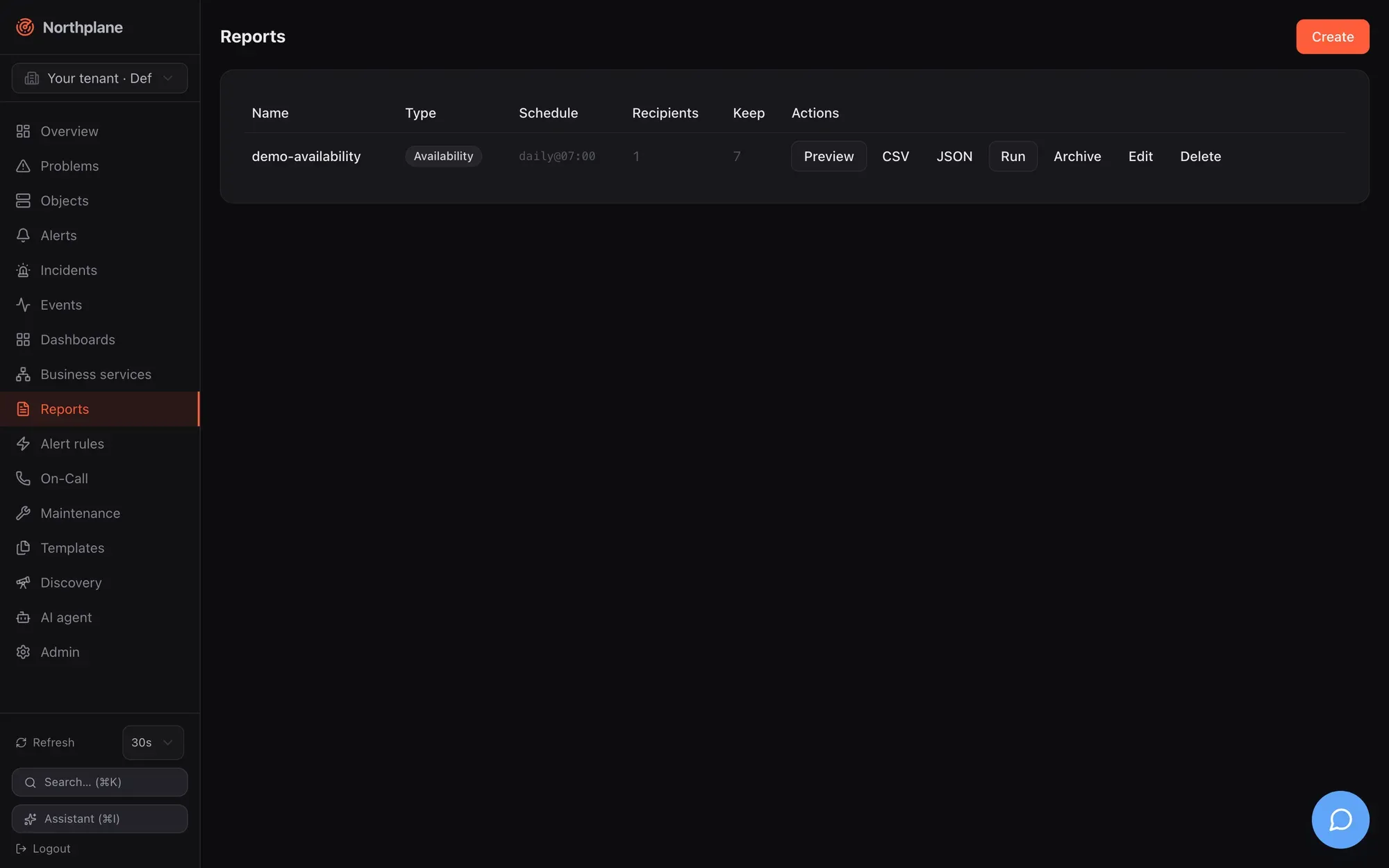
## Report types
[Section titled “Report types”](#report-types)
| `type` | Label (EN / DE) | Rows | Totals | Parameters used |
| -------------- | ---------------------------------- | -------------------------------------------------------------------------------------------------------------------------------------------------------------------------------------------------------------- | -------------------------------------------------------------------- | ---------------------------------- |
| `availability` | Availability / Verfügbarkeit | one row per object matched by `selector` (max 500): `availability` (%, 3 decimals) and `downtime` (minute-rounded); row class `ok`, `warn` (below target + half the remaining margin) or `crit` (below target) | `avgAvailability` | `selector`, `windowDays`, `target` |
| `sla` | SLA | identical to `availability` (same renderer, different title) | `avgAvailability` | `selector`, `windowDays`, `target` |
| `alert-stats` | Alert statistics / Alarm-Statistik | top 20 alert titles by count within the window | `alerts` (count), `mtta` (mean open→ack), `mttr` (mean open→resolve) | `windowDays` |
| `oncall` | On-call / Bereitschaft | `<schedule> / <contact>` with `hours` on duty in the window (layers and overrides from the schedule timeline) | — | `windowDays` |
| `audit` | Permissions (Berechtigungen) | one row per role: `permissions`, `idpGroups`, `includes` | — | — |
Availability is computed from `state_change` events exactly like the [business-service SLA](/docs/monitoring/business-services/#sla-budget): hard transitions only, the state before the window is assumed OK, an ongoing problem counts up to now, and every hard non-OK state (WARNING and UNKNOWN included) counts as downtime. `alert-stats` reads at most 1000 alerts opened since the window start.
`includeDowntimes` has no effect
The **count planned downtimes (geplante Downtimes zählen)** checkbox stores `params.includeDowntimes`, but the availability math does not read it — downtimes are always counted as unavailability in this version.
## Definition
[Section titled “Definition”](#definition)
| Field | Type | Notes |
| ------------------------- | --------- | -------------------------------------------------------------------------------------------- |
| `name` | string | required, unique per tenant |
| `type` | string | one of the five types; an unknown type fails at render time with `500` |
| `params.selector` | string | label selector for `availability`/`sla` (empty = all objects of the tenant) |
| `params.windowDays` | int | default 30; the UI offers 1, 7, 30, 90 |
| `params.target` | number | SLA target in %, default 99.9 |
| `params.includeDowntimes` | bool | stored, not applied |
| `params.channel` | string | name of the e-mail channel used for scheduled delivery; empty = first enabled e-mail channel |
| `schedule` | string | see grammar below; empty = never scheduled |
| `email` | string\[] | recipients for scheduled/manual runs |
| `keep` | int | archive retention in distinct slots; `0`/absent = 12 (the UI dialog proposes 10) |
```json
{
"name": "prod-availability",
"type": "availability",
"params": {"selector": "env=prod", "windowDays": 30, "target": 99.95, "channel": "ops-mail"},
"schedule": "monthly:1@06:30",
"email": ["ops@example.com", "management@example.com"],
"keep": 24
}
```
## Rendering on demand
[Section titled “Rendering on demand”](#rendering-on-demand)
`POST /api/v1/reports/{name}:render?format=html|csv|json|pdf` (permission `reports:render`):
| `format` | Response |
| ---------------- | ------------------------------------------------------------------------------------------------------------------------------------------------------------------------------- |
| `html` (default) | a print-optimised page (labels are German) |
| `csv` | `text/csv`, `Content-Disposition: attachment; filename="<name>.csv"` |
| `json` | the render model: `{"title","type","generatedAt","windowDays","rows":[{"name","values":{…},"class"}],"totals":{…}}` |
| `pdf` | **`501 np:reports/pdf`** — PDF needs the optional Chromium renderer sidecar, which is not part of the single binary; render HTML and print it, or deploy the renderer container |
Rendering always uses the stored parameters — query-string overrides are not implemented. Every render is audited (`report.render`).
```bash
NP=https://np.example.com
TOK=np_…
curl -s -X POST "$NP/api/v1/reports/prod-availability:render?format=json" -H "Authorization: Bearer $TOK" | jq .totals
curl -s -X POST "$NP/api/v1/reports/prod-availability:render?format=csv" -H "Authorization: Bearer $TOK" -o prod-availability.csv
```
Reference: [post\_reports\_name\_render](/docs/reference/api/operations/post_reports_name_render/). The AI tool `render_report` (see [MCP server](/docs/ai/mcp-server/)) returns the same JSON model.
## Schedules
[Section titled “Schedules”](#schedules)
`schedule` uses a small grammar — not cron, not RRULE:
| Spec | Meaning |
| ------------------------ | ------------------------------------------------------------------------------------------------------------ |
| `daily` | every day at 07:00 |
| `daily@HH:MM` | every day at the given time |
| `weekly:<weekday>` | once per ISO week on that weekday at 07:00; long or three-letter names (`monday`, `mon`, … case-insensitive) |
| `weekly:<weekday>@HH:MM` | as above at the given time |
| `monthly` | on the 1st of every month at 07:00 |
| `monthly:<day>` | on day 1–31 (clamped to the month’s length, so `31` fires on 28/29/30 February/April/…) |
| `monthly:<day>@HH:MM` | as above at the given time |
Times are in the **server’s local time zone**. An empty schedule means the report is never run automatically; an unparseable schedule is logged once per sweep and skipped (the UI composer always produces a valid spec).
How the scheduler works:
* A sweep runs every minute (the first one \~10 s after start) over every tenant and every scheduled report.
* Each period has a **slot key**: `2006-01-02` for daily, `2006-Www` (ISO week) for weekly, `2006-01` for monthly. When the slot’s due time has passed and no archive entry exists for that slot, the report is rendered, archived and e-mailed. A slot is produced at most once — and a missed run (server down at 07:00) is caught up once at the next sweep, not skipped and not repeated.
* Archival stores HTML **and** CSV for the slot. A failed render leaves the slot open and is retried next minute; a failed mail is logged but does not block archival (the slot is done, the mail is not retried).
* Mail goes to every address in `email` with subject `[Northplane] Report <name> <slot>` and the HTML as body, through the e-mail channel named in `params.channel` (it must exist, be of type `email` and be enabled) or, if unset, the first enabled e-mail channel of the tenant. Without any enabled e-mail channel the run records `mailError: no enabled e-mail channel configured`. Channels are described in [Channels](/docs/alarming/channels/).
## Running now
[Section titled “Running now”](#running-now)
`POST /api/v1/reports/{name}:run` (permission `config:write`) renders, archives and mails immediately, independent of the schedule. The manual run gets its own slot `manual-<UTC timestamp>` so it never collides with the scheduled slot’s dedup gate:
```bash
curl -s -X POST "$NP/api/v1/reports/prod-availability:run" -H "Authorization: Bearer $TOK"
```
```json
{"report": "prod-availability", "slot": "manual-2026-08-23T10:00:00", "archived": true, "recipients": 2, "sent": 2}
```
`mailError` appears when delivery failed; `archived` is still `true` in that case. Reference: [post\_reports\_name\_run](/docs/reference/api/operations/post_reports_name_run/).
## Archive
[Section titled “Archive”](#archive)
| Endpoint | Permission | Result |
| ---------------------------------------------- | -------------- | -------------------------------------------------------------------------------------------------------------------------------------- |
| `GET /api/v1/reports/{name}/archive?limit=100` | `objects:read` | newest first: `{"items":[{"id","tenantId","reportName","slot","format","createdAt"}]}`; a typo in the name is `404`, not an empty list |
| `GET /api/v1/reports/{name}/archive/{id}` | `objects:read` | the stored bytes with `Content-Disposition: attachment; filename="<name>-<slot>.<html\|csv>"`; the id must belong to the named report |
Retention counts **distinct slots** per report: on every insert the archive is pruned to the newest `keep` slots (default 12), and all formats of a kept slot survive together. Manual runs consume slots like scheduled ones.
## UI
[Section titled “UI”](#ui)
**Reports** in the sidebar lists every definition: name, type badge, schedule (raw grammar), recipient count — with an amber warning when a schedule is set but no recipients — and keep. Row actions:
| Action | Effect |
| ----------------------------- | --------------------------------------------------------------------------------- |
| **Preview (Vorschau)** | `:render?format=html` shown in a sandboxed iframe, with CSV/JSON download buttons |
| **CSV**, **JSON** | download via `:render` |
| **Run (Ausführen)** | `:run` — render + archive + send now |
| **Archive (Archiv)** | lists the stored slots with download links |
| **Edit (Bearbeiten)**, delete | |
The create/edit dialog has Name, Type, Selector (availability/SLA only), Window (24 h / 7 / 30 / 90 days), SLA target % (empty = 99.9), the downtimes checkbox, a **schedule composer** (frequency none/daily/weekly/monthly, weekday or day of month, time — the resulting grammar is shown live), the recipient list and “Keep archive” (default 10). Saving an edited report re-fetches the document for a fresh ETag.
## Permissions
[Section titled “Permissions”](#permissions)
| Action | Permission |
| -------------------------------------------- | ---------------- |
| list/read definitions, list/download archive | `objects:read` |
| create/update/delete definitions, `:run` | `config:write` |
| `:render` (preview, CSV, JSON) | `reports:render` |
Note
The built-in `viewer` and `operator` roles carry `reports:read`, but no route checks that name. `operator` has `reports:render` (preview and download) but not `config:write`, so operators cannot create, edit or run reports; `viewer` lacks `reports:render` and can only list definitions and download archived renders. Grant `reports:render`/`config:write` through a custom role if needed — see [Users, roles and permissions](/docs/administration/users-roles-permissions/).
## Bundles and demo data
[Section titled “Bundles and demo data”](#bundles-and-demo-data)
Bundle kind `Report` (see [Config bundles](/docs/administration/config-bundles/)):
```yaml
kind: Report
metadata: {name: prod-availability}
spec:
type: availability
params: {selector: env=prod, windowDays: 30, target: 99.95, channel: ops-mail}
schedule: monthly:1@06:30
email: [ops@example.com]
keep: 24
```
[Demo mode](/docs/getting-started/demo-mode/) seeds `demo-availability` (availability over `demo=true`, 30 days, `daily@07:00`, one recipient, keep 7) — note that it only mails when an enabled e-mail channel can actually deliver.
# SNMP
> Poll devices with the builtin snmp and snmp-walk checks (v1/v2c/v3), receive SNMP traps through the snmp-trap event source, and turn Cisco counters and traps into metrics and alerts.
Northplane covers SNMP in two directions: **polling** with the builtin `snmp` / `snmp-walk` checks (GET of one OID, or the row count of a walk), and **traps** received by the `snmp-trap` event source, which become events and — through alert rules — alerts. There is no MIB compiler: OIDs are numeric everywhere, in checks, in trap events and in labels.
## Polling with builtin:snmp
[Section titled “Polling with builtin:snmp”](#polling-with-builtinsnmp)
One service = one OID. The value is graded with Nagios ranges and stored as a metric.
```yaml
kind: Host
metadata: {name: r1, labels: {role: router, vendor: cisco}}
spec:
address: 172.30.0.31
checkCommand: builtin:icmp
---
kind: Service
metadata: {name: uptime, host: r1}
spec:
checkCommand: builtin:snmp
args: ["-v", "2c", "-C", "$SECRET:snmp-ro$", "-o", "1.3.6.1.2.1.1.3.0", "-l", "sysUpTime"]
```
The flag reference (all aliases and defaults) is on the [builtin checks page](/docs/monitoring/builtin-checks/#snmp); the essentials:
| Flag | Meaning |
| -------------------------------------------------------------------------------- | ------------------------------------------------------------------------------------------------------------------------------------------------------------------ |
| `-H host[:port]` | agent address; defaults to the object address. A Nagios-style `host:161` address works — the embedded port is used unless `-p` is given |
| `-o OID` | the OID to GET (required) |
| `-v 1` / `-v 2c` / `-v 3` | protocol; default `2c` |
| `-C community` | v1/v2c community (default `public`); use `$SECRET:name$` |
| `-U user --seclevel authPriv --authproto SHA256 -A pass --privproto AES -X pass` | SNMPv3 USM; `--seclevel` is `authPriv`, `authNoPriv` or (anything else) noAuthNoPriv; auth protocols `MD5`, `SHA`, `SHA256`, `SHA512`; priv `DES`, `AES`, `AES256` |
| `-l label`, `--unit %` | perfdata label (default `value`) and unit suffix |
| `-w`, `-c` | ranges on numeric values |
| `-e text` | expected substring for string (OctetString) values |
| `-t 10s`, `--retries 1` | timeout and retries |
How values are interpreted:
* Integer, Gauge, Counter, TimeTicks, Counter64 and numeric strings → graded, output `<LABEL> OK - <oid> = <value><unit> | <label>=<value><unit>;<w>;<c>;;`.
* OctetString → `SNMP OK - <oid> = "text"` without perfdata; with `-e`, a missing substring is CRITICAL.
* `NoSuchObject` / `NoSuchInstance` → CRITICAL (`SNMP: no such OID`). This is useful: an OSPF neighbour entry that disappears is a CRITICAL by itself.
* Other types (IP addresses, OIDs) → UNKNOWN `non-numeric type`.
* Transport errors (timeout, connection) → CRITICAL.
Counters (`ifInOctets` and friends) are stored as absolute values; charts and dashboards derive rates when the perfdata unit is `c` — which `builtin:snmp` does not set, so for throughput graphs prefer rates the device already computes, or accept absolute counters. See [Metrics and NP-TSDB](/docs/monitoring/metrics-and-tsdb/).
## Row counts with builtin:snmp-walk
[Section titled “Row counts with builtin:snmp-walk”](#row-counts-with-builtinsnmp-walk)
`snmp-walk` BulkWalks a subtree and grades the **number of rows** — “how many interfaces”, “how many BGP peers”, “how many entries in the ARP table”. Values are not inspected.
```yaml
kind: Service
metadata: {name: interfaces, host: r1}
spec:
checkCommand: builtin:snmp-walk
args: ["-C", "$SECRET:snmp-ro$", "-o", "1.3.6.1.2.1.2.2.1.8", "-c", "4:"]
interval: 5m
```
Output `ROWS OK - walk 1.3.6.1.2.1.2.2.1.8 returned 12 rows | rows=12;;;;`; default timeout 20 s (walks of large tables need a larger `-t` and object `timeout`).
## Cisco examples
[Section titled “Cisco examples”](#cisco-examples)
These services come from the lab routers behind the doktrace.com instance (Cisco IOSv): CPU and memory from the Cisco enterprise MIBs, interface state from IF-MIB, OSPF adjacency from OSPF-MIB. Replace community, interface indices and the neighbour address for your devices.
```yaml
kind: Template
metadata: {name: cisco-snmp}
spec:
kind: service
checkCommand: builtin:snmp
interval: 60s
timeout: 15s
---
kind: Service
metadata: {name: cpu-1min, host: r1}
spec:
templates: [cisco-snmp]
args: ["-C", "$SECRET:snmp-ro$", "-o", "1.3.6.1.4.1.9.2.1.57.0", "-l", "cpu1m", "--unit", "%", "-w", "70", "-c", "90"]
---
kind: Service
metadata: {name: cpu-5min, host: r1}
spec:
templates: [cisco-snmp]
args: ["-C", "$SECRET:snmp-ro$", "-o", "1.3.6.1.4.1.9.2.1.58.0", "-l", "cpu5m", "--unit", "%", "-w", "60", "-c", "80"]
---
kind: Service
metadata: {name: memory-free, host: r1}
spec:
templates: [cisco-snmp]
# ciscoMemoryPoolFree of pool 1 (processor), bytes; alert when it drops BELOW the bound
args: ["-C", "$SECRET:snmp-ro$", "-o", "1.3.6.1.4.1.9.9.48.1.1.1.6.1", "-l", "memfree", "--unit", "B", "-w", "52428800:", "-c", "20971520:"]
---
kind: Service
metadata: {name: if-gi0-1-link, host: r1, labels: {link: r1-r2}}
spec:
templates: [cisco-snmp]
# ifOperStatus.<ifIndex>: 1 = up; anything else is CRITICAL
args: ["-C", "$SECRET:snmp-ro$", "-o", "1.3.6.1.2.1.2.2.1.8.2", "-l", "ifOperStatus", "-c", "1:1"]
---
kind: Service
metadata: {name: ospf-neighbor-r2, host: r1, labels: {link: r1-r2}}
spec:
templates: [cisco-snmp]
# ospfNbrState.<neighbour-ip>.0: 8 = full. The row disappears when the
# adjacency drops -> "no such OID" -> CRITICAL, which is the desired result.
args: ["-C", "$SECRET:snmp-ro$", "-o", "1.3.6.1.2.1.14.10.1.6.10.0.12.2.0", "-l", "ospfNbrState", "-c", "8:8"]
```
Notes on the thresholds: `-c 1:1` means “critical unless exactly 1”; `52428800:` means “warning below 50 MiB” (the range grammar alerts *outside* the range; a lower bound with an open end). Write byte thresholds as plain numbers — a unit suffix in a range (`50MB:`) is stripped, not scaled. During a link-flap drill in the lab both the polls (ifOperStatus, OSPF) and the traps (below) caught the outage; the polls need up to one `interval` to notice, traps arrive within a second.
## Receiving SNMP traps
[Section titled “Receiving SNMP traps”](#receiving-snmp-traps)
Traps are configured as an **event source** of type `snmp-trap` (**Admin → Event sources** (Event-Quellen), `/api/v1/event-sources`, bundle kind `EventSource`). Northplane opens one UDP listener per distinct `listen` address across all tenants and sources; several sources may share an address and are told apart by community (v1/v2c) or USM user (v3). The reconcile loop picks up changes every 30 s; a failing bind is logged (`listener start failed`), not fatal.
```yaml
kind: EventSource
metadata: {name: cisco-traps}
spec:
type: snmp-trap
enabled: true
config:
listen: "udp://:9162"
community: public
severity: warning
labels: {src: cisco-traps, team: netops}
```
| Config key | Default | Meaning |
| ----------------- | ------------- | -------------------------------------------------------------------------------------------------- |
| `listen` | `udp://:9162` | gosnmp listen URL (`udp://<ip>:<port>`); the classic port 162 needs root or `CAP_NET_BIND_SERVICE` |
| `community` | `public` | community accepted for v1/v2c |
| `severity` | `warning` | severity for enterprise/unknown traps (`critical`, `warning`, `info`, `ok`) |
| `v3User` | — | USM user; setting it switches the listener into v3-capable mode (v1/v2c are still received) |
| `v3SecLevel` | inferred | `noAuthNoPriv`, `authNoPriv`, `authPriv`; when empty, inferred from which passphrases are set |
| `v3AuthProto` | `SHA` | `MD5`, `SHA`, `SHA224`, `SHA256`, `SHA384`, `SHA512` |
| `v3AuthPass` | — | auth passphrase (inline; wins over the secret reference) |
| `v3AuthSecretRef` | — | auth passphrase as a secret reference (what the Admin dialog writes) |
| `v3PrivProto` | `AES` | `DES`, `AES`, `AES192`, `AES256` |
| `v3PrivPass` | — | privacy passphrase (inline; wins over the secret reference) |
| `v3PrivSecretRef` | — | privacy passphrase as a secret reference |
Event-source fields that apply as well: `enabled` (must be true), `labels` (merged into every event), `rateLimit`/`burst` (token bucket, default 50 events/s with burst 200; excess traps are dropped silently with a debug log). `authMode`, `secretRef` and `mapping` are not used by traps.
SNMPv3 passphrases: references or inline
The listener resolves `v3AuthSecretRef`/`v3PrivSecretRef` (what the Admin dialog writes) through the secret store; inline `v3AuthPass`/`v3PrivPass` win when both are set, so configs from before the resolver keep working. A rotated secret value triggers a listener rebuild on the next reconcile (≤ 30 s).
Docker: publish the UDP port
The shipped compose files publish only `8443/tcp` (or 80/443 through Caddy). Add `- "9162:9162/udp"` to the `northplane` service’s `ports` (or `162:9162/udp`), and point your devices at the host. A trap source that is `enabled` but whose port is not reachable shows `received: 0` forever — check with `tcpdump -ni any udp port 9162` on the host.
### From trap to event
[Section titled “From trap to event”](#from-trap-to-event)
1. The packet must match a source on that listener: community equal to `community` (v1/v2c), or USM user equal to `v3User` (v3; gosnmp has already authenticated/decrypted). Otherwise the trap is dropped (debug log).
2. The trap OID is taken from `snmpTrapOID.0` (v2c/v3) or synthesised from the v1 generic/specific fields (`enterprise.0.specific` for generic 6).
3. Classification: `coldStart`, `warmStart`, `linkUp` → `ok`; `linkDown` → `critical`; `authenticationFailure`, `egpNeighborLoss` → `warning`; everything else → the source’s `severity`.
4. An event of type `ingress` is stored and published to the alert rules:
| Event field | Value |
| ----------- | ------------------------------------------------------------------------------------------------------------------------------------------------------------------------------------ |
| `summary` | `SNMP linkDown from 172.30.0.31` (well-known traps) or `SNMP trap 1.3.6.1.4.1.9.9.43.2.0.1 from 172.30.0.31` |
| `severity` | from the classification above |
| `dedupKey` | `<source name>/<agent IP>/<trap OID>` |
| `labels` | source labels + `source` (source name), `agent` (IP), `trapOid`, and up to 20 varbinds keyed by OID (values truncated to 200 chars); trap labels win over source labels on collision |
| `payload` | `{"version","trapOid","community","varbinds":[{"oid","type","value"}]}`, capped at about 16 KiB |
To verify reception, open **Events** and filter for type `ingress` (or `GET /api/v1/events?types=ingress&sourceId=<source id>`); every accepted trap shows up there within a second. The listener keeps counters (listeners, received, dropped, emitted) internally, but they are not exposed through the API.
### Alerting on traps
[Section titled “Alerting on traps”](#alerting-on-traps)
Traps only become alerts through [alert rules](/docs/alarming/alert-rules/). Because the default dedup key contains the trap OID, `linkDown` and `linkUp` from the same device would produce *different* keys and the `linkUp` (severity `ok`) would not close the `linkDown` alert. Give the rule a dedup key that identifies the device (or the link) instead:
```yaml
kind: AlertRule
metadata: {name: cisco-linkdown}
spec:
match: 'event.type == "ingress" && event.labels.source == "cisco-traps" && event.labels.trapOid == "1.3.6.1.6.3.1.1.5.3"'
severity: critical
title: '{{ .event.summary }}' # "SNMP linkDown from 172.30.0.31"
dedupKey: 'link/{{ .event.labels.agent }}'
escalationPolicy: netops
---
kind: AlertRule
metadata: {name: cisco-other-traps}
spec:
match: 'event.type == "ingress" && event.labels.source == "cisco-traps" && !(event.labels.trapOid in ["1.3.6.1.6.3.1.1.5.3", "1.3.6.1.6.3.1.1.5.4"])'
severity: warning
title: '{{ .event.summary }}'
```
The `linkUp` trap is classified `ok`; for every rule it does *not* match, the engine re-renders that rule’s dedup key with the event and resolves the alert carrying it (resolve-on-OK, on by default). With the key above the `linkUp` from the same agent closes the `linkDown` alert — and so does any other `ok` trap from that agent (`coldStart` after a reboot), which is usually what you want; links that stay down after the reboot re-open the alert with the next `linkDown`.
Varbinds are labels keyed by their **instance OID**, e.g. `1.3.6.1.2.1.2.2.1.1.2` = `2` for `ifIndex.2` in a `linkDown`. For one rule per link, match on that key — `match: '… && "1.3.6.1.2.1.2.2.1.1.2" in event.labels'` with `dedupKey: 'link/{{ .event.labels.agent }}/2'` — and read values in templates with `index`: `{{ index .event.labels "1.3.6.1.2.1.2.2.1.8.2" }}` (ifOperStatus.2). `event.labels.source` is the source **name**, `event.source` the source id. Every configuration write on a Cisco device (`write memory`) sends a `ciscoConfigMan` trap, which lands in the “other traps” rule — expected, and a nice audit trail.
### Sending traps from Cisco IOS
[Section titled “Sending traps from Cisco IOS”](#sending-traps-from-cisco-ios)
```text
snmp-server community <ro-community> RO
snmp-server enable traps snmp linkdown linkup coldstart warmstart authentication
snmp-server host 10.10.10.11 version 2c public udp-port 9162
```
The `udp-port` keyword must follow the community string. If the management interface lives in a VRF, tell IOS (`snmp-server host … vrf <name> …` where supported); on the lab’s IOSv images that option was silently ignored and traps only flowed once the management interface left the VRF — when traps stay at zero while polling works, capture on the receiver before suspecting Northplane.
## SNMP gotchas
[Section titled “SNMP gotchas”](#snmp-gotchas)
* `-C` is the community for `snmp`; for the `nrpe` check `-C` is the command — do not mix up the conventions when copying args between services.
* `-v 3` without `--seclevel authPriv`/`authNoPriv` silently sends noAuthNoPriv; an `authpass` is ignored in that case.
* A numeric string value (e.g. a temperature sensor exporting `"42"`) is graded like a number; a value of type OctetString containing text needs `-e`.
* Ranges: `-c 1:1` (exactly 1), `-c 8:8` (exactly 8), `-w 52428800:` (not below) — unit suffixes are stripped.
* Large walks: raise `-t` **and** the object `timeout` (default 30 s), otherwise the object timeout wins and the result is UNKNOWN.
* The trap listener does not resolve MIBs; v1 traps and v2c/v3 notifications are normalised to the same event shape (v1 generic traps are mapped to the equivalent v2c trap OIDs).
* Two instances listening on the same host and port cannot share the UDP socket — run the trap receiver on one instance (or bind distinct `listen` addresses).
# Templates, check commands and time periods
> Share check settings across hosts and services with templates and multi-inheritance, define named check commands, and manage both plus time periods on the Templates page or in bundles.
Templates hold reusable fragments of an object spec — check command, intervals, thresholds, notification settings, custom variables — that hosts and services inherit by name. Named **check commands** turn a plugin invocation into a reusable catalog entry, and **time periods** are referenced from templates and objects as check or notification periods. All three are config documents, edited on the **Templates** page, through the API, or in [bundles](/docs/administration/config-bundles/), and every change is applied to all objects immediately.
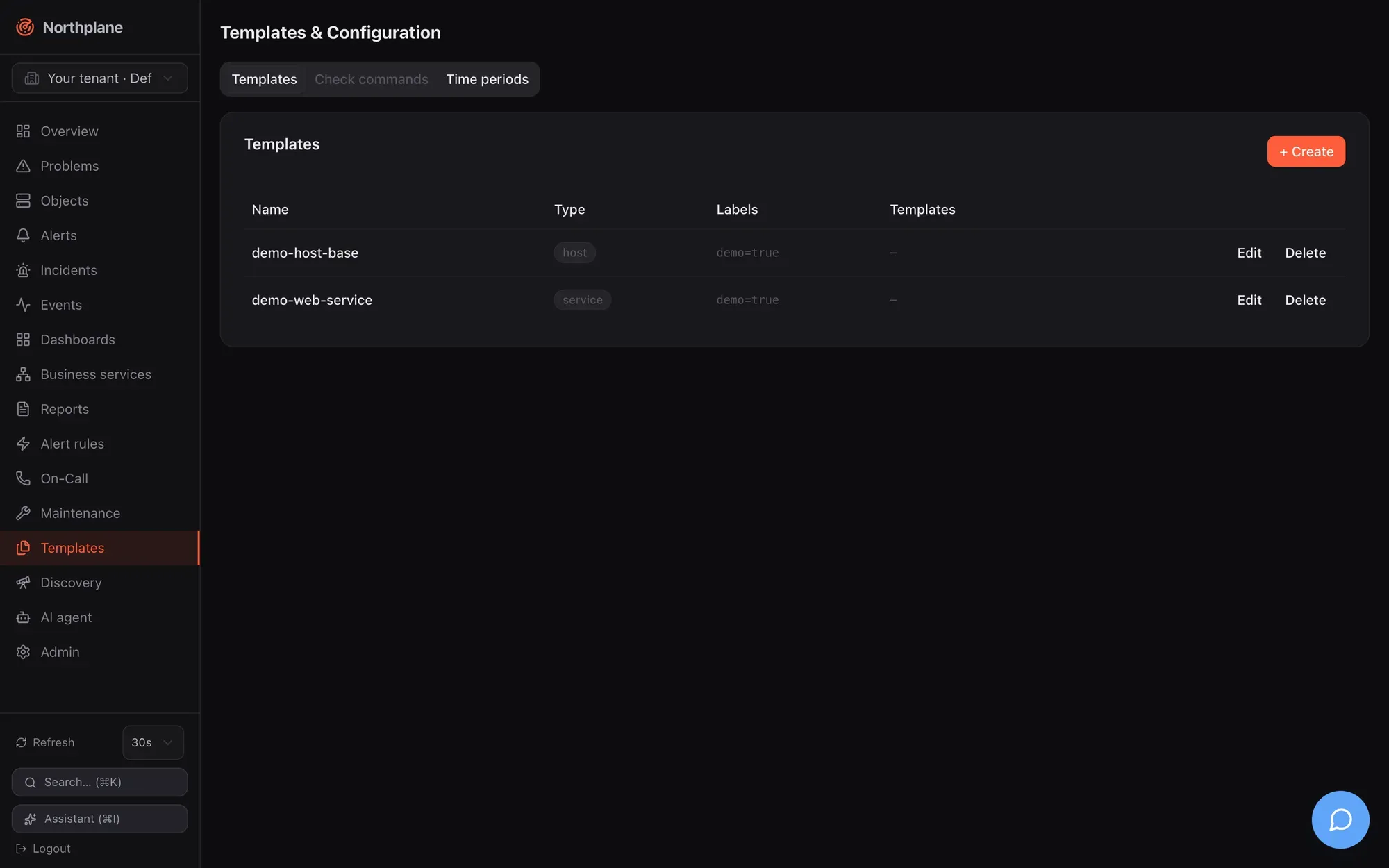
## Templates
[Section titled “Templates”](#templates)
### The resource
[Section titled “The resource”](#the-resource)
| Field | Type | Notes |
| -------- | -------------------------------- | ----------------------------------------------------------------------------------------------------------------------------------- |
| `name` | string | referenced from `spec.templates` of objects and other templates |
| `kind` | `host` \| `service` \| `command` | informational scope; the UI offers *both* (empty), *host*, *service*. Not enforced — a `host` template can be attached to a service |
| `labels` | map | shown in the list; **not** merged into objects (see below) |
| `spec` | ObjectSpec | the inheritable fragment — any field of an object spec, including `templates` to inherit from further templates |
The spec fields and their defaults are listed in [Object model](/docs/concepts/object-model/); everything an object can carry, a template can carry.
Template labels are not inherited
`labels` on a template are stored and displayed, but no code path copies them onto objects — selectors, downtimes and business services only see the labels set on the object itself (or via `metadata.labels` in a bundle). Use template labels as documentation or for filtering the template list.
### Inheritance and the effective spec
[Section titled “Inheritance and the effective spec”](#inheritance-and-the-effective-spec)
When an object is saved or the catalog is loaded, Northplane resolves the **effective spec**:
```text
defaults ⊕ templates (in declared order, each after its own parents) ⊕ the object's own spec
```
Rules:
1. `spec.templates` lists template names. They are applied in that order: a later entry overrides an earlier one.
2. A template may itself list `templates`; those parents are applied before the template, so the template overrides its parents.
3. The object’s own spec overrides every template; `SpecDefaults` (interval 60 s, retry 15 s, 3 attempts, timeout 30 s, check period `24x7`, flap thresholds 25/50 %, `thresholdMode static`) fill whatever is still unset.
4. Merge semantics per field: scalars and `*bool` switches replace the inherited value when set (`enableNotifications: false` in a child wins); `vars` are merged key by key; `templates`, `parents`, `args`, `contacts`, `contactGroups` and `notifyOn` are replaced **wholesale** — a child that sets `args` loses the parent’s `args`.
5. An unset field means “inherit”. You cannot reset a field to its default by writing an empty value; write the default explicitly instead.
6. Every template may occur only **once** in the whole chain: cycles and diamonds (the same template reachable via two paths) are rejected with `template cycle or duplicate via "<name>"`; an unknown name is `unknown template "<name>"`. Both are `422` when you save the object.
The resolved result is what the scheduler, executor and notification routing use. Inspect it with `GET /api/v1/objects/{id}/effective-config` → `{"spec": {…}, "templateChain": ["…"]}` ([get\_objects\_id\_effective\_config](/docs/reference/api/operations/get_objects_id_effective_config/)), on the object’s **Configuration** tab in the UI (“Effective configuration” table plus the chain `a → b`, with a raw-JSON toggle), or with `np describe <object-id>`. `templateChain` lists the templates in resolution order — each template followed by the templates it inherits from.
Worked example:
```yaml
kind: Template
metadata: {name: base}
spec:
kind: host
spec:
checkCommand: builtin:icmp
interval: 60s
maxCheckAttempts: 3
vars: {owner: ops}
---
kind: Template
metadata: {name: prod-host}
spec:
kind: host
spec:
templates: [base]
interval: 30s
contactGroups: [ops]
notificationPeriod: office
vars: {env: prod}
---
kind: Host
metadata:
name: db-01
folder: /prod
labels: {env: prod, role: db}
spec:
address: 10.0.0.5
templates: [prod-host]
vars: {owner: dba}
```
Effective spec of `db-01`: `checkCommand: builtin:icmp` and `maxCheckAttempts: 3` from `base`, `interval: 30s`, `contactGroups: [ops]` and `notificationPeriod: office` from `prod-host`, `vars: {owner: dba, env: prod}` (key-wise merge, the object wins on `owner`), `address` from the object, `retryInterval: 15s` and `timeout: 30s` from the defaults; `templateChain: ["prod-host", "base"]`.
Template `spec` is nested in bundles
In a bundle the `spec:` map of a `Template` document holds the resource fields (`kind`, `spec`), so the inheritable object spec sits under `spec.spec` — exactly as `np export` writes it. Fields placed directly under the first `spec:` (e.g. `interval: 30s` next to `kind: host`) are stored but not read as part of the template’s spec. The REST body has the same shape: `{"name":"base","kind":"host","spec":{"interval":"30s"}}`.
### Editing templates
[Section titled “Editing templates”](#editing-templates)
**Templates → Templates** tab lists name, type (`host`/`service`/both), labels and parent templates; the dialog offers Name, Type, Labels and the full object form (Address, Check, Interval, Notifications, Advanced) — the same fields as the host/service dialog described in [Hosts and services](/docs/monitoring/hosts-and-services/). Objects pick templates in their **Templates** field.
API: generic CRUD at `/api/v1/templates` (`objects:read` / `config:write`, `If-Match` on `PUT`). Saving, updating or deleting a template reloads the tenant’s catalog and reschedules every object — the new values take effect with the next check; no object needs to be re-saved.
Deleting a template that is still in use
There is no reference check. If objects still list a deleted template, their effective spec falls back to the bare defaults at the next catalog reload — no check command, i.e. **passive and unscheduled** — and their effective config shows an empty template chain. Saving such an object fails with `422 unknown template` until you recreate the template or remove the reference. Check `GET /api/v1/objects?q=<template-name>` (or the Objects page full-text filter) before deleting.
## Check commands
[Section titled “Check commands”](#check-commands)
A **check command** is a stored, named invocation. Objects reference it by its bare name in `checkCommand` (anything that is not `passive`, `builtin:…`, `exec:…` or `agent:…` is looked up as a check command).
| Field | Type | Notes |
| --------- | ------------------------------------------- | ------------------------------------------------------------------------------------------------------------------------------------------------------------------------------------------------------------------- |
| `name` | string | the reference used in `checkCommand` |
| `type` | `exec` \| `builtin` \| `agent` \| `passive` | execution class |
| `line` | string\[] | argv; `exec`: `line[0]` is the plugin (resolved in the plugins directory unless absolute), the rest its arguments; `builtin`: `line[0]` is the builtin name, the rest its flags; `agent`: the command np-agent runs |
| `env` | bool | export `NAGIOS_*` / `NORTHPLANE_*` environment macros to `exec` plugins |
| `timeout` | duration | stored, but **not used** — the executor applies the object’s effective `timeout` (default 30 s) |
How the object’s `args` relate to a named command: for `builtin:` and `exec:` references written directly on the object, `args` are appended to the command. For a **named** `exec`/`agent` command, `line` is used as-is and the object’s `args` are **not** appended; they are available only as `$ARG1$`…`$ARG32$` macros inside `line`. `$SECRET:name$`, `$USER1$` (plugins dir), `$HOSTADDRESS$`, `$_HOSTVAR$`/`$_SERVICEVAR$` and the other macros are expanded per element without a shell — see [Plugins and Nagios compatibility](/docs/monitoring/plugins-and-nagios/) for the macro table and the output grammar.
```yaml
kind: CheckCommand
metadata: {name: check_http_vhost}
spec:
type: exec
line: ["$USER1$/check_http", "-H", "$HOSTADDRESS$", "-u", "$ARG1$", "-w", "$ARG2$", "-c", "$ARG3$"]
env: false
---
kind: Service
metadata: {name: shop-frontpage, host: web-01}
spec:
checkCommand: check_http_vhost
args: ["/", "1", "3"]
```
The catalog of commands consists of the stored check commands (`GET /api/v1/check-commands`) and the builtins (`GET /api/v1/check-commands:builtins` → `agent cert dns http http-flow https icmp imap nrpe ntp ping smtp snmp snmp-walk ssh-banner tcp tls-cert`, documented in [Builtin checks](/docs/monitoring/builtin-checks/)). `POST /api/v1/check-commands:test` (`checks:run`) runs a **builtin** against an address with flags and returns `state, label, output, perfdata, tookMs` without touching any object — use it to validate flags before creating a template. The Nagios importer creates `CheckCommand` documents from `command` definitions ([Plugins and Nagios compatibility](/docs/monitoring/plugins-and-nagios/)).
**Templates → Check commands (Check-Kommandos)** tab: name, type, command line, env, timeout; dialog with Name, Type, Command line (list editor), Timeout and the “Export env macros” switch. API: `/api/v1/check-commands` (generic CRUD, `objects:read` / `config:write`).
## Time periods
[Section titled “Time periods”](#time-periods)
Time periods are the third tab, **Templates → Time periods (Zeiträume)**: name, alias, per-weekday ranges (comma-separated, e.g. `08:00-17:00, 18:00-20:00`), exceptions and an exclusion list. Their format, the `24x7` default and the time-zone semantics are documented in [Maintenance → Time periods](/docs/monitoring/maintenance/#time-periods).
In templates and objects they are referenced by name from two fields:
| Field | Used by |
| -------------------- | -------------------------------------------------------------------------------------------------------------------------------------------------------------------- |
| `notificationPeriod` | direct object notifications (`contacts`/`contactGroups`): a hard state change outside the period sends nothing; evaluated in UTC |
| `checkPeriod` | resolved into the effective config (default `24x7`) and enforced: scheduled runs and freshness probes outside the period are skipped; a manual check-now always runs |
Contacts and on-call schedules reference time periods as well (channel preferences, rotation restrictions); see [Contacts and on-call](/docs/alarming/contacts-and-oncall/).
## Bundles
[Section titled “Bundles”](#bundles)
All three kinds are bundle kinds and are applied before hosts and services (`KindOrder`: `TimePeriod`, `CheckCommand`, `Template`, …, `Host`, `Service`), so one bundle can carry the whole hierarchy. `CheckCommand` and `TimePeriod` documents are flat (`spec:` holds `type`/`line`/… or `days`/`exceptions`/…); `Template` documents nest the object spec under `spec.spec` as shown above. `np export` writes all of them; `np apply --dry-run` shows the planned diff. Details: [Config bundles](/docs/administration/config-bundles/).
[Demo mode](/docs/getting-started/demo-mode/) seeds two templates to look at: `demo-host-base` (host: 30 s interval, 10 s retry, 2 attempts, 10 s timeout) and `demo-web-service` (service: 60 s, 10 s timeout).
## Permissions
[Section titled “Permissions”](#permissions)
| Action | Permission |
| -------------------------------------------- | -------------- |
| read templates, check commands, time periods | `objects:read` |
| create / update / delete them | `config:write` |
| `check-commands:test` | `checks:run` |
| read an object’s effective config | `objects:read` |
Among the built-in roles only `admin` has `config:write`; an `operator` can attach existing templates to objects but not edit templates.
# API overview
> Conventions of the Northplane REST API — authentication, tenant header, RFC 9457 errors, pagination, ETag/If-Match, idempotency, limits, SSE, NDJSON exports, ingest and telephony webhooks — with curl examples per resource family and the link to the generated reference.
Northplane is API-first: every capability of the UI, the `np` CLI, the AI agent and the MCP server exists as a REST endpoint under `/api/v1/` first. This page documents the conventions that apply to the whole API and the handful of endpoints that are not in the OpenAPI document (ingest, telephony webhooks, ack links). Request and response schemas of every operation live in the generated reference.
[REST API reference](/docs/reference/api/)Every operation with parameters, schemas and required permission — generated from the OpenAPI 3.1 document (224 operations).
[Swagger UI on your instance](/docs/reference/api-overview/#openapi-document-and-swagger-ui)Open /api/docs on any running instance to try requests with your session or a token; /api/openapi.json is the document itself.
Operation pages are addressed as `/docs/reference/api/operations/<operationId>/`, where `operationId` is the lower-cased method plus the path with `/api/v1/` and `/` turned into `_`, braces removed and `:`/`-` turned into `_` — for example [get\_hosts](/docs/reference/api/operations/get_hosts/), [post\_alerts\_id\_ack](/docs/reference/api/operations/post_alerts_id_ack/), [put\_objects\_id](/docs/reference/api/operations/put_objects_id/), [post\_config\_bundles\_apply](/docs/reference/api/operations/post_config_bundles_apply/).
## Base URL and shape
[Section titled “Base URL and shape”](#base-url-and-shape)
| Item | Value |
| ---------- | ------------------------------------------------------------------------------------------------------------------------------------------------------------------------------------------------------------------------- |
| Base path | `https://<instance>/api/v1/` — no version negotiation; the path is the version |
| Format | JSON request and response bodies (`application/json`), UTF-8; YAML for config bundles; a few text/NDJSON/SSE/iCalendar responses (listed below) |
| Document | OpenAPI 3.1 at `GET /api/openapi.json`; `info.version` = the server version |
| Router | Go `net/http` `ServeMux` method+pattern routes; unmatched paths and wrong methods are answered by the mux with plain-text `404 page not found` / `405 Method Not Allowed` (plus `Allow`), **not** with a problem document |
| Request id | every response carries `X-Request-Id: <UUIDv7>`; audit entries record it |
| Tags | the first path segment after `/api/v1/` (`objects`, `alerts`, `ai`, …); `system` for the rest |
## Authentication
[Section titled “Authentication”](#authentication)
Two credential types are accepted everywhere (API, `/mcp`, SPA gate):
| Credential | How | Notes |
| -------------- | ----------------------------------- | ------------------------------------------------------------------------------------------------------------------------------------------------------------------------------------------------------------------------------------------------------------------------------------------------------------------------------------------------------------------------------------------------------------------------------------------------------------------------------ |
| API token | `Authorization: Bearer np_<48 hex>` | minted via [post\_api\_tokens](/docs/reference/api/operations/post_api_tokens/) or **Admin → API tokens**; the secret is shown once; stored as an 8-char lookup prefix plus argon2id hash. Checks on every request: expiry (`expiresAt`), IP binding (`ipBind` CIDRs, compared with the TCP peer address — `X-Forwarded-For` is **not** used), scopes or role permissions. `lastUsedAt` is updated asynchronously. Tokens with `aiAgent: true` audit as actor type `ai_agent`. |
| Session cookie | `Cookie: np_session=…` | set by the server-rendered `/login` form (local or LDAP), OIDC callback, `/setup` or `/register`; `HttpOnly`, `SameSite=Lax`, `Secure` on HTTPS (directly or via `X-Forwarded-Proto: https` with `trustProxy: true`), `Path=/`; TTL 12 h, 30 d with “remember me”; stored server-side (survives restarts) |
Anything else is anonymous. A present-but-invalid credential is rejected by the middleware **before routing** with `401 np:auth/invalid` — on every path the API handler serves, including `/healthz`, `/readyz`, `/metrics` and the ingest routes. Only Bearer values starting with `np_` are inspected, so ingest source tokens that do not start with `np_` pass through to the per-source check.
There is **no JSON login endpoint**: browsers log in through the HTML form `POST /login` (fields `email`, `password`), SSO through `/auth/oidc` → `/auth/callback`, logout via `/auth/logout`. Integrations use tokens. `GET /api/v1/whoami` ([get\_whoami](/docs/reference/api/operations/get_whoami/)) returns the effective identity:
```bash
curl -s https://np.example.com/api/v1/whoami -H "Authorization: Bearer np_…"
```
```json
{"actorType":"token","actorId":"0199…","name":"ci-deploy","tenantId":"00000000-0000-7000-8000-000000000001","permissions":["objects:read","objects:write"]}
```
Details of tokens, scopes, rotation and expiry: [API tokens](/docs/administration/api-tokens/). Login, sessions, OIDC and LDAP: [Authentication](/docs/administration/authentication/).
## Authorization
[Section titled “Authorization”](#authorization)
Every route declares one required permission (`x-required-permission` in the OpenAPI document, shown on each operation page). Evaluation order per request: CSRF check → authentication required (when the route has a permission) → permission check → handler.
| Situation | Response |
| --------------------------------------------------------------------------------------------------------------------------------------------- | ------------------------------------------------------------------------------- |
| route needs a permission, no credential | `401 np:auth/required` (`authentication required`) |
| credential present, permission missing | `403 np:auth/forbidden`, `detail` = the missing permission, e.g. `objects:read` |
| route has an empty permission but the handler needs an identity (`whoami`, `branding`, preferences, push subscriptions, `me:change-password`) | `401 np:auth/required` when anonymous |
Permissions are `resource:action` strings; wildcards `admin:*`, `*:*` and `*` imply their resource/action families. Generic config documents use the `resourceCRUD` convention: read = `objects:read`, write = `config:write` (prefix `config`), or `oncall:read`/`oncall:write` for contacts, contact groups and schedules, or `admin:read`/`admin:write` for roles. The full permission list, the built-in roles and the route→permission table are in [Users, roles and permissions](/docs/administration/users-roles-permissions/); the model is explained in [Tenancy and RBAC](/docs/concepts/tenancy-rbac/).
## Tenant header
[Section titled “Tenant header”](#tenant-header)
Every principal belongs to one tenant; all reads and writes are scoped to it. A caller holding `admin:tenants` (or a wildcard implying it) can act on another tenant per request with `X-Northplane-Tenant: <tenant-id>` — the tenant **ID** (UUID), not the slug. For unprivileged callers the header is silently ignored. Audit entries of cross-tenant mutations land in the **acted-on** tenant with the operator as actor. Tokens are tenant-bound at mint time (the creator’s effective tenant).
Routes that ignore the header
`POST /alerts/{id}:ack` always uses the caller’s own tenant; `GET /users` lists all users of the installation; branding is instance-wide; ingest, telephony and ack-link routes resolve the tenant from the event source or alert across all tenants. See [Tenants and sites](/docs/administration/tenants-and-sites/).
## Request conventions
[Section titled “Request conventions”](#request-conventions)
| Topic | Rule |
| --------------- | -------------------------------------------------------------------------------------------------------------------------------------------------------------------------------------------------------------------------------------------------------------------------------------------------------------------------------------------------------------------------------------------------- |
| JSON bodies | read with a **1 MiB** cap; decoded with standard `encoding/json` (unknown fields tolerated, `Content-Type` not enforced); malformed JSON → `422 np:validation/body` with the decoder’s message in `detail` |
| Bundle bodies | `POST /config/bundles:plan` and `:apply` read up to **8 MiB** of multi-document YAML (JSON is valid YAML); larger → `413 np:bundle/size` |
| Ingest bodies | webhook/alertmanager/telephony: 1 MiB → `413 np:ingress/size` |
| Optional bodies | `:ack`, `:test-notification`, `/{name}:test` accept an empty body |
| Durations | `model.Duration` fields (`interval`, `timeout`, `expectEvery`, `grace`, `after`, `pendingFor`, `duration`, …) are Go duration strings (`"30s"`, `"5m"`, `"24h"`); a bare integer is accepted on input and means **seconds** |
| Timestamps | RFC 3339 UTC on output; query parameters are parsed with RFC 3339 (fractional seconds and offsets accepted) |
| IDs | UUIDv7 (time-ordered, lowercase, 36 chars) for hosts, services, alerts, incidents, events, tokens, users, downtimes, silences; configuration documents (templates, rules, channels, …) are addressed by **name** in URLs — `/templates/{name}` also accepts the document’s UUID |
| Label selector | `env=prod,role in (db,cache),!legacy,site!=wien` — comma = AND; operators `=`/`==`, `!=`, `in (…)`, `notin (…)`, bare key (exists), `!key` (not exists); used by `selector=` query parameters, silences, downtimes, business services, dashboards and the SSE filter; unparseable → `422 np:validation/selector` (SSE: plain 400). Grammar reference: [Object model](/docs/concepts/object-model/) |
## Response conventions
[Section titled “Response conventions”](#response-conventions)
| Topic | Rule |
| --------------- | -------------------------------------------------------------------------------------------------------------------------------------------------------------------------------------------------------------------------------------------------------------------------------------------------------------------------------------------------------------------------------------------------------------------------------------------------------------------------------------------------------------------------------------------------------------------------------------------------------------------------------------------------------------------------------------------- |
| Success JSON | `Content-Type: application/json`, HTML not escaped, trailing newline |
| Lists | `{"items":[…],"nextCursor":"…"}` — `nextCursor` omitted on the last page |
| Status codes | `200` default; `201` on creates; `202` for asynchronous acceptance (`POST /results`, `/objects/{id}/check-now`, `/discovery/scans`, dead-letter replay, ingest, alertmanager); `204` on deletes, `PUT /secrets/{name}`, `POST /sites/{name}:heartbeat`, `DELETE /push-subscriptions`, `:set-password`, `me:change-password`; `304` on a conditional `sites:pull`; `428` when `If-Match` is missing; `409` conflicts; `422` validation; `413` too large; `429` rate-limited; `501` not implemented (PDF render, LDAP unconfigured); `502` upstream failure (channel test, AI provider, LDAP sync); `503` not ready (storage, secret store without key, AI disabled, results pipeline stalled) |
| `ETag` | `ETag: "<version>"` (the integer document version, quoted) on GET/POST/PUT of objects and configuration documents and on `PUT /incidents/{id}`; not on lists |
| Downloads | `Content-Disposition: attachment; …` on CSV report renders, archived reports and the GDPR contact export |
| Non-JSON bodies | `application/yaml` (bundle export, `sites:pull`), `text/calendar` (schedule ICS), `text/html` (report render, ack link page), `text/xml` TwiML (voice webhooks), `application/x-ndjson` (exports), `text/event-stream` (SSE), `application/openmetrics-text; version=1.0.0; charset=utf-8` (`/metrics`) |
## Error format
[Section titled “Error format”](#error-format)
Errors are RFC 9457 problem documents (`Content-Type: application/problem+json`):
```json
{
"type": "https://northplane.dev/problems/np/validation/name",
"title": "validation failed",
"status": 422,
"detail": "name required",
"code": "np:validation/name",
"instance": "/api/v1/hosts"
}
```
`type` is `https://northplane.dev/problems/` plus the code with `:` replaced by `/`. `detail` is omitted when empty. There is **no multi-field validation** — each 422 carries one code (`np:validation/<field-or-kind>`) and one free-text detail; bundle validation joins several messages with `; `. The exception is `POST /objects:batch`, which reports per-item `results[].error` strings. Clients should branch on `code`, not on `title`.
Two kinds of errors are **not** problem documents: unmatched routes/methods (plain-text 404/405 from the router) and the per-request deadline (`503` with the text body `request timeout`).
## Error catalog
[Section titled “Error catalog”](#error-catalog)
| HTTP | `code` | When |
| --------------------- | ------------------------------------------------------------------------------------------ | ------------------------------------------------------------------------------------------------------------------------------------------------------------------------------------------------------------------------------------------------------------------------------------------------------------------------------------------------------------------------------------------------------------------------ |
| 401 | `np:auth/required` | a permission-protected route called without credentials; `whoami`, branding, preferences, push, change-password when anonymous |
| 401 | `np:auth/invalid` | a Bearer `np_…` token or a session cookie is present but invalid/expired (middleware, any path) |
| 403 | `np:auth/forbidden` | missing permission (`detail` = permission) |
| 403 | `np:auth/csrf` | cookie-authenticated request with `Sec-Fetch-Site: cross-site` |
| 403 | `np:auth/scope` | folder outside the role’s scope (defined, but folder scopes are never populated today, so it cannot trigger) |
| 403 | `np:auth/bad-password` | `me:change-password` with a wrong old password |
| 404 | `np:not-found` | resource does not exist (or belongs to another tenant) |
| 409 | `np:conflict/version` | `If-Match` does not match the stored version (`detail` like `version conflict: have 2, expected 1`) |
| 409 | `np:conflict/duplicate` | create with an existing name |
| 409 | `np:conflict/idempotency` | `Idempotency-Key` reused with a different body |
| 409 | `np:conflict` | AI chat/connection name already exists |
| 409 | `np:ai/busy` | a turn is already streaming on that AI chat |
| 409 | `np:bundle/token` | `applyToken` unknown, expired or of another tenant |
| 409 | `np:users/last-admin`, `np:users/email-in-use` | user-management guards |
| 413 | `np:validation/size`, `np:bundle/size`, `np:ingress/size` | body over the cap (1 MiB JSON / 8 MiB bundle / 1 MiB ingest) |
| 422 | `np:validation/<field>` | validation failure; seen fields: `body, name, spec, host, selector, title, severity, escalationPolicy, until, target, comment, window, expiresAt, match, textRegex, override, heartbeat, token, tenant, user, password, preferences, branding, endpoint, keys, cidr, batch, bundle, rule, message, chatId, messageId, trigger`; plus `np:validation/<kind>` for configuration documents, e.g. `np:validation/alert-rule` |
| 422 | `np:ingress/mapping`, `np:ingress/format` | CEL mapping failed / body not JSON / not an Alertmanager payload |
| 422 | `np:bundle/apply` | bundle apply failed at document X |
| 428 | `np:precondition/if-match` | mutating PUT without `If-Match` |
| 429 | `np:ingress/rate` | per-source token bucket exhausted (`Retry-After: 5` on webhook ingest) |
| 501 | `np:reports/pdf` | PDF rendering needs the Chromium sidecar (not shipped) |
| 501 | `np:directory/unconfigured` | LDAP not configured |
| 502 | `np:notify/test-failed` | channel test notification failed |
| 502 | `np:ai/provider`, `np:ai/execute` | AI provider error / approved action failed on execution |
| 502 | `np:directory/sync` | LDAP sync failed |
| 503 | `np:secrets/nokey` | secret store has no usable master key |
| 503 | `np:ai/disabled` | server-level AI provider is `none` (legacy assistant, incident summaries) |
| 404 / 403 / 401 / 403 | `np:ingress/unknown-source`, `np:ingress/disabled`, `np:ingress/auth`, `np:ingress/caller` | ingest and telephony webhooks |
| 403 | `np:sites/disabled` | federation site disabled (heartbeat/pull) |
| 500 | `np:internal` | unexpected errors and recovered panics |
## Pagination, filtering, sorting
[Section titled “Pagination, filtering, sorting”](#pagination-filtering-sorting)
Cursor pagination is keyset-based: the cursor is the last item’s id (UUIDv7, time-ordered) or, for configuration documents, its name — treat it as opaque. Every list endpoint documents `cursor` and `limit` in the OpenAPI document. `nextCursor` is set when a page is exactly `limit` long, so a full last page may still return a cursor: fetch until `items` is empty or `nextCursor` is absent. Sorting is fixed per endpoint; there is no `sort`/`order` parameter. Non-integer `limit` values are ignored; unparseable `since`/`from`/`to` are ignored (no 422).
| Endpoint | Default `limit` | Maximum (above it the default applies) | Order | Filters |
| -------------------------------------------------------------------------------------------------------- | --------------- | -------------------------------------- | -------------------------------------------------------------------- | ------------------------------------------------------------------------------------------------------------------------- |
| `GET /objects`, `/hosts`, `/services` | 200 | 5000 | `id` ascending (oldest first) | `selector`, `hostId`, `folder`, `q` (name/spec substring), `withState=false` |
| `GET /alerts` | 100 | 1000 | `id` descending (newest first) | `objectId`, `ruleId`, `incidentId`, `status` (CSV of `open,acked,resolved,expired`), `severity` (CSV), `since` (RFC 3339) |
| `GET /incidents` | 50 | 500 | `id` descending | `open=true` |
| `GET /events` | 200 | 1000 | `ts`, `id` descending | `objectId`, `sourceId`, `severity`, `types` (CSV), `from`, `to` |
| `GET /<configuration kind>` (templates, contacts, channels, alert-rules, dashboards, …) | 500 | 2000 | `name` ascending | `q` (name/document substring) |
| `GET /problems` | 500 | — | worst state first, then oldest hard change; unhandled before handled | `includeHandled=true` |
| `GET /audit` | 200 | 5000 | `seq` descending | `actorId`, `actorType`, `action`, `resource`; `afterSeq` = “older than” in this listing |
| `GET /notifications/dead-letters` | 100 | — | newest first | — |
| `GET /reports/{name}/archive` | 100 | — | newest first | — |
| `GET /downtimes`, `/silences` | all (cap 1000) | — | `start` / `expiresAt` descending | `active=true` |
| `GET /ai/conversations` | 50 | — | `updatedAt` descending | — |
| `GET /ai/actions` | 100 | — | newest first | `status` |
| `GET /heartbeats`, `/tenants`, `/users`, `/api-tokens`, `/sites:overview`, `/schedules/{name}/overrides` | all, no paging | — | — | — |
## Optimistic concurrency (ETag / If-Match)
[Section titled “Optimistic concurrency (ETag / If-Match)”](#optimistic-concurrency-etag--if-match)
Every object, configuration document and incident carries an integer `version` (starts at 1, +1 per write) and returns it as `ETag: "<version>"`. Updates must send it back:
| Rule | Detail |
| --------------- | ------------------------------------------------------------------------------------------------------------------------------------------------------------------------------------------------------------------------------------------------------------------------------------------------------------------------------------------------ |
| Required on | `PUT /objects/{id}`; `PUT /<kind>/{name}` for every `resourceCRUD` kind (templates, check-commands, time-periods, alert-rules, alert-groups, escalation-policies, schedules, contacts, contact-groups, channels, event-sources, business-services, dashboards, reports, saved-filters, roles, webhooks, sites, ivr-menus); `PUT /incidents/{id}` |
| Missing | `428 np:precondition/if-match` |
| Stale | `409 np:conflict/version` |
| Header parsing | `W/`, quotes and spaces are stripped, the rest parsed as an integer — `If-Match: 3`, `"3"` and `W/"3"` all work; `0` counts as missing |
| Not required on | `PUT /users/{id}`, `PUT /branding`, `PUT /users/{id}/preferences`, `PUT /secrets/{name}`, `PUT /ai/policy`, `PUT /ai/connections/{id}`, `PUT /ai/chats/{id}`, `POST /heartbeats` (upsert), all `:verb` POSTs — last write wins there |
| Creates | duplicate name → `409 np:conflict/duplicate` (atomic in SQL) |
| Renames | objects cannot be renamed via PUT → `422 np:validation/name` (“rename is not supported — recreate the object”); for configuration documents the `name` in the body is overwritten by the path name |
```bash
NP=https://np.example.com; TOK=np_…
# create → 201, ETag: "1"
curl -si -X POST $NP/api/v1/hosts -H "Authorization: Bearer $TOK" -H 'Content-Type: application/json' \
-d '{"name":"web01","folder":"/prod","labels":{"env":"prod","role":"web"},"spec":{"address":"10.0.0.5","checkCommand":"builtin:icmp"}}'
# update without If-Match → 428 np:precondition/if-match; with a stale value → 409 np:conflict/version
curl -si -X PUT $NP/api/v1/objects/$ID -H "Authorization: Bearer $TOK" -H 'If-Match: "1"' -H 'Content-Type: application/json' \
-d '{"spec":{"checkCommand":"builtin:icmp","runbook":"step 1"}}' # → 200, ETag: "2"
```
## Idempotency
[Section titled “Idempotency”](#idempotency)
Only `POST /api/v1/downtimes` honours an `Idempotency-Key` header. The key is scoped per tenant and remembered together with the SHA-256 of the body for **24 h** (purged by the janitor): the same key with the same body replays the stored status and body with `Idempotency-Replayed: true`; the same key with a different body → `409 np:conflict/idempotency`; the body cap inside the idempotent path is 1 MiB (`413 np:validation/size`).
```bash
curl -s -X POST $NP/api/v1/downtimes -H "Authorization: Bearer $TOK" -H 'Idempotency-Key: maint-2026-08-30' \
-H 'Content-Type: application/json' \
-d '{"objectId":"'$HOST'","type":"fixed","start":"2026-08-30T22:00:00Z","end":"2026-08-31T02:00:00Z","comment":"planned maintenance"}'
```
Bundle applies use a different mechanism: `POST /config/bundles:plan` returns an `applyToken` (`ap_…`, valid 10 min, single-use, tenant-bound) that `POST /config/bundles:apply?applyToken=…` consumes — see [Config bundles](/docs/administration/config-bundles/).
## Limits, timeouts and rate limits
[Section titled “Limits, timeouts and rate limits”](#limits-timeouts-and-rate-limits)
| Limit | Value |
| -------------------- | ------------------------------------------------------------------------------------------------------------------------------------------------------------------------------------------------------------------------ |
| HTTP server | `ReadHeaderTimeout` 10 s, `ReadTimeout` 60 s, `IdleTimeout` 120 s, `MaxHeaderBytes` 1 MiB, **no** `WriteTimeout` |
| Per-request deadline | 30 s (`503`, text body `request timeout`) for everything except the streaming paths `/api/v1/stream`, `/api/v1/events:export`, `/api/v1/ai/chat`, `/mcp`, `/mcp/*` — note that `/api/v1/audit:export` is **not** exempt |
| Body caps | 1 MiB JSON, 8 MiB bundles, 1 MiB ingest/telephony (optional bodies of `:ack` and test endpoints are read with the same 1 MiB limit) |
| Login throttle | `POST /login`, `/setup`, `/register`: per client IP, burst 8, refill 1 per 15 s; exhausted → the page re-renders with `Retry-After: 30` |
| Ingest rate limit | per event source: `rateLimit` events/s (default 50), `burst` (default 200); webhook → `429 np:ingress/rate` + `Retry-After: 5`; Alertmanager over-limit alerts are silently dropped (still 202); inbound voice/SMS → 429 |
| Everything else | no rate limiting |
| Graceful shutdown | 30 s budget for in-flight requests and workers |
Hard-coded constants that operators sometimes look for in `config.yaml` (session TTL, password length, login limiter, TSDB retention) are listed as “not configurable” on the [Configuration](/docs/administration/configuration/) page.
## CSRF, CORS and cookies
[Section titled “CSRF, CORS and cookies”](#csrf-cors-and-cookies)
* **CSRF:** cookie-authenticated requests whose browser sets `Sec-Fetch-Site: cross-site` are rejected with `403 np:auth/csrf`; no CSRF token or custom header is needed for same-origin calls. Token-authenticated requests are unaffected. Raw routes (ingest, ack link, health) are not wrapped and therefore not CSRF-checked.
* **CORS:** none — no `Access-Control-*` headers are emitted. Browser code on another origin cannot call the API; integrate server-side with tokens.
* **Cookies:** `np_session` as described above; logout deletes the server-side session and clears the cookie.
* **SPA gating:** logged-out document navigations (GET with `Accept: text/html`, not `/assets/`) are redirected to `/login`; API calls are never redirected — they get `401` problem documents.
* **Security headers** on every response: `X-Content-Type-Options: nosniff`, `X-Frame-Options: DENY`, `Referrer-Policy: same-origin`, HSTS on HTTPS; a CSP on non-`/api/` paths. See [TLS and reverse proxy](/docs/administration/tls-and-proxy/).
## Custom verbs and sub-resources
[Section titled “Custom verbs and sub-resources”](#custom-verbs-and-sub-resources)
Actions use a Google-style `:verb` suffix on a collection or item; sub-resources use a plain path segment. The router splits the last path segment at its last `:`, so `{id}:ack` and a plain `{id}` route can coexist.
| Family | Verbs |
| ------------------------------------ | --------------------------------------------------------------------------------------------------------------------------------------------------------------------------------------------------------------------------------------------------------- |
| alerts | `POST /alerts/{id}:ack`, `:resolve`, `:snooze` |
| incidents | `POST /incidents/{id}:merge`, `:resolve`, `:summarize` |
| tokens | `POST /api-tokens/{id}:rotate` |
| channels / rules / policies / checks | `POST /channels/{name}:test-notification`, `POST /alert-rules:test`, `POST /alert-rules/{name}:test`, `POST /escalation-policies/{name}:simulate`, `POST /check-commands:test`, `GET /check-commands:builtins` |
| objects / bundles | `POST /objects:batch`, `POST /config/bundles:plan`, `:apply`, `GET /config/bundles:export` |
| events / audit | `GET /events:export`, `GET /audit:export`, `POST /audit:verify`, `GET /contacts/{name}:data-export` |
| notifications / reports | `POST /notifications/dead-letters/{id}:replay`, `POST /reports/{name}:render`, `:run` |
| business / sites / users | `GET /business-services:tree`, `GET /sites:overview`, `POST /sites/{name}:heartbeat`, `GET /sites/{name}:pull`, `POST /users/{id}:set-password`, `POST /users/me:change-password`, `POST /directory:sync` |
| AI | `POST /ai/actions/{id}:approve`, `:deny`, `POST /ai/connections/{id}:test` |
| sub-resources | `/objects/{id}/check-now`, `/effective-config`, `/impact`, `/metrics`; `/heartbeats/{name}/beat`; `/schedules/{name}/overrides`, `/timeline`, `/stats`, `/ics`; `/reports/{name}/archive`; `/business-services/{name}/sla`; `/ai/connections/{id}/models` |
## Unauthenticated and raw routes
[Section titled “Unauthenticated and raw routes”](#unauthenticated-and-raw-routes)
Routes registered **outside** the permission wrapper (no RBAC, not in the OpenAPI document):
| Route | Auth | Purpose |
| ------------------------------------------------------------------------------------------------------- | ------------------------------------------ | ----------------------------------------------------------------------------------- |
| `GET /healthz` | none | liveness: `200 ok` (text) as soon as the listener is up |
| `GET /readyz` | none | readiness JSON; `503` when a subsystem is not ok |
| `GET /metrics` | none (restrict at the network/proxy layer) | OpenMetrics text — families on [Observability](/docs/administration/observability/) |
| `GET /api/openapi.json`, `GET /api/docs`, `GET /api/docs/{asset}` | none | OpenAPI document + vendored Swagger UI |
| `POST /api/v1/ingest/{source}` | per-source `authMode` | generic webhook ingest (below) |
| `POST /api/v1/ingest/{source}/alertmanager` | per-source | Alertmanager v2 receiver (below) |
| `GET /api/v1/ack/{token}` | signed token | one-click acknowledgement from notifications (below) |
| `POST /api/v1/voice/gather/{token}` | signed token | Twilio DTMF callback for outbound calls (below) |
| `POST /api/v1/voice/inbound/{source}`, `…/menu`, `…/transcription`, `POST /api/v1/sms/inbound/{source}` | per-source (+ optional Twilio signature) | inbound telephony (below) |
In the document but **fully anonymous** (empty permission, no identity check): [get\_system\_health](/docs/reference/api/operations/get_system_health/) and [get\_system\_info](/docs/reference/api/operations/get_system_info/) — they expose version, goroutines and queue depths; restrict them at the proxy if that matters to you. Empty permission but identity required: `whoami`, `GET /branding`, `GET`/`PUT /users/{id}/preferences`, `POST`/`DELETE /push-subscriptions`, `POST /users/me:change-password`.
Health and readiness responses, the `/system/health` counters and the Prometheus families are documented on [Observability](/docs/administration/observability/); the security implications on [Security](/docs/administration/security/).
## Ingest endpoints
[Section titled “Ingest endpoints”](#ingest-endpoints)
Ingest is how external systems push events into the alarming pipeline. The event-source resource ([post\_event\_sources](/docs/reference/api/operations/post_event_sources/), Admin → Event sources) defines `type`, `enabled`, `authMode`, `secretRef`, `mapping`, `rateLimit`, `burst`, `labels`. Every type is documented on [Event sources](/docs/alarming/event-sources/); this section covers the two HTTP endpoints precisely.
### Generic webhook ingest
[Section titled “Generic webhook ingest”](#generic-webhook-ingest)
`POST /api/v1/ingest/{source}` — `{source}` is the event source’s **name or id**, resolved across all tenants (ingest URLs carry no tenant; names are effectively global for this purpose). The handler does not check the source `type` — any enabled source accepts posts here. Processing order and responses:
1. unknown source → `404 np:ingress/unknown-source`
2. `enabled: false` → `403 np:ingress/disabled`
3. body over 1 MiB → `413 np:ingress/size`
4. authentication per `authMode` → `401 np:ingress/auth`
5. rate limit (token bucket per source: `rateLimit` events/s, default 50; `burst`, default 200) → `429 np:ingress/rate`, `Retry-After: 5`
6. normalisation (identity or CEL `mapping`) → `422 np:ingress/mapping` with `mapping <field>: <error>` in `detail`
7. the event is persisted as type `ingress` and published to the rule engine → **`202 Accepted`, empty body**
| `authMode` | What the request must carry |
| ------------------------------------------ | ----------------------------------------------------------------------------------------------------------------------------------------------------------------------------------------------------------------------------------------------------------------------------------------------------------------------- |
| `none` | nothing |
| `token` (default, also for unknown values) | `Authorization: Bearer <secret>` **or** `?token=<secret>`; constant-time compare against the secret named by `secretRef`; no secret stored → always 401. Do not choose secrets starting with `np_` (the API middleware would treat them as Northplane tokens). Prefer the header — query strings end up in access logs. |
| `hmac` | `X-Northplane-Signature: <hex>` or `X-Hub-Signature-256: sha256=<hex>`: lowercase hex HMAC-SHA256 over the raw body with the secret (`sha256=` prefix optional) |
| `basic` | HTTP Basic — only the **password** is compared with the secret, the username is ignored |
Without a `mapping`, the body must already be the normal form: `{"summary","severity","dedupKey","labels":{…},"resolve":bool}` — a missing `summary` becomes `event from <source name>`, the raw body is archived as `payload`, and invalid JSON → `422` (“payload is not normal-form JSON and source has no mapping”). With a `mapping`, the body is any JSON; each mapping value is a CEL expression over the variable `payload` (cost limit 5000); targets: `summary`, `severity` (`critical|warning|info|ok`, invalid → `info`), `dedupKey`, `resolve` (must evaluate to bool), `labels.<key>`; other targets are ignored; an evaluation error (including a missing key) fails the request with 422. A `resolve: true` event clears the open alert that holds the same `dedupKey`.
```bash
# normal-form payload, token auth
curl -s -X POST $NP/api/v1/ingest/ci -H 'Authorization: Bearer s3cr3t' -H 'Content-Type: application/json' \
-d '{"summary":"deploy failed","severity":"critical","dedupKey":"deploy-42","labels":{"service":"checkout"}}' # → 202
# HMAC auth
BODY='{"summary":"disk /var full on db1","severity":"critical","dedupKey":"db1/disk"}'
SIG=$(printf '%s' "$BODY" | openssl dgst -sha256 -hmac "$SECRET" | awk '{print $NF}')
curl -s -X POST $NP/api/v1/ingest/grafana -H "X-Northplane-Signature: $SIG" -H 'Content-Type: application/json' -d "$BODY"
```
### Alertmanager receiver
[Section titled “Alertmanager receiver”](#alertmanager-receiver)
`POST /api/v1/ingest/{source}/alertmanager` — same source lookup and authentication; **does not check `enabled`**; non-JSON → `422 np:ingress/format`; read/auth failures → `401`. Body: the Alertmanager v2 webhook payload `{"alerts":[{"status","labels","annotations","fingerprint"}]}` (other top-level fields ignored). Per alert: `dedupKey = "am-" + fingerprint`; severity from `labels.severity` (`critical`/`page` → critical, `info`/`none` → info, else warning); `summary = annotations.summary` or `labels.alertname`; labels = alert labels merged with the source labels; `status: resolved` → `resolve: true` and severity `ok`; one `ingress` event per alert. Over-limit alerts are dropped silently. Always `202`.
```bash
curl -s -X POST $NP/api/v1/ingest/prom/alertmanager -H 'Authorization: Bearer s3cr3t' -H 'Content-Type: application/json' -d '{"alerts":[
{"status":"firing","fingerprint":"abc","labels":{"severity":"critical","alertname":"HighCPU"},"annotations":{"summary":"CPU > 90%"}},
{"status":"resolved","fingerprint":"def","labels":{"alertname":"DiskFull"}}]}' # → 202
```
### Passive results and heartbeat beats
[Section titled “Passive results and heartbeat beats”](#passive-results-and-heartbeat-beats)
Two more “push in” endpoints are regular, token-authenticated API routes: [post\_results](/docs/reference/api/operations/post_results/) (`objects:write`, `202 {"accepted":n,"rejected":[…]}`; unknown hosts/services are rejected, never created — see [Plugins and Nagios](/docs/monitoring/plugins-and-nagios/) and [Agent](/docs/monitoring/agent/)) and [post\_heartbeats\_name\_beat](/docs/reference/api/operations/post_heartbeats_name_beat/) / [get\_heartbeats\_name\_beat](/docs/reference/api/operations/get_heartbeats_name_beat/) (`objects:write`, `{"status":"ok"}`; the GET form exists for `curl` in cron but still needs the Bearer header — see [Heartbeats](/docs/monitoring/heartbeats/)).
## Telephony webhooks
[Section titled “Telephony webhooks”](#telephony-webhooks)
Inbound phone and SMS alarms arrive as Twilio webhooks on raw routes; `{source}` is an event source of type `voice-inbound` or `sms-inbound` (id or name, resolved across tenants). The flows, TwiML, IVR menus and the Asterisk alternative are documented on [Voice and IVR](/docs/alarming/voice-and-ivr/).
| Route | Purpose |
| ----------------------------------------------------------- | --------------------------------------------------------------------------------------------------------------------------------------------------------------------------------------------------------------------- |
| `POST /api/v1/voice/inbound/{source}` | fresh call → PIN gate or main menu (TwiML) |
| `POST /api/v1/voice/inbound/{source}/menu?state=…` | DTMF dispatch (`state=pin\|menu\|record-done\|ack\|resolve`) |
| `POST /api/v1/voice/inbound/{source}/transcription?alert=…` | Twilio transcription callback (stores label `transcript`, answers 204) |
| `POST /api/v1/sms/inbound/{source}` | inbound SMS: ack keyword or new alarm/event; answers TwiML `<Message>` |
| `POST /api/v1/voice/gather/{token}` | DTMF callback of an **outbound** alarm call: form field `Digits`, `4` = acknowledge (open alerts), `6` = resolve (open or acked), anything else → “Not acknowledged. Goodbye.”; the token is the ack-link token below |
Authentication of the inbound routes, in order: the source must exist, be of the expected type and be enabled (`404 np:ingress/unknown-source`, `403 np:ingress/disabled`); form body up to 1 MiB; the source’s `authMode` (`token` via `?token=<secret>` is the practical choice for Twilio — the UI suggests `https://<host>/api/v1/voice/inbound/<source-id>?token=<secret>` and Twilio’s follow-up posts reuse it); optionally `X-Twilio-Signature` (HMAC-SHA1 over the public URL plus sorted form fields) when the source config sets `twilioAuthToken` — this requires a correct `baseUrl`; `allowFrom` caller-prefix allow-list → `403 np:ingress/caller`; per-source rate limit → `429`.
## Ack link
[Section titled “Ack link”](#ack-link)
Notifications can embed a one-click acknowledgement URL `<baseUrl>/api/v1/ack/<token>` (rendered only when `baseUrl` is configured). The token is `<alertId>.<contactId>.<unixExpiry>.<hex of the first 16 bytes of HMAC-SHA256(secret, "alertId|contactId|exp")>`, signed with a server-generated secret persisted in the KV store, valid **24 h**. `GET /api/v1/ack/{token}` needs no login: it verifies the token, finds the alert across tenants, acknowledges it if it is still `open` (actor = contact name), stops the escalation chain, writes the audit entry (`via: ack-link`) and emits an `ack` event — then always answers the HTML page “✓ Quittiert” (also when the alert was already acknowledged or resolved). Invalid or expired → `403` with a German text; unknown alert → `404`. The token is not consumed on use; re-clicking is a no-op. All acknowledgement paths are compared on [Acknowledge and snooze](/docs/alarming/acknowledge-and-snooze/).
## SSE stream
[Section titled “SSE stream”](#sse-stream)
`GET /api/v1/stream` ([get\_stream](/docs/reference/api/operations/get_stream/), `events:read`) is a Server-Sent Events feed of everything published on the event bus of the caller’s tenant (or the `X-Northplane-Tenant` tenant for `admin:tenants` holders). Event types and payloads: [Events](/docs/concepts/events/).
| Item | Detail |
| -------- | ----------------------------------------------------------------------------------------------------------------------------------------------------------------------------------------------------------------------------- |
| Query | `types=a,b` (exact event-type match), `selector=…` (label selector matched against `payload.labels`; invalid → plain-text 400) |
| Headers | `Content-Type: text/event-stream`, `Cache-Control: no-cache`, `X-Accel-Buffering: no`; exempt from the 30 s deadline |
| Frame | `event: <type>` / `id: <event id>` / `data: <Event JSON>` / blank line. Event JSON: `{"id","tenantId","ts","type","objectId"?,"sourceId"?,"severity"?,"payload":{…}}` |
| Comments | `: connected <RFC 3339>` on connect; every 15 s either `: ping` or — when the subscriber’s 512-frame buffer overflowed — `event: resync` with `data: {}`, after which the client should re-fetch state |
| Resume | send `Last-Event-ID: <uuidv7>`; the server replays persisted events of the tenant from 1 s before that id’s timestamp (ascending, at most 500, filtered by `types`/`selector`, ids ≤ the last one skipped) before going live |
| Auth | Bearer token or session cookie; there is **no `?token=`** — browsers’ `EventSource` must rely on the cookie. The embedded UI itself does not use this stream (it polls); the stream is for integrations such as the alarm app |
```bash
curl -N "$NP/api/v1/stream?types=alert_opened,state_change" -H "Authorization: Bearer $TOK" -H "Last-Event-ID: 0199…"
```
```text
: connected 2026-08-23T10:15:00Z
event: alert_opened
id: 0199a4c2-7d1e-7b3a-9e1f-2c4d6e8f0a1b
data: {"id":"0199a4c2-…","tenantId":"…","ts":"2026-08-23T10:15:00Z","type":"alert_opened","severity":"critical","payload":{"alertId":"…","title":"db1 is CRITICAL","severity":"critical","rule":"demo-critical","labels":{"env":"prod"}}}
: ping
```
For push delivery to your own HTTP endpoint instead of a held-open connection, use webhook subscriptions ([Outgoing webhooks](/docs/alarming/webhooks-out/)).
## NDJSON exports
[Section titled “NDJSON exports”](#ndjson-exports)
| Endpoint | Permission | Behaviour |
| ---------------------------------------------------------------------------------------------------- | ------------- | ---------------------------------------------------------------------------------------------------------------------------------------------------------------------------------------------------------------------------------------------------------------------- |
| [get\_events\_export](/docs/reference/api/operations/get_events_export/) `GET /api/v1/events:export` | `events:read` | `application/x-ndjson`, one Event per line, same filters as `/events` (`objectId`, `sourceId`, `severity`, `types`, `from`, `to`), ascending by `ts`, internal pages of 1000, hard stop at **100 000** events; `cursor`/`limit` ignored; exempt from the 30 s deadline |
| [get\_audit\_export](/docs/reference/api/operations/get_audit_export/) `GET /api/v1/audit:export` | `admin:audit` | whole tenant audit log ascending by `seq`, pages of 1000, no filters, no cap; **not** exempt from the 30 s deadline — very large logs may be cut, prefer paging `GET /audit` |
Audit line shape: `{"seq","ts","tenantId","actorType","actorId","action","resource","sourceIp","requestId","before","after","prevHash","hash"}`; [post\_audit\_verify](/docs/reference/api/operations/post_audit_verify/) returns `{"intact":true,"verified":N}` or `{"intact":false,"verified":N,"error":"…"}`.
```bash
curl -s "$NP/api/v1/events:export?types=state_change&from=2026-08-01T00:00:00Z" -H "Authorization: Bearer $TOK" > events.ndjson
curl -s "$NP/api/v1/audit:export" -H "Authorization: Bearer $TOK" | jq -c 'select(.action=="alert.ack")'
```
## OpenAPI document and Swagger UI
[Section titled “OpenAPI document and Swagger UI”](#openapi-document-and-swagger-ui)
* `GET /api/openapi.json` — the OpenAPI 3.1 document, generated at startup from the route registry (the same registry that installs the handlers, so it cannot drift), cached in memory, `Cache-Control: no-cache`. Each operation carries `summary`, `tags`, `operationId`, `security` (`bearerToken`) and `x-required-permission`; request/response schemas are reflected from the Go types (required = non-pointer without `omitempty`); list endpoints get `cursor` and `limit`; the `default` response is the problem document.
* `GET /api/docs` — a vendored Swagger UI (works air-gapped) with filter, “Try it out” enabled, `withCredentials` (your browser session is used automatically) and an Authorize dialog that accepts an `np_…` token.
* `northplaned openapi` — prints the same document without a running server ([northplaned CLI](/docs/reference/cli-northplaned/#openapi)). `make types` uses it to regenerate `web/src/types.gen.ts` and the copy of the document this reference is rendered from (`docs/src/assets/openapi.json`); CI fails on drift.
Known gaps of the generated document
Schemas carry no descriptions or enums (reflection only). The success status is a heuristic: `POST /schedules/{name}/overrides` is documented as 200 but returns 201, `POST /ai/chat` is documented as 201 but is an SSE stream, `PUT /secrets/{name}` is documented as 200 but returns 204. Routes with an empty permission that still need an identity are not distinguishable in the document. The `status` filter description of `GET /alerts` mentions statuses that do not exist — the real values are `open,acked,resolved,expired`.
## Generating a typed client
[Section titled “Generating a typed client”](#generating-a-typed-client)
The embedded UI consumes the API through types generated by [openapi-typescript](https://github.com/openapi-ts/openapi-typescript) — the same works for your own TypeScript integration:
```bash
curl -s https://np.example.com/api/openapi.json -o northplane-openapi.json # or: northplaned openapi > northplane-openapi.json
npx openapi-typescript northplane-openapi.json -o northplane.d.ts
```
```ts
import type { paths } from './northplane'
type Host = paths['/api/v1/hosts']['post']['responses']['201']['content']['application/json']
type ProblemDoc = paths['/api/v1/hosts']['post']['responses']['default']['content']['application/problem+json']
```
Any other OpenAPI 3.1 generator works too; the document validates as 3.1.0. Remember that ingest, telephony and ack-link routes are not in the document.
## curl cookbook
[Section titled “curl cookbook”](#curl-cookbook)
All examples assume:
```bash
NP=https://np.example.com
TOK=np_…
alias npc='curl -s -H "Authorization: Bearer $TOK" -H "Content-Type: application/json"'
```
### Hosts, services, objects
[Section titled “Hosts, services, objects”](#hosts-services-objects)
```bash
# create a host → 201 Object + ETag: "1" [post_hosts]
npc -X POST $NP/api/v1/hosts -d '{"name":"web01","folder":"/prod","labels":{"env":"prod","role":"web"},
"spec":{"address":"10.0.0.5","checkCommand":"builtin:icmp","interval":"30s","templates":["linux-base"]}}'
# create a service on it (host by name or id) → 201 [post_services]
npc -X POST $NP/api/v1/services -d '{"name":"http","host":"web01","labels":{"env":"prod"},
"spec":{"checkCommand":"builtin:http","args":["https://web01/health"],"interval":"30s","contactGroups":["ops"]}}'
# list by selector, with live state; page with cursor [get_objects]
npc "$NP/api/v1/objects?selector=env%3Dprod,role%3Dweb&limit=100"
npc "$NP/api/v1/objects?cursor=<last id>&limit=100"
# one object with live state, its effective config and its business impact
npc $NP/api/v1/objects/$ID # [get_objects_id]
npc $NP/api/v1/objects/$ID/effective-config # [get_objects_id_effective_config] → {"spec":{…},"templateChain":[…]}
npc $NP/api/v1/objects/$ID/impact # [get_objects_id_impact] → ["Shop","Checkout"]
# update (If-Match required), recheck now (202), delete (204)
npc -X PUT $NP/api/v1/objects/$ID -H 'If-Match: "1"' -d '{"spec":{"checkCommand":"builtin:icmp","runbook":"see wiki"}}'
npc -X POST $NP/api/v1/objects/$ID/check-now # [post_objects_id_check_now]
npc -X DELETE $NP/api/v1/objects/$ID # [delete_objects_id]
# bulk create (partial mode: per-item errors; default all-or-nothing → 422 with partial results) [post_objects_batch]
npc -X POST $NP/api/v1/objects:batch -d '{"mode":"partial",
"hosts":[{"name":"db01","folder":"/prod","labels":{"env":"prod","role":"db"},"spec":{"address":"10.0.0.7","checkCommand":"builtin:icmp"}}],
"services":[{"name":"postgres","host":"db01","spec":{"checkCommand":"builtin:tcp","args":["5432"],"interval":"30s"}}]}'
# → {"created":2,"failed":0,"results":[{"name":"db01","id":"0199…"},{"name":"postgres","id":"0199…"}]}
# current problems (worst first), metrics of an object, a time-series query
npc "$NP/api/v1/problems?includeHandled=true" # [get_problems]
npc $NP/api/v1/objects/$ID/metrics # [get_objects_id_metrics]
npc -X POST $NP/api/v1/metrics/query -d '{"objectId":"'$ID'","metric":"time","from":"2026-08-22T10:00:00Z","to":"2026-08-23T10:00:00Z","stepSeconds":300,"agg":"avg"}' # [post_metrics_query]
```
Operation pages: [post\_hosts](/docs/reference/api/operations/post_hosts/), [post\_services](/docs/reference/api/operations/post_services/), [get\_objects](/docs/reference/api/operations/get_objects/), [get\_objects\_id](/docs/reference/api/operations/get_objects_id/), [get\_objects\_id\_effective\_config](/docs/reference/api/operations/get_objects_id_effective_config/), [put\_objects\_id](/docs/reference/api/operations/put_objects_id/), [delete\_objects\_id](/docs/reference/api/operations/delete_objects_id/), [post\_objects\_batch](/docs/reference/api/operations/post_objects_batch/), [post\_objects\_id\_check\_now](/docs/reference/api/operations/post_objects_id_check_now/), [get\_problems](/docs/reference/api/operations/get_problems/), [post\_metrics\_query](/docs/reference/api/operations/post_metrics_query/). Field reference: [Object model](/docs/concepts/object-model/), [Hosts and services](/docs/monitoring/hosts-and-services/), [Metrics and TSDB](/docs/monitoring/metrics-and-tsdb/).
### Passive results
[Section titled “Passive results”](#passive-results)
```bash
# [post_results] → 202 {"accepted":2,"rejected":["unknown host ghost"]}
npc -X POST $NP/api/v1/results -d '{"results":[
{"host":"web01","state":0,"output":"agent alive | uptime=120s;;;;"},
{"host":"web01","service":"http","state":"CRITICAL","output":"HTTP CRITICAL - connect refused | time=5.0s;1;3;0;"},
{"host":"ghost","state":0,"output":"nobody home"}]}'
```
`state` is `0–3` or `OK/WARNING/CRITICAL/UNKNOWN`, `UP/DOWN/UNREACHABLE` (case-insensitive); omit `service` for a host result; output is parsed Nagios-style (`text | perfdata`, further lines = long output). A stalled pipeline answers `503` with `server busy` in `rejected`.
### Alerts
[Section titled “Alerts”](#alerts)
```bash
# raise an alarm manually (bypasses suppression, starts the escalation chain) → 201; 200 if folded by dedupKey [post_alerts]
npc -X POST $NP/api/v1/alerts -d '{"title":"Water leak basement","severity":"critical","labels":{"np.sound":"np_sirene"},
"escalationPolicy":"facility-24x7","dedupKey":"leak-b1"}'
npc "$NP/api/v1/alerts?status=open,acked&severity=critical&since=2026-08-23T00:00:00Z" # [get_alerts]
npc -X POST $NP/api/v1/alerts/$ALERT:ack -d '{"comment":"on it"}' # [post_alerts_id_ack] → 200 Alert
npc -X POST $NP/api/v1/alerts/$ALERT:snooze -d '{"until":"2026-08-24T08:00:00Z"}' # [post_alerts_id_snooze] → acked now, re-opens at until
npc -X POST $NP/api/v1/alerts/$ALERT:resolve # [post_alerts_id_resolve]
```
Operation pages: [post\_alerts](/docs/reference/api/operations/post_alerts/), [get\_alerts](/docs/reference/api/operations/get_alerts/), [get\_alerts\_id](/docs/reference/api/operations/get_alerts_id/), [post\_alerts\_id\_ack](/docs/reference/api/operations/post_alerts_id_ack/), [post\_alerts\_id\_snooze](/docs/reference/api/operations/post_alerts_id_snooze/), [post\_alerts\_id\_resolve](/docs/reference/api/operations/post_alerts_id_resolve/). Semantics: [Alerts and incidents](/docs/concepts/alerts-incidents/), [Acknowledge and snooze](/docs/alarming/acknowledge-and-snooze/).
### Incidents
[Section titled “Incidents”](#incidents)
```bash
npc -X POST $NP/api/v1/incidents -d '{"title":"Checkout degraded","severity":"critical","summary":"payment API slow","alertIds":["'$ALERT'"]}' # [post_incidents] → 201
npc "$NP/api/v1/incidents?open=true" # [get_incidents]
npc $NP/api/v1/incidents/$INC # [get_incidents_id] → {"incident":…,"alerts":[…]}
npc -X PUT $NP/api/v1/incidents/$INC -H 'If-Match: "1"' -d '{"title":"Checkout degraded (EU)","severity":"critical","ticketUrl":"https://jira/X-1"}' # [put_incidents_id]
npc -X POST $NP/api/v1/incidents/$INC:merge -d '{"sourceIds":["'$INC2'"]}' # [post_incidents_id_merge]
npc -X POST $NP/api/v1/incidents/$INC:summarize # [post_incidents_id_summarize] (503 np:ai/disabled without ai.provider)
npc -X POST $NP/api/v1/incidents/$INC:resolve # [post_incidents_id_resolve] resolves its alerts too
```
Operation pages: [post\_incidents](/docs/reference/api/operations/post_incidents/), [get\_incidents](/docs/reference/api/operations/get_incidents/), [get\_incidents\_id](/docs/reference/api/operations/get_incidents_id/), [put\_incidents\_id](/docs/reference/api/operations/put_incidents_id/), [post\_incidents\_id\_merge](/docs/reference/api/operations/post_incidents_id_merge/), [post\_incidents\_id\_resolve](/docs/reference/api/operations/post_incidents_id_resolve/), [post\_incidents\_id\_summarize](/docs/reference/api/operations/post_incidents_id_summarize/).
### Silences and downtimes
[Section titled “Silences and downtimes”](#silences-and-downtimes)
```bash
# silence: expiresAt mandatory, at most 90 days; selector and/or textRegex [post_silences]
npc -X POST $NP/api/v1/silences -d '{"selector":"env=staging","comment":"deploy","expiresAt":"2026-08-23T12:00:00Z"}'
npc "$NP/api/v1/silences?active=true"; npc -X DELETE $NP/api/v1/silences/$SID # [get_silences] [delete_silences_id]
# downtime: objectId or selector, fixed or flexible, optional RRULE subset, Idempotency-Key honoured [post_downtimes]
npc -X POST $NP/api/v1/downtimes -H 'Idempotency-Key: backup-window-w35' -d '{"selector":"env=prod,role=db","type":"fixed",
"start":"2026-08-30T22:00:00Z","end":"2026-08-31T00:00:00Z","rrule":"FREQ=WEEKLY;BYDAY=SA","comment":"weekly backup window"}'
npc "$NP/api/v1/downtimes?active=true"; npc -X DELETE $NP/api/v1/downtimes/$DID # [get_downtimes] [delete_downtimes_id]
```
Operation pages: [post\_silences](/docs/reference/api/operations/post_silences/), [get\_silences](/docs/reference/api/operations/get_silences/), [delete\_silences\_id](/docs/reference/api/operations/delete_silences_id/), [post\_downtimes](/docs/reference/api/operations/post_downtimes/), [get\_downtimes](/docs/reference/api/operations/get_downtimes/), [delete\_downtimes\_id](/docs/reference/api/operations/delete_downtimes_id/). Semantics (RRULE subset, flexible downtimes, re-arm): [Maintenance](/docs/monitoring/maintenance/).
### Schedules and overrides
[Section titled “Schedules and overrides”](#schedules-and-overrides)
```bash
npc -X POST $NP/api/v1/schedules -d '{"name":"primary","timeZone":"Europe/Vienna","layers":[{"name":"weekly","participants":["alice","bob"],"unit":"weekly","length":"168h","anchor":"2026-01-05T08:00:00Z"}]}' # [post_schedules]
npc "$NP/api/v1/oncall/now?schedule=primary" # [get_oncall_now]
npc -X POST $NP/api/v1/schedules/primary/overrides -d '{"contactId":"'$CONTACT'","start":"2026-08-24T08:00:00Z","end":"2026-08-25T08:00:00Z","reason":"swap"}' # [post_schedules_name_overrides] → 201
npc "$NP/api/v1/schedules/primary/timeline?days=14"; npc "$NP/api/v1/schedules/primary/stats?days=30" # [get_schedules_name_timeline] [get_schedules_name_stats]
curl -s $NP/api/v1/schedules/primary/ics -H "Authorization: Bearer $TOK" > oncall.ics # [get_schedules_name_ics] text/calendar, −7 d … +60 d
```
Operation pages: [post\_schedules](/docs/reference/api/operations/post_schedules/), [get\_oncall\_now](/docs/reference/api/operations/get_oncall_now/), [post\_schedules\_name\_overrides](/docs/reference/api/operations/post_schedules_name_overrides/), [get\_schedules\_name\_timeline](/docs/reference/api/operations/get_schedules_name_timeline/), [get\_schedules\_name\_stats](/docs/reference/api/operations/get_schedules_name_stats/), [get\_schedules\_name\_ics](/docs/reference/api/operations/get_schedules_name_ics/). See [Contacts and on-call](/docs/alarming/contacts-and-oncall/).
### Channels and test notifications
[Section titled “Channels and test notifications”](#channels-and-test-notifications)
```bash
npc -X POST $NP/api/v1/channels -d '{"name":"ops-mail","type":"email","enabled":true,"config":{"smtp":"smtp.example.net:587","from":"np@example.net","username":"np","password":"$SECRET:smtp-pass$"}}' # [post_channels]
npc -X POST $NP/api/v1/channels/ops-mail:test-notification -d '{"target":"ops@example.net"}' # [post_channels_name_test_notification] → {"result":"sent","detail":"…"} or 502 np:notify/test-failed
```
Operation pages: [post\_channels](/docs/reference/api/operations/post_channels/), [post\_channels\_name\_test\_notification](/docs/reference/api/operations/post_channels_name_test_notification/). Every channel type and its config keys: [Channels](/docs/alarming/channels/).
### API tokens
[Section titled “API tokens”](#api-tokens)
```bash
# [post_api_tokens] → 201 {"token":"np_…","meta":{…}} — the secret is shown once
npc -X POST $NP/api/v1/api-tokens -d '{"name":"ci-deploy","scopes":["objects:read","objects:write"],"ipBind":["10.0.0.0/8"],"expiresAt":"2027-01-01T00:00:00Z"}'
npc $NP/api/v1/api-tokens # [get_api_tokens] metadata only
npc -X POST $NP/api/v1/api-tokens/$TID:rotate # [post_api_tokens_id_rotate] → new secret, old one revoked immediately
npc -X DELETE $NP/api/v1/api-tokens/$TID # [delete_api_tokens_id] → 204
```
Operation pages: [post\_api\_tokens](/docs/reference/api/operations/post_api_tokens/), [get\_api\_tokens](/docs/reference/api/operations/get_api_tokens/), [post\_api\_tokens\_id\_rotate](/docs/reference/api/operations/post_api_tokens_id_rotate/), [delete\_api\_tokens\_id](/docs/reference/api/operations/delete_api_tokens_id/). See [API tokens](/docs/administration/api-tokens/).
### Secrets
[Section titled “Secrets”](#secrets)
```bash
npc -X PUT $NP/api/v1/secrets/smtp-pass -d '{"value":"s3cr3t"}' # [put_secrets_name] → 204 (503 np:secrets/nokey without a master key)
npc $NP/api/v1/secrets # [get_secrets] → ["smtp-pass","grafana-ingest"] (names only, plain array)
npc -X DELETE $NP/api/v1/secrets/smtp-pass # [delete_secrets_name] → 204
```
Reference secrets as `$SECRET:name$` in channel/event-source config or via `secretRef`. Operation pages: [put\_secrets\_name](/docs/reference/api/operations/put_secrets_name/), [get\_secrets](/docs/reference/api/operations/get_secrets/), [delete\_secrets\_name](/docs/reference/api/operations/delete_secrets_name/). See [Secrets](/docs/administration/secrets/).
### Config bundles
[Section titled “Config bundles”](#config-bundles)
```bash
# plan (objects:read) → {"plan":[{"action","kind","name","host","diff"}],"warnings":[],"applyToken":"ap_…"} [post_config_bundles_plan]
curl -s -X POST $NP/api/v1/config/bundles:plan -H "Authorization: Bearer $TOK" -H 'Content-Type: application/yaml' --data-binary @bundle.yaml
# apply directly, or apply the cached plan by token, or dry-run, or prune unmanaged objects [post_config_bundles_apply]
curl -s -X POST "$NP/api/v1/config/bundles:apply" -H "Authorization: Bearer $TOK" -H 'Content-Type: application/yaml' --data-binary @bundle.yaml
curl -s -X POST "$NP/api/v1/config/bundles:apply?applyToken=ap_…" -H "Authorization: Bearer $TOK"
curl -s -X POST "$NP/api/v1/config/bundles:apply?dryRun=true" -H "Authorization: Bearer $TOK" --data-binary @bundle.yaml
curl -s -X POST "$NP/api/v1/config/bundles:apply?prune=true&selector=env%3Dprod" -H "Authorization: Bearer $TOK" --data-binary @bundle.yaml
# export (objects:read) → application/yaml [get_config_bundles_export]
curl -s "$NP/api/v1/config/bundles:export?folder=/prod" -H "Authorization: Bearer $TOK" > bundle.yaml
```
Operation pages: [post\_config\_bundles\_plan](/docs/reference/api/operations/post_config_bundles_plan/), [post\_config\_bundles\_apply](/docs/reference/api/operations/post_config_bundles_apply/), [get\_config\_bundles\_export](/docs/reference/api/operations/get_config_bundles_export/). Format, kind order, idempotency: [Config bundles](/docs/administration/config-bundles/).
### Reports
[Section titled “Reports”](#reports)
```bash
npc -X POST $NP/api/v1/reports -d '{"name":"prod-availability","type":"availability","params":{"selector":"env=prod","windowDays":30,"target":99.9},"schedule":"weekly:monday@07:00","email":["ops@example.net"],"keep":12}' # [post_reports]
curl -s -X POST "$NP/api/v1/reports/prod-availability:render?format=json" -H "Authorization: Bearer $TOK" # [post_reports_name_render] html|csv|json (pdf → 501)
npc -X POST $NP/api/v1/reports/prod-availability:run # [post_reports_name_run] render, archive and e-mail now
npc $NP/api/v1/reports/prod-availability/archive # [get_reports_name_archive]
curl -s -OJ $NP/api/v1/reports/prod-availability/archive/$AID -H "Authorization: Bearer $TOK" # [get_reports_name_archive_id] attachment
```
Operation pages: [post\_reports](/docs/reference/api/operations/post_reports/), [post\_reports\_name\_render](/docs/reference/api/operations/post_reports_name_render/), [post\_reports\_name\_run](/docs/reference/api/operations/post_reports_name_run/), [get\_reports\_name\_archive](/docs/reference/api/operations/get_reports_name_archive/), [get\_reports\_name\_archive\_id](/docs/reference/api/operations/get_reports_name_archive_id/). See [Reports](/docs/monitoring/reports/).
### Dashboards
[Section titled “Dashboards”](#dashboards)
```bash
# [post_dashboards] — spec is owned by the frontend (zod-validated there); 12-column grid
npc -X POST $NP/api/v1/dashboards -d '{"name":"NOC","shared":true,"spec":{"time":"24h","refresh":"30s","widgets":[
{"type":"counters","w":12,"h":2},
{"type":"problems","title":"Open problems","limit":20,"selector":"env=prod","w":6,"h":6},
{"type":"metric","title":"web01 latency","object":"'$ID'","metric":"time","range":"3h","w":6,"h":6}]}}'
npc $NP/api/v1/dashboards/NOC # [get_dashboards_name] → ETag
npc -X PUT $NP/api/v1/dashboards/NOC -H 'If-Match: "1"' -d @dashboard.json # [put_dashboards_name]
```
Operation pages: [post\_dashboards](/docs/reference/api/operations/post_dashboards/), [get\_dashboards\_name](/docs/reference/api/operations/get_dashboards_name/), [put\_dashboards\_name](/docs/reference/api/operations/put_dashboards_name/). Widget types and config: [Dashboards](/docs/monitoring/dashboards/).
## Headers quick reference
[Section titled “Headers quick reference”](#headers-quick-reference)
| Header | Direction | Meaning |
| ------------------------------------------------ | ----------------------------------------------- | ----------------------------------------------------------------------------------------- |
| `Authorization: Bearer np_…` | request | API token |
| `Cookie: np_session=…` | request | browser session |
| `X-Northplane-Tenant: <tenant-id>` | request | act on another tenant (needs `admin:tenants`) |
| `If-Match: "<version>"` | request | required on PUT of objects, configuration documents and incidents |
| `If-None-Match: "<etag>"` | request | conditional `GET /sites/{name}:pull` (304) |
| `Idempotency-Key` | request | `POST /downtimes` only (24 h window) |
| `Last-Event-ID` | request | SSE resume |
| `X-Northplane-Signature` / `X-Hub-Signature-256` | request (ingest) / response (outgoing webhooks) | HMAC-SHA256 hex, `sha256=` prefix optional on ingest, always present on outgoing webhooks |
| `X-Twilio-Signature` | request | Twilio webhook signature (when `twilioAuthToken` is configured) |
| `ETag: "<version>"` | response | on object/document GET, POST, PUT; content hash on `sites:pull` |
| `X-Request-Id` | response | UUIDv7 per request, also in audit entries |
| `Idempotency-Replayed: true` | response | replayed idempotent response |
| `Retry-After` | response | `5` on ingest 429; `30` on the login throttle |
| `Content-Disposition` | response | CSV/archive/GDPR downloads |
# northplaned CLI
> Every northplaned subcommand — serve, init, migrate, storage migrate, import nagios, backup, mcp, openapi, bootstrap-admin — with flags, behaviour, output and exit codes.
`northplaned` is the Northplane server binary. One artefact contains the HTTP server with the embedded UI and these docs, the schema migrator, the Nagios importer, the backup tool, the MCP stdio gateway and a headless admin bootstrap. This page is the complete reference for its command line. Configuration keys themselves are documented in [Configuration](/docs/administration/configuration/); installation procedures in [Installation](/docs/getting-started/installation/).
## Usage
[Section titled “Usage”](#usage)
Running `northplaned` without arguments is the same as `northplaned serve`. The built-in usage text (`northplaned help`, `--help`, `-h`):
```text
northplaned — Northplane monitoring server (<version>)
Usage:
northplaned [serve] run the server (default)
northplaned serve --demo …and seed a live demo environment
[--demo-snmp host:161] [--demo-traps udp://:9162]
northplaned init [--dir /etc/northplane] write config.yaml, secret key, systemd unit
northplaned migrate [-config …] apply pending schema migrations and exit
northplaned storage migrate --to <dsn> copy relational data between backends (offline)
northplaned import nagios --path <dir> convert a Nagios/Icinga config to a bundle
northplaned backup [-config …] consistent backup to backup.target
northplaned mcp [-config …] MCP server on stdio (NORTHPLANE_TOKEN auth)
northplaned bootstrap-admin [-config …] create the initial admin token
northplaned openapi print the OpenAPI 3.1 spec to stdout (no server needed)
northplaned version
Flags for most commands: -config /etc/northplane/config.yaml
```
### Subcommands at a glance
[Section titled “Subcommands at a glance”](#subcommands-at-a-glance)
| Subcommand | Purpose | Needs config / storage |
| ---------------------------- | -------------------------------------------------------- | --------------------------- |
| `serve` (default) | Run the server: API, UI, scheduler, workers | yes / yes |
| `init` | Write `config.yaml`, `secret.key` and a systemd unit | no (writes a new one) / no |
| `migrate` | Apply pending schema migrations and exit | yes / yes |
| `storage migrate --to <dsn>` | Offline copy of relational data to another backend | yes / yes (source + target) |
| `import nagios --path <p>` | Convert a Nagios/Icinga config tree to a YAML bundle | no / no |
| `backup` | Consistent backup into `backup.target` | yes / yes |
| `mcp` | MCP server on stdio, authenticated by `NORTHPLANE_TOKEN` | yes / yes |
| `openapi` | Print the OpenAPI 3.1 document | no / no |
| `bootstrap-admin` | Mint the initial `*:*` API token for headless installs | yes / yes |
| `version`, `--version`, `-v` | Print `northplaned <version>` | no / no |
| `help`, `--help`, `-h` | Print the usage text | no / no |
### Flag syntax
[Section titled “Flag syntax”](#flag-syntax)
All subcommands parse flags with Go’s standard `flag` package:
* `-flag` and `--flag` are equivalent; `-flag=value` and `-flag value` both work.
* Flags must come **before** positional words. The only positional words are the subcommand selectors `storage migrate` and `import nagios` (the second word must be `migrate` / `nagios`).
* `-h` on any subcommand prints that subcommand’s flag help and exits.
* `-config <path>` selects the config file for every command that loads one. Its default is the platform default path: `/etc/northplane/config.yaml` when running as root (or when that file exists), otherwise `<user config dir>/northplane/config.yaml` (`~/.config/northplane/config.yaml` on Linux, `~/Library/Application Support/northplane/config.yaml` on macOS). `init` does not take `-config`; it takes `--dir` instead.
* There are **no flags for individual config keys**. Override keys with `NORTHPLANE_*` environment variables (see [Configuration](/docs/administration/configuration/)).
### Errors and exit codes
[Section titled “Errors and exit codes”](#errors-and-exit-codes)
| Exit code | When | Message (stderr) |
| --------- | --------------------------------------------------------------------------------------------------------------------- | ----------------------------------------------------------------------------------------------------------------------------- |
| 0 | normal completion; `version`, `help` | — |
| 1 | any fatal error: config invalid, storage/TSDB open failure, bind failure, missing required flag, refused overwrite, … | `northplaned: <message>` — e.g. `northplaned: config: config invalid: listen: must be set (host:port, e.g. "127.0.0.1:8443")` |
| 2 | unknown subcommand (usage is printed) | `unknown command "<x>"` |
| 2 | unknown flag (Go `flag.ExitOnError`) | flag package error + flag help |
A missing config file is **not** an error: defaults plus environment variables are used. An empty or comment-only file is also fine. Unknown YAML keys are a hard error (`config invalid: …`). The validation rules that refuse to start are listed on the [Configuration](/docs/administration/configuration/) page.
## serve
[Section titled “serve”](#serve)
Runs the server. This is the default when no subcommand is given.
```bash
northplaned serve -config /etc/northplane/config.yaml
northplaned serve --demo # plus the showcase environment
northplaned serve --demo --demo-snmp 10.0.0.1:161 --demo-traps udp://:9162
```
| Flag | Default | Meaning |
| ------------------------- | ---------------- | ----------------------------------------------------------------------------------------------- |
| `-config <path>` | platform default | config file |
| `--demo` | off | seed an idempotent demo environment at startup (unconditionally — bypasses the real-data guard) |
| `--demo-snmp <host:port>` | `127.0.0.1:161` | SNMP get/walk target used by the demo checks |
| `--demo-traps <addr>` | `udp://:9162` | trap-receiver listen address for the demo event source |
Startup sequence:
1. Load the config (file → `NORTHPLANE_*` env → validation) and set up the logger (`logLevel`, `logFormat`; logs go to **stderr**).
2. Install signal handling: SIGINT and SIGTERM cancel the root context.
3. Open storage (SQLite at `<dataDir>/core.db` or PostgreSQL from `storage.dsn`), apply pending schema migrations, open the event store. Fatal: `northplaned: storage: …`.
4. Open the NP-TSDB at `<dataDir>/tsdb` (built-in retention defaults). Fatal: `northplaned: tsdb: …`.
5. Decide about demo seeding: `--demo` seeds unconditionally; `demo: true` / `NORTHPLANE_DEMO=true` seeds only if the database holds no real (non-`demo=true`) hosts — otherwise it logs `NORTHPLANE_DEMO is set but this database already holds real (non-demo) hosts — skipping demo seeding …` and continues. A failed seed is fatal (`demo seed: …`). See [Demo mode](/docs/getting-started/demo-mode/).
6. Seed the break-glass default admin if no enabled local admin exists (controlled by `NP_DEFAULT_ADMIN_DISABLED`, `NP_DEFAULT_ADMIN_EMAIL`, `NP_DEFAULT_ADMIN_NAME`, `NP_DEFAULT_ADMIN_PASSWORD`; an unset password means a random one is generated and logged **once**). Details and the interplay with the `/setup` page are in [Authentication](/docs/administration/authentication/).
7. Wire all subsystems (catalog, scheduler, executor, pipeline, alerting, escalation, notifier, listeners, AI, MCP, API) and start listening. Fatal: `server: …` or `serve: …`.
What a successful start logs (JSON by default, `logFormat: text` for key=value):
* `storage: applying migration` per pending version.
* One of `server: generated secret-store master key`, `server: configured secretKeyFile unusable — falling back to the data directory`, `server: secret store disabled (no usable master key)`.
* `server: serving plaintext HTTP (loopback/dev or behind a TLS-terminating proxy — A-15.10 requires TLS in production)` when no certificate is configured.
* `northplane: listening` with `addr`, `scheme`, `storage` (`sqlite`/`postgres`), `objects` and `ai`.
* `WARN first run: open <URL>/setup to create your admin account` — only while no local user and no API token exist (on a default install the seeded admin closes this gate, so the line is usually absent).
* With `--demo`: `demo: user ready` (name, email, password, role) per demo user, `demo: hint` lines, `demo: environment seeded`.
TLS rules at start: with `tls.certFile`/`tls.keyFile` the listener is HTTPS (an unloadable pair is fatal: `TLS cert load failed, refusing to start insecure`); without a certificate the server only starts in plaintext when the bound address is loopback, or `tls.insecure: true`, or `trustProxy: true`. Otherwise it exits with `no TLS configured on a non-loopback listener — set tls.certFile/keyFile, or trustProxy behind a TLS-terminating proxy, or tls.insecure for dev`. See [TLS and reverse proxy](/docs/administration/tls-and-proxy/).
Shutdown: SIGINT/SIGTERM → `northplane: shutting down`, HTTP server drained with a 30 s budget, background workers waited for within the same budget (`northplane: background workers drained` or `northplane: shutdown budget elapsed, workers still running`), then store and TSDB are closed. There is **no SIGHUP reload** — configuration changes need a restart.
## init
[Section titled “init”](#init)
Writes a starter configuration, a secret-store master key and a systemd unit. Safe to run as root on a fresh host; it never overwrites an existing `config.yaml`.
```bash
sudo northplaned init # → /etc/northplane/
northplaned init --dir ~/np-config --data ~/np-data
```
| Flag | Default | Meaning |
| --------------- | -------------------------------------------------------------------------------------------------------------------------------------------------------------------------- | --------------------------------------------------------------------------------------------- |
| `--dir <path>` | default config dir (`/etc/northplane` as root; `<user config dir>/northplane` otherwise) | where to write `config.yaml`, `secret.key`, `northplaned.service` |
| `--data <path>` | default data dir (`/var/lib/northplane` as root; `$XDG_DATA_HOME/northplane` or `~/.local/share/northplane` on Linux; `~/Library/Application Support/northplane` on macOS) | `dataDir` value written into the config |
| `--user <name>` | `northplane` | system account in the unit; created with `useradd --system` when missing (root on Linux only) |
Files written:
| File | Mode | Content |
| --------------------- | ---- | ----------------------------------------------------------------------------------------------------------------------------------------------- |
| `<dir>/config.yaml` | 0640 | the commented template (verbatim on the [Configuration](/docs/administration/configuration/) page) with `dataDir` and `secretKeyFile` filled in |
| `<dir>/secret.key` | 0600 | 32 random bytes, hex-encoded + newline — the AES-256-GCM master key for secrets at rest. **Back it up.** |
| `northplaned.service` | 0644 | systemd unit (below) — written to `/etc/systemd/system/` when running as root on a Linux host that has that directory, otherwise to `<dir>/` |
Both `<dir>` and `<data>` are created with mode 0750. If `<dir>/config.yaml` already exists the command stops with `northplaned: <path> exists — refusing to overwrite` (exit 1) before writing anything else. As root on Linux the command also creates the service user when it does not exist (`useradd --system --no-create-home --home-dir <data> --shell nologin <user>`) and chowns `<dir>`, `config.yaml`, `secret.key` and `<data>` to it; when `useradd` fails the output carries a `NOTE:` with the manual steps.
The generated unit (`<cfgPath>` and `<dataDir>` are interpolated):
northplaned.service
```ini
[Unit]
Description=Northplane monitoring server
Documentation=https://github.com/myfoxit/northplane
After=network-online.target
Wants=network-online.target
[Service]
ExecStart=<path of the northplaned binary that ran init> serve -config <cfgPath>
Restart=on-failure
RestartSec=2
User=<user>
Group=<user>
StateDirectory=northplane
NoNewPrivileges=yes
ProtectSystem=strict
ProtectHome=yes
PrivateTmp=yes
ReadWritePaths=<dataDir>
[Install]
WantedBy=multi-user.target
```
There is no `WatchdogSec` on purpose: the binary does not send sd\_notify keep-alives, and a watchdog without them would restart the service every interval. The full procedure is in [Installation](/docs/getting-started/installation/#set-up-as-a-service-with-northplaned-init).
Stdout on success:
```text
initialised:
config: <cfgPath>
secret key: <keyPath> (0600 — back this up!)
systemd unit: <unitPath> (copy to /etc/systemd/system/)
next steps:
1. review <cfgPath> (TLS, storage backend, OIDC)
2. systemctl enable --now northplaned
3. open /setup in the browser to create the admin account
(or headless: northplaned bootstrap-admin -config <cfgPath>)
```
## migrate
[Section titled “migrate”](#migrate)
```bash
northplaned migrate -config /etc/northplane/config.yaml
```
Opens the configured store — which applies every pending schema migration, each in its own transaction, recording the version in `schema_version` — then closes it and prints `migrations applied — schema is current`. `serve` does the same automatically on start, so `migrate` is for operators who want the schema step separate (for example in a deploy pipeline, or to upgrade PostgreSQL before the new server version starts). Background: [Storage](/docs/administration/storage/), [Upgrades](/docs/administration/upgrades/).
## storage migrate
[Section titled “storage migrate”](#storage-migrate)
```bash
# SQLite → PostgreSQL
northplaned storage migrate --to 'postgres://np:secret@db:5432/northplane' -config /etc/northplane/config.yaml
# PostgreSQL → SQLite file
northplaned storage migrate --to /var/lib/northplane/core.db -config /etc/northplane/config.yaml
```
| Flag | Meaning |
| ---------------- | ------------------------------------------------------------------------------------------------------------------------------------- |
| `--to <dsn>` | **required** — target DSN: `postgres://…`/`postgresql://…` for PostgreSQL; any other non-empty value is treated as a SQLite file path |
| `-config <path>` | config of the **source** instance |
Behaviour: opens the source store from the config, opens the target with the given DSN (for a SQLite target the event segments are written under `<dataDir>-migrated`), then copies all relational tables — tenants, users, objects, labels, check state, alerts, incidents, resources, downtimes, silences, heartbeats, API tokens, sessions, secrets, idempotency rows, escalations, outbox, AI tables, push subscriptions, report archive, KV — followed by the audit log (preserving sequence numbers and the hash chain) and all events across partitions. Prints `copied <n> rows. Point storage.dsn at the target and restart (NP-TSDB unaffected).`
Note
This is an **offline** copy: stop `northplaned serve` first; downtime equals copy time. The NP-TSDB directory is backend-independent and is not touched. A wrong second word prints `usage: northplaned storage migrate --to <dsn> [-config …]`; a missing `--to` prints `--to required`.
## import nagios
[Section titled “import nagios”](#import-nagios)
```bash
northplaned import nagios --path /etc/nagios --out northplane-import.yaml
northplaned import nagios --path /etc/icinga/objects/ # a directory without nagios.cfg: all *.cfg recursively
```
| Flag | Default | Meaning |
| -------------- | ------------------------ | ------------------------------------------------------------------------------------------------------------------------------------------------------------------------------------------- |
| `--path <p>` | **required** | a Nagios/Icinga main config file, or a directory. A directory containing `nagios.cfg`/`icinga.cfg` is expanded through that main file; otherwise every `*.cfg` below it is read recursively |
| `--out <file>` | `northplane-import.yaml` | output bundle (written with mode 0644) |
Output: the rendered YAML bundle, then a deviation report on stdout (German wording: `Import: N Dateien — … Hosts, … Services …`, label suggestions, `Abweichungsbericht (N Einträge):` or `Keine Abweichungen — vollständig mappbar.`), ending with `bundle written to <out> — review, then: np apply -f <out>`. No server or storage is needed. Mapping tables and the list of unsupported Nagios features are on [Plugins and Nagios](/docs/monitoring/plugins-and-nagios/); applying the bundle is described in [Config bundles](/docs/administration/config-bundles/).
## backup
[Section titled “backup”](#backup)
```bash
northplaned backup -config /etc/northplane/config.yaml
```
Requires `backup.target` (or `NORTHPLANE_BACKUP_TARGET`) to point at a directory; otherwise exits with `backup.target not configured`. Writes `<backup.target>/northplane-<YYYYMMDD-HHMMSS UTC>/` containing a transaction-consistent `core.db` (`VACUUM INTO`, no writer stop needed), all `events-*.db` segments, the `tsdb/` tree and a `manifest.json`; in PostgreSQL mode only the schema version is recorded (dumping the database is the PostgreSQL operator’s job). Prints `backup complete: <manifest path>`. There is **no periodic backup loop** in the server — schedule this command yourself (cron, systemd timer). What exactly is and is not included, and the restore procedure, are in [Storage](/docs/administration/storage/).
## mcp
[Section titled “mcp”](#mcp)
```bash
export NORTHPLANE_TOKEN=np_… # an API token — the session inherits exactly its scopes
northplaned mcp -config /etc/northplane/config.yaml
```
Serves the Model Context Protocol over **stdio** for a local MCP client (Claude Desktop, Claude Code, …). The command opens the store, the NP-TSDB and the object catalog **directly** from the config — it does not talk to a running server — and forces `logFormat: text` with logs on stderr, because stdout belongs to the MCP transport. `NORTHPLANE_TOKEN` must hold a valid API token; missing → `northplaned: set NORTHPLANE_TOKEN to a Northplane API token (np_…)`, invalid → `northplaned: token: …`. On success it logs `mcp: serving on stdio` with the token’s actor name and runs until SIGINT/SIGTERM.
Reduced tool set on stdio
In this mode no scheduler, escalation engine, bundle planner, report renderer or resource administration is wired. Read and statistics tools and the prompts work; `list_config_resources`/`get_config_resource`/`upsert_config_resource`/`delete_config_resource` answer `resource administration is not wired in this deployment`, `propose_config_change`/`apply_config_change` answer `bundle planner not wired`, `render_report` answers `report renderer not wired`, and `run_check_now`/`acknowledge_alert` must not be used here. Prefer the Streamable HTTP transport at `/mcp` of a running server. Everything about MCP — both transports, tools, client configuration — is on [MCP server](/docs/ai/mcp-server/).
## openapi
[Section titled “openapi”](#openapi)
```bash
northplaned openapi > openapi.json
```
Prints the OpenAPI 3.1 document as indented JSON to stdout — generated from the route registry, without starting the server or touching storage, and identical to what a running instance serves at `/api/openapi.json`. `make types` uses it for the typed frontend client and for the REST reference in these docs. See [API overview](/docs/reference/api-overview/).
## bootstrap-admin
[Section titled “bootstrap-admin”](#bootstrap-admin)
```bash
northplaned bootstrap-admin -config /etc/northplane/config.yaml
```
Headless alternative to the `/setup` page: mints an API token named `bootstrap-admin` in the default tenant with scope `*:*` (created by `northplaned init`) and prints it **once**:
```text
admin token (shown once, store it safely):
np_<48 hex>
use it:
export NP_TOKEN=np_<48 hex>
np --server https://localhost:8443 get hosts
```
The store is opened (migrations run) so this works on a fresh data directory before the first `serve`. If a token named `bootstrap-admin` already exists: `northplaned: bootstrap-admin token already exists — revoke it first via API` (exit 1). Creating any API token closes the web first-run `/setup` gate by design. Revoke or rotate the token later via [API tokens](/docs/administration/api-tokens/).
## version and help
[Section titled “version and help”](#version-and-help)
`northplaned version` (also `--version`, `-v`) prints `northplaned <version>`; the version string is `1.0.0-dev` for local builds and is injected at build time via `-ldflags "-X main.version=…"` (release tags, `main-<sha>` for CD images). The same value is exposed by `GET /api/v1/system/info`, the OpenAPI `info.version`, the MCP server implementation and the login page. `help`, `--help`, `-h` print the usage text above.
## Environment variables read by northplaned
[Section titled “Environment variables read by northplaned”](#environment-variables-read-by-northplaned)
| Variable | Used by | Effect |
| ------------------------------------------------- | ------------------------------- | ----------------------------------------------------------------------------------------------------------------- |
| `NORTHPLANE_*` | all commands that load a config | override the corresponding `config.yaml` key — full index on [Configuration](/docs/administration/configuration/) |
| `NP_DEFAULT_ADMIN_DISABLED` | `serve` | any non-empty value skips break-glass admin seeding |
| `NP_DEFAULT_ADMIN_EMAIL`, `NP_DEFAULT_ADMIN_NAME` | `serve` | seed identity (defaults `admin@localhost`, `Administrator`) |
| `NP_DEFAULT_ADMIN_PASSWORD` | `serve` | seed password; **set but empty** = opt out; unset = generate and log once |
| `NORTHPLANE_TOKEN` | `mcp` | the API token that authenticates the stdio MCP session |
| `XDG_DATA_HOME` | all | default data dir on non-root Linux |
| the variable named by `ai.apiKeyEnv` | `serve`, `mcp` | API key of the legacy server-level AI provider |
## Examples
[Section titled “Examples”](#examples)
```bash
# First install on a Linux server (creates the service user + installs the unit)
sudo northplaned init
sudo systemctl enable --now northplaned
sudo journalctl -u northplaned -f # watch for "northplane: listening"
# Headless admin token, then use the CLI
sudo northplaned bootstrap-admin -config /etc/northplane/config.yaml
export NP_TOKEN=np_…
np --server http://127.0.0.1:8443 get hosts
# Pre-apply migrations during an upgrade, then start
northplaned migrate -config /etc/northplane/config.yaml && systemctl start northplaned
# Nightly backup via cron (config has backup.target set)
0 2 * * * /usr/local/bin/northplaned backup -config /etc/northplane/config.yaml
# Convert a Nagios tree and apply it
northplaned import nagios --path /etc/nagios --out import.yaml
np apply -f import.yaml --dry-run
```
# np CLI
> The np command-line client — global flags and environment, every command with the REST call and permission behind it, output formats, exit codes and known quirks.
`np` is a thin client of the public REST API: everything it does, any API client can do. It is a single static binary (stdlib only), shipped in every release tarball, in the Windows zip and in the Docker image next to `northplaned`. It reads no config file — the server URL and token come from flags or environment variables.
```bash
export NP_SERVER=https://northplane.example.net
export NP_TOKEN=np_… # e.g. from `northplaned bootstrap-admin` or Admin → API tokens
np get hosts
```
## Usage
[Section titled “Usage”](#usage)
```text
np — Northplane CLI (1.0.0-dev)
Usage: np [--server URL] [--token np_…] [--json] [--insecure] <command>
Commands:
get hosts|services|problems|alerts|incidents|silences|downtimes|events
describe <object-id|host-name> object detail + effective config
apply -f bundle.yaml [--prune] [--dry-run]
export [> bundle.yaml] canonical config bundle
ack <alert-id> [-m comment] acknowledge (stops escalation)
resolve <alert-id>
downtime --selector 'k=v'|--object <id> --hours 2 -m comment
silence --selector 'k=v' --hours 2 -m comment
check-now <object-id>
oncall who is on call
audit verify | audit tail
doctor server health summary
Environment: NP_SERVER, NP_TOKEN
```
`np` with no arguments prints this text and exits 0. `np help` and `np -h` print it too — but see the `--help` quirk below.
## Global flags and environment
[Section titled “Global flags and environment”](#global-flags-and-environment)
Global flags must come **before** the command. Both `--flag value` and `--flag=value` are accepted.
| Flag | Env var | Default | Meaning |
| -------------- | ----------- | ------------------------ | ---------------------------------------------------------------------------------------- |
| `--server URL` | `NP_SERVER` | `https://localhost:8443` | base URL of the instance; a trailing `/` is trimmed |
| `--token np_…` | `NP_TOKEN` | empty | API token, sent as `Authorization: Bearer …` when non-empty |
| `--json` | — | off | print the server’s JSON (pretty) instead of a table, for the commands that render tables |
| `--insecure` | — | off | skip TLS certificate verification |
| `--version` | — | — | print `np <version>` and exit 0 |
Default server vs. a dev instance
The default `NP_SERVER` is `https://localhost:8443`, but a default `northplaned` listens in **plaintext** on `127.0.0.1:8443`. Against a local dev server use `np --server http://127.0.0.1:8443 …`. The Docker/Compose stacks terminate TLS in Caddy, so there `https://<domain>` is right.
The HTTP client has a 60 s timeout and reads at most 16 MiB of a response.
## Commands
[Section titled “Commands”](#commands)
Every command maps to one or two REST calls. The permission column is what the token must carry (scopes or via roles); see [API tokens](/docs/administration/api-tokens/) and [Users, roles and permissions](/docs/administration/users-roles-permissions/).
| Command | Arguments / flags | REST call | Permission | Output |
| ------------------------------------------ | ------------------------------------------------------------------------------------------------------------- | -------------------------------------------------------------------------------------------- | ------------------------------------- | -------------------------------------------------------------------------------------------------------------------------------------------------------------------------------- |
| `get hosts` | — | `GET /api/v1/hosts?limit=500` | `objects:read` | table `STATE NAME HOST LABELS` |
| `get services` | — | `GET /api/v1/services?limit=500` | `objects:read` | table `STATE NAME HOST LABELS` |
| `get problems` | — | `GET /api/v1/problems` | `objects:read` | table `STATE OBJECT OUTPUT` (output cut at 80 chars, newlines → spaces) |
| `get alerts` | — | `GET /api/v1/alerts?status=open,acked` | `alerts:read` | table `SEVERITY STATUS TITLE ID` (title cut at 60) |
| `get incidents` | — | `GET /api/v1/incidents?open=true` | `incidents:read` | table `SEVERITY STATUS TITLE ID` |
| `get silences` | — | `GET /api/v1/silences?active=true` | `objects:read` | pretty JSON `{"items":[…]}` (always) |
| `get downtimes` | — | `GET /api/v1/downtimes?active=true` | `objects:read` | pretty JSON `{"items":[…]}` (always) |
| `get events` | — | `GET /api/v1/events?limit=50` | `events:read` | table `TIME TYPE SEVERITY PAYLOAD` (payload JSON cut at 90) |
| `get <anything else>` | — | — | — | `np: unknown resource "x"`, exit 1 |
| `describe <object-id>` | object **id** | `GET /api/v1/objects/{id}`, then `GET /api/v1/objects/{id}/effective-config` | `objects:read` | pretty JSON of the object with live `state`, then `--- effective config (templates resolved) ---` and the resolved spec + template chain (errors of the second call are ignored) |
| `apply -f <file\|-> [--prune] [--dry-run]` | `-f`/`--file` (`-` = stdin), `--prune`, `--dry-run` | `POST /api/v1/config/bundles:apply` (`?dryRun=true`, `?prune=true`), body `application/yaml` | `config:write` (also for `--dry-run`) | one line per plan item: `applied` / `would apply` `<action> <Kind>/<[host/]name>`; `no changes`; `warning: …` lines; raw JSON with `--json` |
| `export` | — | `GET /api/v1/config/bundles:export` | `objects:read` | the YAML bundle on stdout |
| `ack <alert-id> [-m comment]` | `-m` | `POST /api/v1/alerts/{id}:ack` `{"comment":"…"}` | `alerts:ack` | `acknowledged: <alert title>` |
| `resolve <alert-id>` | — | `POST /api/v1/alerts/{id}:resolve` | `alerts:ack` | `resolved` |
| `downtime` | `--selector 'k=v'` or `--object <id>` (one required), `--hours N` (float, default 2), `-m comment` (required) | `POST /api/v1/downtimes` with `type: fixed`, `start` = now (UTC), `end` = now + N h | `downtimes:write` | `downtime <id> until <RFC 3339 end>` |
| `silence` | `--selector 'k=v'` (required), `--hours N` (default 2), `-m comment` (required) | `POST /api/v1/silences` with `expiresAt` = now + N h | `silences:write` | `silence <id> for <N>h` |
| `check-now <object-id>` | object id | `POST /api/v1/objects/{id}/check-now` | `checks:run` | `recheck queued` |
| `oncall` | — | `GET /api/v1/oncall/now` | `oncall:read` | table `SCHEDULE ON CALL CONTACT` (contact = email, plus `/ phone` if set); one row per contact per schedule |
| `audit verify` | — | `POST /api/v1/audit:verify` | `admin:audit` | `audit chain intact (<n> entries verified)`, or error `AUDIT CHAIN BROKEN after <n> entries: <err>` with exit 1 |
| `audit` / `audit tail` | any other word | `GET /api/v1/audit?limit=30` | `admin:audit` | table `TIME ACTOR ACTION RESOURCE` (actor `type:id`, id cut at 12, resource at 36) |
| `doctor` | — | `GET /api/v1/system/info`, `GET /api/v1/system/health` | none (both routes are anonymous) | `--- system/info ---` + JSON, `--- system/health ---` + JSON; unreachable → `np: server unreachable: <err>` |
| `help`, `-h` | — | — | — | usage text |
Sub-command flags (`-f`, `-m`, `--selector`, `--object`, `--hours`, `--prune`, `--dry-run`) are found anywhere after the command and take their value from the **next** argument (`-m "kernel upgrade"`); the `--flag=value` form is only understood by the global flags.
State columns: hosts show `UP`/`DOWN`/`UNREACH`/`UNKN`, services `OK`/`WARN`/`CRIT`/`UNKN`, and `PEND` when no result exists yet; `(ack)` and `(downtime)` are appended when the object is acknowledged or in downtime. `LABELS` is `k=v,k2=v2`, sorted by key.
The operation pages of the generated REST reference describe each call in detail, e.g. [get\_hosts](/docs/reference/api/operations/get_hosts/), [post\_config\_bundles\_apply](/docs/reference/api/operations/post_config_bundles_apply/), [post\_alerts\_id\_ack](/docs/reference/api/operations/post_alerts_id_ack/), [post\_downtimes](/docs/reference/api/operations/post_downtimes/), [post\_silences](/docs/reference/api/operations/post_silences/), [post\_objects\_id\_check\_now](/docs/reference/api/operations/post_objects_id_check_now/), [get\_oncall\_now](/docs/reference/api/operations/get_oncall_now/), [post\_audit\_verify](/docs/reference/api/operations/post_audit_verify/).
## Output modes
[Section titled “Output modes”](#output-modes)
* Tables are written with Go’s `text/tabwriter` (space-padded columns).
* `--json` switches `get hosts|services|problems|alerts|incidents|events`, `oncall`, `audit tail` to the raw pretty-printed server response, and makes `apply` print the raw plan JSON.
* `describe`, `export`, `get silences`, `get downtimes` and `doctor` always print raw server output (JSON or YAML) — `--json` has no effect on them.
* `ack`, `resolve`, `downtime`, `silence`, `check-now` print one plain line.
* Write errors on stdout (for example a closed pipe when piping into `head`) are reported as errors.
## Errors and exit codes
[Section titled “Errors and exit codes”](#errors-and-exit-codes)
| Exit | When | stderr |
| ---- | --------------------------------------------------------------------------------------------------------- | ------------------------------------------------------------------------------------------ |
| 0 | success; usage/help/version | — |
| 1 | any command error, including `audit verify` on a broken chain and `doctor` when the server is unreachable | `np: <message>` |
| 2 | unknown global flag, global flag without value, unknown command | `unknown flag "--x"` / `np: --server requires a value` / `np: unknown command "x"` + usage |
Server errors arrive as RFC 9457 problem documents and are rendered as `np: <title> (<code>) <detail>`, for example `np: missing permission (np:auth/forbidden) objects:read`. Non-problem responses are rendered as `np: HTTP <status>: <first line of body>`. The error codes are catalogued in [API overview](/docs/reference/api-overview/#error-catalog).
## Examples
[Section titled “Examples”](#examples)
```bash
export NP_SERVER=https://northplane.example.net NP_TOKEN=np_…
np get hosts
# STATE NAME HOST LABELS
# UP web-01 env=prod,role=web
# DOWN (ack) db-01 env=prod
np --json get services | jq '.items[] | select(.state.state > 0) | .name'
np get problems
# STATE OBJECT OUTPUT
# CRIT disk / / 96.1% used, 3.2 GB free
np describe 0199a4c2-… # object JSON, then "--- effective config (templates resolved) ---"
np apply -f bundle.yaml --dry-run
# would apply create Host/db-02
# would apply update Service/db-02/disk
np apply -f bundle.yaml
np apply -f bundle.yaml --prune # also delete objects not in the bundle
cat bundle.yaml | np apply -f - # from stdin
np export > bundle.yaml
np ack 0199a4c2-… -m "working on it" # acknowledged: disk / CRITICAL on db-01
np resolve 0199a4c2-… # resolved
np downtime --object 0199a4c2-… --hours 4 -m "kernel upgrade" # downtime 0199… until 2026-08-23T14:00:00Z
np downtime --selector 'env=staging' --hours 1 -m "deploy"
np silence --selector 'role=db' --hours 0.5 -m "failover test" # silence 0199… for 0.5h
np check-now 0199a4c2-… # recheck queued
np oncall
# SCHEDULE ON CALL CONTACT
# primary Jane Doe jane@example.net / +43…
np audit verify # audit chain intact (1234 entries verified)
np audit tail
np doctor
np --server http://127.0.0.1:8443 doctor # local dev server (plaintext loopback)
```
Table values above are illustrative; the column headers and line formats are exact.
## Quirks and gotchas
[Section titled “Quirks and gotchas”](#quirks-and-gotchas)
| Observation | Consequence |
| --------------------------------------------------------------------------------------------------------------------------------------- | --------------------------------------------------------------------------------------------------------------------------------------------------------------- |
| `np --help` is parsed as an unknown **global flag** and exits 2 | use `np help` or `np -h` |
| Global flags after the command are not parsed: `np get services --json` silently prints the table | put `--json`, `--server`, `--token`, `--insecure` before the command |
| Usage says `describe <object-id\|host-name>`, but the server route resolves by **id** only; a host name yields `404 resource not found` | get the id from `np --json get hosts` or the UI |
| `--hours` is parsed with `%f`; an unparsable value silently keeps 2.0 | check the printed `until`/`for` value |
| `apply --dry-run` calls `:apply?dryRun=true`, which needs `config:write` — the read-only `:plan` endpoint is not used | give CI tokens `config:write` even for plan-only jobs, or call [post\_config\_bundles\_plan](/docs/reference/api/operations/post_config_bundles_plan/) directly |
| No pagination: `get hosts`/`get services` fetch at most 500, `get events` 50, `audit tail` 30, `get alerts` the server default of 100 | use the API with `cursor` for larger listings |
| `describe`, `export`, `get silences`/`downtimes`, `doctor` ignore `--json` | they are already raw |
| `downtime`/`silence` do not send `Idempotency-Key` or use `applyToken` | re-running creates a second downtime/silence |
| `NP_TOKEN` empty → requests are anonymous | only `doctor` works; everything else returns `np: authentication required (np:auth/required)` |
# np-agent CLI
> Command-line reference for the np-agent host agent — flags, config file location, the complete agent.yaml key table, exit codes and log lines.
`np-agent` is the host agent: it collects basic system metrics, runs local Nagios plugins on a schedule and pushes everything as passive results over HTTPS to `POST /api/v1/results` — no inbound ports on the monitored host. Optionally it pulls centrally defined checks from the server and/or listens NCPA-style so the server can poll it. This page is the command-line and configuration reference; the operational deep dive (collectors, protocol, install snippets, troubleshooting) is [Agent](/docs/monitoring/agent/).
## Flags
[Section titled “Flags”](#flags)
```bash
np-agent -config /etc/northplane/agent.yaml
np-agent -version # prints: np-agent <version>
```
| Flag | Default | Meaning |
| ---------------- | --------- | ------------------------------------- |
| `-config <path>` | see below | path of `agent.yaml` |
| `-version` | — | print `np-agent <version>` and exit 0 |
Go `flag` semantics: `-flag` and `--flag` are equivalent. There is no further usage text — an unknown flag prints Go’s `Usage of np-agent:` with these two flags and exits 2. The agent reads no other command-line input; everything else comes from `agent.yaml` and one environment variable.
## Config file location
[Section titled “Config file location”](#config-file-location)
The default path mirrors the server’s rule:
1. `/etc/northplane/agent.yaml` when running as root, or when that file exists;
2. otherwise `<user config dir>/northplane/agent.yaml` — Linux `$XDG_CONFIG_HOME/northplane/agent.yaml` (default `~/.config/northplane/agent.yaml`), macOS `~/Library/Application Support/northplane/agent.yaml`, Windows `%AppData%\northplane\agent.yaml`;
3. fallback `/etc/northplane/agent.yaml`.
The service snippets generated by **Admin → Agents** pass `-config /etc/northplane/agent.yaml` (Linux/macOS) or `-config C:\ProgramData\northplane\agent.yaml` (Windows) explicitly.
## Environment
[Section titled “Environment”](#environment)
| Variable | Effect |
| ------------------ | --------------------------------------------------------------------------------- |
| `NORTHPLANE_TOKEN` | overrides `token` from the file when non-empty — keeps the secret out of the YAML |
No other environment variables are read; plugins started by the agent get an environment of **only** `PATH=<plugin search path>` and `LC_ALL=C` (nothing inherited).
## agent.yaml reference
[Section titled “agent.yaml reference”](#agentyaml-reference)
YAML, decoded strictly by type (no unknown-key check). Durations are strings with a unit: `interval: 60s` is valid, `interval: 60` is a parse error.
| Key | Type | Default | Meaning |
| ------------------ | --------------- | ------------------------------------------------ | -------------------------------------------------------------------------------------------------------------------- |
| `server` | string | **required** | base URL of the Northplane instance, e.g. `https://northplane.example.net` (trailing `/` trimmed) |
| `token` | string | **required** unless `NORTHPLANE_TOKEN` is set | API token `np_…` with scope `objects:write` (plus `objects:read` when `pull: true`) |
| `hostname` | string | OS hostname | the `host` name sent with every result and used for the pull query — must equal the Host object’s name on the server |
| `insecure` | bool | `false` | skip TLS verification for push and pull |
| `interval` | duration | `60s` | collection + push tick; also the cadence for pulled checks without their own interval |
| `disk` | list of strings | `["/"]` | mount points reported as services `disk <mount>`; an explicit empty list disables disk collection |
| `net` | list of strings | empty = all non-loopback interfaces, capped at 8 | interface names reported in the `network` service |
| `checks` | list | empty | local plugin checks submitted as passive services |
| `checks[].service` | string | — | service name on the server |
| `checks[].command` | string | — | plugin path, or a bare name resolved against the plugin search path, then `PATH` |
| `checks[].args` | list of strings | empty | argv (no shell) |
| `checks[].timeout` | duration | `30s` | per-check timeout (values ≤ 0 fall back to 30 s) |
| `pull` | bool | `false` | fetch agent-class checks from `GET /api/v1/agent/checks?host=<hostname>` |
| `pullInterval` | duration | `5m` | re-fetch cadence of the pulled check list |
| `pullAllow` | list of strings | empty = **deny all pulled checks** | allow-list of bare plugin basenames that pulled checks may execute |
| `listen` | string | empty = listener off | address of the active HTTPS listener, e.g. `":5693"` |
| `listenToken` | string | **required** when `listen` is set | bearer token the server must present (`builtin:agent --token`) |
| `tlsCert` | string | empty = self-signed at start | PEM certificate for the listener |
| `tlsKey` | string | — | PEM key, paired with `tlsCert` |
Plugin search path for bare `command` names: `/usr/local/bin:/usr/bin:/bin:/usr/lib/nagios/plugins:/usr/lib64/nagios/plugins:/usr/local/libexec/nagios:/opt/homebrew/bin:/opt/homebrew/sbin`.
Minimal file (what **Admin → Agents** generates, comments omitted):
/etc/northplane/agent.yaml
```yaml
server: https://northplane.example.net
token: np_…
hostname: web-01
interval: 60s
disk: ["/"]
```
Every key in use:
/etc/northplane/agent.yaml
```yaml
server: https://northplane.example.net
token: np_0123456789abcdef0123456789abcdef0123456789abcdef
hostname: db-01
insecure: false
interval: 60s
disk: ["/", "/var/lib/postgresql"]
net: ["eth0"]
checks:
- service: postgres
command: check_pgsql
args: ["-H", "127.0.0.1", "-l", "postgres"]
timeout: 20s
pull: true
pullInterval: 5m
pullAllow: ["check_disk", "check_http", "check_pgsql"]
listen: ":5693"
listenToken: 8f1c0a6d3f8e4f9d9a7b2c1d0e5f6a7b
tlsCert: /etc/northplane/agent.crt
tlsKey: /etc/northplane/agent.key
```
Objects must exist first
The server rejects results for unknown hosts/services (`unknown host <h>`, `unknown object <h>/<s>`) and creates nothing automatically. Create the Host object with the agent’s `hostname` and the services it reports (`load`, `memory`, `disk /`, `processes`, `network`, `cpu` on Windows, plus your `checks[].service` names) before starting the agent — via UI, API or bundle. See [Agent](/docs/monitoring/agent/).
## Exit codes
[Section titled “Exit codes”](#exit-codes)
| Exit | When | Log line |
| ---- | ------------------------------------------------ | ------------------------------------------ |
| 0 | `-version`; clean shutdown on SIGINT/SIGTERM | `np-agent: stopping` |
| 1 | config file unreadable | `config err=…` |
| 1 | YAML parse error | `config parse err=…` |
| 1 | `server` or `token` empty after the env override | `config: server and token required` |
| 1 | `listen` set without `listenToken` | `config: listenToken required with listen` |
| 1 | listener fails to start or serve | `listener err=…` |
| 2 | unknown flag | Go flag usage |
There is no connectivity check at startup: an unreachable server or a rejected token does **not** stop the agent — each tick logs a warning and buffers (see below).
## Log lines
[Section titled “Log lines”](#log-lines)
Text `key=value` lines on **stderr**, Info level and above; no log-level or format setting exists.
| Level | Message | Attributes |
| ----- | --------------------------------------------------------------------------------------------------------------------- | ------------------------------------------------------------------------------------------------------- |
| INFO | `np-agent: started` | `host`, `server`, `interval`, `checks`, `pull` |
| INFO | `np-agent: active listener` | `addr`, `tls=configured\|self-signed` |
| WARN | `submit failed, buffering` | `buffered` (results held in memory, max 10 000), `err` (e.g. `HTTP 401`, `HTTP 403`, a transport error) |
| WARN | `pull: fetching checks failed, keeping previous set` | `checks`, `err` |
| WARN | `pull: refusing server-supplied check command` | `service`, `command`, `reason` |
| INFO | `np-agent: stopping` | — |
| ERROR | `config`, `config parse`, `config: server and token required`, `config: listenToken required with listen`, `listener` | `err` |
`HTTP 401` means the token is invalid, `HTTP 403` that it lacks `objects:write` (or `objects:read` for pull). Buffered results are re-sent in full on the next tick until one push succeeds; the buffer lives in memory and is lost on restart.
## Related
[Section titled “Related”](#related)
* [Agent](/docs/monitoring/agent/) — collectors and service names, push/pull/listener protocols, systemd/launchd/Windows service snippets, troubleshooting.
* [API tokens](/docs/administration/api-tokens/) — minting the `objects:write` token.
* REST endpoints used by the agent: [post\_results](/docs/reference/api/operations/post_results/), [get\_agent\_checks](/docs/reference/api/operations/get_agent_checks/).
# np-gen CLI
> np-gen is the developer scaffolding generator — what np-gen new-resource stamps, its flags, name derivation rules and the manual wiring checklist it prints.
`np-gen` is a **developer tool**, not something operators run. It stamps the boilerplate for a new configuration-resource type across the Go model, the storage kind registry, the REST CRUD registration and the frontend (type + admin page) from a single name, and then prints the few wiring steps a human still has to do. It is built by `make build` (`bin/np-gen`) but is not part of release tarballs or the Docker image. How a resource fits into the backend is described in [Backend](/docs/development/backend/) and [Frontend](/docs/development/frontend/).
## Usage
[Section titled “Usage”](#usage)
```text
np-gen — Northplane scaffolding generator
Usage:
np-gen new-resource <Name> [--dry-run] [--force] [--root <dir>] [--out <dir>]
Commands:
new-resource Stamp the boilerplate for a new monitored-resource type
across the model, storage, API and frontend layers.
Run "np-gen new-resource <Name> --dry-run" to preview the plan.
```
`np-gen` with no arguments prints the usage and exits 2; `help`, `-h`, `--help` print it and exit 0; an unknown command prints `np-gen: unknown command "<x>"` plus the usage and exits 2. Errors inside `new-resource` are printed as `np-gen: <message>` with exit 1.
## new-resource
[Section titled “new-resource”](#new-resource)
```bash
cd /path/to/northplane
go run ./cmd/np-gen new-resource MaintenanceWindow --dry-run # preview
go run ./cmd/np-gen new-resource MaintenanceWindow # write into the tree
go run ./cmd/np-gen new-resource maintenance-window --out /tmp/np-gen # try it without touching the tree
```
| Flag | Meaning |
| -------------- | ------------------------------------------------------------------------------------------------------------------------------------------------------------------------- |
| `<Name>` | the resource name in any casing: `Foo`, `foo`, `foo-bar`, `fooBar`, `foo_bar`; one name only |
| `--dry-run` | print the plan (files + checklist) without writing |
| `--force` | overwrite existing files instead of refusing |
| `--root <dir>` | repository root to write into (default: current directory) |
| `--out <dir>` | write all generated files **flat** into `<dir>` (names prefixed with the layer directory, e.g. `internal_model__gen_widget.go`) instead of their real package directories |
Without `--force`, an existing target file aborts the run with `refusing to overwrite existing file <path> (use --force)` before anything is written; with `--dry-run` such files are listed as `(EXISTS — would skip without --force)`. Missing flag values (`--root`/`--out` without a value), unknown flags (`unknown flag "-x"`) and extra positional arguments are errors.
### Derived names
[Section titled “Derived names”](#derived-names)
All casings are derived from the one input, and printed in the plan header so a wrong guess is visible:
| Derived form | Example for `ContactGroup` | Used for |
| ------------ | -------------------------- | --------------------------------------------------- |
| Pascal | `ContactGroup` | Go type, bundle kind, TS interface |
| PascalPlural | `ContactGroups` | `register…()` function, page component |
| camel | `contactGroup` | JS identifiers |
| kebab | `contact-group` | storage kind value, REST singular |
| kebabPlural | `contact-groups` | REST path, `resourceApi` base, SSE invalidation key |
| snake | `contact_group` | Go file names |
| Title | `Contact Group` | human label |
| ConstName | `KindContactGroup` | storage kind constant |
Words are split on `-`, `_`, `.`, `/` and on camel-case boundaries (`HTTPProxy` → `http proxy`). Pluralisation uses a small English rule set: `…s/x/z/ch/sh` → `+es`, consonant + `y` → `ies`, otherwise `+s`.
### Files stamped
[Section titled “Files stamped”](#files-stamped)
| File | Content |
| -------------------------------------- | ------------------------------------------------------------------------------------------------------------------------------------------------------------------------------------------------------------------------------------------------------------------------------------------------------------------------------------------------------------------------- |
| `internal/model/gen_<snake>.go` | Go struct `<Pascal>` with envelope fields (`id`, `tenantId`, `name`, `version`, `createdAt`, `updatedAt`) and two placeholder domain fields (`enabled`, `notes`) |
| `internal/storage/gen_<snake>_kind.go` | `const Kind<Pascal> = "<kebab>"` — a standalone declaration so the generator never edits the hand-maintained kind block |
| `internal/api/gen_<snake>.go` | `func (a *API) register<PascalPlural>()` calling `a.resourceCRUD("<kebabPlural>", storage.Kind<Pascal>, "config", model.<Pascal>{})` — the five canonical routes `GET/POST /api/v1/<kebabPlural>`, `GET/PUT/DELETE /api/v1/<kebabPlural>/{name}` with RFC 9457 problems, ETag/If-Match and audit logging, read permission `objects:read`, write permission `config:write` |
| `web/src/types/gen_<kebab>.ts` | `export interface <Pascal>` matching the stub fields |
| `web/src/pages/<PascalPlural>.tsx` | an admin page: table + create/edit dialog over `resourceApi('<kebabPlural>')`, optimistic locking aware, mirroring `web/src/pages/Templates.tsx` |
All files are written with mode 0644 (directories 0755).
### The checklist it prints
[Section titled “The checklist it prints”](#the-checklist-it-prints)
After writing, `np-gen` prints `Manual follow-up (paste these — np-gen does not edit hand-maintained registries):` with numbered steps:
1. Register the REST routes — `internal/api/api.go`, in `registerAll()`: `a.register<PascalPlural>()`.
2. Add the bundle kind to the apply-order vocabulary — `internal/bundle/bundle.go`, `KindOrder`: `"<Pascal>",` (slot it by dependency order).
3. Add the SSE invalidation key so live updates refresh the list — `web/src/api.ts`, `invalidations` map: add `['<kebabPlural>']` to the `config` event’s list.
4. Wire the page into the router/nav and the i18n labels (e.g. `web/src/main.tsx`): `import { <PascalPlural>Page } from './pages/<PascalPlural>'`.
5. Fold the generated type into the canonical barrel — move the interface from `web/src/types/gen_<kebab>.ts` into `web/src/types.ts`, then delete the stub.
6. Edit the stubs to add your real fields: `internal/model/gen_<snake>.go` (domain fields) and `web/src/pages/<PascalPlural>.tsx` (form fields).
Optional: add a `validateResourceDoc()` case in `internal/api/objects.go` for kind-specific server-side validation (`storage.Kind<Pascal>`), and a Go test under `internal/api/` mirroring `resources_test.go`. Afterwards `go build ./...` and `cd web && npm run build` should stay green; regenerate the typed client and the docs’ OpenAPI copy with `make types` ([API overview](/docs/reference/api-overview/#openapi-document-and-swagger-ui)).
## Example plan output
[Section titled “Example plan output”](#example-plan-output)
```text
np-gen new-resource MaintenanceWindow
derived: Pascal=MaintenanceWindow plural=MaintenanceWindows camel=maintenanceWindow kebab=maintenance-window kebabPlural=maintenance-windows snake=maintenance_window kind="maintenance-window"
Would write internal/model/gen_maintenance_window.go Go model struct (MaintenanceWindow)
Would write internal/storage/gen_maintenance_window_kind.go storage resources-kind constant (KindMaintenanceWindow = "maintenance-window")
Would write internal/api/gen_maintenance_window.go REST CRUD registration (registerMaintenanceWindows)
Would write web/src/types/gen_maintenance-window.ts frontend type (MaintenanceWindow)
Would write web/src/pages/MaintenanceWindows.tsx frontend admin page (MaintenanceWindowsPage)
Manual follow-up (paste these — np-gen does not edit hand-maintained registries):
…
```
# Admin
> The 21 Admin tabs — users, roles, contacts, contact groups, channels, event sources, webhooks, heartbeats, tenants, sites, secrets, API tokens, MCP, agents, dead letters, config bundles, audit log, AI approvals, AI providers, system health, appearance — plus the AI agent chat page.
**Admin** (Administration) at `/admin` gathers everything that is not day-to-day monitoring: identity and access, the alarming building blocks (contacts, channels, event sources, heartbeats, webhooks), multi-tenant and federation management, secrets and tokens, integration helpers (MCP, agents), operational queues (dead letters, AI approvals), configuration as code, the audit log, system health and the instance’s appearance. The page shows up to 21 tabs (wrapped into rows, filtered to what your permissions can actually use); the first visible tab is selected by default, and the active tab is mirrored into `?tab=` so Admin views deep-link and survive back/forward.
Tabs are not filtered by permission
Tabs are permission-filtered: a tab whose list request would only `403` is not offered (a tenant user without `admin:tenants` simply has no **Tenants** tab), and create buttons are hidden without the matching write permission. The API enforces the permissions listed below in all cases — the client filter only aligns what is shown.
## The 21 tabs
[Section titled “The 21 tabs”](#the-21-tabs)
Permissions are what the API requires; “read / write” means list/get vs. create/update/delete. Built-in roles: `admin` has everything, `operator` has no `admin:*` and no `config:write`, `viewer` reads only — see [Users, roles and permissions](/docs/administration/users-roles-permissions/).
| # | Tab EN (DE) | What it offers | Main endpoints | Permission |
| -- | ----------------------------------- | ------------------------------------------------------------------------------------------------------- | -------------------------------------------------------------------------------------------------------------------------------- | ------------------------------------------------------------------ |
| 1 | **Users** (Benutzer) | Local/OIDC/LDAP users, create, edit, set password, disable, delete; LDAP sync card; change own password | `/api/v1/users`, `…/{id}:set-password`, `/api/v1/users/me:change-password`, `/api/v1/directory/status`, `/api/v1/directory:sync` | `admin:users` (own password: any session user) |
| 2 | **Roles** (Rollen) | Custom roles with permissions, includes, IdP groups, scope | `/api/v1/roles` | `admin:read` / `admin:write` |
| 3 | **Contacts** (Kontakte) | People to notify, with notification preferences | `/api/v1/contacts` | `oncall:read` / `oncall:write` |
| 4 | **Contact groups** (Kontaktgruppen) | Named sets of contacts, optional IdP group | `/api/v1/contact-groups` | `oncall:read` / `oncall:write` |
| 5 | **Channels** (Kanäle) | Notification channels of 13 types, test send | `/api/v1/channels`, `…/{name}:test-notification` | `objects:read` / `config:write` |
| 6 | **Event sources** (Event-Quellen) | Inbound integrations of 11 types with ingest URLs | `/api/v1/event-sources` | `objects:read` / `config:write` |
| 7 | **Webhooks** | Outgoing webhook subscriptions on events | `/api/v1/webhooks` | `objects:read` / `config:write` |
| 8 | **Heartbeats** | Dead-man inputs with beat URL | `/api/v1/heartbeats`, `…/{name}/beat` | `objects:read` / `config:write` (beat: `objects:write`) |
| 9 | **Tenants** (Mandanten) | List and create tenants | `/api/v1/tenants` | `admin:tenants` |
| 10 | **Sites** (Standorte) | Federation edges: status, bundle editor | `/api/v1/sites:overview`, `/api/v1/sites` | `objects:read` / `config:write` |
| 11 | **Secrets** | Write-only secret store, `$SECRET:name$` references | `/api/v1/secrets` | `admin:secrets` |
| 12 | **API tokens** (API-Tokens) | Mint, list, revoke tokens | `/api/v1/api-tokens` | `admin:tokens` |
| 13 | **MCP** | MCP endpoint, scope presets, client snippets | `POST /api/v1/api-tokens` | `admin:tokens` (to mint) |
| 14 | **Agents** | np-agent install, token, `agent.yaml`, service units | `POST /api/v1/api-tokens` | `admin:tokens` (to mint) |
| 15 | **Dead letters** (Dead-Letters) | Permanently failed deliveries, replay | `/api/v1/notifications/dead-letters`, `…/{id}:replay` | `alerts:read` / `alerts:ack` |
| 16 | **Config bundles** (Config-Bundles) | Export YAML, plan and apply a pasted bundle | `/api/v1/config/bundles:export`, `:plan`, `:apply` | `objects:read` (export, plan) / `config:write` (apply) |
| 17 | **Audit log** (Audit-Log) | Hash-chained audit trail, verify, NDJSON export | `/api/v1/audit`, `:verify`, `:export` | `admin:audit` |
| 18 | **AI approvals** (AI-Freigaben) | Proposed AI actions, approve/deny | `/api/v1/ai/actions`, `…/{id}:approve`, `…:deny` | `alerts:read` / `config:write` (approve) / `alerts:ack` (deny) |
| 19 | **AI providers** (KI-Provider) | Shared LLM connections, agent tool policy | `/api/v1/ai/connections`, `/api/v1/ai/tools`, `/api/v1/ai/policy` | `events:read` (+ `admin:ai` for shared connections and the policy) |
| 20 | **System health** (System-Health) | `system/info` and `system/health` JSON, link to `/metrics` | `/api/v1/system/info`, `/api/v1/system/health` | none (anonymous endpoints) |
| 21 | **Appearance** (Darstellung) | Instance-wide colour theme and light/dark mode | `/api/v1/branding`, `/api/v1/whoami` | read: any user; change: `config:write` |
Most tabs use the generic resource API pattern: list `GET …?limit=500`, get with ETag, `POST` to create, `PUT …/{name}` with `If-Match`, `DELETE`. A `409`/`412` on save shows “Conflict — please reload.” Deletes are two-click inline confirmations (“Really delete?”).
## Users (Benutzer)
[Section titled “Users (Benutzer)”](#users-benutzer)
Table: **Name** (with an LDAP or OIDC badge for non-local accounts), **E-mail**, **Roles** (Rollen), **Status**, **Last seen** (Zuletzt gesehen — stamped on session activity). Per row: **Set password** (Passwort setzen; local users only), **Edit**, **Delete**. The last remaining admin cannot be deleted.
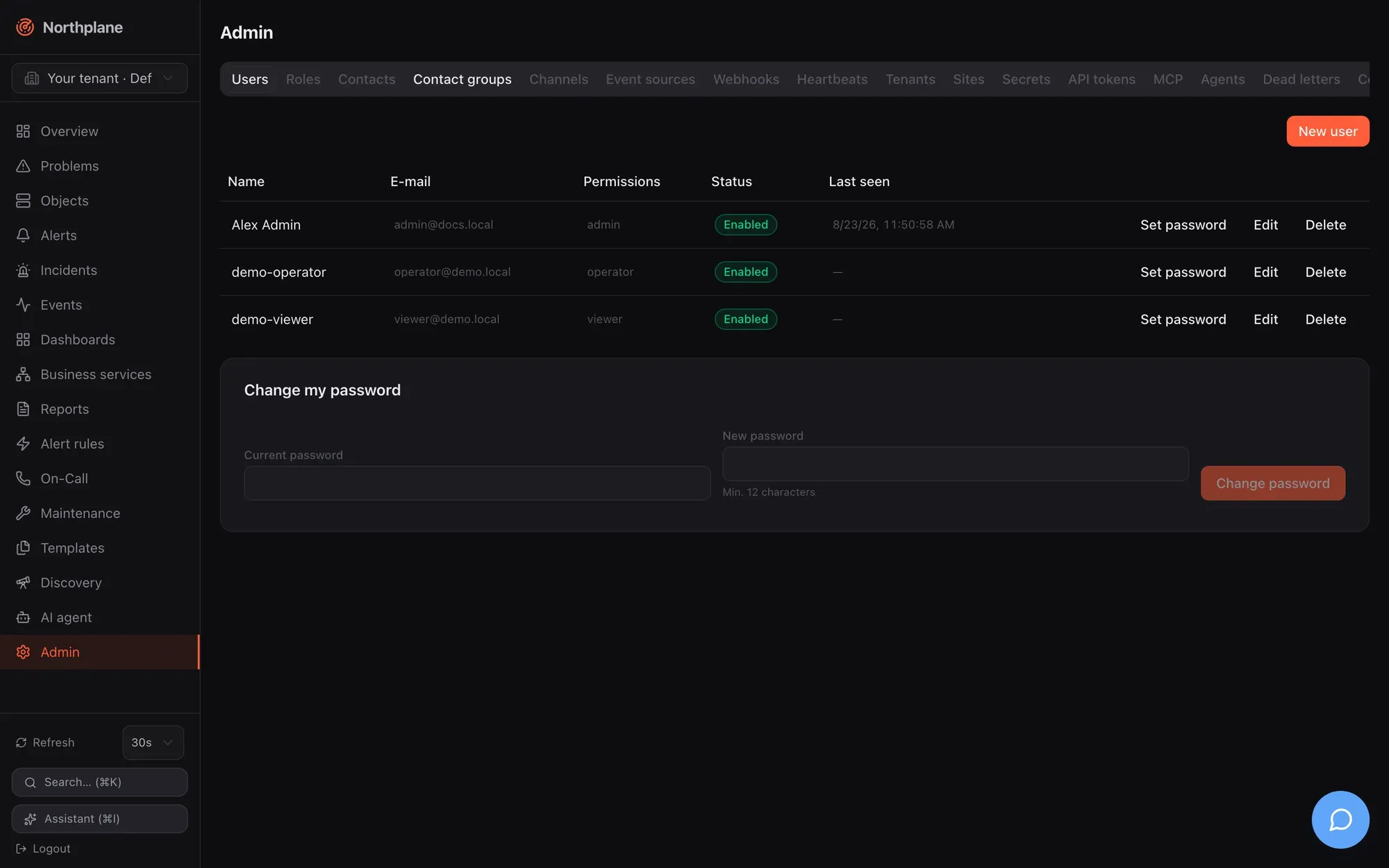
**New user** (Benutzer anlegen) dialog: **Name**, **E-mail**, **Password** (Passwort; optional for new users, minimum 12 characters; “Empty = OIDC login only”), **Roles** (list with suggestions from `GET /api/v1/roles`), switch **Disabled** (Deaktiviert). Calls: `POST /api/v1/users`, `PUT /api/v1/users/{id}`, `POST /api/v1/users/{id}:set-password` (“Leaving it empty removes the password (OIDC only)”), `DELETE /api/v1/users/{id}`.
Two footer cards: **Directory sync (LDAP)** (Verzeichnis-Sync (LDAP)) appears only when LDAP is configured and shows URL, interval, last run, counts (new / updated / deactivated / skipped), warnings and a **Sync now** (Jetzt synchronisieren) button (`POST /api/v1/directory:sync`); **Change my password** (Mein Passwort ändern) takes the current and a new password (≥ 12) and calls `POST /api/v1/users/me:change-password`. Note that `GET /api/v1/users` lists users of the whole installation, not only the current tenant. Authentication sources and password policy: [Authentication](/docs/administration/authentication/).
## Roles (Rollen)
[Section titled “Roles (Rollen)”](#roles-rollen)
Table: **Name** (built-in roles carry a **System** badge and have no edit/delete buttons), **Permissions** (Berechtigungen), **Inherits** (Erbt), **IdP groups**. Dialog: **Name**, **Permissions** (list; hint “e.g. objects:read, alerts:ack, "\*" for all”), **Inherits from roles (includes)**, **IdP groups (auto-assignment)** (group names or DNs mapped at OIDC/LDAP login), **Scope: tenant / folder / selector**. The scope fields are stored but not enforced in this version, and the API does not protect system roles from `PUT`/`DELETE` — only the UI hides the buttons (see [Known issues](/docs/project/roadmap-and-known-issues/)). Permission names and semantics: [Users, roles and permissions](/docs/administration/users-roles-permissions/).
## Contacts (Kontakte)
[Section titled “Contacts (Kontakte)”](#contacts-kontakte)
Table: **Name**, **E-mail**, **Phone** (Telefon), **Time zone** (Zeitzone), **Profiles** (Profile). Dialog: **Name** (locked on edit), **E-mail**, **Phone** (E.164, e.g. `+491701234567`), **Time zone** (e.g. `Europe/Berlin`), and the **Notification preferences** (Benachrichtigungs-Präferenzen) editor — ordered rows of **Profile**, **Time period** (Zeitperiode, “(always)” when empty), **Min. severity** (“(all)” when empty) and **Channels (order = priority)**. How preferences interact with escalation steps (a step that names channels overrides them) is in [Contacts and on-call](/docs/alarming/contacts-and-oncall/). A GDPR data export per contact exists as `GET /api/v1/contacts/{name}:data-export` (`admin:audit`).
## Contact groups (Kontaktgruppen)
[Section titled “Contact groups (Kontaktgruppen)”](#contact-groups-kontaktgruppen)
Table: **Name**, **Members** (Mitglieder), **IdP group**. Dialog: **Name**, **Members** (list with contact-name suggestions), **IdP group** (optional — mirrors an Entra/Keycloak group).
## Channels (Kanäle)
[Section titled “Channels (Kanäle)”](#channels-kanäle)
Table: **Type** (Typ), **Name**, **Status**, **Template**, per row **Send test** (Test senden → `POST /api/v1/channels/{name}:test-notification`, `config:write`), **Edit**, **Delete**. Dialog: **Name**, **Type** (`email`, `webhook`, `slack`, `teams`, `ntfy`, `sms`, `push`, `voice`, `mqtt`, `servicenow`, `zendesk`, `jira`, `ticket`), switch **Enabled** (Aktiv), a **Configuration** block with typed fields per type (for `email` the fields follow the provider `smtp` / `sendmail` / `resend` / `ses`; secret fields show the hint “Value or $SECRET:name$ reference”), the **Delivery / retries** group (max delivery attempts, backoff seconds, backoff cap), a **More settings** key/value editor for any additional config keys, and an optional **Template** override.
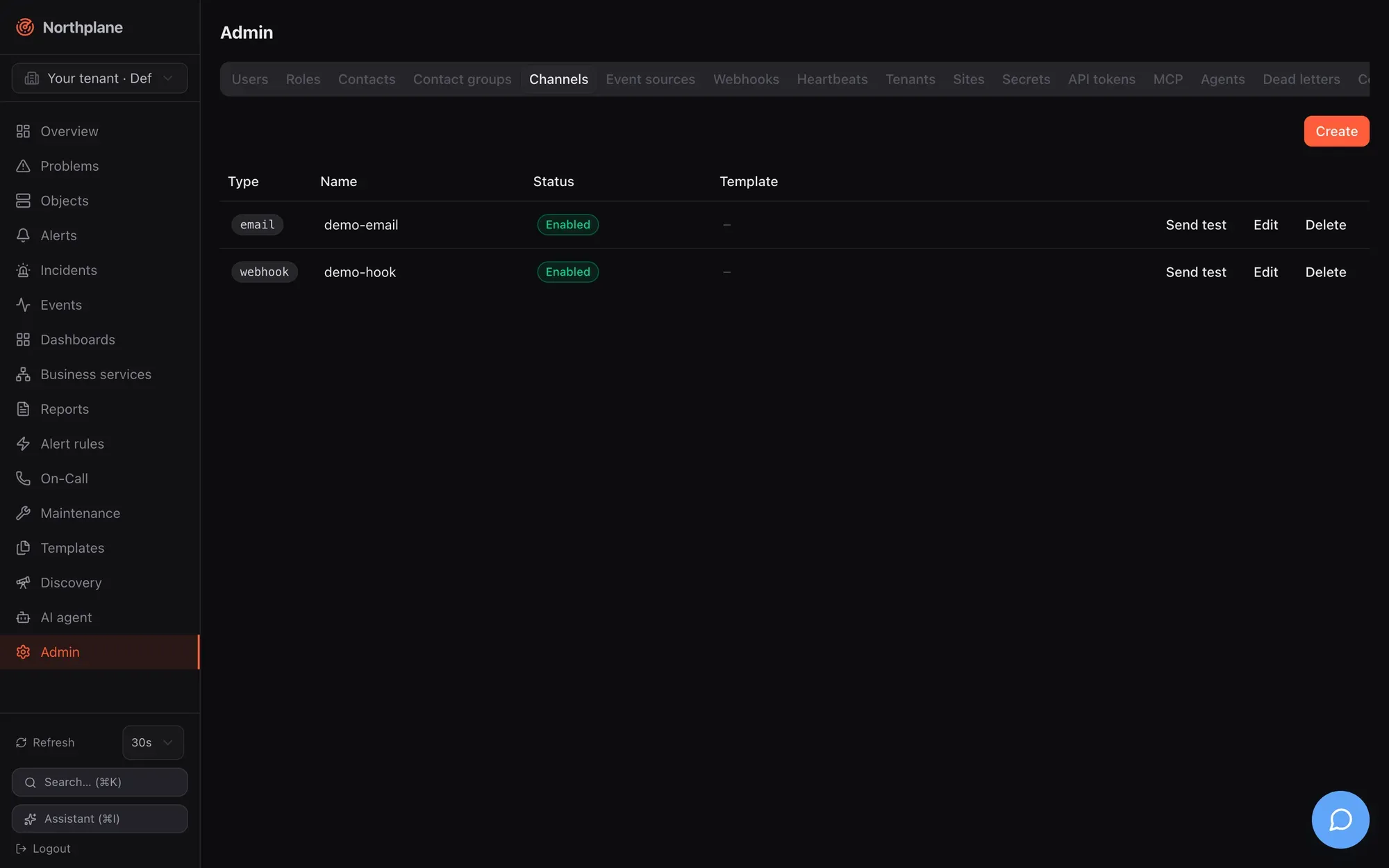
Two hints in the dialog are worth repeating: for `push`, “Web push: VAPID server-side, no config needed. FCM/APNs only for the mobile app.”; for `voice`, “During the call: press 4 to acknowledge, 6 to resolve the alarm”. Every type’s config keys, the `$SECRET:name$` syntax and the rule that escalation steps use the alphabetically first **enabled** channel of a type are in [Channels](/docs/alarming/channels/). Remember to switch **Enabled** on — a disabled channel is skipped silently.
## Event sources (Event-Quellen)
[Section titled “Event sources (Event-Quellen)”](#event-sources-event-quellen)
Table: **Type**, **Name**, **Status**, and the **ingest URL** to configure at the sender: `/api/v1/ingest/<name>` for `webhook` and `alertmanager`, `/api/v1/voice/inbound/<id>` for `voice-inbound`, `/api/v1/sms/inbound/<id>` for `sms-inbound`, `agi://<host>:4573/<id>` for `asterisk-inbound`. Dialog: **Name**, **Type** (`webhook`, `alertmanager`, `snmp-trap`, `imap`, `email`, `voice-inbound`, `sms-inbound`, `asterisk-inbound`, `mqtt`, `espa`, `espa-x`), **Enabled**, **Rate limit (events/s)** and burst, **Auth mode** (`none` / `token` / `hmac` / `basic`) with a **Secret reference**, then type-specific blocks (SNMP listener/community/v3 protocols and secret refs; IMAP host/port/TLS/mailbox/folder/poll interval/markSeen; Twilio voice/SMS with IVR menu, language, voice, allowed senders, escalation policy, Twilio auth token; SMS **Action** `event`/`alert` and **ACK keyword**; MQTT broker/topics/QoS; ESPA listen address; AGI listen address, TTS application, recording directory), **Mapping (CEL)** for webhooks (“NormEvent fields from the raw payload”), **Labels** (“merged into every event”) and **More settings**. Every type with its config table and an example lives in [Event sources](/docs/alarming/event-sources/); the telephony ones additionally in [Voice and IVR](/docs/alarming/voice-and-ivr/).
SNMPv3 secret references
The dialog writes `v3AuthSecretRef` / `v3PrivSecretRef` for SNMPv3, but the trap listener reads `v3AuthPass` / `v3PrivPass`. Until this is aligned, set the inline keys through **More settings** (see [SNMP](/docs/monitoring/snmp/) and [Known issues](/docs/project/roadmap-and-known-issues/)).
## Webhooks
[Section titled “Webhooks”](#webhooks)
Outgoing webhook subscriptions: **Name**, **URL**, **Event types** (Event-Typen; comma-separated, empty = all), **Selector** (optional, matched against the event’s labels), **Status**. Dialog adds the **HMAC secret** (sent as `X-Northplane-Signature: sha256=<hex>`) and **Enabled**. Payload, retries and examples: [Outgoing webhooks](/docs/alarming/webhooks-out/).
## Heartbeats
[Section titled “Heartbeats”](#heartbeats)
Dead-man inputs for cron jobs and scripts: table **Name**, **Expected every** (Erwartet alle), **Grace** (Karenz), **Severity**, **Last beat** (Letzter Beat, “never” until the first), **Status** (a **missing** (fehlt) badge when overdue). Dialog: **Name** (locked on edit, placeholder `backup-job`), **Expected every** (required, e.g. `1h`), **Grace (optional)** (e.g. `10m`), **Severity** (the form defaults to `critical`), **Labels**, and a copyable beat command:
```bash
curl -H "Authorization: Bearer np_…" https://<instance>/api/v1/heartbeats/<name>/beat
```
The beat needs a token with `objects:write`; `GET` and `POST` both work. A missed beat produces a `heartbeat_missed` event — an alert still needs a rule (for example `event.type == "heartbeat_missed"`). Heartbeats vs. the outgoing dead-man URL: [Heartbeats](/docs/monitoring/heartbeats/).
## Tenants (Mandanten)
[Section titled “Tenants (Mandanten)”](#tenants-mandanten)
List: **Name**, **Slug**, **Status**, **ID**; **Create** with **Name** and **Slug** (“URL-friendly short name”) → `POST /api/v1/tenants`. The tab states it plainly: “Tenants can be created here but not yet renamed or deleted.” — there is no update or delete API. Creating a tenant seeds the built-in roles into it. Switching into a tenant is done with the sidebar [tenant switcher](/docs/ui/navigation/#tenant-switcher); the model is in [Tenants and sites](/docs/administration/tenants-and-sites/).
## Sites (Standorte)
[Section titled “Sites (Standorte)”](#sites-standorte)
The federation fleet view from `GET /api/v1/sites:overview`: **Name**, **Status** (**Connected** / **Disconnected** — a heartbeat younger than 5 minutes counts as connected), **Last seen**, **Version**, hosts/services, **Open alerts**, **Configuration** (**Applied** or **Apply error**), **Edit**, **Delete**. Dialog: **Name**, **Description**, **Config bundle (YAML)** (“Pulled and applied by the edge instance; validated on save” — invalid YAML is rejected with `422`), checkbox **Disabled (reject edge access)**. The hint under the form explains the edge side: create a token with scope `sites:connect` and put `federation: { mode: edge, mainUrl: …, token: np_…, site: <Name> }` into the edge’s `config.yaml`. Full model and the worked VM104 example: [Federation](/docs/concepts/federation/) and [Tenants and sites](/docs/administration/tenants-and-sites/).
## Secrets
[Section titled “Secrets”](#secrets)
“Values are stored encrypted and never shown again. Reference in channels/sources:” — the table lists **Name** and the **Reference** `$SECRET:name$`; **Create** takes **Name** (e.g. `smtp-password`) and **Value** (“Never shown again.”) → `PUT /api/v1/secrets/{name}`; **Delete** → `DELETE /api/v1/secrets/{name}`. `GET /api/v1/secrets` returns names only. Encryption, the `secret.key` file and where references are accepted: [Secrets](/docs/administration/secrets/).
## API tokens (API-Tokens)
[Section titled “API tokens (API-Tokens)”](#api-tokens-api-tokens)
**Create token** (Token erstellen): **Name** and **scopes (comma-separated)** (default `objects:read,alerts:read`) → `POST /api/v1/api-tokens`; the minted `np_…` token is shown **once** (“Shown once — save it now:”). Table: **Name** (a sparkle marks AI-agent tokens), **Prefix** (`np_<prefix>…`), **Scopes**, **Last used** (Zuletzt), **Revoke** (Widerrufen → `DELETE /api/v1/api-tokens/{id}`). Expiry, IP binding, rotation (`…:rotate`) and the `aiAgent` flag are API-only in this version — see [API tokens](/docs/administration/api-tokens/).
## MCP
[Section titled “MCP”](#mcp)
The integration helper for AI clients. It shows the MCP URL `https://<instance>/mcp` (copy button) and two steps: **1. Create token** with a scope preset — **Read only** (Nur lesen), **Read + operate** (Lesen + Bedienen), **Read + configure** (Lesen + Konfigurieren) — minted with `aiAgent: true` so calls are audited as `ai_agent`; **2. Connect client** with ready-made snippets for Claude Code, Claude Desktop, Cursor, VS Code, Windsurf, Codex CLI and Gemini CLI (the freshly minted token is already inserted). A hint covers the local stdio alternative (`northplaned mcp` with `NORTHPLANE_TOKEN`). Tool list, RBAC mapping and the preset-scope caveat: [MCP server](/docs/ai/mcp-server/).

## Agents
[Section titled “Agents”](#agents)
The np-agent enrollment helper: **1. Install the binary** one-liner (`curl -fsSL https://raw.githubusercontent.com/myfoxit/northplane/main/install.sh | sh`), **2. Create token** with exactly `objects:write` and an optional hostname, **3. Configure & start** with a prefilled `agent.yaml` and service-unit tabs for Linux (systemd), macOS (launchd) and Windows (service via PowerShell).
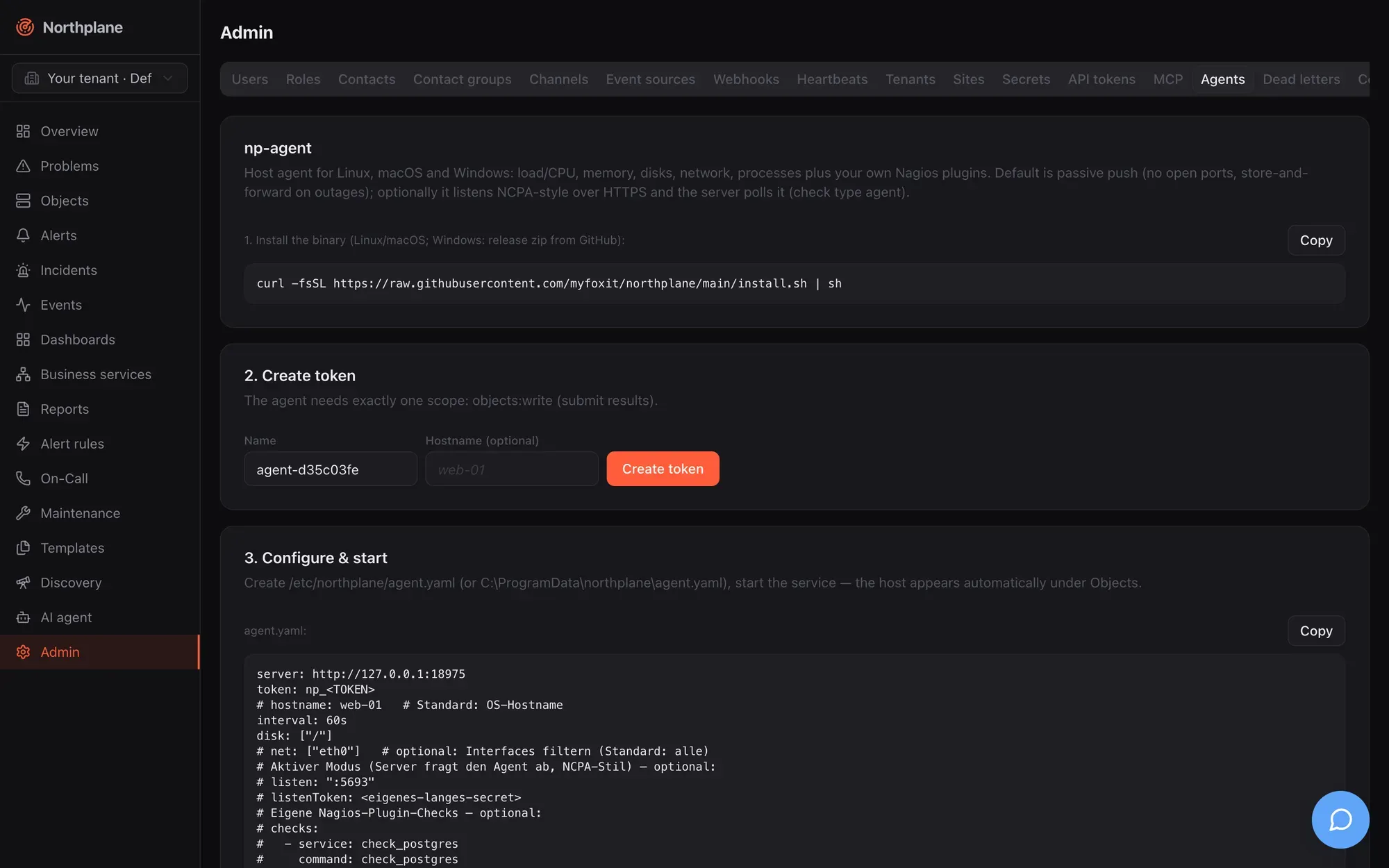
One thing the tab gets wrong
“The host appears automatically under Objects” is not what the server does: results for unknown hosts are rejected, so create the host (and its services) first — by UI, API, bundle or discovery. It is listed in [Known issues](/docs/project/roadmap-and-known-issues/).
## Dead letters (Dead-Letters)
[Section titled “Dead letters (Dead-Letters)”](#dead-letters-dead-letters)
“Deliveries that failed permanently (all retries exhausted). Replay requeues them with fresh backoff.” Table: **Time**, **Kind** (Art), **Attempts** (Versuche), **Last error**, **Replay** (→ `POST /api/v1/notifications/dead-letters/{id}:replay`, `alerts:ack`; the row shows “✓ requeued”). Empty: “No dead letters — all delivered.” The outbox, backoff and the 30-attempt limit: [Reliability](/docs/alarming/reliability/).
## Config bundles (Config-Bundles)
[Section titled “Config bundles (Config-Bundles)”](#config-bundles-config-bundles)
Two cards. **Export**: “The complete configuration as a canonical YAML bundle (backup, GitOps, migration).” — **⇩ Download bundle.yaml** fetches `GET /api/v1/config/bundles:export` as `northplane-bundle.yaml`. **Plan & Apply**: paste a bundle → **Plan (dry run)** (`POST /api/v1/config/bundles:plan`, `Content-Type: application/yaml`) → a plan table with create/update/delete badges, kind, name and diff, plus warnings → **Apply** (`POST /api/v1/config/bundles:apply?applyToken=…`). The apply token is single-use and valid for 10 minutes, so exactly the reviewed plan is applied; “No changes — configuration is identical.” means the bundle matches. Format, kinds, prune and `np apply`: [Config bundles](/docs/administration/config-bundles/).
## Audit log (Audit-Log)
[Section titled “Audit log (Audit-Log)”](#audit-log-audit-log)
Filter by action prefix (`host.`, `alert.`, `ai.` …), **Verify chain** (Kette prüfen → `POST /api/v1/audit:verify`, result “Audit chain intact” or “AUDIT CHAIN BROKEN”), **⇩ NDJSON (SIEM)** export (`GET /api/v1/audit:export`). Table: **Seq**, **Time**, **Actor** (Akteur; `ai_agent` actors are highlighted), **Action**, **Resource**. The hash chain, retention (none — no purge) and `np audit`: [Observability](/docs/administration/observability/).
## AI approvals (AI-Freigaben)
[Section titled “AI approvals (AI-Freigaben)”](#ai-approvals-ai-freigaben)
Proposed and executed AI tool actions (polled every 15 s): status badge, tool, arguments, actor, time; **Approve** (Freigeben → `…:approve`, `config:write`) and **Deny** (Ablehnen → `…:deny`, `alerts:ack`) for proposed ones. Approving executes the action only when a server-level AI provider is configured (`ai.provider`); otherwise the action stays approved but unexecuted — see [Agent chat](/docs/ai/agent-chat/).
## AI providers (KI-Provider)
[Section titled “AI providers (KI-Provider)”](#ai-providers-ki-provider)
**Shared connections (for all tenant users)**: LLM provider connections every user of the tenant can pick in the agent chat — add/edit with the same form as personal connections (Name, Provider, API key stored sealed, Endpoint, Default model, **Test**), delete with `DELETE /api/v1/ai/connections/{id}?shared=true`; needs `admin:ai`. **Agent policy** (Agent-Richtlinie): “Controls what the agent may do: disabled tools are invisible; auto-approve skips the human approval for a mutating tool.” — a table of all tools (`GET /api/v1/ai/tools`) with switches **Active** and **Auto-approve** (only for mutating tools), **Max tool rounds per message** (0–24), **Save** (`PUT /api/v1/ai/policy`, `admin:ai`). Providers, tools and the policy model: [Agent chat](/docs/ai/agent-chat/).
## System health (System-Health)
[Section titled “System health (System-Health)”](#system-health-system-health)
Two raw-JSON cards refreshed every 10 s — `GET /api/v1/system/info` (version, Go version, uptime, storage dialect, goroutines, heap, `aiEnabled`) and `GET /api/v1/system/health` (subsystems and queue depths) — and an **OpenMetrics ↗** link to `/metrics`. All three endpoints are reachable without login; restrict them at the proxy if that matters to you. What the fields mean and the Prometheus families: [Observability](/docs/administration/observability/).

## Appearance (Darstellung)
[Section titled “Appearance (Darstellung)”](#appearance-darstellung)
**Mode** (Modus) radio **System** / **Light** (Hell) / **Dark** (Dunkel) — “Light/dark — every theme comes in both modes.” — and the **Colour theme** (Farbschema) radio grid of 31 themes with swatches. The description says it all: “Full interface palette. Applies to this instance — every user sees it, and switching customer does not change it.” Controls are disabled with the banner “Only administrators with config:write can change this instance’s appearance.” unless you hold `config:write`; changes are written to `PUT /api/v1/branding`. Theme list and mechanics: [Branding and themes](/docs/administration/branding-and-themes/).

## The AI agent page (`/agent`)
[Section titled “The AI agent page (/agent)”](#the-ai-agent-page-agent)
Not an Admin tab but closely related: **AI agent** (KI-Agent) is the full chat workspace. Left: **New chat** (Neuer Chat), the chat list (`GET /api/v1/ai/chats`, title and age, hover delete) and an **AI providers** (KI-Provider) button that opens the personal **Providers dialog** (Name, Provider, API key, Endpoint, Default model, **Test**; shared connections appear read-only with a **Shared** badge). Right: the thread. Empty state: “Chat with your infrastructure: the agent operates the Northplane tools under your permissions. Mutating actions require human approval.” with a **Connect a provider** button when you have no connection yet.

The composer has a connection select, a model select (`GET /api/v1/ai/connections/{id}/models`), a **Tools** (Werkzeuge) popover (switch tools on/off, **Reasoning effort** Standard/low/medium/high), a **Stop** button while streaming, and the textarea (Enter sends). Sending creates the chat if needed (`POST /api/v1/ai/chats`) and streams `POST /api/v1/ai/chat`. Messages render as Markdown (no raw HTML), with collapsible reasoning, tool cards showing input/output, and **Approve** / **Deny** buttons on proposed mutating tool calls (“Approval required”); you can regenerate the last answer or delete a message. Everything here requires `events:read`; tool execution is further limited by your own permissions and the agent policy. Full documentation: [Agent chat](/docs/ai/agent-chat/).
# Alerting configuration and other pages
> The Alerting page with its five tabs (alert rules with the inline tester, alert groups, escalation policies with the simulator, IVR menus, text-to-speech profiles) and a short tour of the Dashboards, Reports, Business services, Discovery, Maintenance and Templates pages.
The sidebar entry **Alert rules** (Alarm-Regeln) opens `/alerting`, the page where the alarming pipeline is configured: which events become alerts, how alerts are grouped, who is notified in which order, what callers hear on the phone, and how voice alarms are spoken. Channels, event sources, contacts and heartbeats are configured under [Admin](/docs/ui/admin/). The page heading follows the active tab; the primary button in the header is **New rule** (Regel anlegen) on the rules tab and **Create** (Anlegen) elsewhere.
All five tabs are tenant-scoped config documents: reading needs `objects:read`, creating/updating/deleting needs `config:write` (held by `admin`, not by `operator`). Every dialog saves with `If-Match` optimistic locking and shows “Conflict — please reload.” on a `409`/`412`.
## Alert rules tab (Alarm-Regeln)
[Section titled “Alert rules tab (Alarm-Regeln)”](#alert-rules-tab-alarm-regeln)
Data: `GET /api/v1/alert-rules` (plus `GET /api/v1/alert-groups` and `GET /api/v1/escalation-policies` for the pickers). The list shows **Name**, the **Severity** badge, the **Match expression (CEL)** (Match-Ausdruck) excerpt — or `♥ <source> / <expectEvery>` for heartbeat rules — the escalation policy, a **Disabled** (Deaktiviert) badge where set, and two actions: **Test rule** (Regel testen, flask icon) and **Edit** (Bearbeiten).
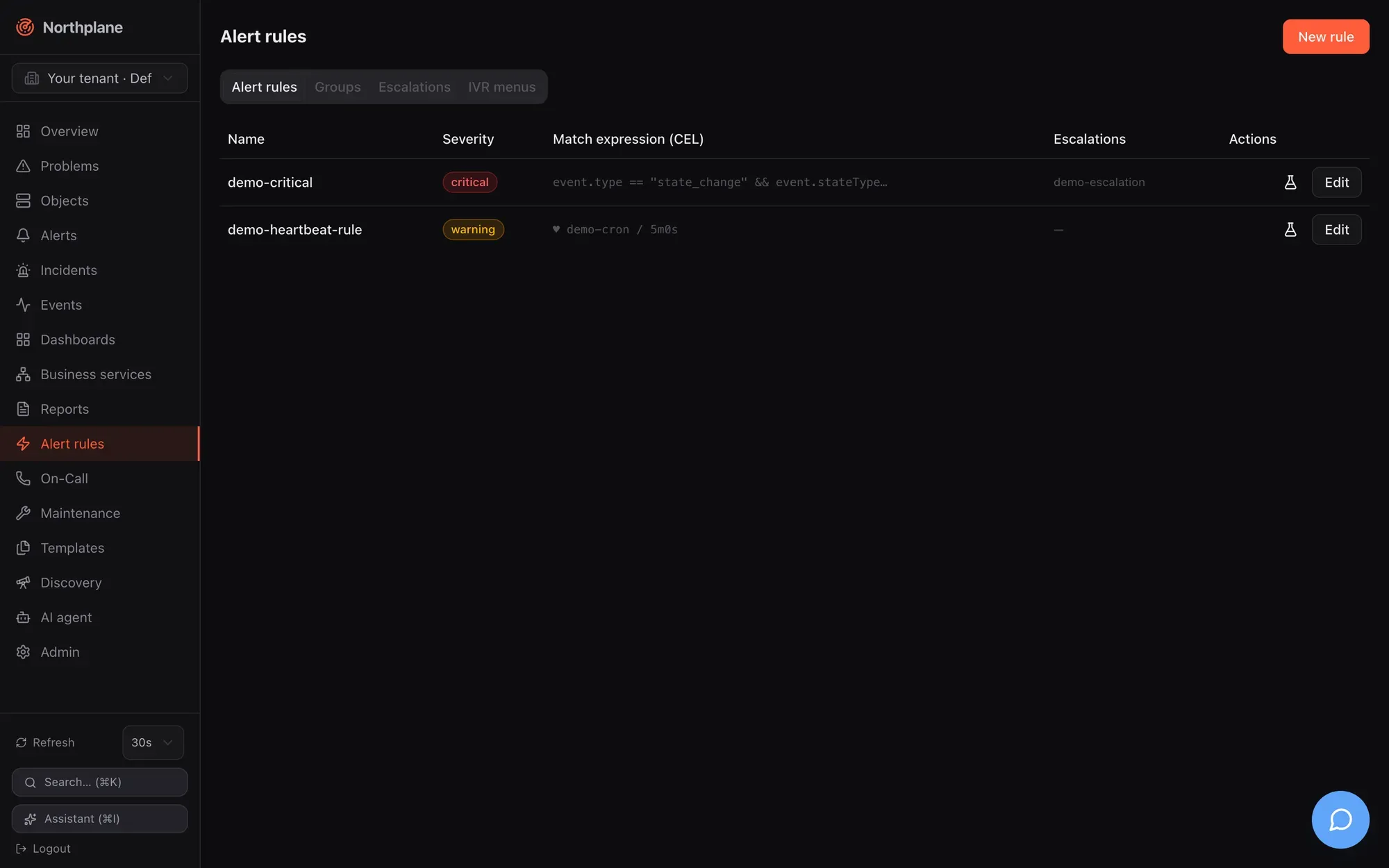
**Test rule** in the list calls `POST /api/v1/alert-rules/{name}:test` with an empty body (`alerts:read`): the server replays recent events against the saved rule and answers “N events would match, M alerts would open” (N Events würden matchen, M Alarme entstehen) plus the list of alerts that would open. Empty state: “No alert rules yet — create one to turn events into alerts.”
### Rule dialog
[Section titled “Rule dialog”](#rule-dialog)
| Field (EN / DE) | Input | Meaning |
| -------------------------------------------------------------------------------------------------------- | ------------------------------------------------------------------------------------ | ----------------------------------------------------------------------------------------------------------------------------------------------------------------------------------------------------------------------------------------------------------- |
| **Name** | required, locked on edit, placeholder `host-down-critical` | |
| **Source** (Quelle) | radio **CEL-Match** or **Heartbeat** | Exactly one of the two is saved. |
| CEL expression | textarea, placeholder `event.type == "state_change" && event.severity == "critical"` | The match expression — see the CEL environment in [Alert rules](/docs/alarming/alert-rules/). |
| Heartbeat **Source** + **Expected every** (Erwartet alle) | text (placeholder `backup-job`) + duration (placeholder `1h`) | Silence detection: opens an alert when no event from that source arrives within `expectEvery`. `source` is compared with the events’ `sourceId`, i.e. the **id** of the event source — not its name — and the rule arms only after the first event from it. |
| **Severity** | `critical` / `warning` / `info` / `ok` | `ok` is allowed for resolve rules. |
| **Dedup key** (Dedup-Key) | text, hint “optional, Go template” | Alerts with the same rendered key are folded. |
| **Title (Go template)** (Titel) | text | Alert title template. |
| **Pending period** (Pending-Periode) | duration, placeholder `5m` | The condition must persist this long before the alert opens (state kept in memory — lost on restart). |
| **Auto-close** (Autoclose) | duration, placeholder `24h` | Open alerts expire after this. |
| **Escalations** (Eskalationen) | select of policies, or **none** | The policy started when the alert opens. |
| **Group** (Gruppe) | select of alert groups, or **none** | See the caution below. |
| **Set labels** (Labels setzen) | key/value editor (`team` = `netops`) | Labels stamped on the alert — including `np.sound`, `np.volume`, `np.tts` for the alarm app and voice. |
| **Resolve on OK** (Bei OK schließen), **Create incident** (Incident anlegen), **Disabled** (Deaktiviert) | toggles | |
| **Test panel** | editable demo-event JSON + **Run** (Ausführen) | `POST /api/v1/alert-rules:test` with `{rule, demoEvents}` — works on the unsaved form, so you can iterate before saving. |
| **Delete** | on existing rules | `DELETE /api/v1/alert-rules/{name}` |
Template placeholders shown in the dialog
The dedup-key and title fields show the placeholders `{{.ObjectID}}` and `{{.ObjectName}} ist {{.ToLabel}}`. They do not match the engine’s data model: the title template sees only the **event** as `{{ .event.* }}` (for example `{{ .event.summary }}`, `{{ .event.object }} is {{ .event.state }}`, `{{ .event.labels.host }}`), the dedup-key template additionally `{{ .object.id }}` and `{{ .rule.name }}`. The capitalised placeholders render as the literal text `<no value>`. Leave dedup key empty to get the default `<objectId>/<ruleName>`. See [Alert rules](/docs/alarming/alert-rules/) for the template context.
## Groups tab (Gruppen)
[Section titled “Groups tab (Gruppen)”](#groups-tab-gruppen)
Data: `GET /api/v1/alert-groups`. List columns **Name**, **Group-By**, **Window** (Fenster), **Aggregate** (Aggregat) badge, **Min**. Dialog: **Name**, **Group by (label keys)** (Group-By (Label-Keys), list), **Window**, **Aggregate** (`count` / `min` / `max` / `avg` / `sum` / `median`), **Value path** (Wert-Pfad, optional for min/max/avg/sum/median), **Min. count** (Min. Anzahl).
Groups are configuration only
Alert groups can be created and attached to rules, but no runtime component evaluates them in this version — rules behave as if no group were set. See [Known issues](/docs/project/roadmap-and-known-issues/).
## Escalations tab (Eskalationen)
[Section titled “Escalations tab (Eskalationen)”](#escalations-tab-eskalationen)
Data: `GET /api/v1/escalation-policies`. List columns **Name**, number of steps, a **Steps overview** (Stufen-Übersicht) such as `+0s → +10m`, **Edit**. The dialog is the policy **Name** plus ordered **Step** (Stufe) cards (move up/down, remove, add):

| Step field (EN / DE) | Input | Meaning |
| ---------------------------------------------------------------------------- | ------------------------------------------------------------------------------------------- | ---------------------------------------------------------------------------------------------------------------------------------------------------- |
| **After** (Nach) | duration, placeholder `0s`, hint “Delay from alert” | When the step fires, counted from the alert opening. |
| **Only if not acknowledged** (Nur falls nicht quittiert) | toggle | `unlessAcked` — suppresses this step’s send if the alert was acknowledged by then. An acknowledged alert never advances to further steps anyway. |
| **Notify** (Benachrichtigen) | radio **Schedule** (Dienstplan) / **Contact** (Kontakt) / **Contact group** (Kontaktgruppe) | Who is notified. For a schedule you also choose **Primary** (Primär) or **Backup (2nd)** (Backup (2.)) from the rotation (“Who from the rotation”). |
| **Channels** (Kanäle) | chip picker: `email`, `webhook`, `slack`, `teams`, `ntfy`, `sms`, `push`, `voice`, `mqtt` | Channel **types**; the first enabled channel of each type (by name) is used, and a step that lists channels overrides the contacts’ own preferences. |
| **Repeat every** (Wiederholen alle) / **Max. repeats** (Max. Wiederholungen) | duration + number | Repeats the step while the alert stays open. |
| **Action: trigger webhook** (Aktion: Webhook auslösen) | toggle + webhook-channel select | Fires a webhook channel in addition to notifying. |
**Simulate** (Simulieren; `POST /api/v1/escalation-policies/{name}:simulate`, `alerts:read`) renders a timeline — who is notified when, on which channels, repeats and actions — for the **saved** policy; unsaved changes show “Save the policy first, then simulate.” The step semantics, persisted timers and what happens on ack/snooze are in [Escalation policies](/docs/alarming/escalation-policies/).
## IVR menus tab (IVR-Menüs)
[Section titled “IVR menus tab (IVR-Menüs)”](#ivr-menus-tab-ivr-menüs)
Data: `GET /api/v1/ivr-menus`. List columns **Name**, **Language** (Sprache), number of options and an **Options overview** (Optionen-Übersicht) such as `1=trigger-alarm · 2=list-alerts`. Dialog:

| Field (EN / DE) | Input |
| ----------------------------------------------------------------------------------------------------------------------------------------------------------------------------------------------------- | ------------------------------------------------------------ |
| **Name** | locked on edit |
| **Language** (Sprache) | e.g. `de-DE` (default `en-US`); German prompts for any `de*` |
| **Voice** (Stimme) | provider TTS voice, e.g. `Polly.Vicki` |
| **PIN** | optional — callers must key it in |
| **Greeting** (Begrüßung) | spoken before the options |
| **Trust caller ID** (Anrufer-ID vertrauen) | a known contact phone number replaces the PIN prompt |
| **Options** — per option: **Key** (Taste, `0`–`9`, `*`, `#`), **Action** (`trigger-alarm` / `list-alerts` / `ack-alert` / `resolve-alert` / `say`), **Label** (Bezeichnung, read aloud in the prompt) | ordered list |
| for `trigger-alarm`: **Severity**, **Title** (with `{caller}` / `{called}` placeholders), **Escalation policy**, **Sound (np.sound)**, **Record a voice message** (Sprachnachricht aufzeichnen) | |
| for `say`: **Text** | |
An IVR menu is attached to a `voice-inbound` (Twilio) or `asterisk-inbound` (FastAGI) event source under **Admin → Event sources**; the call flow, PIN gate, recording and transcription are described in [Voice and IVR](/docs/alarming/voice-and-ivr/).
## Text-to-speech tab (Sprachausgabe)
[Section titled “Text-to-speech tab (Sprachausgabe)”](#text-to-speech-tab-sprachausgabe)
Data: `GET /api/v1/tts-profiles`. List columns **Name** (the profile `default` is badged — it applies wherever no profile is named), **Engine**, **Language**, **Language detection** (mode and candidate languages) and **Voice(s)**. The dialog groups:
| Group | Fields |
| --------------------------------- | ------------------------------------------------------------------------------------------------------------------------------------------------------------------------------------------------------------------------------------------------------------------------------------------------------------------------ |
| **Engine** | engine select (`command`, `edge`, `openai`, `elevenlabs`, `azure`, `google`, `polly`, `http`), **Fallback profile**, and the engine’s config keys as reported by `GET /api/v1/tts/engines` (secret keys masked, `$SECRET:name$` hint); **More settings** (Weitere Einstellungen) is a key/value editor for anything else |
| **Voice per language** | **Default language** (e.g. `de-DE`), **Default voice**, **Speaking rate**, the language → voice map, and **Load voices** which fetches the engine’s catalogue (`POST /api/v1/tts:voices` with the unsaved profile) — pick a voice per language |
| **Language detection** | mode `off` / `per message` / `per sentence`, candidate languages |
| **Pronunciation & normalisation** | lexicon rows (word → spoken as, match case, inside words), regex rows (pattern → replacement), spell-out list, numbers mode and digit threshold, URLs mode, toggles for acronyms, units, symbols, IP addresses, identifiers, built-in lexicon |
| **Audio** | sample rate, format (PCM / µ-law), attention signal (chime/alert/gong), gain, lead/trail silence, loudness normalisation, silence trimming, cache switch |
| **Preview** | a test text with **Normalise only** (shows detected language and the text the engine receives — no engine call) and **Listen** (`POST /api/v1/tts:preview` with the unsaved profile; plays the clip inline) |
Everything the tab edits is explained on [Text-to-speech](/docs/alarming/text-to-speech/).
## Other pages in brief
[Section titled “Other pages in brief”](#other-pages-in-brief)
The following pages have their own detailed documentation in the Monitoring section; this is what you find in the UI.
### Dashboards (`/dashboards`)
[Section titled “Dashboards (/dashboards)”](#dashboards-dashboards)
A card per dashboard (name, **Shared** (Geteilt) badge, widget count, **Open**, **Delete**) and a **New dashboard** (Dashboard anlegen) dialog (Name, switch “Shared (visible to everyone)”). The dashboard view at `/dashboards/<name>` has a **time range** select (`1h` … `30d`), a **refresh** select (Off, 10 s, 30 s, 1 min, 5 min), a **Wallboard** link and **Edit** (Bearbeiten); in edit mode **+ Add widget** (Widget hinzufügen, an icon gallery of the 11 widget types with live preview), **Tidy** (Aufräumen), drag/resize on a 12-column grid, **Cancel**, **Save** (`PUT /api/v1/dashboards/{name}` with ETag). Widget types, configuration fields and data sources: [Dashboards](/docs/monitoring/dashboards/).
### Reports (`/reports`)
[Section titled “Reports (/reports)”](#reports-reports)
A table of report definitions — **Name**, **Type** (availability, SLA, alert statistics, on-call, audit), **Schedule** (Zeitplan, the raw grammar), recipient count (amber warning when scheduled without recipients), **Keep** — with **Preview** (Vorschau, HTML in a sandboxed iframe), **CSV**, **JSON**, **Run** (Ausführen: render + archive + e-mail), **Archive** (Archiv), **Edit**, **Delete**. The dialog has a schedule composer (frequency, weekday or day of month, time) that shows the resulting `daily[@HH:MM] | weekly:<weekday>[@HH:MM] | monthly[:day][@HH:MM]` string live. Report types, formats and delivery: [Reports](/docs/monitoring/reports/).
### Business services (`/business`)
[Section titled “Business services (/business)”](#business-services-business)
Left: the live aggregation **Tree** (Baum) with state glyphs and `SLA N%` per node (30 s refresh). Right: the **SLA — `<name>`** card (availability against target, error budget, consumed, remaining, window) and the **Definition** card (rule, quorum, binding, parent, weight, SLA target/window) with **Edit** and **Delete**. The dialog binds a leaf to an object or a selector (or makes an inner node), chooses `worst` / `best` / `quorum` / `weighted`, weight, SLA target and window. Rules and SLA math: [Business services](/docs/monitoring/business-services/).
### Discovery (`/discovery`)
[Section titled “Discovery (/discovery)”](#discovery-discovery)
**Start scan**: CIDR (max `/20`) and optional ports → `POST /api/v1/discovery/scans` (`config:write`). The scans table polls every 5 s while a scan runs; **Suggestions** (Vorschläge) opens a panel where you pick a folder (default `/discovered`), optional templates and the rows to adopt; **Adopt selected** creates hosts through `POST /api/v1/objects:batch` with the label `discovered=true`. Algorithm and limits: [Discovery](/docs/monitoring/discovery/).
### Maintenance (`/maintenance`)
[Section titled “Maintenance (/maintenance)”](#maintenance-maintenance)
Tabs **Silences** and **Downtimes** with a **Create** button bound to the active tab. Silences: selector and/or text regex, required comment, expiry with quick buttons **1h / 4h / 24h** or a date-time. Downtimes: target **Object** (searchable picker) or **Selector**, type `fixed`/`flexible` (+ duration), from/to, an optional free-text **RRULE** (e.g. `FREQ=WEEKLY;BYDAY=SA` — there is no visual recurrence builder), required comment. Deleting a silence expires it early; deleting a downtime cancels it. Suppression semantics and the re-arm behaviour: [Maintenance](/docs/monitoring/maintenance/).
### Templates (`/templates`, heading “Templates & Konfiguration”)
[Section titled “Templates (/templates, heading “Templates & Konfiguration”)”](#templates-templates-heading-templates--konfiguration)
Tabs **Templates**, **Check commands** (Check-Kommandos) and **Time periods** (Zeiträume). The template editor is the same spec form as the object dialog (see [Objects](/docs/ui/objects/#create-and-edit-dialog)) but flat and wide, with a **Type** (both / host / service) and labels. Check commands: name, type (`exec` / `builtin` / `agent` / `passive`), command line (list), timeout, switch “Export env macros”. Time periods: name, alias, per-weekday ranges (`08:00-17:00`, comma-separated), exceptions, exclusions. Inheritance and the catalog: [Templates](/docs/monitoring/templates/).
# Alerts, Incidents, Events and On-Call
> The Alerts page with the trigger-alarm dialog, the Incidents page, the Events log with its 12 event types and NDJSON export, and the On-Call page with schedules, layers, overrides, timeline, statistics and ICS feeds.
Four pages cover the alarming side of day-to-day operation: **Alerts** (Alarme) for the alert list and manual alarms, **Incidents** for grouped alerts, **Events** for the raw log, and **On-Call** (Bereitschaft) for who is on duty. The concepts behind them — alert lifecycle, dedup, incidents and the correlator, the event model — are in [Alerts and incidents](/docs/concepts/alerts-incidents/) and [Events](/docs/concepts/events/). All four pages reload on your [refresh interval](/docs/ui/navigation/#refresh-control-and-live-data).
## Alerts page
[Section titled “Alerts page”](#alerts-page)
Route `/alerts`. Data: `GET /api/v1/alerts?status=<status>&limit=200` (`alerts:read`); the severity filter is applied client-side. Both filters are URL parameters (`?status=…&severity=…`) and therefore linkable.
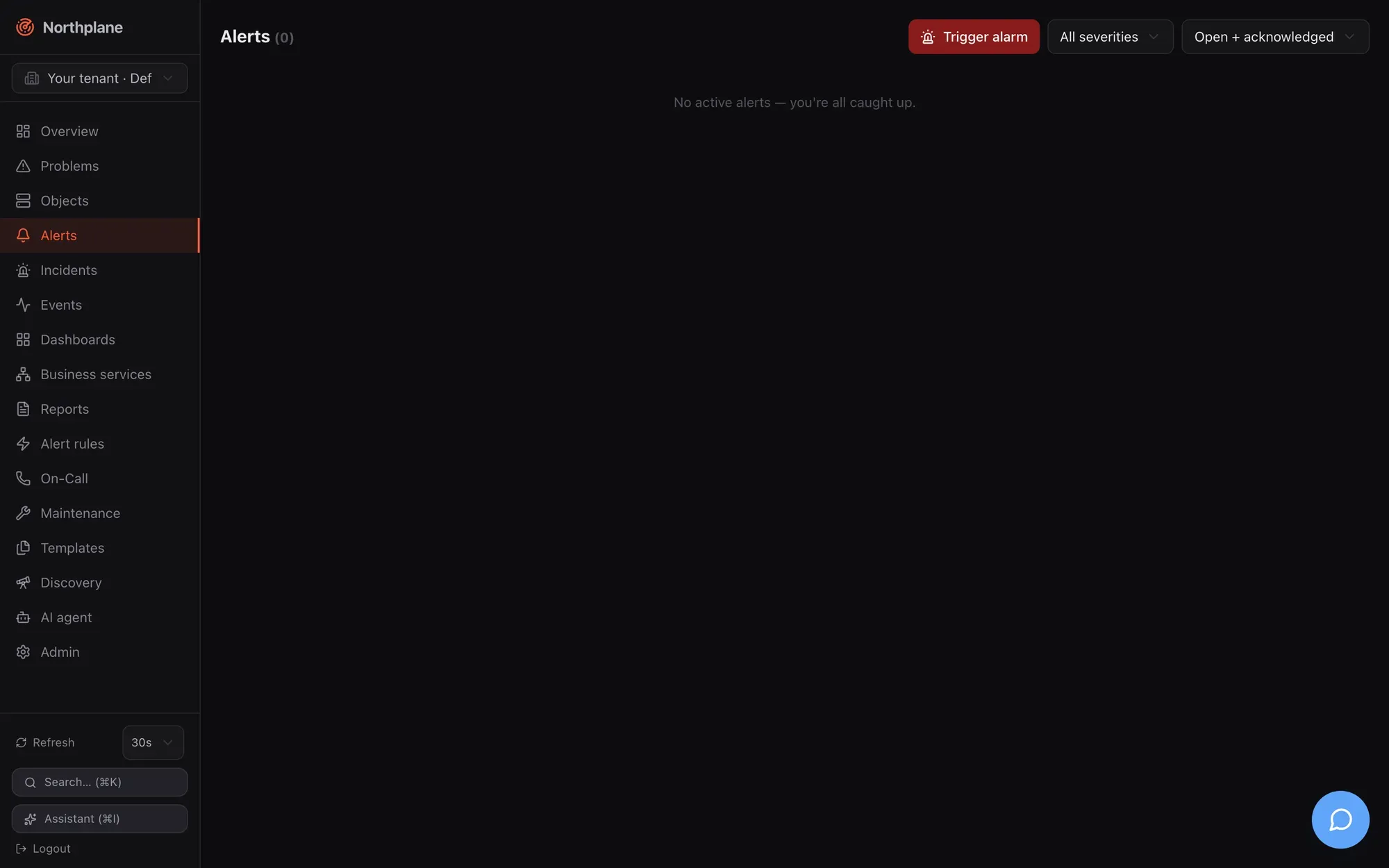
| Control (EN / DE) | Options | Effect |
| ---------------------------------- | -------------------------------------------------------------------------------------------------------------------------------------------------------------- | ------------------------------------------------------- |
| **Trigger alarm** (Alarm auslösen) | red button with a siren icon | Opens the [trigger-alarm dialog](#trigger-alarm-dialog) |
| Severity select | **All severities** (Alle Severities), `critical`, `warning`, `info` | Client-side filter |
| Status select | **Open + acknowledged** (Offen + quittiert, the default: `status=open,acked`), **Open only** (Nur offen: `open`), **Closed** (Geschlossen: `resolved,expired`) | Sent as `status=` |
Each row shows the severity badge, the title and a meta line `<status> by <ackedBy> · since <age> · <dedupKey>`. Hover actions:
| Action (EN / DE) | When | Call |
| ---------------------------- | --------------------------- | ---------------------------------------------------------------------------------------------------------------------------------- |
| **Acknowledge** (Quittieren) | open alerts | opens the [Acknowledge dialog](/docs/ui/overview-and-problems/#acknowledge-dialog) → `POST /api/v1/alerts/{id}:ack` (`alerts:ack`) |
| **Resolve** (Schließen) | open or acknowledged alerts | `POST /api/v1/alerts/{id}:resolve` (`alerts:ack`) |
After a manual alarm is raised a green “Alarm raised.” (Alarm ausgelöst.) banner shows for 2.5 s. The empty state reads “No active alerts — you’re all caught up.” (Keine aktiven Alarme — alles ruhig.)
Open alerts also offer **Snooze** (1 h / 4 h / 24 h) — ack now, auto-unack later; other durations via `POST /api/v1/alerts/{id}:snooze` — see [Acknowledge and snooze](/docs/alarming/acknowledge-and-snooze/).
### Trigger-alarm dialog
[Section titled “Trigger-alarm dialog”](#trigger-alarm-dialog)
Raises an alert by hand — a fire drill, a test of the escalation chain, an alarm reported by phone that did not come in through an event source. The call is `POST /api/v1/alerts` (`alerts:write`, held by `operator` and `admin`).
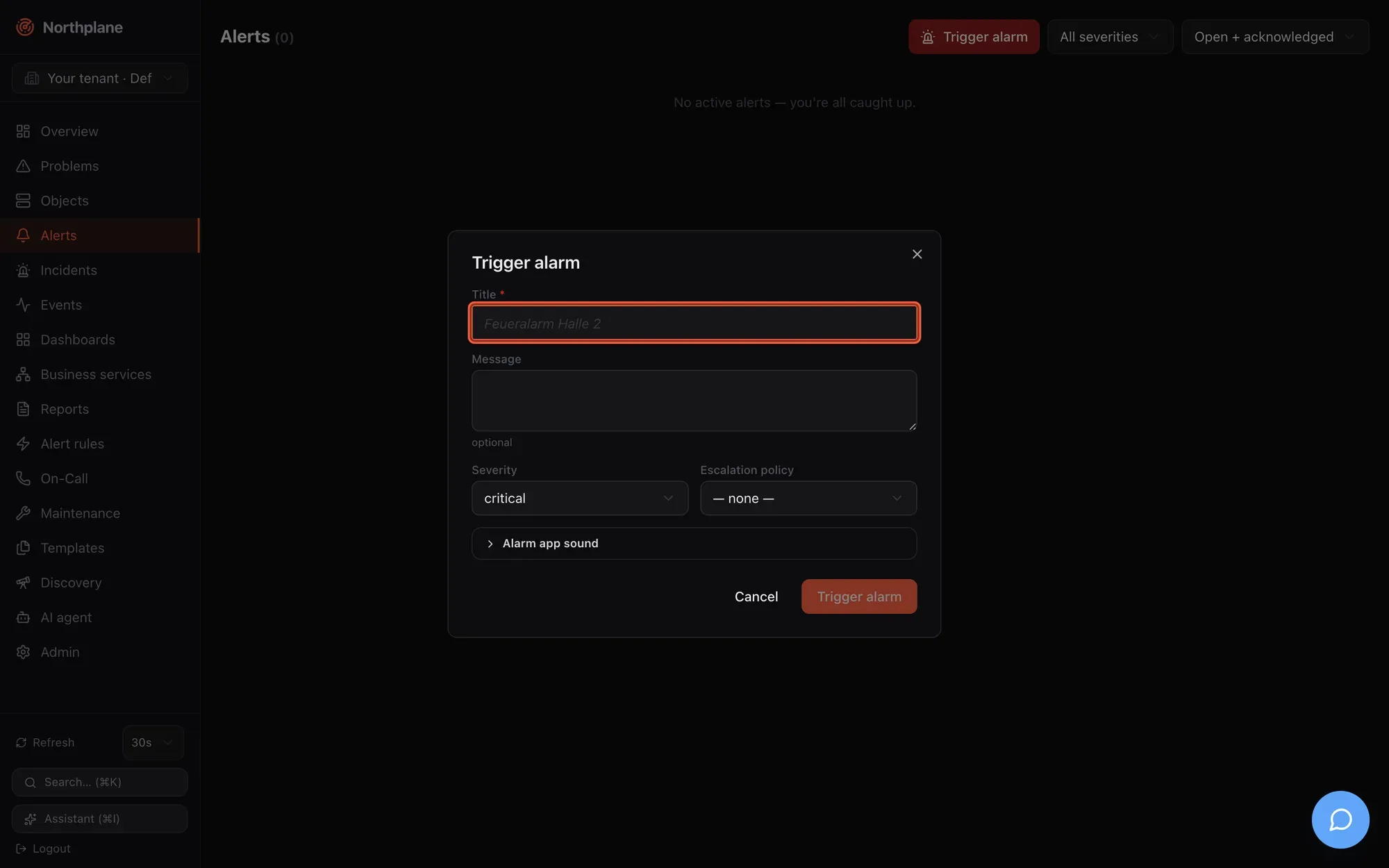
| Field (EN / DE) | Input | Sent as |
| -------------------------------------------------------------------------------------------------------------------------------- | ------------------------------------------------------------ | ----------------------------- |
| **Title** (Titel) | required, placeholder “Feueralarm Halle 2” | `title` |
| **Message** (Nachricht) | optional | `message` |
| **Severity** (Schweregrad) | `critical` / `warning` / `info` — no `ok` | `severity` |
| **Escalation policy** (Eskalationsrichtlinie) | **none** (keine) or one of `GET /api/v1/escalation-policies` | `escalationPolicy` |
| Collapsible **Alarm app sound** (Alarm-App Sound) — hint “Controls sound and volume in the Northplane alarm app (np.\* labels).” | | |
| **Sound (np.sound)** (Ton) | none / `np_klaxon` / `np_sirene` / `np_puls` | `labels["np.sound"]` |
| **Volume (np.volume)** (Lautstärke) | **(default)** or `0.1` … `1.0` | `labels["np.volume"]` |
| **Override silent mode (np.overrideSilent)** (Stummschaltung übergehen) | toggle | `labels["np.overrideSilent"]` |
The `np.*` labels drive the mobile alarm app; their contract is in [Mobile push](/docs/alarming/mobile-push/). Manual alarms bypass alert rules and are never suppressed by downtimes, silences or flapping: the chosen escalation policy starts immediately, and without one the alert only appears in the list — nobody is notified. The same endpoint is used by the alarm app, scripts, inbound voice/SMS and Asterisk; with a `dedupKey` repeated triggers fold into the existing open alarm (see [Alerts and incidents](/docs/concepts/alerts-incidents/)).
## Incidents page
[Section titled “Incidents page”](#incidents-page)
Route `/incidents`. Data: `GET /api/v1/incidents?limit=100` (`incidents:read`). Incidents are shown as cards in a two-column grid: severity badge and title (struck through once resolved), a meta line `<createdBy> · <age> · <impact>`, the summary text and a **Ticket ↗** link when a ticket URL is set. Open incidents have two actions:
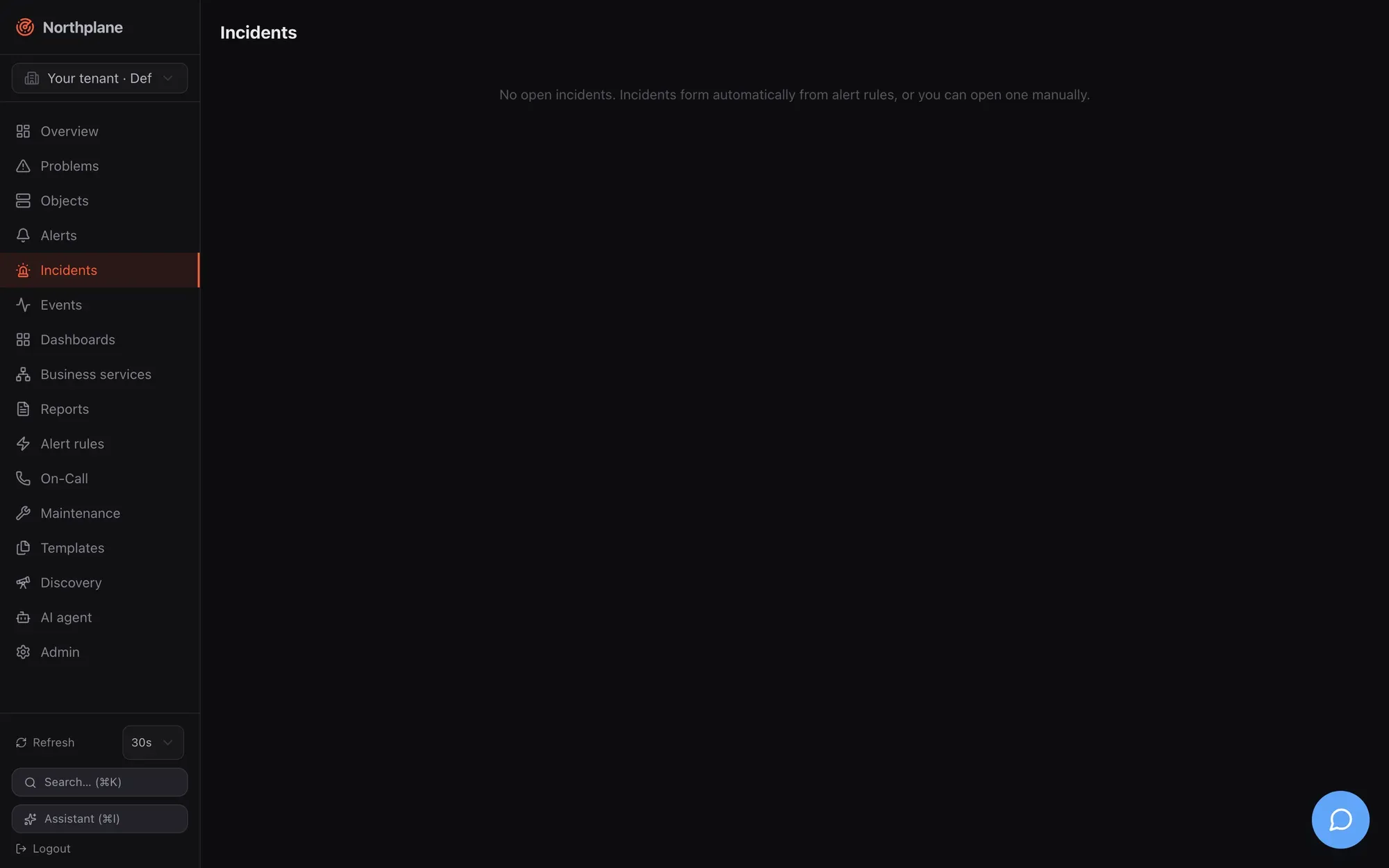
| Action (EN / DE) | Call | Notes |
| -------------------------------------------------- | ----------------------------------------------------------- | --------------------------------------------------------------------------------------------------------------------------------------------------------------------------------------------------------------------------------------------- |
| **AI summary** (AI-Zusammenfassung, sparkles icon) | `POST /api/v1/incidents/{id}:summarize` (`incidents:write`) | Needs a server-level AI provider (`ai.provider` in `config.yaml`); otherwise the API answers `503 np:ai/disabled` and nothing changes. The summary (2–3 sentences, German) is stored on the incident. See [Agent chat](/docs/ai/agent-chat/). |
| **Resolve** (Schließen) | `POST /api/v1/incidents/{id}:resolve` (`incidents:write`) | Resolves the incident **and** its open/acknowledged alerts. |
Empty state: “No open incidents. Incidents form automatically from alert rules, or you can open one manually.” **New incident** (title, severity, impact, ticket URL) creates one manually via `POST /api/v1/incidents`; merging and editing stay API-only (`…:merge`, `PUT`) — see [Alerts and incidents](/docs/concepts/alerts-incidents/).
## Events page
[Section titled “Events page”](#events-page)
Route `/events`. Data: `GET /api/v1/events?types=<type>&severity=<sev>&from=<rfc3339>&objectId=<id>&limit=200` (`events:read`), pages of 200 continued with **Load more** (cursor-based).
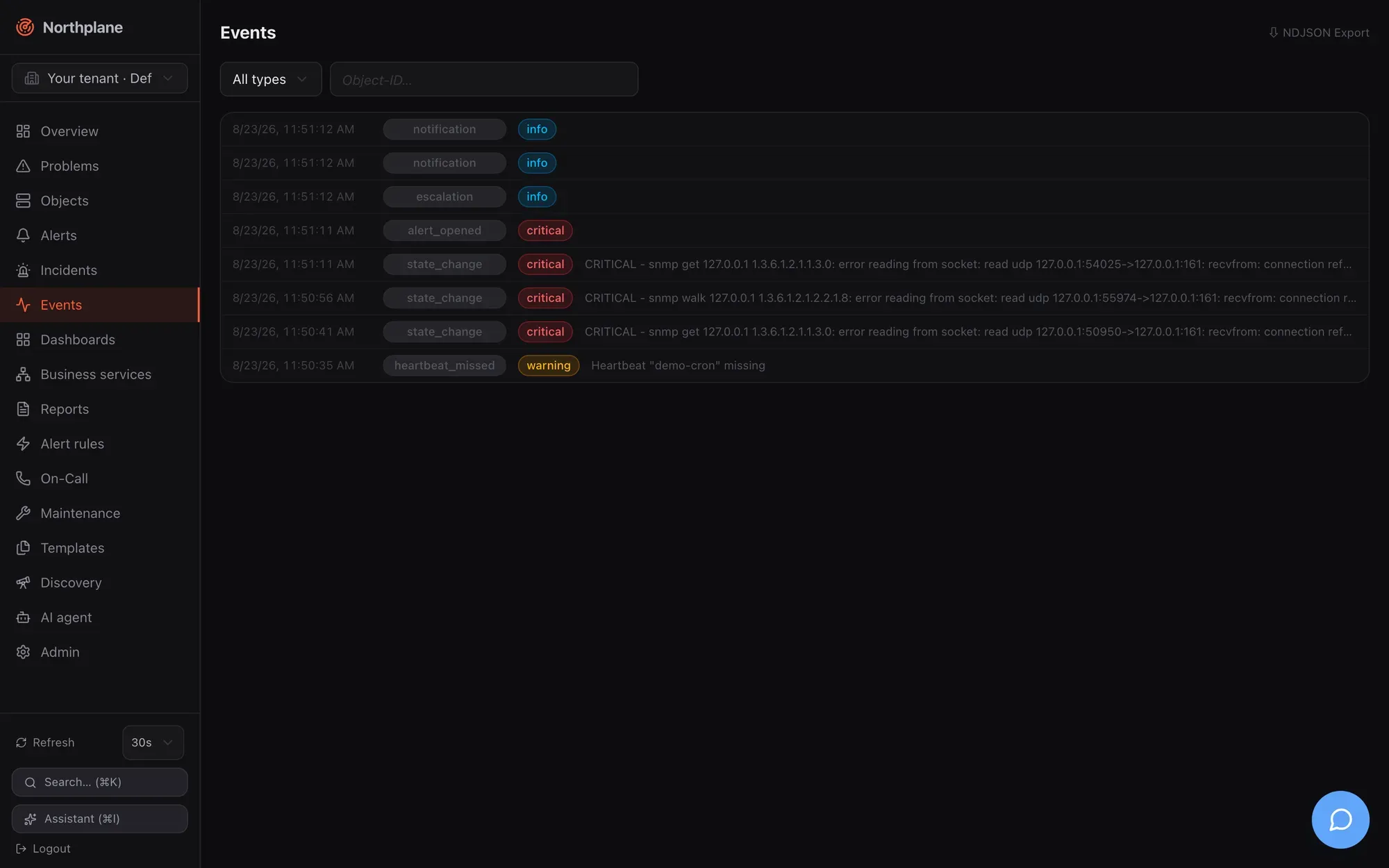
| Control | Behaviour |
| ------------------------ | -------------------------------------------------------------------------------------------------------------- |
| Type select | **All types** (Alle Typen) or one of the 14 types below |
| Severity select | **All severities** or `critical`/`warning`/`info`/`ok` |
| Time range select | everything, last hour, 24 hours, 7 or 30 days (`from=`) |
| Object input | object **name** (autocomplete) or id; names resolve to the id filter |
| **⇩ NDJSON Export** link | `GET /api/v1/events:export?…` — streams the current filters as newline-delimited JSON for SIEM or archival use |
Each row is a collapsible `details` element: time, type badge, a state/severity badge, and a one-line summary; expanding the row shows the full payload as pretty-printed JSON. Rows without a natural text field get a composed summary per type — `notification` shows channel → contact and status, `escalation` the step and contacts, `ack` who acknowledged, `config` the changed kinds.
The 14 types offered by the filter:
| Type | Emitted when |
| --------------------------------- | ------------------------------------------------------------------------------------------------- |
| `state_change` | a check result changes an object’s state (soft and hard transitions) |
| `alert_opened` | an alert is opened — by a rule, by the correlator, or as a manual alarm |
| `alert_resolved` | an alert is resolved (resolve rule, auto-close, API/UI) |
| `notification` | a delivery attempt is recorded (`pending`/`sent`/`failed`/`dead`) or a notification is suppressed |
| `escalation` | an escalation step fires, or a snoozed alert wakes up |
| `ack` | an alert is acknowledged or snoozed (any path: UI, API, ack link, SMS, IVR) |
| `ingress` | an event source accepted a payload (webhook, Alertmanager, mail, MQTT, ESPA, SNMP trap) |
| `config` | configuration changed through the API (objects, resources, bundles) |
| `downtime` | a downtime is created |
| `silence` | a silence is created |
| `heartbeat_missed` | a heartbeat did not beat in time (and again, with `resolve: true`, when it recovers) |
| `flapping_start` / `flapping_end` | an object enters/leaves flap suppression |
| `ai_action` | defined for AI tool executions — currently not emitted by the server |
Events of other types (`incident_update`, `system`) are stored and shown under **All types** but cannot be selected individually in this dropdown.
The full event model with payloads, retention and the SSE stream for external consumers is in [Events](/docs/concepts/events/).
## On-Call page
[Section titled “On-Call page”](#on-call-page)
Route `/oncall`. Three blocks: who is on duty now, the schedule manager, and a detail card per schedule. Reading needs `oncall:read`; creating and editing schedules and overrides needs `oncall:write` (both held by `operator`; `viewer` has read only).
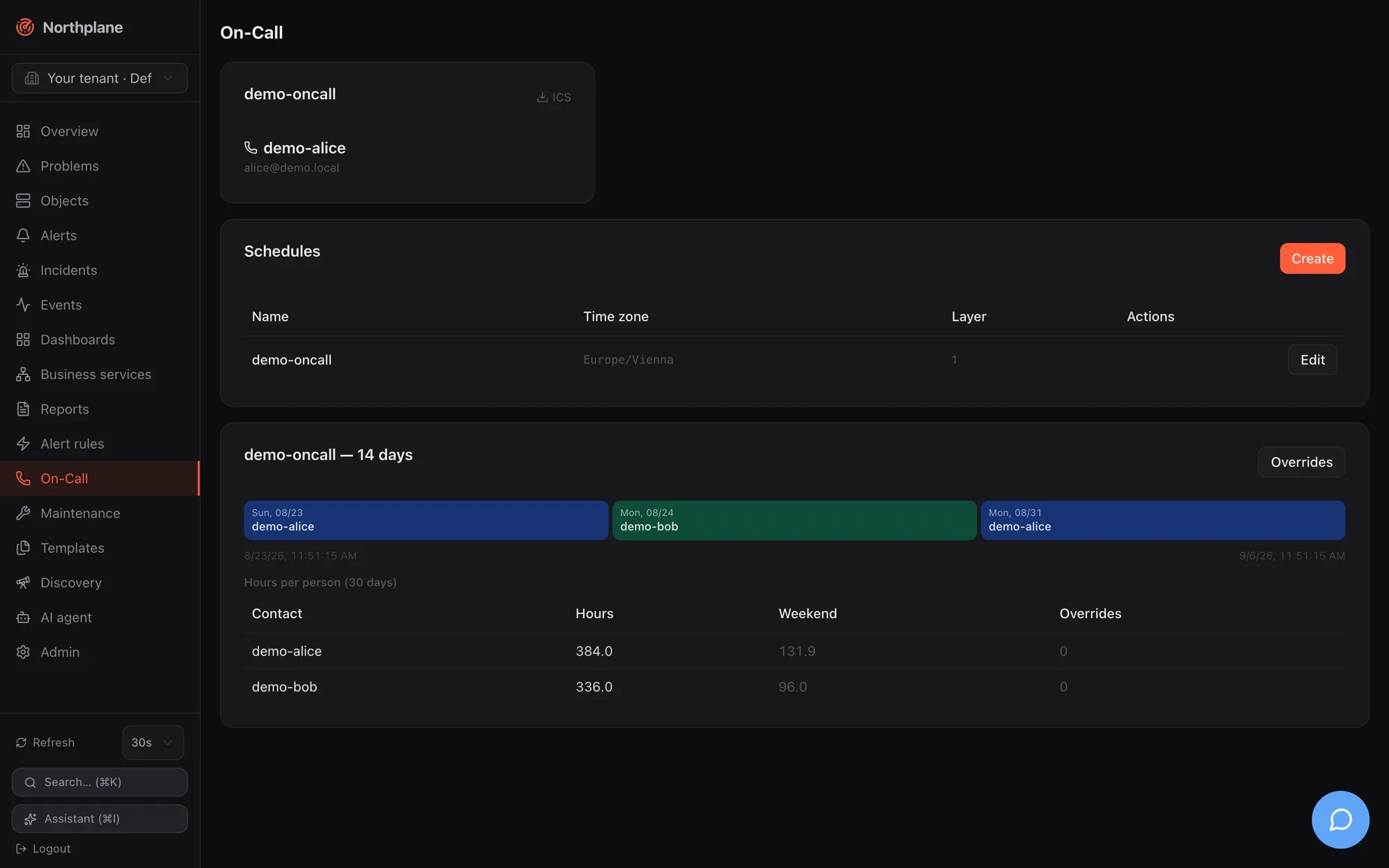
### Now cards
[Section titled “Now cards”](#now-cards)
One card per schedule from `GET /api/v1/oncall/now`: the schedule name, the people currently on duty with name, e-mail and phone, and an **ICS** link to `/api/v1/schedules/<name>/ics` — an iCalendar export of the rotation. The endpoint requires `oncall:read` and the link carries no token, so download it with your browser session or fetch it with an API token (`curl -H "Authorization: Bearer np_…"`) for a calendar subscription. Empty states: “nobody on duty” (niemand im Dienst) inside a card, “No on-call schedules defined.” (Keine Bereitschaftspläne definiert.) when there are none.
### Schedules manager (Dienstpläne)
[Section titled “Schedules manager (Dienstpläne)”](#schedules-manager-dienstpläne)
A table of schedules — **Name**, **Time zone** (Zeitzone), number of layers, **Edit** (Bearbeiten) — and a **Create** (Anlegen) button. The dialog:
| Field (EN / DE) | Input |
| ------------------------------------------------------- | ---------------------------------------------------------------------------------------- |
| **Name** | locked on edit |
| **Time zone** (Zeitzone) | IANA name, default `Europe/Berlin` |
| **Layers** — each layer (“Rotation”) has: | |
| name | optional |
| **Rhythm** (Rhythmus) | `daily` (täglich) / `weekly` (wöchentlich) / `custom` (benutzerdefiniert) |
| **Participants** (Teilnehmer) | ordered list with contact-name suggestions |
| **Shift length** (Schichtlänge) | duration; only for `custom` |
| **Anchor (rotation start)** (Anker) | date-time from which shifts are counted |
| **Restriction (weekday → HH:MM-HH:MM)** (Einschränkung) | key/value rows such as `mon` → `08:00-17:00`; comma-separated ranges for several windows |
| **+ Layer**, **Remove** (Entfernen) | add/remove layers |
Saving uses the resource API (`POST /api/v1/schedules`, `PUT /api/v1/schedules/{name}` with `If-Match`); **Delete** removes the schedule. Layer semantics (later layers override earlier ones in their restriction windows) and the backup/escalateTo model are explained in [Contacts and on-call](/docs/alarming/contacts-and-oncall/).
### Per-schedule detail
[Section titled “Per-schedule detail”](#per-schedule-detail)
Below the manager each schedule gets a card **`<name>` — 14 days**:
| Block | Content | Source |
| ------------------------------ | ---------------------------------------------------------------------------------------------------- | ----------------------------------------------- |
| Timeline | the next 14 days as coloured day blocks per person; an override is marked with an amber ring and `⤳` | `GET /api/v1/schedules/{name}/timeline?from&to` |
| **Hours per person (30 days)** | table with hours, weekend hours and override count per contact | `GET /api/v1/schedules/{name}/stats` |
| **Overrides** button | opens the overrides dialog | |
### Overrides dialog
[Section titled “Overrides dialog”](#overrides-dialog)
| Field (EN / DE) | Input |
| ----------------------------- | ---------------------------------------------------------- |
| **Contact** (Kontakt) | select (“— select —”) |
| **Reason** (Grund) | text, placeholder “Vacation” (Urlaub) |
| **From** / **To** (Von / Bis) | date-time pickers |
| **Add** (Hinzufügen) | `POST /api/v1/schedules/{name}/overrides` (`oncall:write`) |
The **Active overrides** (Aktive Overrides) list is derived from the timeline between yesterday and +30 days. An override replaces whoever is on duty in the window for the **primary** slot; a step that escalates to the `backup` person ignores overrides (see [Escalation policies](/docs/alarming/escalation-policies/)).
# Navigation and shell
> The Northplane web UI shell — sidebar routes, command palette, keyboard shortcuts, tenant switcher, refresh polling, AI sidebar, server-rendered login/setup/status pages, language, themes and branding.
The Northplane UI is a single-page React application embedded in the `northplaned` binary and served at `/` of your instance. Everything it shows comes from the same REST API that `np`, the agent and MCP clients use (see [API overview](/docs/reference/api-overview/)); the UI adds no private endpoints. This page describes the application shell — the parts that are the same on every page. The pages that follow walk through each screen: [Overview and Problems](/docs/ui/overview-and-problems/), [Objects](/docs/ui/objects/), [Alerts, Incidents, Events, On-Call](/docs/ui/alerts-incidents-events/), [Alerting configuration](/docs/ui/alerting-config/) and [Admin](/docs/ui/admin/).
## The shell
[Section titled “The shell”](#the-shell)
| Area | What it contains |
| -------------------------- | --------------------------------------------------------------------------------------------------------------------------------------------------------------------------------------------------------------------------------------------------------------------------------------------------------------------------------- |
| Left sidebar (fixed width) | Radar logo + **Northplane** wordmark; the [tenant switcher](#tenant-switcher) (cross-tenant operators only); the 16 navigation entries below; a footer with the [refresh control](#refresh-control-and-live-data), a **Search… (⌘K)** (Suchen… (⌘K)) button, an **Assistant (⌘I)** (Assistent (⌘I)) button and a **Logout** link. |
| Main area | The current page. Every page is loaded lazily (a spinner shows while the chunk loads). |
| Right AI sidebar | Opens with ⌘I / Ctrl+I or the sidebar button — see [AI sidebar](#ai-sidebar). |
| Wallboard mode | If the URL contains `?wallboard` (e.g. `/?wallboard=1` or `/dashboards/<name>?wallboard`), the shell renders the page **without** the sidebar — for TVs and NOC screens. |
**Logout** is a plain link to `/auth/logout`: the server deletes the session, clears the `np_session` cookie and redirects to `/login`.
The shell also fetches two things once per page load: your user preferences (`GET /api/v1/users/me/preferences`, currently the refresh interval) and the instance branding (`GET /api/v1/branding`, colour theme and light/dark mode). Branding is deliberately **not** re-fetched when you switch tenant — the console must not re-skin when an operator changes customer.
## Sidebar navigation
[Section titled “Sidebar navigation”](#sidebar-navigation)
Sixteen routes, in sidebar order. The German label is what a browser with a `de*` language shows (see [Language](#language)).
| # | Route | English (German) label | What it is | Documented in |
| -- | -------------- | ----------------------------------------- | ------------------------------------------------------------------------------------------------ | ---------------------------------------------------------------------- |
| 1 | `/` | **Overview** (Übersicht) | KPI tiles, problem list, service-status donut, incidents, on-call, recent events; wallboard mode | [Overview and Problems](/docs/ui/overview-and-problems/) |
| 2 | `/problems` | **Problems** (Probleme) | All hosts/services in a non-OK hard state with ack/downtime/check-now actions | [Overview and Problems](/docs/ui/overview-and-problems/#problems-page) |
| 3 | `/objects` | **Objects** (Objekte) | Hosts and services: filterable list, create/edit dialog, batch add, object detail | [Objects](/docs/ui/objects/) |
| 4 | `/alerts` | **Alerts** (Alarme) | Open/acked/closed alerts, acknowledge/resolve, trigger a manual alarm | [Alerts](/docs/ui/alerts-incidents-events/#alerts-page) |
| 5 | `/incidents` | **Incidents** (Incidents) | Incident cards with AI summary and resolve | [Incidents](/docs/ui/alerts-incidents-events/#incidents-page) |
| 6 | `/events` | **Events** (Events) | The event log with type/object filters and NDJSON export | [Events](/docs/ui/alerts-incidents-events/#events-page) |
| 7 | `/dashboards` | **Dashboards** (Dashboards) | Dashboard list and the grid editor; `/dashboards/<name>` opens one | [Dashboards](/docs/monitoring/dashboards/) |
| 8 | `/business` | **Business services** (Business Services) | BPI tree, SLA card, service definitions | [Business services](/docs/monitoring/business-services/) |
| 9 | `/reports` | **Reports** (Reports) | Report definitions, preview/CSV/JSON, run, archive | [Reports](/docs/monitoring/reports/) |
| 10 | `/alerting` | **Alert rules** (Alarm-Regeln) | Tabs: alert rules, groups, escalation policies, IVR menus | [Alerting configuration](/docs/ui/alerting-config/) |
| 11 | `/oncall` | **On-Call** (Bereitschaft) | Who is on duty now, schedules, layers, overrides, timeline, stats, ICS | [On-Call](/docs/ui/alerts-incidents-events/#on-call-page) |
| 12 | `/maintenance` | **Maintenance** (Wartung) | Silences and downtimes | [Maintenance](/docs/monitoring/maintenance/) |
| 13 | `/templates` | **Templates** (Templates) | Templates, check commands, time periods | [Templates](/docs/monitoring/templates/) |
| 14 | `/discovery` | **Discovery** (Discovery) | Network scans and turning suggestions into hosts | [Discovery](/docs/monitoring/discovery/) |
| 15 | `/agent` | **AI agent** (KI-Agent) | The agent chat workspace | [Agent chat](/docs/ai/agent-chat/) |
| 16 | `/admin` | **Admin** (Administration) | 21 administration tabs | [Admin](/docs/ui/admin/) |
Two routes are reachable only by link: `/objects/<id>` (object detail) and `/dashboards/<name>` (dashboard view). The active sidebar entry is highlighted by path prefix; Overview is highlighted only on exactly `/`.
Unknown paths render a **404** page inside the shell (the big “404”, the path, and a link back to **Overview**). A route that throws renders the shared error state with a **Retry** button.
## Duplicating entities
[Section titled “Duplicating entities”](#duplicating-entities)
Every list row — and the object detail header — carries a **Duplicate** (Duplizieren) action next to Edit. It opens the entity’s *create* dialog seeded from the source, so a second service, host, contact, channel or escalation policy is “copy, rename, save” instead of retyping every field. Covered: hosts and services (list and detail page), contacts, contact groups, channels, event sources, webhooks, heartbeats, roles (a system role becomes a custom copy), users (roles and flags; the identity is not copied), sites, escalation policies, alert rules, schedules, alert groups, IVR menus, templates, check commands, time periods, business services, reports, dashboards (full widget layout), downtimes and silences (window/expiry kept while still ahead, otherwise now + 1 h).
The copy never carries the store envelope (`id`, `tenantId`, `version`, timestamps), so it is a real create (`POST`) and never collides with the source. The suggested name is `<name>-copy` for slug-like names (hosts, services, contacts, rules — things that end up in selectors, URLs and check arguments) and `<name> (copy)` / `<name> (Kopie)` for free-text names (dashboards, reports), numbered (`-copy-2`, `(Kopie 3)`) against the names already on the page so the suggestion is free from the start; the name stays editable.
## Command palette
[Section titled “Command palette”](#command-palette)
Press **⌘K** (macOS) or **Ctrl+K** (Linux/Windows), or click **Search… (⌘K)** in the sidebar footer. The palette has two groups:

| Group | Behaviour |
| ------- | -------------------------------------------------------------------------------------------------------------------------------------------------------------------------------------------------------------------------------------------------------------------------------------- |
| Objects | Once you have typed at least two characters the palette queries `GET /api/v1/objects?q=<text>&limit=8&withState=true` and lists matching hosts and services with their state icon and colour, the name and a hint (`host` or `service @ <host>`). Selecting one opens `/objects/<id>`. |
| Pages | Static entries (labels are English in every language): **Overview**, **Problems**, **Objects**, **Alerts**, **Incidents**, **Events**, **On-Call**, **Admin**, **Wallboard** (full reload of `/?wallboard=1`) and **API Docs** (opens the Swagger UI at `/api/docs` in a new tab). |
Placeholder: “Navigation, objects, actions…” (Navigation, Objekte, Aktionen…); empty result: “Nothing found” (Nichts gefunden). The query is cleared when the palette closes. Escape closes it.
## Keyboard shortcuts
[Section titled “Keyboard shortcuts”](#keyboard-shortcuts)
| Keys | Action |
| --------------- | -------------------------- |
| `⌘K` / `Ctrl+K` | Toggle the command palette |
| `⌘I` / `Ctrl+I` | Toggle the AI sidebar |
| `g` then `o` | Go to Overview (`/`) |
| `g` then `p` | Go to Problems |
| `g` then `h` | Go to Objects (hosts) |
| `g` then `a` | Go to Alerts |
| `g` then `e` | Go to Events |
The `g` chords are ignored while the focus is in an input, textarea or content-editable element. There are no other global shortcuts; dialogs follow the usual Enter-to-submit / Escape-to-close behaviour (for example the acknowledge dialog submits on Enter).
## Tenant switcher
[Section titled “Tenant switcher”](#tenant-switcher)
The switcher at the top of the sidebar is shown only when your effective permissions imply `admin:tenants` (wildcard-aware, so the built-in `admin` role with `*:*` sees it). Everyone else is pinned to their own tenant and sees nothing here.
| Element | Behaviour |
| ----------------- | -------------------------------------------------------------------------------------------------------------------------------------------------------------------------------------------------------------------------------------------------------------------------------------------------------------------- |
| Select | Lists **Your tenant** (Eigener Mandant) `· <name of your home tenant>` plus every tenant from `GET /api/v1/tenants`. |
| Choosing a tenant | Stores the tenant id in `localStorage["np.activeTenant"]`, clears the whole client-side query cache and navigates to `/`, so nothing from the previous customer remains on screen. The trigger is tinted in the sidebar accent and a standing line **Active customer** (Aktiver Kunde): `<name>` appears underneath. |
| Effect | Every API call — lists, writes, the ETag reads, the agent chat stream — sends `X-Northplane-Tenant: <id>`. The server checks `admin:tenants` on each request; audit entries land in the target tenant. |
| Back home | Choose **Your tenant** again; the header is dropped. |
See [Tenancy and RBAC](/docs/concepts/tenancy-rbac/) for what is and is not tenant-scoped, and [Tenants and sites](/docs/administration/tenants-and-sites/) for creating tenants. Two things are worth knowing: branding is instance-wide and does not change with the tenant; and `POST /alerts/{id}:ack` ignores the tenant header and acts on your home tenant (see [Known issues](/docs/project/roadmap-and-known-issues/)).
## Refresh control and live data
[Section titled “Refresh control and live data”](#refresh-control-and-live-data)
Polling, not push
The UI does not open a Server-Sent-Events or WebSocket connection. Live views re-fetch on an interval you choose; `GET /api/v1/stream` exists for external clients only (see [API overview](/docs/reference/api-overview/)).
The **Refresh** (Aktualisierung) select in the sidebar footer sets how often live data is reloaded: **5 s, 10 s, 30 s, 60 s, Off** (Aus). The default is **30 s**; **Off** means manual reload only (navigating to a page still fetches). Tooltip: “How often live data is reloaded” (Wie oft Live-Daten neu geladen werden).
| Fact | Detail |
| -------------------- | -------------------------------------------------------------------------------------------------------------------------------------------------------------------------------------------------------------------------------------------------------------------------------- |
| Persistence | `localStorage["np.refreshInterval"]` for instant boot **and** your server-side preferences (`PUT /api/v1/users/me/preferences` with `refreshIntervalMs`, `0` = off). Written through on change, adopted from the server when the shell mounts, synchronised across browser tabs. |
| Pages that follow it | Overview, Problems, Objects list, Alerts, Incidents, Events, the object detail’s service lists. |
| Fixed intervals | On-call widget 60 s, metrics 60 s, wallboard 10 s, AI approvals queue 15 s, System health 10 s, business-service tree 30 s, SLA card 60 s, discovery scans 5 s while a scan runs. |
| Client cache | React Query with `staleTime` 15 s, one retry, no refetch on window focus. A `401` from any call hard-redirects the browser to `/login`. |
## AI sidebar
[Section titled “AI sidebar”](#ai-sidebar)
The right-hand **Assistant** (Assistent) panel is the lightweight, non-streaming assistant; the full agent workspace with tool calls, model selection and chat history is the separate **AI agent** page (`/agent`, see [Agent chat](/docs/ai/agent-chat/)).
| Element | Behaviour |
| ------------ | -------------------------------------------------------------------------------------------------------------------------------------------------------------------------------------------------------------------------------------------------------------------- |
| Intro text | “Triage, correlation, configuration by voice. Mutations run through action cards with confirmation — nothing happens invisibly.” |
| Input | Textarea; **Enter** sends, **Shift+Enter** inserts a newline. Placeholder: “Ask the assistant… e.g. ‘What is wrong with web01?’” |
| Transport | `POST /api/v1/ai/conversations` with `{conversationId, message}`; the reply arrives as one JSON document `{conversationId, reply, actions[]}`. Needs `events:read`. |
| Action cards | Each proposed tool call shows the tool name and its JSON input with **Approve** (Freigeben, `POST /api/v1/ai/actions/{id}:approve`, needs `config:write`) and **Deny** (Ablehnen, `…:deny`, needs `alerts:ack`). Already-executed actions show “executed (audited)”. |
The sidebar requires a server-level AI provider (`ai.provider` other than `none`); without it the assistant cannot answer, and even approved actions are not executed. Details and the provider/policy model are in [Agent chat](/docs/ai/agent-chat/).
## Server-rendered pages
[Section titled “Server-rendered pages”](#server-rendered-pages)
A few pages are plain HTML rendered by the Go server, not by the SPA. They work without JavaScript and are German-only.
| Path | Purpose | Notes |
| ---------------------------------------------- | ------------------------------------------------------------------------------------------------------------------------------------------------------------------------------------------------------------------------------------------------------------------------------------- | ---------------------------------------------------------------------------------------------------------------------------------------------------------------------------------------------------------------------------------------------- |
| `/login` | Local login form: **E-Mail**, **Passwort**, checkbox **Angemeldet bleiben** (remember me: 30-day session instead of 12 h), button **Anmelden**. Shows a **Single Sign-On** button when OIDC is configured and a “Neu hier? Konto erstellen” link when self-service signup is enabled. | `POST /login` is rate limited per IP (burst 8, refill one per 15 s); failures return the generic “Anmeldung fehlgeschlagen.”. Details: [Authentication](/docs/administration/authentication/). |
| `/setup` | First-run admin creation (Name, E-Mail, Passwort ≥ 12 characters, Bestätigen). | Only while no local user **and** no API token exists. On default installs the seeded default admin closes it — see [Authentication](/docs/administration/authentication/) for `NP_DEFAULT_ADMIN_DISABLED`. Otherwise it redirects to `/login`. |
| `/register` | Self-service signup; creates a **viewer** account. | 404 unless `allowSignup` is on; defers to `/setup` while first-run is open. |
| `/auth/oidc`, `/auth/callback`, `/auth/logout` | OIDC start/callback and logout. | `501 SSO not configured` without OIDC. |
| `/status/<slug>` | Public, JS-free status page that refreshes itself every 60 s. Rows are the business-service roots (Betriebsbereit / Beeinträchtigt / Störung) or, without business services, one “Infrastruktur” row from the host/service summary. | `/status/default` works out of the box (tenant Default, title “Service Status”). Other slugs need a `statuspage/<slug>` KV document; there is currently no UI or API that writes it. |
| `/api/docs` | Swagger UI over `/api/openapi.json`. | Unauthenticated. |
| `/docs/` | This documentation. | Unauthenticated. |
Unauthenticated **document** navigations to any SPA path (a `GET` with `Accept: text/html`) are redirected to `/login`; API calls get a `401` problem document instead.
## Language
[Section titled “Language”](#language)
The UI has two catalogues, German and English, with identical keys. The choice is made once at load time from the browser: `navigator.language` starting with `de` → German, anything else → English. There is **no** in-app language switcher and no per-user or server setting. A handful of labels are intentionally literal in both languages (command-palette page names, “Logout”, “Raw JSON”, “ICS”, “Wallboard”), which is why a German screen shows a few English words. Dates use the browser locale (`Intl.DateTimeFormat`, short date + medium time); relative ages render as `12s`, `5m`, `2h 3m`, `1d 4h`. The server-rendered pages above are German only.
## Themes, mode and branding
[Section titled “Themes, mode and branding”](#themes-mode-and-branding)
Appearance has two axes:
| Axis | Values | Default | Stored in |
| ------------ | -------------------------------------------------------------------------------------------------------------------------------------------------------------------------------- | ------------------------------------ | ------------------------------------------------------- |
| Colour theme | 31 themes: **Northplane (Standard)** (the built-in palette) plus 30 design-system palettes such as Obsidian & Fire, Arctic Blue, Polar Night, Forest & Copper, Midnight Indigo … | **Obsidian & Fire** (`obsidianFire`) | `localStorage["np.theme"]` + instance branding document |
| Mode | **System** (follows `prefers-color-scheme` live), **Light** (Hell), **Dark** (Dunkel) | **Dark** | `localStorage["np.mode"]` + instance branding document |
Both are changed under **Admin → Appearance (Darstellung)** and are **instance-wide**: the server stores one `{theme, mode}` document (`GET/PUT /api/v1/branding`), every user sees it, and switching tenant does not change it. Only users with `config:write` can change them; for everyone else the controls are disabled with the hint “Only administrators with config:write can change this instance’s appearance.” The localStorage copy exists for an instant, flicker-free boot and is overwritten by the server document when the shell loads. The complete theme list, the light/dark CSS mechanics and the favicon logic are documented in [Branding and themes](/docs/administration/branding-and-themes/).
The favicon is the radar logo tinted in the active theme’s sidebar accent (the SPA repaints it whenever theme or mode changes); the server pages use the static orange `favicon.svg`. The login page is not branded — it always renders in the dark default look.
Third-party assistant widget
Every instance loads the Stept onboarding/assistant widget (a chat bubble and tour checklist at the bottom right) on the SPA and on the login and register pages. It is hard-wired into the build; there is no runtime switch to turn it off. Removing it requires a rebuild (see [Frontend](/docs/development/frontend/) and the Stept entry under [Known issues](/docs/project/roadmap-and-known-issues/)).
# Objects
> The Objects list (label-selector and full-text filters, kind/state filters, virtualised table, batch add), the host/service create/edit dialog with every field, and the object detail page with its Overview, History and Configuration tabs.
**Objects** (Objekte) is where hosts and services live in the UI: a filterable list at `/objects`, a four-tab create/edit dialog, a batch importer and the object detail page at `/objects/<id>`. The underlying model — folders, labels, selectors, templates, the check-command grammar, the spec fields and their defaults — is explained in [Object model](/docs/concepts/object-model/); the task-oriented guide (API and bundle equivalents of everything below) is [Hosts and services](/docs/monitoring/hosts-and-services/).
## Objects list
[Section titled “Objects list”](#objects-list)
Route `/objects`. Data: `GET /api/v1/objects?selector=…&q=…&limit=2000` (`objects:read`), with the kind and state filters applied client-side. The list reloads on your [refresh interval](/docs/ui/navigation/#refresh-control-and-live-data).
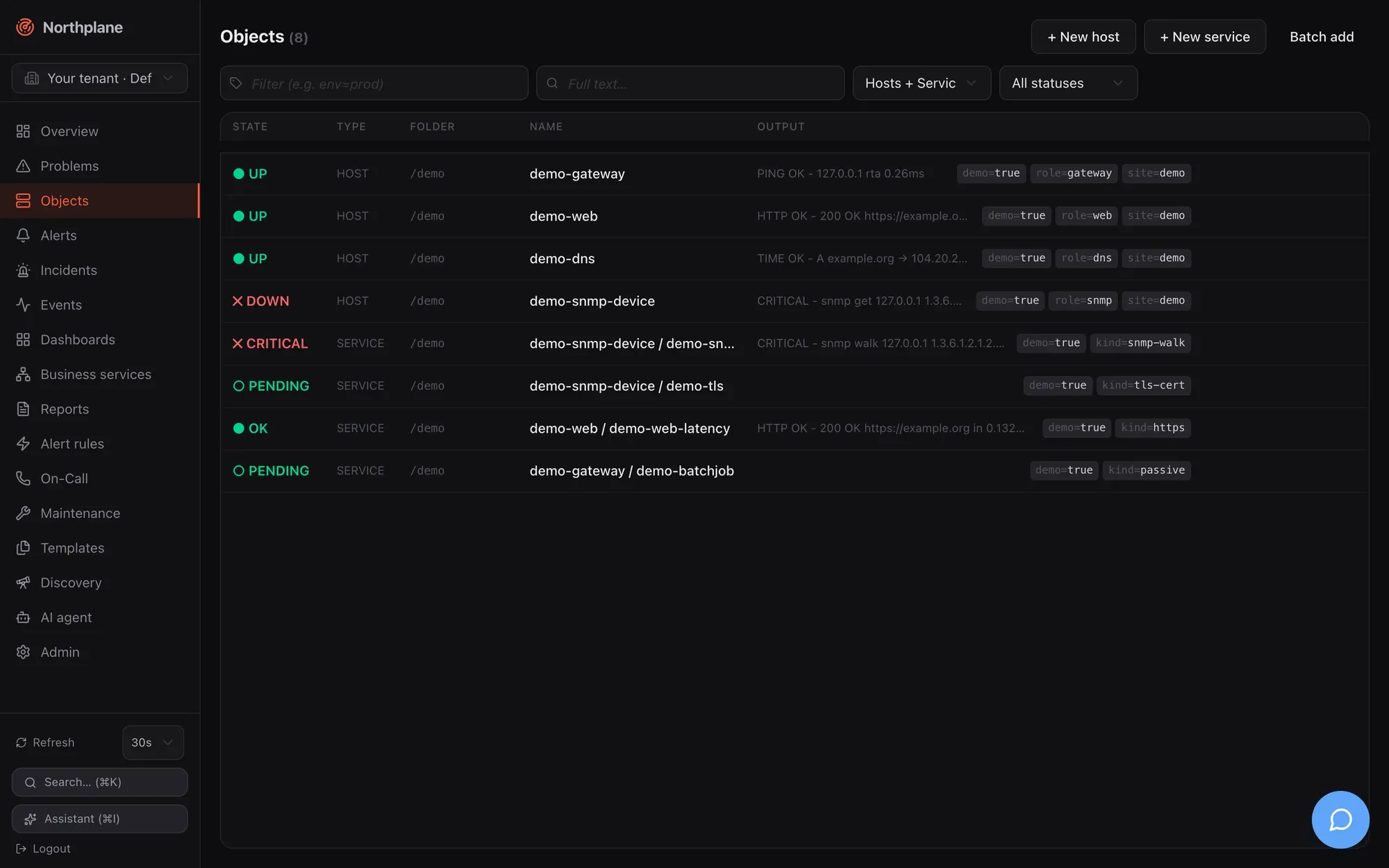
### Filters
[Section titled “Filters”](#filters)
All four filters live in the URL (`?selector=…&q=…&kind=…&state=…`), so a filtered view can be bookmarked or pasted into a chat, and the browser back button restores the previous filter. The two text inputs are written to the URL after a 250 ms pause in typing.
| Control | Placeholder / options | What it does |
| --------------------------------------------- | ----------------------------------------------------------------------------------------------------------------------- | ------------------------------------------------------------------------------------------------------------------------------------------------------------------------------------------------------------ |
| **Label selector** input (tag icon, labelled) | “Filter (e.g. env=prod)” (Filter (z.B. env=prod)) | A **label selector** — the same grammar as in bundles, silences and dashboards (`env=prod`, `env!=dev`, `team in (a,b)` … see [Object model](/docs/concepts/object-model/)). Sent as `selector=` to the API. |
| **Full text** input (search icon, labelled) | “Full text…” (Volltext…) | Free text matched against object name and check output. Sent as `q=`. |
| Kind select | **Hosts + Services** / Hosts / Services | Client-side filter on the kind. |
| State select | **All statuses** (Alle Status), **Problems** (Probleme), OK, Up, Warning, Critical, Unknown, Down, Unreachable, Pending | Client-side filter on the current hard state. **Problems** is everything that is not OK/Up/Pending. |
| **Reset filter** (Filter zurücksetzen) | shown when kind or state is set | Clears kind and state (not the text inputs). |
### Table
[Section titled “Table”](#table)
Column headers **State** (Zustand), **Type** (Typ), **Folder** (Ordner), **Name**, **Output** (Ausgabe). Rows are virtualised (only the visible rows plus a small overscan are rendered), so a list of several thousand objects scrolls smoothly. Each row is a link to the object detail and shows: the state badge (or `○ PENDING` / AUSSTEHEND for objects that have never been checked), the kind, the folder in monospace, `host / name` for services, the humanised output and the label chips.
Hovering a row reveals four actions: **Check now** (Jetzt prüfen, icon; `POST /api/v1/objects/{id}/check-now`, `checks:run`), **Edit** (Bearbeiten; opens the dialog below in edit mode), **Duplicate** (Duplizieren; opens the *create* dialog pre-filled from the row — see [Duplicating entities](/docs/ui/navigation/#duplicating-entities)) and **Delete** (Löschen; `DELETE /api/v1/objects/{id}`, `objects:write`). Delete is a two-click inline confirmation — the button turns into “Really delete?” (Wirklich löschen?) — and for hosts adds the warning “Also deletes all services on this host?” (Löscht auch alle Services des Hosts?): deleting a host cascades to its services.
The header buttons are **+ New host** (Host anlegen), **+ New service** (Service anlegen) and **Batch add** (Massenanlage).
Filtering by a label you see in a row
Label chips in the table are display-only — clicking one does not change the filter. Type the selector (`env=prod`, or combinations such as `env=prod,role in (db,cache),!legacy`) into the tag-icon input; it is the same selector syntax you use in bundles, silences and downtimes.
## Create and edit dialog
[Section titled “Create and edit dialog”](#create-and-edit-dialog)
The same dialog creates and edits hosts and services (title **New host** / **New service** or **Edit: `<name>`**). It is a four-tab form with a pinned header and footer; only the tab body scrolls. The footer has **Cancel** (Abbrechen) and **Create** (Anlegen) or **Save** (Speichern); the primary button stays disabled until a name (and, for services, a host) is set. Most fields are optional and inherit from templates and defaults, so creating a host is usually a name-plus-address job on the first tab.
### Basics (Basis)
[Section titled “Basics (Basis)”](#basics-basis)
| Field (EN / DE) | Input | Notes |
| ---------------------------------- | -------------------------------------------------------------------- | ----------------------------------------------------- |
| **Name** (required) | text, placeholder `web01` / `http` | Locked when editing — names are identifiers. |
| **Folder** (Ordner) | text, placeholder `/`, hint “e.g. /prod/web” | The folder path; `/` is the root. |
| **Host** (services only, required) | select of all hosts (`GET /api/v1/hosts?limit=2000&withState=false`) | Locked when editing (“Host cannot be changed”). |
| **Address** (Adresse) | text, placeholder `10.0.0.1 / host.example.com` | Used by the `$HOSTADDRESS$` macro and builtin checks. |
| **Labels** | key/value editor (`env` = `prod`) | Free-form labels for selectors, rules and dashboards. |
### Check (Prüfung)
[Section titled “Check (Prüfung)”](#check-prüfung)
| Field (EN / DE) | Input | Notes |
| ------------------------------------------------------- | ---------------------------------------------------------------------------------------------------------------------------------------------------- | ---------------------------------------------------------------------------------------------------------------------------------------------------------------------------------------------------------------------------------------------------------------------------------------------------------------------------------------------------------------------------------------------------------------------------------------------- |
| **Check command** (Check-Kommando) | kind select **builtin** / **Command (defined)** (Kommando (definiert)) / **exec** / **agent:exec** / **passive** plus a text field for the remainder | The two parts are joined into the `checkCommand` reference: `builtin:<name>` (suggestions from `GET /api/v1/check-commands:builtins`), a bare `<name>` of a check command defined under Templates (suggestions from `GET /api/v1/check-commands`), `exec:<plugin>`, `agent:exec:<plugin>` or `passive`. For **passive** the text field disappears and the hint reads “Passive: results are fed in externally (agent / API) — no active check.” |
| **Arguments** (Argumente) | list editor, placeholder `--port=5432`, hint “One argument per entry ($ARG1$, $ARG2$ …)” | Passed to the command; positional `$ARG1$`… macros refer to them. |
| **Templates** | chips + typeahead over `GET /api/v1/templates`; hint “Inheritance in declared order (later wins)” | Order matters — see [Templates](/docs/monitoring/templates/). |
| **Interval & Scheduling** box: **Interval** (Intervall) | duration, placeholder `60s`, hint “e.g. 60s, 5m” | Go duration syntax, validated while typing. |
| **Retry interval** (Retry-Intervall) | duration, placeholder `15s` | Interval while in a soft state. |
| **Max attempts** (Max. Versuche) | number ≥ 1 | Soft→hard threshold. |
| **Timeout** | duration, placeholder `30s` | Per-check timeout. |
| **Check period** (Prüfzeitraum) | text with suggestions from `GET /api/v1/time-periods`, placeholder `24x7` | Stored and resolved into the effective config; the scheduler does not currently consume it (see [Known issues](/docs/project/roadmap-and-known-issues/)). |
### Notifications (Benachrichtigungen)
[Section titled “Notifications (Benachrichtigungen)”](#notifications-benachrichtigungen)
| Field (EN / DE) | Input | Notes |
| --------------------------------------------------- | ------------------------------------------------------------------------------------------------------------------------------------------------------------- | ------------------------------------------------------------------------------------- |
| **Contact groups** (Kontaktgruppen) | chips + typeahead over `GET /api/v1/contact-groups`; hint “Notified directly on hard state changes” | Nagios-style direct notification, independent of alert rules. |
| **Contacts** (Kontakte) | chips + typeahead over `GET /api/v1/contacts`; hint “Additional individual contacts” | |
| **Notify on** (Benachrichtigen bei) | toggle chips — hosts: `down`, `unreachable`, `recovery`; services: `warning`, `critical`, `unknown`, `recovery`; hint “Empty = all problem states + recovery” | Filters which hard transitions notify. |
| **Notification period** (Benachrichtigungszeitraum) | text with time-period suggestions, placeholder `24x7`; hint “Time window (time period), empty = always” | Evaluated in UTC — see [Maintenance](/docs/monitoring/maintenance/) for time periods. |
How per-object contact routing relates to escalation policies is explained in [Contacts and on-call](/docs/alarming/contacts-and-oncall/).
### Advanced (Erweitert)
[Section titled “Advanced (Erweitert)”](#advanced-erweitert)
| Field (EN / DE) | Input | Notes |
| ------------------------------------------------------------------ | -------------------------------------------------------------------------------------------------------------- | -------------------------------------------------------------------------------------------------------------------------- |
| **Parents (reachability)** (Parents (Erreichbarkeit)) | hosts only; chips + typeahead over all hosts except the object itself; hint “Hosts for the reachability logic” | A DOWN host whose parents are all non-UP becomes UNREACHABLE — see [Checks and states](/docs/concepts/checks-and-states/). |
| **Checks**, **Notifications**, **Flap detection** (Flap-Erkennung) | three tri-state selects: **Inherited** (Vererbt) / **Enabled** (Aktiv) / **Disabled** (Deaktiviert) | `Inherited` leaves the field unset so templates and defaults decide; the other two write an explicit `true`/`false`. |
| **Threshold mode** (Threshold-Modus) | **Inherited** / `static` / **adaptive (AI)** | Stored as `thresholdMode`; the checks package does not currently act on `adaptive`. |
| **Staleness deadline (passive)** (Staleness-Frist (passiv)) | services only; duration, placeholder `10m` for passive checks; hint “Freshness of passive results” | `stalenessAfter`: when no result arrives within this window the service turns UNKNOWN. |
| **Staleness text** (Staleness-Text) | services only; text, placeholder “No result received” | The output used for that synthetic UNKNOWN. |
| **Zone (satellite)** (Zone (Satellit)) | text, placeholder `satellite-rz1` | Stored; no scheduler consumer yet. |
| **Variables** (Variablen) | key/value editor; hint “Macros $\_HOSTKEY$ / $\_SERVICEKEY$” | Custom vars exposed as macros to check commands. |
| **Runbook** | Markdown textarea | Free text for responders. |
### Saving
[Section titled “Saving”](#saving)
| Action | Call |
| --------------------- | ------------------------------------------------------------------------------------------------------------------------------------------------- |
| Create host / service | `POST /api/v1/hosts` or `POST /api/v1/services` (`objects:write`) |
| Save an edit | `PUT /api/v1/objects/{id}` with `If-Match: "<version>"` (`objects:write`) |
| Conflict | A `409`/`412` (someone else saved first) shows “Conflict — please reload.” (Konflikt — bitte neu laden.) — reopen the object and redo the change. |
## Batch add (Massenanlage)
[Section titled “Batch add (Massenanlage)”](#batch-add-massenanlage)
The **Batch add** dialog creates many hosts (or many services of one host) from plain text — handy for pasting an inventory export. Settings above the text area apply to every row: **Type** (Typ: Host / Service), **Folder** (Ordner), **Check command** (Check-Kommando, default `builtin:icmp`), **Mode** (Modus: **partial (partial success)** / **all or nothing**) and, for services, the **Host** (“Applies to all rows”).
One object per line:
```text
name address [template,template] [key=value,key=value]
web01 10.0.0.11 [linux-base,web] [env=prod,team=web]
web02 10.0.0.12 [linux-base]
# lines starting with # are ignored
```
The first token is the name, the second (optional) the address; the first bracket group lists templates, the second labels. A live **Preview** (Vorschau) table shows each parsed row as **valid** (gültig) or **invalid** (fehlerhaft — only a missing name is invalid). Submitting posts `POST /api/v1/objects:batch` with `{mode, hosts: [...]}` or `{mode, services: [...]}` (`objects:write`); the result table lists each row as **created** (angelegt) or **failed** (fehlgeschlagen) with the server’s error. In `partial` mode valid rows are created even if others fail; `all-or-nothing` rolls everything back on the first error. The same endpoint is used by [Discovery](/docs/monitoring/discovery/) to adopt scan suggestions.
## Object detail
[Section titled “Object detail”](#object-detail)
Route `/objects/<id>`. Data: `GET /api/v1/objects/{id}`, `GET /api/v1/objects/{id}/effective-config` (returns `{spec, templateChain}`), `GET /api/v1/events?objectId=<id>&limit=30`, for hosts `GET /api/v1/services?hostId=<id>&limit=1000` (for services: the sibling services of the same host), and `POST /api/v1/metrics/query` with `{objectId, from: now-24h, to: now, maxPoints: 300}` (refreshed every 60 s; `metrics:read`). An unknown id shows “404 — This object doesn’t exist or was deleted.” with a **Back to objects** link.
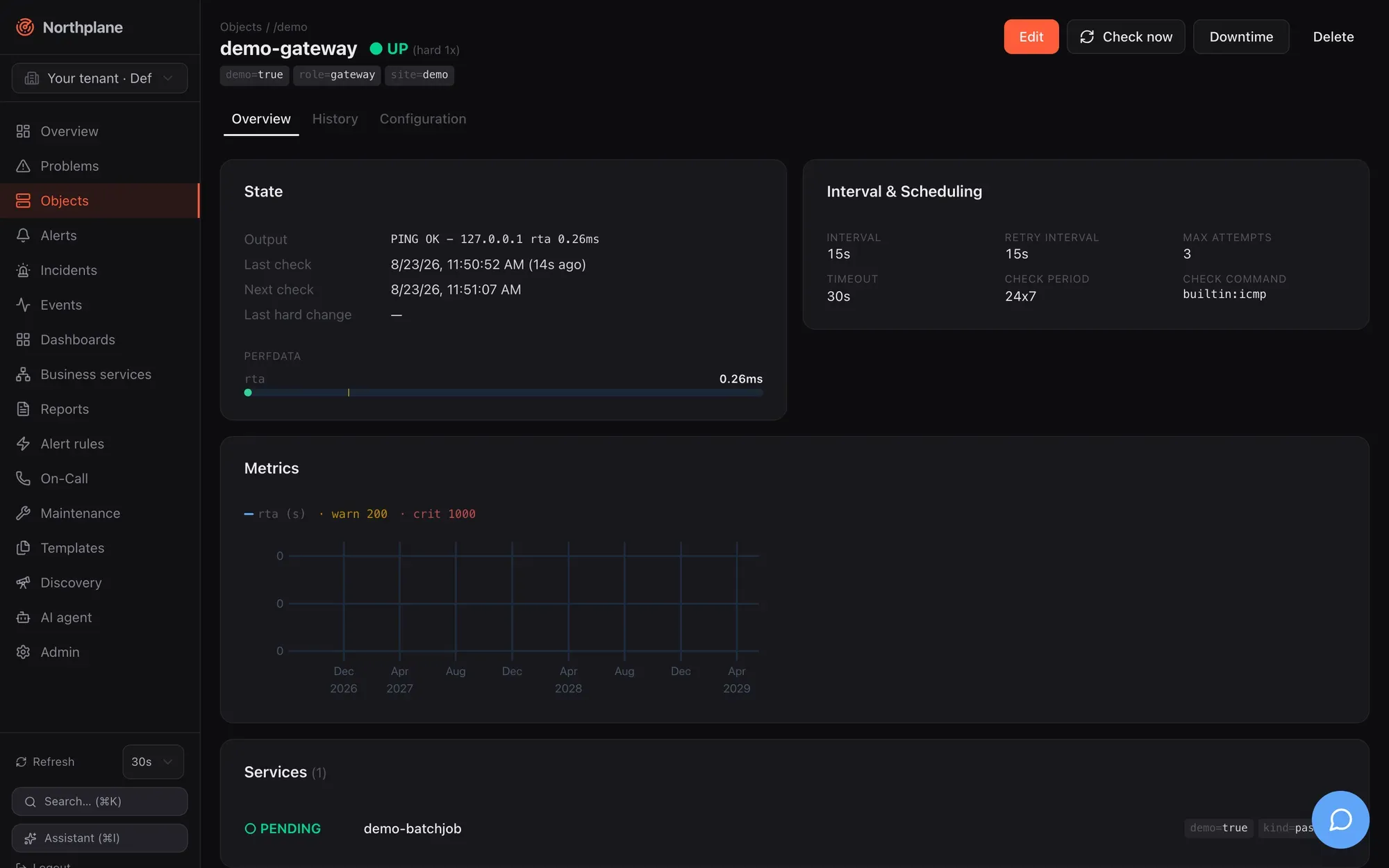
### Header
[Section titled “Header”](#header)
Breadcrumb **Objects / folder / host**; the name with the state badge (for example `CRITICAL (hard 3x)`), label chips and — for services — a **Host: `<name>`** chip that links to the host. Actions:
| Action (EN / DE) | Call |
| ---------------------------- | -------------------------------------------------------------------------------------------- |
| **Edit** (Bearbeiten) | opens the create/edit dialog |
| **Check now** (Jetzt prüfen) | `POST /api/v1/objects/{id}/check-now` (`checks:run`); the page re-queries after 2.5 s |
| **Downtime** | the [Downtime dialog](/docs/ui/overview-and-problems/#downtime-dialog) |
| **Delete** (Löschen) | `DELETE /api/v1/objects/{id}` with the cascade warning for hosts; navigates back to the list |
### Overview tab (Übersicht)
[Section titled “Overview tab (Übersicht)”](#overview-tab-übersicht)
| Card | Content |
| --------------------------------------------------------------------- | ----------------------------------------------------------------------------------------------------------------------------------------------------------------------------------------------------------------------------------------------------------------------------------------------------------------------------------------------------------------------------------------------------------------------------------------------------------------------------------- |
| **State** (Zustand) | Output (humanised — SNMP `sysUpTime` ticks become “up 2d 8h”), long output, **Last check** with age, **Next check**, **Last hard change**, **acked** by/comment when acknowledged, **Downtime: active** when in a downtime, **Flapping: yes** when flapping. Below it the **Perfdata** meters: every `label=value;warn;crit;min;max` token becomes a labelled bar with amber (warn) and red (crit) markers; counters without bounds are shown as a value only, never as a full bar. |
| **Interval & Scheduling** | The resolved values from the effective config: interval, retry interval, max attempts, timeout, check period, check command. |
| **Metrics** (Metriken) | One chart per unit group: series with the same unit are overlaid, monotonic counters are charted as a per-second rate (`/s`), internal `np_*` metrics are hidden. Hover for a crosshair tooltip. Warn/crit thresholds from the first series’ perfdata are drawn as translucent bands. Shown only when the object has stored series — see [Metrics and NP-TSDB](/docs/monitoring/metrics-and-tsdb/). |
| **Services (N)** (hosts) / **Other services on this host** (services) | The host’s services with state badges, each linking to its detail. |
### History tab (Historie)
[Section titled “History tab (Historie)”](#history-tab-historie)
The last 30 events of the object (`state_change`, `ack`, `downtime`, `notification` …) as a timeline: time, type badge, severity/state badge, humanised output. The full event log with filters and export is on the [Events page](/docs/ui/alerts-incidents-events/#events-page).
### Configuration tab (Konfiguration)
[Section titled “Configuration tab (Konfiguration)”](#configuration-tab-konfiguration)
**Effective configuration** (Effektive Konfiguration): the spec after template inheritance as a key/value table — empty values are dropped and secret-looking values (`--token`, `--password`, `--community`, API keys) are masked as `•••`. Below it **Template chain** (Template-Kette) shows the inheritance order as `a → b`. The **Raw JSON** / **Table** (Tabelle) toggle switches to the exact document returned by `GET /api/v1/objects/{id}/effective-config`. Per-field origin (which template supplied a value) is not exposed by the API, so the chain is shown as a whole. Inheritance rules are in [Object model](/docs/concepts/object-model/).
## Charts
[Section titled “Charts”](#charts)
All metric charts in the UI (object detail, dashboard `metric`/`stat`/`bar` widgets) share one uPlot wrapper: multiple series over a shared time axis, a colour legend above the plot (series name + unit, `· warn N`, `· crit N`), threshold bands above the warn (amber) and crit (red) values, a hover crosshair with a floating tooltip, and automatic re-fit when the container is resized. The band source is an explicit widget override if set, otherwise the first series’ Nagios perfdata range. The query behind every chart is `POST /api/v1/metrics/query` ([Metrics and NP-TSDB](/docs/monitoring/metrics-and-tsdb/)).
# Overview and Problems
> The Overview landing page (KPI tiles, problem list, service-status donut, incidents, on-call, recent events, wallboard mode), the Problems page and the Acknowledge and Downtime dialogs.
**Overview** (Übersicht) is the landing page of the UI and the page every `g o` chord and 404 link returns to. **Problems** (Probleme) is the working list for on-call engineers: every host or service that is currently not OK, with the three actions you need most — acknowledge, put into downtime, re-check. Both pages reload on the interval set by the [refresh control](/docs/ui/navigation/#refresh-control-and-live-data).
## Overview page
[Section titled “Overview page”](#overview-page)
Route `/`. Data sources: `GET /api/v1/overview` (the summary; `objects:read`), `GET /api/v1/oncall/now` (refreshed every 60 s), `GET /api/v1/problems?limit=15` and `GET /api/v1/events?limit=20`.

### KPI tiles
[Section titled “KPI tiles”](#kpi-tiles)
Four stat cards across the top. Each is a link to a pre-filtered page.
| Tile (EN / DE) | Value | Badge | Sublabel | Links to |
| ------------------------------------- | ------------------------------------------------------------ | ----------------------------------------------------------------------------------------------------------------------------------------------- | ------------------------- | -------------------------------- |
| **Hosts UP** (Hosts UP) | hosts up / total hosts | percentage up; red when any host is down or unreachable | `N down · N unreachable` | `/objects?kind=host&state=up` |
| **Services OK** (Services OK) | services OK / total services | percentage OK; red with any CRITICAL, amber with WARNING | `N Critical · N Warning` | `/objects?kind=service&state=ok` |
| **Active problems** (Aktive Probleme) | hosts down + unreachable + services critical/warning/unknown | delta badge `+N` / `-N` = the last change of the counter between two polls (red when rising, green when falling; blank until it has moved once) | `N acked · N in downtime` | `/problems` |
| **Open alerts** (Offene Alarme) | open critical + warning alerts | same delta badge | `N Critical · N Warning` | `/alerts` |
The delta badges are kept only in browser memory — they reset when you reload the tab.
### Cards below the tiles
[Section titled “Cards below the tiles”](#cards-below-the-tiles)
| Card (EN / DE) | Content | Source |
| --------------------------------------- | ----------------------------------------------------------------------------------------------------------------------------------------------------------------------------------- | ------------------------ |
| **Problems** (Probleme) | Up to 15 rows: state icon + label, `host / service` name (link to the object), humanised check output, age since the last hard change. Empty state: “No open problems — all green.” | `GET /problems?limit=15` |
| **Service status** (Service-Status) | Donut with OK / Warning / Critical / Unknown segments and the healthy percentage in the centre. Segment colours follow the theme’s success/warning/danger tokens. | `GET /overview` |
| **Open incidents** (Offene Incidents) | Severity badge + title per open incident; links to `/incidents`. | `GET /overview` |
| **On call now** (Aktuelle Bereitschaft) | One block per on-call schedule with the people on duty (name, phone). | `GET /oncall/now` |
| **Recent events** (Letzte Ereignisse) | The 20 newest events: time, type badge, state/severity badge, humanised output or summary. | `GET /events?limit=20` |
### Wallboard mode
[Section titled “Wallboard mode”](#wallboard-mode)
The **Wallboard** link in the page header (and the **Wallboard** command in the palette) opens `/?wallboard=1`: the sidebar disappears, the page shows the title “Northplane Wallboard” with a live clock ticking every second, the four KPI tiles and a large problem list. Refresh is fixed at 10 s regardless of your preference. A dashboard has the same mode under `/dashboards/<name>?wallboard` (see [Dashboards](/docs/monitoring/dashboards/)). There is no public, unauthenticated wallboard URL — the browser must have a session.
## Problems page
[Section titled “Problems page”](#problems-page)
Route `/problems`. Data: `GET /api/v1/problems?includeHandled=<bool>` (`objects:read`) plus `GET /api/v1/alerts?status=open&limit=500` (`alerts:read`), which the page uses to find the open alert that belongs to each object so that **Acknowledge** can target it.
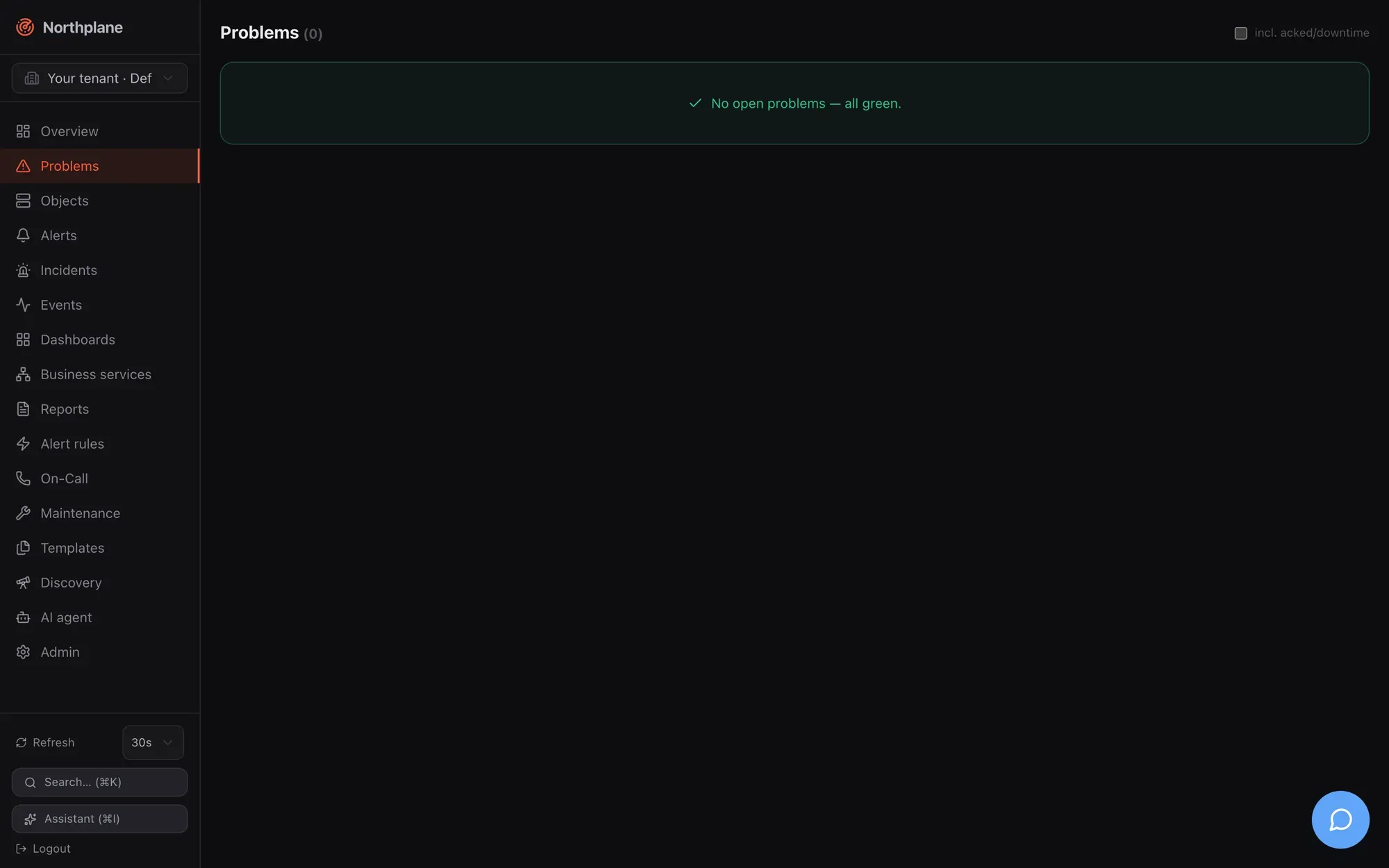
| Element | Behaviour |
| ------------------------------------------------------------ | ----------------------------------------------------------------------------------------------------------------------------------------------------------------------------------------------- |
| Checkbox **incl. acked/downtime** (inkl. quittiert/Downtime) | Sets `includeHandled=true`: objects that are acknowledged or in a downtime are listed as well. Off by default. |
| Row | State badge, `host / name` (link to the object detail), check output, badges **acked: by** (quittiert), **in downtime** (in Downtime) and **flapping** (flattert) when applicable, and the age. |
| Empty state | “No open problems — all green.” (Keine offenen Probleme — alles grün.) |
Hover actions per row:
| Action (EN / DE) | Condition | What it does |
| ---------------------------------- | ------------------------------------------------------------------- | ----------------------------------------------------------------------------------- |
| **Acknowledge** (Quittieren) | Only when an open, not yet acknowledged alert exists for the object | Opens the [Acknowledge dialog](#acknowledge-dialog) |
| **Downtime** (Downtime) | always | Opens the [Downtime dialog](#downtime-dialog) |
| **Check now** (Jetzt prüfen, icon) | always | `POST /api/v1/objects/{id}/check-now` (`checks:run`); the list re-queries after 2 s |
The UI does not hide these actions from users who lack the permission — the API answers `403` and the dialog shows the error. Built-in `viewer` has none of `alerts:ack`, `downtimes:write`, `checks:run`; `operator` has all three (see [Users, roles and permissions](/docs/administration/users-roles-permissions/)).
## Acknowledge dialog
[Section titled “Acknowledge dialog”](#acknowledge-dialog)
Used from Problems, Alerts and the object detail. Title “Acknowledge — `<object>`” (Quittieren — …), the warning “Running escalations will stop.” (Laufende Eskalationen werden gestoppt.) and one **Comment** (Kommentar) input. Enter submits. The call is `POST /api/v1/alerts/{id}:ack` with `{comment}` (`alerts:ack`); afterwards the alert and problem lists are invalidated and reload.
What acknowledging means for escalation, the alarm app and the other ack paths (SMS keyword, IVR, ack link, `np ack`) is described in [Acknowledge and snooze](/docs/alarming/acknowledge-and-snooze/). Note that the dialog acknowledges the **alert**, not the object: an object with a problem but no open alert (for example because no alert rule matched) has nothing to acknowledge here, which is why the button only appears when an open alert exists.
## Downtime dialog
[Section titled “Downtime dialog”](#downtime-dialog)
Also used from Problems and the object detail header. Fields: **Hours** (Stunden; number, default `2`, step `0.5`) and a required **Comment** (Kommentar). Submitting creates a fixed downtime starting now: `POST /api/v1/downtimes` with `{objectId, type: "fixed", start: now, end: now + hours, comment}` (`downtimes:write`). For flexible or recurring downtimes, selector-based downtimes and RRULEs use the **Maintenance** page ([Maintenance](/docs/monitoring/maintenance/)); the suppression semantics (notifications, alerts, re-arm) are explained there as well.
# Roadmap and known issues
> Consolidated open backlog of Northplane — remaining findings from the August 2026 UI/UX audit and the code-level fact sheets, grouped by area with severity. Everything previously listed as fixed has been verified and removed.
This page is the single list of things that do not (yet) work as the rest of the documentation might lead you to expect. Every entry was re-verified against the current code; items that were fixed have been **removed** (the August 2026 remediation pass closed the entire High-severity backlog — RBAC-gated Admin tabs, the SNMPv3 secret-reference mismatch, the dead second deploy target, check periods, SLA downtime exclusion, snooze/incident UI, and some forty more). The documentation describes the real current behaviour wherever an item below applies.
**Severity**: `High` = blocks a core flow, loses data, or misleads in a security-relevant way · `Medium` = wrong or missing behaviour with a workaround · `Low` = cosmetic, inconsistency, or documentation-only. **Type**: `Bug` · `UX` · `Enhancement` (missing feature) · `Doc` (behaviour is fine, expectations were wrong). IDs `OBJ-1`, `DENSITY-1`, `I18N-1`, `A11Y-1` are the August audit’s; all other IDs are assigned on this page.
## Priorities at a glance
[Section titled “Priorities at a glance”](#priorities-at-a-glance)
No High-severity items remain open. The Medium items:
| ID | Item | Severity | Type |
| ------ | ---------------------------------------------------------------------------------------------------- | -------- | ----------- |
| ALM-1 | Alert groups can be configured and attached to rules but are not evaluated anywhere at runtime | Medium | Enhancement |
| ALM-3 | Suppression re-arm state and `pendingFor` drafts are in-memory and lost on restart | Medium | Bug |
| NTF-1 | Escalation steps select channel **types**; several channels of one type cannot be addressed | Medium | Enhancement |
| NTF-6 | Web push is server-ready (VAPID, subscription endpoints) but the UI has no subscription flow | Medium | Enhancement |
| NTF-2 | IMAP/e-mail inbound: attachments ignored, no STARTTLS | Medium | Enhancement |
| API-2 | `X-Forwarded-For` is not honoured — rate limiter, `ipBind` and audit `sourceIp` see the proxy | Medium | Bug |
| CHK-7 | Audit-chain verification is not reliable on PostgreSQL (`jsonb` normalisation) | Medium | Bug |
| CHK-2 | A passive **host** result with state `DOWN`/`1` maps to UP (WARNING→UP host mapping) | Medium | Bug |
| CHK-4 | RRULE downtimes: active-downtime listing filters on the literal `end_at` | Medium | Bug |
| DEP-3 | No periodic backup (`backup.interval` parsed but unused); no vzdump job on the hypervisor | Medium | Enhancement |
| RBAC-3 | Role `scope.folder`/`scope.selector`/`scope.tenantId` stored but never enforced | Medium | Enhancement |
| OBJ-1 | The objects list mixes hosts and services flat; no grouping by host/folder | Medium | UX |
| AI-3 | `northplaned mcp` (stdio) runs without scheduler/escalation/planner wiring | Medium | Doc |
| AGT-2 | The Agents tab says the host “appears automatically under Objects”; the server rejects unknown hosts | Medium | Doc |
| AGT-3 | An agent batch beyond the server’s 1 MiB JSON cap is not handled (potential stuck buffer) | Medium | Doc |
| CHK-3 | `CheckCommand.timeout` is not used by the executor (the object’s `timeout` is) | Medium | Doc |
## RBAC and tenancy
[Section titled “RBAC and tenancy”](#rbac-and-tenancy)
| ID | Severity | Description | Notes |
| ------- | -------------------- | ---------------------------------------------------------------------------------------------------------------------------------------------------------------------------------------------------------------------------- | --------------------------------------------------------------------------------------------------- |
| RBAC-3 | Medium · Enhancement | Role `scope.folder` / `scope.selector` / `scope.tenantId` are stored and editable but never enforced — the principal’s folder scope is never populated, so `np:auth/scope` cannot trigger and `selector` is never evaluated. | Treat folder/selector scoping as not implemented; tenant scoping comes from the principal’s tenant. |
| RBAC-7 | Medium · Doc | Ingest URLs carry no tenant: `/api/v1/ingest/{source}` resolves the source by id **or name across all tenants** (first match in slug order wins), and ack links search all tenants for the alert. | Event-source names are effectively global for ingest; prefer ids in URLs. |
| RBAC-8 | Low · Enhancement | Tenants can be created but not renamed, disabled or deleted — there is no `PUT`/`DELETE /api/v1/tenants`. | The Admin tab says so explicitly. |
| RBAC-9 | Low · Doc | `dashboards:read`, `dashboards:write`, `reports:read` and `config:propose` are granted by built-in roles but no route checks them (dashboards/reports use `objects:read`/`config:write`; config tools need `config:write`). | Legacy/forward-looking permission names. |
| RBAC-10 | Low · Enhancement | No RP-initiated (IdP) logout — `LogoutURL` exists in the OIDC client but nothing calls it. | Local, LDAP and OIDC logins and logouts are audited. |
| RBAC-11 | Low · Doc | Routes with an empty permission that still require a logged-in principal (whoami, branding, preferences, push subscriptions, change-password) cannot express that in `x-required-permission`. | The generated API reference shows no permission for them. |
See [Tenancy and RBAC](/docs/concepts/tenancy-rbac/) and [Users, roles and permissions](/docs/administration/users-roles-permissions/).
## Alarming: rules, escalation, suppression
[Section titled “Alarming: rules, escalation, suppression”](#alarming-rules-escalation-suppression)
| ID | Severity | Description | Notes |
| ------ | -------------------- | ----------------------------------------------------------------------------------------------------------------------------------------------------------------------------------------------------------------------------------- | --------------------------------------------------------------- |
| ALM-1 | Medium · Enhancement | Alert groups (`/alert-groups`, the Groups tab, `groupId` on rules) are configuration only — no runtime component evaluates them. | Rules behave as if no group were set. |
| ALM-3 | Medium · Bug | Suppression re-arm state and `pendingFor` drafts are in-memory and lost on restart; a pending alert restarts its timer, a suppressed alert will not re-notify after the downtime ends if the server restarted meanwhile. | See [Reliability](/docs/alarming/reliability/). |
| ALM-7 | Low · Doc | A step that lists `channels` overrides the contacts’ notification preferences completely — including their time-period and min-severity filters. | Intended; easy to miss. |
| ALM-8 | Low · Doc | An acknowledged alert never receives a next step or repeat regardless of `unlessAcked`; `unlessAcked: true` only suppresses the send of an already-due step. | |
| ALM-9 | Low · Doc | The correlator reuses an existing incident of any clustered alert (last seen wins) rather than always opening a new one. | |
| ALM-10 | Low · Doc | `labels.source` is stamped only by the email, snmp-trap and ESPA adapters; webhook, Alertmanager, MQTT and SMS events carry the source only as `event.source`. | Put a `source` label on the source’s `labels` if rules need it. |
| ALM-12 | Low · Doc | `GET /incidents/{id}` returns `{incident, alerts}` only — no timeline. `GET /alerts` documentation mentions a `firing` status; the real statuses are `open`, `acked`, `resolved`, `expired`. | |
| ALM-13 | Low · Doc | `EventSource.type` values `heartbeat` and `agent` appear in a struct comment but have no adapter. | |
| ALM-14 | Low · Doc | Default severities differ per adapter: imap/email, snmp-trap and sms-inbound `warning`; mqtt, espa, espa-x `info`; voice-inbound and asterisk-inbound `critical`; alertmanager label-driven; webhook body-driven (`info` if empty). | |
## Notifications, channels and telephony
[Section titled “Notifications, channels and telephony”](#notifications-channels-and-telephony)
| ID | Severity | Description | Notes |
| ------ | -------------------- | --------------------------------------------------------------------------------------------------------------------------------------------------------------------------------------------------------------------------------------------------------------------------------------------------------------------------- | ---------------------------------------------------------------- |
| NTF-1 | Medium · Enhancement | Escalation steps select channel **types**; the notifier uses only the alphabetically first enabled channel of each type. Several channels of one type (for example two Twilio voice accounts) cannot be addressed from steps. | |
| NTF-2 | Medium · Enhancement | IMAP/e-mail inbound: attachments are ignored and STARTTLS is not supported (implicit TLS or plaintext only). | |
| NTF-6 | Medium · Enhancement | Web push: the server stores subscriptions (`POST/DELETE /push-subscriptions`) and holds VAPID keys, but no endpoint returns the public key and the SPA has no subscription flow. `fcm://`/`apns://` registration for the mobile app works. | [Mobile push](/docs/alarming/mobile-push/) |
| NTF-9 | Low · Doc | The Twilio SMS provider has no `language`; German replies to inbound SMS depend on the **source’s** `language`. The `voice` (Twilio TTS voice) key is read only by the inbound IVR, not by outbound Twilio calls — with a [TTS profile](/docs/alarming/text-to-speech/) voices are chosen per language for both directions. | |
| NTF-10 | Low · Doc | Ack links are valid until expiry (24 h) rather than one-shot as a comment claims; re-clicking shows the same page, and only `open` alerts are acknowledged. | [Acknowledge and snooze](/docs/alarming/acknowledge-and-snooze/) |
| NTF-11 | Low · Doc | `NotifyPending`/`NotifyDead` statuses are declared but unused. | |
## Agent and command-line tools
[Section titled “Agent and command-line tools”](#agent-and-command-line-tools)
| ID | Severity | Description | Notes |
| ----- | ----------------- | ---------------------------------------------------------------------------------------------------------------------------------------------------------------------------------------------------------------------------------------------------------------------------------------------------------------------------------------- | --------------------------------------------------------------- |
| AGT-2 | Medium · Doc | The Agents tab says the host “appears automatically under Objects”; the server rejects results for unknown hosts. | Create hosts/services first (UI, API, bundle, discovery). |
| AGT-3 | Medium · Doc | An agent batch that grows beyond the server’s 1 MiB JSON cap is not handled in code (potential stuck buffer after a long outage). Inferred from code, not reproduced. | Keep `interval` and collector counts reasonable on flaky links. |
| AGT-4 | Low · Enhancement | No mTLS / enrollment (join/CA) flow — explicitly roadmap in the agent’s source. No listener rate limiting or IP allow-listing, no SIGHUP config reload, no Windows service wrapper (`sc.exe` runs the console binary), and the systemd unit’s `DynamicUser=yes` versus the readability of `/etc/northplane/agent.yaml` is not addressed. | |
| AGT-7 | Low · Bug | `np get silences\|downtimes`, `describe`, `export` and `doctor` ignore `--json`; `np apply --dry-run` still needs `config:write` (it does not use `:plan`); list commands are not paginated (hosts/services ≤ 500, events 50, audit 30, alerts 100). | |
| AGT-8 | Low · Doc | `np` defaults to `NP_SERVER=https://localhost:8443`, while the dev server listens plaintext on `127.0.0.1:8443`. | Set `NP_SERVER=http://127.0.0.1:8443` for `make dev`. |
## Checks, objects, storage and bundles
[Section titled “Checks, objects, storage and bundles”](#checks-objects-storage-and-bundles)
| ID | Severity | Description | Notes |
| ------ | ------------ | ---------------------------------------------------------------------------------------------------------------------------------------------------------------------------------------------------------------------------------------------------------------------------- | --------------------------------------------------------------- |
| CHK-2 | Medium · Bug | A passive **host** result with state `DOWN`/`1` maps to UP because of the WARNING→UP host mapping; use `2`/`CRITICAL` for a down host. Flagged for verification. | [Plugins and Nagios](/docs/monitoring/plugins-and-nagios/) |
| CHK-3 | Medium · Doc | `CheckCommand.timeout` is not used by the executor (the object’s `timeout` is). | |
| CHK-4 | Medium · Bug | RRULE downtimes: the active-downtime listing filters on `end_at > now`; a recurring downtime whose literal `end` lies in the past may be excluded from later occurrences. Unclear whether intended. | Keep the literal window open-ended enough. |
| CHK-7 | Medium · Bug | Audit-chain verification is not reliable on PostgreSQL (`TestAuditChain` fails: `before_json`/`after_json` are `jsonb`, which normalises the text the hash was computed over; timestamps round-trip at microsecond precision). The CI `postgres` job is `continue-on-error`. | SQLite is fully green. [Storage](/docs/administration/storage/) |
| CHK-8 | Low · Doc | `Template.labels` is described as merged into objects but no merge path exists; `Template.kind` (`host\|service\|command`) is not enforced by validation; `TimePeriod.exclude` and `Acknowledgement{sticky, expiresAt}` have no implementation. | |
| CHK-9 | Low · Doc | Bundle kind `Heartbeat` is listed but not applied; `Tenant` is not a bundle kind; `metadata.name` (not `spec.name`) identifies documents. Bundle apply is not transactional — earlier documents stay applied after a failure. | [Config bundles](/docs/administration/config-bundles/) |
| CHK-10 | Low · Doc | `SavedFilter` exists as a generic resource but has no schema and no UI consumer; event types `comment`, `anomaly`, `forecast` are defined but never emitted; `CheckResult.source = satellite:<zone>` exists only in a comment. | |
| CHK-11 | Low · Doc | The staleness escalation (soft→hard timing) for passive checks is not spelled out in code comments. | |
## API and OpenAPI
[Section titled “API and OpenAPI”](#api-and-openapi)
| ID | Severity | Description | Notes |
| ----- | ----------------- | --------------------------------------------------------------------------------------------------------------------------------------------------------------------------------------------------------------------------------------------------------------------------------------------------------------------------------------------------------------------------------------------- | ---------------------------------------------------- |
| API-2 | Medium · Bug | `X-Forwarded-For` is not honoured (despite a comment in `config.go`): `trustProxy` only trusts `X-Forwarded-Proto`; token `ipBind`, the login rate limiter (burst 8, one attempt per 15 s) and the audit `sourceIp` all use the TCP peer address. Behind a reverse proxy every client shares one login bucket and the audit shows the proxy’s IP; omit `ipBind` or bind to the proxy address. | [TLS and proxy](/docs/administration/tls-and-proxy/) |
| API-5 | Low · Enhancement | Dashboard `shareToken` has no backend route — there is no public, unauthenticated wallboard link. | |
| API-6 | Low · Doc | `/metrics`, `/api/v1/system/health` and `/api/v1/system/info` are anonymous and expose version, Go version, goroutines and queue depths. Restrict at the proxy if needed. | [Observability](/docs/administration/observability/) |
| API-7 | Low · Doc | `np_*_total` scrape gauges are typed `gauge`, not `counter`; `decode()` claims a strict content-type check that does not exist; an ingest `?token=` query parameter is accepted and will appear in access logs (prefer the header or HMAC). | |
| API-8 | Low · Enhancement | No audit-log retention or purge exists. | |
## AI agent and MCP
[Section titled “AI agent and MCP”](#ai-agent-and-mcp)
| ID | Severity | Description | Notes |
| ---- | ------------ | ------------------------------------------------------------------------------------------------------------------------------------------------------------------------------------------------------------- | ------------------------------------------------------------------------------------ |
| AI-3 | Medium · Doc | `northplaned mcp` (stdio) runs without scheduler, escalation, planner, reports or resource-admin wiring: config tools and reports answer “not wired”, `run_check_now`/`acknowledge_alert` are not safe there. | Use the HTTP transport for anything beyond reads. [MCP server](/docs/ai/mcp-server/) |
| AI-4 | Low · Doc | `propose_config_change` goes through the approval queue even for a dry-run plan; the built-in `ai-agent` role carries `config:propose`, which no tool checks (config tools need `config:write`). | |
| AI-6 | Low · Doc | Keys for keyed providers cannot be stored without a `secretKeyFile` (SecretBox); keyless Ollama/OpenAI-compatible connections work. Incident summaries are generated in German regardless of UI language. | |
## User interface and UX
[Section titled “User interface and UX”](#user-interface-and-ux)
| ID | Severity | Description | Notes |
| --------- | ----------------- | ---------------------------------------------------------------------------------------------------------------------------------------------------------------------------------------------------------------------------------- | ------------------------------------------- |
| OBJ-1 | Medium · UX | The objects list mixes hosts and services flat; the folder is only a text column; no grouping by host/folder or collapsing. Full tree grouping conflicts with the row virtualiser. | |
| DENSITY-1 | Low · UX | Object detail: perfdata meters are wide and mostly empty for values like `rta 0.2ms`; “Last hard change —” stays empty; the Interval & Scheduling card is sparse while Metrics/Services scroll. | |
| I18N-1 | Low · UX | Mixed German/English in the German UI (“Wallboard”, “Business Services”, “Reports”, “Discovery”, “Alle Severities”, “Start”); there is no language switcher (browser language only) and the server-rendered pages are German only. | [Navigation](/docs/ui/navigation/#language) |
| A11Y-1 | Low · UX | The service donut and row states rely primarily on green/amber/red; text labels are small and grey — hard for colour-blind users. | |
| UX-2 | Low · Enhancement | Non-default public status pages (`/status/<slug>`) read a `statuspage/<slug>` KV document that no UI or API writes; only `/status/default` is usable. | |
| UX-3 | Low · Enhancement | The counters (KPI) widget cannot be scoped to a selector — it needs an `/overview` selector parameter on the backend. Per-field origin in the effective-config table is not exposed by the API. | |
| INC-1 | Low · Enhancement | Incident **merge** has no UI — `POST /api/v1/incidents/{id}:merge` is API-only (creating incidents manually is in the UI). | |
| DIALOG-1 | Low · Enhancement | Radix modals set `pointer-events: none` on the body — third-party overlays (product tours) cannot be operated while a dialog is open. | |
| TOURS-1 | Low · UX | Tour content depends on data: the alert tour anchors *Acknowledge/Resolve* (only present with open alerts); the objects tour (`/objects*`) also matches detail pages. | |
| ROLES-1 | Low · Check | The Roles tab lists only the active tenant’s system roles; the Users tab names `tenant-admin`, which is missing from the role list of tenant *Default* — verify whether intended. | |
## Deployment and operations
[Section titled “Deployment and operations”](#deployment-and-operations)
| ID | Severity | Description | Notes |
| ----- | -------------------- | --------------------------------------------------------------------------------------------------------------------------------------------------------------------------------------------------------------------------- | ---------------------------------------------------------------------------------------------------------------------------------------------------------------------------------------------- |
| DEP-2 | Low · Doc | The default-admin seeding closes `/setup` on a bare default install (the server seeds `admin@localhost` with a generated password); the root `docker-compose.yml` sets `NP_DEFAULT_ADMIN_DISABLED` so `/setup` works there. | Read the generated password from the logs, set `NP_DEFAULT_ADMIN_EMAIL/PASSWORD`, or set `NP_DEFAULT_ADMIN_DISABLED=1` to use `/setup`. [Authentication](/docs/administration/authentication/) |
| DEP-3 | Medium · Enhancement | No periodic backup: `backup.interval` is parsed but no scheduler uses it; only `northplaned backup` on demand. No vzdump job on the production Proxmox host. | Back up `secret.key` and the data volume yourself. [Operations](/docs/deployment/operations/) |
| DEP-5 | Low · Doc | The `TLSConfig` comment mentions autocert, but no ACME implementation exists — TLS termination in production is Caddy’s job. | [TLS and proxy](/docs/administration/tls-and-proxy/) |
| DEP-7 | Low · Doc | Cloudflare in front of doktrace.com blocks Python user agents (HTTP 403) — scripts need a curl-like `User-Agent`. | |
| DEP-8 | Low · Doc | `/register` on production follows the repo variable `NORTHPLANE_ALLOW_SIGNUP` (default off). | Set the variable to re-enable the showcase signup; turn off for private instances. |
## Development and documentation
[Section titled “Development and documentation”](#development-and-documentation)
| ID | Severity | Description | Notes |
| ----- | --------- | --------------------------------------------------------------------------------------------------------------------------------------------------------------------------------------------------------------------------------------- | -------------------------------------------------------------------------------------------- |
| DEV-1 | Low · Doc | `internal/web/dist` is committed; a local `go build` without `make web` embeds whatever is committed, which can lag behind `web/src`. CI and the Dockerfile always rebuild it. | Run `make web` (or `make all`) before a local build. [Frontend](/docs/development/frontend/) |
| DEV-2 | Low · Doc | Code comments reference SPEC/ADR documents (§7.7, §12.4 …) that are not in the repository. | Treat them as design notes. [Backend](/docs/development/backend/) |
| DEV-4 | Low · Doc | The server-rendered login/register pages allow-list their inline Stept bootstrap script by SHA-256 hash; changing its bytes (new workspace key) requires recomputing the hash. The SPA injects the widget at runtime and needs no hash. | [Frontend](/docs/development/frontend/) |
## What works well
[Section titled “What works well”](#what-works-well)
The August audit recorded these deliberately, and the production checks behind [Environments](/docs/deployment/environments/) confirm the platform side:
* **Overview** is dense and useful: KPI tiles, problem list, service donut and “On call now” with name and number live from the schedule.
* **On-Call**: rotation timeline, hours per person and overrides behaved correctly in a live test — an override visibly rerouted the alarm (and since the remediation pass, `escalateTo: backup` honours overrides too).
* **IVR menus, channels and escalations** are clear tables with **Send test**/**Edit**; the configuration verified in the alarm test is findable one-to-one in the UI.
* **Object detail**: Overview/History/Configuration tabs, real metric charts with warn/crit bands, linked child services.
* **Server-side tenant isolation** holds (a write attempt against another tenant returns `403`), and the Admin surface now only offers what the operator’s permissions can actually use.
* **Production** (`np-01`, doktrace.com): `healthz`/`readyz` green, the current `main` image deployed by CI, an agent fleet reporting, real Twilio SMS, ntfy and e-mail channels exercised end-to-end.
## Suggested order
[Section titled “Suggested order”](#suggested-order)
1. Reliability first: ALM-3 (persist re-arm/pending timers), CHK-7 (PostgreSQL audit chain), API-2 (honour `X-Forwarded-For` behind `trustProxy`).
2. Alarming reach: NTF-6 (web push subscription flow), NTF-1 (address channel instances, not types), ALM-1 (evaluate alert groups or remove the surface).
3. Operations: DEP-3 (periodic backup driven by `backup.interval` + a vzdump job).
4. Decide RBAC-3 (implement folder/selector scoping or drop the fields from the role dialog).
5. Polish: OBJ-1, DENSITY-1, I18N-1, A11Y-1 and the Low items above.