
Business services (BPI)
Business services (Business Process Intelligence, BPI) turn the flat object list into a tree that mirrors what your users experience — “Webshop” depends on “Frontend”, “Database” and “Payments”, each of which is backed by hosts and services. The tree is evaluated live from check states, every node gets an SLA budget, and every object knows which business services it impacts.
Concepts
Section titled “Concepts”| Term | Meaning |
|---|---|
| Business service | a node of the tree; resource kind business-service, addressed by name |
| Leaf | a node without children; it binds objects by objectId and/or a label selector and aggregates their check states |
| Inner node | a node with children; it aggregates the states of its children (its own bindings are ignored for the state) |
| Rule | how a node combines its inputs: worst (default), best, quorum, weighted |
| Causes | up to five names of non-OK leaf objects, bubbled up to every ancestor — the “why is it red” of the impact view |
| SLA | per node: slaTarget (% availability, default 99.9), slaWindow (month, quarter, year), excludeDowntimes |
States use the service palette: OK, WARNING, UNKNOWN, CRITICAL, ranked OK < WARNING < UNKNOWN < CRITICAL. A node with no inputs at all (a leaf whose selector matches nothing, or an empty inner node) is UNKNOWN.
Aggregation rules
Section titled “Aggregation rules”rule |
Result of a node |
|---|---|
worst (default, also used when rule is empty) |
the highest-ranked input state |
best |
the lowest-ranked input state |
quorum |
OK when at least quorumPct % of the inputs are OK (default 50), otherwise CRITICAL — nothing in between |
weighted |
evaluated as worst in this version; weight is stored but not used |
Creating the tree
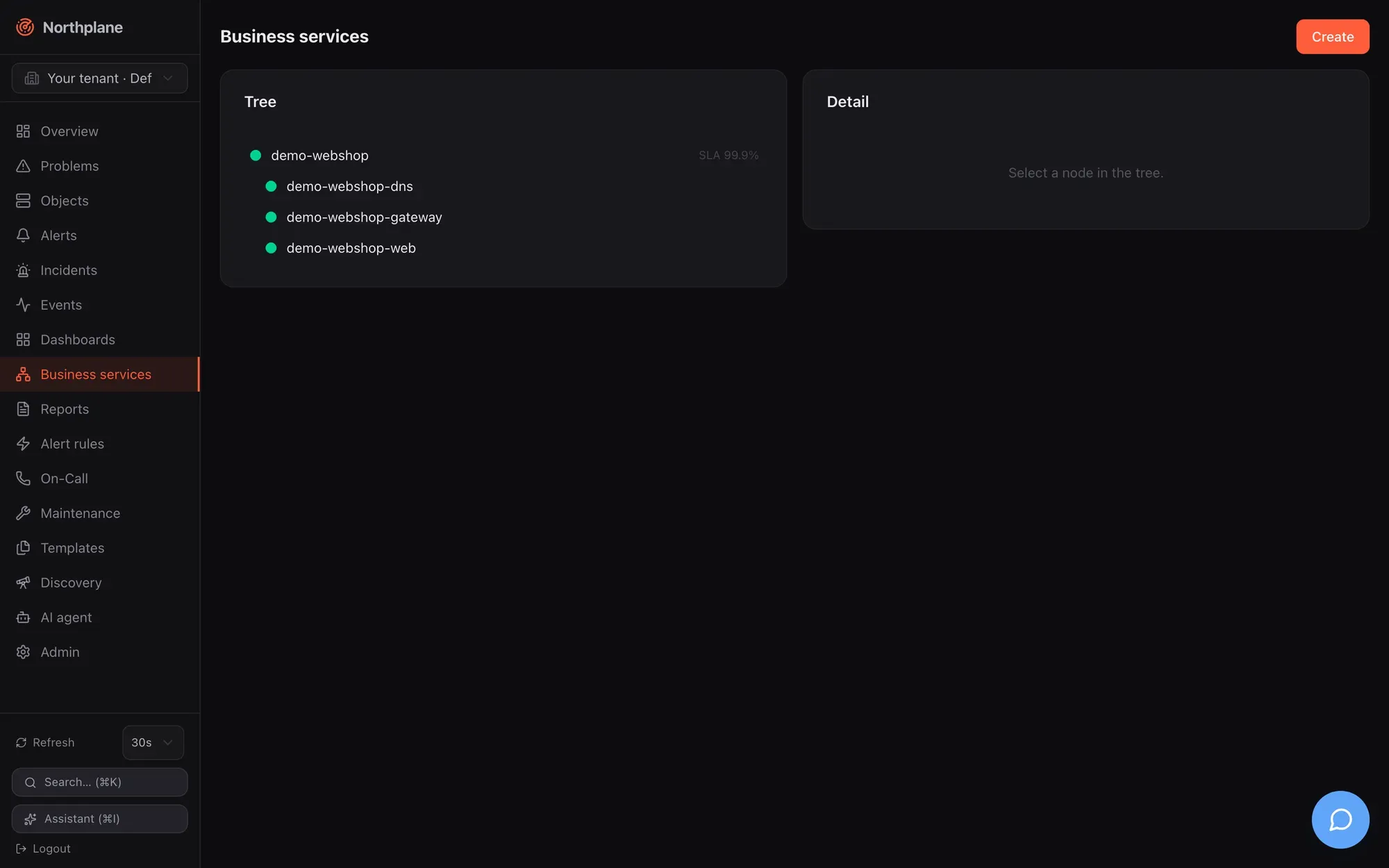
Section titled “Creating the tree”Business services in the sidebar shows the live tree on the left (refreshed every 30 s; glyphs ● OK, ▲ WARNING, ✕ CRITICAL, ? UNKNOWN, plus “SLA N %” when a target is set) and the selected node on the right. Create (Anlegen) and Edit open the same dialog:
| Field | Notes |
|---|---|
| Name | unique per tenant; used in URLs and in the bpi dashboard widget |
| Parent | “Root” or any other business service (stored as the parent’s id) |
| Aggregation rule | worst, best, quorum (shows “Quorum % healthy”), weighted |
| Leaf binding | Object (searchable picker), Selector (label selector, e.g. env=prod,role=web), or none (inner node) |
| Weight | stored, not evaluated |
| SLA target %, SLA window | e.g. 99.9, month / quarter / year |
| Exclude planned downtimes | stored flag; see the SLA caveat below |
The detail pane shows the definition, Edit, Delete, and the SLA card: availability (green/red against the target), target, budget, spent, remaining, window in days. Inner nodes without bindings show “no data” instead of a meaningless 100 %.
The same tree is available as a dashboard widget (bpi, see Dashboards) and the demo data set ships the root demo-webshop with three selector-bound leaves (Demo mode).
The resource uses the generic CRUD at /api/v1/business-services (objects:read to read, config:write to write, If-Match on PUT). Document fields:
| Field | Type | Notes |
|---|---|---|
name |
string | required |
parentId |
string | id of the parent node (not its name); empty = root. A parentId that matches no node makes the node a root |
rule |
worst | best | quorum | weighted |
default worst |
quorumPct |
number | quorum threshold in %, default 50 |
objectId |
string | leaf binding: one object id |
selector |
string | leaf binding: label selector; may be combined with objectId |
weight |
number | stored only |
slaTarget |
number | %; default 99.9 when 0 or absent |
slaWindow |
month | quarter | year |
30, 90 or 365 days; default month |
excludeDowntimes |
bool | stored only (see below) |
NP=https://np.example.comTOK=np_…# root with a pinned id so children can reference itcurl -s -X POST "$NP/api/v1/business-services" -H "Authorization: Bearer $TOK" -H 'Content-Type: application/json' \ -d '{"id":"0198f000-0000-7000-8000-00000000b001","name":"webshop","rule":"worst","slaTarget":99.9,"slaWindow":"month"}'curl -s -X POST "$NP/api/v1/business-services" -H "Authorization: Bearer $TOK" -H 'Content-Type: application/json' \ -d '{"name":"webshop-frontend","parentId":"0198f000-0000-7000-8000-00000000b001","rule":"quorum","quorumPct":66,"selector":"role=web,env=prod"}'curl -s -X POST "$NP/api/v1/business-services" -H "Authorization: Bearer $TOK" -H 'Content-Type: application/json' \ -d '{"name":"webshop-db","parentId":"0198f000-0000-7000-8000-00000000b001","objectId":"<service-id>"}'A caller-supplied id is honoured on create; otherwise a UUIDv7 is minted and returned in the response.
Evaluated tree
Section titled “Evaluated tree”GET /api/v1/business-services:tree (objects:read) returns the roots sorted by name, each as {service, state, children, causes} with state as the numeric state (0 OK, 1 WARNING, 2 CRITICAL, 3 UNKNOWN):
[ {"service": {"id": "0198…b001", "name": "webshop", "rule": "worst", "slaTarget": 99.9}, "state": 2, "causes": ["http"], "children": [ {"service": {"name": "webshop-frontend", "rule": "quorum", "quorumPct": 66}, "state": 0}, {"service": {"name": "webshop-db"}, "state": 2, "causes": ["http"]} ]}]Reference: get_business_services_tree.
SLA budget
Section titled “SLA budget”GET /api/v1/business-services/{name}/sla (objects:read):
{"service": "webshop-db", "target": 99.9, "windowDays": 30, "availability": 99.972, "budgetTotal": "43m0s", "budgetSpent": "12m0s", "budgetLeft": "31m0s"}How it is computed:
- The window is the last 30 / 90 / 365 days ending now.
- For every object bound to this node (
objectIdand selector matches), the hard non-OK time inside the window is summed from itsstate_changeevents (hard transitions only; the state before the window is assumed OK; an ongoing problem counts up to now; at most 1000 events per object are read). WARNING and UNKNOWN count as “down”, not only CRITICAL. - The per-object downtimes are added up (worst case: any leaf down = service down) and capped at the window length.
availability = 100 × (1 − down / window),budgetTotal = window × (100 − target) / 100,budgetLeft = max(0, budgetTotal − down); durations are Go duration strings rounded to minutes.
Impact of an object
Section titled “Impact of an object”GET /api/v1/objects/{id}/impact (objects:read) returns the sorted names of all business services the object is bound to (by id or by selector) plus all their ancestors — useful in runbooks and chat-ops to answer “what breaks if this goes down”. Reference: get_objects_id_impact.
Bundles
Section titled “Bundles”Bundle kind BusinessService (see Config bundles):
kind: BusinessServicemetadata: {name: webshop}spec: id: 0198f000-0000-7000-8000-00000000b001 rule: worst slaTarget: 99.9 slaWindow: month---kind: BusinessServicemetadata: {name: webshop-frontend}spec: parentId: 0198f000-0000-7000-8000-00000000b001 rule: quorum quorumPct: 66 selector: role=web,env=prod