
Navigation and shell
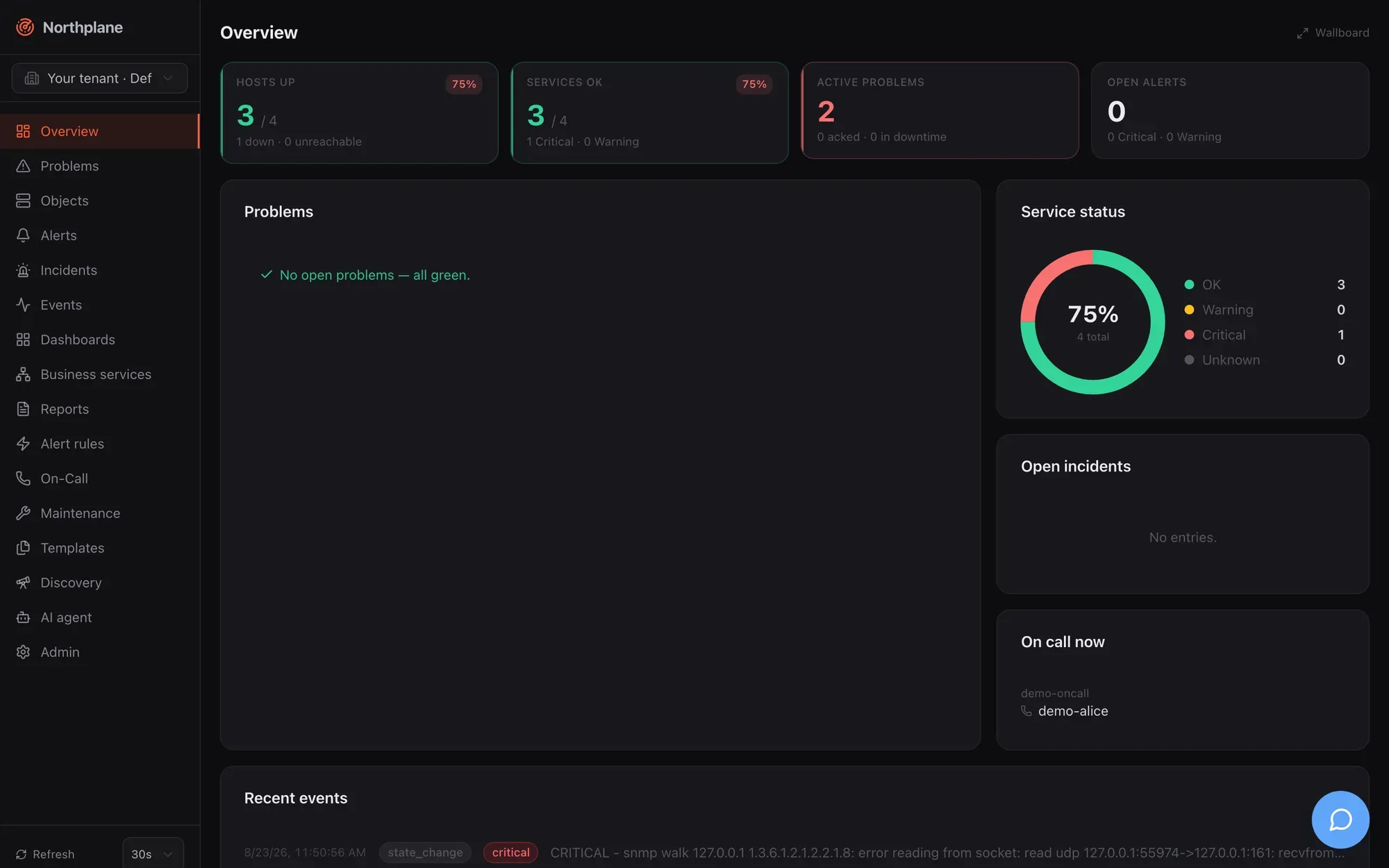
The Northplane UI is a single-page React application embedded in the northplaned binary and served at / of your instance. Everything it shows comes from the same REST API that np, the agent and MCP clients use (see API overview); the UI adds no private endpoints. This page describes the application shell — the parts that are the same on every page. The pages that follow walk through each screen: Overview and Problems, Objects, Alerts, Incidents, Events, On-Call, Alerting configuration and Admin.
The shell
Section titled “The shell”| Area | What it contains |
|---|---|
| Left sidebar (fixed width) | Radar logo + Northplane wordmark; the tenant switcher (cross-tenant operators only); the 16 navigation entries below; a footer with the refresh control, a Search… (⌘K) (Suchen… (⌘K)) button, an Assistant (⌘I) (Assistent (⌘I)) button and a Logout link. |
| Main area | The current page. Every page is loaded lazily (a spinner shows while the chunk loads). |
| Right AI sidebar | Opens with ⌘I / Ctrl+I or the sidebar button — see AI sidebar. |
| Wallboard mode | If the URL contains ?wallboard (e.g. /?wallboard=1 or /dashboards/<name>?wallboard), the shell renders the page without the sidebar — for TVs and NOC screens. |
Logout is a plain link to /auth/logout: the server deletes the session, clears the np_session cookie and redirects to /login.
The shell also fetches two things once per page load: your user preferences (GET /api/v1/users/me/preferences, currently the refresh interval) and the instance branding (GET /api/v1/branding, colour theme and light/dark mode). Branding is deliberately not re-fetched when you switch tenant — the console must not re-skin when an operator changes customer.
Sidebar navigation
Section titled “Sidebar navigation”Sixteen routes, in sidebar order. The German label is what a browser with a de* language shows (see Language).
| # | Route | English (German) label | What it is | Documented in |
|---|---|---|---|---|
| 1 | / |
Overview (Übersicht) | KPI tiles, problem list, service-status donut, incidents, on-call, recent events; wallboard mode | Overview and Problems |
| 2 | /problems |
Problems (Probleme) | All hosts/services in a non-OK hard state with ack/downtime/check-now actions | Overview and Problems |
| 3 | /objects |
Objects (Objekte) | Hosts and services: filterable list, create/edit dialog, batch add, object detail | Objects |
| 4 | /alerts |
Alerts (Alarme) | Open/acked/closed alerts, acknowledge/resolve, trigger a manual alarm | Alerts |
| 5 | /incidents |
Incidents (Incidents) | Incident cards with AI summary and resolve | Incidents |
| 6 | /events |
Events (Events) | The event log with type/object filters and NDJSON export | Events |
| 7 | /dashboards |
Dashboards (Dashboards) | Dashboard list and the grid editor; /dashboards/<name> opens one |
Dashboards |
| 8 | /business |
Business services (Business Services) | BPI tree, SLA card, service definitions | Business services |
| 9 | /reports |
Reports (Reports) | Report definitions, preview/CSV/JSON, run, archive | Reports |
| 10 | /alerting |
Alert rules (Alarm-Regeln) | Tabs: alert rules, groups, escalation policies, IVR menus | Alerting configuration |
| 11 | /oncall |
On-Call (Bereitschaft) | Who is on duty now, schedules, layers, overrides, timeline, stats, ICS | On-Call |
| 12 | /maintenance |
Maintenance (Wartung) | Silences and downtimes | Maintenance |
| 13 | /templates |
Templates (Templates) | Templates, check commands, time periods | Templates |
| 14 | /discovery |
Discovery (Discovery) | Network scans and turning suggestions into hosts | Discovery |
| 15 | /agent |
AI agent (KI-Agent) | The agent chat workspace | Agent chat |
| 16 | /admin |
Admin (Administration) | 21 administration tabs | Admin |
Two routes are reachable only by link: /objects/<id> (object detail) and /dashboards/<name> (dashboard view). The active sidebar entry is highlighted by path prefix; Overview is highlighted only on exactly /.
Unknown paths render a 404 page inside the shell (the big “404”, the path, and a link back to Overview). A route that throws renders the shared error state with a Retry button.
Duplicating entities
Section titled “Duplicating entities”Every list row — and the object detail header — carries a Duplicate (Duplizieren) action next to Edit. It opens the entity’s create dialog seeded from the source, so a second service, host, contact, channel or escalation policy is “copy, rename, save” instead of retyping every field. Covered: hosts and services (list and detail page), contacts, contact groups, channels, event sources, webhooks, heartbeats, roles (a system role becomes a custom copy), users (roles and flags; the identity is not copied), sites, escalation policies, alert rules, schedules, alert groups, IVR menus, templates, check commands, time periods, business services, reports, dashboards (full widget layout), downtimes and silences (window/expiry kept while still ahead, otherwise now + 1 h).
The copy never carries the store envelope (id, tenantId, version, timestamps), so it is a
real create (POST) and never collides with the source. The suggested name is <name>-copy for
slug-like names (hosts, services, contacts, rules — things that end up in selectors, URLs and
check arguments) and <name> (copy) / <name> (Kopie) for free-text names (dashboards, reports),
numbered (-copy-2, (Kopie 3)) against the names already on the page so the suggestion is free
from the start; the name stays editable.
Command palette
Section titled “Command palette”Press ⌘K (macOS) or Ctrl+K (Linux/Windows), or click Search… (⌘K) in the sidebar footer. The palette has two groups:
| Group | Behaviour |
|---|---|
| Objects | Once you have typed at least two characters the palette queries GET /api/v1/objects?q=<text>&limit=8&withState=true and lists matching hosts and services with their state icon and colour, the name and a hint (host or service @ <host>). Selecting one opens /objects/<id>. |
| Pages | Static entries (labels are English in every language): Overview, Problems, Objects, Alerts, Incidents, Events, On-Call, Admin, Wallboard (full reload of /?wallboard=1) and API Docs (opens the Swagger UI at /api/docs in a new tab). |
Placeholder: “Navigation, objects, actions…” (Navigation, Objekte, Aktionen…); empty result: “Nothing found” (Nichts gefunden). The query is cleared when the palette closes. Escape closes it.
Keyboard shortcuts
Section titled “Keyboard shortcuts”| Keys | Action |
|---|---|
⌘K / Ctrl+K |
Toggle the command palette |
⌘I / Ctrl+I |
Toggle the AI sidebar |
g then o |
Go to Overview (/) |
g then p |
Go to Problems |
g then h |
Go to Objects (hosts) |
g then a |
Go to Alerts |
g then e |
Go to Events |
The g chords are ignored while the focus is in an input, textarea or content-editable element. There are no other global shortcuts; dialogs follow the usual Enter-to-submit / Escape-to-close behaviour (for example the acknowledge dialog submits on Enter).
Tenant switcher
Section titled “Tenant switcher”The switcher at the top of the sidebar is shown only when your effective permissions imply admin:tenants (wildcard-aware, so the built-in admin role with *:* sees it). Everyone else is pinned to their own tenant and sees nothing here.
| Element | Behaviour |
|---|---|
| Select | Lists Your tenant (Eigener Mandant) · <name of your home tenant> plus every tenant from GET /api/v1/tenants. |
| Choosing a tenant | Stores the tenant id in localStorage["np.activeTenant"], clears the whole client-side query cache and navigates to /, so nothing from the previous customer remains on screen. The trigger is tinted in the sidebar accent and a standing line Active customer (Aktiver Kunde): <name> appears underneath. |
| Effect | Every API call — lists, writes, the ETag reads, the agent chat stream — sends X-Northplane-Tenant: <id>. The server checks admin:tenants on each request; audit entries land in the target tenant. |
| Back home | Choose Your tenant again; the header is dropped. |
See Tenancy and RBAC for what is and is not tenant-scoped, and Tenants and sites for creating tenants. Two things are worth knowing: branding is instance-wide and does not change with the tenant; and POST /alerts/{id}:ack ignores the tenant header and acts on your home tenant (see Known issues).
Refresh control and live data
Section titled “Refresh control and live data”The Refresh (Aktualisierung) select in the sidebar footer sets how often live data is reloaded: 5 s, 10 s, 30 s, 60 s, Off (Aus). The default is 30 s; Off means manual reload only (navigating to a page still fetches). Tooltip: “How often live data is reloaded” (Wie oft Live-Daten neu geladen werden).
| Fact | Detail |
|---|---|
| Persistence | localStorage["np.refreshInterval"] for instant boot and your server-side preferences (PUT /api/v1/users/me/preferences with refreshIntervalMs, 0 = off). Written through on change, adopted from the server when the shell mounts, synchronised across browser tabs. |
| Pages that follow it | Overview, Problems, Objects list, Alerts, Incidents, Events, the object detail’s service lists. |
| Fixed intervals | On-call widget 60 s, metrics 60 s, wallboard 10 s, AI approvals queue 15 s, System health 10 s, business-service tree 30 s, SLA card 60 s, discovery scans 5 s while a scan runs. |
| Client cache | React Query with staleTime 15 s, one retry, no refetch on window focus. A 401 from any call hard-redirects the browser to /login. |
AI sidebar
Section titled “AI sidebar”The right-hand Assistant (Assistent) panel is the lightweight, non-streaming assistant; the full agent workspace with tool calls, model selection and chat history is the separate AI agent page (/agent, see Agent chat).
| Element | Behaviour |
|---|---|
| Intro text | “Triage, correlation, configuration by voice. Mutations run through action cards with confirmation — nothing happens invisibly.” |
| Input | Textarea; Enter sends, Shift+Enter inserts a newline. Placeholder: “Ask the assistant… e.g. ‘What is wrong with web01?’” |
| Transport | POST /api/v1/ai/conversations with {conversationId, message}; the reply arrives as one JSON document {conversationId, reply, actions[]}. Needs events:read. |
| Action cards | Each proposed tool call shows the tool name and its JSON input with Approve (Freigeben, POST /api/v1/ai/actions/{id}:approve, needs config:write) and Deny (Ablehnen, …:deny, needs alerts:ack). Already-executed actions show “executed (audited)”. |
The sidebar requires a server-level AI provider (ai.provider other than none); without it the assistant cannot answer, and even approved actions are not executed. Details and the provider/policy model are in Agent chat.
Server-rendered pages
Section titled “Server-rendered pages”A few pages are plain HTML rendered by the Go server, not by the SPA. They work without JavaScript and are German-only.
| Path | Purpose | Notes |
|---|---|---|
/login |
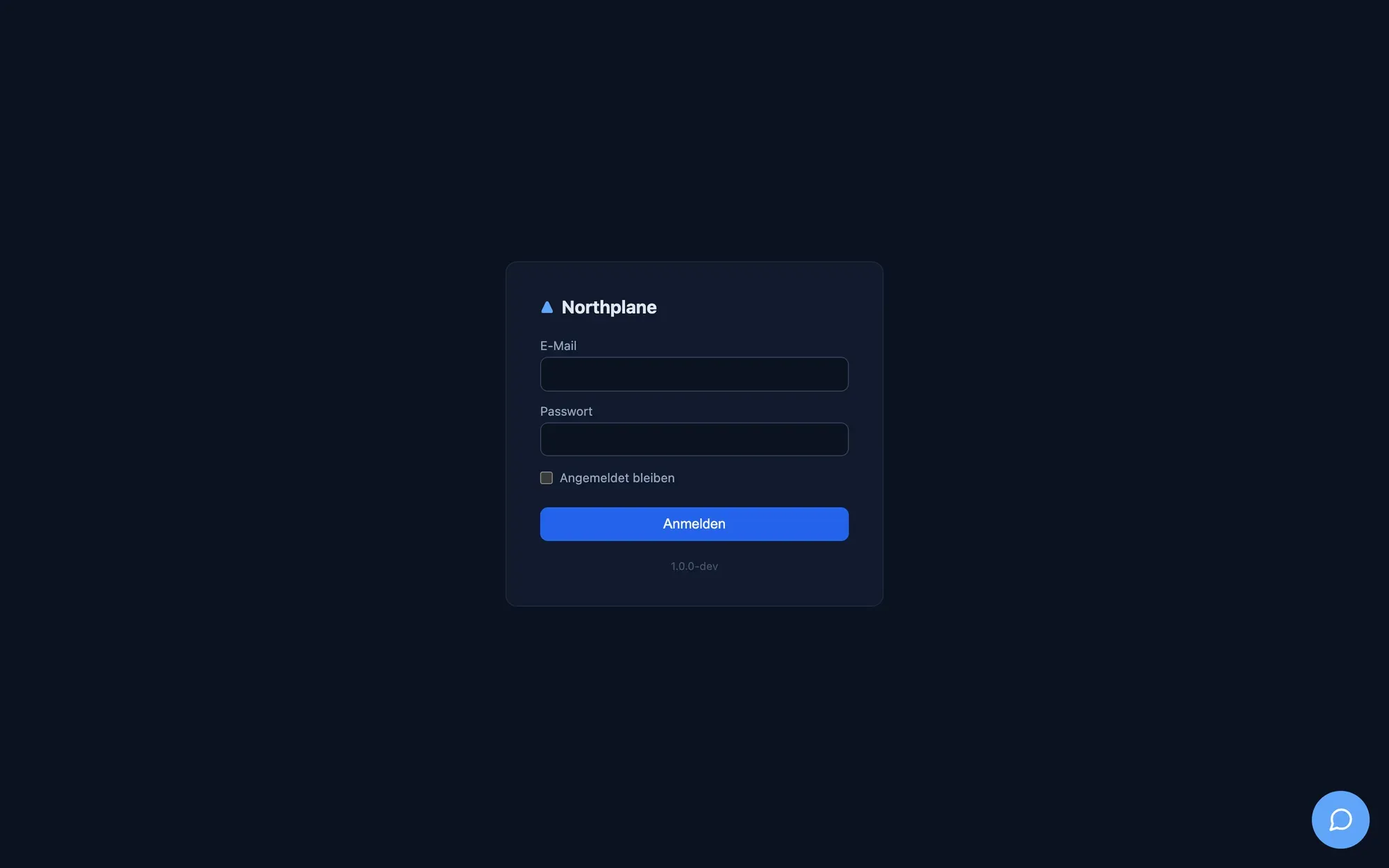
Local login form: E-Mail, Passwort, checkbox Angemeldet bleiben (remember me: 30-day session instead of 12 h), button Anmelden. Shows a Single Sign-On button when OIDC is configured and a “Neu hier? Konto erstellen” link when self-service signup is enabled. | POST /login is rate limited per IP (burst 8, refill one per 15 s); failures return the generic “Anmeldung fehlgeschlagen.”. Details: Authentication. |
/setup |
First-run admin creation (Name, E-Mail, Passwort ≥ 12 characters, Bestätigen). | Only while no local user and no API token exists. On default installs the seeded default admin closes it — see Authentication for NP_DEFAULT_ADMIN_DISABLED. Otherwise it redirects to /login. |
/register |
Self-service signup; creates a viewer account. | 404 unless allowSignup is on; defers to /setup while first-run is open. |
/auth/oidc, /auth/callback, /auth/logout |
OIDC start/callback and logout. | 501 SSO not configured without OIDC. |
/status/<slug> |
Public, JS-free status page that refreshes itself every 60 s. Rows are the business-service roots (Betriebsbereit / Beeinträchtigt / Störung) or, without business services, one “Infrastruktur” row from the host/service summary. | /status/default works out of the box (tenant Default, title “Service Status”). Other slugs need a statuspage/<slug> KV document; there is currently no UI or API that writes it. |
/api/docs |
Swagger UI over /api/openapi.json. |
Unauthenticated. |
/docs/ |
This documentation. | Unauthenticated. |
Unauthenticated document navigations to any SPA path (a GET with Accept: text/html) are redirected to /login; API calls get a 401 problem document instead.
Language
Section titled “Language”The UI has two catalogues, German and English, with identical keys. The choice is made once at load time from the browser: navigator.language starting with de → German, anything else → English. There is no in-app language switcher and no per-user or server setting. A handful of labels are intentionally literal in both languages (command-palette page names, “Logout”, “Raw JSON”, “ICS”, “Wallboard”), which is why a German screen shows a few English words. Dates use the browser locale (Intl.DateTimeFormat, short date + medium time); relative ages render as 12s, 5m, 2h 3m, 1d 4h. The server-rendered pages above are German only.
Themes, mode and branding
Section titled “Themes, mode and branding”Appearance has two axes:
| Axis | Values | Default | Stored in |
|---|---|---|---|
| Colour theme | 31 themes: Northplane (Standard) (the built-in palette) plus 30 design-system palettes such as Obsidian & Fire, Arctic Blue, Polar Night, Forest & Copper, Midnight Indigo … | Obsidian & Fire (obsidianFire) |
localStorage["np.theme"] + instance branding document |
| Mode | System (follows prefers-color-scheme live), Light (Hell), Dark (Dunkel) |
Dark | localStorage["np.mode"] + instance branding document |
Both are changed under Admin → Appearance (Darstellung) and are instance-wide: the server stores one {theme, mode} document (GET/PUT /api/v1/branding), every user sees it, and switching tenant does not change it. Only users with config:write can change them; for everyone else the controls are disabled with the hint “Only administrators with config:write can change this instance’s appearance.” The localStorage copy exists for an instant, flicker-free boot and is overwritten by the server document when the shell loads. The complete theme list, the light/dark CSS mechanics and the favicon logic are documented in Branding and themes.
The favicon is the radar logo tinted in the active theme’s sidebar accent (the SPA repaints it whenever theme or mode changes); the server pages use the static orange favicon.svg. The login page is not branded — it always renders in the dark default look.