
Alerting configuration and other pages
The sidebar entry Alert rules (Alarm-Regeln) opens /alerting, the page where the alarming pipeline is configured: which events become alerts, how alerts are grouped, who is notified in which order, what callers hear on the phone, and how voice alarms are spoken. Channels, event sources, contacts and heartbeats are configured under Admin. The page heading follows the active tab; the primary button in the header is New rule (Regel anlegen) on the rules tab and Create (Anlegen) elsewhere.
All five tabs are tenant-scoped config documents: reading needs objects:read, creating/updating/deleting needs config:write (held by admin, not by operator). Every dialog saves with If-Match optimistic locking and shows “Conflict — please reload.” on a 409/412.
Alert rules tab (Alarm-Regeln)
Section titled “Alert rules tab (Alarm-Regeln)”Data: GET /api/v1/alert-rules (plus GET /api/v1/alert-groups and GET /api/v1/escalation-policies for the pickers). The list shows Name, the Severity badge, the Match expression (CEL) (Match-Ausdruck) excerpt — or ♥ <source> / <expectEvery> for heartbeat rules — the escalation policy, a Disabled (Deaktiviert) badge where set, and two actions: Test rule (Regel testen, flask icon) and Edit (Bearbeiten).
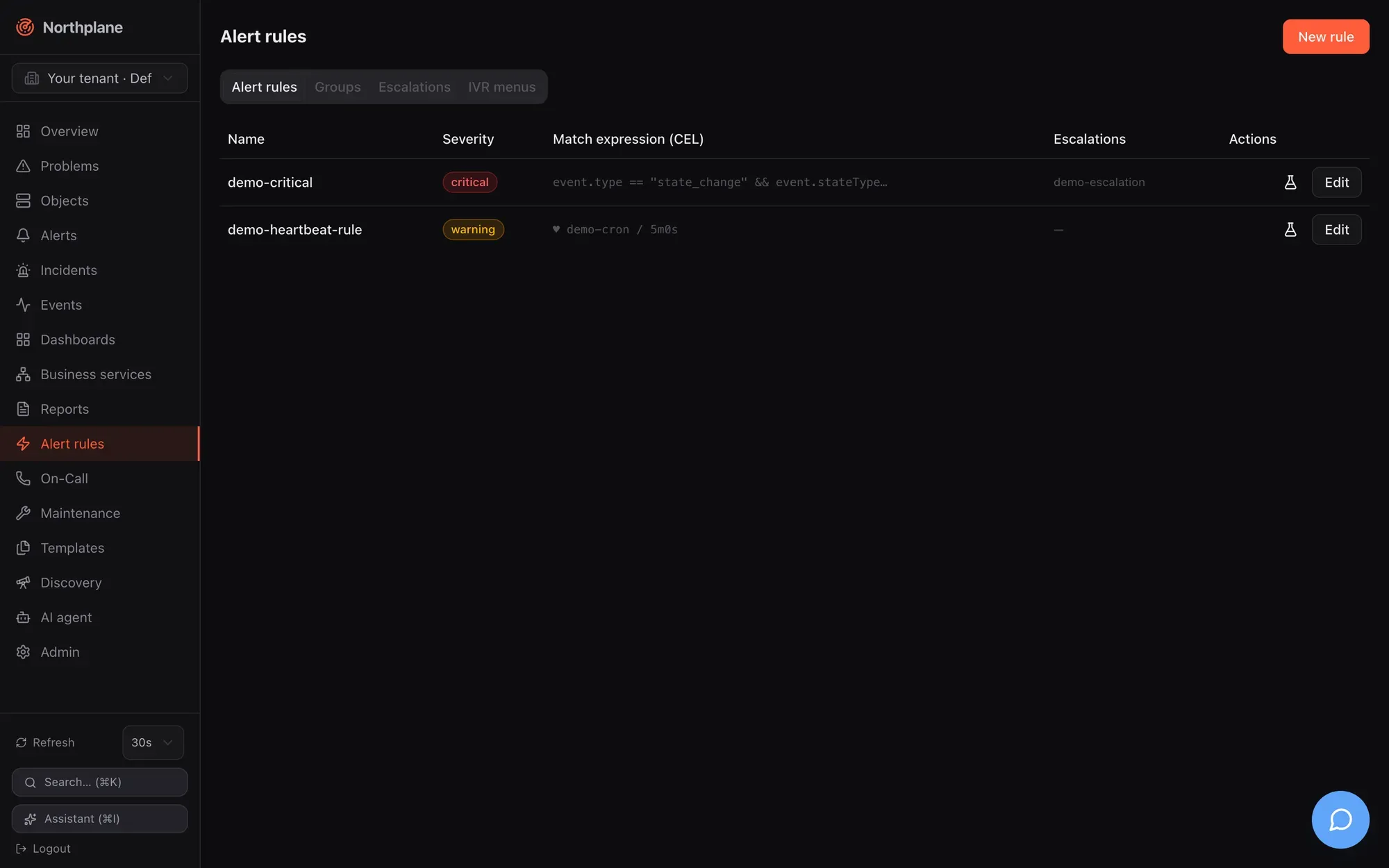
Test rule in the list calls POST /api/v1/alert-rules/{name}:test with an empty body (alerts:read): the server replays recent events against the saved rule and answers “N events would match, M alerts would open” (N Events würden matchen, M Alarme entstehen) plus the list of alerts that would open. Empty state: “No alert rules yet — create one to turn events into alerts.”
Rule dialog
Section titled “Rule dialog”| Field (EN / DE) | Input | Meaning |
|---|---|---|
| Name | required, locked on edit, placeholder host-down-critical |
|
| Source (Quelle) | radio CEL-Match or Heartbeat | Exactly one of the two is saved. |
| CEL expression | textarea, placeholder event.type == "state_change" && event.severity == "critical" |
The match expression — see the CEL environment in Alert rules. |
| Heartbeat Source + Expected every (Erwartet alle) | text (placeholder backup-job) + duration (placeholder 1h) |
Silence detection: opens an alert when no event from that source arrives within expectEvery. source is compared with the events’ sourceId, i.e. the id of the event source — not its name — and the rule arms only after the first event from it. |
| Severity | critical / warning / info / ok |
ok is allowed for resolve rules. |
| Dedup key (Dedup-Key) | text, hint “optional, Go template” | Alerts with the same rendered key are folded. |
| Title (Go template) (Titel) | text | Alert title template. |
| Pending period (Pending-Periode) | duration, placeholder 5m |
The condition must persist this long before the alert opens (state kept in memory — lost on restart). |
| Auto-close (Autoclose) | duration, placeholder 24h |
Open alerts expire after this. |
| Escalations (Eskalationen) | select of policies, or none | The policy started when the alert opens. |
| Group (Gruppe) | select of alert groups, or none | See the caution below. |
| Set labels (Labels setzen) | key/value editor (team = netops) |
Labels stamped on the alert — including np.sound, np.volume, np.tts for the alarm app and voice. |
| Resolve on OK (Bei OK schließen), Create incident (Incident anlegen), Disabled (Deaktiviert) | toggles | |
| Test panel | editable demo-event JSON + Run (Ausführen) | POST /api/v1/alert-rules:test with {rule, demoEvents} — works on the unsaved form, so you can iterate before saving. |
| Delete | on existing rules | DELETE /api/v1/alert-rules/{name} |
Groups tab (Gruppen)
Section titled “Groups tab (Gruppen)”Data: GET /api/v1/alert-groups. List columns Name, Group-By, Window (Fenster), Aggregate (Aggregat) badge, Min. Dialog: Name, Group by (label keys) (Group-By (Label-Keys), list), Window, Aggregate (count / min / max / avg / sum / median), Value path (Wert-Pfad, optional for min/max/avg/sum/median), Min. count (Min. Anzahl).
Escalations tab (Eskalationen)
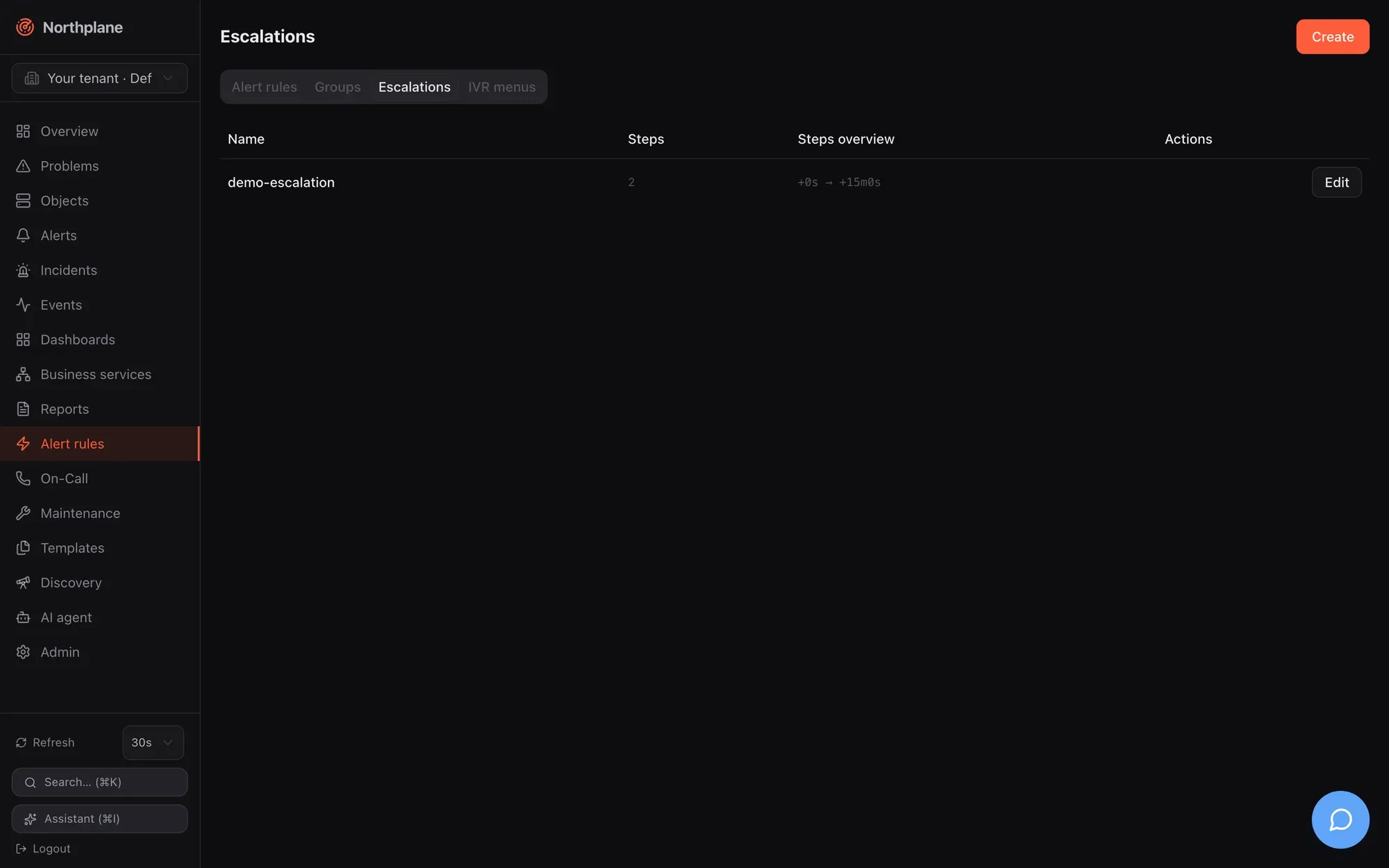
Section titled “Escalations tab (Eskalationen)”Data: GET /api/v1/escalation-policies. List columns Name, number of steps, a Steps overview (Stufen-Übersicht) such as +0s → +10m, Edit. The dialog is the policy Name plus ordered Step (Stufe) cards (move up/down, remove, add):
| Step field (EN / DE) | Input | Meaning |
|---|---|---|
| After (Nach) | duration, placeholder 0s, hint “Delay from alert” |
When the step fires, counted from the alert opening. |
| Only if not acknowledged (Nur falls nicht quittiert) | toggle | unlessAcked — suppresses this step’s send if the alert was acknowledged by then. An acknowledged alert never advances to further steps anyway. |
| Notify (Benachrichtigen) | radio Schedule (Dienstplan) / Contact (Kontakt) / Contact group (Kontaktgruppe) | Who is notified. For a schedule you also choose Primary (Primär) or Backup (2nd) (Backup (2.)) from the rotation (“Who from the rotation”). |
| Channels (Kanäle) | chip picker: email, webhook, slack, teams, ntfy, sms, push, voice, mqtt |
Channel types; the first enabled channel of each type (by name) is used, and a step that lists channels overrides the contacts’ own preferences. |
| Repeat every (Wiederholen alle) / Max. repeats (Max. Wiederholungen) | duration + number | Repeats the step while the alert stays open. |
| Action: trigger webhook (Aktion: Webhook auslösen) | toggle + webhook-channel select | Fires a webhook channel in addition to notifying. |
Simulate (Simulieren; POST /api/v1/escalation-policies/{name}:simulate, alerts:read) renders a timeline — who is notified when, on which channels, repeats and actions — for the saved policy; unsaved changes show “Save the policy first, then simulate.” The step semantics, persisted timers and what happens on ack/snooze are in Escalation policies.
IVR menus tab (IVR-Menüs)
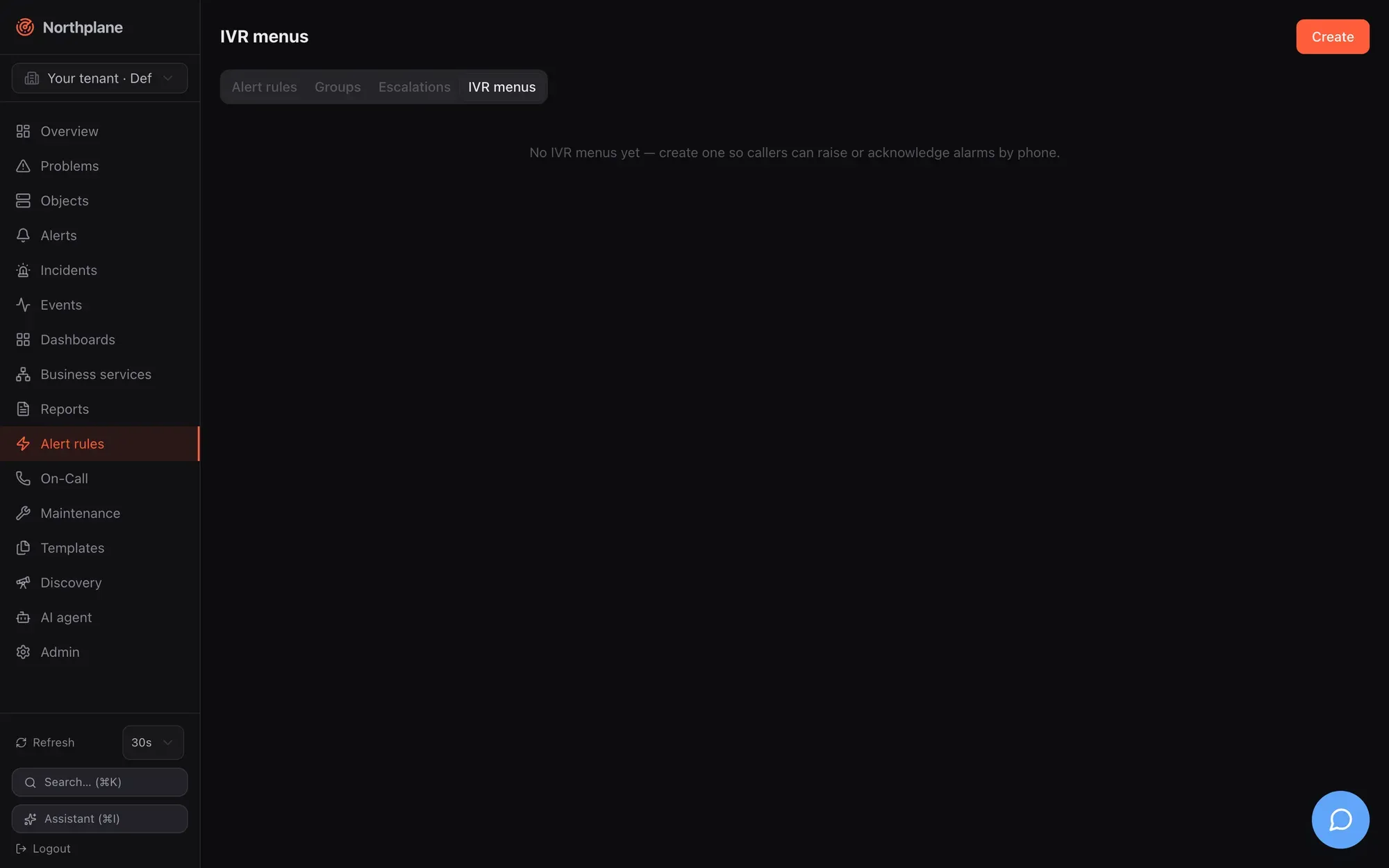
Section titled “IVR menus tab (IVR-Menüs)”Data: GET /api/v1/ivr-menus. List columns Name, Language (Sprache), number of options and an Options overview (Optionen-Übersicht) such as 1=trigger-alarm · 2=list-alerts. Dialog:
| Field (EN / DE) | Input |
|---|---|
| Name | locked on edit |
| Language (Sprache) | e.g. de-DE (default en-US); German prompts for any de* |
| Voice (Stimme) | provider TTS voice, e.g. Polly.Vicki |
| PIN | optional — callers must key it in |
| Greeting (Begrüßung) | spoken before the options |
| Trust caller ID (Anrufer-ID vertrauen) | a known contact phone number replaces the PIN prompt |
Options — per option: Key (Taste, 0–9, *, #), Action (trigger-alarm / list-alerts / ack-alert / resolve-alert / say), Label (Bezeichnung, read aloud in the prompt) |
ordered list |
for trigger-alarm: Severity, Title (with {caller} / {called} placeholders), Escalation policy, Sound (np.sound), Record a voice message (Sprachnachricht aufzeichnen) |
|
for say: Text |
An IVR menu is attached to a voice-inbound (Twilio) or asterisk-inbound (FastAGI) event source under Admin → Event sources; the call flow, PIN gate, recording and transcription are described in Voice and IVR.
Text-to-speech tab (Sprachausgabe)
Section titled “Text-to-speech tab (Sprachausgabe)”Data: GET /api/v1/tts-profiles. List columns Name (the profile default is badged — it applies wherever no profile is named), Engine, Language, Language detection (mode and candidate languages) and Voice(s). The dialog groups:
| Group | Fields |
|---|---|
| Engine | engine select (command, edge, openai, elevenlabs, azure, google, polly, http), Fallback profile, and the engine’s config keys as reported by GET /api/v1/tts/engines (secret keys masked, $SECRET:name$ hint); More settings (Weitere Einstellungen) is a key/value editor for anything else |
| Voice per language | Default language (e.g. de-DE), Default voice, Speaking rate, the language → voice map, and Load voices which fetches the engine’s catalogue (POST /api/v1/tts:voices with the unsaved profile) — pick a voice per language |
| Language detection | mode off / per message / per sentence, candidate languages |
| Pronunciation & normalisation | lexicon rows (word → spoken as, match case, inside words), regex rows (pattern → replacement), spell-out list, numbers mode and digit threshold, URLs mode, toggles for acronyms, units, symbols, IP addresses, identifiers, built-in lexicon |
| Audio | sample rate, format (PCM / µ-law), attention signal (chime/alert/gong), gain, lead/trail silence, loudness normalisation, silence trimming, cache switch |
| Preview | a test text with Normalise only (shows detected language and the text the engine receives — no engine call) and Listen (POST /api/v1/tts:preview with the unsaved profile; plays the clip inline) |
Everything the tab edits is explained on Text-to-speech.
Other pages in brief
Section titled “Other pages in brief”The following pages have their own detailed documentation in the Monitoring section; this is what you find in the UI.
Dashboards (/dashboards)
Section titled “Dashboards (/dashboards)”A card per dashboard (name, Shared (Geteilt) badge, widget count, Open, Delete) and a New dashboard (Dashboard anlegen) dialog (Name, switch “Shared (visible to everyone)”). The dashboard view at /dashboards/<name> has a time range select (1h … 30d), a refresh select (Off, 10 s, 30 s, 1 min, 5 min), a Wallboard link and Edit (Bearbeiten); in edit mode + Add widget (Widget hinzufügen, an icon gallery of the 11 widget types with live preview), Tidy (Aufräumen), drag/resize on a 12-column grid, Cancel, Save (PUT /api/v1/dashboards/{name} with ETag). Widget types, configuration fields and data sources: Dashboards.
Reports (/reports)
Section titled “Reports (/reports)”A table of report definitions — Name, Type (availability, SLA, alert statistics, on-call, audit), Schedule (Zeitplan, the raw grammar), recipient count (amber warning when scheduled without recipients), Keep — with Preview (Vorschau, HTML in a sandboxed iframe), CSV, JSON, Run (Ausführen: render + archive + e-mail), Archive (Archiv), Edit, Delete. The dialog has a schedule composer (frequency, weekday or day of month, time) that shows the resulting daily[@HH:MM] | weekly:<weekday>[@HH:MM] | monthly[:day][@HH:MM] string live. Report types, formats and delivery: Reports.
Business services (/business)
Section titled “Business services (/business)”Left: the live aggregation Tree (Baum) with state glyphs and SLA N% per node (30 s refresh). Right: the SLA — <name> card (availability against target, error budget, consumed, remaining, window) and the Definition card (rule, quorum, binding, parent, weight, SLA target/window) with Edit and Delete. The dialog binds a leaf to an object or a selector (or makes an inner node), chooses worst / best / quorum / weighted, weight, SLA target and window. Rules and SLA math: Business services.
Discovery (/discovery)
Section titled “Discovery (/discovery)”Start scan: CIDR (max /20) and optional ports → POST /api/v1/discovery/scans (config:write). The scans table polls every 5 s while a scan runs; Suggestions (Vorschläge) opens a panel where you pick a folder (default /discovered), optional templates and the rows to adopt; Adopt selected creates hosts through POST /api/v1/objects:batch with the label discovered=true. Algorithm and limits: Discovery.
Maintenance (/maintenance)
Section titled “Maintenance (/maintenance)”Tabs Silences and Downtimes with a Create button bound to the active tab. Silences: selector and/or text regex, required comment, expiry with quick buttons 1h / 4h / 24h or a date-time. Downtimes: target Object (searchable picker) or Selector, type fixed/flexible (+ duration), from/to, an optional free-text RRULE (e.g. FREQ=WEEKLY;BYDAY=SA — there is no visual recurrence builder), required comment. Deleting a silence expires it early; deleting a downtime cancels it. Suppression semantics and the re-arm behaviour: Maintenance.
Templates (/templates, heading “Templates & Konfiguration”)
Section titled “Templates (/templates, heading “Templates & Konfiguration”)”Tabs Templates, Check commands (Check-Kommandos) and Time periods (Zeiträume). The template editor is the same spec form as the object dialog (see Objects) but flat and wide, with a Type (both / host / service) and labels. Check commands: name, type (exec / builtin / agent / passive), command line (list), timeout, switch “Export env macros”. Time periods: name, alias, per-weekday ranges (08:00-17:00, comma-separated), exceptions, exclusions. Inheritance and the catalog: Templates.