
Alerts, Incidents, Events and On-Call
Four pages cover the alarming side of day-to-day operation: Alerts (Alarme) for the alert list and manual alarms, Incidents for grouped alerts, Events for the raw log, and On-Call (Bereitschaft) for who is on duty. The concepts behind them — alert lifecycle, dedup, incidents and the correlator, the event model — are in Alerts and incidents and Events. All four pages reload on your refresh interval.
Alerts page
Section titled “Alerts page”Route /alerts. Data: GET /api/v1/alerts?status=<status>&limit=200 (alerts:read); the severity filter is applied client-side. Both filters are URL parameters (?status=…&severity=…) and therefore linkable.
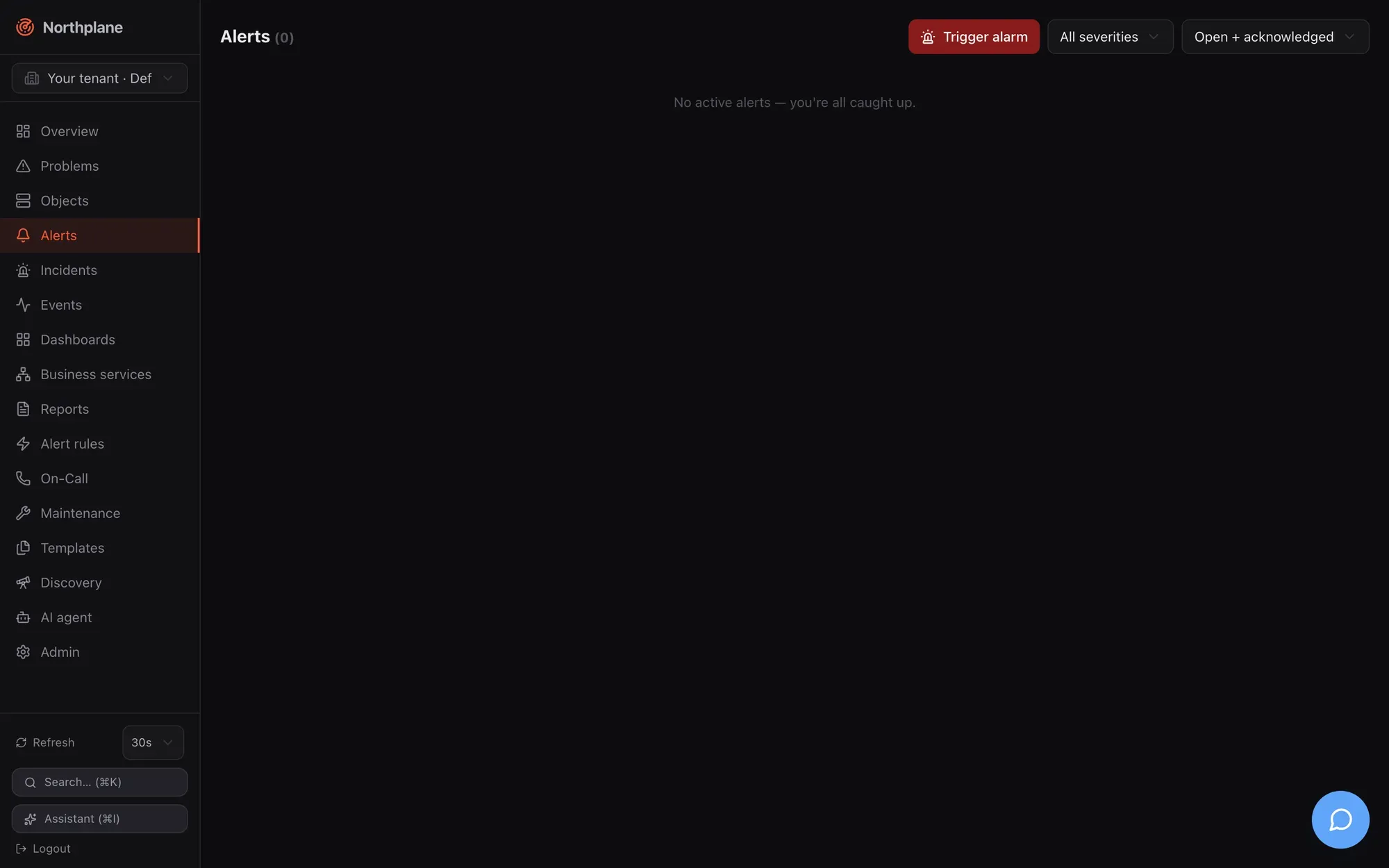
| Control (EN / DE) | Options | Effect |
|---|---|---|
| Trigger alarm (Alarm auslösen) | red button with a siren icon | Opens the trigger-alarm dialog |
| Severity select | All severities (Alle Severities), critical, warning, info |
Client-side filter |
| Status select | Open + acknowledged (Offen + quittiert, the default: status=open,acked), Open only (Nur offen: open), Closed (Geschlossen: resolved,expired) |
Sent as status= |
Each row shows the severity badge, the title and a meta line <status> by <ackedBy> · since <age> · <dedupKey>. Hover actions:
| Action (EN / DE) | When | Call |
|---|---|---|
| Acknowledge (Quittieren) | open alerts | opens the Acknowledge dialog → POST /api/v1/alerts/{id}:ack (alerts:ack) |
| Resolve (Schließen) | open or acknowledged alerts | POST /api/v1/alerts/{id}:resolve (alerts:ack) |
After a manual alarm is raised a green “Alarm raised.” (Alarm ausgelöst.) banner shows for 2.5 s. The empty state reads “No active alerts — you’re all caught up.” (Keine aktiven Alarme — alles ruhig.)
Open alerts also offer Snooze (1 h / 4 h / 24 h) — ack now, auto-unack later; other durations via POST /api/v1/alerts/{id}:snooze — see Acknowledge and snooze.
Trigger-alarm dialog
Section titled “Trigger-alarm dialog”Raises an alert by hand — a fire drill, a test of the escalation chain, an alarm reported by phone that did not come in through an event source. The call is POST /api/v1/alerts (alerts:write, held by operator and admin).
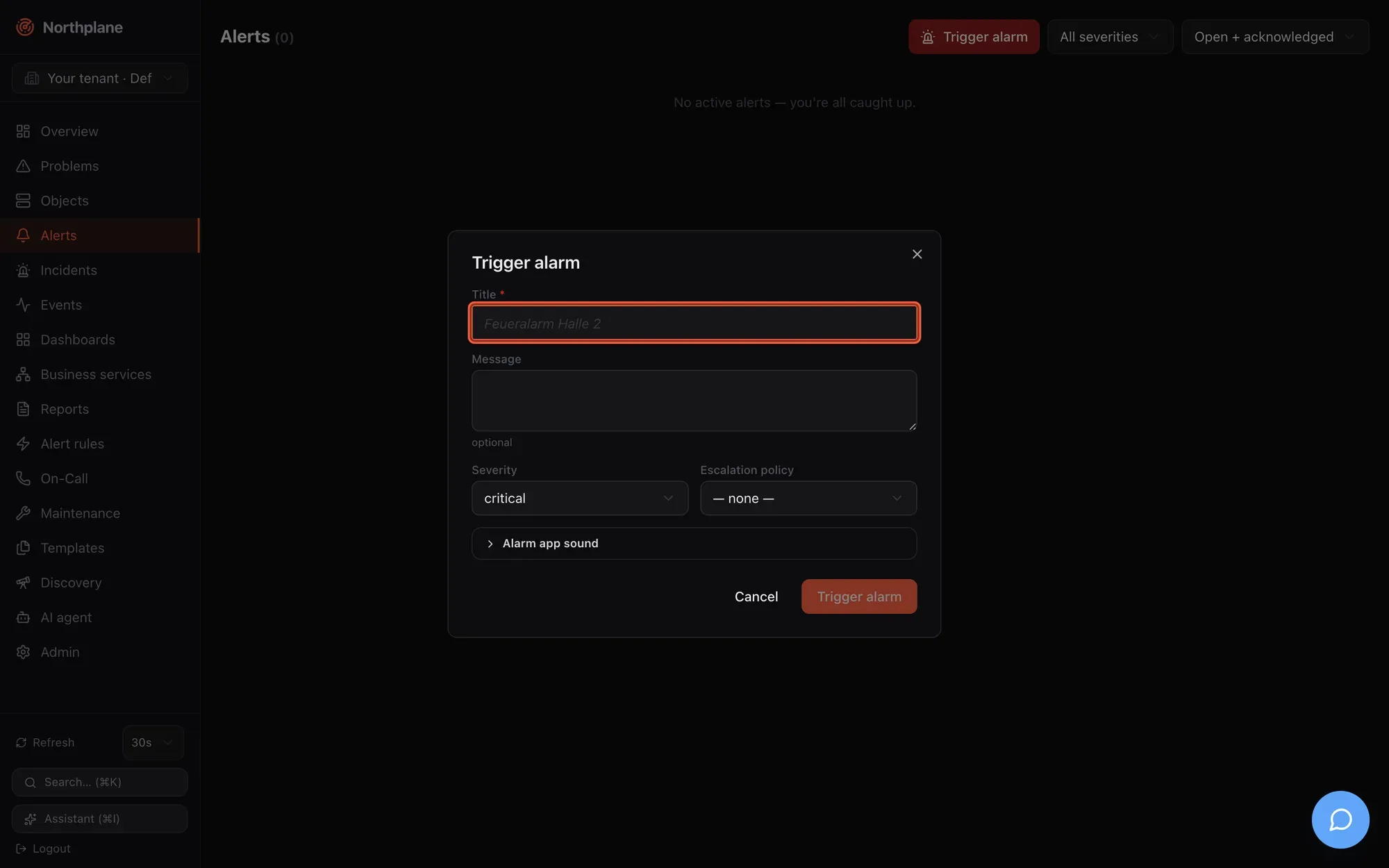
| Field (EN / DE) | Input | Sent as |
|---|---|---|
| Title (Titel) | required, placeholder “Feueralarm Halle 2” | title |
| Message (Nachricht) | optional | message |
| Severity (Schweregrad) | critical / warning / info — no ok |
severity |
| Escalation policy (Eskalationsrichtlinie) | none (keine) or one of GET /api/v1/escalation-policies |
escalationPolicy |
| Collapsible Alarm app sound (Alarm-App Sound) — hint “Controls sound and volume in the Northplane alarm app (np.* labels).” | ||
| Sound (np.sound) (Ton) | none / np_klaxon / np_sirene / np_puls |
labels["np.sound"] |
| Volume (np.volume) (Lautstärke) | (default) or 0.1 … 1.0 |
labels["np.volume"] |
| Override silent mode (np.overrideSilent) (Stummschaltung übergehen) | toggle | labels["np.overrideSilent"] |
The np.* labels drive the mobile alarm app; their contract is in Mobile push. Manual alarms bypass alert rules and are never suppressed by downtimes, silences or flapping: the chosen escalation policy starts immediately, and without one the alert only appears in the list — nobody is notified. The same endpoint is used by the alarm app, scripts, inbound voice/SMS and Asterisk; with a dedupKey repeated triggers fold into the existing open alarm (see Alerts and incidents).
Incidents page
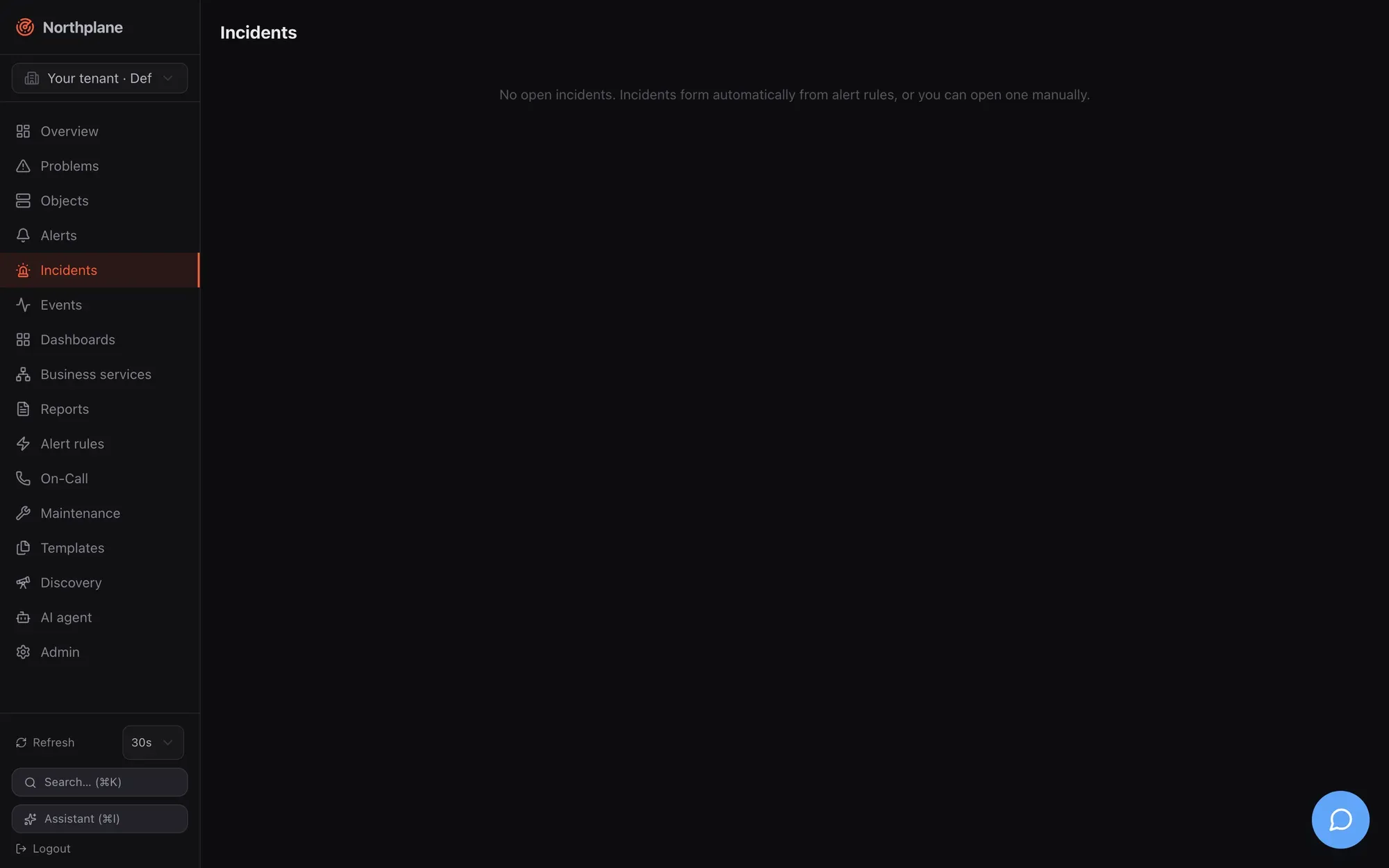
Section titled “Incidents page”Route /incidents. Data: GET /api/v1/incidents?limit=100 (incidents:read). Incidents are shown as cards in a two-column grid: severity badge and title (struck through once resolved), a meta line <createdBy> · <age> · <impact>, the summary text and a Ticket ↗ link when a ticket URL is set. Open incidents have two actions:
| Action (EN / DE) | Call | Notes |
|---|---|---|
| AI summary (AI-Zusammenfassung, sparkles icon) | POST /api/v1/incidents/{id}:summarize (incidents:write) |
Needs a server-level AI provider (ai.provider in config.yaml); otherwise the API answers 503 np:ai/disabled and nothing changes. The summary (2–3 sentences, German) is stored on the incident. See Agent chat. |
| Resolve (Schließen) | POST /api/v1/incidents/{id}:resolve (incidents:write) |
Resolves the incident and its open/acknowledged alerts. |
Empty state: “No open incidents. Incidents form automatically from alert rules, or you can open one manually.” New incident (title, severity, impact, ticket URL) creates one manually via POST /api/v1/incidents; merging and editing stay API-only (…:merge, PUT) — see Alerts and incidents.
Events page
Section titled “Events page”Route /events. Data: GET /api/v1/events?types=<type>&severity=<sev>&from=<rfc3339>&objectId=<id>&limit=200 (events:read), pages of 200 continued with Load more (cursor-based).
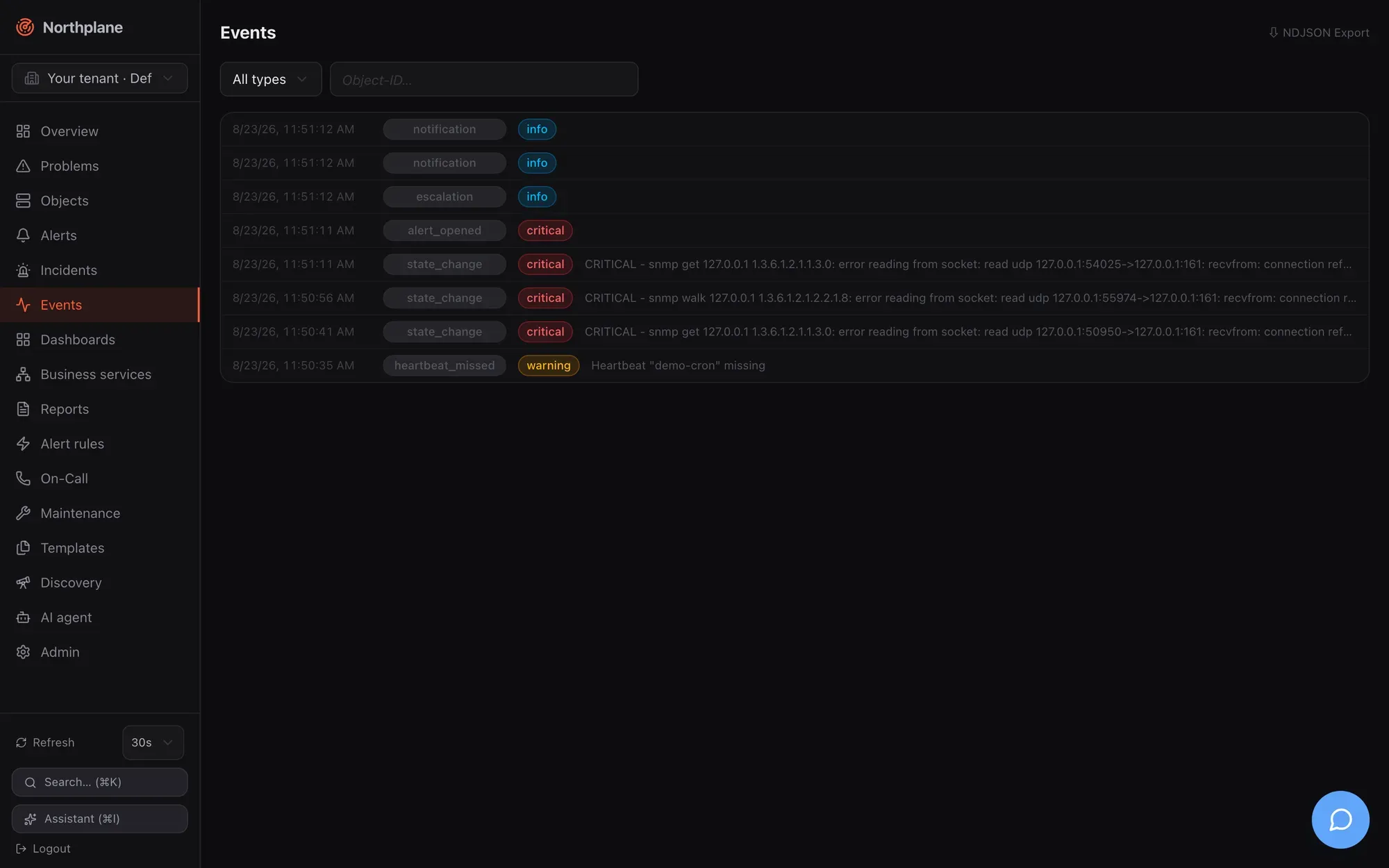
| Control | Behaviour |
|---|---|
| Type select | All types (Alle Typen) or one of the 14 types below |
| Severity select | All severities or critical/warning/info/ok |
| Time range select | everything, last hour, 24 hours, 7 or 30 days (from=) |
| Object input | object name (autocomplete) or id; names resolve to the id filter |
| ⇩ NDJSON Export link | GET /api/v1/events:export?… — streams the current filters as newline-delimited JSON for SIEM or archival use |
Each row is a collapsible details element: time, type badge, a state/severity badge, and a one-line summary; expanding the row shows the full payload as pretty-printed JSON. Rows without a natural text field get a composed summary per type — notification shows channel → contact and status, escalation the step and contacts, ack who acknowledged, config the changed kinds.
The 14 types offered by the filter:
| Type | Emitted when |
|---|---|
state_change |
a check result changes an object’s state (soft and hard transitions) |
alert_opened |
an alert is opened — by a rule, by the correlator, or as a manual alarm |
alert_resolved |
an alert is resolved (resolve rule, auto-close, API/UI) |
notification |
a delivery attempt is recorded (pending/sent/failed/dead) or a notification is suppressed |
escalation |
an escalation step fires, or a snoozed alert wakes up |
ack |
an alert is acknowledged or snoozed (any path: UI, API, ack link, SMS, IVR) |
ingress |
an event source accepted a payload (webhook, Alertmanager, mail, MQTT, ESPA, SNMP trap) |
config |
configuration changed through the API (objects, resources, bundles) |
downtime |
a downtime is created |
silence |
a silence is created |
heartbeat_missed |
a heartbeat did not beat in time (and again, with resolve: true, when it recovers) |
flapping_start / flapping_end |
an object enters/leaves flap suppression |
ai_action |
defined for AI tool executions — currently not emitted by the server |
Events of other types (incident_update, system) are stored and shown under All types but cannot be selected individually in this dropdown.
The full event model with payloads, retention and the SSE stream for external consumers is in Events.
On-Call page
Section titled “On-Call page”Route /oncall. Three blocks: who is on duty now, the schedule manager, and a detail card per schedule. Reading needs oncall:read; creating and editing schedules and overrides needs oncall:write (both held by operator; viewer has read only).
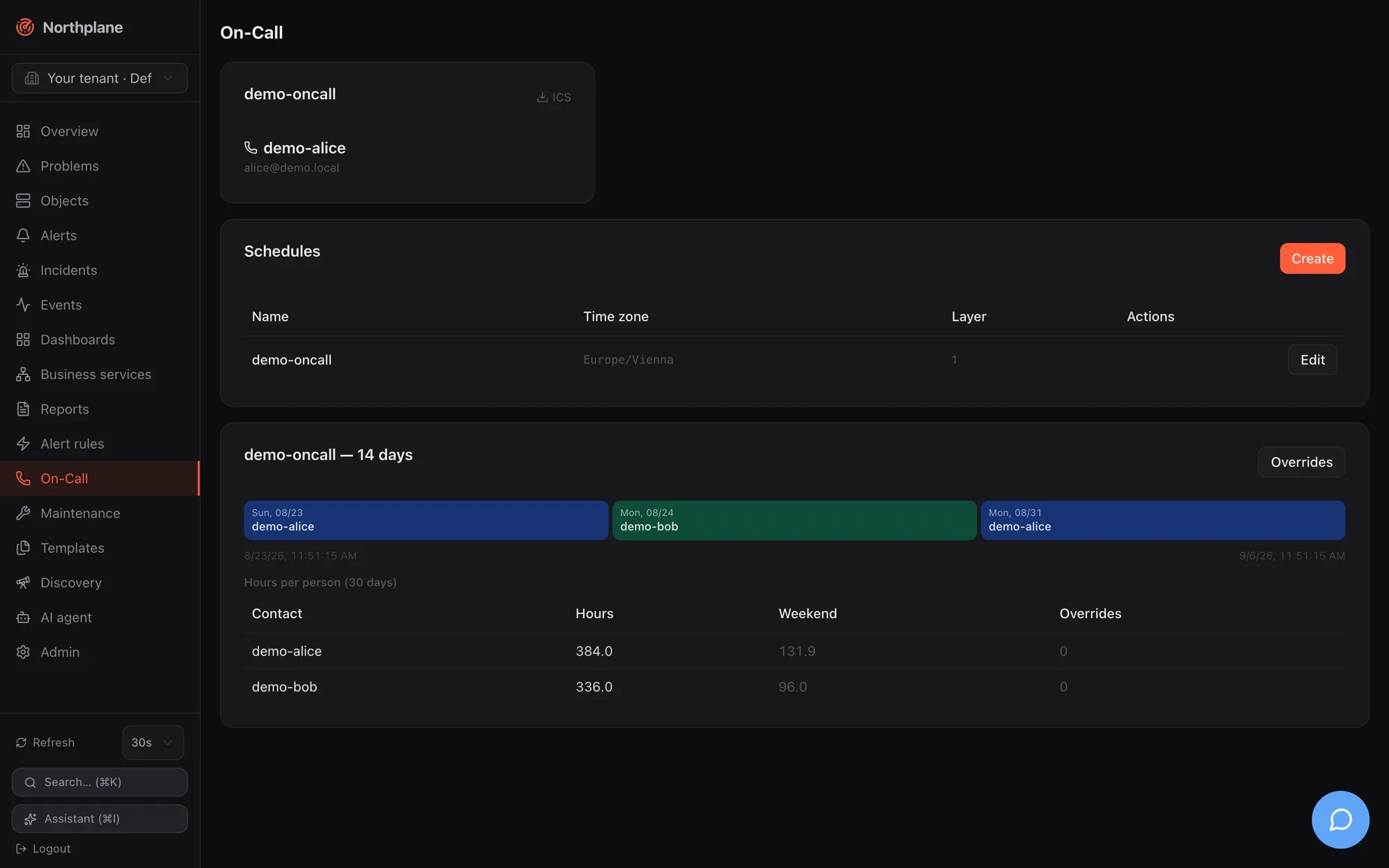
Now cards
Section titled “Now cards”One card per schedule from GET /api/v1/oncall/now: the schedule name, the people currently on duty with name, e-mail and phone, and an ICS link to /api/v1/schedules/<name>/ics — an iCalendar export of the rotation. The endpoint requires oncall:read and the link carries no token, so download it with your browser session or fetch it with an API token (curl -H "Authorization: Bearer np_…") for a calendar subscription. Empty states: “nobody on duty” (niemand im Dienst) inside a card, “No on-call schedules defined.” (Keine Bereitschaftspläne definiert.) when there are none.
Schedules manager (Dienstpläne)
Section titled “Schedules manager (Dienstpläne)”A table of schedules — Name, Time zone (Zeitzone), number of layers, Edit (Bearbeiten) — and a Create (Anlegen) button. The dialog:
| Field (EN / DE) | Input |
|---|---|
| Name | locked on edit |
| Time zone (Zeitzone) | IANA name, default Europe/Berlin |
| Layers — each layer (“Rotation”) has: | |
| name | optional |
| Rhythm (Rhythmus) | daily (täglich) / weekly (wöchentlich) / custom (benutzerdefiniert) |
| Participants (Teilnehmer) | ordered list with contact-name suggestions |
| Shift length (Schichtlänge) | duration; only for custom |
| Anchor (rotation start) (Anker) | date-time from which shifts are counted |
| Restriction (weekday → HH:MM-HH:MM) (Einschränkung) | key/value rows such as mon → 08:00-17:00; comma-separated ranges for several windows |
| + Layer, Remove (Entfernen) | add/remove layers |
Saving uses the resource API (POST /api/v1/schedules, PUT /api/v1/schedules/{name} with If-Match); Delete removes the schedule. Layer semantics (later layers override earlier ones in their restriction windows) and the backup/escalateTo model are explained in Contacts and on-call.
Per-schedule detail
Section titled “Per-schedule detail”Below the manager each schedule gets a card <name> — 14 days:
| Block | Content | Source |
|---|---|---|
| Timeline | the next 14 days as coloured day blocks per person; an override is marked with an amber ring and ⤳ |
GET /api/v1/schedules/{name}/timeline?from&to |
| Hours per person (30 days) | table with hours, weekend hours and override count per contact | GET /api/v1/schedules/{name}/stats |
| Overrides button | opens the overrides dialog |
Overrides dialog
Section titled “Overrides dialog”| Field (EN / DE) | Input |
|---|---|
| Contact (Kontakt) | select (“— select —”) |
| Reason (Grund) | text, placeholder “Vacation” (Urlaub) |
| From / To (Von / Bis) | date-time pickers |
| Add (Hinzufügen) | POST /api/v1/schedules/{name}/overrides (oncall:write) |
The Active overrides (Aktive Overrides) list is derived from the timeline between yesterday and +30 days. An override replaces whoever is on duty in the window for the primary slot; a step that escalates to the backup person ignores overrides (see Escalation policies).